GTA 6 Bank Limit: How to Raise Your BuckMe Cap
Your money stopped going in and the ATM will not take another dollar. GTA 6 has a bank limit, and a cash limit too. Here is every BuckMe tier with its Checking cap, how Family Savings goals and the main story raise it, and what to do with the cash in the meantime.

Yes. GTA 6 limits how much you can bank and how much you can carry. Your BuckMe Checking account starts capped at $15,000, and it grows when you put money into Family Savings and reach its goals: $10,000 saved lifts Checking to $100,000, $100,000 saved lifts it to $500,000, and $500,000 saved lifts it to $2,000,000, the maximum. Those goals only open up as you play the main story, and at the start of Chapter 4 you are moved to the $2,000,000 tier automatically, whatever you have saved. Separately, Jason and Lucia can each carry up to $20,000 in pocket cash.
Rockstar's own Support page confirms the core rule: limits on BuckMe accounts increase as the story progresses, and payments that bounce off a full Checking account are processed once the account is upgraded. The tier figures below are where PowerPyx, Power Up Gaming and Beebom all agree. GTA 6 has been out for five days, so this page sticks to what Rockstar says and what at least two independent outlets agree on, as of November 24, 2026. Spoilers are limited to chapter numbers and one end-of-Chapter-1 money rule, flagged where it appears.
Is there a bank limit in GTA 6?
Yes, three of them, and they behave differently:
| Where your money sits | Limit | How it goes up | Sources |
|---|---|---|---|
| Pocket cash (each character) | $20,000 | No outlet we read describes a way to raise it | GamesRadar+, PC Gamer, Power Up Gaming, GTABase |
| BuckMe Checking (Jason and Lucia each have one) | $15,000 at first, $2,000,000 at most | Family Savings goals, opened by story progress; automatic top tier at the start of Chapter 4 | Rockstar Support; PowerPyx, Power Up Gaming, Beebom |
| BuckMe Family Savings (shared) | A deposit cap that rises in Chapters 2, 3 and 4; final goal $2,000,000 | Story progress only | Rockstar Support; GamesRadar+, Power Up Gaming; PowerPyx and Beebom for the final goal |
Jason and Lucia each have their own Checking account and their own pocket cash, while Family Savings is one account they share (GamesRadar+, Power Up Gaming). GamesRadar+ says both characters' Checking limits rise as you progress; the tier lists below do not give separate figures for Lucia.
What are the BuckMe tiers and limits?
Each Family Savings goal you reach moves your account to a new tier, and the tier sets your Checking limit. PowerPyx, Power Up Gaming and Beebom give the same goals and the same Checking limits:
| Family Savings goal | Checking limit after it | Tier name | Perk |
|---|---|---|---|
| $5,000 | $15,000 | Buckin' Broke | None |
| $10,000 | $100,000 | BuckeDry | 20% off RydeMe journeys |
| $100,000 | $500,000 | BuckMe Gold | 20% off garage purchases |
| $500,000 (or automatic at the start of Chapter 4) | $2,000,000 | BuckMe Premium | 10% off liveries |
| $1,000,000 | $2,000,000 | Rich as Buck | None |
| $2,000,000 (final goal) | No increase listed | None listed | None listed |
Notes on the table:
- $15,000 is the starting cap. Game Rant and Power Up Gaming both give $15,000 as the Checking limit you start with, which matches the first tier.
- The jump that matters is the second goal. Saving just $10,000 takes your Checking room from $15,000 to $100,000, a big jump for a small deposit.
- The tier names vary slightly. Beebom writes "BuckMe Dry" for the $10,000 tier. PowerPyx says the phone message calls the $500,000 tier BuckMe Black while the app shows BuckMe Premium, and Beebom lists it as BuckMe Black (BuckMe Premium); it is one tier.
- Nothing above $500,000 raises Checking. PowerPyx, Power Up Gaming and Beebom all give $2,000,000 at both the $500,000 and $1,000,000 goals, and PowerPyx calls $2,000,000 the maximum Checking limit. PowerPyx says the $1,000,000 and $2,000,000 goals carry no perk and no limit increase; Power Up Gaming lists the final goal's limit as unknown.
The discounts are covered properly elsewhere: our GTA 6 property guide has every garage at both prices, and our stock market page covers what Family Savings does and does not pay back.
How do you increase your bank limit in GTA 6?
You need both things at once: story progress opens the next goal, and money in Family Savings claims it. Here is the order that works:
| Step | What to do | Sources |
|---|---|---|
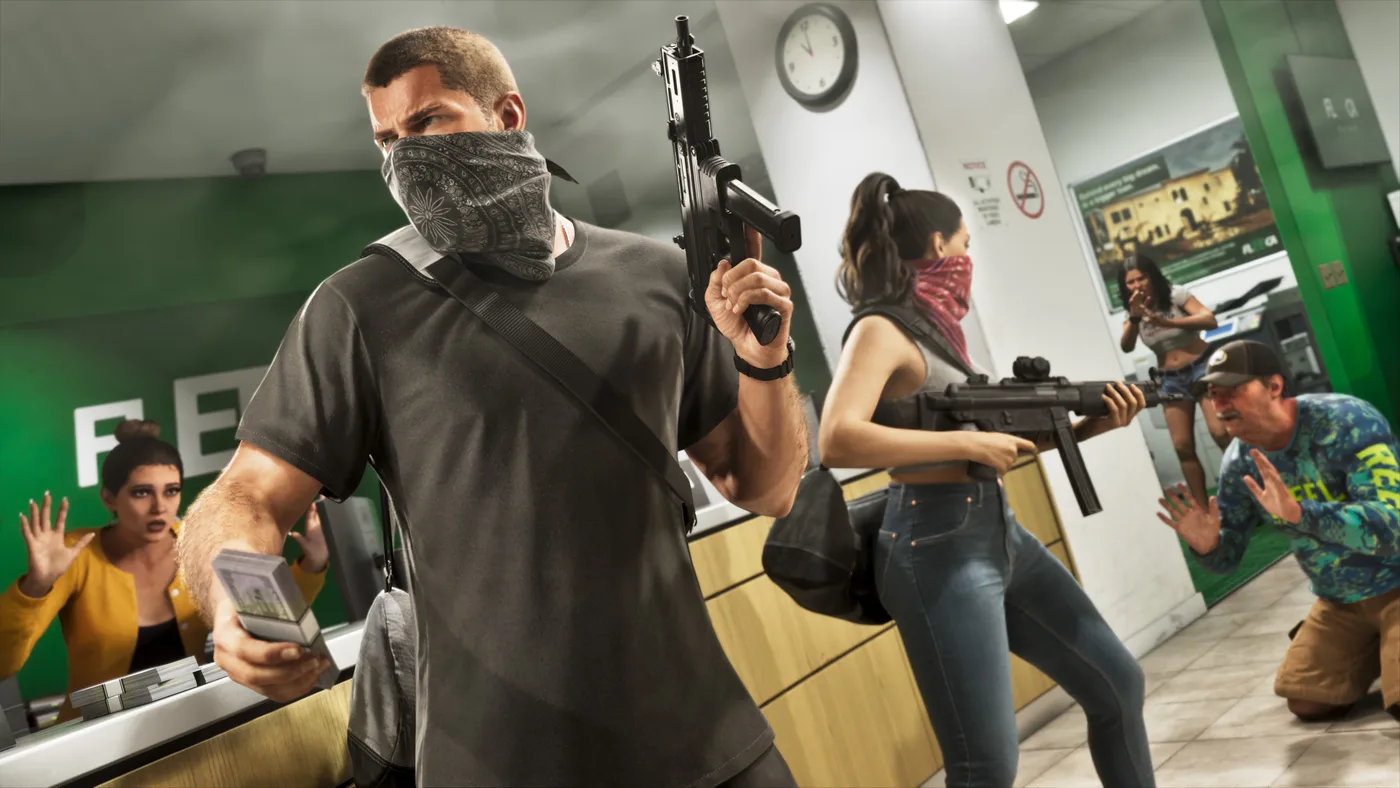
| 1 | Finish the Chapter 1 mission Buck Me to open your BuckMe account | GamesRadar+, Game Rant, PC Gamer, PowerPyx |
| 2 | Open the BuckMe app on your phone and use Buck Yourself to move money from Checking into Family Savings | Power Up Gaming, GTABase, PC Gamer |
| 3 | Fill Family Savings up to the current goal; reaching it raises your Checking limit | PowerPyx, Power Up Gaming, Beebom, Game8 |
| 4 | Play the main story until BuckMe notifies you that an upgrade is ready; that opens the next goal | Rockstar Support; GamesRadar+, PowerPyx |
| 5 | Repeat. At the start of Chapter 4 you are moved to BuckMe Premium ($2,000,000 Checking) regardless of your savings | PowerPyx, Power Up Gaming |
Four things to know about how that works:
- Grinding will not open the next goal. PowerPyx says each new goal only unlocks after more story progress, and GamesRadar+ says the upgrade notifications arrive in Chapters 2, 3 and 4. Rockstar Support's fix for a full account is simply to keep playing the main story.
- Family Savings has its own cap. Rockstar's Support page covers being unable to move money into Family Savings as well as Checking, and GamesRadar+ and Power Up Gaming both say the Family Savings limit goes up as the chapters advance. So you cannot pre-load $500,000 in Chapter 1 and jump straight to Premium.
- Hit a goal early and you get a bonus. GamesRadar+ and Power Up Gaming both say reaching a savings target before the next limit increase pays an interest bonus, and Game8 describes interest deposits into Family Savings at savings milestones. None of them gives a rate, so do not budget around a number.
- ATM deposits go into Checking. Power Up Gaming says ATMs handle only Checking deposits and withdrawals, and PowerPyx's deposit quest has you pay cash into Checking at an ATM. You then move it on to Family Savings in the app with Buck Yourself (Power Up Gaming, PowerPyx, GamesRadar+). The BuckMe app's ATM Finder marks the nearest machine (PowerPyx, Game Rant).
The Save for the Future quest in your quest list tracks these goals for the whole game (PowerPyx, Beebom, Game8).
What happens when your Checking account is full?
Nothing is lost, but nothing new arrives either. Rockstar Support says payments that cannot be completed because Checking is full are processed once the account is upgraded through story progress. GamesRadar+, Power Up Gaming and PowerPyx all describe incoming payments sitting as pending until there is room.
What you can do about it right now:
- Spend from Checking. Pocket cash only covers small purchases (PowerPyx and Power Up Gaming put the cut-off at $999; GamesRadar+ says up to $1,000), and anything bigger is taken from Checking, so a car, a garage or a gun upgrade frees room fast.
- Move money into Family Savings, if it is below its current cap. PowerPyx and GTABase both name this as a way to free room, and GamesRadar+ says transfers work as long as Family Savings is under its limit. Remember it is one-way: money moved in can never come back out (GamesRadar+, PC Gamer, Power Up Gaming, GTABase).
- Use the other character's account. Jason and Lucia have separate Checking accounts (GamesRadar+, Power Up Gaming), so each has room of their own. No outlet we read describes moving money between the two.
- Hold cash in your pocket, carefully. Each character can carry up to $20,000, but all of it is gone if you are Wasted or Busted (next section).
- Push the story. That is the only thing Rockstar names as the fix.
My take: if you are about to get paid for a big job, check your Checking balance first. A big payout landing on a $15,000 account is not lost, but it is not spendable either until you make room or the story lets you upgrade.
How much cash can you carry in GTA 6?
$20,000 per character. GamesRadar+, PC Gamer, Power Up Gaming and GTABase all give that limit, and GamesRadar+, Power Up Gaming and GTABase say Jason and Lucia each have their own. The cash on you is both capped and exposed:
| What happens | To pocket cash | To money in BuckMe | Sources |
|---|---|---|---|
| Wasted or Busted | All of it is lost | A small amount comes out of Checking; Family Savings is untouched | GamesRadar+, Power Up Gaming, Game Rant (pocket cash); PowerPyx, Power Up Gaming, GTABase (Checking); PowerPyx, Game8 (Family Savings) |
| End of Chapter 1 (light spoiler) | Lost | Checking is lost; Family Savings is kept | GTABase, Game8 |
Before you have a bank account, the floorboard stash in Jason's bedroom keeps cash safe from death and arrest (PC Gamer, GTABase). Our GTA 6 death and arrest guide has the full penalty breakdown, and our beginner's guide has the Chapter 1 checklist behind a spoiler warning.
PC Gamer's one piece of contrary advice is worth keeping: do not bank every last dollar, because some street encounters and vendors only take cash. Keep a few hundred on you.
Should you fill Family Savings to raise the limit?
Up to $10,000, almost always. That goal costs you $10,000 of spendable money and turns a $15,000 Checking cap into $100,000, plus 20% off RydeMe rides. If your payouts keep bouncing off the cap and the story has opened that goal, this is the fix.
Past that, it depends on what you need:
| Goal | What you give up | What you get | Worth it if |
|---|---|---|---|
| $10,000 | $10,000 locked away | Checking $100,000, 20% off RydeMe | Your payouts are hitting $15,000 |
| $100,000 | $100,000 locked away | Checking $500,000, 20% off garages | You are about to buy several garages |
| $500,000 | $500,000 locked away | Checking $2,000,000, 10% off liveries | You reach it before Chapter 4, which grants the same tier for free |
| $1,000,000 and $2,000,000 | Up to $2,000,000 locked away | No perk, no higher limit (PowerPyx) | You are chasing the savings side of the ending |
The $500,000 row is the trap. Because PowerPyx and Power Up Gaming both say Chapter 4 hands you BuckMe Premium regardless of savings, paying $500,000 into a one-way account early only buys you the $2,000,000 cap and the livery discount sooner than the story would give them to you, unless you are building toward the $2,000,000 savings goal anyway.
Family Savings does matter beyond the bank: outlets tie its balance to how the story can end. Our GTA 6 endings guide covers that without spoiling the plot.
For filling the account in the first place, our GTA 6 money guide ranks the earners, and our fences guide and car-selling guide cover turning loot into cash.
Where do the sources disagree?
- The pocket-cash limit before you have a bank. Four outlets give $20,000, but GamesRadar+'s own Chapter 1 walkthrough says Jason can carry only up to $2,000 at the point before he has a bank account. No other outlet we read repeats the $2,000 figure.
- What counts as a "goal". GamesRadar+ talks about five savings goals; PowerPyx, Beebom and Power Up Gaming list six, from $5,000 to $2,000,000.
- When the RydeMe discount arrives. PowerPyx, Beebom and Power Up Gaming tie 20% off RydeMe to the $10,000 goal; GamesRadar+'s fast travel guide ties it to a BuckMe Premium account it says opens in Chapter 3.
- Whether savings earn anything. GamesRadar+, Power Up Gaming and Game8's Family Savings page describe interest bonuses; Game8's what-to-buy-first page says Family Savings pays no perks or interest.
- Which chapter opens which goal. GamesRadar+ says the upgrades come in Chapters 2, 3 and 4, and PowerPyx and Power Up Gaming agree Premium arrives at the start of Chapter 4, but we found no two outlets that agree on exactly when the $10,000 and $100,000 goals open.
For everything else on the phone, including how the BuckMe app itself is laid out, see our GTA 6 phone apps guide.
Frequently Asked Questions
Is there a bank limit in GTA 6?
How do you increase your BuckMe limit in GTA 6?
What is the max money in a GTA 6 bank account?
Why can't I deposit money in GTA 6?
What happens to payments when your GTA 6 Checking account is full?
How much cash can you carry in GTA 6?
Do you get BuckMe Premium automatically in GTA 6?
Keep Reading
- Cannot put any more money in my BuckMe account in Grand Theft Auto VI (Rockstar Support, last updated November 19, 2026) - Checking and Family Savings limits increase as the story progresses; pending payments processed once the account is upgraded
- GTA 6 Save for the Future Walkthrough (PowerPyx, November 18, 2026) - every Family Savings goal with its Checking limit, new goals open after more story, automatic BuckMe Premium (BuckMe Black) at the start of Chapter 4, $2,000,000 maximum Checking limit, no perk or limit increase at $1M and $2M
- GTA 6: How to Use BuckMe and Manage Your Money (Power Up Gaming, Khizar Mundia, November 22, 2026) - $20,000 pocket cash per character, $999 cash purchase limit, ATMs handle only Checking, $15,000 starting Checking limit, a small Checking loss when Wasted or Busted, tier table with Checking limits, pending payments, Family Savings cap rises by chapter, interest bonus, automatic Premium in Chapter 4
- GTA 6 Save for the Future Mission Guide (Beebom, November 21, 2026) - BuckMe tiers from Buckin' Broke to Rich as Buck with Checking limits of $15,000, $100,000, $500,000 and $2,000,000; BuckMe Black is BuckMe Premium
- GTA 6 money management and BuckMe Bank explained (GamesRadar+, Josh West, November 19, 2026) - $20,000 pocket cash each, all of it lost when Wasted or Busted, cash for purchases up to $1,000, separate Checking accounts, limits upgraded with notifications in Chapters 2, 3 and 4, pending payments at the limit, Family Savings shared and one-way
- GTA 6 Family Savings explained (GamesRadar+, Josh West, November 19, 2026) - five tiers of balance limit rising with the main missions, Buck Yourself transfers from Checking, interest boost for hitting a target before the limit increases, money cannot be removed
- GTA 6 Chapter 1 walkthrough (GamesRadar+) - says Jason can carry only up to $2,000 in pocket cash before he has a bank account
- GTA 6 fast travel (GamesRadar+) - ties 20% off RydeMe journeys to a BuckMe Premium account it says unlocks in Chapter 3
- Bank your cash in GTA 6, but always keep a few hundred on you (PC Gamer, Sean Martin, November 19, 2026) - $20,000 carry limit, floorboard stash, Buck Me mission, savings cannot be withdrawn, some encounters need cash
- How to Keep Your Money Safe in GTA 6: BuckMe & Family Savings (GTABase) - $20,000 pocket cash each, all of it plus a small BuckMe fee lost when Wasted or Busted, $999 cash purchase limit, deposits at any ATM, goals raise the Checking limit, new goals open with the story, held pay when Checking is full, $2,000,000 Family Savings cap, Family Savings kept after Chapter 1
- How to Get a Bank Account in GTA 6 (Game Rant, Jake Fillery, November 18, 2026) - Buck Me mission at Fleeca Bank, pocket cash lost when arrested or killed, $15,000 Checking limit, upgrades tied to story progression, ATM Finder
- BuckMe Family Savings Purpose and Benefits (Game8, GTA 6, updated November 23, 2026) - Family Savings milestones raise the Checking cap, milestone interest deposits, Checking lost at the end of Chapter 1 while Family Savings carries over
- What to Buy First (Game8, GTA 6) - says Family Savings gives no direct perks or interest
- GTA 6 Deposit Cash Into BuckMe Walkthrough (PowerPyx, November 18, 2026) - each savings level raises the Checking limit, payments held at the limit, $999 cash purchase limit, ATM cash deposit into Checking, ATM Finder, some Checking balance lost on death, Family Savings can never be lost
Related Guides
GTA 6 Stock Market: Is There One? No LCN or BAWSAQ
If you were planning to rerun GTA 5's assassination-mission stock trick in Leonida, there is nothing to trade. Here is what launch-week coverage says about the missing stock market, what Rockstar has said about the missing internet, why missions cannot move share prices, the closest thing GTA 6 has to an investment, and where the real money is.
How to Sell Cars in GTA 6: Moses, Randy and Pay 'n' Spray
Selling cars in GTA 6 comes down to one question: which buyer will take this car's tracker? This guide maps the three buyers (Moses, Pay 'n' Sprays and Randy) to the tracker tiers they accept, when each opens, the daily caps and cooldowns, how condition changes the price, and what registering a car does to selling it.

GTA 6 Money Glitch: The Barn Loop and What It Really Pays
The repeatable GTA 6 money method is a glitch: a red barn in South Vice-Dale County whose cocaine and cash respawn after a save and reload, or a short drive away. Here is the loop step by step, what outlets say a load is worth (they disagree), what stops it being truly endless, and what Rockstar's first patch on November 23 did and did not say about it.
GTA 6 Endings Explained: How Many and What Decides Them
How many endings Grand Theft Auto VI has, the four systems and the final-mission choice that decide which one you get, the Proceed or Postpone prompt before the finale, whether you can see every ending on one save, and what happens after the credits. Late-game spoilers throughout, but no ending is described.

GTA 6: Everything We Know Now That It's Out
Grand Theft Auto VI is out on PS5 and Xbox Series X|S. Here is everything Rockstar, PlayStation and Xbox have confirmed: the launch date, the two editions and their US prices, the 212 GB download, the cast, Leonida and its official map, GTA+ in GTA VI, and what is still not announced.

GTA 6 Property: Can You Buy Houses, Garages or Businesses?
If you were planning a GTA V-style property empire, adjust your expectations. GTA 6 sells you garages, eight of them, through a phone app. Here is every garage with its price and area, why guides disagree on what they cost, which garages and safehouses come free, and what the game says about businesses and passive income.