WoW: Forever Addons: How to Install Them and Which Ones Work
Addons work in WoW: Forever, but it is not Classic Era. Forever runs on the modern WoW interface, the Midnight addon restrictions apply, and addons need a Forever build to load properly. Here is how to install them and which popular ones had Forever versions as of November 13.
If you are coming to WoW: Forever from Classic Era, the old addon advice only half applies. Forever looks like 2004, but under the hood it runs on the modern World of Warcraft interface. A Blizzard UI developer put it plainly: Forever "shares Mainline WoW's UI architecture, including the vast majority of APIs available in 12.1.5." That changes three things: which addon files load, where you put them, and what combat addons are allowed to do. This guide covers all three, then lists the popular addons that had a Forever build when I checked on November 13, 2026. For what Forever is and how to install the game itself, start with our WoW: Forever explainer.
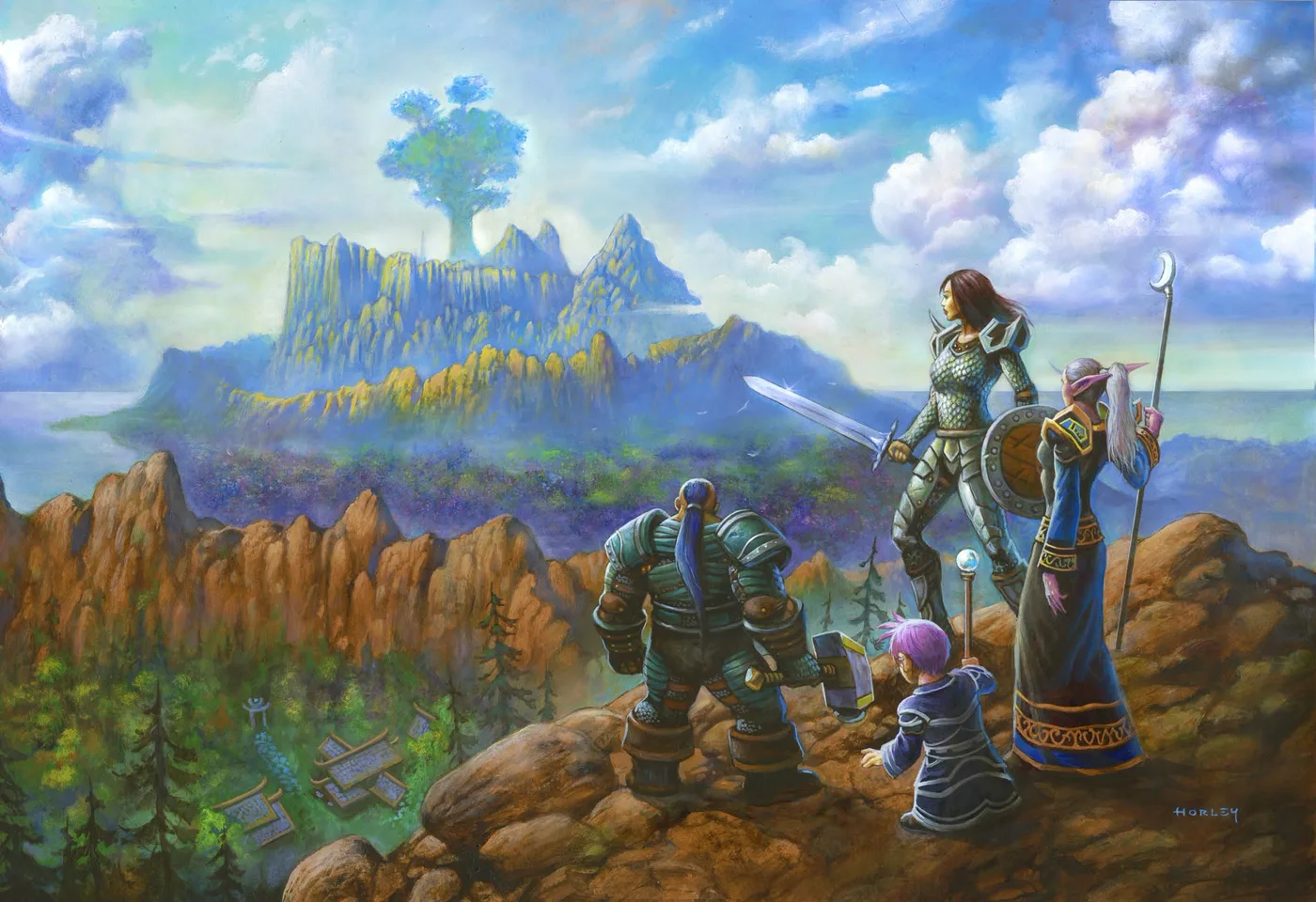
Blizzard's WoW: Forever Alliance key art, by Alex Horley.
Are addons allowed in WoW: Forever?
Yes. I could not find a separate Forever addon policy from Blizzard, and nothing I read bans addons there. What exists is this:
- The UI developer statement. On September 15, 2026, Blizzard's UI team posted "An Update On Secrets In WoW: Forever" in the WoW UI developer community's Discord. Warcraft Wiki keeps the text on its Patch 1.60.1 API notes page. It says Forever and Midnight are "two game types within the Mainline code family," and that "the addon disarmament changes introduced in Midnight, including secrets, will also be active in Forever."
- Forever-specific API notes. Blizzard kept publishing addon-facing change notes through the Forever beta (Beta 4 on October 8, Beta 5 on October 16, both for 1.60.1). You do not write notes for addon authors in a game that bans addons.
- The general add-on policy. Blizzard's long-standing UI Add-On Development Policy sets the general ground rules: addons must be free, their code must be visible, they cannot carry ads or ask for donations in game, and Blizzard "reserves the right to disable any add-on functionality" at its discretion.
So addons are supported, under the same rules as the modern game, not the looser rules of Classic Era.
What the Midnight restrictions mean here
Blizzard's November 2025 post "Combat Philosophy and Addon Disarmament in Midnight" sets out the idea: "Addons should no longer offer a competitive advantage in WoW combat." They should stay "robust tools for aesthetic customization and personalized presentation of information." The technical tool for that is "secret values", which hide some combat data from addon code.
Because Forever shares that system, a Forever addon cannot simply do whatever its Classic Era version does. The Forever beta notes also list changes that only matter here:
| Change in the Forever 1.60.1 beta notes | What it means for addons |
|---|---|
| Creature, pet, vehicle and object GUIDs had their server and spawn IDs obfuscated (Beta 5) | Addons cannot compare IDs to work out which layer you are on (Blizzard's stated reason) |
| Trial accounts can no longer send addon messages (Beta 4) | Addons on trial accounts cannot talk to other players' addons |
| The "EMOTE" chat type needs a hardware event, such as a key press, when sent by addon code outside instances, matching "SAY" and "YELL" (Beta 4) | An addon cannot post emotes on its own in the open world |
| A further fix to stop addons reading minimap rotation during encounters (Beta 4) | Addons lose another source of map data during boss encounters |
| Nameplates no longer show for non-target units far above or below you (Beta 5) | Fewer nameplates for addons to read or restyle; two new CVars control the range |
The same Beta 5 notes warn that Blizzard reskinned the Forever player, target, pet, target-of-target, totem and focus frames and the minimap header. Addons that skin or anchor to those frames "may need to adjust things." If a UI addon looks broken, that is a likely reason, and the fix is an update from its author.
Where Forever addons go
Forever has its own folder inside your World of Warcraft install, separate from retail and from Classic:
World of Warcraft\_forever_\Interface\AddOns
CurseForge's own migration guide gives the live folder as World of Warcraft\_forever_. If the Interface or AddOns folder is not there yet, create it. If you are not sure where World of Warcraft is installed, the Battle.net app can open the install folder for you from the game's settings.
Two numbers are useful when an addon will not load:
- Patch 1.60.1, interface 16001. Warcraft Wiki's TOC format page lists Forever as patch 1.60.1 with interface number 16001. An addon's .toc file needs to list 16001 in its "## Interface" line, or the game treats it as out of date.
- The Forever file suffix. Addon authors can ship a separate file such as MyAddon_Forever.toc. Blizzard's Beta 4 notes say "Forever" is accepted as an alias for "Camelot" in these file suffixes. So a file ending in _Camelot.toc is also a Forever file.
This is why dropping your Classic Era addons into the Forever folder is not a good plan. A Classic Era build lists Classic's interface number, not 16001, and it was written for Classic's API, not the modern one.
How to install addons
With the CurseForge app (easiest):
- Install WoW: Forever through Battle.net and launch it once, so the folders exist.
- Open the CurseForge app, choose World of Warcraft, and select your Forever installation. CurseForge's migration guide tells you to "choose your Forever live installation."
- Search for an addon and install the version the app offers for Forever. If an addon has no Forever version, do not force a different flavour in.
- If addons you added by hand do not show up, run a manual scan of the addons folder, as CurseForge's guide suggests.
- Launch Forever, open the AddOns menu, and enable what you want.
By hand (works for Wago or GitHub downloads too):
- Download the addon's Forever release. On Wago Addons, the addon page lists which Forever patch a release supports.
- Extract the zip.
- Move the extracted addon folders into
World of Warcraft\_forever_\Interface\AddOns. Each folder should sit directly in AddOns, with its .toc file inside. Watch for a doubled path likeInterface\AddOns\Questie\Questie, which the game will not load. - Restart the game, or type /reload if you are already in it, then check the AddOns menu.
If you played the beta
The Forever beta used a different folder. CurseForge's October 25 guide gives it as World of Warcraft\_classic_beta_, and the live game does not read from there. To keep your beta setup:
- Close the game and the CurseForge app, and back up both folders first.
- Copy the Interface and WTF folders from the beta folder into
World of Warcraft\_forever_. This overwrites matching live files. - In
WTF\Account, rename the beta's randomly named account folder to your account name, which the Battle.net launcher shows under the game version and account settings. - Open CurseForge, select the Forever live install, and check for updates, because a beta build may be older than the live one.
Per-character settings sit in their own folders, so CurseForge notes you may have to fix those by hand.
Popular addons with Forever builds
I checked each addon below on November 13, 2026, on its Wago Addons page (which lists a supported Forever patch for each release) or in its own source repository (looking for a Forever .toc file listing interface 16001). "Has a Forever build" means it is built to load in Forever. It does not mean every feature works the way it does in Classic Era, because the Midnight restrictions apply.
| Addon | What it does | Forever evidence (Nov 13) |
|---|---|---|
| Questie | Shows quest givers, objectives and turn-ins on your map | A Questie_Forever.toc with interface 16001; release v12.8.0 on November 12; Wago lists Forever 1.60.1; the changelog has many Forever-specific quest fixes |
| Details! Damage Meter | Damage, healing and threat breakdowns | A Details_Camelot.toc with interface 16001 in the official repository |
| Deadly Boss Mods (DBM) | Boss timers and warnings | DBM Core lists 16001; a separate "Dungeons (Forever)" module covers nine Forever dungeons, including Alcaz Prison, Blackmaw Hold, Hall of Thanes and The Shaper's Terrace |
| BigWigs | Boss timers and warnings (DBM alternative) | Wago lists Forever 1.60.1; the code has a dedicated Forever start-up file |
| Auctionator | Faster auction house searching, posting and price history | Wago lists Forever 1.60.1; release 346 (November 12) includes a Forever-specific fix for copper values on gear |
| Baganator | Combined, searchable bags and bank | Wago lists Forever 1.60.1 |
| Bartender4 | Moves and resizes action bars | Wago lists Forever 1.60.1 |
| Plater | Customizable nameplates | Wago lists Forever 1.60.1 (release v663, November 4) |
| TomTom | Map waypoints and an arrow to follow | Wago lists Forever 1.60.1 |
| RareScanner | Alerts and map pins for rare mobs and treasures | Wago lists Forever 1.60.1 |
| Pawn | Scores gear and flags upgrades | Wago lists Forever 1.60.1 |
| EllesmereUI and Narcissus | Full UI overhaul and a character-sheet/transmog view | Wago lists releases for retail and Forever |

The gryphon end-cap from Forever's own action bar texture. UI addons like Bartender4 can hide or replace art like this.
A few practical notes on that list:
- Questie is still being finished. Its maintainers' own "Forever remaining work" document lists checks still waiting on live testing, such as native Forever quest greetings and Skyborne starting-zone eligibility. Expect fixes to keep landing. Report bugs to the Questie team, not Blizzard.
- Boss mods matter less until December 9. Forever's three raids open that day, so for now DBM's and BigWigs' Forever value is in dungeons. Our raids and endgame guide covers what opens and when.
- Auctionator pairs with the auction house changes. Blizzard said on its forums that auction house changes will go live with the November 17 weekly maintenance. Our gold making guide has the details.
What you may not need an addon for
Forever has several things built in that Classic Era players used to get from addons. All of these come from Blizzard's own Forever posts:
- Damage meter and cooldown tracking. Blizzard's "What's New and What Feels Familiar" post says Forever's Advanced options "provide access to elements such as the Cooldown Manager and a Damage Meter."
- Quest objectives on the map. The Enhanced preset turns on quest points of interest and objective blobs by default. The Classic preset turns them off, but you can switch them back on under Game Menu, then Options.
- One bag. Enhanced also turns on one-bag by default. If that is all you wanted from a bag addon, you may not need one.
- Moving the interface. Forever has Edit Mode, the modern layout editor. Blizzard's Beta 4 notes say layouts are now saved separately for mouse and keyboard and for gamepad.
What is missing or unconfirmed
- WeakAuras. Wago listed no Forever release on November 13, and the WeakAuras repository ships .toc files only for the Classic flavours (Vanilla, TBC, Wrath, Cata and Mists), with no Forever or retail file. Do not plan a WeakAuras-based setup for Forever unless that changes.
- A Forever-specific addon policy. I could not find one. Everything above comes from the UI developer statement, the API notes and the general add-on policy.
- Every addon on CurseForge. CurseForge blocks automated page reads, so the list above only includes addons I could check on Wago or in their source code. Leatrix Plus and other CurseForge-only addons may have Forever versions too. Check the Forever tag in the CurseForge app before you install.
- How each addon behaves in combat. A Forever build means the addon loads. It does not mean every combat feature survives the secret-values restrictions. If something is greyed out or missing, check the addon's own notes before assuming it is a bug.
Addons change fast in a game this new. Questie, DBM, BigWigs, Auctionator and Baganator all put out new releases between November 8 and 13. Before a raid night, update everything and check the author's page if something breaks after a Tuesday maintenance.
Frequently Asked Questions
Does WoW: Forever support addons?
Where is the WoW: Forever addons folder?
Can I use my Classic Era addons in WoW: Forever?
Does WeakAuras work in WoW: Forever?
Does WoW: Forever have a built-in damage meter?
How do I install WoW: Forever addons with CurseForge?
Keep Reading
- Warcraft Wiki — Patch 1.60.1 API changes notes (Blizzard's "An Update On Secrets In WoW: Forever", Sept 15; Forever 1.60.1 Beta 4 and Beta 5 addon notes)
- Blizzard — Combat Philosophy and Addon Disarmament in Midnight (addons should not offer a competitive advantage in combat)
- Blizzard Forums — WoW User Interface Add-On Development Policy
- Blizzard — WoW: Forever, What's New and What Feels Familiar (Cooldown Manager and Damage Meter in Advanced options)
- Blizzard — World of Warcraft: Forever Now Live! (Classic and Enhanced preset defaults: quest objective blobs, one-bag)
- CurseForge Blog — WoW: Forever: migrate addons from beta to live (Oct 25: _classic_beta_ and _forever_ folders, CurseForge app steps)
- Warcraft Wiki — TOC format (interface versions, game-type TOC suffixes, Forever 1.60.1 / 16001)
- GitHub — Questie (Questie_Forever.toc, Forever remaining-work document)
- GitHub — Details! Damage Meter (Details_Camelot.toc, interface 16001)
- GitHub — DBM Dungeons (DBM-Party-Forever module for Forever dungeons)
- Wago Addons — Auctionator (Forever 1.60.1 support, release 346 changelog)
- Blizzard Forums — WoW: Forever Hotfixes, November 11, 2026 (auction house changes go live with the November 17 weekly maintenance)
- Wago Addons — WeakAuras (no Forever release listed as of Nov 13)
Related Guides
WoW: Forever Raids and Endgame: What to Do at Level 60
WoW: Forever's three raids open on December 9, 2026, not at launch. Until then level 60 means dungeons, PvP ranks and getting the Drakefire Amulet. Here is what each raid is, the full Onyxia attunement for both factions, the ways to gear up before raids open and what Blizzard has scheduled for 2027.
WoW: Forever Gold Making Guide: What Works Right Now
WoW: Forever has no WoW Token, no XP-to-gold payout at 60, and Blizzard has already cut what vendors pay for crafted gear. Here is what still makes gold in this version, what Blizzard has closed off, and what is changing at the November 17 maintenance.
WoW: Forever Leveling Guide: Zones by Level, 1-60
Where to quest at every level from 1 to 60 in WoW: Forever, for both factions. Blizzard publishes no zone levels, so this guide sets the two fansite level lists side by side, slots in the nine new dungeons and covers what speeds leveling up.
WoW: Forever Dungeons List: All 34 by Level and Location
All 34 WoW: Forever dungeons in two tables. The nine new ones carry Blizzard's own level ranges. The 25 returning ones do not, so this list sets the three fansite ranges next to each other and shows the band all three agree on.
WoW: Forever: What It Is, What It Costs, How to Play
World of Warcraft: Forever is not a patch, not an expansion and not a Classic server. Blizzard describes it as a permanent home for a reimagined version of the original game, alongside modern WoW and Classic. Here is what its own pages say about access, cost, platforms and what is still unanswered.
WoW: Forever PvP Guide: Rulesets, Battlegrounds and Ranks
Forever PvP in one page: what the PvP ruleset actually locks you into, which battlegrounds exist, how Darkspear Islands plays, and how Honor, Rank Points, the weekly cap and the Field of Honor journey fit together.