GTA 6 Controls: Full PS5 and Xbox Button Layout
The full default Grand Theft Auto VI button layout on PS5 and Xbox Series X|S, side by side: on foot, aiming, driving, bicycles, swimming, parachuting and flying, plus the D-pad shortcuts for the phone, map, Focus and character switching, what the Classic and Left-Handed schemes move, and how far you can change the controls.
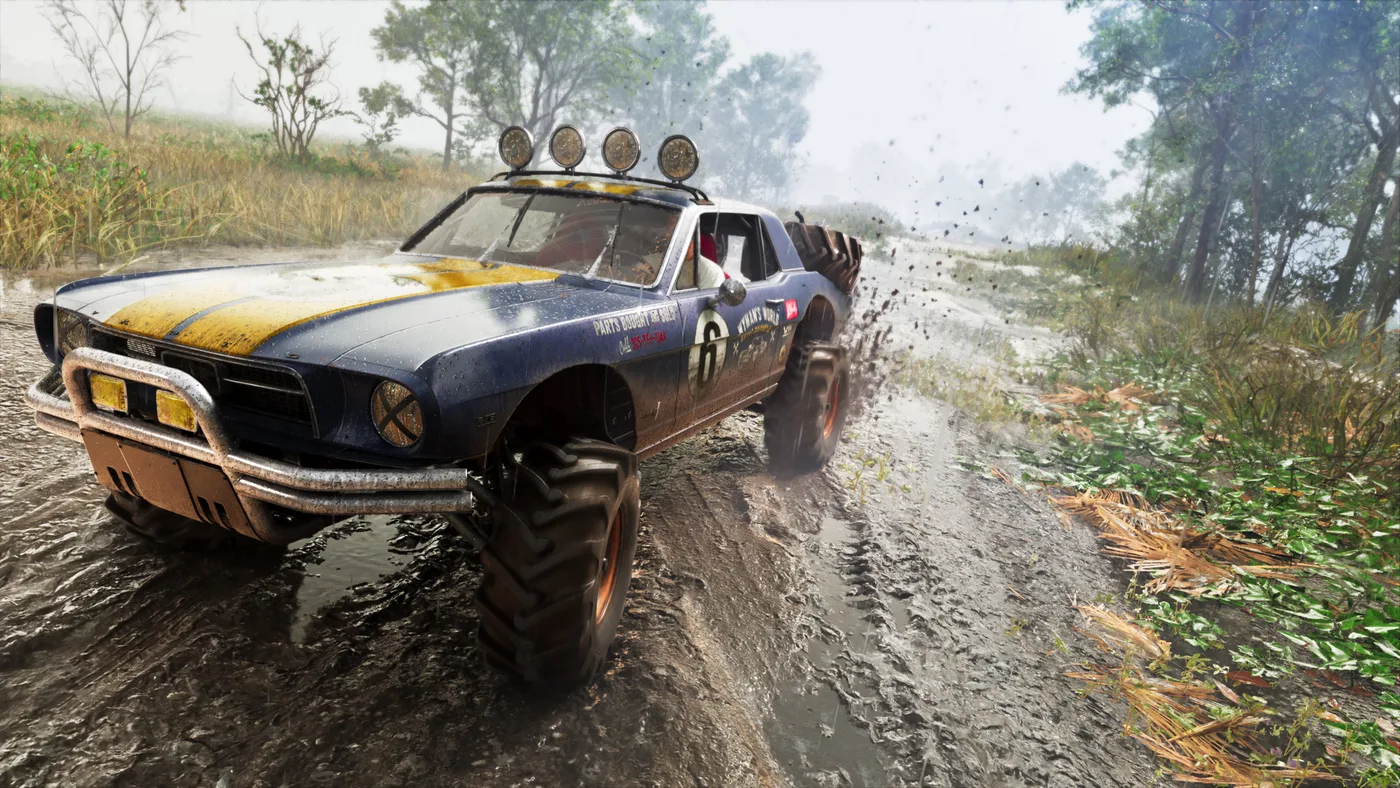
On the Default scheme, GTA 6 moves with the left stick, runs with a click of L3 (LS on Xbox), jumps and climbs with Cross (A), crouches with Circle (B), punches with Square (X) and interacts with Triangle (Y). Hold L2/LT to aim, fire with R2/RT, take cover with R1/RB and tap L1/LB to holster. In a car, R2/RT accelerates, L2/LT brakes and reverses and Cross/A is the handbrake. Press Up on the D-pad for the phone, the touchpad (View on Xbox) for the map, click both sticks for Focus, and hold D-pad Right then press R1/RB to switch between Jason and Lucia. You cannot rebind single buttons in the game's own menu: you choose between three schemes, Default, Classic and Left-Handed.
PS5 and Xbox Series X|S use the same layout in the same positions, so every table below puts the two side by side. Rockstar Support's articles name the schemes and settings but not the buttons, so the rule here is simple: a mapping is on this page only if at least two independent guide outlets give the same button (mainly Game8's control tables, Insider Gaming's full-scheme guide, Shacknews' PS5 list and GTABase's controls guide, plus GamesRadar+, Dexerto, TheGamer and Shacknews' Focus guide for single topics), checked as of November 24, 2026. Anything only one outlet lists is left out. Where the controls touch a bigger subject, the subject has its own guide: combat technique lives in our GTA 6 combat tips, the settings menu in the GTA 6 launch checklist, and switching rules in the Lucia and Jason switching guide.
GTA 6 controls at a glance
The fifteen inputs you will use most:
| Action | PS5 | Xbox |
|---|---|---|
| Move / look | Left stick / right stick | Left stick / right stick |
| Run | Click L3 | Click LS |
| Jump / climb | Cross | A |
| Crouch | Circle | B |
| Interact | Triangle | Y |
| Melee | Square | X |
| Aim (hold) | L2 | LT |
| Shoot (on foot) | R2 | RT |
| Take cover | R1 | RB |
| Holster (tap) / loadout (hold) | L1 | LB |
| Focus | L3 + R3 together | LS + RS together |
| Phone | D-pad Up | D-pad Up |
| Map | Touchpad | View button |
| Pause menu | Options | Menu button |
| Switch character | Hold D-pad Right, then R1 | Hold D-pad Right, then RB |
GamesRadar+ counts the new default scheme among the biggest changes for returning GTA V players, and the headline is that Cross/A is jump, not sprint. Tap it to run out of habit and you jump instead. Either retrain to the L3 click or switch to the Classic scheme, covered below.
What are the GTA 6 on-foot controls?
The full Default on-foot layout. Every row appears in at least two of Game8, Insider Gaming, Shacknews and GTABase:
| Action | PS5 | Xbox |
|---|---|---|
| Move | Left stick | Left stick |
| Run | Click L3 | Click LS |
| Look | Right stick | Right stick |
| Look behind | Hold R3 | Hold RS |
| Jump / climb | Cross | A |
| Crouch | Circle | B |
| Rest | Hold Circle | Hold B |
| Melee | Square | X |
| Interact | Triangle | Y |
| Aim / interact with people | Hold L2 | Hold LT |
| Shoot | R2 | RT |
| Cover | R1 | RB |
| Holster | L1 | LB |
| Loadout (weapon wheel) | Hold L1 | Hold LB |
| Phone | D-pad Up | D-pad Up |
| WAiNK app | Hold D-pad Up | Hold D-pad Up |
| Radio controls | D-pad Left | D-pad Left |
| Radio menu | Hold D-pad Left | Hold D-pad Left |
| Objective / minimap | D-pad Down | D-pad Down |
| Quick Navigation | Hold D-pad Down | Hold D-pad Down |
| Detonate explosives | D-pad Right | D-pad Right |
| Partner menu | Hold D-pad Right | Hold D-pad Right |
Notice how much lives behind a hold. Tap and hold on the same D-pad direction do different jobs in most contexts. What the hidden ones are good for (Quick Navigation for waypoints, the minimap tap that also shows your cash) is in our GTA 6 tips and tricks.
What are the aiming and melee controls?
Aiming and fist fights each get their own control context, so a few buttons change job once you raise a weapon or a fight starts. Every row is given by at least two of Game8, Insider Gaming, Shacknews and GTABase:
| While aiming (hold L2/LT) | PS5 | Xbox |
|---|---|---|
| Shoot | R2 | RT |
| Quick-swap weapon | Triangle | Y |
| Quick throw | Hold R1 | Hold RB |
| Zoom / throw path | R3 | RS |
| Zoom scope in / out | D-pad Up / D-pad Down | D-pad Up / D-pad Down |
| Switch shoulder | D-pad Left | D-pad Left |
| In a fist fight | PS5 | Xbox |
|---|---|---|
| Punch / kick | Square | X |
| Block / dodge | Cross | A |
| Grapple | R2 | RT |
| Lock-on / strafe | Hold L2 | Hold LT |
Cover, Targeting modes, aim assist, hit markers and stealth takedowns are technique rather than layout, and all of it is in our GTA 6 combat tips. Weapon slots and the loadout wheel are in the GTA 6 weapons guide.
What are the GTA 6 driving controls?
Cars, motorbikes and boats share one scheme in the settings, labelled Land / Water Vehicles in both Rockstar Support's settings article and Game8's control preview. Every row below is given by at least two of Game8, Insider Gaming, Shacknews and GTABase:
| Action | PS5 | Xbox |
|---|---|---|
| Steer | Left stick | Left stick |
| Accelerate | R2 | RT |
| Brake / reverse | L2 | LT |
| Handbrake | Cross | A |
| Horn / nitrous | Click L3 | Click LS |
| Headlights | Circle | B |
| Duck | Hold Circle | Hold B |
| Exit vehicle | Triangle | Y |
| Shoot (drive-by) | R1 | RB |
| Melee | Square | X |
| Holster | L1 | LB |
| Look | Right stick | Right stick |
| Look behind | Hold R3 | Hold RS |
| Phone | D-pad Up | D-pad Up |
| Interact | Hold D-pad Up | Hold D-pad Up |
| Indicate left / right | D-pad Left / D-pad Right | D-pad Left / D-pad Right |
| Radio and vehicle menu | Hold D-pad Left | Hold D-pad Left |
| Objective / minimap | D-pad Down | D-pad Down |
| Quick Navigation | Hold D-pad Down | Hold D-pad Down |
| Partner menu | Hold D-pad Right | Hold D-pad Right |
Two things to know: shooting from a vehicle is on R1/RB, not R2/RT as on foot, and the D-pad gives you working indicators. Keep the indicator press to a tap, because a held D-pad Left opens the radio and vehicle menu instead. Hazards and full beam live in that menu; our tips guide walks through it.
How to keep, store and repair the cars you drive is in the GTA 6 vehicles and garages guide, and the quickest ways across Leonida are in the GTA 6 fast travel guide. If you race, the GTA 6 street racing guide covers the events themselves.
What are the bicycle, swimming and parachute controls?
Each of these has its own control context. Game8 and Insider Gaming give the same Default buttons for all three, and Shacknews and GTABase match wherever they list the same action (GTABase marks dive as a hold, which takes you deeper).
| Bicycle | PS5 | Xbox |
|---|---|---|
| Pedal | R2 | RT |
| Brake / reverse | L2 | LT |
| Turn / lean | Left stick | Left stick |
| Sprint | Cross | A |
| Bunnyhop | Circle | B |
| Bell | Click L3 | Click LS |
| Melee | Square | X |
| Shoot | R1 | RB |
| Dismount | Triangle | Y |
| Swimming | PS5 | Xbox |
|---|---|---|
| Swim faster | L3 | LS |
| Dive | R1 | RB |
| Surface | Cross | A |
| Aim / strafe | Hold L2 | Hold LT |
| Shoot | R2 | RT |
| Melee | Square | X |
| Parachute | PS5 | Xbox |
|---|---|---|
| Open parachute | Cross | A |
| Steer | Left stick | Left stick |
| Brake left / brake right | L2 / R2 | LT / RT |
| Shoot | R1 | RB |
| Detach parachute | Triangle | Y |
The pattern to remember: shooting sits on R1/RB whenever you are driving, riding, flying or falling, and on R2/RT only on foot and in the water. GTABase states that split outright, and the other three outlets' tables show it context by context.
What are the GTA 6 flying controls?
Planes have their own Aircraft scheme. On Default, Game8, Insider Gaming and Shacknews agree: the left stick pitches and rolls, R2/RT throttles up and L2/LT throttles down, Square and Circle (X and B on Xbox) yaw left and right, a click of L3/LS works the landing gear, R1/RB fires and Triangle/Y gets out. The full plane table, take-off, landing and the helicopter caveat are in our GTA 6 planes, helicopters and boats guide.
How do the phone, map, Focus and switching buttons work?
These are the inputs that do the same job in almost every context:
| What you want | PS5 | Xbox | Sources |
|---|---|---|---|
| Open the phone | D-pad Up | D-pad Up | Game8, Shacknews, Insider Gaming, Dexerto |
| Open the WAiNK scanning app | Hold D-pad Up | Hold D-pad Up | Insider Gaming, Shacknews, GTABase |
| Open the map | Touchpad | View button | Game8, Insider Gaming, GTABase, Dexerto |
| Pause menu | Options | Menu button | Game8, GTABase |
| Show the minimap and objective | D-pad Down | D-pad Down | Game8, Shacknews, Insider Gaming |
| Focus | L3 + R3 together | LS + RS together | Shacknews, GTABase |
| Partner menu | Hold D-pad Right | Hold D-pad Right | Game8, Shacknews, GTABase |
| Switch between Jason and Lucia | Hold D-pad Right, then R1 | Hold D-pad Right, then RB | TheGamer, GamesRadar+, GTABase |
Focus is the slow-motion and highlight ability. If the double stick-click does not suit you, Rockstar's own Accessibility Features article lists an option to switch the input that activates Focus Mode. What Focus is for in a fight is in the combat guide; what it shows you outside one is in the tips guide.
Switching only works once the story unlocks it and only when the game allows it (TheGamer says it opens up with the mission Coffee Break, and GamesRadar+ places the unlock in Chapter 2); the switching guide covers when you can and cannot. If you want to know who the two of them are before you start bouncing between them, see the GTA 6 characters guide.
The phone's apps are their own subject: see our GTA 6 phone apps guide.
What do the Classic and Left-Handed schemes change?
Rockstar Support confirms three schemes, Default, Classic and Left-Handed: its Accessibility Features article says you can set them at first launch and change them any time, and its settings article puts them under Pause Menu > Settings > Control Scheme. Game8 says the same screen shows a preview of the controls for each context (on foot, aiming, driving, swimming and more), so you can check a layout before you commit.
Classic: the GTA V-style face buttons
Game8, Insider Gaming and GamesRadar+ all give the same on-foot changes:
| On-foot action | Default (PS5 / Xbox) | Classic (PS5 / Xbox) |
|---|---|---|
| Run | Click L3 / LS | Cross / A |
| Jump / climb | Cross / A | Square / X |
| Melee | Square / X | Circle / B |
| Crouch | Circle / B | Click L3 / LS |
The shuffle carries into the other contexts too. Game8 and Insider Gaming agree on these:
| Context | What Classic changes |
|---|---|
| Fist fight | Punch / kick moves to Circle / B, block / dodge to Square / X |
| Driving | Melee moves to Circle / B, headlights to Square / X |
| Bicycle | Pedal moves to Cross / A; L2 / LT becomes the rear brake and reverse, R2 / RT the front brake |
| Swimming | Swim faster moves to Cross / A, surface to Square / X |
On foot and while aiming, the triggers, bumpers and D-pad stay where they are on Classic, so aiming, shooting, cover, the phone and the map do not move. The bicycle is the exception, as the table shows. Flying barely changes: both outlets' Classic Aircraft tables keep pitch, throttle, yaw, landing gear and fire where Default has them.
Left-Handed: sticks and shoulders mirrored
Game8's and Insider Gaming's tables both show the Left-Handed scheme as a mirror: move on the right stick, look on the left, and the shoulder buttons swap sides.
| Action | Default (PS5 / Xbox) | Left-Handed (PS5 / Xbox) |
|---|---|---|
| Move | Left stick | Right stick |
| Look | Right stick | Left stick |
| Aim | Hold L2 / LT | Hold R2 / RT |
| Shoot | R2 / RT | L2 / LT |
| Cover | R1 / RB | L1 / LB |
| Holster | L1 / LB | R1 / RB |
| Accelerate (driving) | R2 / RT | L2 / LT |
| Brake / reverse (driving) | L2 / LT | R2 / RT |
| Throttle up (aircraft) | R2 / RT | L2 / LT |
| Shoot when driving, riding, flying or parachuting | R1 / RB | L1 / LB |
| Pedal (bicycle) | R2 / RT | L2 / LT |
| Bell (bicycle) | Click L3 / LS | Cross / A |
| Sprint (bicycle) | Cross / A | R3 / RS |
| Dive (swimming) | R1 / RB | L1 / LB |
| Brake left (parachute) | L2 / LT | R2 / RT |
On foot, the face buttons stay as they are on Default. The bicycle is where one moves: the bell takes Cross/A, so sprinting goes to the right stick click (Game8 marks it as a hold, Insider Gaming as a press).
Can you remap controls in GTA 6?
Not button by button inside the game. Rockstar's Accessibility Features article offers a choice of three preset schemes, and none of the controls guides cited here describes a free remap screen. The PlayStation Store tags the game "Controller Remapping (Basic)", which PlayStation defines as an alternate preset layout or some remapping support, and that matches what is in the menu.
Two of Rockstar's listed options change specific inputs: an alternative input for activating Focus Mode, and switches that turn hold inputs such as aiming and nitrous into taps. If you need one specific button moved anyway, your console's own system-level remapping is the fallback. The full list of controller and accessibility settings, and where the PS5 and Xbox remap menus live, are in the GTA 6 launch checklist.
GTA 6 is a PS5 and Xbox Series X|S game, so there is no keyboard-and-mouse layout to list; the GTA 6 PC release date guide tracks what Rockstar and Take-Two have said about PC.
Where the sources disagree
The outlets agree on almost every button. The exceptions, so you know why a row is missing or worded loosely:
- Aim and shoot on Left-Handed. Game8's Left-Handed on-foot table keeps aim on L2/LT and shoot on R2/RT, while its Left-Handed aiming table swaps them. Insider Gaming swaps them in both, so this page goes with the swap; check the preview if it matters to you.
- Scope zoom while aiming. Shacknews marks zoom in, zoom out and switch shoulder as held D-pad inputs; Game8 and Insider Gaming list plain presses. You are already holding L2/LT to aim either way.
- The held D-pad Left in a car. Insider Gaming, Shacknews and GTABase call it the vehicle menu. Our tips guide's sources describe the same hold opening the radio stations, with the vehicle menu one flick of the right stick away. Both appear to describe the same hold, which is why the table calls it "radio and vehicle menu".
- Which buttons Classic moves. GTABase says Classic swaps run and crouch; Game8, Insider Gaming and GamesRadar+ show it moving jump and melee too. The three-source version is the one above.
What is not confirmed yet
As of November 24, 2026, these are not settled by two independent sources, so this page does not list them:
- Helicopter-specific buttons. Of the controls guides cited here, only GTABase lists them separately.
- Extra context actions that only one controls guide lists, such as whistling to lure an enemy, shoving or pushing a car, gesturing at pedestrians, and a heavy melee attack.
- A first-person camera button. GTABase says GTA 6 has no full first-person mode; the look-around workaround is in our GTA 6 vs GTA 5 guide.
- An official Rockstar button list. Rockstar Support names the schemes and the settings, not the buttons. Everything in the tables comes from outlets that agree with each other.
If a prompt on your screen ever disagrees with this page, trust the prompt, since a patch can move things; our GTA 6 patch notes tracker logs the updates. New to the game? The beginner's guide puts your first hours in order.
Frequently Asked Questions
How do you sprint in GTA 6?
How do you change the controls in GTA 6?
Can you remap buttons in GTA 6?
What are the driving controls in GTA 6?
How do you open the phone and the map in GTA 6?
How do you use Focus in GTA 6?
How do you switch between Jason and Lucia in GTA 6?
Are GTA 6 controls the same on PS5 and Xbox?
Keep Reading
- GTA 6 combat tips
- GTA 6 launch checklist
- Lucia and Jason switching guide
- GTA 6 tips and tricks
- GTA 6 weapons guide
- GTA 6 vehicles and garages guide
- GTA 6 fast travel guide
- GTA 6 street racing guide
- GTA 6 planes, helicopters and boats guide
- GTA 6 characters guide
- GTA 6 phone apps guide
- GTA 6 PC release date guide
- GTA 6 vs GTA 5 guide
- GTA 6 patch notes tracker
- GTA 6 beginner's guide
- Grand Theft Auto VI Accessibility Features (Rockstar Support) - three control schemes (Default, Classic, Left-Handed), sensitivity and deadzones, inversion, hold/tap input switches, Focus Mode and fishing input options, simplified minigames, vibration and Adaptive Triggers
- How to change Grand Theft Auto VI settings (Rockstar Support) - Pause Menu > Settings > Control Scheme, per-context schemes including Land / Water Vehicles and Aircraft
- List of Controls - GTA 6 (Game8, updated November 18, 2026) - Default, Classic and Left-Handed tables for on foot, aiming, melee, land/water vehicles, aircraft, bicycle, swimming and parachute; Control Scheme preview
- All GTA 6 Controller Settings on PlayStation & Xbox (Insider Gaming, Andrew Highton, November 18, 2026) - Default, Classic and Left-Handed schemes across eight contexts, including held D-pad inputs and the vehicle menu
- GTA 6 PS5 controls (Shacknews, November 18, 2026) - Default PS5 layout per context, including held D-pad inputs (WAiNK, Quick Navigation, radio menu, vehicle menu, partner menu)
- GTA 6 controls guide (GTABase, updated November 22, 2026) - Default PS5/Xbox layout, Focus on L3 + R3, shooting on R1 in vehicles, switch input, vehicle menu, a helicopter-specific list, no full first-person mode
- How to enable classic controls in GTA 6 (GamesRadar+, Josh West, November 19, 2026) - Classic scheme: run on X/A, melee on Circle/B, jump on Square/X, crouch on L3
- Best GTA 6 controller settings for PS5 & Xbox (Dexerto) - map on touchpad/View, holster on L1/LB, aim on L2/LT, phone and WAiNK on D-pad Up; the three schemes
- How to unlock Focus mode in GTA 6 (Shacknews, November 18, 2026) - Focus on L3/R3 or both stick clicks at the same time
- Grand Theft Auto 6: How To Unlock Character Swapping (TheGamer, November 19, 2026) - hold D-pad Right then R1/RB; switching introduced in Coffee Break
- How to switch characters in GTA 6 (GamesRadar+, November 22, 2026) - hold right on the D-pad and press R1/RB; switching opens up in Chapter 2
- Grand Theft Auto VI - PlayStation Store (US) listing - "Controller Remapping (Basic)" accessibility tag and its definition
- Grand Theft Auto VI Ultimate Edition (Rockstar Games) - images used on this page
Related Guides

GTA 6 Chapter 2 Walkthrough: Every Paradise Lost Mission
A per-mission walkthrough of Grand Theft Auto VI's Chapter 2, Paradise Lost: all 11 story missions from What's in the Bag? to Checking Out, plus Billy's two Mud Club jobs. For each one: who you play, what it asks of you, the moment most likely to go wrong, and what it unlocks or pays, checked across VGC, PowerPyx and KeenGamer. Spoiler warning: it assumes you have finished Chapter 1, and the last mission sits behind its own marked heading.

GTA 6 Chapter 3 Walkthrough: All 26 Missions and the Heist
A per-mission walkthrough of Grand Theft Auto VI's Chapter 3, Tits Ass Drug Money: all 26 story missions from Welcome to Vice City to The Cartel Heist. For each one: who you play, what it asks, the moment most likely to trip you up, and what it unlocks or pays, checked across PowerPyx, Game8 and KeenGamer. Spoiler-light, with the heist itself behind a marked warning.

GTA 6 Characters: Who They Are and Where You Meet Them
Who's who in Grand Theft Auto VI and when they turn up: Jason and Lucia, the six supporting characters Rockstar profiled before launch, and the contacts you meet along the way, each placed by chapter and story mission. Spoiler-light: roles and first meetings only, no fates.
GTA 6 Random Events: Locations, Rewards and 100%
The unmarked encounters of Leonida that two outlets have actually described: where each one turns up, what it asks of you, what it pays, which choices change the reward, and the part completionists want to know, whether any of it counts toward 100% or a trophy.
GTA 6: Everything We Know Now That It's Out
Grand Theft Auto VI is out on PS5 and Xbox Series X|S. Here is everything Rockstar, PlayStation and Xbox have confirmed: the launch date, the two editions and their US prices, the 212 GB download, the cast, Leonida and its official map, GTA+ in GTA VI, and what is still not announced.
GTA 6 Stock Market: Is There One? No LCN or BAWSAQ
If you were planning to rerun GTA 5's assassination-mission stock trick in Leonida, there is nothing to trade. Here is what launch-week coverage says about the missing stock market, what Rockstar has said about the missing internet, why missions cannot move share prices, the closest thing GTA 6 has to an investment, and where the real money is.