Best Roblox Games for Kids (Safe and Fun)
Roblox isn't one game — it's millions, and the quality range is enormous. These are the genuinely good, age-appropriate experiences worth letting a younger kid loose in, plus a straight read on the parental controls that actually matter.
Roblox isn't a game — it's a storefront for millions of them, made by everyone from professional studios to a 14-year-old in their bedroom. That's the whole problem when you're shopping for a younger kid. The platform is genuinely brilliant for children: building, problem-solving, playing pretend, hanging out with friends. It's also wide open, and for every wholesome pet-raising game there's a low-effort cash-grab or something that earned a higher maturity rating for a reason. The skill isn't "is Roblox safe" — it's "which experiences are actually good, and how do I lock the account down so my kid stays in them."
This guide handles both halves. The games below are real, currently playable, and chosen because they're genuinely good and skew age-appropriate — non-violent or very mildly so, light on pressure to spend, and built around creativity, collecting, or pretend rather than anything that needs a content warning. Then there's a section on Roblox's account-safety system, which changed meaningfully in 2026 with the new age-based accounts. I'm picking by whether I'd happily hand the game to a younger player, not by raw visit counts. Bigger isn't safer.
What makes a Roblox game actually good for kids
Before the picks, the filter I used. A good kids' game on Roblox clears these bars, and a lot of popular ones don't.
- No real violence, or only the cartoon kind. The standouts are about caring, building, racing, or climbing — not combat. A little slapstick is fine; gore and realistic fighting are not.
- It doesn't pressure kids to spend. The healthiest games keep Robux purchases cosmetic and optional. The ones to be wary of dangle "buy this or fall behind" loops designed to extract money from a kid who doesn't grasp it's real cash.
- The fun is creative, social-in-a-good-way, or skill-based. Building a theme park, raising a pet, climbing a tower — these reward imagination and persistence. That's a better use of a kid's afternoon than a slot-machine loot loop.
- It's a known quantity. Established games with big, stable communities and clear content ratings beat the flavor-of-the-week clones, which can change drastically or vanish.
The single most useful thing a parent can do is sit through the first five minutes of any new game with their kid. You'll see the pace, what the goals are, whether it's nagging them to spend, and how other players behave in chat. Five minutes tells you more than any rating label. Pair that with the account controls below and you've covered most of the risk.
For the full new-player walkthrough — account setup, finding good games, what Robux is — our beginner's guide to Roblox covers the basics in depth.
Adopt Me: the gentle pet-raising favorite
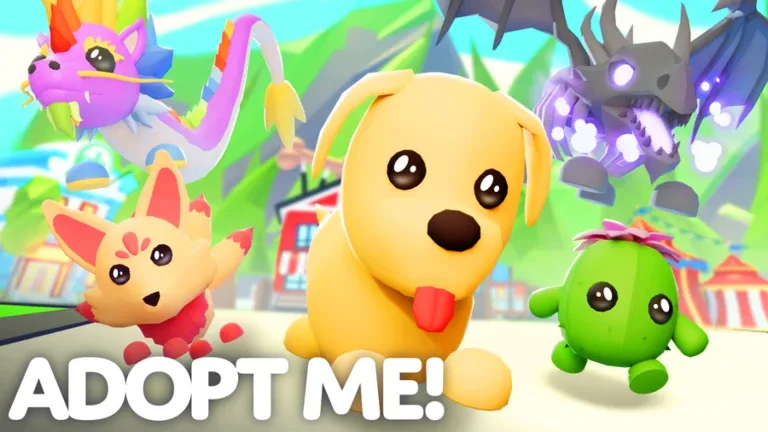
If there's one game built for younger kids, it's Adopt Me!. Developed by Uplift Games, it's a pet-adoption and -raising game where you hatch eggs, care for a menagerie of pets, decorate a home, and trade with other players. There's no combat at all — the entire loop is nurturing and collecting, which is about as gentle and age-appropriate as a massive online game gets. It's one of the most-played experiences on the whole platform, and it earned that the wholesome way.
What makes it great for kids is that the core fun — hatching a new pet, watching it grow, building a cozy house — is free and self-directed, with no pressure or scary content. The one thing to coach a younger child on is the trading system: Adopt Me has a real player-driven trade economy, and kids can get talked into lopsided trades or chase rare pets. Set the expectation early that trades are final and "rare" doesn't mean "necessary," and the game is a delight. It's the first thing I'd put in front of a five- or six-year-old.
Best for: Younger kids who love animals and nurturing play. The gentlest, most age-appropriate pick on the list — just keep an eye on trading.
Brookhaven RP: the imagination sandbox
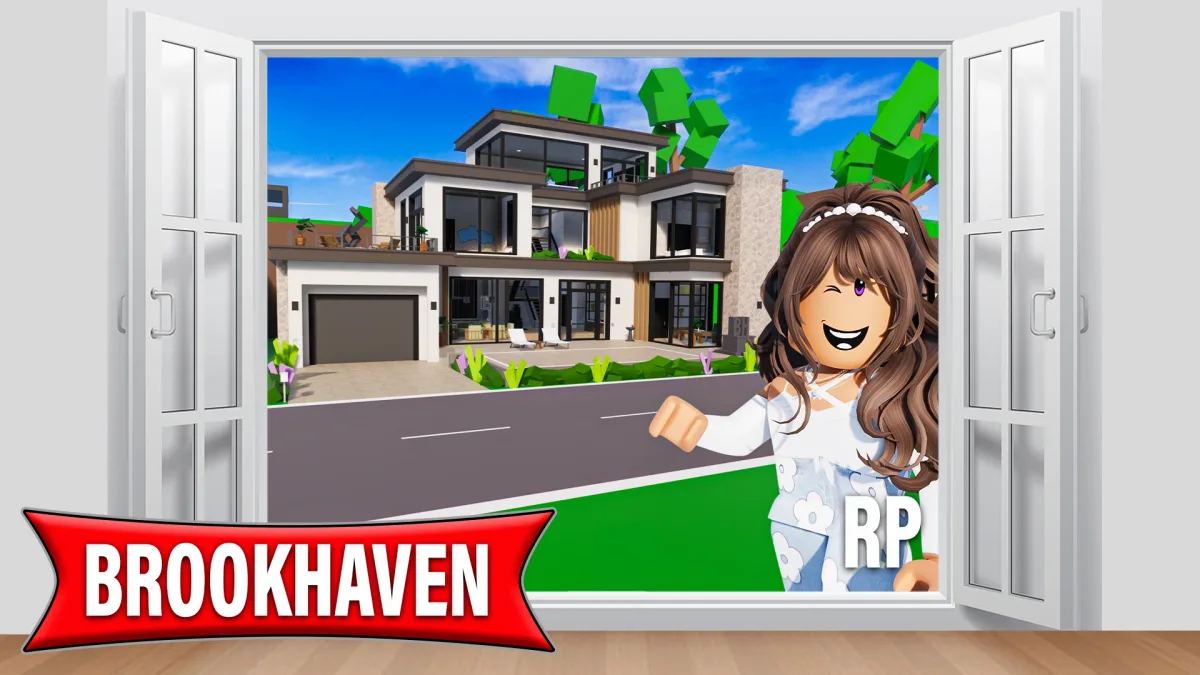
Brookhaven RP is the pretend-play powerhouse — a free-roam town where kids get a house, a car, and a job, and just... live. There's no objective, no combat, no fail state; it's a sandbox for imagination where children invent their own stories: playing family, running a pretend school, driving around with friends. Now run by Voldex, it's one of the most-visited games ever made, and it's popular with kids for the simplest reason — it's a digital playground with no rules to lose by.
The open-ended, non-violent design is exactly what makes it good for this age group; it scratches the same itch as a dollhouse or a toy car set, scaled up to a whole town. The thing to be aware of is that the appeal is social and roleplay-driven, so chat matters here more than in a solo game. With chat locked down to friends-only or off (more on that below), Brookhaven becomes a safe, wonderfully open creative space. With chat wide open, it's a public town — so the account settings do the heavy lifting. If your kid loves the roleplay side, our best Roblox roleplay games guide has more in this lane.
Best for: Imaginative kids who love pretend play and inventing their own stories. Fantastic with chat restricted; lean on the parental controls.
Tower of Hell: the no-violence skill climb
Tower of Hell is the pick for a kid who wants a challenge without any fighting. It's an obby (obstacle course) where you climb a randomly generated tower of jumps, gaps, and tricky platforms against a timer — and the famous twist is there are no checkpoints, so a single missed jump near the top sends you back to the bottom. That sounds brutal, and it is, but it's the good kind of hard: pure platforming skill, zero combat, and a steep but fair learning curve that teaches persistence.
It's a brilliant fit for kids because it's entirely skill-based and non-violent — no spending pressure, no scary content, just you versus your own reflexes and patience. It's also a great teacher of the "try, fail, try again" loop that makes games genuinely good for developing focus. The rounds are quick and the towers always change, so it never gets stale. Fair warning: it can be genuinely frustrating, so it suits a slightly older or more determined kid better than a very young one. If they catch the platforming bug, our best Roblox obby games guide has plenty more climbs.
Best for: Kids who want a pure, non-violent skill challenge and don't mind failing a lot on the way up. Better for the determined ones than the easily frustrated.
Pet Simulator 99: the collect-everything loop
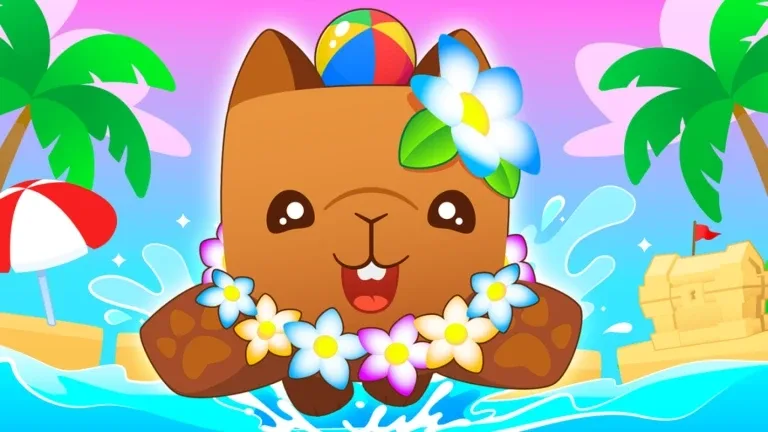
Pet Simulator 99 is the collect-and-progress pick — the kind of satisfying, number-go-up loop kids adore. From BIG Games, it's the latest in the wildly popular Pet Simulator series: you hatch eggs, collect from a roster of over 2,000 pets, and use them to break obstacles, earn currency, and unlock new areas and minigames. It's cheerful, colorful, completely non-violent, and built around the dopamine of opening the next egg and adding to your collection.
It earns a kid-friendly spot because the loop is wholesome and the content is bright and harmless. The honest caveat is that, like any "simulator," it's engineered to be very grind-y and it does sell pets and boosts for Robux — this is the genre where a kid is most likely to want to spend. That's not a dealbreaker; it just makes this the game where you most want a spending limit set (which Roblox's controls now allow). With the wallet locked, the free grind is genuinely fun and goes on forever. Curious about the wider genre? Our best Roblox simulator games guide covers it.
Best for: Kids who love collecting and steady progression. Wholesome and bright — just set a spending limit, because the genre is built to tempt purchases.
Theme Park Tycoon 2: the creative builder
Theme Park Tycoon 2 is the best straight-up creativity game on this list. You get a plot of land and build your own amusement park from the ground up — placing rides, designing custom roller coasters, managing guests, and expanding as you earn. The controls are friendly enough for kids but the design ceiling is high enough that the coasters they build can get genuinely impressive. It's non-violent, low-pressure, and squarely about making something, which is Roblox at its most enriching.
What makes it great for kids is that it rewards imagination and patience with a tangible result — a park they built and can show off. There's no combat, no risky social pressure, and the satisfaction comes from creation rather than collection or competition. It's the kind of game that quietly teaches planning and design while a kid thinks they're just having fun building loops. It plays brilliantly solo and is even better when a couple of friends build a park together. If your kid likes the building-and-managing itch, our best Roblox tycoon games guide has more.
Best for: Creative kids who'd rather build than battle. The strongest "make something" pick — great solo or with friends building together.
Work at a Pizza Place: the teamwork classic
Work at a Pizza Place is the cozy, cooperative elder statesman of family-friendly Roblox — it's been running since the platform's early days and it still works. The premise is exactly what it says: you and a lobby of players staff a pizza restaurant, each taking a job (cashier, cook, boxer, delivery, supplier) and working together to fill orders. It's gentle, cooperative, completely non-violent, and quietly teaches teamwork and basic responsibility — everyone has to do their part or the orders pile up.
It's a great kids' pick precisely because it's low-stakes and built around working with people rather than against them. There's no combat and no real way to lose; the fun is the shared routine and decorating your little house with the money you earn. It's simple enough for young kids to grasp in a minute and charming enough that they'll want to come back. As a bonus, it's a soft introduction to cooperative online play in a friendly setting. Rounding up a crew for it? Our best Roblox games to play with friends guide has more co-op picks.
Best for: Younger kids and groups who enjoy gentle, cooperative play and pretend jobs. One of the most wholesome, low-stakes experiences on Roblox.
Roblox account safety: the part that actually matters
The games are only half the job. Roblox overhauled its account system in 2026, and the controls are now genuinely good — if you set them up. Here's the accurate picture.
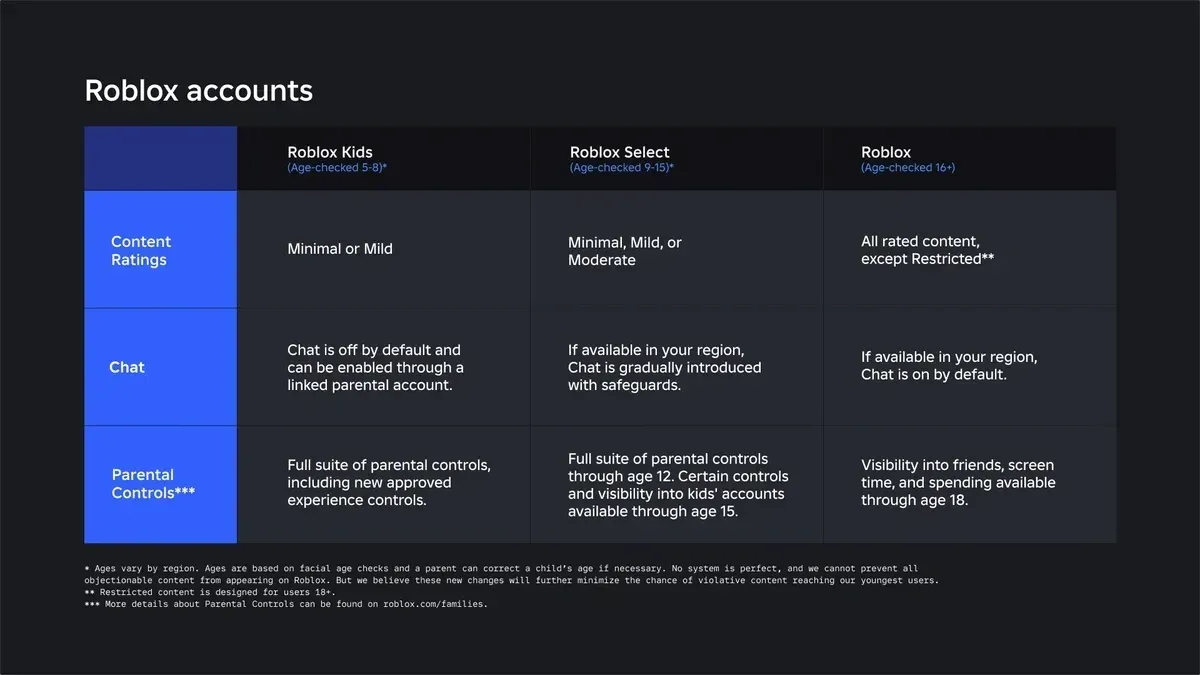
Age-based accounts (rolled out early June 2026). Roblox now sorts younger users into age-based account types, with content and communication tuned to each:
- Roblox Kids (ages 5–8): All chat is disabled by default (a linked parent can choose to allow in-game chat). These accounts can only play experiences rated Minimal or Mild that have passed an expanded review, and by default exclude games featuring sensitive issues, social hangouts, or free-form drawing.
- Roblox Select (ages 9–15): Access is limited to games rated up to and including Moderate that have passed Roblox's selection process.
- Standard accounts (16+): Full access. Users automatically progress from Kids to Select at age 9, and from Select to standard at 16.
Content maturity ratings. Roblox is moving to the IARC framework, which maps to familiar region-specific labels — ESRB in the US, PEGI in the UK and much of Europe — so the maturity rating on an experience is now something you can actually read and trust.
Parental controls worth setting. Link your account to your child's (a parent account is required to change a child's settings), then:
- Lock chat down. For younger kids, keep chat off or friends-only. This is the single biggest safety lever — most risk on any online platform is in unmonitored chat with strangers.
- Set a spending limit. You can cap or disable Robux spending, which matters most for the simulator-style games designed to tempt purchases.
- Use game approval and blocking. Parents can block specific games and approve individual experiences that aren't in the child's default account type, with these controls extended through age 15.
- Watch screen time and friends. The controls now show parents which games a child is playing, who their friends are, and let you set screen-time limits.
The short version: pick good games, lock chat to friends-only or off, set a spending cap, and check in. That combination handles the overwhelming majority of what parents worry about. For more on account setup and the safety settings that matter, see our beginner's guide to Roblox.
How to pick the right game for your kid
The list sorts cleanly by what your kid is into and how old they are:
| Game | Type | Violence | Best for |
|---|---|---|---|
| Adopt Me | Pet raising & trading | None | The youngest kids; animal lovers |
| Brookhaven RP | Town roleplay sandbox | None | Imaginative, pretend-play kids |
| Tower of Hell | Obby skill climb | None | Determined kids who want a challenge |
| Pet Simulator 99 | Pet-collecting sim | None | Collectors (set a spending limit) |
| Theme Park Tycoon 2 | Creative builder | None | Kids who'd rather build than battle |
| Work at a Pizza Place | Co-op job sim | None | Young kids; gentle teamwork |
Quick rule of thumb: for the youngest kids, start with Adopt Me or Work at a Pizza Place — gentle, cooperative, and easy to grasp. For imaginative pretend play, Brookhaven RP; for building, Theme Park Tycoon 2; for collecting, Pet Simulator 99 (with a spending cap). Tower of Hell is the one to save for a slightly older or more persistent kid who wants a real challenge.
Every game here is free, so there's no risk in trying a few together this weekend. Just set the account controls first — good games plus a locked-down account is the whole formula. If your kid asks for Robux, our how to get Robux safely guide explains what it's actually for before anyone spends.
Quick Action Checklist
Set them up to play safe and have fun:
- Youngest kids? Start with Adopt Me or Work at a Pizza Place
- Loves pretend play? Brookhaven RP (with chat locked down)
- Wants a non-violent challenge? Tower of Hell, for the determined ones
- Loves collecting? Pet Simulator 99 — set a spending limit first
- Would rather build than battle? Theme Park Tycoon 2
- Link a parent account and pick the right age-based account (Kids 5-8, Select 9-15)
- Set chat to friends-only or off — the single biggest safety lever
- Set a Robux spending cap, especially for simulator-style games
- Sit through the first five minutes of any new game with your kid
Frequently Asked Questions
What is the best Roblox game for young kids?
Are Roblox games safe for kids?
How do Roblox parental controls work in 2026?
What are Roblox Kids and Roblox Select accounts?
Which Roblox games have no violence?
Are these Roblox games free to play?
Keep Reading
Related Guides

Roblox Safety & Parental Controls Guide
Roblox is reasonably safe if you configure it and a minefield if you don't. This is the practical guide for parents and players alike: the account-security, parental-control, chat, and spending settings that actually matter — plus how to spot the scams that target Roblox accounts every single day.
Roblox Plus Private Servers: What's Changing Sept 24
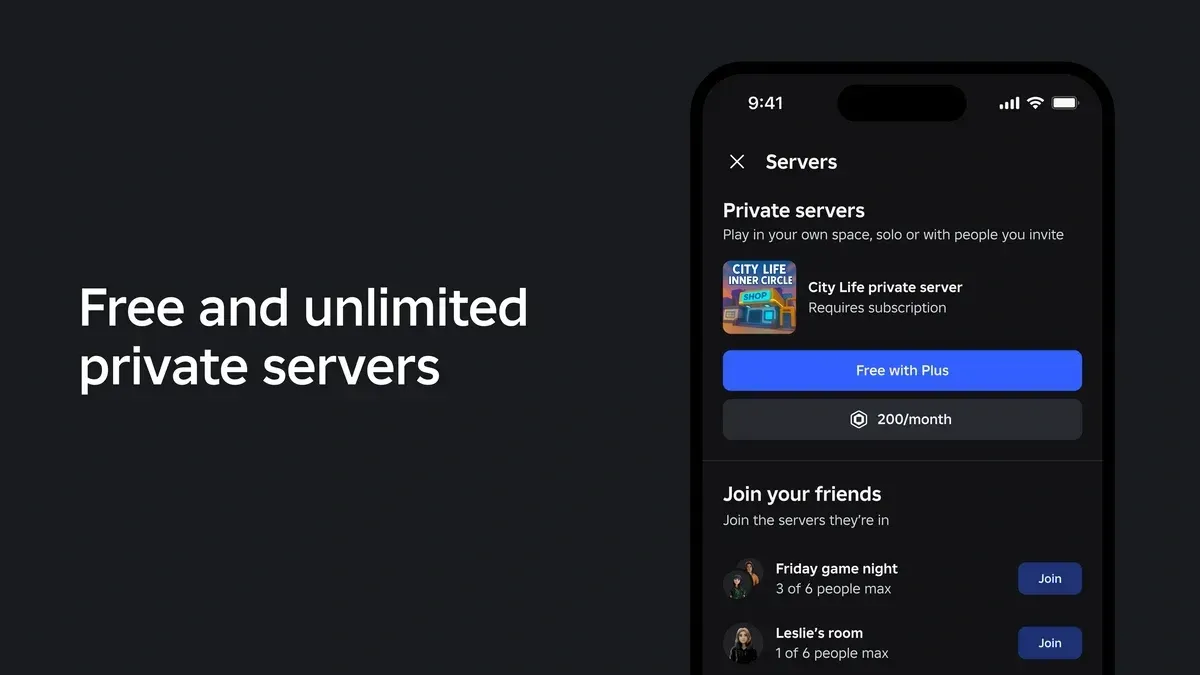
Roblox Plus launched with unlimited free private servers. On September 24, 2026, that drops to one per game. Here's exactly which server you keep, what expires, what still costs Robux, and why Roblox says it's doing this now.
Best Roblox Zombie Games
Roblox is drowning in zombie games, and most of them are reskinned asset-flips with a horde slapped on top. This list is the ones that actually hold up — wave shooters, looter-survival, and co-op horde defense where shooting the undead feels good, not like clicking a spreadsheet.
Best Roblox Music & Rhythm Games
Rhythm games on Roblox split into two camps: FNF-style note-mashers built for trash talk, and clean tap-the-circle charters built for actual scores. This is the shortlist worth your time across both — Funky Friday for the versus crowd, RoBeats and Sound Space for the people who want real difficulty — and where each one's note highway actually lands.
Best Roblox Games to Play in 2026
Roblox's front page is engagement bait. This is the filtered version: the games with real, sustained player counts and actual staying power, sorted by what you're in the mood for.
How to Get Robux Safely (Legit Ways + Scams to Avoid)
There is no free Robux generator. There never was. Here are the actual legit ways to get Robux without overpaying, the earning methods that really work, and the scams that exist purely to steal your account.