Beginner's Guide to Roblox: Everything a New Player Needs
Roblox isn't a game — it's a launcher for millions of games, most of which are bad. This is how to set up your account safely, skip the slop, and figure out what Robux is actually for before you spend a dime.
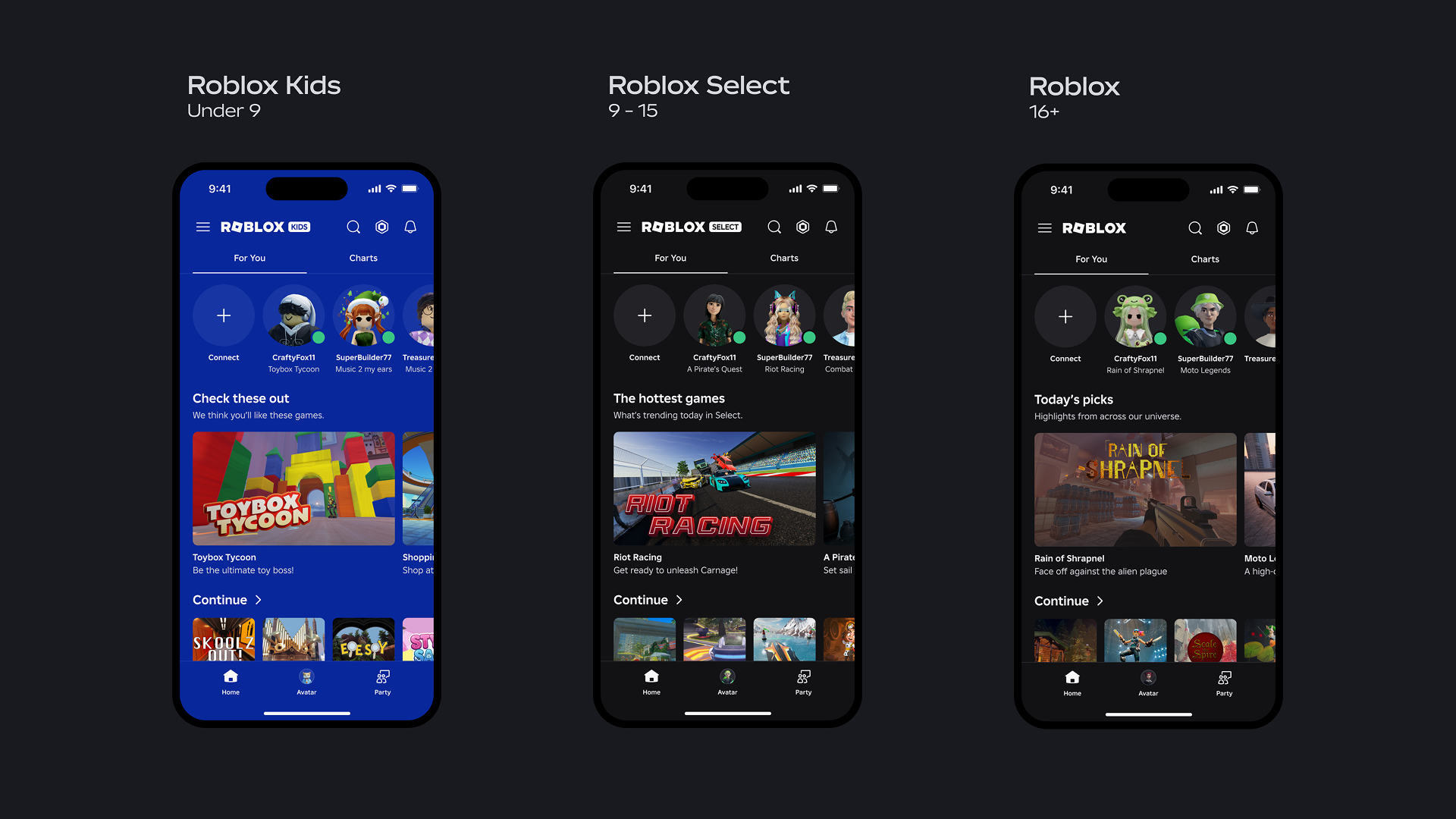
Roblox is not a game. That is the single most useful thing a new player can understand, and it's the thing every "what is Roblox" explainer buries under three paragraphs of corporate fog. Roblox is a launcher. It's a storefront. It's a free app that opens the door to millions of separate games — called experiences — that other people built. The Roblox app itself does almost nothing. Everything you actually play lives inside it.
That model is why the platform is enormous and also why it can feel like wading through a junk drawer. For every Brookhaven or Blox Fruits there are ten thousand abandoned obbys and copy-paste simulators fishing for your attention. Knowing how to set up your account, lock down the right settings, and filter the good from the slop is the entire beginner skill tree. Get those three things right and you're playing the good stuff in an afternoon.
What Roblox actually is
Think of Roblox the way you'd think of a console plus its entire store rolled into one free download. You install one app. Inside it, a discovery feed shows you games — sorted by what's trending, what's popular near you, and what the algorithm thinks you'll like. You click a game, it loads, you play. Close it, pick another.
Every one of those games was made by a creator — sometimes a solo teenager, sometimes a studio of dozens — using Roblox Studio, the free development tool. (If you ever want to build instead of just play, our Roblox Studio basics guide walks through making your first one.) The platform handles the boring parts: servers, accounts, payments, and moderation. Creators handle the fun part. You, the player, just show up.
The platform runs on phones, tablets, PC, Mac, Xbox, and increasingly anything with a browser. Your account, friends, avatar, and Robux follow you across all of them. Start a game on your phone on the bus, finish it on PC at home — same account, same everything.
The mental shift that makes Roblox click: stop asking "is Roblox good" and start asking "which Roblox games are good." The platform is a neutral pipe. The experiences are what you're actually judging.
Setting up an account the right way
Sign-up takes thirty seconds and that's part of the problem — it's easy to do it carelessly. Three things matter when you create the account, and getting them right now saves you grief later.
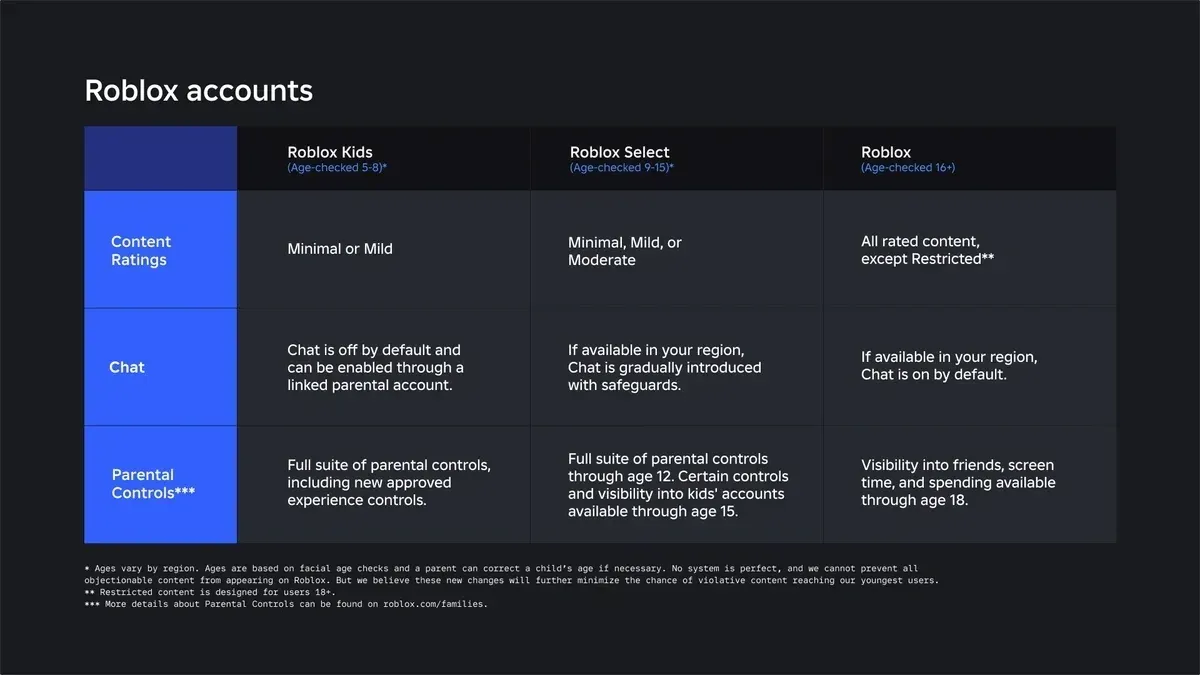
Your birthdate. Roblox uses the birthdate you enter to apply age-based defaults to your account, and as of 2026 that's a bigger deal than it used to be. The platform has been moving toward age-based account types with different default content access and communication settings — younger users get tighter defaults. The exact account tiers, age bands, and rollout timing have been evolving, so check the in-app settings for what applies to your account. Enter your real birthdate. Lying to get fewer restrictions just removes safety rails you might actually want.
Your username vs. display name. Your username is permanent-ish and used to log in; your display name is what other players see and can be changed. Don't put personal info in either. "xXtyler2011smithXx" tells strangers your name and birth year. Pick something that isn't you.
A real email and 2FA. Add an email and turn on two-factor authentication immediately — Roblox supports both email-based and authenticator-app 2FA. Use the authenticator-app option if you can; it's harder to phish. Account theft on Roblox is common precisely because so many accounts have valuable items and Robux and no 2FA. Two minutes of setup now is the difference between "my account is fine" and "someone stole my limited and traded it away."
| Setup step | Why it matters | Do it now? |
|---|---|---|
| Real birthdate | Sets age-appropriate defaults and controls | Yes, at sign-up |
| Non-identifying username | Strangers can see it forever | Yes, at sign-up |
| Email + 2FA | Stops account theft cold | Yes, before you spend anything |
| Authenticator app over email 2FA | Harder to phish | Strongly recommended |
The safety settings that actually matter
Roblox has a deep settings menu and most of it is noise for a new player. Here are the controls that change your actual experience.
Communication settings. You can control who can chat with you, message you, and send friend requests — the options run from "Everyone" down to "Friends" and "No one." Younger accounts default to tighter settings. If you're setting this up for a kid, "Friends" or "No one" for chat is the safe call. For an adult who wants the full social game, "Everyone" is fine but expect the occasional weirdo.
Voice chat. Roblox offers voice chat, but it's gated to verified users 13 and up. It's off by default for younger accounts and that's correct. Turning it on requires age verification.
Parental controls and the PIN. If you're a parent reading this, the most important single action is setting an Account PIN. Without it, a kid can walk into settings and switch every restriction back off in ten seconds. The PIN locks your safety settings in place. As of 2026, parents can link their own account to a child's and then manage controls like content access, communication, screen time, and spending remotely, with a spending overview to keep tabs on purchases. The specific parental-control features and the linked-account flow keep evolving, so confirm the current options on Roblox's official parental controls page.
Content ratings. Roblox tags experiences with age-based content guidance, and the exact labels are subject to change — check the current set in your account's settings. You can restrict which ratings an account can access. For young players this is the cleanest filter against content they shouldn't see.
If you set up exactly one thing before letting a kid loose on Roblox, make it the parental-controls PIN. Everything else can be adjusted later. Without the PIN, nothing else you set sticks.
Finding good games instead of slop
The discovery feed is optimized for engagement, not quality, so the front page is a mix of genuinely great games and algorithmic bait. A few habits cut through it fast.
- Sort by what's actually played, not what's pushed. The "Popular" and "Top Earning" charts surface games with real, sustained player counts. A game holding hundreds of thousands of concurrent players over months is doing something right. Brand-new games with suspicious numbers often aren't.
- Check the like ratio and visit count. Every game shows likes vs. dislikes and total visits. A game with millions of visits and a 90%+ like ratio is a safe bet. A game with a great thumbnail and a 40% like ratio is a thumbnail, not a game.
- Ignore the thumbnail. Roblox thumbnails are pure marketing and frequently show content that isn't in the game. Treat them like movie posters — fun, not evidence.
- Use genres and search, not just the feed. If you know you want a tycoon, a horror co-op, or a roleplay game, search the genre. The feed wants to keep you scrolling; search gets you to the thing you want.
For a curated shortlist that skips all of this, jump to our best Roblox games to play rundown — it's the front page filtered down to the experiences actually worth your time.
Robux and spending without getting fleeced
Robux is the platform's currency. You spend it on avatar items, in-game purchases, and game passes. You do not need any to play — the overwhelming majority of Roblox is free, and plenty of players never spend a cent. But you'll want to understand it before you buy.
Three rules keep you from overpaying:
- Buy Robux only through official channels. That means the Roblox app, the website, or physical gift cards from real retailers. Anything else is a scam or a way to get your account banned.
- There is no such thing as a free Robux generator. Every site, video, and in-game sign promising free Robux is a scam designed to steal your login or worse. Roblox says this flat-out, and so do we. We break the legit earning methods down in our how to get Robux safely guide.
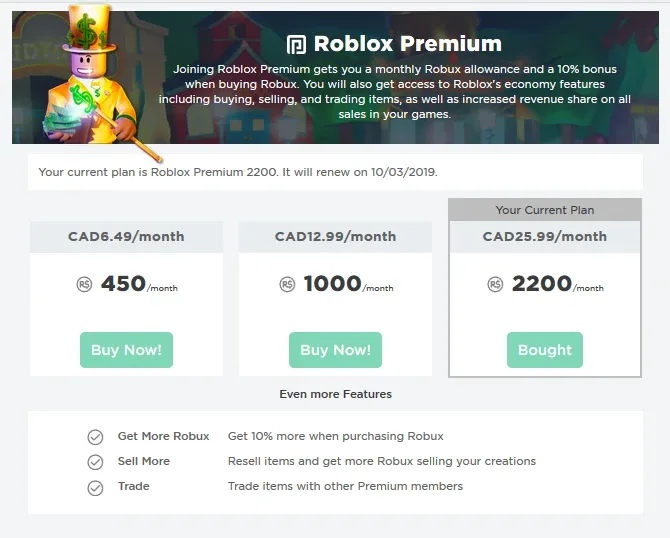
- A subscription only pays off if you spend monthly. Roblox's paid subscription (long known as Premium, with the lineup periodically rebranded and restructured — check what's current in-app) bundles a monthly Robux allowance and member discounts. It's worth it only if you'd be buying Robux every month anyway. If you spend occasionally, gift cards on sale are cheaper.
The honest beginner advice: play free games for a week or two before spending anything. You'll learn what's actually worth Robux to you, and you'll avoid the classic new-player mistake of dumping money into the first simulator that dangles a flashy pet.
Avatars, friends, and the social layer
Your avatar is your identity across every game. The default look is fine; you can customize it endlessly with free and paid items from the Marketplace. Free items exist in real quantity — you can build a solid avatar without spending Robux. Paid items range from a few Robux to absurd "limited" collectibles that trade for real money in the secondary economy. Beginners should ignore limiteds entirely; they're a collector/investor rabbit hole, not a starting point.
Friends are how Roblox gets good. Add people you actually know, see what they're playing, and join their servers directly. Many of the platform's best experiences are mediocre solo and excellent with a group — we have a whole guide to the best Roblox games to play with friends for exactly this reason. A word of caution that applies forever: be skeptical of friend requests and trades from strangers. "Trust trades" and "I'll hold your item" are the oldest scams on the platform, and they still work because new players fall for them.
What to play in your first week
Don't overthink it. Load a few proven, broad-appeal games to learn how the platform feels, then branch out based on what you liked.
| Game | Genre | Why it's a good first game |
|---|---|---|
| Brookhaven RP | Roleplay / sandbox | No goals, no pressure, just a town to mess around in. Great for learning controls |
| Tower of Hell | Obby / platformer | Pure skill, no purchases needed, instantly understandable |
| Blox Fruits | Anime RPG | Deep progression if you want a long-term grind |
| Adopt Me | Pet sim / trading | Cozy, social, and teaches you the trading economy gently |
Play each for twenty minutes. You'll immediately know whether you're a roleplay person, a grind person, a horror person, or an obby masochist. That answer points you at the rest of the platform far better than any "top 10" list — including ours. Start broad, then go deep on the genre that hooks you.
Quick Action Checklist
Run this before you sink real time (or money) into Roblox.
- Sign up with your real birthdate and a non-identifying username
- Add an email and turn on 2FA — authenticator app if possible
- Set communication settings to your comfort level ("Friends" or "No one" for kids)
- If it's a kid's account, set the parental-controls PIN before anything else
- Restrict content ratings to age-appropriate levels for younger players
- Find games via the Popular chart and like ratio, not the thumbnail
- Play free for a week before buying any Robux
- Never use a "free Robux" site — they're all scams
- Only add friends you actually know; ignore stranger trades
Frequently Asked Questions
Is Roblox free to play?
Is Roblox safe for kids?
What is Robux and do I need it?
How do I find good games on Roblox?
What devices can I play Roblox on?
Should I turn on two-factor authentication?
What should a beginner play first?
Keep Reading
Related Guides
Roblox Premium & Robux Value Guide: Is It Worth It?
Roblox Premium dangles a monthly Robux stipend, a marketplace discount, trading access, and Premium Payouts — but the math only works if you spend every month. Here's exactly what you get, how Robux pricing really works, and when the subscription pays for itself versus when a gift card on sale is the smarter buy.

Roblox Safety & Parental Controls Guide
Roblox is reasonably safe if you configure it and a minefield if you don't. This is the practical guide for parents and players alike: the account-security, parental-control, chat, and spending settings that actually matter — plus how to spot the scams that target Roblox accounts every single day.
Roblox Trading & Limiteds: How the Item Economy Really Works
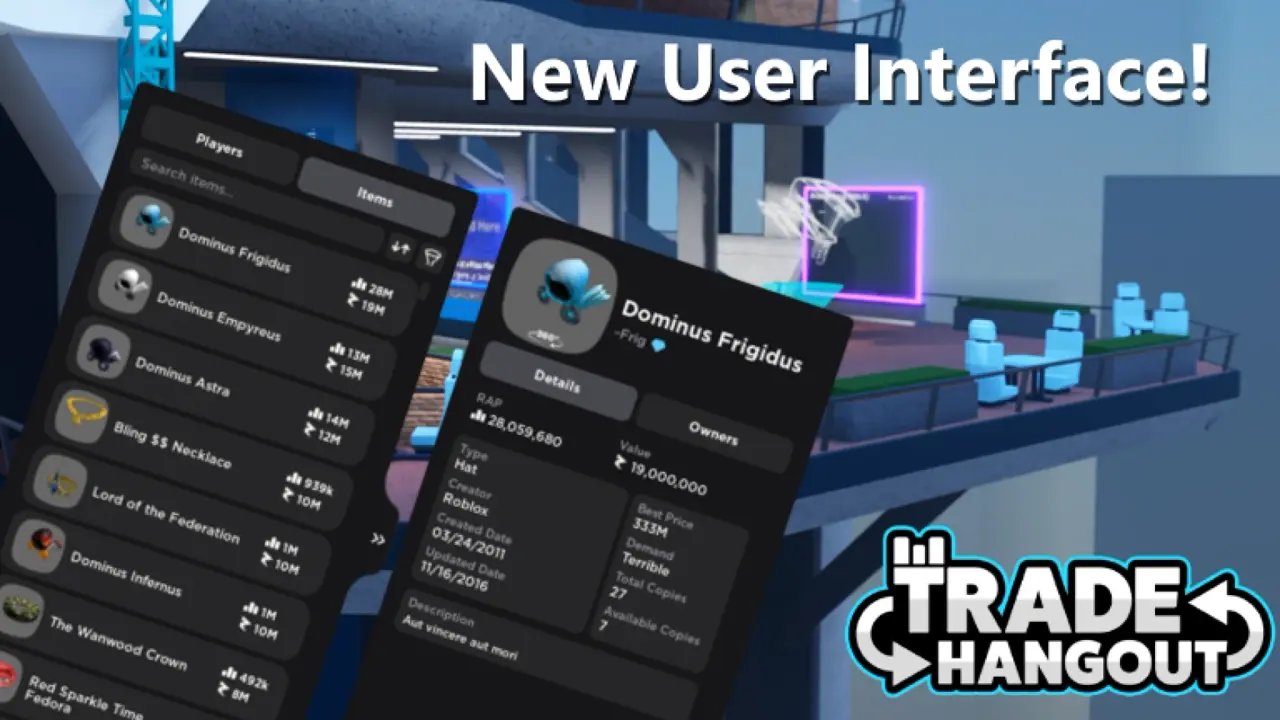
Roblox has a real secondary economy bolted onto a kids' game, and most guides either oversell it as free money or hand-wave the scams. Here's how Limiteds, the trade window, the Robux tax, and the Premium gate actually work — and how to not get fleeced.
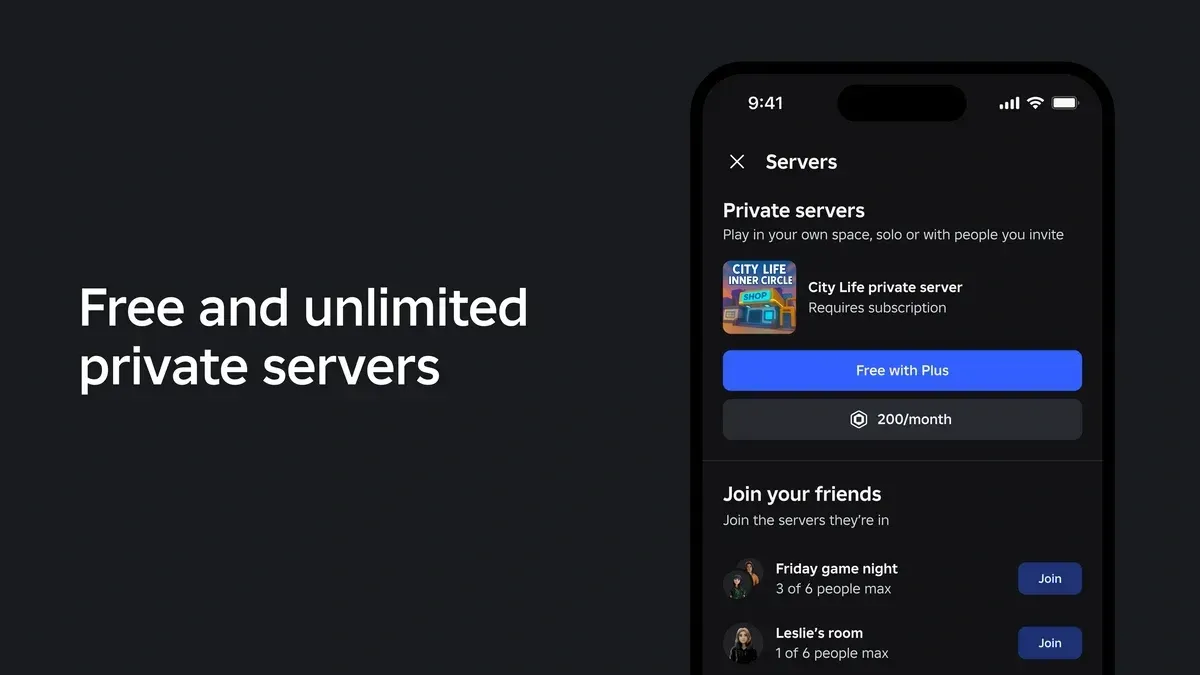
Roblox Plus Private Servers: What's Changing Sept 24
Roblox Plus launched with unlimited free private servers. On September 24, 2026, that drops to one per game. Here's exactly which server you keep, what expires, what still costs Robux, and why Roblox says it's doing this now.

Best Roblox Games to Play in 2026
Roblox's front page is engagement bait. This is the filtered version: the games with real, sustained player counts and actual staying power, sorted by what you're in the mood for.

How to Get Robux Safely (Legit Ways + Scams to Avoid)
There is no free Robux generator. There never was. Here are the actual legit ways to get Robux without overpaying, the earning methods that really work, and the scams that exist purely to steal your account.