What Is PUBG: Playgrounds? Community Modes Explained
Update 42.3 gave community-created PUBG modes their own tab in the Play menu and their own matchmaking. Here is what PUBG: Playgrounds contains, the tag system it sorts modes by, the gameplay data KRAFTON uses to decide which modes get in, and the $95,000 CurseForge contest whose submission window closes on 2 September.
PUBG has had a mode editor since Update 36.2 in July 2025, and a permanent one since Update 39.1 put UGC Alpha back into Custom Match for good. What it has not had is a way for anyone to find what people built with it. That changed with the August update: community-created modes now have their own entry in the Play menu, their own matchmaking queue, and their own tag-based search.
KRAFTON's own framing of the old problem, from the PUBG: Playgrounds announcement on 11 August 2026:
playing those creations with others required creators to gather people themselves and invite them to a Custom Match, making it difficult for their modes to reach a broader audience.
That is the whole pitch. The editor was never the bottleneck. Distribution was.
The sixth tab in the Play menu
PUBG: Playgrounds shipped with Update 42.3, which went live on PC during the 12 August 2026 maintenance window (00:00–08:30 UTC). It is listed in the patch notes under the heading "(PC) PUBG: Playgrounds" — that parenthesis is doing real work, because the hub is PC only. Console got Update 42.3 on 20 August and did not get Playgrounds with it. If you play on PS5 or Xbox Series X|S, the hub is not in your build, which is one more entry on the growing list of PC/console divergences in this game.
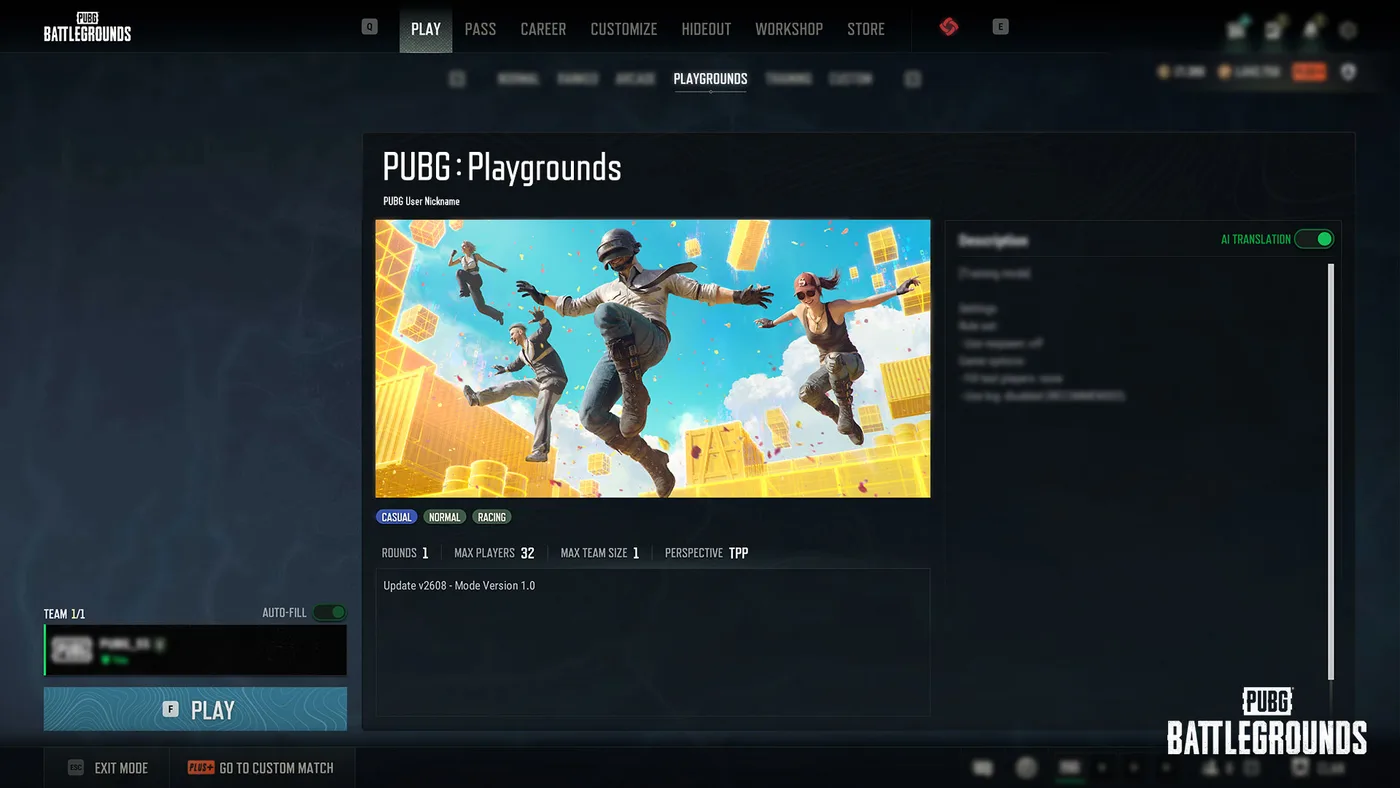
You reach it through [PUBG: Playgrounds] under the [Play] menu. In KRAFTON's own screenshot of the feature, the tab row across the top of the Play menu reads Normal, Ranked, Arcade, Playgrounds, Training, Custom — Playgrounds sits between Arcade and Training, at the same level as the queues you already use.
Playing a mode from the hub needs no account upgrade and no policy agreement. Creating one requires a BATTLEGROUNDS PLUS account, because creation still happens in Custom Match, and Custom Match creation is a Plus feature — Update 42.1 repriced Plus to 500 G-Coin or 20,000 BP.
Playgrounds versus Custom Match
These are two halves of one system and it is worth being precise about which half does what.
| PUBG: Playgrounds | Custom Match (UGC Alpha) | |
|---|---|---|
| What it is | Browser + matchmaking for featured modes | The editor where modes are built and hosted |
| Platform | PC (Steam, Epic) | PC (Steam, Epic) |
| Browse other people's modes | Yes — search and tag filters | No mode browser |
| Join via matchmaking | Yes | No, you fill the lobby yourself |
| Account needed to play | Any account | Any account can join |
| Account needed to create | BATTLEGROUNDS PLUS | BATTLEGROUNDS PLUS |
| Mods Policy agreement | Not required to matchmake | Required to create or join |
| Change the preset, map or player cap | No | Yes, it is your room |
The Create button inside Playgrounds does not open an editor of its own — it drops you onto the Custom Match room creation screen. And the "Go to Custom Match" route from a mode's details page comes with a restriction worth knowing before you try it: KRAFTON states the preset, map, and maximum player count cannot be changed when you launch a featured mode that way.
The editor itself is still branded UGC Alpha, the toolkit that opened with Update 36.2 in July 2025. That announcement set out the three things you design — rulesets, devices and objects — and shipped sample modes to work from, including a 3v3v3 Conquest built on capture devices, a team deathmatch restricted to a single weapon class, and a parkour course with obstacles between a start and a finish. Update 39.1 later added an AI Player Spawn Device and an AI Navigation Device, which is how you get bots on demand rather than at matchmaking's discretion, and Update 42.1 in June 2026 added a UGC Racing Mode with new devices and vehicle settings for races, obstacle courses, time trials and combat racing. Racing is also one of the nine shared secondary tags below.
What the hub actually shows you
The main page lists every currently available mode with its name, primary tag and thumbnail. Hover the information icon on a tile and you get the mode name and creator name, the primary and secondary tags, and the maximum number of players and maximum team size.
The page is split into three sections:
| Section | What it holds |
|---|---|
| New | Recently added modes, in randomised order |
| Recently Played | Modes you have played in Playgrounds, most recent first |
| All | Every currently available mode, in randomised order |
One detail worth knowing if you are looking at the hub in its first weeks: KRAFTON says the New section does not appear when the service first launches and only becomes available as more modes are added over time. A missing row is documented behaviour, not a bug.
Search covers mode name or creator name, and the filter works on primary tag.
Open a mode and the details page gives you the fields you need to decide whether it is worth queuing: main image, mode name, mode type, creator information, number of rounds, maximum players, maximum team size, perspective, and the mode's version and update date. The creator's written description sits alongside an AI Translation toggle, which matters when the rules you need were written in a language you do not read.
Matchmaking starts from that details page. A matchmaking session stays active for up to 1 hour 30 minutes, a figure KRAFTON flags as subject to change.
The tag system is the search index
Tagging is the main discovery lever a creator controls, and KRAFTON published the full vocabulary. Every mode takes exactly one primary tag and zero to two secondary tags. Some secondaries are locked to particular primaries; the rest are shared across all of them.
| Primary tag | Its own secondary tags | Shared secondary tags |
|---|---|---|
| Battle (Team) | Team, 1v1, 2v2, 3v3, 4v4, NvN | Battle Royale, Deathmatch, Conquest, Puzzle, Racing, Party, Defense, Gun Game, Wave |
| Battle (Free-For-All) | Team, 1v1, 2v2, 3v3, 4v4, NvN | (same nine) |
| Training | Completion time (Under 5 min / 5–10 min / Over 10 min), Difficulty (Easy / Normal / Hard) | (same nine) |
| Parkour | Completion time, Difficulty | (same nine) |
| Casual | Completion time, Difficulty | (same nine) |
| PvE | Completion time, Difficulty | (same nine) |
Six primaries, and the split runs cleanly down the middle: the two Battle primaries get headcount tags, the four non-Battle primaries get length and difficulty tags. The mode in KRAFTON's own details-page screenshot is tagged CASUAL / NORMAL / RACING — a Casual primary, a Normal difficulty secondary, and Racing from the shared pool, which is exactly the one-plus-two shape the table allows.
If you are building training drills rather than a party mode, the Training primary plus a Difficulty tag is how someone finds you.
How a mode gets into Playgrounds
You cannot submit one. KRAFTON's wording: "Direct mode submissions are not currently supported."
The published route is a popularity funnel measured inside Custom Match:
- Play your mode in Custom Match. The more it is played there, the more gameplay data it accumulates.
- Developers review and select. KRAFTON names the metrics it monitors: total playtime and average participation rate.
- Modes that meet the criteria are added to Playgrounds and become matchmaking-accessible.
The featured lineup is updated monthly. KRAFTON also says modes may be sourced through other channels, "including community-created mode contests" — which is not a hypothetical, as the next section covers.
Two practical notes from the same announcement. If you do not register a thumbnail, an in-mode screenshot is used automatically, so the picture representing your mode in the browser is either something you chose or something the game grabbed. And if your mode is selected, KRAFTON reserves the right to adjust settings such as the score limit or number of rounds for stable gameplay — the version thousands of people matchmake into may not be tuned exactly the way you left it.
What gets a mode pulled
KRAFTON published the exclusion criteria rather than leaving them to be discovered, which is unusually useful. A popular mode can still be kept out of Playgrounds if:
- the map contains content violating the Rules of Conduct or the PUBG: BATTLEGROUNDS Mods Policy
- the mode has a critical bug that prevents normal gameplay
- the mode contains inappropriate text
There is a softer tier for the mode description, where the offending content can be removed and the mode kept: commercial links used for advertising, sponsorship or promotion; links to personal social media or personal websites; information about a clan the creator belongs to or runs; and any other content that violates the Rules of Conduct or the Mods Policy.
Read that list before you write your description: a promo link, a personal channel link or a clan plug is on it.
The $95,000 CurseForge contest and its deadline
Playgrounds launched alongside a contest, and the timing is the part that matters if you are reading this in late August. The PUBG x CurseForge UGC Contest was announced on 4 August 2026 with a $95,000 USD prize pool, and its schedule is fixed:
| Date | What happens |
|---|---|
| 4 August | Contest announced |
| 12 August | Playgrounds opens, submissions start |
| 23 August | Mid-contest winners revealed |
| 2 September | Submissions close |
| 6 September | Community voting starts |
| 9 September | Community voting closes |
| 14 September | Winners revealed |
Submissions run through CurseForge, not through the game — you upload the mode file there and separately complete the official entry form. Entry requires a BATTLEGROUNDS PLUS account, and the PUBG in-game nickname on the entry form must match the account that created the mode, or the entry is disqualified.
There are three categories, each with its own $25,000 pot, and the payout ladder is identical in all three:
| Placement | Prize | Featured in Playgrounds |
|---|---|---|
| 1st | $10,000 | October–December |
| 2nd | $5,000 | October update |
| 3rd | $3,000 | October update |
| 4th | $1,000 | October update |
| 5th–7th | $1,000 each | November update |
| 8th–10th | $1,000 each | December update |
That ladder totals exactly $25,000 per category, so $75,000 across Combat, Survival and Creative. The remaining $20,000 sits in two side pools: Community Favorites, six modes at $2,500 each chosen by player voting, and mid-contest prizes, ten creators with valid submissions at $500 each selected by CurseForge.
The categories are drawn broadly. Combat covers PvP built around gunplay — KRAFTON's examples are TDM, gun game, sniper, aim challenge, 1v1 and training. Survival covers PvE against NPC enemies or the environment: wave defense, co-op defense, objective-based encounters. Creative covers the non-combat end — parkour, racing, party, puzzle, sandbox. You can enter more than once and across different categories.
Judging is on four stated criteria — fun factor, completeness, originality, and community evaluation based on valid CurseForge downloads and votes — scored by a panel spanning PUBG, CurseForge and the modding community, with community voting deciding the Community Favorites specifically.
All 30 winning modes are planned to be added to Playgrounds and stay available, with the three first-place modes pinned in a UGC Contest Featured section and nine winning modes rotated into the feature slot each month. KRAFTON attaches the usual caveat that the service plan may change.
If you have a half-built mode sitting in your Custom Match presets, the submission window closes 2 September. That is the actionable date in this entire post.
What 42.3 handed creators
Playgrounds was the headline, but 42.3 also shipped changes that only matter if you build things.
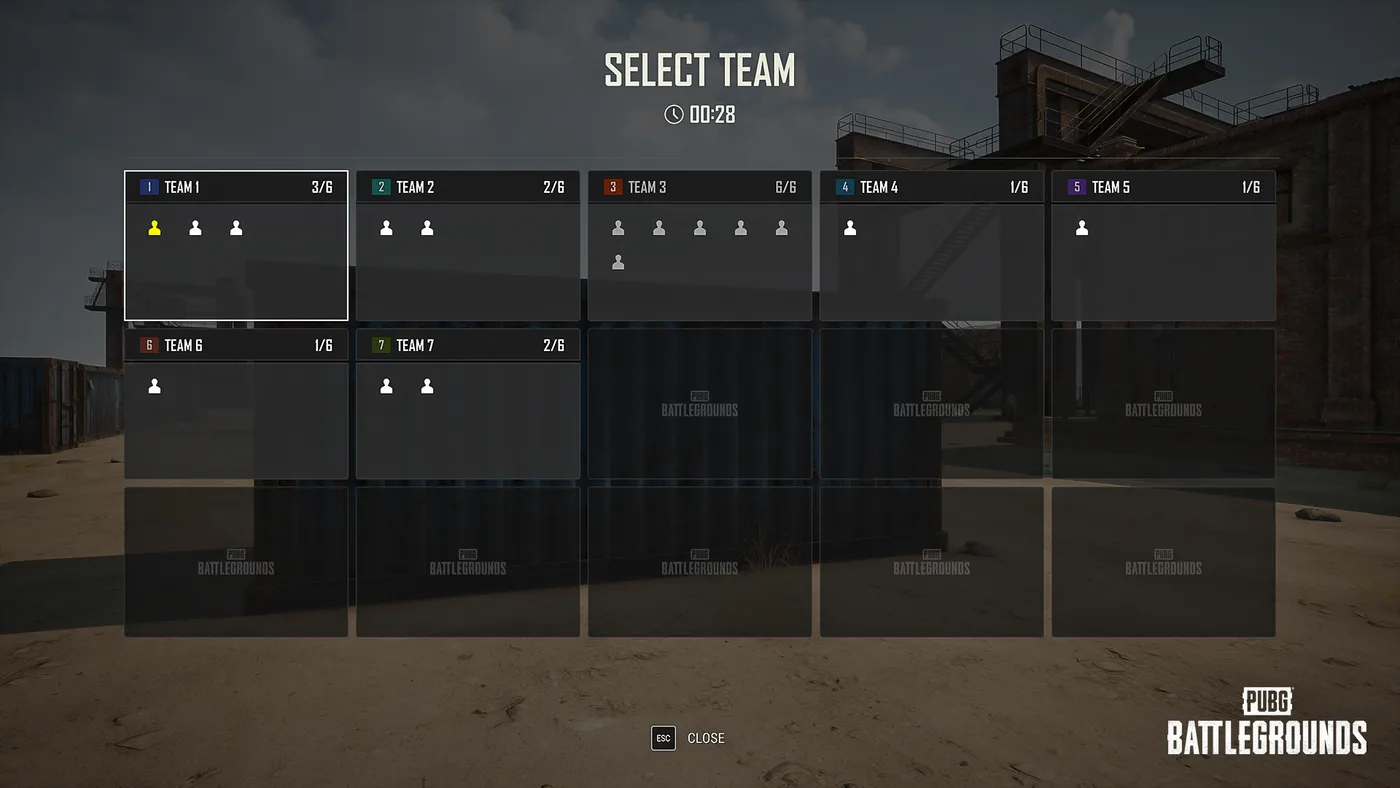
Team Selection UI. Enabled at Edit Manager > Settings > Rules > Match > Team Assignment. During the pre-match preparation phase players pick their own team, with each team's current and maximum player count shown in real time; anyone who has not chosen when the phase ends is distributed evenly across teams with open slots. The old Custom team assignment option was renamed Host Assignment, and the Allow Team Selection option under Game Options was removed — if you have presets referencing either, that is why they read differently now.
End-of-Match screen. Round Results and Match Results are now shown separately, with team rankings, wins, total points and each player's earned points. The winning team and your own team are highlighted.
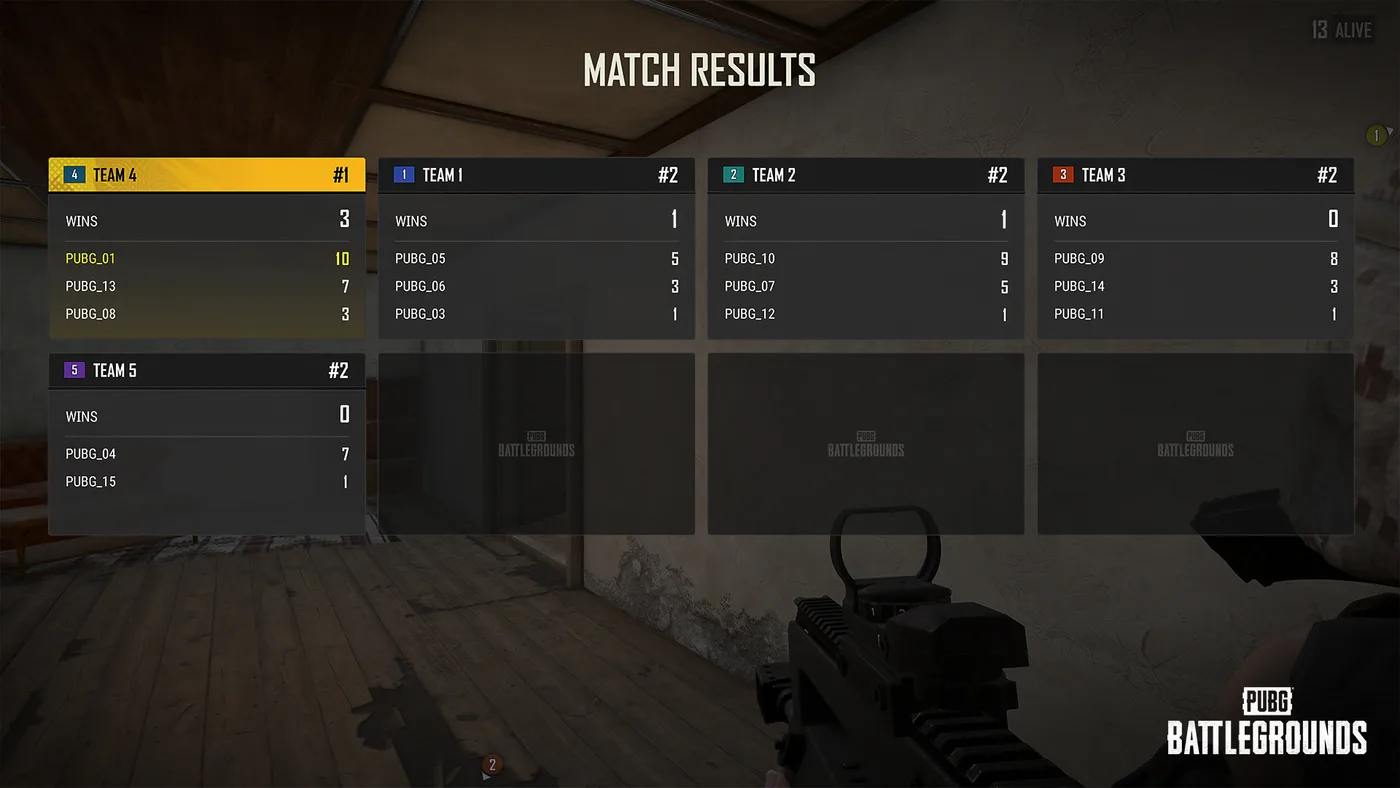
Status board. Enabled at Edit Manager > Settings > Rules > Match > Show Status board, then press L in game to open or close it. It shows the same team scores and player information as the Round Results screen. For any mode that scores rather than eliminates, this is the difference between players knowing where they stand and guessing.
Blue Zone spread was rescaled. This one can silently change an existing mode. The Blue Zone Spread setting in Custom Matches and the Spread Ratio on the UGC Blue Zone Device now run 0 to 1: values near 0 generate zones closer to the map centre, values near 1 push them toward the outer edges. KRAFTON's note is explicit that any previous value above 1 is now clamped to 1, which can place zones nearer the edge than you intended. If you built a mode with custom blue zone behaviour before 12 August, open the preset and check the number. KRAFTON also refined where zone centres can generate across maps, excluding hard-to-reach or unfair locations.
Device icons in the Edit Manager also got a visual pass, which is cosmetic but welcome in a tool with as many device types as this one.
The caveats KRAFTON put in writing
Three things are stated plainly in the announcement and are worth carrying into your first session.
These are not official modes. KRAFTON's language: the modes "are player-created content and are not official PUBG content," unexpected bugs may occur, and access to a mode may be restricted if a critical bug is identified. A mode you liked can disappear.
Your party can be disbanded when you switch queues. Moving between a community mode and Normal or Ranked may automatically break up the party if it holds more members than the destination supports. Any party larger than the destination mode's cap is the trap.
The Mods Policy applies asymmetrically. You must agree to the PUBG: BATTLEGROUNDS Mods Policy to use Create or to join Custom Matches running player-created modes — but matchmaking through Playgrounds works whether or not you have agreed to it. The friction sits on the creation side, not the playing side.
Quick Action Checklist
- PUBG: Playgrounds is PC only and lives under [PUBG: Playgrounds] in the [Play] menu
- Playing a featured mode needs no account upgrade and no Mods Policy agreement
- Creating a mode needs BATTLEGROUNDS PLUS, because creation happens in Custom Match
- Search works on mode name and creator name; filtering works on primary tag only
- Tag your mode with one primary and up to two secondaries — tags drive the filter
- Register a thumbnail, or the game picks an in-mode screenshot for you
- Keep clan plugs, personal links and promo links out of your mode description
- Direct submissions are not accepted — Custom Match playtime and participation rate are the metrics
- The featured lineup rotates monthly
- CurseForge contest submissions close 2 September; winners are announced 14 September
- If you built a mode before 12 August, re-check its Blue Zone spread value against the new 0–1 scale
- A matchmaking session holds for up to 1 hour 30 minutes
Frequently Asked Questions
What is PUBG: Playgrounds?
Is PUBG: Playgrounds available on console?
Do you need Battlegrounds Plus to play PUBG: Playgrounds modes?
How does a PUBG mode get featured in PUBG: Playgrounds?
When does the PUBG x CurseForge UGC Contest end?
What tags can you give a PUBG: Playgrounds mode?
Keep Reading
- PUBG: Playgrounds (11 Aug 2026) — hub location, page sections, tag table, selection criteria, exclusions
- PUBG: BATTLEGROUNDS — Patch Notes, Update 42.3 (PC 12 Aug 2026 / Console 20 Aug 2026), (PC) PUBG: Playgrounds and editor changes
- PUBG x CurseForge UGC Contest Announcement (4 Aug 2026) — $95,000 prize pool, categories, schedule, rules
- PUBG: BATTLEGROUNDS — Patch Notes, Update 42.1 (16 Jun 2026) — UGC Racing Mode devices, Haven added to Intense Battle Royale pool
- PUBG UGC Alpha (7 Jul 2025) — rulesets/devices/objects, Update 36.2, PC only, sample modes
Related Guides
What Is POBG? PUBG's Maintenance Mode Mini-Game
Update 42.3's patch notes name-drop a feature called POBG: Maintenance Mode and move on. It is not new — KRAFTON built it for April Fools 2021 as a chicken-uprising arcade shooter voiced by a villain called PlayerOmnom, then brought it back again as a full event mode in Update 37.1, August 2025. Here is what the 42.3 notes actually confirm about this third appearance, and what they leave unstated.
PUBG Crosshair Customization and Settings Sharing
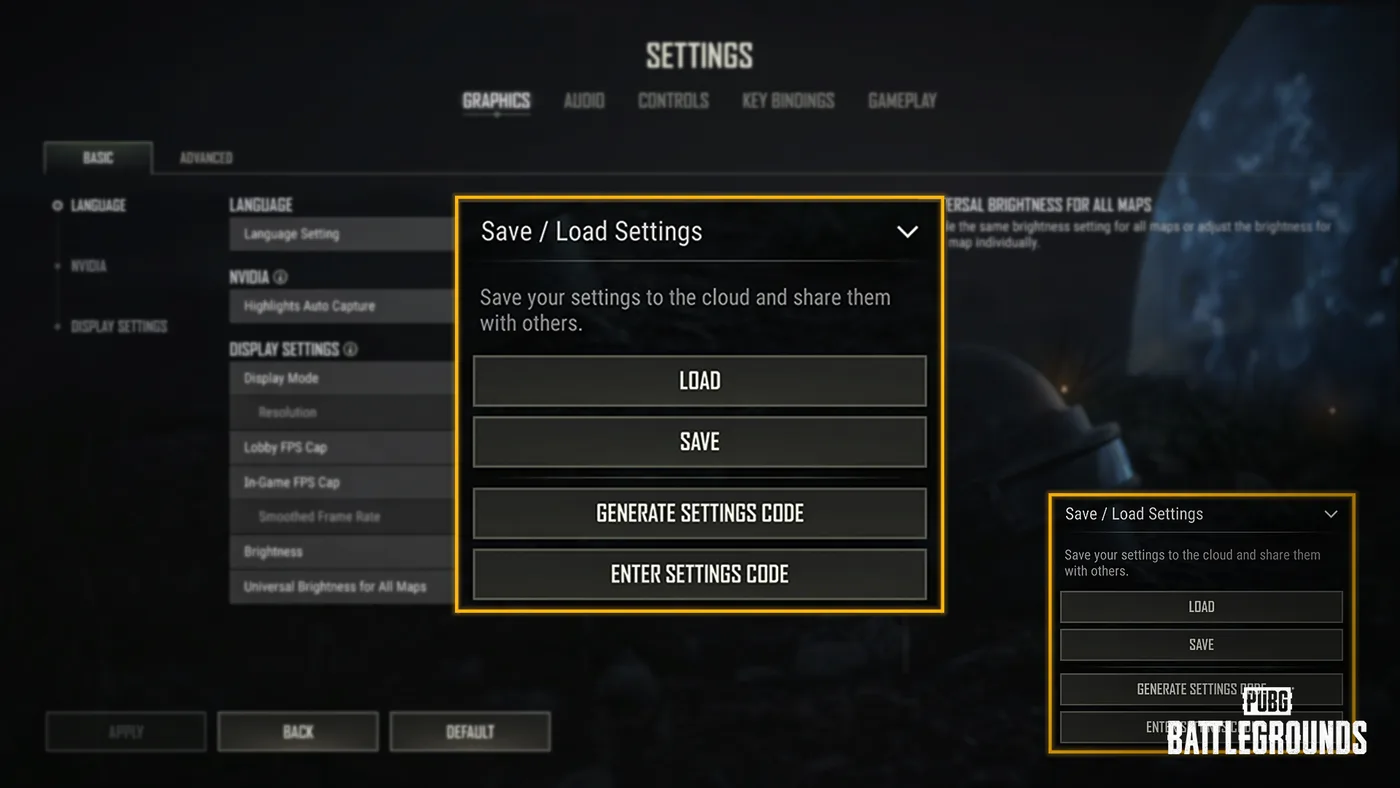
Update 42.3 led with the RPD and the LMG Meta Rotation, but the same patch notes added a crosshair editor with four weapon profiles and a settings code that copies your setup onto someone else's machine. Here is every option KRAFTON listed, the two carve-outs that limit it, what a shared code does and does not carry, and the rest of the settings rebuild that shipped alongside it.
PUBG Secondary Password: How to Set It Up for Ranked
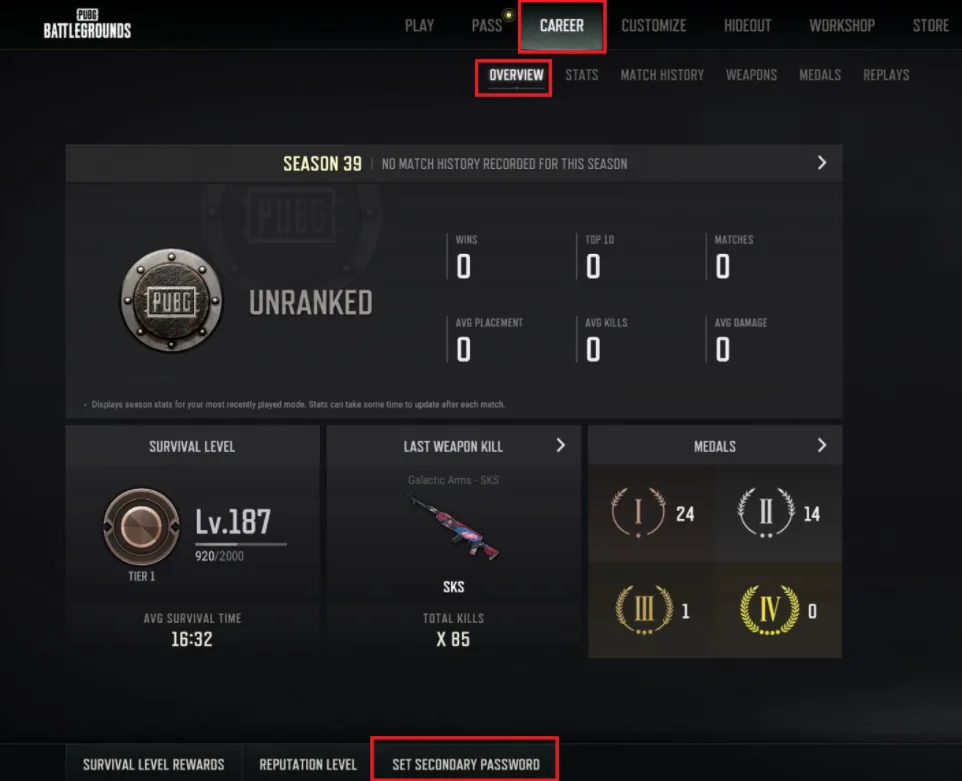
Since Update 39.2 went live on 7 January 2026, PC players cannot enter Rank Mode without a 6-8 digit secondary password tied to a real mobile number — and neither can anyone in their party. Here is the setup flow, the 24-hour re-entry rule, the SMS limits that strand people mid-setup, the reset path when the phone number is gone, and the account-theft unban allowance that having one turns from once-ever into twice a year.
Is PUBG Cross-Platform? Who You Can Play With
PUBG runs two separate crossplay systems that do not connect. One puts Steam and Epic Games Store on the same server; the other puts PlayStation and Xbox in the same matchmaking pool. Here is exactly who can queue with whom, why the PC-console gap is structural rather than stubborn, and which consoles can still launch the game at all.
Best Weapons in PUBG: Tier List
Every PUBG tier list is out of date the moment a balance patch drops. So here's the list, ranked by role, plus the durable logic to re-tier any gun yourself when the next patch shakes things up.
Best PUBG Loadouts & Attachments
A naked M416 and a fully kitted M416 are basically two different guns. Here's how to build the strongest two-gun loadouts in PUBG and the attachment priority that turns loot into recoil control.