PUBG Custom Matches: How Hosting Works After Update 43.2
Update 43.2 gave PUBG custom match hosts a Force End button, random team assignment, a lobby-wide nickname hider, a host-only chat setting and a 0-10x explosion multiplier, and they don't all work in the same modes. Here is who can host, which tool works where, what Esports Mode copies from Ranked, and the patches that changed settings your old presets rely on.
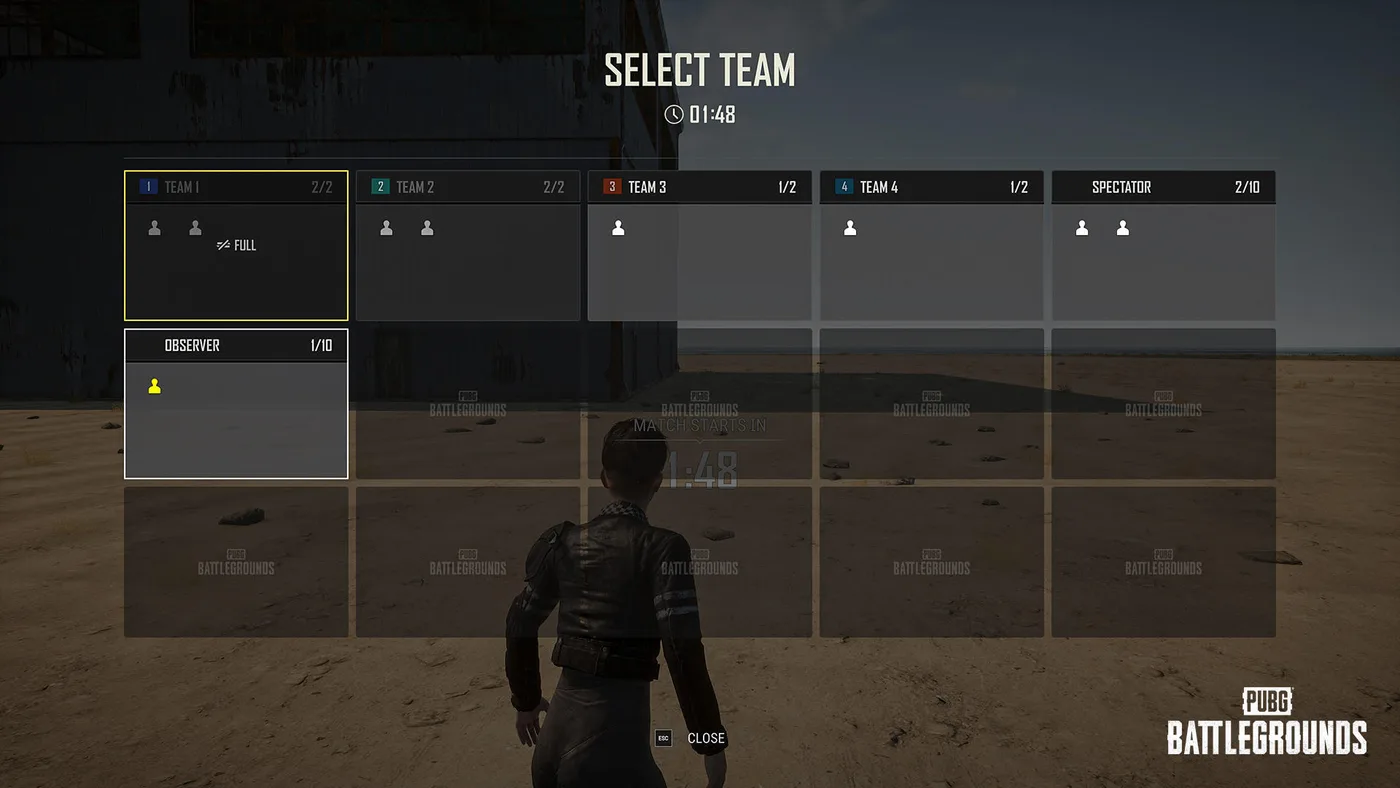
Update 43.2 gave PUBG custom match hosts a stop button. Since the PC patch on 14 October and the console one on 22 October, the host of a Normal, Esports or Intense Battle Royale lobby can open the system menu, press Force End Match, and have everyone back in the lobby 10 seconds later. It's one of six host features in the Custom Match section of the Update 43.2 patch notes, next to random teams, a lobby-wide nickname hider, a host-only chat setting, an explosion multiplier and new spectating options for Intense Battle Royale.
This is the host's side of PUBG custom matches as of 25 October 2026: who can create one, which of those tools work in which mode, what Esports Mode copies from Ranked, and which 2025 and 2026 patches changed settings an old preset may still lean on. Building community modes in the UGC editor is a different job, and the PUBG: Playgrounds explainer covers it.
Who can host a custom match
Creating one takes a Battlegrounds Plus account. KRAFTON's Plus page lists it with clan creation under the upgrade's benefits: "Create a Custom Match and enjoy your own unique game with your friends." That line names creating, not joining. KRAFTON's December 2021 free-to-play announcement listed "Creating and playing a Custom Match" under Plus, and the current page doesn't say whether a free account can join someone else's lobby. What Plus costs, and how to buy it with BP instead of cash, is in the Battlegrounds Plus breakdown.
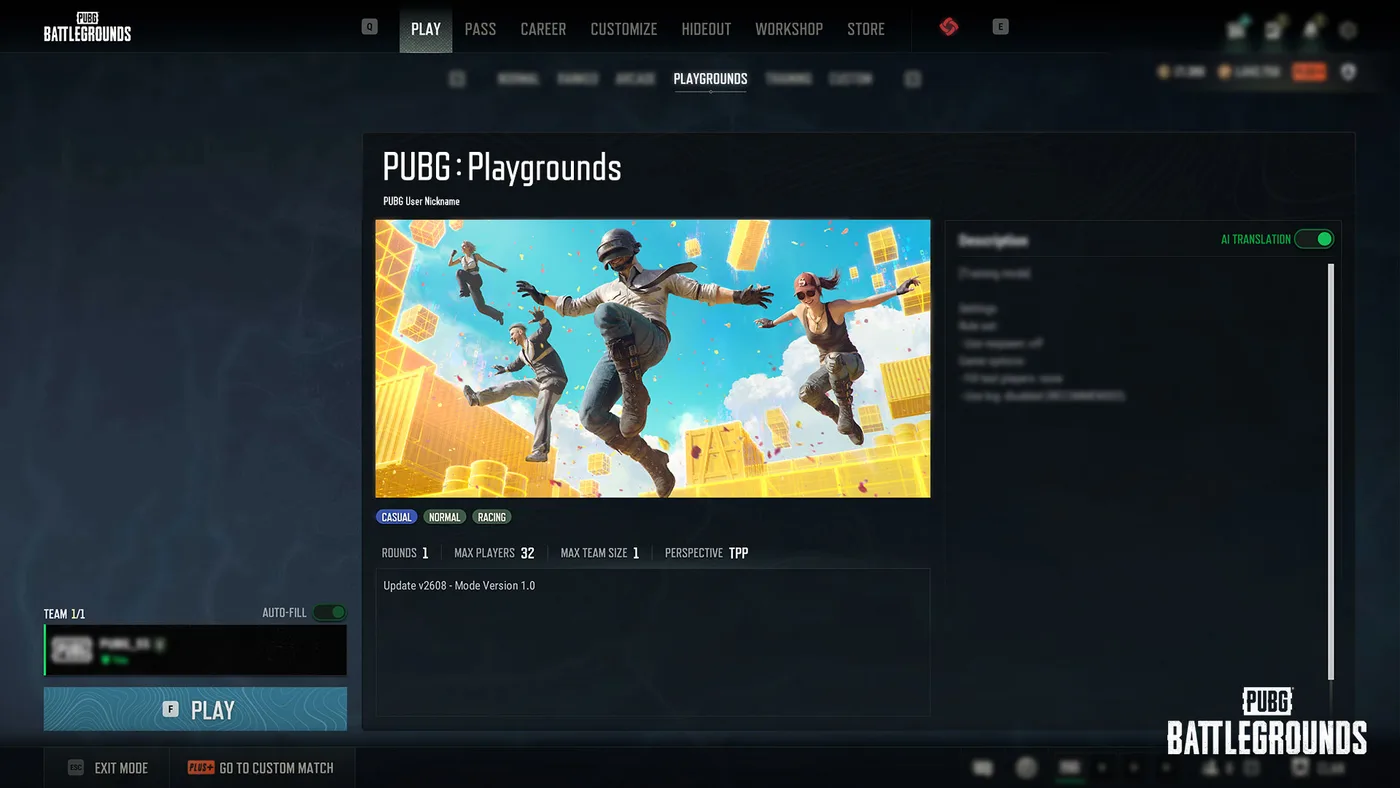
On PC, Custom is the last tab in the Play menu's row, after Normal, Ranked, Arcade, Playgrounds and Training, in KRAFTON's own screenshot from the Playgrounds launch. The same screen's Go to Custom Match button carries a Plus badge.
Console has custom matches too. The 43.2 Custom Match section tags one feature, lobby chat, as PC-only and gives console its own line in the Intense Battle Royale observer settings, and Update 37.1 fixed missing platform icons "in the player kick popup in Custom Match" on console. What console doesn't get is the UGC editor, filed as "(PC) UGC Alpha" in Update 39.1, or the Playgrounds hub built on it.
Custom matches also have their own section in the Rules of Conduct, section 7, "Policy for Custom Game Mode":
- Hosts stay under the rules. Anyone who creates or operates one is bound by the Terms of Service and Rules of Conduct "unless an exception is expressly permitted within the game system," and players are "jointly responsible for any content created collaboratively."
- Joining means accepting the settings. By entering, you accept the session's custom settings, and you "may not receive the benefits that are normally granted in standard matches." The Rules don't list which benefits.
- Fair play still applies. Abusive or disruptive behaviour can still be penalised. The bans guide has the penalty table, including the line that puts cash deals through "custom game mode names" up to a permanent ban.
Which 43.2 tools work in which mode
Each 43.2 feature carries a note naming the Custom Match modes it applies to, and the lists don't match. "Not listed" below means the notes don't name that mode for that feature:
| 43.2 feature | Normal | Esports | Intense BR | Team Deathmatch | Hot Drop |
|---|---|---|---|---|---|
| Force End Match | Yes | Yes | Yes | Not listed | Not listed |
| Random Team Assignment | Yes | Not listed | Yes | Yes | Yes |
| Hide Player Nicknames | Yes | Yes | Yes | Yes | Yes |
| Lobby Chat: Host Only (PC) | Yes | Yes | Yes | Yes | Yes |
| Explosion Impulse, 0-10x | Yes | Not listed | Not listed | Not listed | Not listed |
| Observer settings | Not listed | Not listed | Yes | Not listed | Not listed |
Hide Player Nicknames and Lobby Chat are both marked "all Custom Match modes." The odd gap is Esports Mode and random teams: the notes leave the Ranked-style preset off the team shuffler.
Those five columns aren't every custom mode. Other KRAFTON notes name Solo Deathmatch, "also available in Custom Match" in Update 42.2 and again in 43.1; a Custom Match Training Mode, in a 42.3 bug fix; a Sandbox Mode, in Update 38.2; and on PC the UGC modes behind Playgrounds. PUBG Support's "What are custom matches?" article, last edited in April 2019, still lists Zombie and War modes. Neither name appears in the 2025 and 2026 patch notes cited here.
The six 43.2 host tools
Force End Match
- The host presses Force End Match in the lower-left corner of the system menu (ESC on PC).
- Every participant gets a notification, and the match ends 10 seconds later.
- Everyone goes back to the Custom Match lobby, and the Match Results screen isn't shown.
That last line matters if you run scrims. A botched start now costs one menu press and 10 seconds, but a force-ended match leaves no results screen to screenshot, so finish the match properly if you need the numbers.
Random Team Assignment
- A button in the upper-right corner of the Custom Match lobby assigns lobby participants to teams at random.
- It fills starting with Team 1, each team up to its maximum size. In modes with two teams, players are split "as evenly as possible."
- Observers and anyone not yet on a team are left out.
- It's unavailable when Solo settings or reserved slots are in use.
Read that fill order literally and the even split is promised only in two-team modes. With more teams, 10 players and a team size of 4 would come out as 4, 4 and 2. Set the team size to the split you actually want before you press it.
Hide Player Nicknames
- Set on the lobby creation screen or under Lobby Match Settings > Basic.
- Everyone except you and your squad shows up in a format such as "Unknown #000," wherever nicknames appear, the Killfeed, Match Log and kill messages included.
- Real nicknames still show in Death Cam and on the Report screen, and on the results screen and in replays once the match ends.
- With it on, team numbers keep being assigned at random, so you can't work out who's who by matching a team number in the lobby to one in game.
The Report-screen exception means a hidden name doesn't protect a cheater, which the bans guide also notes.
Host-only lobby chat (PC)
Hosts can now configure lobby chat. On "Host Only," only the host can send messages to all participants. Team Chat, Whispers, notifications and system messages carry on as normal, so this is an announcements channel, not a mute: a whisper still gets through.
On PC, players have had a control of their own since 37.1. Typing /ocm hides the custom match chat channel on your screen; your own messages and system messages stay visible, and the setting resets to visible when you restart the game.
Explosion impulse, 0 to 10x
Custom Match Normal Mode gets a multiplier on explosion impulse, from 0 to 10x. You can set every explosive at once, or nine sources one by one: the Frag Grenade, Sticky Bomb, C4, Panzerfaust, Mortar, Gas Can, Red Zone, Gas Station and Vehicle.
The notes talk only about impulse, how hard a blast throws things, and say nothing about damage, so don't count on the multiplier changing how much an explosion hurts. KRAFTON doesn't show what 0x or 10x looks like in play.
The smaller lobby fixes
- Double-click a match in the match list to join it.
- The mode you last picked stays selected when you leave a Custom Match lobby.
- Team numbers in the lobby and on the in-game Observer screen now match, unless Hide Player Nicknames is on.
- A host can kick a player by selecting their nickname in lobby chat. Kicking from the lobby slot still works.
Two ways to hide a name
43.2's lobby option shares its name with a personal setting that has carried that name since Update 36.1 in June 2025, when "Hide Nicknames in Killfeed" under Settings > Gameplay > Interface was renamed "Hide Player Nicknames." They do different jobs:
| Settings option (36.1) | Lobby option (43.2) | |
|---|---|---|
| Who turns it on | You, in your own Settings menu | The host, for the whole lobby |
| Where | Settings > Gameplay > Interface | Lobby creation screen, or Lobby Match Settings > Basic |
| What 36.1 or 43.2 says it hides | The eliminated player's name when you loot their deathbox; other teams' names when you spectate after your team is wiped; names on the World Map and above heads | Every name outside your squad, shown as "Unknown #000" in the Killfeed, Match Log and kill messages |
| Where real names still appear | Not stated | Death Cam and the Report screen; the results screen and replays after the match |
If you stream or record and want names off your own screen whatever lobby you're in, the Settings option is yours to toggle. If you're running a blind lobby where nobody should know who they're shooting, that's the host's 43.2 switch.
Casting a custom match
43.2 added three spectating options to Intense Battle Royale under Match Settings > Rules: Convert Dead Players to Observer, Killer Spectating and Observer Voice Chat. On console, Killer Spectating is the only one available.
The hero image above is the other 43.2 observer change. Observer slots, holding up to 10 players each, now sit on the Team Selection screen in Custom Matches. KRAFTON files that under the "(PC) PUBG: Playgrounds" section, next to the creator Team Selection screen that 42.3 introduced. Its screenshot shows a Spectator card and a separate Observer card, and the notes don't say how the two differ.
Most of the caster toolkit is older. Update 38.1 in October 2025 put an Observer overhaul under its Custom Match heading, with KRAFTON saying it wanted to improve "observer usability for on-site esports broadcasting":
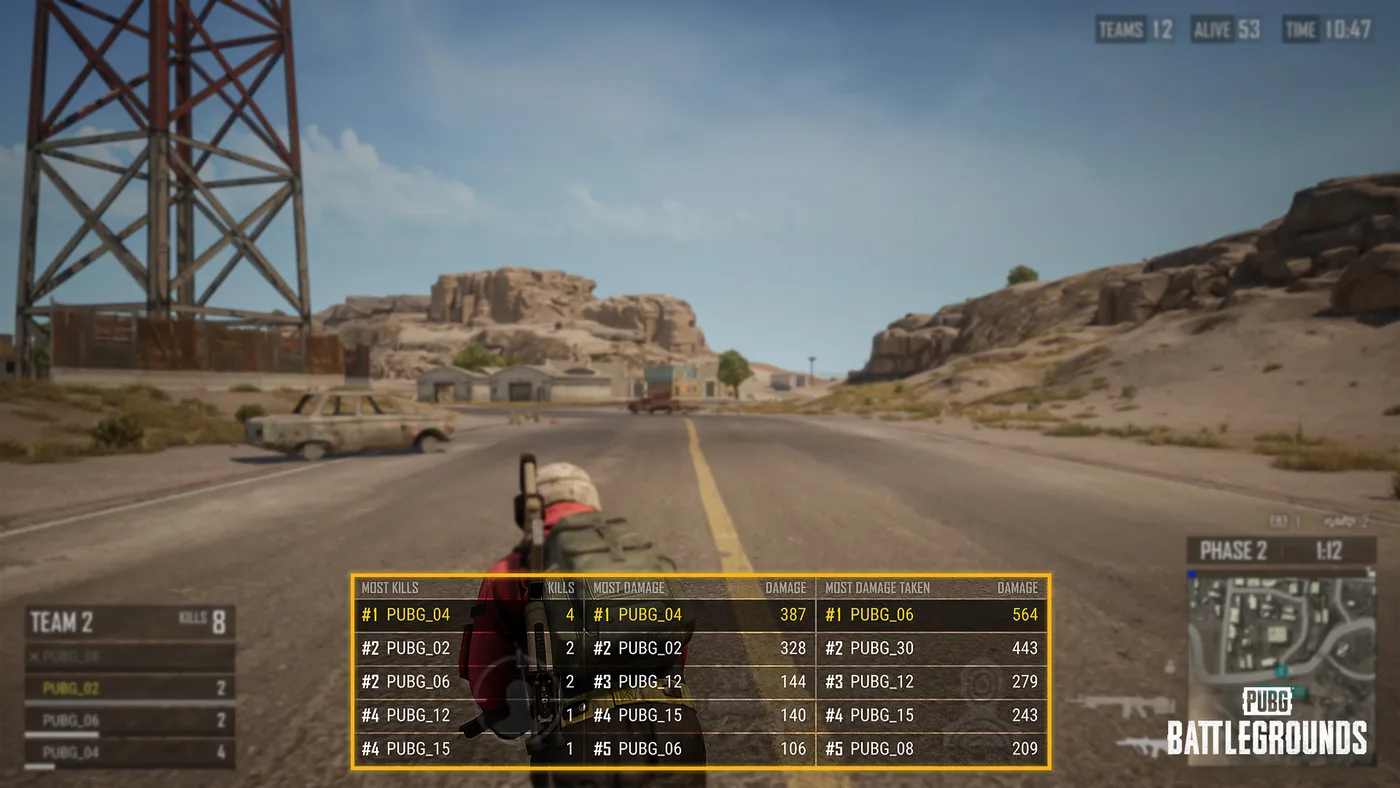
- (PC) View Match Ranking: rankings for kills, damage and damage taken along the bottom centre of the screen.
- (PC) Search Player: Ctrl+F finds a player by nickname and switches to their view. It works in Replay too.
- Killer camera: when the player you're watching dies, the camera moves to the killer after a short delay, or to the nearest character if there's no killer. On PC, a "Switch to Killer Camera" option jumps to whoever got the latest kill.
- (PC) Set Minimap Focus: centres the expanded minimap on the camera or the safe zone; N zooms it.
- Team-coloured X-ray: X-ray effects now use each team's colour, or black in Solo, and on PC a Set X-Ray Color option changes them.
- Esports items on screen: items newly added to Custom Match – Esports Mode show on the Observer screen, with the Emergency Cover Flare, C4 and 40mm Smoke Grenade in the item information section.
Observer hotkeys sit under Settings > Key Bindings, which 42.3 rebuilt with a separate Observer tab.
Esports Mode follows Ranked, mostly
Custom Match – Esports Mode is the one KRAFTON keeps in step with Ranked. Ranked changes usually land there in the same patch, but not always on the same maps:
| Update | Ranked | Custom Match – Esports Mode |
|---|---|---|
| 36.1 (June 2025) | Match Log, cooking timer UI, Recall, Red Zone, the flare-called BRDM-2, and the Tactical Pack, EMT Gear, All-In-One Repair Kit, Inflatable Boat, C4 and Zipline Gun added | Same: "The above updates also apply to Custom Match - Esports Mode" |
| 38.1 (October 2025) | Vehicle Camo Netting added; Miramar's new destructible terrain left out | Same on both |
| 41.1 (April 2026) | Destructible Terrain on Rondo, Taego, Miramar and Erangel | Same four maps |
| 42.1 (June 2026) | Secret Rooms on Erangel, Miramar, Rondo and Taego | Secret Rooms on those four plus Vikendi and Deston |
| 42.1 (June 2026) | Blue Zone damage changed from distance-based to time-based | Same, and in Custom Normal Mode too |
So for Ranked practice, Esports Mode is the closer preset: the item pool and rule changes arrive with Ranked's. Just check the map. Two of the six Secret Room maps in Esports Mode aren't Secret Room maps in Ranked, and the Secret Rooms guide has the per-map list. The 42.1 notes also file the shorter 30:10 match under a "Ranked & Esports" heading, and the blue zone timings post has that clock phase by phase.
Old presets: what changed under them
A saved preset keeps its numbers, but patches keep changing what those numbers mean. Custom Match changes in the patch notes from 37.1 to 42.3 include these:
| Update | What changed |
|---|---|
| 37.1 (August 2025) | Canted Sight removed from the Spawn tab; Deston lost the (Dynamic) Storm, Sunrise and Clearing Storm weather options |
| 37.2 (September 2025) | Destructible Terrain setting added for Team Deathmatch and Intense Battle Royale |
| 38.1 (October 2025) | Destructible Terrain setting added for Miramar; the UGC Alpha mode removed |
| 38.2 (November 2025) | Rondo's Market content removed from Normal Mode and Sandbox Mode; the In-Game Challenges option removed from the Rules tab for Rondo |
| 39.1 (December 2025) | Intense Battle Royale gained Recall, a default Pan and Emergency Cover Flares in Supply Drops, in Custom Match as well; UGC Alpha returned on PC as a permanent feature |
| 42.1 (June 2026) | Haven added to the Intense Battle Royale map pool, in Custom Match as well; time-based Blue Zone damage |
| 42.3 (August 2026) | Blue Zone Spread rescaled to 0-1 |
The 42.3 change is the one most likely to quietly break a preset. KRAFTON's warning: "any previous value above 1 will now be clamped to 1, which may result in Blue Zones being placed closer to the edge of the map than intended." If you built a preset before 42.3 (12 August 2026 on PC), open it and re-enter the spread on the new scale. The Haven guide covers the map that custom Intense Battle Royale can now load.
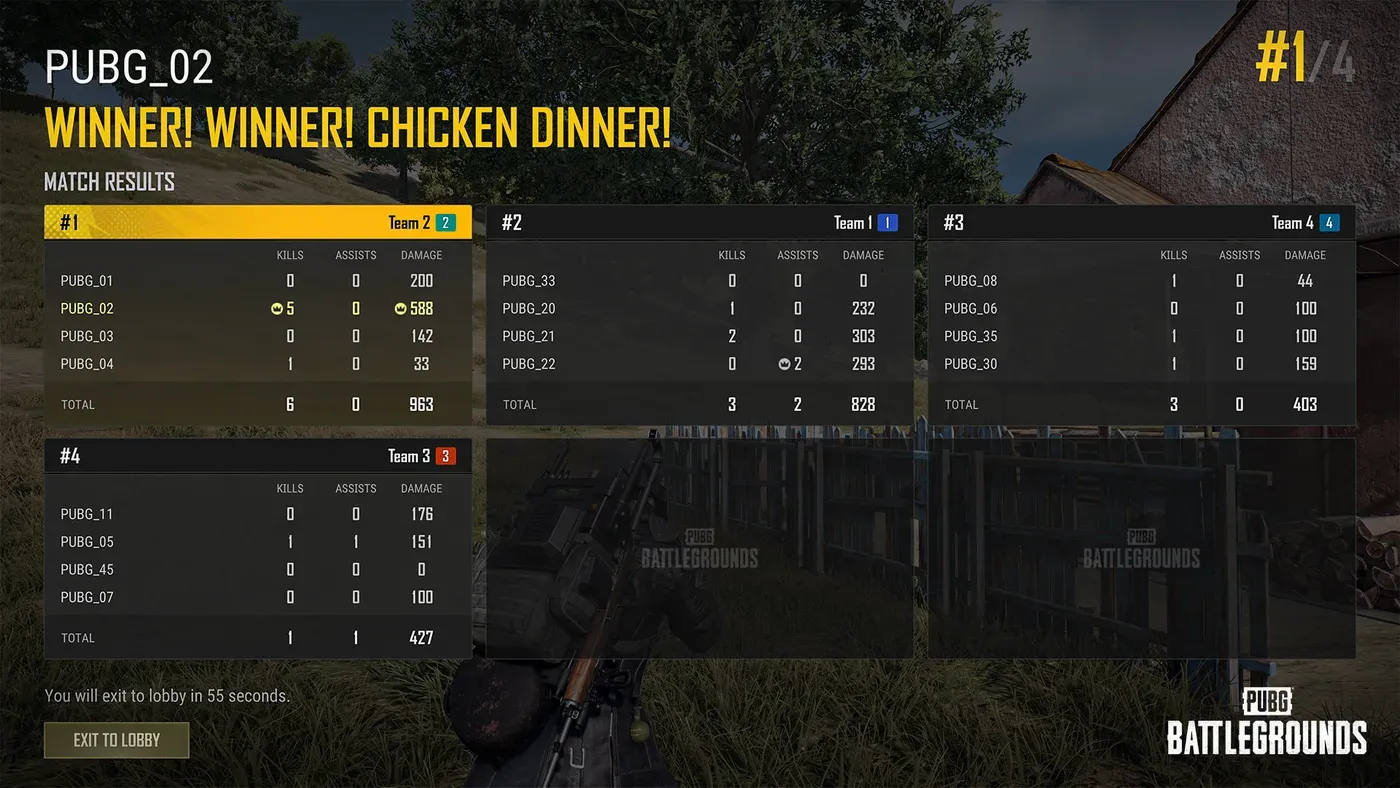
In Intense Battle Royale, a full match ends on the Match Results screen that 43.1 rebuilt, with team and player breakdowns; KRAFTON filed that change under Intense Battle Royale and noted it "also applies to Custom Match." That's the screen a force end skips.
What KRAFTON hasn't published
These are gaps in KRAFTON's own documents as of 25 October 2026:
- Lobby size limits. PUBG Support's Normal Mode custom match article, last edited in April 2019, says a match needs at least 8 players and that there are "no special requirements" to create one, which today's Plus requirement contradicts. None of the 2025 and 2026 patch notes checked here gives a current minimum or maximum.
- What "reserved slots" are. 43.2 names them only as something that blocks random team assignment.
- How Observer and Spectator slots differ. Both appear in KRAFTON's 43.2 screenshot. The text describes only the Observer slot.
- Force End and explosion impulse in other modes. The notes don't say whether either is coming to the modes they leave out.
- Which benefits a custom match withholds. The Rules say joiners "may not receive" standard-match benefits and don't name them.
- Lobby chat on console. The Host Only setting is tagged PC, with no console date.
Quick Action Checklist
- Get Battlegrounds Plus on the hosting account
- Find Custom as the last tab in the Play menu on PC
- Need to restart? Force End Match is in the system menu in Normal, Esports and Intense BR, takes 10 seconds and skips the results screen
- Set the team size before you press Random Team Assignment; it fills Team 1 first, and the notes promise an even split only in two-team modes
- Random teams won't run with Solo settings or reserved slots, and the notes don't list it for Esports Mode
- Turn on Hide Player Nicknames at lobby creation for a blind lobby; real names still show in Death Cam, on the Report screen and after the match
- On PC, set lobby chat to Host Only for announcements; whispers and team chat still work
- On PC, type /ocm to hide custom match chat on your own screen until you restart
- Explosion impulse (0-10x, per explosive) is Normal Mode only
- Practising for Ranked? Use Esports Mode, but remember Secret Rooms also run on Vikendi and Deston there
- Re-check the Blue Zone Spread on any preset saved before 42.3; values above 1 are now clamped to 1
Frequently Asked Questions
How do you host a custom match in PUBG?
Do you need Battlegrounds Plus to make a custom match in PUBG?
Can the host end a PUBG custom match early?
What does Hide Player Nicknames do in a PUBG custom match?
Do PUBG custom matches give XP or rewards?
Can you host PUBG custom matches on PS5 and Xbox?
Keep Reading
- PUBG: BATTLEGROUNDS — Patch Notes, Update 43.2 (13 Oct 2026; PC 14 Oct, console 22 Oct): Custom Match section (Explosion Impulse, Force End Match, PC Lobby Chat, Random Team Assignment, Intense Battle Royale Observer Settings, Hide Player Nicknames) and observer slots
- PUBG: BATTLEGROUNDS — official BATTLEGROUNDS PLUS page ("Create a Custom Match")
- PUBG: BATTLEGROUNDS — Free-to-Play Announcement (10 Dec 2021): BATTLEGROUNDS Plus unlocks "Creating and playing a Custom Match"
- PUBG: BATTLEGROUNDS — Rules of Conduct, section 7: Policy for Custom Game Mode
- PUBG: BATTLEGROUNDS — Patch Notes, Update 43.1 (Sep 2026): improved Intense Battle Royale Match Results screen also applies to Custom Match; Solo Deathmatch in Custom Match
- PUBG: BATTLEGROUNDS — Patch Notes, Update 42.3 (Aug 2026): Custom Match Blue Zone Spread rescaled to 0-1, values above 1 clamped; Observer key bindings tab
- PUBG: BATTLEGROUNDS — Patch Notes, Update 42.2 (Jul 2026): Solo Deathmatch "also available in Custom Match"
- PUBG: BATTLEGROUNDS — Patch Notes, Update 42.1 (Jun 2026): Secret Rooms in Ranked (4 maps) and Custom Match Esports Mode (6 maps); time-based Blue Zone damage; Haven in Intense Battle Royale
- PUBG: BATTLEGROUNDS — Patch Notes, Update 41.1 (Apr 2026): Destructible Terrain in Ranked and Custom Match Esports Mode
- PUBG: BATTLEGROUNDS — Patch Notes, Update 39.1 (Dec 2025): (PC) UGC Alpha returns permanently; Intense Battle Royale Recall, Pan and Emergency Cover Flare changes apply to Custom Match
- PUBG: BATTLEGROUNDS — Patch Notes, Update 38.2 (Nov 2025): Rondo Market content removed from Custom Match Normal Mode and Sandbox Mode
- PUBG: BATTLEGROUNDS — Patch Notes, Update 38.1 (Oct 2025): Custom Match Observer improvements; Vehicle Camo Netting in Ranked and Esports Mode
- PUBG: BATTLEGROUNDS — Patch Notes, Update 37.2 (Sep 2025): Destructible Terrain setting for Team Deathmatch and Intense Battle Royale
- PUBG: BATTLEGROUNDS — Patch Notes, Update 37.1 (Aug 2025): /ocm chat command; Canted Sight removed from the Spawn tab; console Custom Match kick popup fix
- PUBG: BATTLEGROUNDS — Patch Notes, Update 36.1 (Jun 2025): Ranked Season 36 changes also apply to Custom Match Esports Mode; Hide Player Nicknames setting renamed
- PUBG Support — How to setup and create custom matches on normal mode (last edited April 2019)
- PUBG Support — What are custom matches? (last edited April 2019; lists Normal, Zombie, War and E-Sports modes)
Related Guides
PUBG Bans: What Gets You Banned and How Many Each Week
KRAFTON banned 34,271 PUBG accounts in the week of 12 to 18 October 2026, and 20,929 of them for cheating. Here is the Rules of Conduct penalty table, what counts as cheating on PC and console in 2026, the non-cheating offences that can still cost you the account, how reporting and appeals work, and 11 weeks of KRAFTON's own weekly ban figures.
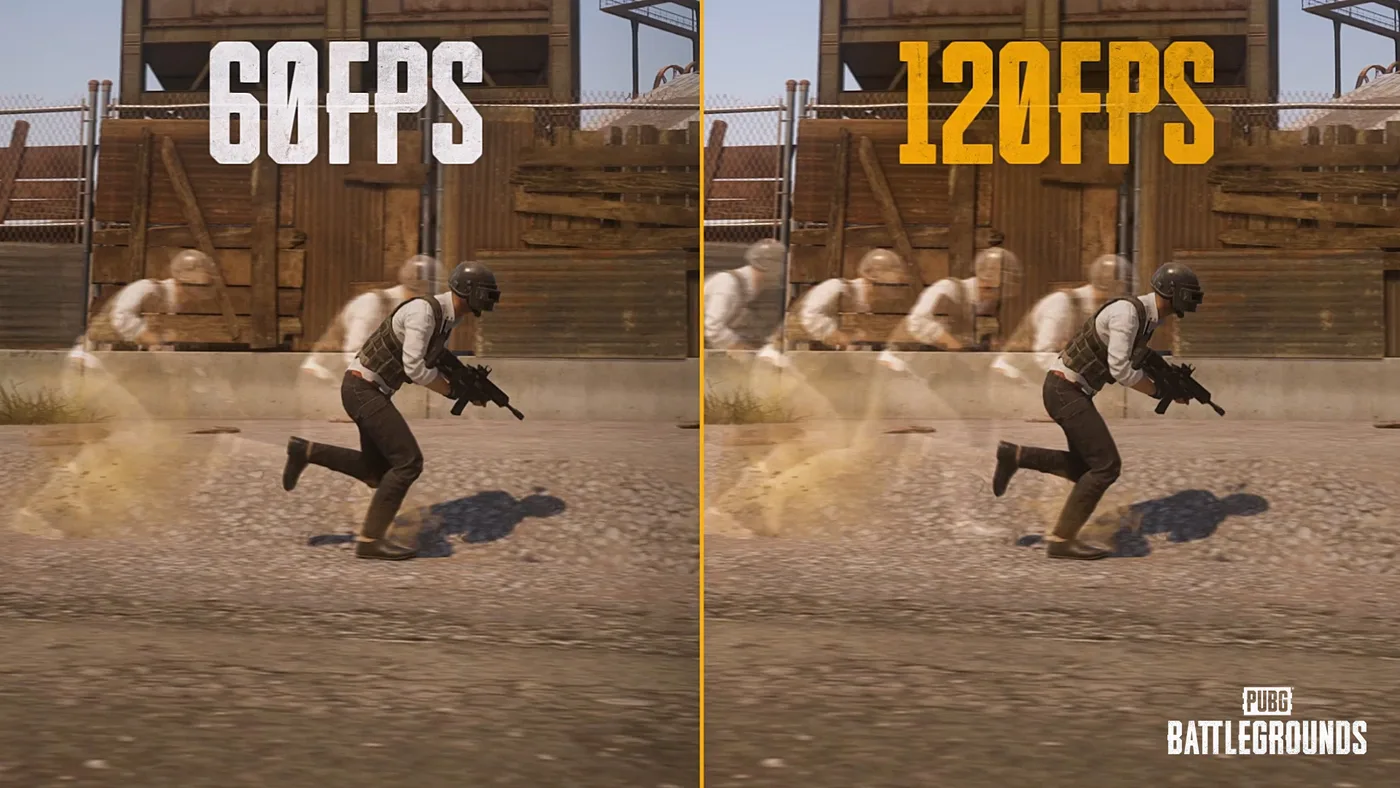
PUBG on PS5 and Xbox: 120 FPS Mode and Bigger Hitboxes
PUBG on PS5 and Xbox Series X|S was held to 60 FPS by design until July. Update 42.2 added a 120 FPS Frame Rate Priority mode on all four consoles, Update 43.1 enlarged console-only hitboxes with no damage or recoil changes attached to them, and Update 43.2 added two controller presets, PUBG Standard and Shooter Standard. Here is the resolution and frame rate for each console, the buttons 42.2 moved, and how the two new presets differ.
What Is POBG? PUBG's Maintenance Mode Mini-Game
Update 42.3's patch notes name-drop a feature called POBG: Maintenance Mode and move on. It is not new — KRAFTON built it for April Fools 2021 as a chicken-uprising arcade shooter voiced by a villain called PlayerOmnom, then brought it back again as a full event mode in Update 37.1, August 2025. Here is what the 42.3 notes actually confirm about this third appearance, and what they leave unstated.
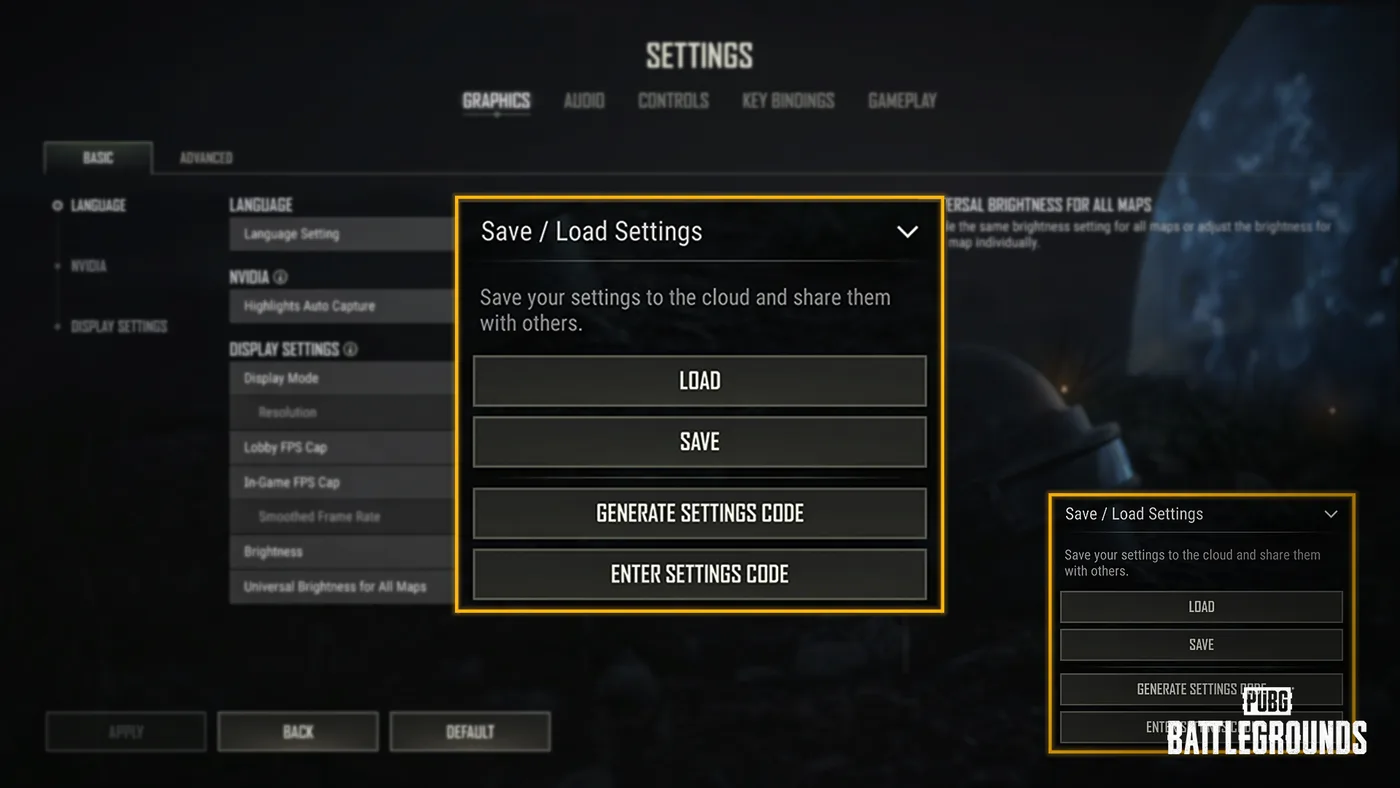
PUBG Crosshair Customization and Settings Sharing
Update 42.3 led with the RPD and the LMG Meta Rotation, but the same patch notes added a crosshair editor with four weapon profiles and a settings code that copies your setup onto someone else's machine. Here is every option KRAFTON listed, the two carve-outs that limit it, what a shared code does and does not carry, and the rest of the settings rebuild that shipped alongside it.
Best Weapons in PUBG: Tier List
Every PUBG tier list is out of date the moment a balance patch drops. So here's the list, ranked by role, plus the durable logic to re-tier any gun yourself when the next patch shakes things up.
Best PUBG Loadouts & Attachments
A naked M416 and a fully kitted M416 are basically two different guns. Here's how to build the strongest two-gun loadouts in PUBG and the attachment priority that turns loot into recoil control.