PUBG Crosshair Customization and Settings Sharing
Update 42.3 led with the RPD and the LMG Meta Rotation, but the same patch notes added a crosshair editor with four weapon profiles and a settings code that copies your setup onto someone else's machine. Here is every option KRAFTON listed, the two carve-outs that limit it, what a shared code does and does not carry, and the rest of the settings rebuild that shipped alongside it.
Update 42.3 opens with the RPD and the first LMG Meta Rotation. Much further down the same patch notes, under the UX/UI heading, KRAFTON added a crosshair editor with four weapon profiles and a code that copies your settings onto someone else's machine.
Neither one moves a bullet. Both change what you are looking at for every second of every match, which is why they are worth reading properly rather than skimming.
What 42.3 added, and where it sits
The Update 42.3 patch notes carry six sub-sections under the UX/UI heading. KRAFTON marks PC-exclusive features in these notes with a leading (PC) tag, and in 42.3 exactly three feature sections carry it: PUBG: Playgrounds, POBG Maintenance Mode, and Settings Sharing. Crosshair Customization does not.
| Change | Patch notes section | Platform tag |
|---|---|---|
| Crosshair Customization | UX/UI | none |
| Settings Sharing | UX/UI | (PC) |
| Toggle / Hold Options | UX/UI | none |
| Key Bindings UI Improvements | UX/UI | none |
| Settings Improvements (side nav, reset button) | UX/UI | none |
| Misc (Settings background and UI updated, two bindings removed) | UX/UI | none |
The live maintenance windows in the same notes are 12 August 2026, 00:00-08:30 UTC on PC and 20 August 2026, 01:00-09:00 UTC on console. Eight days apart, which is the standing pattern the crossplay guide tabulates across recent updates.
The four crosshair profiles
PUBG does not store one crosshair. It stores four, split by weapon category, and two of them come with stated limits.
| Profile | What the notes say about it |
|---|---|
| General | Listed first; the notes do not scope which weapons fall under it |
| Shotgun | Its own profile |
| Handgun | Its own profile, and the Flare Gun and Zipline Gun use it, with some customization options unavailable to them |
| Throwables | Colour and opacity customization only |
Two things follow from that table and are easy to miss. The Flare Gun and Zipline Gun do not get their own slot, so tuning the Handgun profile is also what you will be looking at when you call in a care package. And the Throwables profile is deliberately stripped down: colour and opacity, no shape, on anything in the throwables category.
The 14 things you can actually change
KRAFTON lists four elements. Counting the individual properties under them gives 14 settings per profile, subject to the Throwables and Flare/Zipline carve-outs above.
| Element | Properties |
|---|---|
| Crosshair Color | Color |
| Lines | Style, Length, Thickness, Opacity, Rotation, Angle |
| Dot | Style, Rotation, Size, Opacity |
| Outline | Color, Thickness, Opacity |
You are not obliged to build one from scratch. The notes state you can pick from preset crosshair styles or create your own, that changes preview in real time, and that they save through the Settings menu.
Reach for Outline first. It is the property that lets one crosshair colour stay legible on both Miramar sand and Vikendi snow instead of forcing you to pick a map to lose on — the same visibility problem the console settings guide attacks from the brightness side.
What the patch notes do not say
This is the half that saves you a wasted evening in the menus.
- Scope reticles are not mentioned. The four categories are weapon classes, not sights. Sight reticles remain the older, separate system: the red dot swaps between dot, chevron, three-bar and crosshair patterns in red or green, and the red dot, holo and 2x all take brightness adjustment on the mouse wheel while aiming. That is covered in the crosshair placement guide and 42.3 does not change it.
- The notes do not name the Settings tab. They say changes "can be saved through the Settings menu" and stop there. The five top-level tabs in KRAFTON's own 42.3 screenshots are Graphics, Audio, Controls, Key Bindings and Gameplay.
- The notes describe no per-weapon profile. Four weapon categories is the granularity KRAFTON published; nothing in the notes suggests individual guns get their own slot.
- The notes never say whether a settings code carries your crosshair — see the next section.
Settings codes: what travels and what does not
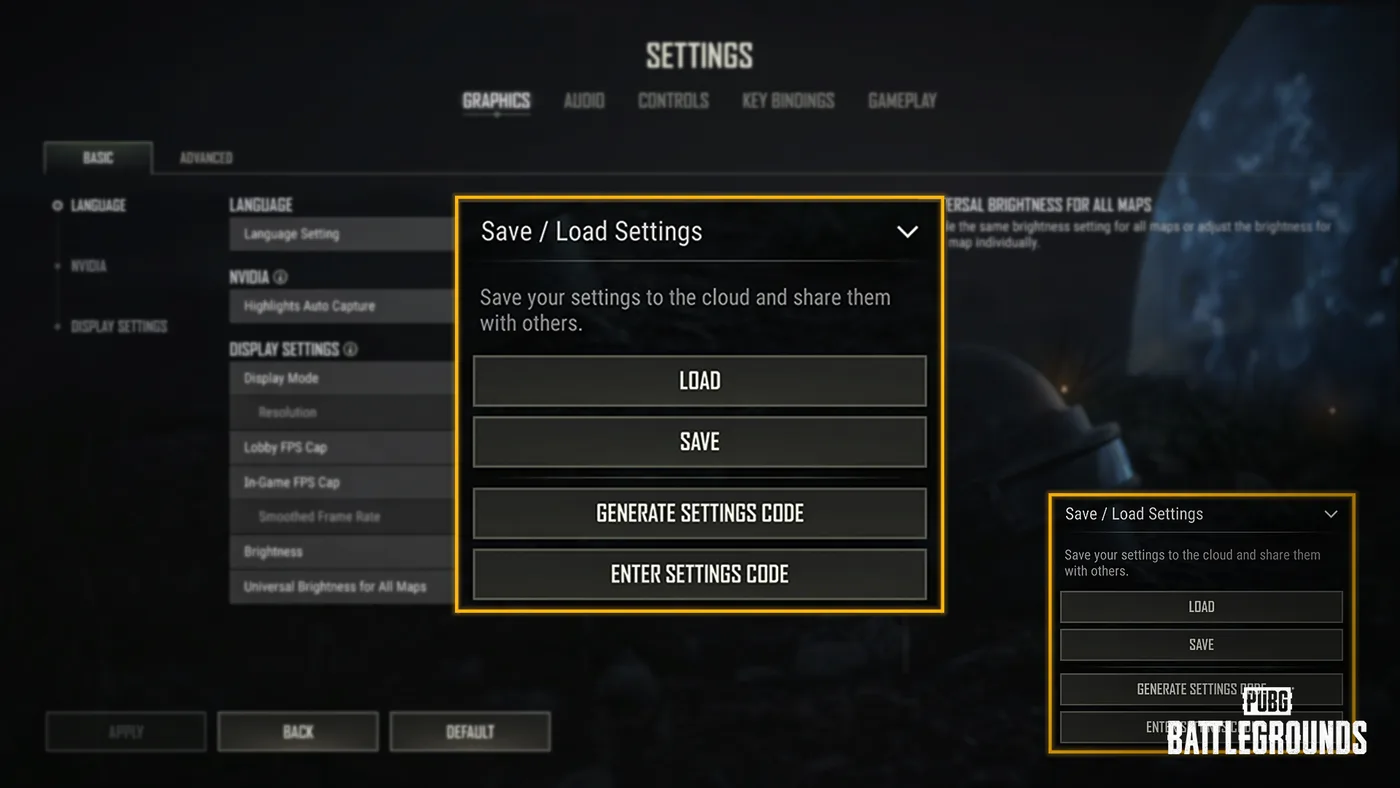
Settings Sharing is the PC-tagged half of the pair, and it is the more quietly useful one. The in-game panel is called Save / Load Settings, and its four buttons are Load, Save, Generate Settings Code and Enter Settings Code, under a line describing it as saving your settings to the cloud and sharing them with others.
| Detail | What KRAFTON states |
|---|---|
| Platform | Marked (PC) in the 42.3 notes |
| How it works | Generate a unique sharing code from your current settings; another player enters it to import |
| Categories you can import | Audio, Controls, Key Bindings, Gameplay |
| Not shareable | Hardware-dependent settings such as Graphics |
| Selective import | You choose which of the four categories to apply |
| Code lifetime | Unused codes expire after 90 days; after that you generate a new one |
Two practical consequences. First, a code is not a one-click copy of a streamer's setup — Graphics is excluded by design, so resolution, FPS caps and brightness stay yours, and the FPS settings guide is still the thing you tune by hand. Second, the four importable categories are the top-level Settings groups — the same tabs listed above, minus Graphics — and the notes never say which of them the crosshair editor lives under. So whether a code carries your crosshair is genuinely unstated: do not promise a teammate it will arrive, and check the crosshair after importing one.
The 90-day expiry applies to unused codes, which matters if you keep one in a Discord pin. Regenerate before you re-share an old one.
Toggle or hold on six interface actions
Six interface actions became configurable as Toggle or Hold, under Settings > Controls > Key Input Method > Interface. The notes do not publish defaults; these are the states each one is set to in KRAFTON's screenshot of that screen:
| Action | State in KRAFTON's screenshot |
|---|---|
| Inventory | Toggle |
| Extended Minimap | Toggle |
| Throwables Radial | Hold |
| Heal Items Radial | Hold |
| Message Radial | Hold |
| Action Radial | Hold |
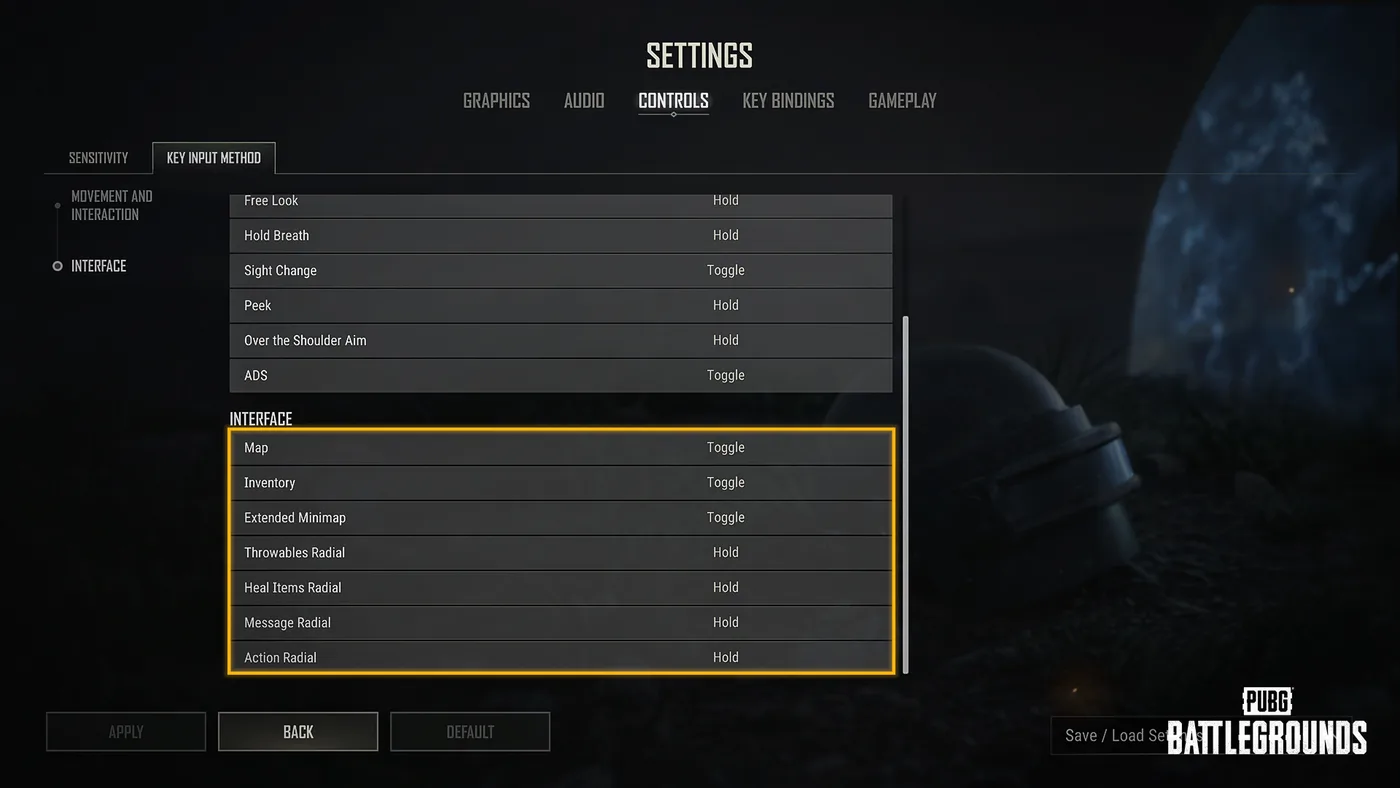
The radials are the ones to think hardest about. Hold means the wheel closes the instant you release, which is faster when you already know which slot you want and worse when you have to look. If you have ever fumbled a heal under fire in a 1vX, that is the one to flip to Toggle for a week.
The key bindings menu was rebuilt too
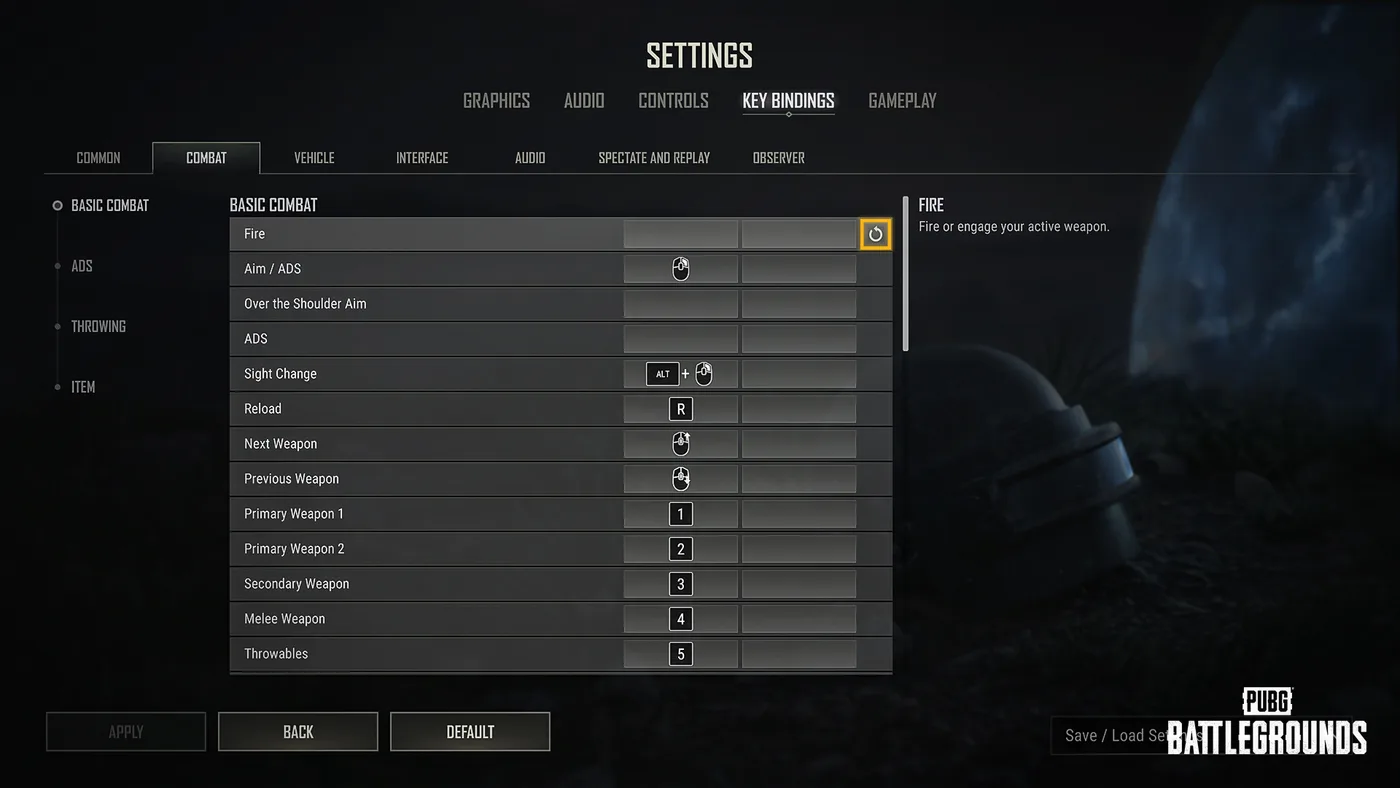
Key Bindings gained four new tabs — Interface, Audio, Spectate and Replay, and Observer — and existing bindings were reorganised into them. Eleven new actions became bindable under the Interface tab:
Inventory Pick Up Item, Inventory Drop All, Inventory Drop Half, Map Marker, Waypoint, Delete Waypoint, Show/Hide Airplane Path, Apply Skin, Remove Skin, Match Log, and Missions.
Inventory Drop All and Inventory Drop Half are the two that change a routine: dropping a stack split without dragging a slider is a real saving in the sort of looting triage you do over a teammate's death box.
Three smaller items from elsewhere in the same UX/UI block. Under Settings Improvements, a side navigation panel now jumps between option groups, and a reset button restores individual options to their default values. Under Key Bindings, a Clear Binding guide sits in the bottom-right corner of the Settings screen, and pressing ESC clears a binding. The notes also confirm that key binding options for Equip Decoy Grenade and Equip Spike Trap were removed, both bindings for content the game no longer has; the tactical gear guide covers what else has been cut over the years.
Quick Action Checklist
- Build the General profile first and get it right before touching the other three
- Add an outline if one colour has to survive both Miramar sand and Vikendi snow
- Remember the Handgun profile also drives the Flare Gun and Zipline Gun
- Do not expect a shape on Throwables — that profile is colour and opacity only
- Leave scope reticles alone here; those are still the mouse-wheel brightness and red dot pattern controls
- On PC, generate a settings code once your Audio, Controls, Key Bindings and Gameplay are dialled in
- Regenerate any settings code you have not used in 90 days
- Try Toggle on the Heal Items Radial for a week before deciding Hold was right
- Bind Inventory Drop Half if you split ammo for teammates
Frequently Asked Questions
Can you customize your crosshair in PUBG: Battlegrounds?
What can you change on a PUBG custom crosshair?
Does PUBG crosshair customization change scope reticles?
What is a PUBG settings code and how long does it last?
Do PUBG settings codes share graphics settings?
Keep Reading
- Mythras blog
- PUBG: Battlegrounds coverage hub
- PUBG crosshair placement guide
- PUBG settings and sensitivity guide
- Best PUBG console settings
- PUBG graphics settings for high FPS
- PUBG Meta Rotation and the RPD
- PUBG tactical gear guide
- PUBG looting and inventory guide
- PUBG care package and airdrop guide
- Is PUBG cross-platform?
- PUBG: BATTLEGROUNDS — Patch Notes, Update 42.3 (11 Aug 2026): Crosshair Customization element list, (PC) Settings Sharing, Toggle/Hold options, Key Bindings tabs, PC 12 Aug and console 20 Aug maintenance windows
- Steam News — PUBG: BATTLEGROUNDS Patch Notes, Update 42.3 (Steam mirror of the 11 Aug 2026 announcement)
- PUBG: BATTLEGROUNDS news index — checked 2 September 2026; Update 42.3 (11 Aug 2026) is still the most recent patch notes entry
Related Guides
PUBG Custom Matches: How Hosting Works After Update 43.2
Update 43.2 gave PUBG custom match hosts a Force End button, random team assignment, a lobby-wide nickname hider, a host-only chat setting and a 0-10x explosion multiplier, and they don't all work in the same modes. Here is who can host, which tool works where, what Esports Mode copies from Ranked, and the patches that changed settings your old presets rely on.
PUBG Bans: What Gets You Banned and How Many Each Week
KRAFTON banned 34,271 PUBG accounts in the week of 12 to 18 October 2026, and 20,929 of them for cheating. Here is the Rules of Conduct penalty table, what counts as cheating on PC and console in 2026, the non-cheating offences that can still cost you the account, how reporting and appeals work, and 11 weeks of KRAFTON's own weekly ban figures.
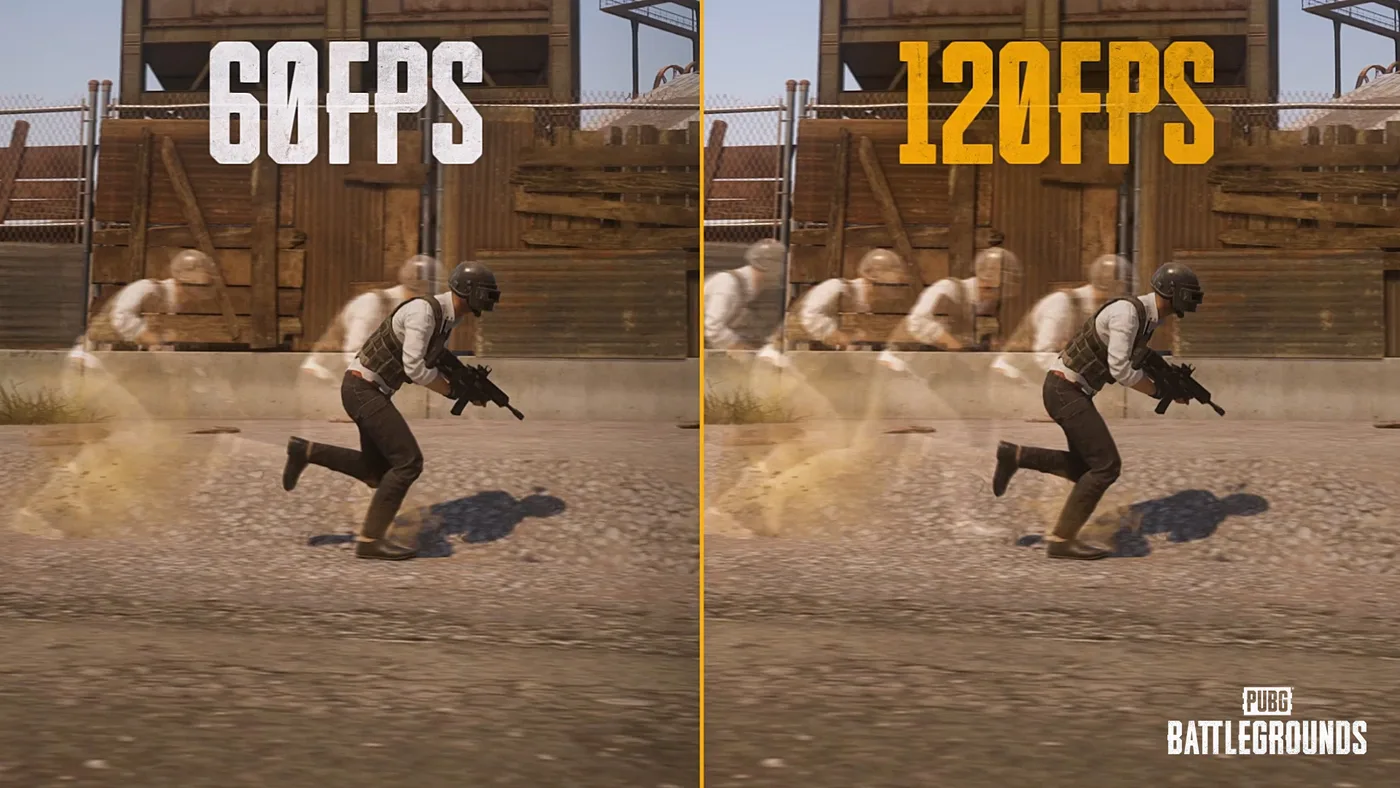
PUBG on PS5 and Xbox: 120 FPS Mode and Bigger Hitboxes
PUBG on PS5 and Xbox Series X|S was held to 60 FPS by design until July. Update 42.2 added a 120 FPS Frame Rate Priority mode on all four consoles, Update 43.1 enlarged console-only hitboxes with no damage or recoil changes attached to them, and Update 43.2 added two controller presets, PUBG Standard and Shooter Standard. Here is the resolution and frame rate for each console, the buttons 42.2 moved, and how the two new presets differ.
What Is POBG? PUBG's Maintenance Mode Mini-Game
Update 42.3's patch notes name-drop a feature called POBG: Maintenance Mode and move on. It is not new — KRAFTON built it for April Fools 2021 as a chicken-uprising arcade shooter voiced by a villain called PlayerOmnom, then brought it back again as a full event mode in Update 37.1, August 2025. Here is what the 42.3 notes actually confirm about this third appearance, and what they leave unstated.
Best Weapons in PUBG: Tier List
Every PUBG tier list is out of date the moment a balance patch drops. So here's the list, ranked by role, plus the durable logic to re-tier any gun yourself when the next patch shakes things up.
Best PUBG Loadouts & Attachments
A naked M416 and a fully kitted M416 are basically two different guns. Here's how to build the strongest two-gun loadouts in PUBG and the attachment priority that turns loot into recoil control.