Baldur's Gate 3 Multiplayer: How Co-op Actually Works
A Baldur's Gate 3 co-op campaign can run with any of its players missing except one. The host saves it, loads it and has to be there. Here is how to get up to three friends in, what cross-play and split-screen actually cover, the first-come rules on origin characters, and which systems run separately for each player.
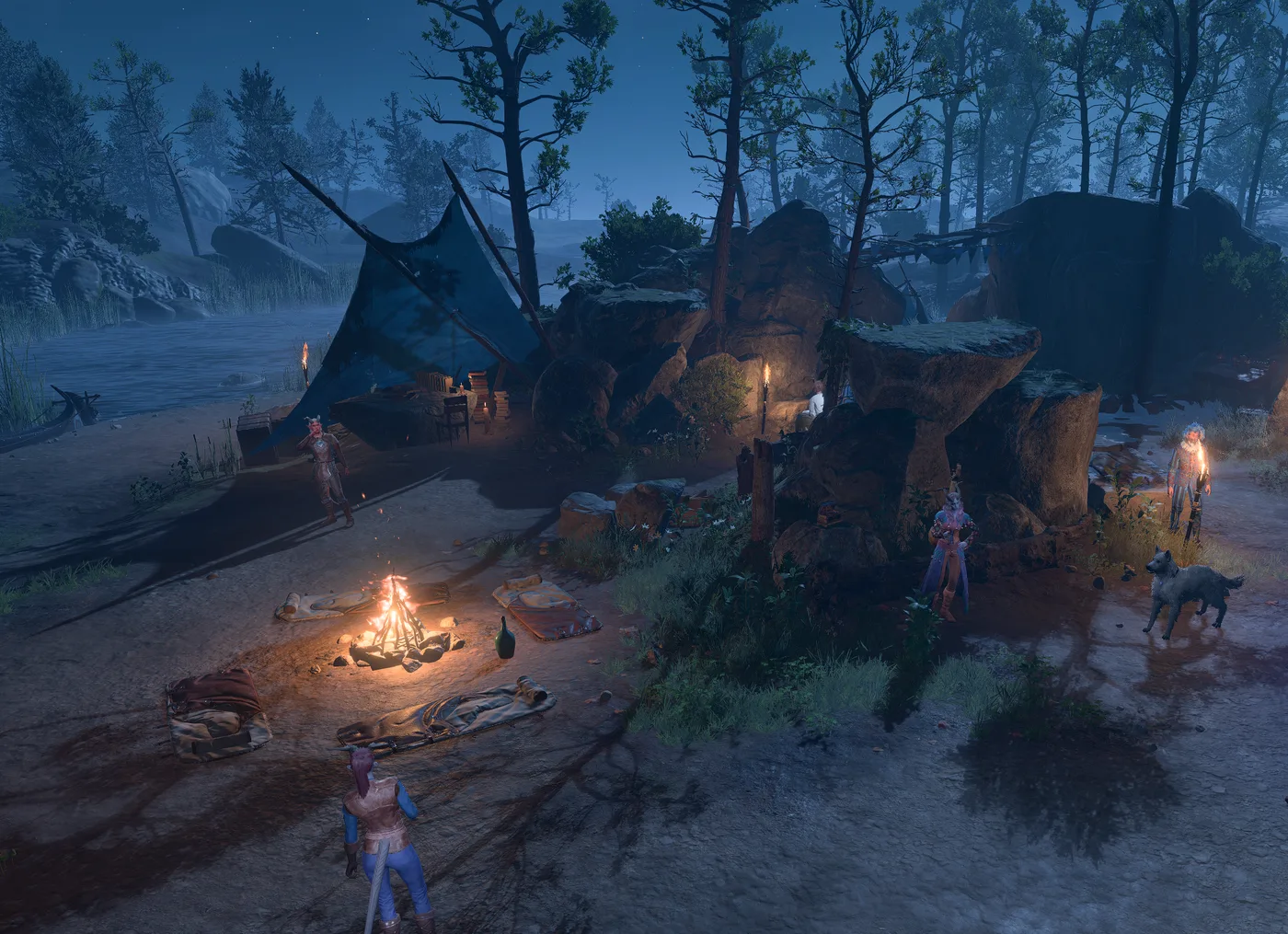
A Baldur's Gate 3 co-op campaign can run with any of its players missing except one. Per bg3.wiki's Multiplayer page, a multiplayer save can be played with the other players absent, or even as a single-player game, but it cannot be run without the player who created it — and that host is the only player responsible for saving and loading. A friend's character in your campaign lives in your save, not theirs.
A lot of how co-op works follows from that rule. Below is how to get up to three friends in — online, LAN, direct connection, cross-play or split-screen — the first-come rules on origin characters, why four players leaves no room for companions, and which systems run separately for each player. The sources are bg3.wiki's Multiplayer, Options and mechanics pages, Larian's support FAQs, its Patch 7 and Patch 8 notes and Community Update #34, plus the PlayStation and Xbox store listings, all checked on 14 October 2026.
The host owns the campaign
The ground rules, from bg3.wiki's Multiplayer page:
- Up to four players: the host and three more. Larian's Multiplayer Information FAQ describes the same four-player online co-op.
- Two ways to start. Create a multiplayer game from the main menu, or open a single-player campaign you are already playing to other people by changing its Online Visibility from the in-game menu.
- Only the host saves and loads. Any player can trigger an autosave.
- Missing players do not stop the game. Their characters can travel as companions or wait at camp, covered below.
- Multiplayer has the same difficulty options as single player.
Larian does document one way round it, although it lists it as a connection fix rather than a feature: its Multiplayer Issues FAQ suggests switching who hosts, with the current host providing the latest save from the existing playthrough. Where that file lives on each platform is in our save files guide.
Five ways into a game
| Route | Who it connects | How it works |
|---|---|---|
| Online lobby and invites | Players on the same storefront, such as all Steam or all GOG | Multiplayer, then Create; friends join from the lobby browser or by invitation |
| Direct Connection | Steam and GOG players on PC and Mac, per Larian's FAQ | The host switches on Direct Connections and shares the randomised code the game generates |
| LAN | Machines on the same local network | Switch on LAN Connections; for anyone off the network, Larian's FAQ points to VPN software such as Hamachi |
| Cross-play | PC, Mac, Xbox and PlayStation 5, since Patch 8 on 15 April 2025 | Every player links a Larian Account, enables cross-play and joins through the Cross-Play tab |
| Split-screen | Two players on one PS5, Xbox or PC | A second controller on the same machine |
If you want strangers rather than friends, Larian's Community Update #34 points to the LFG channel on its official Discord server, where players on different platforms look for parties.
The lobby settings
bg3.wiki's Multiplayer and Options pages list four multiplayer settings on top of the usual difficulty choices, plus one dialogue option:
| Setting | Choices | Default |
|---|---|---|
| Number of Slots | Total players allowed to join | 4 |
| Online Visibility | Closed, Invitation only, Friends only, Public | Friends only |
| LAN Connections | On or off | Off |
| Direct Connections | On or off; generates a code another player enters | Off |
| Eavesdrop | Automatically listen in on another player's dialogue scenes, when possible | Off |
Two notes on the wiki's Multiplayer page matter more than the table:
- Friends Only is the real default, although the game labels Closed as the default, and it resets to Friends Only every time you return to the main menu or restart. To keep friends from wandering into a solo run, set Online Visibility to Closed each session.
- Loading a save opens it to friends. Since 10 August 2023, loading any save, single-player ones included, makes it a Friends Only multiplayer session without LAN or Direct Connections.
Settings changed in the in-game Multiplayer menu go back to their defaults when you return to the main menu or restart; the wiki says they are not stored in the save.
Cross-play, step by step
Patch 8 brought cross-play and full cross-platform progression to PC, Mac, Xbox and PlayStation 5, running over what Larian calls the Larian Network. From Larian's Patch 8 notes and its cross-play FAQ:
- Link every player's platform account to a Larian Account at larian.com/account/connected.
- Tick Allow Cross-Play in Options, under the Gameplay tab.
- Add each other by Larian Account username: Manage Account at the bottom right of the main menu, then Friends List, then Add Friends.
- For a new campaign: Multiplayer, the Cross-Play tab, Create, invite your friends, then Launch once they show as Ready.
- For an existing campaign: Load Game, select the save, tick its Cross-Play checkbox, load it, then invite from the in-game Multiplayer menu.
Three limits come with it:
- No Direct Connect. Community Update #34 removed the option from cross-play settings because it cannot be used there.
- Mods must match exactly. Larian's cross-play FAQ says every player needs the same mods at the same version. Per Community Update #34, a Mod Verification window opens on joining to list which mods need installing, uninstalling or updating. The console limits on top of that are in our save files guide.
- Cross-play is not cross-save. Cross-play puts different platforms in one session. Cross-save moves your own saves between your own devices, and Larian's Larian Account FAQ says those server copies are deleted after six months. The save files guide covers what that means for your runs.
Split-screen is two players on one machine
The console store listings set the number. Sony's PlayStation Store page describes split-screen co-op for up to two players on one PS5, or up to four players online, and lists online play for up to four players with PS Plus. Microsoft's listing describes the same split for one Xbox, with "Xbox local co-op (2-2)" and "Online co-op (2-4)" in its feature list.
- PC has split-screen; Steam Deck does not. Larian's Multiplayer Information FAQ says split screen is available on PC but not on Steam Deck.
- Xbox Series S got it in Patch 8. Larian's Patch 8 notes list "Xbox Series S split screen" among the patch highlights. Microsoft's store listing, checked on 14 October 2026, still carries a note that local co-op is not supported on Series S. The patch notes are Larian's own word on what the game does.
- The screen splits and merges on its own. Patch 7, which reached PC in September 2024, made the two halves merge when the player characters come close together and split again when they move apart. Patch 8 made the game split the screen when the two players are on different floors or at a large enough height difference, and added a Forced Split Screen option to the Gameplay tab for controller.
On Steam, the store page also lists Remote Play Together, Valve's feature for streaming a local multiplayer game to friends online.
Origin characters are first come, first served
Who gets to be Astarion is settled once, at the start. Per bg3.wiki's Multiplayer page:
- Origin characters, the Dark Urge included, can only be chosen during the first character creation, when the save is being created.
- No two players can take the same origin.
- Wyll and Karlach lock each other out. Their wiki pages each say that if a player chooses one of them as an origin, the other is no longer available to the remaining players.
- Anyone who joins later makes a custom character. That covers players who join a campaign after it has started and anyone joining a single-player game that has been opened up. Larian's Multiplayer Information FAQ, which still uses pre-launch future tense, describes a mid-adventure joiner taking over a companion instead. Companions can be assigned to any player from the Multiplayer menu, so the end result can be the same.
Two story knock-ons are documented. Sceleritas Fel, per his wiki page, appears only in a Dark Urge playthrough or when the Dark Urge is in a multiplayer party, so one player picking the Dark Urge brings him into the campaign; our Dark Urge guide covers what he is there for. And per bg3.wiki's Act One camp events page, Astarion prioritises biting the player character who recruited him.
Four players is a full party
Players count towards the party limit of four. The Multiplayer page says companions refuse to join a party of four players, or of two players and two companions, so the number of companion slots in the active party is simple subtraction:
| Players connected | Companions in the active party |
|---|---|
| 1 | 3 |
| 2 | 2 |
| 3 | 1 |
| 4 | 0 |
The companions are still recruited; they just wait at camp. The wiki notes that a few plot events briefly add a fifth member to a four-player party, its example being meeting Lae'zel on the Nautiloid. Our companion recruitment guide covers who can join and when.
Control rules, from the same page:
- One player controls each companion at a time. Characters are assigned to players from the Multiplayer option in the in-game menu.
- Only a companion's controller can talk to them while they are in the party. At camp, anyone can.
- Connected players' characters belong to those players. While their player is connected, a player character cannot be grouped with other players' characters, spoken to or controlled by anyone else.
Absent players go in a wardrobe
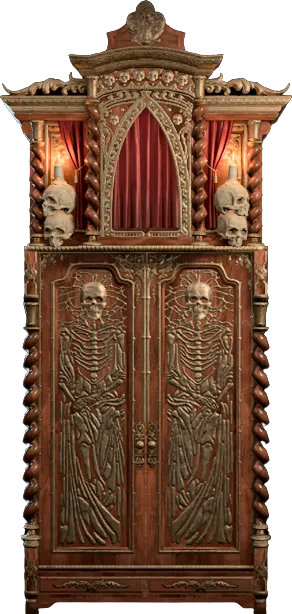
When a player is offline, their character becomes usable like a companion. To bench them, speak to them and send them to camp. Per the Multiplayer and Campsite pages, they go into Withers' Wardrobe of Wayward Friends, which spawns near Withers when player characters are dismissed. You can take them out by dragging their icon onto the ground like an item, and the game puts them back in the party automatically when their player rejoins.
What each player keeps separately
Co-op splits several systems by player. bg3.wiki documents these:
| System | How it works in co-op | bg3.wiki page |
|---|---|---|
| Companion approval | Each companion keeps a separate approval value toward each avatar | Approval |
| Romance | Available to player characters, but player characters cannot start a romance with each other | Romance |
| Karmic Dice | Debt is tracked per player, each player has their own dialogue debt, and summons count toward the player controlling them | Dice rolls |
| Exploration XP | Scales with character level when a location is first discovered, so it can differ between players | Experience |
| Traveller's Chest | One chest per player character, which the other players' characters cannot open | Traveller's Chest |
| Digital Deluxe items | Appear in the chest for an owner of the upgrade who is hosting | Traveller's Chest |
| Photo Mode | Only the host can open it | Photo mode |
What those rows change in practice:
- Approval thresholds are per avatar. The numbers in our approval guide are checked against your own score with that companion, not the party's.
- Karmic Dice stops pooling. The Dice rolls page notes that in a single-player game one player's debt covers the entire party. In co-op, each player's misses build their own debt, so one friend's bad streak does nothing for yours. The formula is in our Karmic Dice guide.
- Exploration rewards drift. The Experience page's own example is Crèche Y'llek, a "Big" area worth 120 experience at character level 4, 240 at level 5, 280 at level 6 and 300 at level 7. A player who first walks in at a different level from the rest gets a different reward.
- Chests have colours. The Traveller's Chest page gives the host a yellow chest and the others green, pink and blue in the order players joined, in a note the wiki marks as still needing verification. Using camp supplies from the chest is in our camp supplies guide.
- Player characters banter with each other. Patch 7 let overhead dialogues involve characters assigned to different players, which its notes say means more banter between player characters in multiplayer. The Eavesdrop option in the lobby table lets you listen in on other players' dialogue scenes when the game allows it.
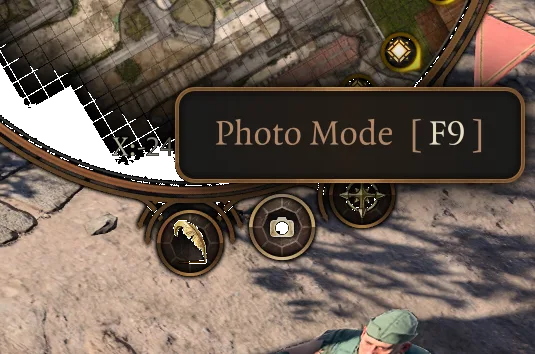
Photo Mode, which Patch 8 added, opens with F9 on PC, both analog sticks on console or the camera button on the minimap. In a multiplayer session, the Photo mode page says only the host can open it.
Quests that behave differently in co-op
The wiki's quest pages document a handful of places where a party of players changes the outcome:
- Help the Devilish Ox. The reward is not given if the Strange Apple is in the inventory of a non-host player's avatar when the party enters the Lower City. It still pays out if the apple is in a companion's inventory, even a companion a non-host player controls. The wiki lists this under bugs. Give the apple to the host or a companion.
- Auntie Ethel's Hair. The documented way to take the hair, free Mayrina and still kill Ethel, which has an out-of-combat party member confirm the reward while she is still in dialogue, does not work in a multiplayer game.
- Hunt the Devil. Whichever character starts the conversation with Karlach becomes the focal point of the follow-up conversations with Anders, which the quest page describes as getting wonky in multiplayer.
- Drake General Dye. With a Larian Account connected, 5 bottles appear in the Traveller's Chest. The item page says more can be had by starting a multiplayer game with several logged-in players.
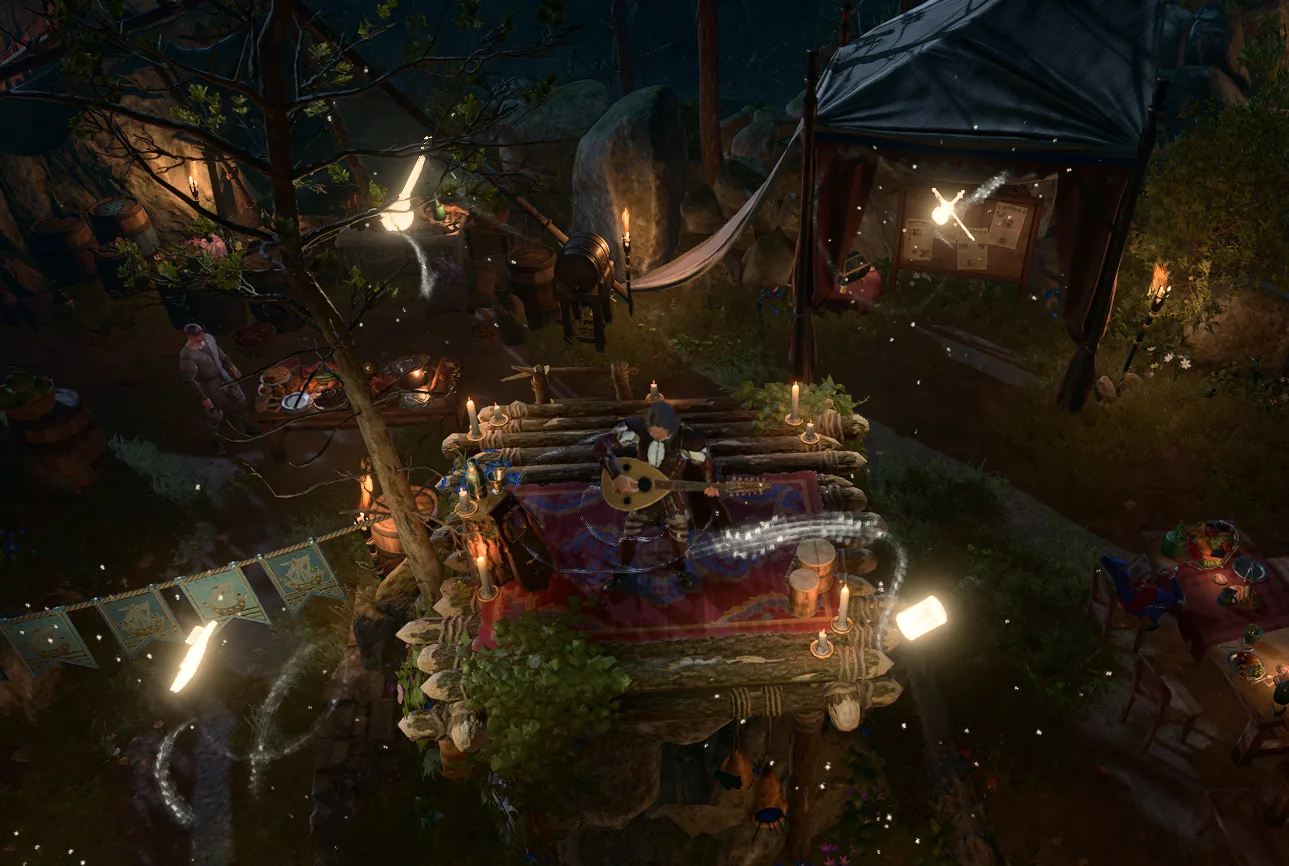
The ending is shared on the same terms. Per bg3.wiki's Epilogue page, every player character in the party when the Netherbrain is defeated attends the epilogue party, and anyone who permanently died or left the party along the way does not.
When nobody can connect
Larian's Multiplayer Issues FAQ lists these fixes, among others:
- Switch the host. Test in a new game, or have the current host provide the latest save.
- Try every route. If everyone is on Steam, or everyone on GOG, try an invitation as well as the online lobby. Direct Connection works with a Server ID or IP address; the host finds the Server ID in the lobby of a new game, or in the Session Settings after loading a save.
- Ask the router for help. Enable UPnP, check NAT and DMZ settings, and the host can forward ports 23253 to 23262 and 23243 to 23252.
- Close what interferes. The FAQ names antivirus, firewalls, overlays and chat programs as known causes.
- Test without mods, and verify the game files through Steam or GOG Galaxy.
- Change the connection. Try wired against wifi, or a phone hotspot to tell a network problem from a system one.
For cross-play, Larian's cross-play FAQ adds two checks: every player needs cross-play enabled, and if you are using mods, try hosting or joining without them.
Quick reference
- Up to four players online, the host plus three. Split-screen is two players on one PS5, Xbox or PC; Steam Deck has no split-screen.
- The host owns the campaign. Only the host saves and loads, and the game cannot run without them. As a connection fix, Larian's FAQ suggests switching hosts by having the current host share the latest save.
- Online Visibility defaults to Friends only and resets every time you return to the main menu. Set it to Closed to keep a solo run private.
- Cross-play since Patch 8 (15 April 2025) covers PC, Mac, Xbox and PS5: link a Larian Account, tick Allow Cross-Play, add friends by Larian username, and enable cross-play on an existing save before inviting. Direct Connect is not available for cross-play, and mods must match exactly.
- Xbox Series S split-screen arrived in Patch 8, per Larian's notes, even though Microsoft's store listing still says otherwise.
- Origins are picked once, at the first character creation, with no duplicates. Wyll and Karlach lock each other out, and late joiners make custom characters.
- Players count toward the party of four. Four players means no companions in the active party.
- Offline players' characters can be used as companions or sent to Withers' Wardrobe of Wayward Friends at camp.
- Per player: companion approval, Karmic Dice debt, exploration XP and the Traveller's Chest. Player characters cannot romance each other, and only the host can open Photo Mode.
- Keep the Strange Apple off non-host avatars for Help the Devilish Ox.
- Connection trouble: switch hosts, try Direct Connection with the Server ID, forward ports 23253 to 23262 and 23243 to 23252, and test without mods.
Frequently Asked Questions
How many players can play Baldur's Gate 3 multiplayer?
Can you play a Baldur's Gate 3 co-op campaign without the host?
Does Baldur's Gate 3 have cross-play?
Does Baldur's Gate 3 have split-screen on Xbox Series S?
Can two players pick the same origin character in Baldur's Gate 3?
Do companions have separate approval for each player in Baldur's Gate 3?
Why can't I add a companion to my Baldur's Gate 3 co-op party?
Keep Reading
- BG3 Wiki — Multiplayer: four players, the host as sole saver, origins only at first character creation, lobby settings, companion control, the party limit and Withers' Wardrobe of Wayward Friends
- BG3 Wiki — Options: Default Online Settings (Online Visibility, LAN and Direct Connections, Eavesdrop) and their defaults
- Larian Support — Multiplayer Information: four-player online co-op, Direct Connection between Steam and GOG, split screen on PC but not Steam Deck
- Larian Support — Cross-play: enabling it, creating and joining lobbies, cross-play on existing saves, identical mods for every player
- Larian Support — Creating and managing your Friends List by Larian Account username
- Larian Support — Multiplayer Issues: switching hosts, Direct Connection Server IDs, LAN over VPN, port forwarding 23253-23262 and 23243-23252
- Baldur's Gate 3 — The Final Patch (Patch 8): cross-play on PC, Mac, Xbox and PS5, Xbox Series S split screen, the Forced Split Screen option and dynamic splitting by floor
- Baldur's Gate 3 — Patch 7 notes: revamped split screen that merges and splits dynamically, overhead banter between different players' characters
- Baldur's Gate 3 — Community Update #34: cross-play how-to, the Mod Verification window, Direct Connect removed from cross-play settings, the Larian Discord LFG channel
- Larian Support — Larian Account Information: cross-save copies of your last 10 saves are kept on Larian's servers for up to 6 months
- PlayStation Store — Baldur's Gate 3: split-screen co-op for up to two players on one PS5, up to four online players with PS Plus
- Xbox Store — Baldur's Gate 3: local co-op (2-2), online co-op (2-4), and a note that local co-op is not supported on Xbox Series S
- Steam — Baldur's Gate 3 store page, listing Online Co-op, LAN Co-op, Cross-Platform Multiplayer and Remote Play Together
- BG3 Wiki — Wyll: choosing Wyll as an origin in multiplayer locks Karlach out for other players
- BG3 Wiki — Karlach: choosing Karlach as an origin in multiplayer locks Wyll out for other players
- BG3 Wiki — Sceleritas Fel: appears in a Dark Urge playthrough or when the Dark Urge is in a multiplayer party
- BG3 Wiki — Act One camp events: in multiplayer, Astarion prioritises biting the player character who recruited him
- BG3 Wiki — Campsite: Withers' Wardrobe of Wayward Friends spawns near Withers when player characters are dismissed
- BG3 Wiki — Approval: in multiplayer, each companion has a separate approval rating toward each avatar
- BG3 Wiki — Romance: available in multiplayer, but player characters cannot start a romance with each other
- BG3 Wiki — Dice rolls, Karmic Dice: debt tracked separately for each player, own dialogue debt per player, summons count toward their controller
- BG3 Wiki — Experience: exploration rewards scale with character level and can differ between players; the Crèche Y'llek example
- BG3 Wiki — Traveller's Chest: one chest per player character in multiplayer, chest colours, Digital Deluxe items for the host
- BG3 Wiki — Photo mode: F9, both analog sticks or the minimap button; only the host can open it in multiplayer
- BG3 Wiki — Help the Devilish Ox: the multiplayer Strange Apple reward bug
- BG3 Wiki — Auntie Ethel's Hair: the hair, Mayrina and kill method does not work in multiplayer
- BG3 Wiki — Hunt the Devil: the character who starts the Karlach conversation becomes the focal point with Anders in multiplayer
- BG3 Wiki — Drake General Dye: five bottles for a logged-in Larian Account, more from multiplayer games with several logged-in players
- BG3 Wiki — Epilogue: all player characters in the party at the Netherbrain's defeat attend
Related Guides
Baldur's Gate 3 Approval: Thresholds and Romance Numbers
The approval bar on a companion's character sheet shows you a category. The scripts behind it check integers, and the two do not line up — Gale's Mystra scene wants 36, Minthara's romance wants 31, and neither number has a band boundary anywhere near it. Here is the threshold table, the per-companion romance numbers the wiki documents, and the things that quietly cost you ten points.
Baldur's Gate 3 Companion Recruitment Guide: Where Everyone Is and Who You Can Lose Forever
Half the companion roster can be permanently missed by doing things in the wrong order, and the game never warns you. Here is where all ten companions are, the two non-lethal knock-outs that matter, and the deadlines that quietly delete people from your run.
Baldur's Gate 3 Mods: How the Official Mod Manager Works
Baldur's Gate 3 has had an official in-game Mod Manager since Patch 7. Here is how it installs mods, which ones reach PS5, Xbox and Mac, where the 100-mod console cap came from, what mods do to achievements and saves, and how to clear third-party mods out of a PC install.
Baldur's Gate 3 Saves: Where They Live, What Larian Deletes
Since 29 September 2026, Larian deletes cross-save copies older than six months. Your own drive was never part of it. Here is where Baldur's Gate 3 actually keeps a campaign on each platform, how cross-save moves one between machines, and the Honour Mode and Custom rules that turn a whole run into one file.
Baldur's Gate 3 Beginner Guide: What Nobody Tells You
The tutorial teaches you to move and attack. It does not teach you that advantage is worth more than any weapon you will find in Act 1, or that Withers will rebuild your entire character for 100 gold. Here is the actual onboarding.
Baldur's Gate 3 Camp Supplies: What to Carry and Sell
A Grilled Steak weighs 3 kilograms and pays 8 Camp Supplies. A Poutine weighs a quarter of a kilogram and pays 20. Both are just "food" in your inventory, and the game never shows you the ratio. Here are the supply-per-kilogram and supply-per-gold numbers from bg3.wiki item data, and the camp chest trick that makes most of the carrying argument moot.