Fortnite Edit Course Guide: Train Edits Like a Pro
Ten minutes in a good edit course does more for your editing than ten hours of pubs, because a course makes you repeat the exact patterns fights are made of. Here's how to actually train in one — which skills to target, how to structure a daily routine, and how to tell whether you're getting faster or just warmer.
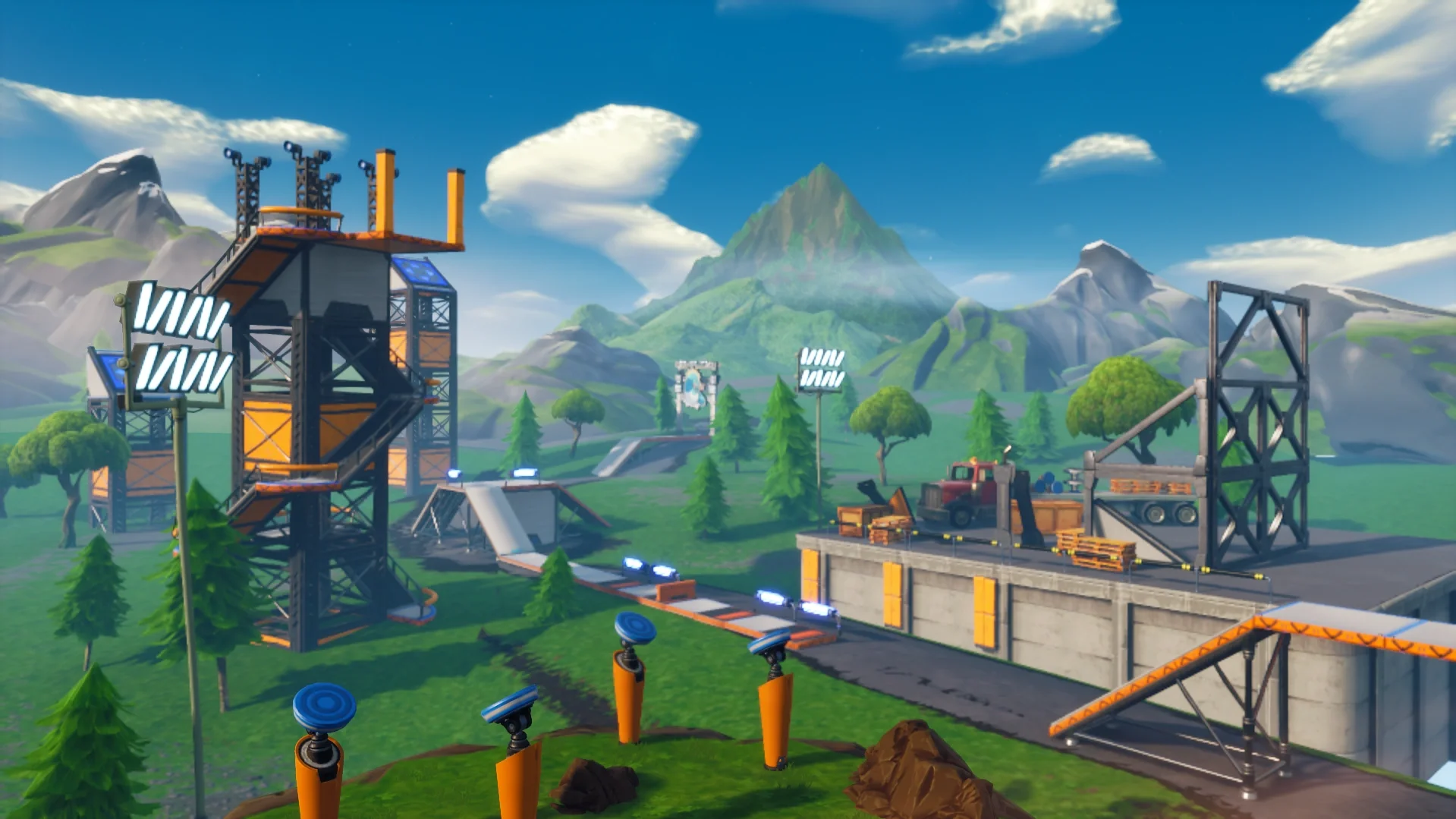
Here's an uncomfortable truth: you can play a hundred pub matches and barely edit fifty times, because most casual games are running simulators with two real fights in them. Drop into a decent edit course for ten minutes and you'll hit more edits than a whole night of Battle Royale. That's the entire pitch. Editing is a repetition skill — your hands learn the tile patterns the same way a guitarist learns chord shapes — and edit courses are the only place in Fortnite that serves you those repetitions on a conveyor belt.
But there's a catch, and it's why plenty of players grind courses for months and stay slow in real fights: running an edit course wrong just makes you good at that edit course. Memorizing one map's sequence until you can sleepwalk it teaches your hands a route, not a skill. This guide is about training method — which edit skills to isolate, how to structure the time, what settings to lock in first, and how to measure progress honestly — so the speed you build in Creative actually shows up when someone is spraying your wall.
Why edit courses beat pubs for edit training
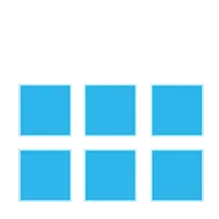
Every edit in Fortnite is a pattern on a grid. A wall gives you a 3x3 grid of nine tiles; floors, stairs, and roofs give you a 2x2 grid of four. Every window, door, half-wall, and ramp-flip you've ever seen is just a selection of those tiles, confirmed. That's genuinely good news, because it means editing is a finite skill: there is a fixed set of patterns, and your only job is to make your hands produce them without your brain getting involved.
Pubs are a terrible place to build that muscle memory. The repetitions are rare, random, and arrive attached to a fight you might lose. An edit course flips all three: repetitions are constant, the patterns are laid out deliberately, and dying costs nothing. It's the difference between learning piano by playing scales and learning piano by only performing at weddings.
Edit courses live in Creative mode, built by the community and reachable through Discover or by punching in an island code. Which specific map you use matters far less than people think — courses rotate in and out of popularity constantly, and any well-reviewed edit map with static walls, reset sections, and target dummies will do the job. The method is the product. The map is just the gym.
What an edit course actually trains
A course is only useful if you know what you're isolating. There are three distinct skills hiding inside "editing," and they respond to different kinds of practice.
Raw edit speed
This is the mechanical loop: enter edit mode, select tiles, confirm. Three steps, and your total edit time is the sum of them. Most players are slow at the transitions, not the selection — they hesitate entering edit mode, or they confirm late. Static edit walls (a line of pre-built walls, each wanting a different edit) train exactly this. The goal on a speed section is not to finish the course fast; it's to make each individual edit indistinguishable from a reflex. If you're still thinking "window is top-middle plus center," you're not done with that pattern. For the underlying mechanics — binds, crosshair placement on tiles, selection technique — our editing guide covers the fundamentals this drilling is built on.
Resets under pressure
A reset restores an edited piece back to its original full shape, and it's half of every real edit play: you open a window, take the shot, and reset the wall before the enemy's SMG finds the hole. Players who only practice opening edits and never practice closing them are leaving the door open — literally. Good courses have dedicated reset sections where you edit, reset, and re-edit the same piece in a loop. Treat the reset as part of the edit, not an afterthought: the rep isn't done until the wall is whole again. This is the exact rhythm that box fighting runs on, so every clean reset you drill is a rep for your next box fight too.
Edit-to-shot timing
The edit that wins fights isn't the fast one — it's the one with a shotgun blast half a second behind it. Edit-to-shot sections put a dummy or target behind the wall so you practice the full sequence: edit, weapon out, shot on target, reset. This is where most course grinders are weakest, because pure speed maps never ask them to aim. If your edits are fast but your first shot after the edit misses, you've built a very quick way to lose fights. Blend this with real piece control practice and the edit stops being a trick and starts being a weapon.
Set up your settings before you grind
Muscle memory is expensive to build and more expensive to rebuild. Lock your inputs in before you start stacking thousands of repetitions, because retraining your hands after a keybind change means paying for the same skill twice.
- Confirm Edit on Release. This setting confirms your edit the instant you release the edit input instead of waiting for a separate confirm press, cutting a whole button out of the loop. It's the single biggest mechanical speed gain in the settings menu — and it changes your edit rhythm completely, so decide early. If you turn it on, do it before a training block, not in the middle of one.
- Dedicated edit and reset binds. Editing on a shared or awkward key is a permanent tax on every edit you'll ever make. Put edit and reset on keys or paddles your fingers already rest near — our keybinds guide covers layouts that scale.
- One sensitivity, forever. Edit selections are aim. If you change sensitivity every week, your tile selections have to recalibrate every week. Pick a sensitivity you can live with and let every rep deposit into the same account.
None of these settings make you fast by themselves. What they do is make sure the speed you grind for is built on inputs you won't have to abandon later.
The four types of edit courses
Browse Creative for five minutes and you'll find hundreds of edit maps. Nearly all of them are some mix of four ingredients, and knowing which ingredient you need keeps you from grinding the wrong thing.
- Static edit walls. Rows of pre-placed pieces, each labeled with a required edit. Pure pattern training. Best for beginners and for warming up, because there's zero movement or aim to distract from the tile work.
- Flow courses. Parkour-style runs where you edit through pieces while moving — ramps into walls into floors, momentum carried the whole way. These train edits inside movement, which is how fights actually feel. They're also the easiest maps to accidentally memorize, so rotate them.
- Edit-to-fire courses. Every edit is followed by a target to hit. Slower, harder, and worth double. If your course time is limited, weight it here — this is the closest Creative gets to a real fight without another player.
- Reset and retake hybrids. Sections built around editing, resetting, and re-taking pieces under a timer, often blended with piece-control setups. These are the graduate school of edit maps: run them once your patterns are automatic.
A good week touches all four. A wasted week is seven days of the same flow course you memorized in March.
A 15-minute daily edit routine
You don't need hour-long grind sessions. You need short, focused, daily ones — fifteen deliberate minutes beats ninety distracted ones, and it's sustainable enough to actually happen every day. Here's a split that covers all three skills:
- Minutes 1–4: slow patterns. Static walls at maybe 70 percent speed, hitting every core pattern — windows, doors, half-walls, corner edits, ramp flips — with zero misses. You're greasing the groove, not racing. Speed built on sloppy selections is fake speed.
- Minutes 5–8: full speed. Same patterns, now as fast as your hands allow. Misses are fine here; this is where you push the ceiling. If you never miss in this block, you're sandbagging.
- Minutes 9–12: edit-to-shot. Every edit ends with a shot on a target and a reset. This is the block that transfers to real games, so protect it — it's the one players skip because it exposes them.
- Minutes 13–15: free play. Retakes, piece control flows, weird edits you saw in a clip. Keep one block where practice is allowed to be fun, because the routine you enjoy is the routine you repeat.
Slot this in front of your matches as part of a proper warm-up routine and you've turned dead lobby-queue time into the highest-value training minutes of your day.
How to know you're actually improving
Edit courses are full of players who feel fast and aren't. Feelings lie; measurements don't. Three honest checks:
- Time a fixed circuit weekly. Pick one course section, run it five times, keep your average. Do the same run once a week. If the average drops over a month, you're faster. If it doesn't, change the training, not the story you tell yourself.
- Count misses, not just speed. A 10-second run with two mis-edits is worse than an 11-second clean run, because in a real fight a mis-edit is a shotgun blast to the face. Track accuracy alongside time.
- Watch for transfer. The real scoreboard is your matches: are you opening edits on cracked players instead of waiting? Resetting walls before you get sprayed? If course speed isn't showing up in fights, your practice is too comfortable — add movement, add targets, add pressure.
One more honest signal: boredom. If a course stopped challenging you, it stopped training you. Graduating to harder maps is the progress.
Common edit-course mistakes
- Memorizing one map. If you know what edit comes next before you see the wall, your brain has left the session. Rotate maps and shuffle sections so every edit is a read, not a recital.
- Only training speed. Fast edits with no shot behind them and no reset after them are a highlight-reel skill, not a fight skill. Keep edit-to-shot and resets in every session.
- Changing binds mid-grind. Every settings change resets part of your muscle memory. Experiment in week one, then freeze your setup and let the reps compound.
- Marathon sessions. Your hands stop learning long before you stop grinding. Two focused 15-minute blocks beat one sloppy two-hour one, every time.
- Skipping it when you're warm. Edit training isn't just a warm-up — it's skill-building. Warming up maintains your current level; deliberate practice raises it. You need both, and they're not the same session.
Quick Action Checklist
Turn course time into fight speed:
- Lock your binds, sensitivity, and Confirm Edit on Release decision before stacking reps
- Drill all core patterns slow and clean before you chase speed
- Treat the reset as part of every edit — the rep ends when the wall is whole
- Weight your time toward edit-to-shot sections — edits that end in hits win fights
- Run a 15-minute daily block: slow patterns, full speed, edit-to-shot, free play
- Time a fixed circuit weekly and track misses, not just seconds
- Rotate maps the moment you start predicting the next edit
- Pair courses with box fighting and piece control so the speed transfers
- Check the real scoreboard: your edits in actual matches, not your course PB
Frequently Asked Questions
What is an edit course in Fortnite?
Do edit courses actually make you better at Fortnite?
How long should I practice edit courses each day?
Should I use Confirm Edit on Release for edit courses?
What is the best edit course map in Fortnite?
Keep Reading
Related Guides

Fortnite 90s Guide: How to Turbo-Build to High Ground
The 90 is the fastest legal cheat code in Build mode — a wall, a ramp, and a 90-degree turn that spirals you skyward faster than anyone can shoot you down. If you're still ramp-rushing in a straight line, you're getting third-partied off the top for free. Here's the piece-by-piece breakdown.

Best Fortnite Settings for PC & Console
Half your settings menu is noise; a handful of options decide whether you can see, aim, and build. Here's what to change on PC and console, why, and the one number nobody else can pick for you.
Fortnite Weapon Tier List: How to Rank Any Loot Pool
Any Fortnite tier list is stale the second a patch drops. So instead of memorizing this season's gun names, learn how to rank weapons by class and role — the framework that's S-tier in every season.

Fortnite Beginner's Guide: Modes, Basics & First Wins
Everyone dies in their first dozen Fortnite matches. The trick is dying for reasons you understand. Here's the mode to start in, the loop that wins games, and the habits that turn 30th place into a top five.

Fortnite Arenas Boxfights: How the Ranked Mode Works
Arenas Boxfights is Epic's own build-only Ranked mode built around the box fight, and the win target, Overtime and the loot pool have all changed since launch week. Here is how a match runs as of update v42.30, what each Ranked season's rewards are, and where Arenas tournaments stand.
Fortnite Reload Nitemare Island: Map, Loot and Rewards
Nitemare Island came back to Reload on October 8 with something the 2025 version never had: a match modifier that hands you a rival and pays out a Kado Thorne Exotic when you drop them. Here is the map, the three-map rotation it sits in, the loot you can only find there, and what the new Ranked and Map Mastery tracks pay.