Pokopia Electricity Guide: Generators, Poles and Limits
Pokopia hands you a power grid in Bleak Beach and then never explains the numbers behind it. Four generators making 5 to 30 units each, a 20-item ceiling on every pole, a 256-transmitter wall per area, a 1,024 cap on powered items, and a short that kills a whole circuit until you add another generator. Here is the arithmetic, including the one number Serebii's own electricity page has not updated since Ver. 2.0.0.
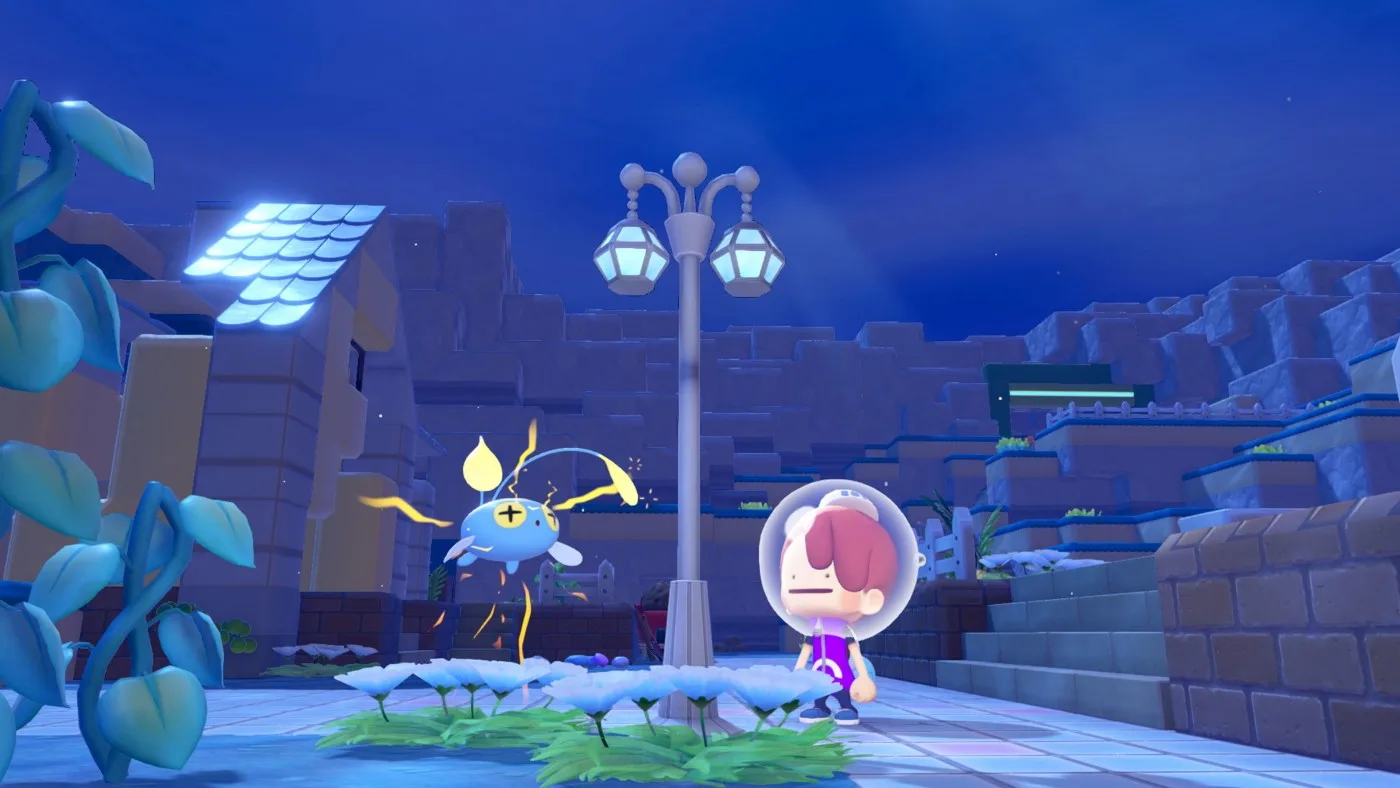
Pokopia teaches you electricity by making you fix a town with it, which is a good tutorial and a terrible reference. You come out of Bleak Beach knowing that poles carry power and that a windmill makes some. You do not come out knowing that a pole feeds twenty items and no more, that placing your 257th transmitter in an area does nothing at all, or that one item too many browns out the entire circuit rather than just the item you added.
All of those numbers are published. None of them are in the game.
The grid starts in Bleak Beach
Serebii puts the introduction squarely in Bleak Beach — electricity turns up when you need it to light the town back up. Nintendo Life's walkthrough of the Brighten Things Up request fills in the shape of the tutorial: Peakychu takes you to a windmill out on the ocean, you learn generators and utility poles there, and the first objective is running poles back to the central charging station.
From there it branches into four smaller jobs — a coastal furnace you feed with unwanted resources, a water wheel, a hilltop building wired down to either the waterwheel or the cliffside windmill, and a second water wheel in the middle that you connect by smashing the rocks on its east side. The request closes when all five bulbs on that charging station are lit — Game8's walkthrough describes one station west of Mosslax's cave with two nodes and five bulbs above it, and Serebii's 40-unit readout at 8 units per light is the same five. Light them, speak to Peakychu, and Mosslax wakes.
That is worth knowing as more than story trivia, because it means the tutorial hands you three of the four generator types in situ. You have seen a windmill, a waterwheel and a furnace before you ever craft one; the Mini generator is the one you have to make yourself.
The Charging station itself is a readout, not a battery you rely on. Serebii's description is precise: it displays how many units of electricity are connected to it, up to 40 units, with each light standing for 8 units — five lights, forty units, which matches the five bulbs Game8 counts on the Bleak Beach station. If you want to know whether a run is actually carrying what you think it is, that is the instrument.
The four generators and what each one makes
Four things make power, and the spread between the cheapest and the best is six to one.
| Generator | Units generated | Renewed | How you get it |
|---|---|---|---|
| Mini generator | 5 | Automatic | Craft for 1 Pokemetal; recipe from the Sparkling Skylands shop at Lv. 6 |
| Windmill kit | 10 standard, 20 high-altitude | Automatic | Building kit, built with a crew |
| Waterwheel kit | 20 | Automatic | Building kit, built with a crew |
| Furnace kit | 30 | Requires renewing | Building kit, built with a crew |
Two rows there are doing more work than they look.
The windmill doubles at altitude. Serebii lists it as 10 standard and 20 high-altitude, and Game8's electricity page says the same thing in its own words — 10 at lower elevation, 20 at higher. A windmill is either the second-worst generator in the game or joint-best with the waterwheel depending entirely on where you plant it, off one identical kit. Worth holding on to when you are building up in the Sparkling Skylands.
The furnace is the only one of the four you have to feed. It is the biggest at 30 units, and Game8's condition for it is that you put burnable objects inside. Serebii's own table marks it "Requires Renewing" where the other three say "Automatic". Thirty units that stop is not thirty units.
The waterwheel's condition is running water under the wheel, which is why our water guide treats a Fresh Water pond as a power project as much as a decorating one — Waterwheel and Windmill kits both turn up in the resource pools of all five areas.
The cap Serebii has not updated
This is the number to get right, because the sources disagree, and one of them is disagreeing with itself.
| Limit | Value | Where it comes from |
|---|---|---|
| Generators per location | 64 | Serebii's electricity page, any combination of the four |
| Generators per location, excluding furnaces | 128 | Ver. 2.0.0 patch notes, raised from 64 |
| Items that use electricity | 1,024 | Ver. 1.1.0 patch notes, raised from 512 |
| Transmitters per area | 256 | Serebii's electricity page |
| Items fed by one transmitter | 20 | Serebii and Game8 both |
Serebii's electricity page states a flat cap of 64 generators "in any combination of Mini Generators, Windmills, Waterwheels or Furnaces". Serebii's own patch page lists, under Ver. 2.0.0 on 5 August 2026, "Increased the placement limit for power generators (excluding furnaces) from 64 to 128" — and Nintendo Life's Ver. 2.0.0 coverage carries the identical line. The electricity page has not been rewritten around it.
You can watch the arithmetic go stale too. Serebii says 64 generators means "anywhere from 320 to 1920 units of energy depending on the combination". That is exactly 64 x 5 and 64 x 30 — the old cap, run through the worst and best generators. The floor and ceiling both move if the non-furnace limit is now 128.
Practical read: build to the patch notes, not to the page. And note the parenthetical, because it is the whole reason the two numbers can both be true — the raise is specifically for generators excluding furnaces. The patch note does not say what the furnace limit is, so if you are running a furnace farm, treat 64 as the number you can actually rely on. Our update history has the rest of what 2.0.0 moved.
One more rule that sits underneath all of these, and it is the one that will actually bite: overload shorts the whole circuit. Serebii's wording is that if you have too many items requiring electricity and not enough being generated, everything on that circuit loses power until another generator is added. Not the last item you placed — the circuit. If a street of lights goes dark after you hang one more lamp, you have not broken the lamp.
Poles versus wireless transmitters
Two ways to move power, and they are mechanically identical. The difference is when you get them and how much of your town they eat.
| Utility pole | Wireless power transmitter | |
|---|---|---|
| Size | 1x1x3 | 1x1x1 |
| Reach to items | 10 blocks | 10 blocks |
| Reach to another transmitter | 15 blocks | 15 blocks |
| Items fed | 20 | 20 |
| Goes through objects | No | Yes |
| Craft cost | Iron ore x 2 + Stone x 2, yielding 5 | Pokemetal x 1 |
| Unlock | Recipe item in Bleak Beach | Porygon's request, Sparkling Skylands |
Nintendo Life's summary is that transmitters "work in the exact same way and have the exact same amount of reach" as poles, which matches Serebii's table giving both the same 10-block and 15-block figures. The two real differences are the 1x1x1 footprint and transmitting through objects.
Getting them is a specific errand. Game8 and Nintendo Life agree on the chain: build the Researcher's Desk habitat (Nintendo Life's build is 2 tables, 1 computer, 1 science experiment), befriend the Porygon that moves in, then complete its request by playing a CD in a CD player nearby. That unlocks the transmitter and the matching switch, both 1 Pokemetal each. Craft the switch in the same pass — Serebii describes it as something you toggle to cut or restore power to anything connected directly to it.
Three wiring rules that are not obvious from placing them:
- Each pole or transmitter connects to one generator directly. Serebii is explicit about that, and equally explicit that power from multiple generators can travel along a pole run where lines from different sources meet. One pole, one generator; one network, many.
- Distance is Manhattan, not straight-line. Serebii describes it as counting one axis then the other, and gives the example that a precisely diagonal run between two wireless transmitters comes out at 8 blocks. A diagonal costs you the sum of both legs, so grid your runs.
- Vertical hops cap at 5 blocks. Power cannot travel more than five blocks up or down in a single hop, which is the rule that stops you dropping one transmitter off a cliff edge and calling it a run. This matters most in the terraced areas.
And the wall at the end: past 256 transmitters in an area, anything else you place stops working, and Serebii says the game tells you outright there is no point placing more.
The DLC adds two more. Serebii's crafting list gives the wireless power-transmitter post and its switch post at 2 Glass plus 2 Pokemetal each, unlocked by finishing Chinchou's request after building the temple — Expansion Pass only, so they are gated behind Bubbly Basin.
What actually draws power
Serebii's list of items that require electricity runs to 73 entries, and the shape of it is the planning information.
| What is on the list | How many | Notes |
|---|---|---|
| Lamps, lights, lanterns, chandeliers and spotlights | 39 | Includes 7 meteor lamps and 3 pathway light pieces |
| Appliances and screens | 15 | Gaming fridge, microwave, refrigerator, fan, air conditioner, printer, washing machine, computer, gaming PC, television, wall monitor, arcade machine, vending machine, cash register, bubble machine |
| Transmitters and poles | 5 | Utility pole, wireless transmitter and switch, and their two DLC post versions |
| Shop and landmark signs | 6 | Cycle shop, supermarket, cafe, restaurant, gift shop, Raichu |
| Everything else | 8 | Gaming chair, gaming bed, small stage, model planet, mirror ball, automatic doors, submarine kit, clock tower kit |
More than half your power budget is lighting. Thirty-nine of seventy-three. If you are wondering why a decorated town runs out of units long before it runs out of appliances, that is why — every streetlight, every pathway light piece and every one of the seven coloured meteor lamps is a unit.
Consumption itself is where the sources split. Serebii's rule is flat: every item that requires electricity uses 1 unit, with a couple that need a connection but draw 0 — it names String Lights and Surface Lights, and words it as "such as", so read that as examples rather than a closed set. Game8 says instead that each unit "can typically power one item" but that "some structures may require several units of energy in order to work", and Serebii separately notes the Pikachu fountain requires a unit to activate. Plan on 1 unit per item as the floor and leave headroom.
Note the third row of that table as well: the poles and transmitters are themselves on the list of items that require electricity. Serebii does not flag them as 0-unit the way it flags String Lights, so your wiring plausibly draws from the same budget it delivers.
Houses power their contents, huts do not
This is the most useful line on Serebii's electricity page, and it is buried mid-paragraph.
| Structure | Behaviour |
|---|---|
| Dens and huts | Not connected to electricity naturally. A Mini generator placed inside powers everything inside |
| Cottages and houses | All items inside are powered once the structure is connected |
So the fix for a hut full of dead appliances is not a longer pole run — it is one Mini generator, 1 Pokemetal, placed indoors. And the reason a cottage feels easier to wire than a hut is that it genuinely is: connect the building, and the contents come with it.
That has a direct consequence for habitats. Our habitat and comfort guide covers why a build can look finished while its comfort score sits lower than it should; unpowered appliances inside a hut are one mechanism for that, and the structure type tells you which fix applies.
Generate is a specialty, not a type
Pokemon can power things directly, and the mechanic is narrower than "keep an Electric-type around".
Serebii's specialty list defines Generate as a specialty whose holders can power machines with electricity. Game8 spells out the interaction: find a befriended Pokemon with Generate, ask it to follow you, lead it to the item — and the item loses power again once you pick it up. Nintendo Life calls it temporarily powering lights and machines with a jolt. It is a field fix for a vending machine or a single light, not an alternative to a grid.
Counting the specialty column on Serebii's available-Pokemon list, 28 entries carry Generate — 27 Pokedex numbers, with Toxtricity appearing twice for its Amped and Low Key forms.
| Dex | Pokemon | Second specialty |
|---|---|---|
| #027 | Magnemite | — |
| #028 | Magneton | — |
| #029 | Magnezone | Recycle |
| #078 | Pichu | — |
| #079 | Pikachu | — |
| #080 | Raichu | Hype |
| #096 | Voltorb | Explode |
| #097 | Electrode | Explode |
| #103 | Elekid | — |
| #104 | Electabuzz | — |
| #105 | Electivire | Crush |
| #111 | Mareep | Litter |
| #112 | Flaaffy | Litter |
| #113 | Ampharos | Trade |
| #139 | Charjabug | Chop |
| #140 | Vikavolt | Chop |
| #142 | Pawmi | — |
| #143 | Pawmo | Crush |
| #144 | Pawmot | Crush |
| #196 | Toxel | — |
| #197 | Toxtricity (Amped) | Hype |
| #197 | Toxtricity (Low Key) | Hype |
| #235 | Plusle | — |
| #236 | Minun | — |
| #266 | Wattrel | — |
| #267 | Kilowattrel | Fly |
| #282 | Jolteon | — |
| #290 | Raikou | — |
Electric typing is not the qualifier, and the list proves it in both directions. Zapdos is listed with Fly. Dedenne is listed with Search. Neither generates anything. Grubbin is not on the list either, while Charjabug and Vikavolt are — the specialty arrives on evolution. If you are recruiting for power, recruit off the specialty column, and our specialties guide covers how the rest of that column shakes out.
Sizing a grid: the arithmetic
Run Serebii's numbers against Serebii's ceiling and the plan writes itself. At the 1-unit-per-item baseline, a location holding the maximum 1,024 powered items needs 1,024 units:
| Generator | Units each | Needed for 1,024 units | Fits under the cap? |
|---|---|---|---|
| Furnace | 30 | 35 | Yes, but every one needs feeding |
| Waterwheel | 20 | 52 | Yes |
| Windmill, high-altitude | 20 | 52 | Yes |
| Windmill, standard | 10 | 103 | Only after 2.0.0 raised the cap to 128 |
| Mini generator | 5 | 205 | No — over even the raised 128 |
Three conclusions fall straight out of that column.
- You cannot power a maxed location on Mini generators. 205 of them beats both the old 64 cap and the raised 128. They are a spot fix and an indoor fix, not infrastructure.
- Standard windmills only became viable at 2.0.0. 103 is over the old 64 and under the new 128. Between Ver. 1.1.0 in June, which lifted the item cap to 1,024, and Ver. 2.0.0 in August, a windmill-only grid could not reach the item ceiling. (Under the launch cap of 512 it could: that needed 52 windmills, inside the old 64.)
- Generation was never the binding constraint. Even on the old 64-generator cap, Serebii's own top figure of 1,920 units clears the 1,024-item limit with room to spare. What actually stops a build is item count, not wattage.
Transmitters are not the constraint either. At 20 items per pole, 1,024 items need 52 transmitters, against a wall at 256. You will hit the powered-item cap roughly five times over before you run out of poles.
Quick Action Checklist
- Light all five bulbs on the Bleak Beach charging station to finish Brighten Things Up — that request is the tutorial for the whole system.
- A Charging station reads out up to 40 units, 8 per light. Use it to check what a run is actually carrying.
- Generator output: Mini 5, Windmill 10 (20 at high altitude), Waterwheel 20, Furnace 30. Only the furnace needs refuelling.
- Build windmills high. The same kit is worth double at altitude.
- Trust the patch notes over the wiki page. Ver. 2.0.0 raised non-furnace generator placement from 64 to 128; Serebii's electricity page still prints the flat 64.
- Overload shorts the whole circuit, not the last item placed. If a street goes dark, add a generator.
- One pole feeds 20 items and connects to one generator directly; runs reach 10 blocks to items and 15 to the next transmitter, with a 5-block vertical limit per hop.
- Distance counts Manhattan-style, so diagonal runs cost the sum of both legs. Grid your wiring.
- Stop at 256 transmitters per area — the ones after that do nothing.
- Unlock wireless transmitters by building the Researcher's Desk habitat, befriending Porygon and playing it a CD. 1 Pokemetal each, and craft the switch too.
- 39 of the 73 powered items are lights. Budget for lighting first, appliances second.
- A hut needs a Mini generator inside; a cottage or house powers its contents once the building is connected.
- Recruit for the Generate specialty, not Electric typing — Zapdos has Fly and Dedenne has Search. Generate is a temporary field fix and drops when you pick the item up.
Frequently Asked Questions
How do you get electricity in Pokemon Pokopia?
How much electricity does each generator make in Pokemon Pokopia?
How many generators can you place in Pokemon Pokopia?
How many items can one utility pole power in Pokemon Pokopia?
What happens if you overload electricity in Pokemon Pokopia?
How do you unlock wireless power transmitters in Pokemon Pokopia?
Which Pokemon have the Generate specialty in Pokemon Pokopia?
Why are the appliances in my hut not working in Pokemon Pokopia?
Keep Reading
- Serebii — Electricity Generation (Mini generator 5, Windmill 10 standard / 20 high-altitude, Waterwheel 20, Furnace 30 requiring renewal; 1 unit per powered item with String Lights and Surface Lights at 0; overload shorts the circuit; 64-generator cap and a 320-1,920 unit range; 1,024 powered-item cap; 10-block reach, 15 between transmitters, 20 items per transmitter, one generator per transmitter, Manhattan distance, 5-block vertical limit, 256 transmitters per area; charging station reads 40 units at 8 per light; huts need an internal Mini generator while houses power their contents; 73 items listed as requiring electricity)
- Serebii — Patches & Updates (Ver. 2.0.0, 5 August 2026: increased the placement limit for power generators excluding furnaces from 64 to 128. Ver. 1.1.0, 9 June 2026: increased the placement limit for items that use electricity from 512 to 1,024)
- Serebii — Crafting & Recipes (Utility pole: Iron ore x2 and Stone x2, recipe found in Bleak Beach. Wireless power transmitter and switch: Pokemetal x1 each, from Porygon request in Sparkling Skylands. Mini generator: Pokemetal x1, recipe from the Sparkling Skylands shop at Lv. 6. Wireless power-transmitter post and switch post: Glass x2 and Pokemetal x2 each, from Chinchou request after building the temple, Expansion Pass only)
- Serebii — Pokemon Specialties (Generate: Pokemon with the Generate specialty can power machines with electricity)
- Serebii — Available Pokemon (28 entries carry the Generate specialty across 27 Pokedex numbers; Zapdos is listed with Fly, Dedenne with Search, Grubbin with Chop)
- Game8 — How to Get Electricity to Power Your Island (windmill 10 at lower elevation / 20 at higher, waterwheel 20 with running water beneath, furnace 30 with burnable objects inside; each utility pole powers up to 20 items; a unit typically powers one item but some structures need several; Generate Pokemon power an item as a follower and it loses power when you pick it up)
- Game8 — How to Craft Utility Poles (recipe on an island near the southwest corner of Bleak Beach; 2 iron ore and 2 stones per craft at a workbench, yielding 5 poles per batch — the same two materials Serebii's crafting page lists)
- Game8 — How to Get Wireless Power Transmitters (unlocked by Porygon request after building the Researcher Desk habitat; play a CD in a CD player; 1 Pokemetal at a workbench)
- Nintendo Life — Wireless Power Transmitter (Researcher Desk habitat from 2 tables, 1 computer and 1 science experiment; transmitters work in the exact same way and have the exact same reach as utility poles; 1 Pokemetal each for transmitter and switch)
- Nintendo Life — Bleak Beach Brighten Things Up (Peakychu leads you to an ocean windmill to learn generators and utility poles; connect poles to the central charging station; furnace, two water wheels and a cliffside windmill; all five of the charging station's lights must be on before Peakychu brings the light back and Mosslax wakes)
- Game8 — Brighten Things Up Walkthrough (one charging station west of Mosslax's cave, with two nodes on either side and five bulbs above it signifying its power capacity; connect it to nearby power sources with utility poles until all five bulbs are lit, then speak to Peakychu)
- Nintendo Life — Ver. 2.0.0 patch notes (placement limit for power generators, excluding furnaces, increased from 64 to 128)
Related Guides
Pokopia Water Guide: All 5 Water Types and How Flow Works
Pokopia lets you pour rivers, ponds, hot springs and lava wherever you like, and the tutorial explains almost none of the rules. Five liquids, five drinks, a 25-block trench budget, a cliff rule that hijacks a source placed within four tiles of a ledge, and one water type that regrows crafting recipes on its surface every single day.

Pokopia Cooking Guide: All 34 Recipes and Mosslax Buffs
Pokopia cooking has no minigame, no timing bar, no skill check. That makes it look like flavor text. It is actually a move upgrade tree bolted to a daily buff dispenser.
Pokopia Habitat Guide: Comfort Levels and Environment Level
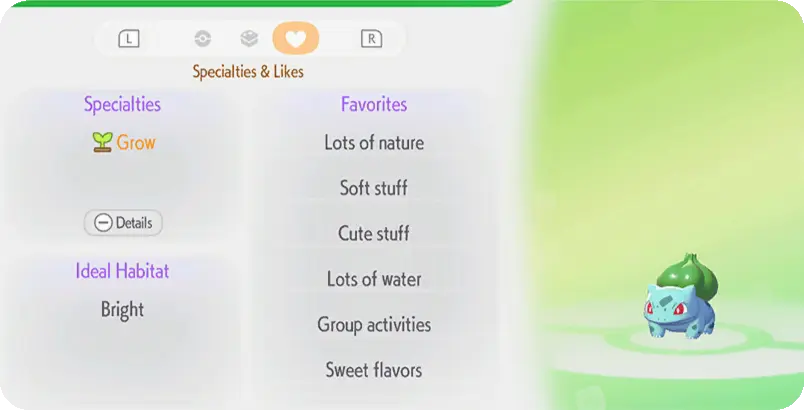
Four tiles of tall grass is a complete habitat, and it will pull in a Bulbasaur. But natural habitats hard-cap how happy a resident can get, and comfort is what feeds Environment Level. Here is the system underneath the cute.
Pokopia Mystery Gift Codes: What Still Works
One Pokopia code is live, one has expired, and one free item has a hard deadline of January 31, 2027. Here is every Mystery Gift we could verify, what it gives, when it ends and the menu path that claims it.
Pokemon Pokopia Beginner Guide: What To Do In Your First Hours
Pokopia does not punish you for playing badly. It punishes you for building beautifully in the wrong place before you have the tools to move it. Here is the early-game order of operations that saves you a teardown.
Pokopia Emotes Guide: All 47 and How to Unlock Them
Pokopia has 47 emotes, and 27 of them come from Pokemon rather than Human Records. Here is every one, the 15 Pokemon that teach an emote and the habitat that brings each in, the 12 visitor-only emotes and the Kanto Gym titles hiding in their names, and how to set up the emote wheel.