Pokopia Multiplayer Guide: Link Play, Cloud Islands and Spectator Mode
Pokopia supports four players, but the four Link Play modes have wildly different rules. Spectator Mode throttles the host as well as the guest, Palette Town is the only town where friends can build, and Cloud Islands quietly refuse to let anything but recipes come home with you.
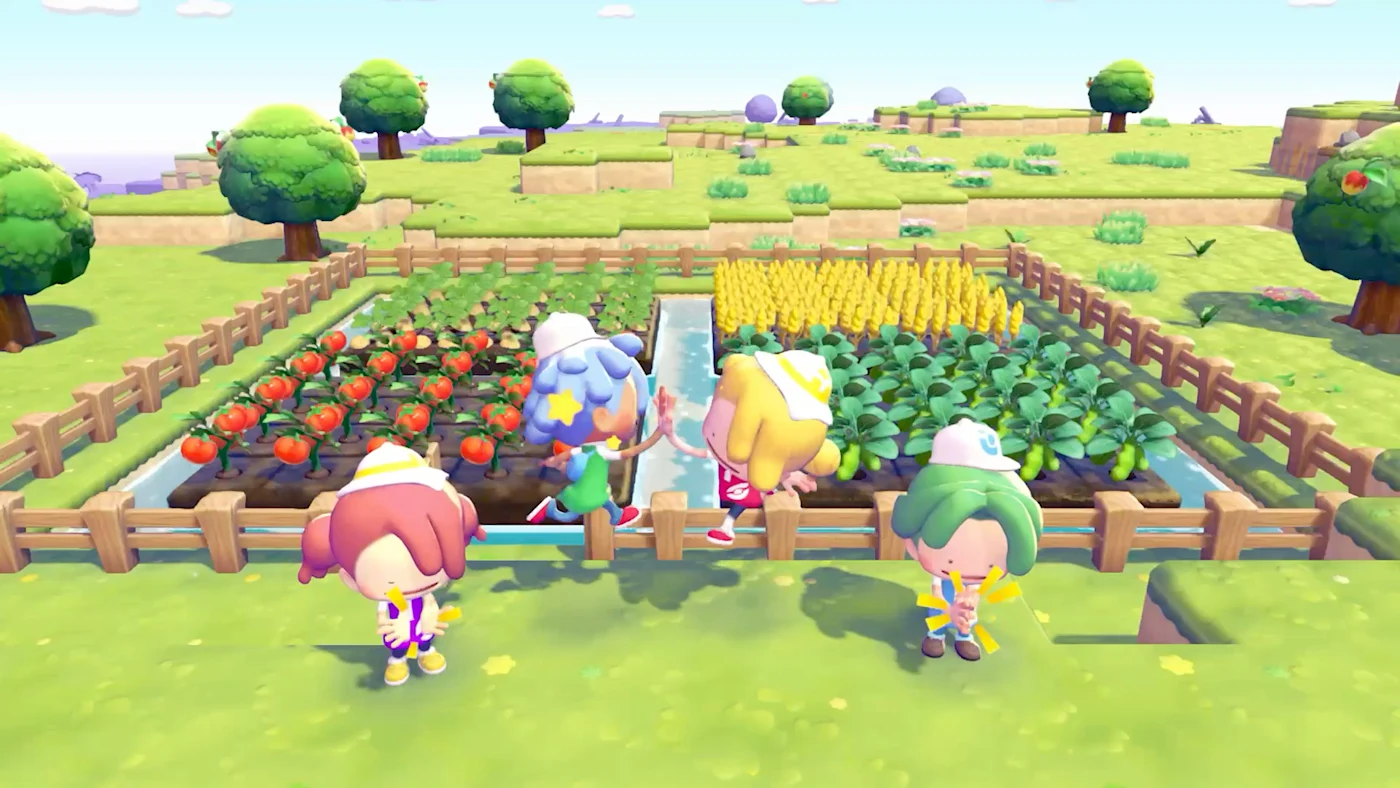
The first thing Pokopia does when a friend walks into your town is nerf you. Not them. You. Spectator Mode is on by default, and The Pokemon Company's own guide says the quiet part out loud: while your friends are visiting in Spectator Mode, they cannot use certain moves and items, and neither can you.
That single line explains most of the confusion around Pokopia multiplayer. Yes, it supports four players. Yes, it works online and locally. But "multiplayer" here is four different features wearing one menu, and three of them are deliberately hobbled so nobody can bulldoze the town you spent forty hours terraforming. Once you know which mode does what, you can pick the right one in about five seconds instead of dragging three friends into a session where everyone stands around unable to press anything.
Here is the whole system: how to unlock it, what each mode actually permits, and the two rules that will cost you items and prizes if you learn them the hard way.
How to unlock Link Play
Link Play lives on the PC inside any Pokemon Center, under a Ditto icon in the bottom-left of the menu. It is not there when you start the game, and that trips people up.
Two gates have to clear first. You need roughly 30 minutes of play, and you need to raise your Environment Level to 2 in the Withered Wasteland. Both are trivial if you are doing anything at all — planting grass, fixing paths, befriending the first handful of residents — but if you booted the game specifically to co-op with someone, budget half an hour of solo play before the option exists.
After that:
- Online play needs a Nintendo Switch Online membership and an internet connection.
- Local wireless needs neither. It is free, it works in the same room, and it supports the same four-player cap.
- The cap is four players total — you plus three. There is no eight-player town, no lobby browser, no drop-in matchmaking with strangers.
Because Pokopia is a Switch 2 exclusive, everyone at the table is on a Switch 2 by definition, which is why GameShare shows up as an option at all. More on that below.
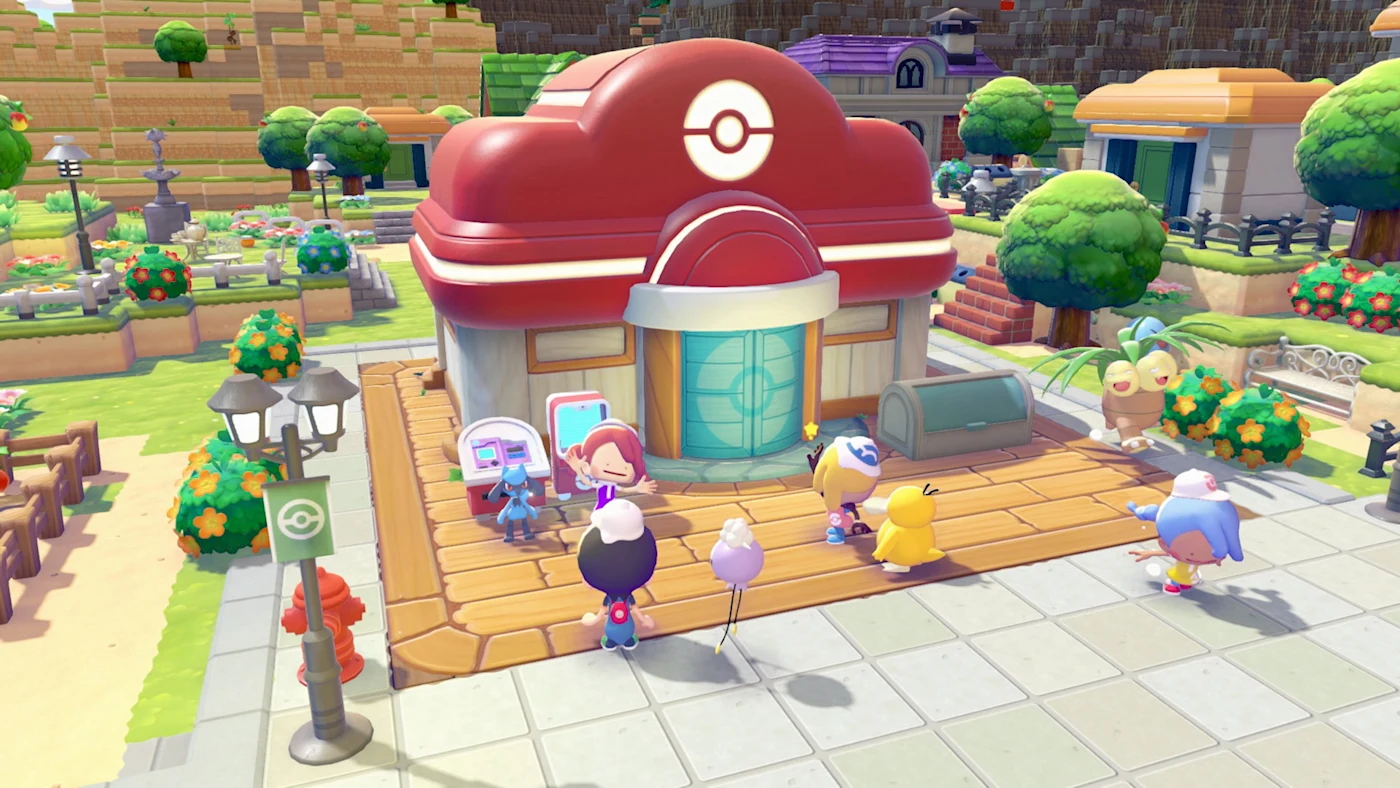
The four Link Play options, decoded
The Link Play menu gives you four choices. They are not variations on a theme — they have genuinely different permission sets.
| Option | Connection | Players | Where guests can build |
|---|---|---|---|
| Invite Others to Visit | Online or local | Up to 4 | Palette Town only |
| Visit a Friend | Online or local | Up to 4 | Palette Town only |
| Cloud Island | Online only | Up to 4 | Anywhere on that island |
| GameShare | Local wireless or GameChat | 2 | Palette Town, terraforming only |
Hosting is quick. Travel to the town you want to open, hit the PC, pick Link Play, choose Invite Others to Visit, then pick Online Connection or Local Connection. You can set an optional four-digit Link Code, choose how many players you want to let in, and toggle Spectator Mode. Press + to confirm and the doors open.
Joining is the mirror image: PC, Link Play, Visit a Friend, matching connection type, pick the town, enter the code. Ending a session is done from your Pokedex with the - Button, or back through the PC menu.
Spectator Mode is the default, and it cuts both ways
When someone visits one of your story towns — Withered Wasteland, Bleak Beach, Rocky Ridges, the Sparkling Skylands — they arrive in Spectator Mode. Guests cannot tamper with your building work, they get access to only a handful of their Ditto Transformations, and they cannot touch their own items or inventory while they are in your world. And per Nintendo's official write-up, the host is throttled during the visit too. That is not a bug report; it is the design.
It sounds punitive until you look at what visitors can do, which is more generous than most life sims allow:
- Talk to your Pokemon, and log Pokemon and habitat information straight into their own Pokedex and Habitat Dex. Species they have never seen count as reference material back home.
- Collect the day's items from your Pokemon Center PC.
- Photograph anything in your town — a house, a fence run, a furniture arrangement — and rebuild it later in their own game with the 3D printer, paying their own materials for it.
That last one is the real reason to visit somebody. Spectator Mode is not a tourist mode, it is a design-theft mode, and Pokopia is completely fine with you using it that way. If your friend built a better Pokemon Center plaza than you did, walk over, take pictures, go home, print it.
Palette Town is where co-op actually happens
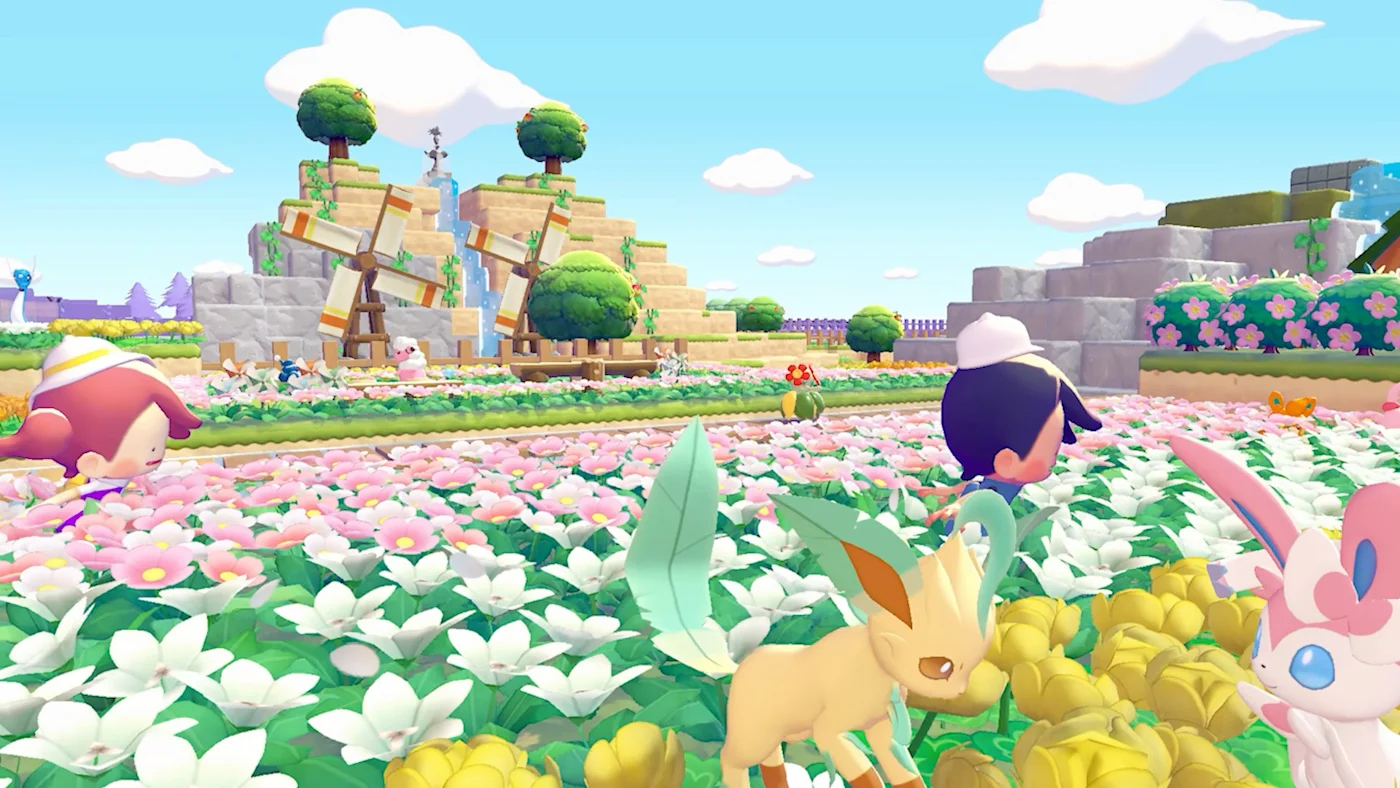
There is exactly one town in your save where you can hand a friend a shovel. Nintendo's guide is explicit: unlike your other towns, you can turn Spectator Mode on or off for players visiting Palette Town.
Flip it off at Palette Town's Pokemon Center PC and the group gets full access — building, crafting, terraforming, gathering materials, planting, making habitats — and everything they do sticks after they leave. That is real shared progress, not a sandbox instance that evaporates.
Palette Town is the co-op zone for a structural reason: it has no story. It is three flat, vacant islands reached over the old Cycling Road west of the Withered Wasteland, with nothing scripted to break. And critically, it is reachable from very early on, which means you do not need to finish the game to co-op. Environment Level 2 plus a walk west is the entire prerequisite. If you and a friend both bought Pokopia and want to build something together this weekend, that is the answer — not waiting until someone unlocks the Skylands.
Our Pokopia map guide covers what else is hiding in Palette Town, including the three legendary bird kits and the deepest exclusive Pokemon pool in the game.
Cloud Islands: the shared server nobody calls a server
Cloud Islands are the most misunderstood part of the system, and the most interesting. A Cloud Island is a persistent online space that exists independently of anyone's save file. Up to four people can be on it at once, and the owner does not need to be online for others to visit. It is a shared world with a phone number.
Creating one from the PC gives you two options for terrain: roll it randomly, or type in a nine-digit magic number. Same number, same island — Pokopia's version of a Minecraft seed, which means people can and do pass good ones around.
You get an island address. You can optionally require a Link Code on top of it, let repeat visitors save that code so they can walk back in, regenerate it, or hide it from the display menu entirely. As owner you can also change settings, kick players, and delete the island — with a backup restore available if you delete one you wanted.
Then come the firewall rules, and they are strict:
- You have a separate bag on each Cloud Island. Nothing goes from your town to the island, and nothing comes back. Do not stockpile there expecting to carry it home.
- Each Cloud Island has its own Pokedex, shared by everyone on the island. Pokemon you meet there do not count as discovered in your own game. If you are chasing your home Pokedex, a Cloud Island is not a shortcut.
- Recipes are the exception. What you learn to craft on a Cloud Island stays learned when you go home. That is the one thing that follows you out.
- Host duty rotates. If the owner leaves mid-session, they are prompted to designate another player currently on the island as host, or end the session and send everyone home. Changing island settings disbands the active group and everyone has to re-enter.
Here is the falsifiable bit, because this system has been patched. Version 1.1.0, released June 9, 2026, fixed a case where items could be lost during host transfer or when a session was disbanded, and a separate one where guests on a Cloud Island who bought a large number of items could watch those items disappear. If you played Cloud Islands in the spring and swore you lost inventory, you were not imagining it — update the game.
Virtual Mode lets you tour any island without touching it
Virtual Mode is the sightseeing layer on top of Cloud Islands, and it is gated behind two things: Environment Level 3, and buying the Mysterious Goggles from the PC Shop.
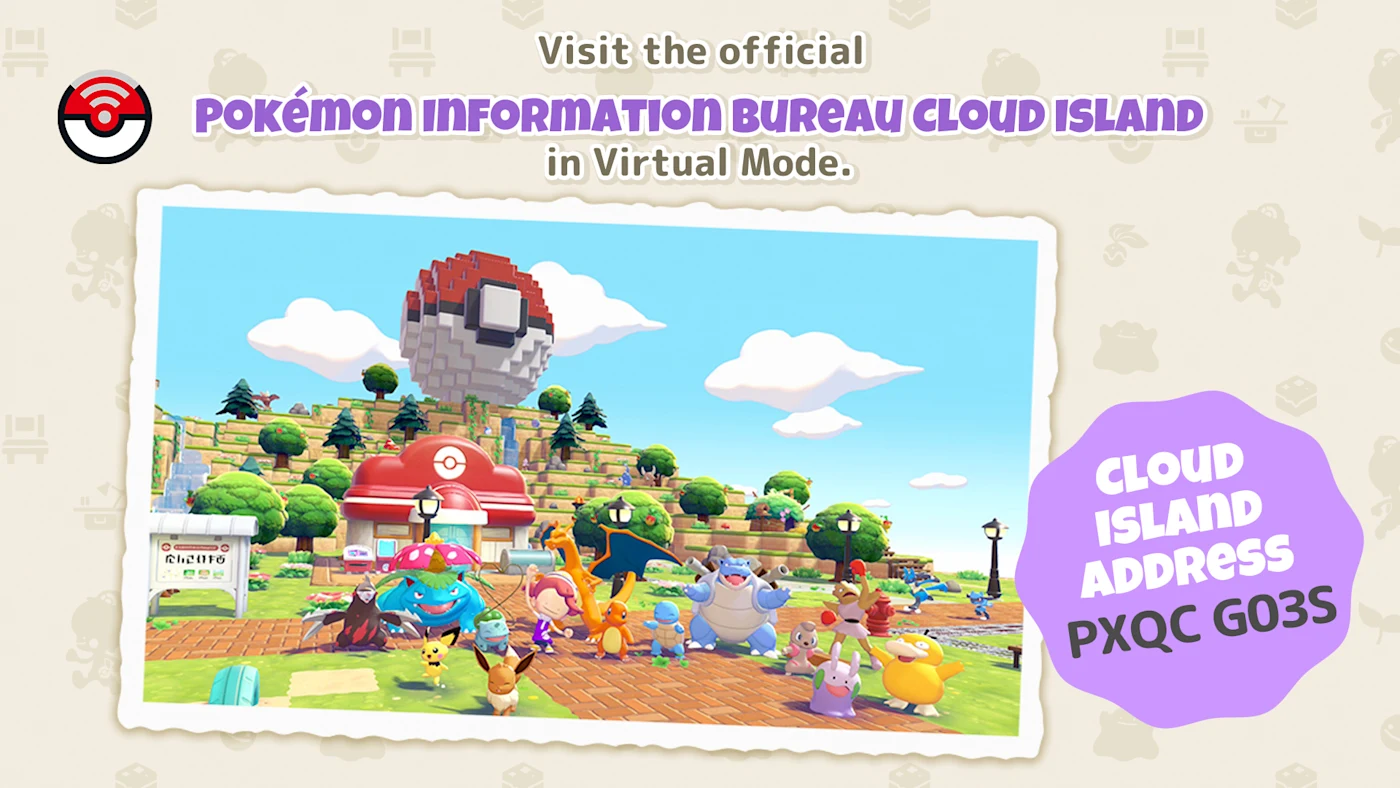
Once you own them, open your bag with X, use the goggles, and enter any Cloud Island address. You drop into a virtual copy of that island. You can move around and interact, but nothing you do saves and the real island is not affected — which is exactly why island owners share their addresses publicly instead of guarding them.
Nintendo publishes one of these itself: the Pokemon Information Bureau Cloud Island, address PXQC G03S, built by the Pokopia dev team. It includes buildings the developers made, Pokemon houses whose interiors you can walk into, and Nintendo's own pitch is that you go take pictures of it. If you want a free tutorial in what this game's building system can actually do at the top end, that address is it.
GameShare hands the game to someone who does not own it
GameShare is the Switch 2 feature that lets one owner share a game with a nearby system, and Pokopia supports it — with sharp limits.
- Two players maximum. Host plus one guest.
- Palette Town only. No story towns, no Cloud Islands.
- Two flavors. With nearby players over local wireless, or remotely through GameChat — for the GameChat route you both have to be in the same GameChat room first, then the host invites and the guest accepts from the C Button menu.
- The guest does not need to own Pokopia and can only play during the session.
- Restrictions: the guest can talk to Pokemon and help with terraforming, but cannot craft or use the PC, and anything they pick up goes to the Lost & Found when the session ends.
Read that honestly and GameShare is a demo you can hand a friend for an afternoon. It is genuinely nice for showing someone the game before they buy it. It is not a way to run a two-person build project — for that, both of you need the game and you want Palette Town with Spectator Mode off.
What multiplayer will not do
Three things people keep searching for that Pokopia simply does not have:
You cannot trade Pokemon. Trading in Pokopia does not mean trading Pokemon at all. It means bartering items with Pokemon that have the Trade specialty — Hitmonlee, Hitmonchan, Meowth and Happiny among them — either at a rebuilt Pokemon Center or at a shop counter you build yourself. It runs on matched item value rather than Life Coins, with most block items worth 10 and honey and vegetables worth 50. Our resource guide covers the economy side of that in detail.
You cannot battle anyone. There is no combat in Pokopia, period — even the legendaries are befriended rather than fought, as our legendary guide lays out. There is no PvP hiding in a submenu.
You cannot pass items to a guest in your story towns. Spectator Mode locks visitors out of their own inventory while they are in your world, so there is no handing someone a stack of lumber to get them started. If you want to share resources, do it on a Cloud Island where everyone gathers into their own island bag, or in Palette Town with Spectator Mode off.
The contest reward trap
Pokopia runs limited-time contests, and their multiplayer reward rules are counterintuitive enough to genuinely burn you.
Zorua's Hide-and-Sneak Contest, which ran from 5:00 a.m. on July 19 to 4:59 a.m. on July 27, 2026, local time, is the template. You talked to Zorua outside the Pokemon Center, sneaked past seeking Pokemon to set your best time, and earned prizes including a trophy based on that record. It could be played solo, in someone else's world, or on a Cloud Island.
The catch, straight from Nintendo: in someone else's world, only the host receives prizes. On a Cloud Island, prizes go only to the player who set the best record. In both cases the fastest time becomes that location's record, but the payout does not spread around.
So the practical rule for any future contest is: group up for the fun of it, but set your own scoring runs in your own save. Piling four people into one town to "grind the event together" means three of you walk away with nothing.
Quick Action Checklist
- Link Play appears on the Pokemon Center PC after about 30 minutes of play and Environment Level 2 — not at the start of the game.
- Online needs Nintendo Switch Online; local wireless does not. Four players either way.
- Visits to your story towns are Spectator Mode by default, and it limits the host as well as the guest.
- Use visits for photographing builds and logging Pokemon and habitats into your own Pokedex — then rebuild them at home with the 3D printer.
- Palette Town is the only town where you can turn Spectator Mode off, and it is reachable early. That is your co-op build zone.
- On Cloud Islands: separate bag, island-specific shared Pokedex, recipes are the only thing you keep.
- Grab the Mysterious Goggles at Environment Level 3 and tour the dev team's island at PXQC G03S in Virtual Mode.
- GameShare is Palette Town only, two players, and the guest cannot craft or use the PC.
- Update to at least version 1.1.0 before hosting Cloud Islands — it fixed item loss on host transfer and session disband.
- For contests, score in your own save. Prizes go to the host or to the single fastest player, not to the group.
Frequently Asked Questions
Does Pokemon Pokopia have multiplayer?
How do you unlock multiplayer in Pokopia?
Can friends build in your town in Pokopia?
What is a Cloud Island in Pokopia?
Can you trade Pokemon with friends in Pokopia?
Keep Reading
- Nintendo — Here's how multiplayer works in Pokemon Pokopia!
- Nintendo Support — How to Start a Multiplayer Game (Pokemon Pokopia)
- Nintendo Support — Cloud Island Guide (Pokemon Pokopia)
- Pokemon.com — Your Guide to Playing with Friends in Pokemon Pokopia
- Nintendo — Zorua's Hide-and-Sneak Contest is underway in Pokemon Pokopia
- Bulbapedia — Pokemon Pokopia (version history)
Related Guides
Pokopia Farming Guide: How to Grow All 5 Crops
A Pokopia crop is planted once: harvest it, water it and it grows back. Here is how Rototiller works, where the seeds for all five crops come from (and where the wikis disagree), the stage-a-day growth rule, and the 31 Pokemon with the Grow specialty.
Pokopia Magnet Rise: How to Unlock It and What It Can Move
Magnet Rise is the Ditto transformation Serebii ties to the post-game, and the one that lets you pick up trees, boulders and ore deposits whole. Here is the Factory Storage unlock, the controls, Replace mode, and the 102 trees, deposits, boulders and ruins Serebii lists as Magnet Rise pickups.
Pokopia Photo Ops: All 50 Highlight Reel Shots and Frames
Pokopia's Highlight Reel is a 50-shot photo checklist, and it is where most of the game's photo frames come from. Here is every photo op, the Pokemon and prop each one needs, the 15 that pay a frame, and where Serebii and Bulbapedia disagree on the setup.
Pokopia Paint Guide: All 18 Colors, Patterns and Smearguru
Pokopia's paint system runs through Smearguru, a Pokemon the story never makes you meet. Here is how to unlock it, which berry makes which paint, the recipe for all 18 colors, and where every one of the 116 patterns comes from.
Pokemon Pokopia Beginner Guide: What To Do In Your First Hours
Pokopia does not punish you for playing badly. It punishes you for building beautifully in the wrong place before you have the tools to move it. Here is the early-game order of operations that saves you a teardown.
Pokopia Halloween Event: Pumpkaboo's Sweet Surprises Guide
Pokopia's first Halloween event adds Pumpkaboo and Gourgeist from October 17 to November 1, 2026, and it has a gate the Feebas event did not: you need Camouflage from Zorua. Here is the confirmed schedule, the checklist to clear before it opens, and what is still unannounced.