Pokopia Photo Ops: All 50 Highlight Reel Shots and Frames
Pokopia's Highlight Reel is a 50-shot photo checklist, and it is where most of the game's photo frames come from. Here is every photo op, the Pokemon and prop each one needs, the 15 that pay a frame, and where Serebii and Bulbapedia disagree on the setup.
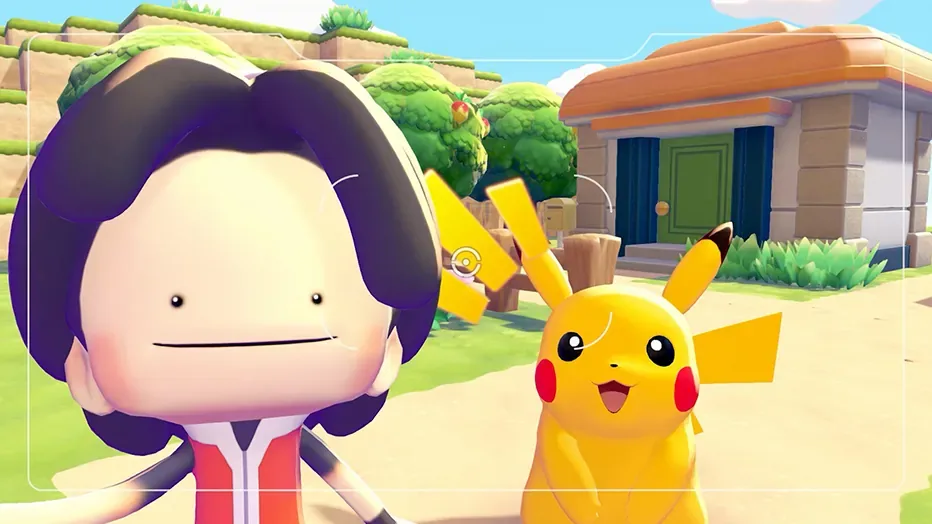
Pokopia's camera, on the Minus button, comes with a 50-shot checklist. It sits in the Collection menu as the Highlight Reel, it only fills when you photograph a particular Pokemon doing a particular thing, and it is where most of the game's photo frames come from: Bulbapedia's frame table ties 15 frames to individual photo ops, against the 12 you start with.
Serebii and Bulbapedia both list 50 photo ops as of Ver. 2.0.1: 44 in the base game and 6 in Bubbly Basin, under the same 50 names. They agree a lot less on the setups. This guide gives a setup that satisfies both lists wherever they split, and says so where they cannot both be right.
How a photo op fires
Here is the loop, pieced together from Bulbapedia's photo op and photography pages and games.gg's photo op guide:
- A notification appears in the top-right corner. Bulbapedia records the text as "Get your camera! A great photo op is happening nearby!"
- Open the camera. Press Minus, or open it through the Pokedex. Bulbapedia's photography page describes the camera as part of Ditto's Pokedex.
- Find the subject. Bulbapedia says the camera view puts a border around any Pokemon that can be the subject of the shot.
- Shoot with the in-game camera. games.gg warns that the Switch's own screenshot button does not register a photo op.
- Check the reel. games.gg says the op's title flashes on screen when the shot counts, and the photo is filed under Highlight Reel in the Collection.
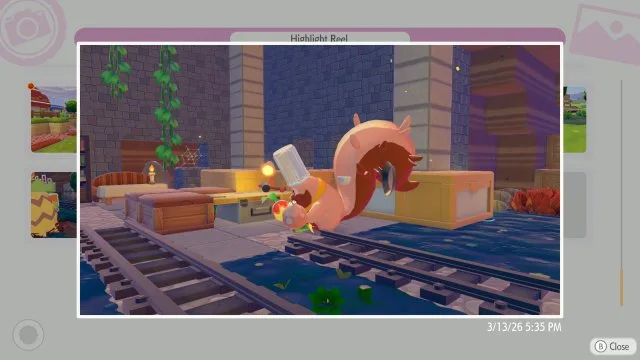
The trigger is the part worth understanding. Serebii's Highlight Reel page says each op needs a specific Pokemon or group, a specific item, or both, and that an item "needs to be active" before the op can happen. Its row for Drawn to the Light spells that out, saying the streetlight "needs to be lit", and our read is that a campfire works the same way. games.gg's advice is to put the props inside your Pokemon's habitats, and to spread copies of common ones such as campfires, perches and hot springs across several of them. Neither source gives a way to force an op on demand.
games.gg also says each op fires once. When a shot is in your reel, that scripted moment does not repeat, so get the framing right before you press the button.
The 15 shots that pay a photo frame
These are the ones to plan around, because each unlocks a frame you can put on later photos. Frame names follow Bulbapedia's frame table; Serebii calls Dust Cloud "Dusty Cloud". The last three need the Expansion Pass.
| Photo op | Pokemon | Setup | Frame |
|---|---|---|---|
| Toasty Warm by the Campfire | A non-Grass type | Asleep by a lit campfire, at night | Fire Spin |
| Punching Past the Sound Barrier | Hitmonchan | A punching bag | Impact |
| Greetings from Beyond the Grave | A Ghost type | A gravestone, at night | Mysterious |
| Drawn to the Light | Venomoth | A lit streetlight, at night | Neon |
| Fun in the Sand | Any | A sandbox | Dust Cloud |
| Nothing Like a Quick Dip! | Any | A shower (Bulbapedia also accepts a sprinkler) | Bubbles |
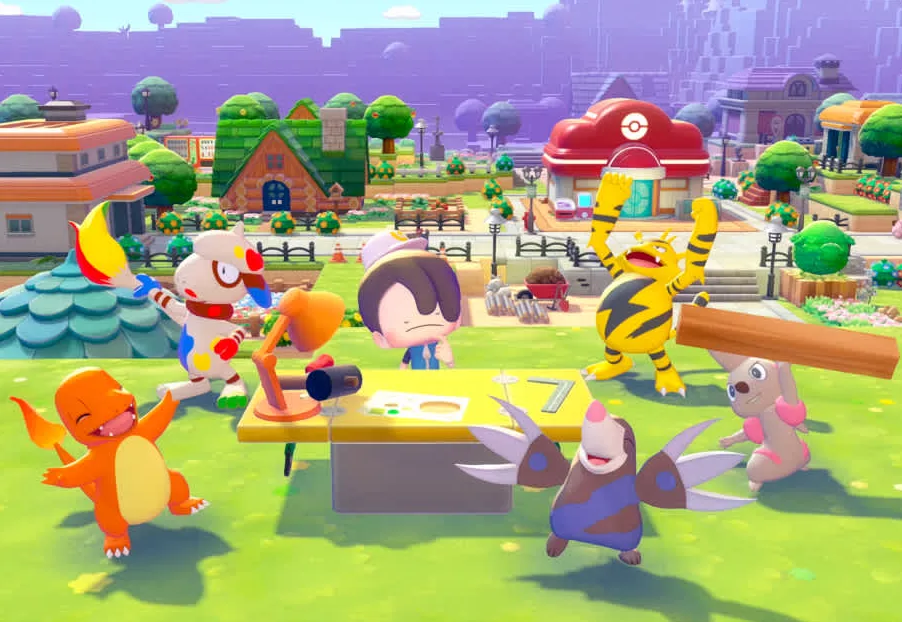
| Let's Get Some Paint on This Canvas | Smearguru | A blank canvas | Paint |
| Open It Up, and—Boo! | Any | A Boo-in-the-box | Keep Out |
| Creepy Catapult Time | Dragapult and one other Pokemon | Dragapult fires a Dreepy | Draco Meteor |
| A Cook's Gotta Eat Too! | Chef Dente | Eating cooked food | Cooking |
| A Head Full of Blooming Flowers | Mosslax (Serebii adds Peakychu) | The charging station, once Mosslax wakes in the story | BAM! |
| A Hypnotizing Lullaby | Jigglypuff | Singing while a CD player plays | Balloons (Bulbapedia only) |
| A Closed Mouth Catches No Z's | Any | Asleep in the mouth of a built Submarine kit | Sunlight |
| Statuesque Songstress Set | Primarina (Serebii adds Brionne) | A Primarina statue | Romantic |
| Noth-ink to Sneeze At | Horsea (Serebii: plus another Pokemon) | Horsea sneezes ink | Comic |
Three notes on that table:
- Balloons is the shaky row. Bulbapedia's frame table ties a Balloons frame to the Lullaby. Serebii's reel table leaves that reward blank and lists 14 frame rewards, not 15. Treat the 15th as one source's report until you see it yourself.
- Night matters more than Serebii says. Serebii marks two ops as night-only: Greetings from Beyond the Grave and Drawn to the Light. Bulbapedia puts five at night, adding Toasty Warm by the Campfire, Spacious Slumber Party and DJ Droppin' the Beats!. Set all five up at night and both lists are satisfied.
- BAM! is tied to the story. Serebii lists Mosslax and Peakychu at the charging station, Bulbapedia's condition is Mosslax after it has fully woken up as part of the storyline, and games.gg says the op is locked until the Bleak Beach story is done. Our electricity guide covers the charging-station request that wakes Mosslax.
Where the frame props come from
Everything below is from Serebii's item and crafting tables. "Placed in" means an original already sitting in that area that you can pick up.
| Prop | Placed in | Other routes |
|---|---|---|
| Campfire | Bleak Beach, Rocky Ridges, Bubbly Basin | Recipe known from the start: 1 sturdy stick, 1 stone |
| Punching bag | Withered Wasteland, Sparkling Skylands | Recipe: 1 twine, 1 vine rope, 1 iron ore, 1 beach sand |
| Gravestone | Withered Wasteland | Recipe: 2 stone |
| Town streetlight | Withered Wasteland, Bleak Beach | Craftable; it needs power to light |
| Sandbox | — | Recipe picked up in Bleak Beach: 1 beach sand, 1 lumber |
| Shower | Bleak Beach, Sparkling Skylands, the yellow cottage kit | Recipe: 2 iron ore |
| Sprinkler | Rocky Ridges | Recipe: 1 iron ore |
| Blank canvas | — | PC Shop at Cloud Island Lv. 3; recipe: 1 paper, 1 lumber |
| Boo-in-the-box | Rocky Ridges | Appraised from a Lost Relic, or found in glowing terrain |
| CD player | Sparkling Skylands | PC Shop at Palette Town or Cloud Island Lv. 3; craftable |
| Submarine kit | — | Bubbly Basin PC Shop at Lv. 2 (Expansion Pass) |
| Primarina statue | Part of the Ocean temple kit build | Appraised from a Lost Relic (Expansion Pass) |
Serebii gives no fixed location for several of those recipes, including the punching bag, gravestone, shower, sprinkler and blank canvas. It lists them as Daily Shop specials and sparkling-water finds, and its crafting page says recipes like these turn up at random in water ripples that reset each day. If one has not turned up yet, you may simply have to wait for it. Our water guide covers ripples, and the electricity guide covers getting power to a streetlight.
The 21 prop shots with no frame
These pay nothing but the photo itself. Where the two wikis name different subjects, the table leads with one that fits both; where they name different props, it leads with Serebii's. Either way, the other wiki's version is in brackets.
| Photo op | Pokemon | Prop or setup |
|---|---|---|
| A Gust of Wind to Get It Spinning | A small Flying type | Pinwheels |
| Spacious Slumber Party | Two Pokemon | Sharing a large bed, at night (Bulbapedia: any Relaxation item) |
| A Graceful Dance Among Flowers | Bellossom | Wildflowers (Bulbapedia: a Pretty flower bed) |
| Found Some Delicious... Trash? | Trubbish (Bulbapedia: any Poison type) | A small garbage can |
| Stacking Blocks, Psychic Style | A Psychic type | Toy blocks |
| Battin' Around the Old Yarn | A cat Pokemon such as Meowth (Bulbapedia: Meowth, Sprigatito or Floragato) | Knitting supplies |
| A Cool, Gentle Breeze | Any | A fan |
| Anything for a Headache in Here? | Psyduck | A first aid kit |
| Looking Pretty Swole | Machoke or Machamp | A large mirror (Bulbapedia: any mirror) |
| Roost and Rest | A small Flying type | Asleep on a perch |
| This Is the Life | Anything but a Fire, Rock or Ground type (Bulbapedia: any) | Hot-spring water |
| Just Chillin' | An Ice type (Bulbapedia: any) | An Icy Rock (Bulbapedia also: shaved ice, a refrigerator or a gaming fridge) |
| Dance Around the Bonfire! | Clefairy | A bonfire |
| I Can See Your Future... | Abra, Kadabra or Alakazam (Bulbapedia: any Psychic type) | A crystal ball |
| Sweet Dreams with a Mossy Pillow | Larvitar (Bulbapedia: any) | A mossy boulder (Bulbapedia: asleep on a moss tile) |
| It Just Needs a Good Smack, and—Oops! | Professor Tangrowth | A computer (Bulbapedia: a laptop) |
| Crazy for Coins | Gimmighoul (Bulbapedia adds Gholdengo and Meowth) | A Munna bank |
| Like Clockwork | Rowlet | A Rowlet clock |
| Funky Fume Diffusion | Koffing or Weezing | A funky diffuser |
| Step Right Up, Step Right Up! | A Pokemon with the Trade specialty | Running trades at a cash register |
| DJ Droppin' the Beats! | DJ Rotom and another Pokemon | DJ Rotom playing a CD, at night (Bulbapedia) |
Six of those rows need a note.
- Three props come out of Lost Relics. Serebii's item table lists the Munna bank and the Rowlet clock only as appraised relics, and the funky diffuser as an appraised relic or a glowing-terrain find. Serebii's Lost Relics page says relics are dug out of those same glowing blocks and that Professor Tangrowth appraises them, and our fossils guide covers digging relics up.
- The Icy Rock needs the Expansion Pass, or a trade. Serebii's item table has two sources for it: a natural find on the Starmie Doll Dream Island, and trades with Gimmighoul or Gholdengo. Serebii's Pokemon Center page names the Starmie Doll as Expansion Pass content. Without the pass, try Bulbapedia's alternatives first: a refrigerator or a gaming fridge.
- You cannot craft a mossy boulder. Serebii's routes are to photograph one and 3D print it, or to pick it up with Magnet Rise by holding Y.
- Clefairy covers the bonfire either way. Serebii asks for a Pokemon with the Hype specialty and Bulbapedia names Clefairy, which carries Hype in Serebii's Pokedex.
The 11 pair shots
No prop needed, just two residents close enough to meet. Bulbapedia's conditions are the pair talking or interacting with each other. games.gg says Heracross and Pinsir both have to be living in your town at the same time. Our read is that the same applies to every pair, so house them near each other.
| Photo op | The pair |
|---|---|
| Martial Arts Training Montage | Hitmonchan and Hitmonlee, sparring |
| Squishy Cheeks and Paws | Peakychu and Pawmi |
| The Skyland Specialists | Tinkmaster and Conkeldurr |
| Psychic Siblings! | Gardevoir and Gallade |
| Eevee's Friends | Eevee and one of its evolutions (Bulbapedia: any two Eeveelutions) |
| It's Like Looking in a Mirror! | Pikachu and Mimikyu |
| Some Shared Genes | Mew and Mewtwo |
| Brought Together by a Sweet Scent | Volbeat and Illumise |
| No, My Horns Are Better! | Pinsir and Heracross |
| A Plus-and-Minus Cheering Squad! | Plusle and Minun |
| Donning Different Armor | Armarouge and Ceruledge |
Some Shared Genes is the expensive pair. It needs both Mewtwo and Mew, and Serebii's legendary page says Mew only appears once you have found all 27 Mysterious Slates. Our legendary guide covers both. For Eevee's Friends, keep Eevee plus two of its evolutions around and you meet both wikis' wording.
Bubbly Basin's other three
Bubbly Basin adds six ops in all. Three pay frames and sit in the table above; these three do not. All six need the Expansion Pass.
| Photo op | Pokemon | Prop |
|---|---|---|
| Squidding Image | Inkay | A windup Inkay, which Serebii lists only as an appraised relic |
| Coral Me Pink | Corsola and Mareanie (Serebii also accepts Toxapex) | — |
| Similar Seafarers | Manaphy and Phione | — |
Similar Seafarers needs both Manaphy and Phione. Serebii's important-requests page has Manaphy appear inside the Ocean Temple once you build it for Popplio, and its legendary page ties Phione to the Starmie Doll Dream Island. Our Bubbly Basin walkthrough covers getting both.
Where Serebii and Bulbapedia split
We checked the reel against Serebii's Highlight Reel page, Bulbapedia's photo op page and games.gg's guide, which covers 23 of the 50. All three agree on the names. They split in four ways:
- Who counts. Serebii often names one species where Bulbapedia names a whole type or family, or the other way round. In every case we checked, at least one Pokemon or pairing fits both: Trubbish, the Abra line, Meowth, Gimmighoul, Clefairy, Larvitar, Mareanie and Primarina. Use that one.
- Which prop. Wildflowers or a Pretty flower bed, a computer or a laptop, a large mirror or any mirror, a shower or a sprinkler, an Icy Rock or a fridge. Where you can, place both.
- When. Serebii marks two night-only ops and Bulbapedia marks five. Shoot those five after dark.
- What it pays. The Balloons frame on the Lullaby is Bulbapedia's alone.
Bulbapedia's photo op article also carries an "incomplete" banner, so treat its setups as a work in progress rather than the final word.
The camera does more than the reel
Bulbapedia's photography page lists what Photo mode can do: move and zoom, tilt the camera, switch between landscape and selfie shots, change Ditto's expression and pose, make the subjects look at the lens, and use a Tripod once you have bought one from a PC. Photos save to the in-game album and can also be saved to the Switch 2's own album. Bulbapedia's photo op page lists eight filters, Vivid, Cool, Soft, Dreamy, Toy Camera, Monochrome, Silhouette and Retro, all available from the start.
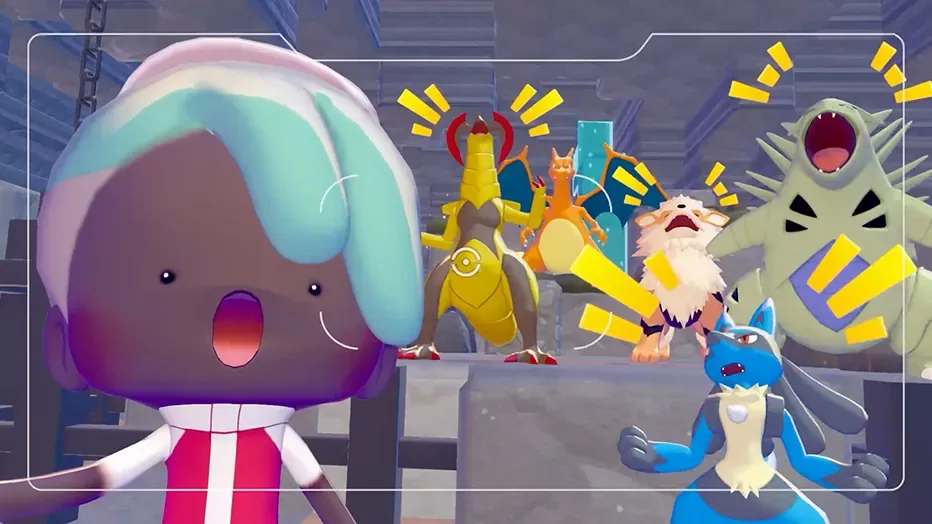
The album has three jobs beyond keepsakes:
- Reference photos are blueprints. Serebii's Pokemon Center page says you switch a photo to Reference mode with Y, take it to the 3D Printer at a Pokemon Center, and print a copy for 1 to 10 Pokemetal Ingots or 1 to 5 Rare Pokemetal Ingots, depending on the item. Expansion Pass items will not print without the pass, even if you photograph them on a Cloud Island. Our multiplayer guide covers using this on other players' towns.
- Smearguru reads them. Nintendo's update history for Ver. 2.0.0 says "Smearguru can now learn patterns from photos stored in References." Our painting guide covers what he does with them.
- Photos go on display. Serebii lists a photo frame for tables and stands and a wall photo frame, each crafted from 1 paper and 1 lumber, and says a powered Gaming PC's monitor shows photos too; Bulbapedia adds computer and laptop screens. Ver. 2.0.0 raised the number of different photos a town can display from 10 to 40, per Nintendo. Bulbapedia also says the title screen shows two random photos from your album each time it loads.
One more use: step 8 of the Team Initiation Challenge asks you to deposit a photo, and Serebii's challenge table says any photo will do. Our Team Initiation guide walks through the rest.
Frames that do not come from photo ops
Bulbapedia's frame table runs to 29 frames:
| Source | Frames | Count |
|---|---|---|
| Available from the start | Wood, White, Gold, Marble, Antique, Tall grass, Garden, Music notes, Hearts, Snowflakes, Sparkly pink, Cinematic | 12 |
| Photo ops | The 15 in the table above | 15 |
| Completing "Do the... Team Initiation Challenge?" | Memories | 1 |
| Exchanging 8 items with Jirachi during Wish Upon a Jirachi | Shooting Star | 1 |
The Shooting Star frame is the one you may not be able to get. Serebii's event page dates Wish Upon a Jirachi to June 23 - July 8, 2026, and lists the frame under event-exclusive frames for exchanging 8 items with Jirachi. That event has closed, and Serebii's events index still shows it with that single date range. Bulbasaur's Jump Rope Contest is the one event on that index to have run a second time, so a rerun is possible, but none has been dated. Our events guide covers what it was.

Bulbapedia's photo op article is still marked incomplete, and Pokemon.com dates Expansion Pass Part 2 to late 2026, so treat 50 photo ops and 29 frames as the current counts rather than final ones.
Quick Action Checklist
- Open the camera with Minus as soon as the photo op notification appears, and shoot with the in-game camera, not the Switch screenshot button.
- Chase the 15 frame shots first. The campfire recipe is known from the start, so Fire Spin is one you can set up early.
- Make the prop active. Light the campfire and power the streetlight.
- Shoot five setups at night: Toasty Warm, Spacious Slumber Party, Greetings from Beyond the Grave, Drawn to the Light and DJ Droppin' the Beats!.
- Appraise relics for the Boo-in-the-box, Munna bank, Rowlet clock and funky diffuser.
- Use a subject both wikis accept: Trubbish, Abra, Meowth, Gimmighoul, Clefairy, Larvitar, and Eevee with two evolutions.
- No Expansion Pass? Try a refrigerator for Just Chillin' before hunting an Icy Rock.
- Photograph a mossy boulder in Reference mode and 3D print it for Sweet Dreams with a Mossy Pillow.
- House the 11 pairs near each other. Mew and Mewtwo are the expensive pair, since Mew needs all 27 Mysterious Slates.
- Frame it before you press the button. games.gg says a captured op does not repeat.
Frequently Asked Questions
How many photo ops are in Pokemon Pokopia?
How do you get photo frames in Pokopia?
How do you trigger a photo op in Pokopia?
What is the Highlight Reel in Pokemon Pokopia?
Which Pokopia photo ops happen at night?
How do you 3D print something from a photo in Pokopia?
Keep Reading
- Serebii — Highlight Reel (44 base-game and 6 Bubbly Basin photo ops; required Pokemon, items, time of day and frame rewards; items must be active)
- Bulbapedia — Photo op (Pokopia) (notification text, border in camera view, conditions for all 50 photo ops, 29-frame table, eight filters)
- Bulbapedia — Photography, Pokemon Pokopia section (Minus button or Pokedex opens Photo mode; selfie, Tripod, expressions; Reference mode and the 3D printer; photos on screens and the title screen)
- games.gg — Pokemon Pokopia Photo Ops Guide (in-game camera only, not the Switch screenshot button; each op fires once; place props in habitats; Heracross and Pinsir must both live in town)
- Serebii — Item Listings (where each photo-op prop is placed or sold; relic-only Munna bank and Rowlet clock; funky diffuser and Boo-in-the-box from relics or glowing terrain; Icy Rock on the Starmie Doll Dream Island; photo frames and Gaming PC display photos)
- Serebii — Crafting & Recipes (campfire, punching bag, gravestone, sandbox, shower, sprinkler, blank canvas and photo frame recipes)
- Serebii — Lost Relics (glowing blocks drop Lost Relics, fossils and slates; Professor Tangrowth appraises relics)
- Serebii — Important Requests (Build the Beautiful Building: Manaphy appears inside the finished Ocean Temple)
- Serebii — Pokemon Center (Reference mode with Y; 3D printing costs 1-10 Pokemetal Ingots or 1-5 Rare Pokemetal Ingots; Expansion Pass items such as the Starmie Doll need the pass)
- Serebii — Available Pokemon (Clefairy carries the Hype specialty)
- Serebii — Legendary Pokemon (Mew appears after all 27 Mysterious Slates; the Starmie Doll Dream Island is tied to Phione)
- Serebii — Team Initiation Challenge (step 8: deposit a photo, any photo)
- Serebii — Wish Upon a Jirachi (June 23 - July 8, 2026; Shooting Star frame for exchanging 8 items with Jirachi)
- Serebii — Pokemon Pokopia Events (Wish Upon a Jirachi listed with one date range; Bulbasaur's Jump Rope Contest the only event run twice)
- Pokemon.com — Expansion Pass DLC Part 2 Trailer (September 9, 2026; Part 2 arriving late 2026)
- Nintendo Support — Pokemon Pokopia update history (latest Ver. 2.0.1; Ver. 2.0.0 raised displayable photos per town from 10 to 40 and let Smearguru learn patterns from References)
Related Guides
Pokopia Emotes Guide: All 47 and How to Unlock Them
Pokopia has 47 emotes, and 27 of them come from Pokemon rather than Human Records. Here is every one, the 15 Pokemon that teach an emote and the habitat that brings each in, the 12 visitor-only emotes and the Kanto Gym titles hiding in their names, and how to set up the emote wheel.
Pokopia Litter Guide: All 40 Litter Pokemon and Their Drops
Forty Pokopia Pokemon have the Litter specialty and drop one of 14 materials near their home. Here is every one with its habitat, the drops worth farming (Fluff, iron ore, Twine, squishy clay, honey), and the Gather Pokemon and community box that pick it all up for you.
Pokopia Farming Guide: How to Grow All 5 Crops
A Pokopia crop is planted once: harvest it, water it and it grows back. Here is how Rototiller works, where the seeds for all five crops come from (and where the wikis disagree), the stage-a-day growth rule, and the 31 Pokemon with the Grow specialty.
Pokopia Magnet Rise: How to Unlock It and What It Can Move
Magnet Rise is the Ditto transformation Serebii ties to the post-game, and the one that lets you pick up trees, boulders and ore deposits whole. Here is the Factory Storage unlock, the controls, Replace mode, and the 102 trees, deposits, boulders and ruins Serebii lists as Magnet Rise pickups.
Pokemon Pokopia Beginner Guide: What To Do In Your First Hours
Pokopia does not punish you for playing badly. It punishes you for building beautifully in the wrong place before you have the tools to move it. Here is the early-game order of operations that saves you a teardown.
Pokopia Paint Guide: All 18 Colors, Patterns and Smearguru
Pokopia's paint system runs through Smearguru, a Pokemon the story never makes you meet. Here is how to unlock it, which berry makes which paint, the recipe for all 18 colors, and where every one of the 116 patterns comes from.