PUBG Match Results and Leaderboard, Explained
Update 43.1's patch notes buried two stat-tracking systems under headings nobody reads top to bottom: an expanded Match Results screen filed under Arcade, and an entirely new Career Leaderboard filed under its own heading with no platform tag. Here's what each one actually shows, which modes the Match Results upgrade does and doesn't cover, and how the four leaderboard categories are scored.
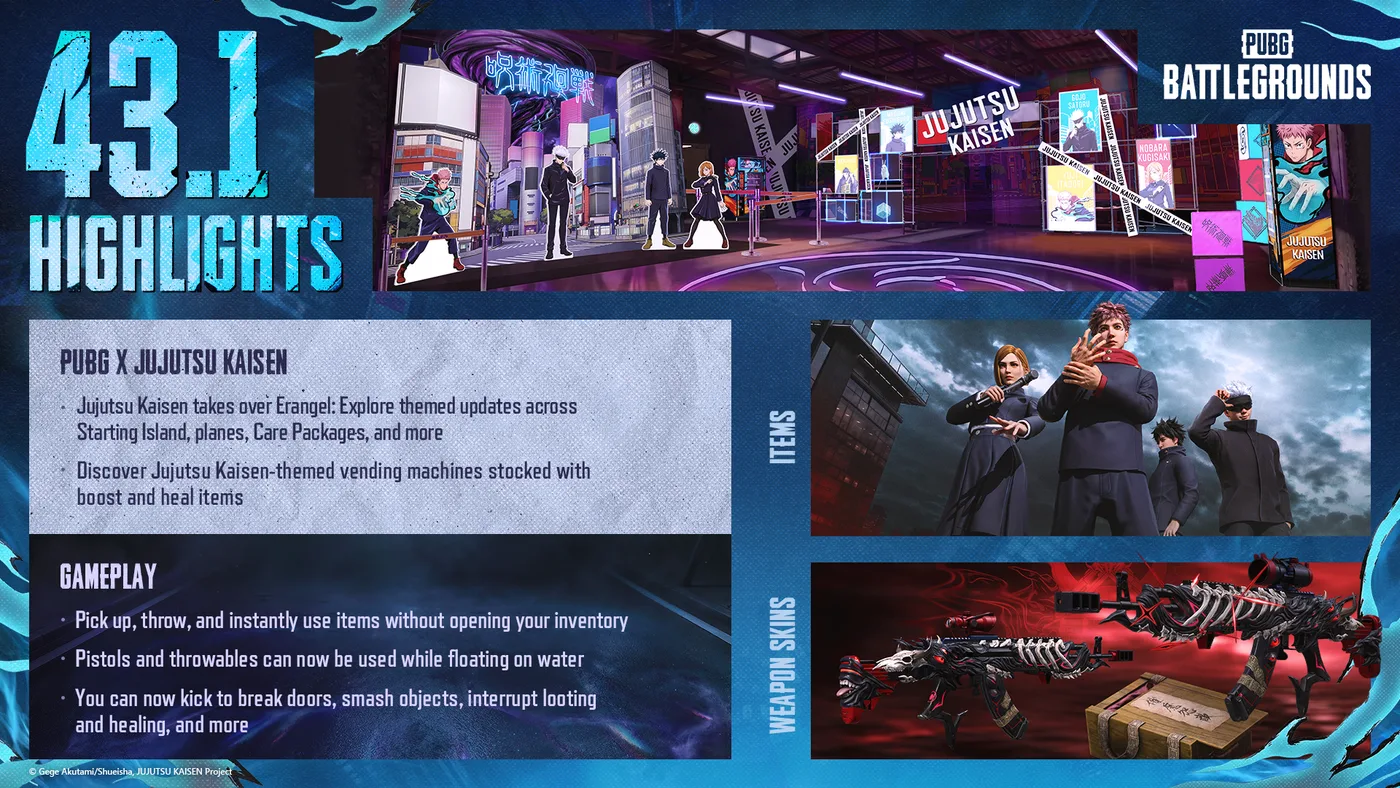
You wipe a squad in Intense Battle Royale, the match ends, and you want to know how it actually went. Update 43.1 shipped two separate answers to "how did that actually go": a rebuilt Match Results screen that breaks a match down team by team, and a brand-new Career Leaderboard that tracks you across an entire season. Our Update 43.1 kick coverage and item-carrying guide covered that patch's combat and inventory changes. This is the stats half — what KRAFTON's patch notes actually say about both systems, including the scope limit on the first one that's easy to miss.
The Match Results screen: Arcade and Custom Match only
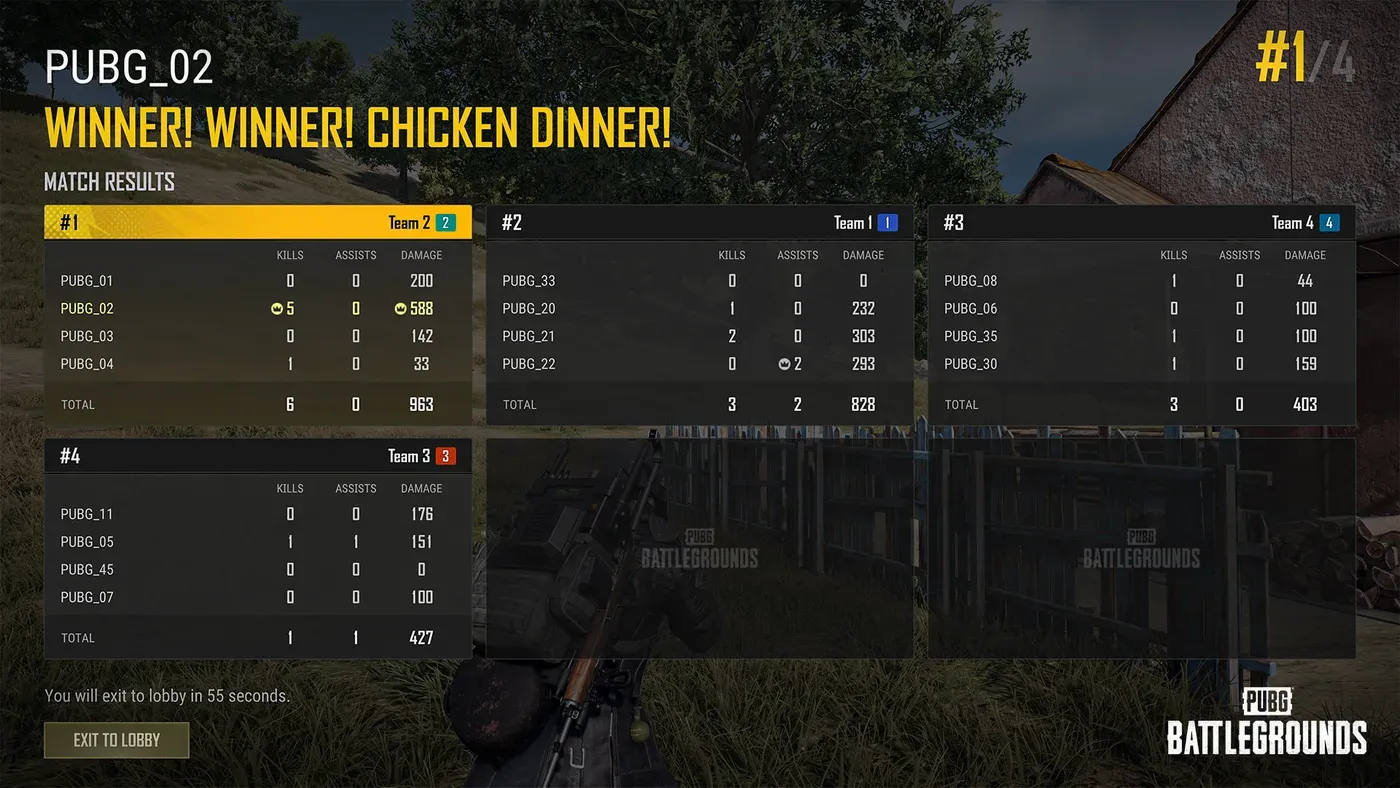
Start with the scope: KRAFTON files the entire improved Match Results screen under Arcade > Intense Battle Royale, with a standalone note attached — "The following update also applies to Custom Match." Nothing in the 43.1 notes places it under Normal Match or Ranked, so as published, the team-by-team breakdown in KRAFTON's screenshot below is an Intense Battle Royale and Custom Match feature, not something every mode now shows.
KRAFTON's own line on what changed:
The Match Results screen has been improved so you can review your performance in greater detail after a match. If your entire team is eliminated, you can view key combat records for both yourself and your team as a whole. The top-performing player in each category will be highlighted.
The operative condition is that your run in that match is over — the screenshot above is the win case, and the same trigger phrase covers the far more common case of getting wiped before the end. Once the match ends, KRAFTON says a list of every participating team is displayed, ranked, with the option to select any team's slot for a deeper breakdown:
- Team Stats: Ranking, Total Kills, Total Headshot Kills, Total Damage Dealt, Total Damage Taken
- Player Stats: Kills, Headshot Kills, Assists, Damage Dealt, Damage Taken, Share of Total Damage Dealt (%), Teammate Revives
KRAFTON's notes never explain why Intense Battle Royale and Custom Match got this first rather than Normal Match. For context, Intense Battle Royale is the Arcade mode that Update 42.1 added Haven to, and our Battlegrounds Plus explainer notes it needs no Plus account; creating a Custom Match does need one.
What each stat actually tells you
The two stat blocks answer different questions, and the ones missing from the older, plain results screen are the ones worth reading twice:
| Stat | What it tells you that a kill count doesn't |
|---|---|
| Share of Total Damage Dealt (%) | Whether you carried the fight or rode along on a teammate's damage — a low share next to a win is a genuinely different game than a low share next to a loss |
| Damage Taken | Whether you were the one absorbing hits, which a kill feed never shows |
| Headshot Kills (team and player) | Aim quality independent of gunfight volume — two kills with two headshots reads differently than two kills with none |
| Teammate Revives | Squad value with no equivalent in a kills column |
KRAFTON's stated design — highlighting the top performer in each category rather than just a single MVP — means a squad can walk away from one match with four different players each holding the lead in something: most kills, most damage, most revives, highest damage share. That is a wider spread of recognition than a kill count alone gives you.
The new Leaderboard: one menu, four categories
Leaderboard is its own top-level section in the 43.1 notes, filed separately from both Arcade and Ranked and carrying no platform tag — unlike Match Results, nothing here is scoped to one mode:
With the newly introduced Leaderboard, you can now check your records and rankings not only in Ranked but across various categories. From wins and weapons to clans, take on categories that suit your playstyle, and aim for the top based on the records you've built up over the season.
A new Leaderboard menu is added under Career. Open it and you pick a season and a region — both default to your current ones, and KRAFTON notes some leaderboards don't distinguish between regions at all — then a leaderboard type, then whatever subcategories that type supports (mode, map, or weapon, depending on which board you're looking at).
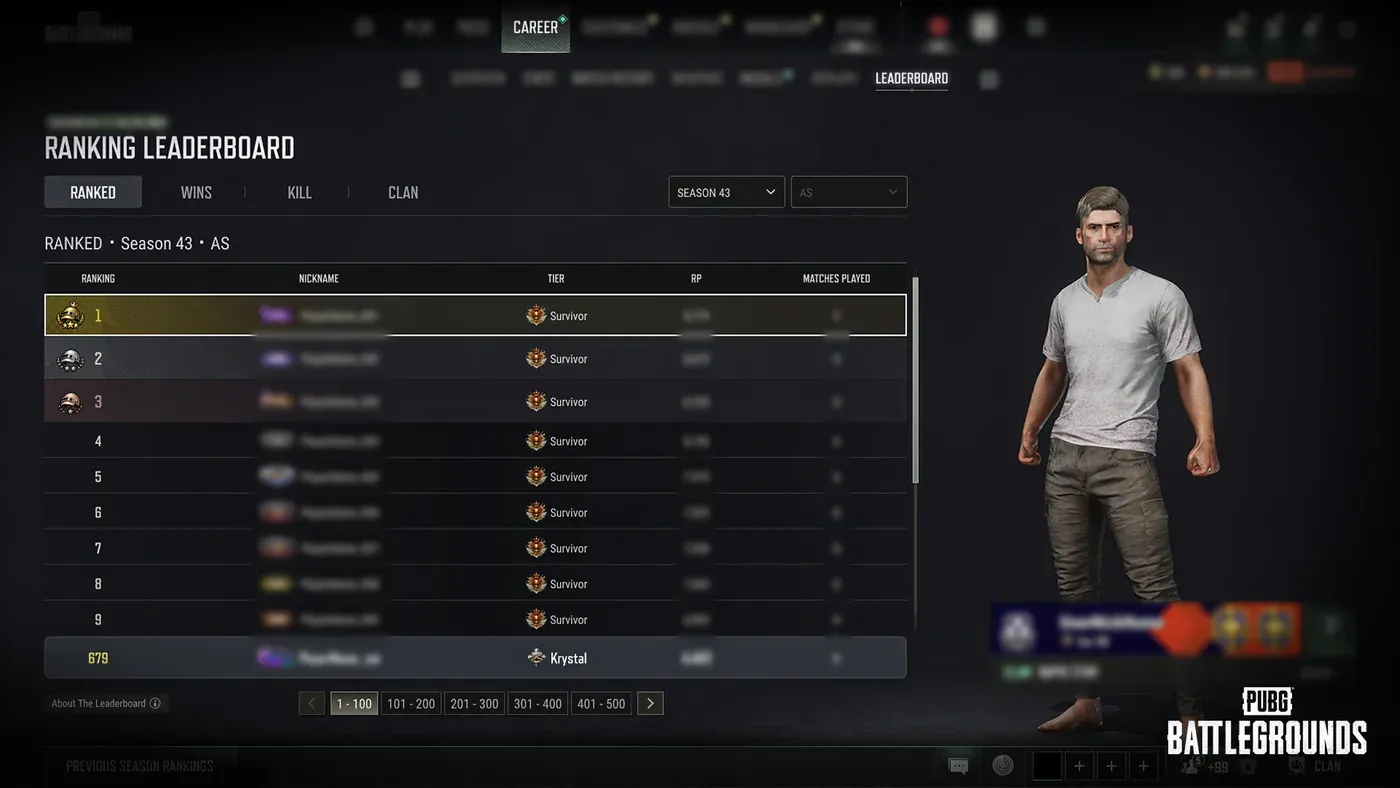
Every leaderboard shows the top 500 players, and every leaderboard still tells you where you personally stand even if you're nowhere near that list: "If you are within the top 500, your current rank will be displayed. If you are outside the top 500, your standing will be shown as Top N.N%." One access gate applies before any of this works. Per the 43.1 notes, you can participate in the rankings once you have "completed all missions and claimed all rewards in Beginner Training, or once the mission period has expired." Beginner Training is not the tutorial — that's Basic Training, the 17-chapter walkthrough under Play → Training → Basic Training. Beginner Training is the separate lobby mission track Update 42.2 added alongside that tutorial revamp: you open it from the Beginner Training menu at the top of the Lobby, new missions arrive each day through Day 14, and all of them must be completed within 30 days of starting it. A brand-new account won't appear on any board until it has either cleared every mission and claimed every reward there or run out its mission period.
The four leaderboard types
Four boards exist at launch, and each one scores something different:
| Type | What it ranks | Subcategories | Update cadence |
|---|---|---|---|
| Ranked | The existing Ranked ladder, now surfaced inside Career > Leaderboard | None new — same rules as before | Every 4 hours, unchanged |
| Wins | Number of wins this season | Mode: All Modes, Normal, Ranked. Map: All and individual maps | Hourly |
| Kills | Kills with a specific weapon this season | Weapon category, then individual weapon (example given: AR → All, ACE32, AKM, AUG, etc.) | Hourly |
| Clan | Clan XP accumulated this season | Shows Clan XP, Clan Level and Clan Master | Hourly |
Two things in that table are worth calling out on their own. The Ranked row is a genuine merge, not a new system — KRAFTON is explicit that "the existing calculation and operation rules for Ranked leaderboards will remain unchanged," it's just reachable from a new menu now. And the Kills board's weapon list isn't limited to guns: KRAFTON states it covers "all weapons included in Weapon Mastery, including not only primary weapons but also handguns and throwables" — so a frag-grenade or pistol specialist gets their own board, not just AR mains. Both the Wins and Kills boards also surface a second number alongside the primary one: Wins shows kills and average damage per entry, and Kills shows total kills plus average damage with that specific weapon.
Clan rankings carry one housekeeping rule worth knowing if you're chasing a spot: "If a clan is disbanded, it will be removed from the rankings" — a top-500 clan placement isn't a permanent record independent of the clan still existing. Clan creation itself is a Battlegrounds Plus feature, so climbing this board starts with that upgrade.
How rankings are calculated
KRAFTON published the actual tie-break logic rather than leaving it to guesswork, which is unusual enough to be worth quoting in full. When multiple players share a record on the same board:
- The player who reached the record first wins the tie.
- If the record was reached at the same time, the player who has played fewer matches in the selected mode ranks higher.
A few operating details sit alongside that: all four boards compile from records accumulated during the current season only, all of them update roughly hourly except Ranked at its existing 4-hour cadence, "actual update timing may vary slightly," and displayed data can lag "depending on when the data was last updated." None of that is unusual for a live leaderboard, but it does mean a rank you see mid-session isn't guaranteed to be live to the second.
Season Recap: what happens when a season ends
Placing in the top 500 on any board carries forward into a small feature that only appears once. KRAFTON's wording:
If you reached the top 500 on one or more leaderboards in the previous season, you will be able to view a special season recap in the new season. It will be displayed once when you first enter the Leaderboard menu after the season ends.
The recap collects every top-500 placement you held — rank, leaderboard type, region, subcategory and record — in one screen, and if you placed on more than one board, KRAFTON says your results display starting with your highest-ranked finish. Miss it the first time you open the menu and, per how KRAFTON describes a once-only display, there's no stated way to bring it back.
What KRAFTON has not said
Three gaps worth knowing before you assume an answer:
- Whether Normal Match or Ranked ever get the expanded Match Results screen. The 43.1 notes scope it to Arcade's Intense Battle Royale plus Custom Match and say nothing about extending it further, and the Update 43.2 notes (13 October) don't extend it either. Treat every other mode as running the older results screen until KRAFTON states otherwise.
- Whether the Wins leaderboard splits by squad size. The published subcategories are Mode (All Modes, Normal, Ranked) and Map — there's no mention of a Solo, Duo or Squad filter, so as published, a solo win and a four-player squad win appear to count identically toward the same total.
- Whether Headshot Kills or Assists factor into the Kills leaderboard. Its two published numbers are total kills and average damage with the selected weapon — headshots and assists are tracked in the Match Results screen but aren't stated as leaderboard columns.
Quick Action Checklist
- Look for the expanded Match Results breakdown in Arcade's Intense Battle Royale or in Custom Match — nothing in 43.1 extends it to Normal Match or Ranked
- Read Share of Total Damage Dealt and Damage Taken alongside kills — they're the two numbers that tell you what a kill count alone hides
- Find the Leaderboard menu under Career, not under Ranked — it now holds Ranked, Wins, Kills and Clan in one place
- Clear every Beginner Training mission and claim its rewards (the lobby mission track, not the Basic Training tutorial), or let its mission period run out, before expecting to appear on any leaderboard
- Pick a weapon category on the Kills board if you're hunting your own rank — it's scored per weapon, not as one combined kill count
- Remember Ranked's leaderboard math didn't change, only its menu location, and it still updates every 4 hours against every-hour updates elsewhere
- Check the Leaderboard menu right after a new season starts if you placed top 500 anywhere last season — the recap only displays once
- Don't build a build-order around a disbanded clan's leaderboard spot; it's removed the moment the clan is gone
Frequently Asked Questions
What is the new PUBG Match Results screen in Update 43.1?
Does the PUBG Match Results screen work in Normal Match or Ranked?
What is the PUBG Leaderboard and how do you access it?
What are the PUBG Leaderboard categories?
How are ties broken on the PUBG Leaderboard?
What is the PUBG Leaderboard Season Recap?
Keep Reading
- Mythras blog
- PUBG: Battlegrounds coverage hub
- Update 43.1's new Kick action
- PUBG item carrying and instant use guide
- PUBG Workshop crafting guide
- PUBG weapon mastery guide
- PUBG ranked guide
- PUBG Battlegrounds Plus and clan creation
- PUBG map selection and Intense Battle Royale
- PUBG bots guide
- PUBG Recall and Blue Chip guide
- PUBG: BATTLEGROUNDS — Patch Notes, Update 43.1 (9 Sep 2026): "Arcade > Intense Battle Royale" Match Results screen improvements (team/player stat lists, top-performer highlighting), and the standalone "Leaderboard" section (Leaderboard Overview, Leaderboard Types — Ranked/Wins/Kills/Clan, Ranking Calculation tie-break rules, Season Recap), plus Season 43 Ranked reset and the PC/console live maintenance schedule
- PUBG: BATTLEGROUNDS — Patch Notes, Update 42.2 (14 Jul 2026): Basic Training revamp (Play > Training > Basic Training, 17 chapters) and the separate Beginner Training lobby mission track (missions through Day 14, to be completed within 30 days of starting)
- PUBG: BATTLEGROUNDS — Patch Notes, Update 43.2 (13 Oct 2026): Custom Match additions and a Career > Leaderboard medal-display fix; no extension of the improved Match Results screen to Normal Match or Ranked
- PUBG: BATTLEGROUNDS patch notes index — checked 26 October 2026; Update 43.2 (13 Oct 2026) is the most recent patch notes entry
Related Guides
PUBG Item Carrying and Instant Use, Explained
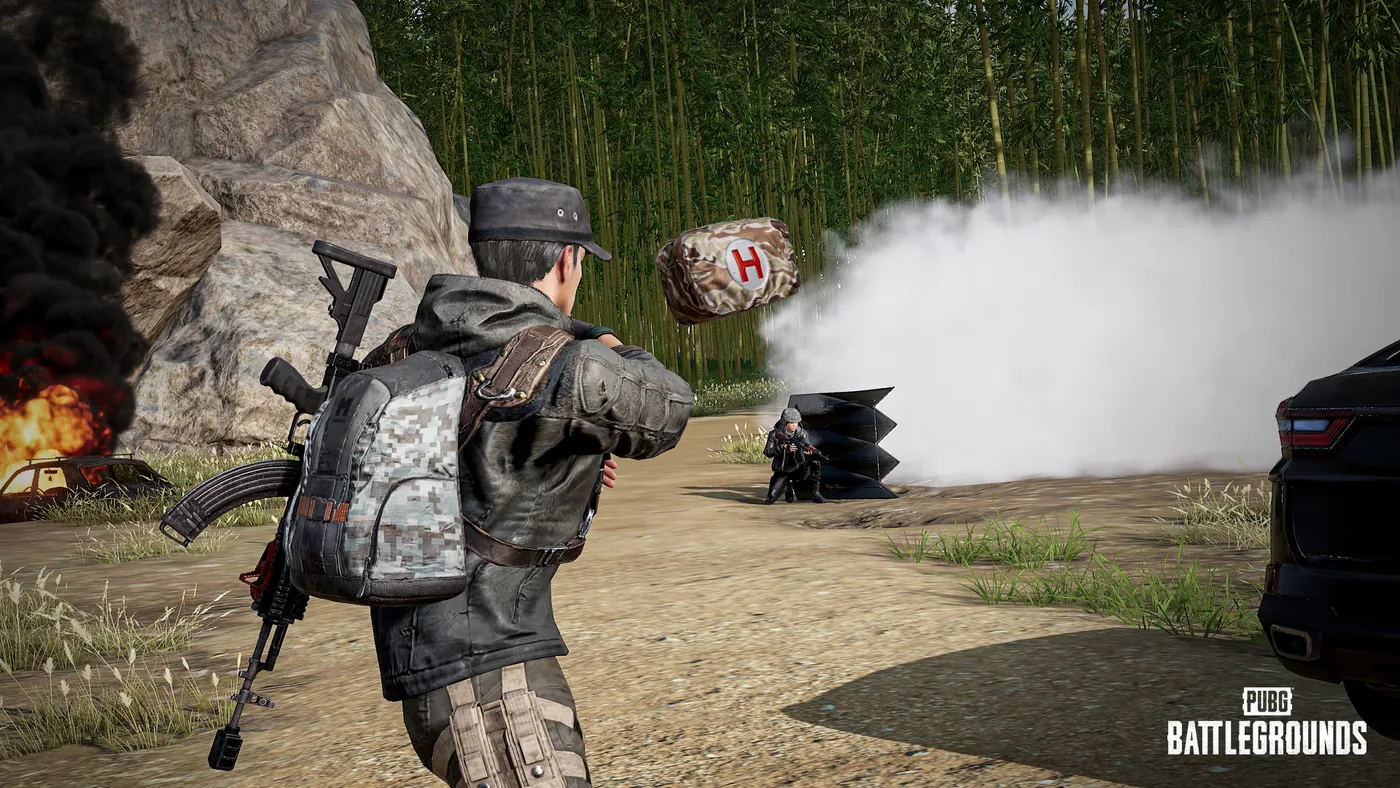
Update 43.1 gave PUBG two systems that skip the inventory screen entirely: carrying an item off the ground with no backpack cost, and using items — heals, a Folded Shield, even C4 — straight from where they're lying. Our Update 43.1 kick coverage gave this two rows in a summary table. Here is everything KRAFTON's patch notes actually say about it: which item categories qualify, what forces you to drop a carried item, and how a full bag stops being a real problem.
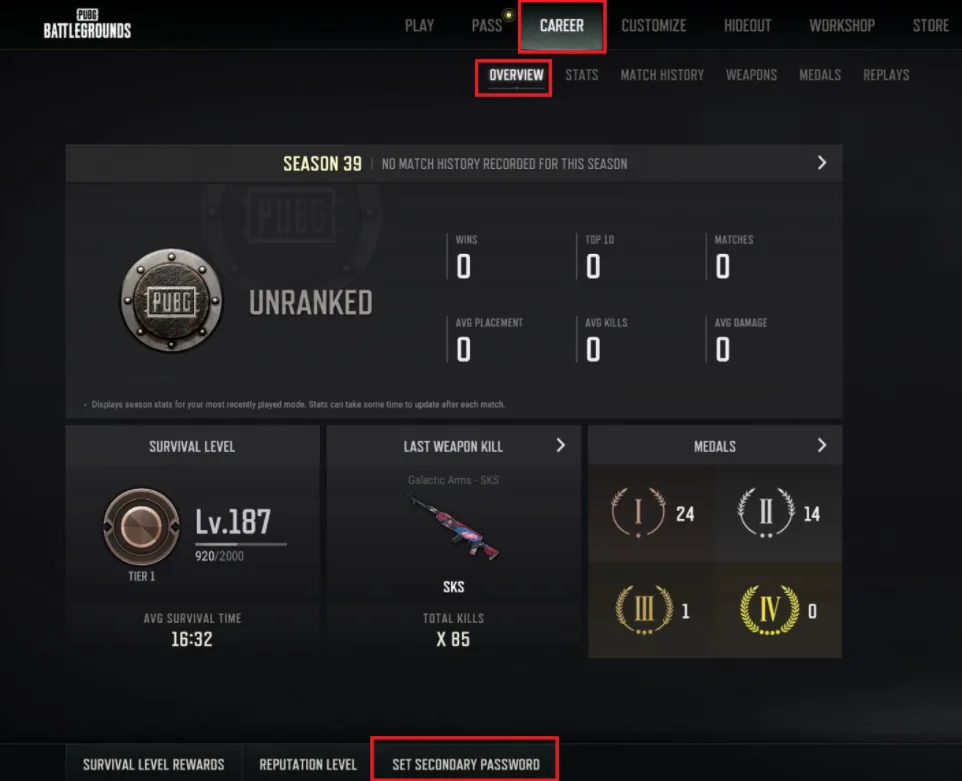
PUBG Secondary Password: How to Set It Up for Ranked
Since Update 39.2 went live on 7 January 2026, PC players cannot enter Rank Mode without a 6-8 digit secondary password tied to a real mobile number — and neither can anyone in their party. Here is the setup flow, the 24-hour re-entry rule, the SMS limits that strand people mid-setup, the reset path when the phone number is gone, and the account-theft unban allowance that having one turns from once-ever into twice a year.

PUBG Bots: Which Lobbies Have AI and How to Spot One
That 11-kill Normal match probably was not what you think it was. Here is where PUBG's bots actually live, what the AI is coded to do, and how to read the difference in about two seconds.
PUBG Ranked Guide: How to Climb the Tiers
Ranked rewards the boring stuff: living to top 10, not your kill count. Here's how PUBG's tiers and RP really work, the playstyle that climbs, and the habits quietly tanking your rank.
Best Weapons in PUBG: Tier List
Every PUBG tier list is out of date the moment a balance patch drops. So here's the list, ranked by role, plus the durable logic to re-tier any gun yourself when the next patch shakes things up.
Best PUBG Loadouts & Attachments
A naked M416 and a fully kitted M416 are basically two different guns. Here's how to build the strongest two-gun loadouts in PUBG and the attachment priority that turns loot into recoil control.