PUBG Item Carrying and Instant Use, Explained
Update 43.1 gave PUBG two systems that skip the inventory screen entirely: carrying an item off the ground with no backpack cost, and using items — heals, a Folded Shield, even C4 — straight from where they're lying. Our Update 43.1 kick coverage gave this two rows in a summary table. Here is everything KRAFTON's patch notes actually say about it: which item categories qualify, what forces you to drop a carried item, and how a full bag stops being a real problem.
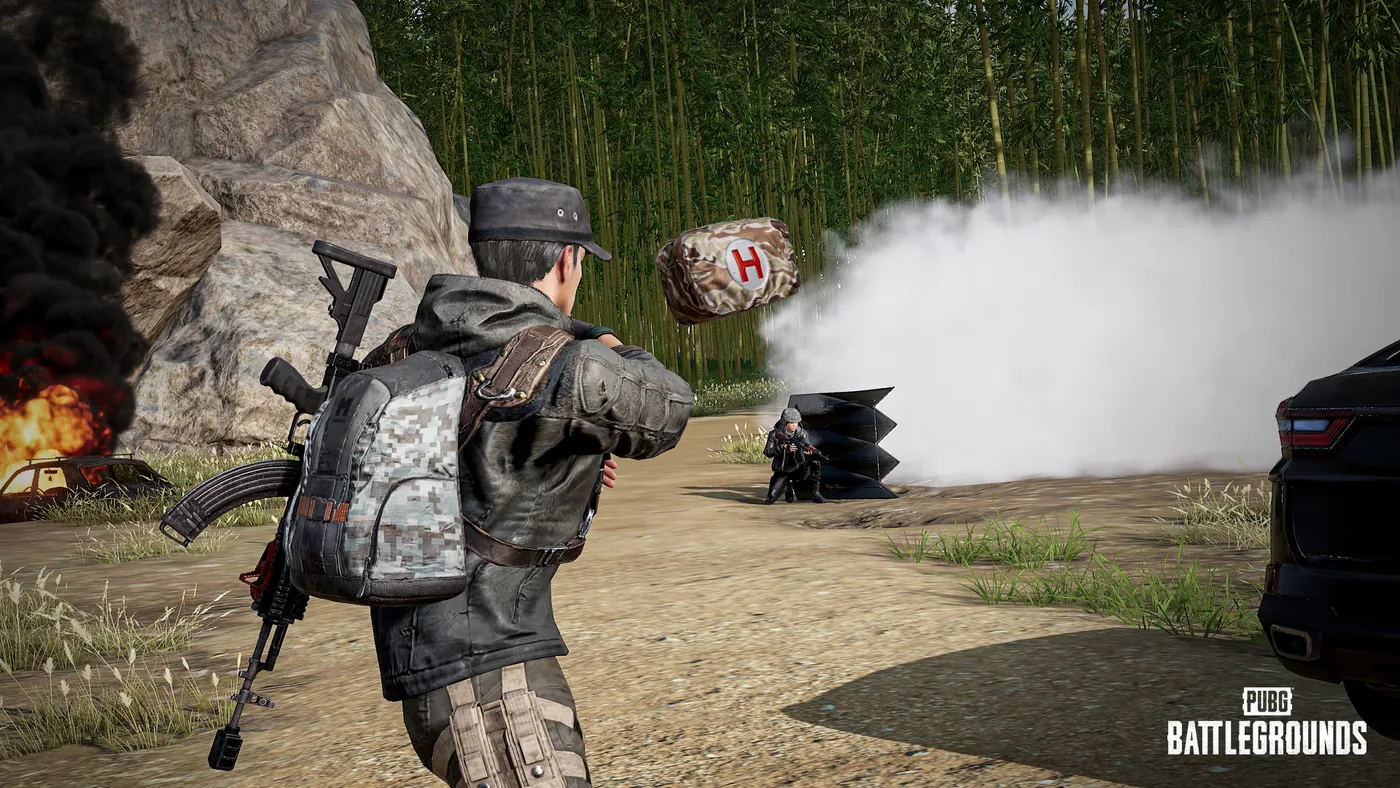
Your bag is full, there's a scope worth grabbing three feet away, and the old fix was a whole dance: drop something you didn't want to lose, pick up the scope, then remember what you dropped and decide if it's worth going back for. Update 43.1 deleted that dance for a big chunk of the loot table. Our Update 43.1 kick coverage gave this feature two rows in a summary table. Here is the whole thing, straight from KRAFTON's patch notes.
There are two separate systems, and they share a key. Carrying lets you pick up, move, and throw an item without ever putting it in your inventory. Instant item use lets you use or deploy an item straight from the ground, no pickup step at all. KRAFTON frames the whole package as one fix for one problem, in its own developer's comment on the patch:
The item usage experience improvements previewed in the 2026 Roadmap will be fully applied through this update. This time, we focused on reducing unnecessary inconveniences in the repetitive processes players encounter during gameplay, from obtaining, carrying, and using items to retrieving them again. In particular, we wanted to improve situations where players had to give up necessary items because their inventory was full or organize their inventory just to use a single item on the ground.
Both features are live in every mode except some Arcade modes, per the notes.
How item carrying works
Walk up to an eligible item and hit H (console: LB + X) to pick it up as a carried item instead of looting it. Three things define the system:
- It costs no inventory space. The item rides in your hands, not your bag, for as long as you're carrying it.
- You can only carry one type of item at a time. Grab a backpack and you can't also carry a first aid kit until you throw or drop the backpack.
- Stackable items carry at their default spawn quantity. Ammo and Bandages, KRAFTON's own examples, come along "in their default spawn quantity at once" — you're not hand-selecting a stack size.
While you're carrying something, the game shows its name and quantity on screen along with the keys to throw or drop it. What you can physically do while holding it — walk, run, jump — varies by the item's size, which the notes mention but don't turn into a table of specifics.
What you can carry
KRAFTON lists seven eligible categories. This is the complete list from the patch notes — nothing here is inferred:
| Category | What it covers |
|---|---|
| Weapon attachments | Scopes, grips, muzzles, magazines, stocks — any attachment on the ground |
| Healing and boost items | Bandages, first aid kits, med kits, energy drinks, painkillers, adrenaline syringes |
| Helmets | Any level, any armor tier |
| Vests | Any level, any armor tier |
| Backpacks | Any level |
| Throwables | Frag grenades, smokes, stuns, mollies |
| Ammunition | Any caliber, at its default ground stack size |
Weapons themselves aren't on that list. A rifle or a melee weapon still goes through the normal pickup-and-equip flow covered in our looting and inventory guide — carrying is for the support items around it, not the gun.
Throwing a carried item and what breaks it
Left-click (console: RT) throws whatever you're carrying. Throw method and distance both scale with the item's size, and a thrown item collides with terrain and objects on the way down. The detail worth remembering before you use this in a fight: thrown items do not deal damage, even on a direct hit. You can peg a teammate in the head with a full backpack and it will not hurt them — which is exactly what makes "throw equipment directly to teammates," KRAFTON's own phrase for the intended use, safe to do mid-fight instead of just at the safe-zone edge.
Carrying an item is a state, and several ordinary actions cancel it. Entering a vehicle or drawing a weapon automatically makes you drop what you're holding — no warning, it just happens. So does getting knocked out, getting killed, swimming, vaulting, or climbing. And while you're carrying, a specific list of actions is locked out entirely:
- Crouching or going prone
- Picking up or using another item
- Interacting with another player — carrying them, reviving them, or co-op climbing
- Using the Emote Wheel
That last restriction is the one to actually plan around. If your teammate is down and you're mid-carry of a first aid kit for them, you cannot start a revive until you've thrown or dropped what's in your hands.
Carrying a death box
A death box gets its own small exception inside the carrying system. You can jump and open Care Packages while carrying one — useful if you're relocating a wiped teammate's loot toward a Care Package drop or away from a contested fight without stopping to loot it on the spot. You lose the death box the moment you vault over terrain or switch weapons, so it's a short-range move, not a way to haul loot across the map.
Instant item use: skipping the inventory entirely
Hold H (console: hold LB + X) on an eligible item and you use or deploy it directly from where it's sitting on the ground — no pickup, no inventory slot, no drop-and-re-grab if your bag is already full. KRAFTON's own framing for who this is for: it fixes "situations where players had to give up necessary items because their inventory was full or organize their inventory just to use a single item on the ground."
Four categories qualify, per the patch notes:
- Healing and boost items
- Deployable items, named examples being the Folded Shield and the Emergency Pickup Device
- Mortar
- C4
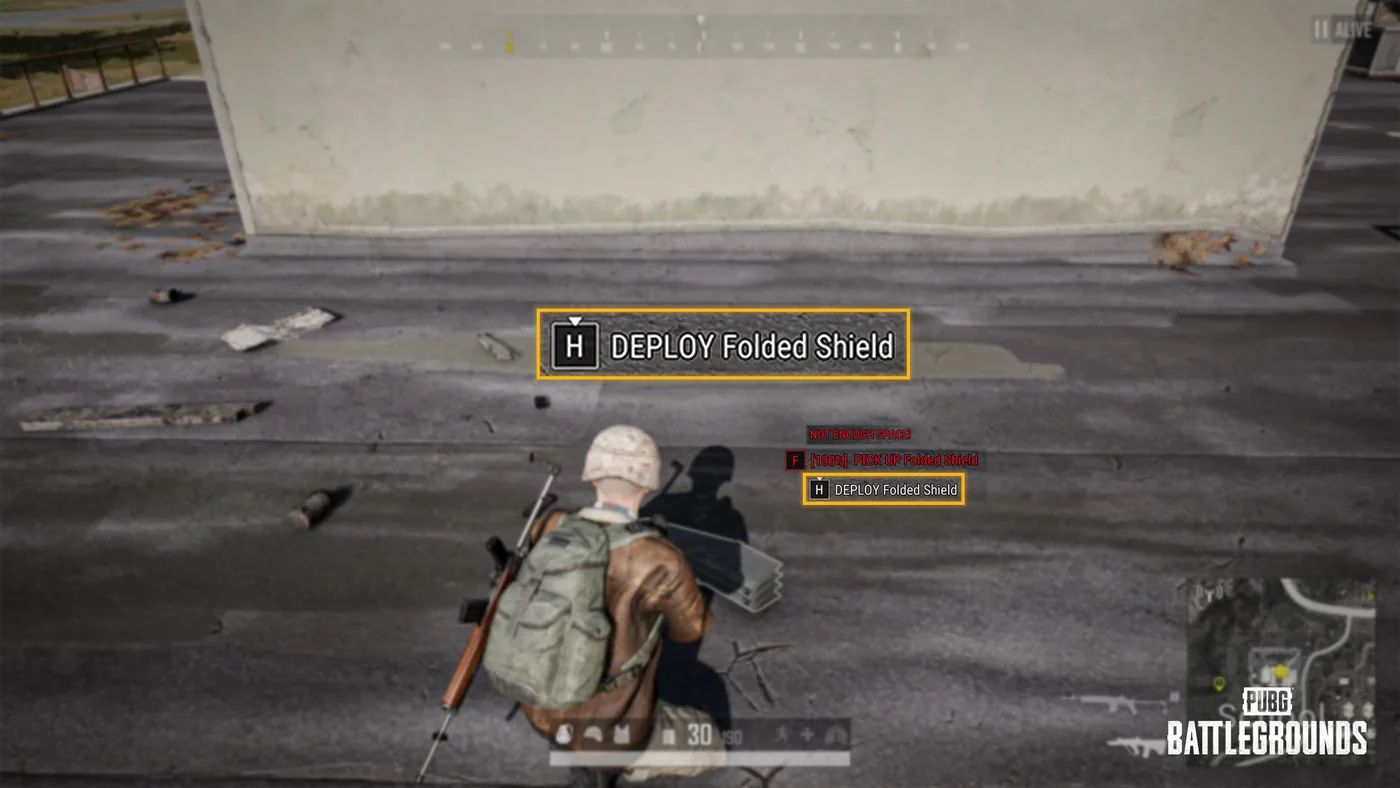
That screenshot is KRAFTON's own illustration of the point: the yellow-boxed "H: DEPLOY Folded Shield" prompt sits right below a red "NOT ENOUGH SPACE!" warning on the normal pickup key. Full bag, no problem — you deploy the shield anyway.
A few rules carry over from normal item use rather than getting skipped:
- Existing usage conditions still apply. If you couldn't use the item from your inventory in your current state, the ground prompt shows red instead of white.
- Deployables come out based on your position and facing direction at the moment you use them — there's no separate aiming step for a ground-deployed Folded Shield or Emergency Pickup.
- Press F to cancel mid-use. The item drops at your feet rather than being consumed.
- Use time is identical to inventory use. Nothing about pulling an item straight off the ground is faster or slower than using it from your bag — the win is skipping the pickup, not a speed buff.
Using a stack straight off the ground
Bandages and other consecutive-use items get one more piece of this: you can use them back-to-back from a stack sitting on the ground, the same way you'd chain-use them from your inventory. Stop early and the remaining items in that stack drop at your feet rather than vanishing. Items that were never consecutive-use to begin with — the ones you'd normally use one at a time from your bag — behave the same way here: one use, then the rest stays put on the ground for the next use. On console, whatever you've set your consecutive-item-use option to already applies to ground items too, so there's no separate setting to hunt down.
How this actually changes the way you loot
Our looting and inventory guide is built around a real constraint: your backpack is a budget, and a full one used to mean leaving something behind or stopping to reorganize. Both carrying and instant use chip directly at that constraint without changing the backpack math itself — a Level 3 pack is still the upgrade to chase, and the triage advice in that guide (equip the better attachment, drop what it replaced) hasn't gone anywhere.
What's actually different: a full bag no longer means you have to skip a first aid kit, a better scope, or a teammate's dropped backpack sitting three feet away. Carry it instead, throw it to whoever needs it, or use it on the spot if it's a heal or a deployable. The three restrictions worth keeping in your head going into a fight are the same three that trip people up first — carrying locks out crouching and prone, it locks out reviving a teammate, and drawing your weapon drops whatever you're holding without asking. Plan the carry-and-throw before you're already in the fight, not during it.
Quick Action Checklist
- H (console: LB + X) picks up an eligible item as a carry — no inventory space spent, one item type at a time
- Carry-eligible: weapon attachments, healing/boost items, helmets, vests, backpacks, throwables, ammunition — not weapons
- Left-click (RT) throws a carried item; it deals zero damage even on a direct hit, so it's safe to toss at a teammate mid-fight
- Drawing a weapon or entering a vehicle auto-drops whatever you're carrying — plan around that before you need your gun
- You cannot crouch, go prone, or revive a teammate while carrying an item
- Hold H to instantly use or deploy heals, boosts, a Folded Shield, an Emergency Pickup, a Mortar or C4 straight off the ground
- Press F to cancel an instant use in progress; the item drops at your feet instead of being consumed
- Ground item use takes exactly as long as using it from your inventory — the benefit is skipping the pickup, not extra speed
Frequently Asked Questions
How do you carry items without inventory space in PUBG?
What items can you carry in PUBG?
How does instant item use work in PUBG?
Can you throw a carried item at an enemy to kill them in PUBG?
Does carrying an item stop you from doing anything else in PUBG?
Keep Reading
- PUBG: BATTLEGROUNDS — Patch Notes, Update 43.1 (9 Sep 2026): "Carrying and Throwing Items" and "Instant Item Use" sections in full (eligible categories, controls, restrictions, death box carrying, stacked-item rules, developer's comment on the item usage experience improvements), plus the Melee Action: Kick, water surface actions, parachute rebalance, and LMG balance sections
- PUBG: BATTLEGROUNDS patch notes index — checked 16 September 2026; Update 43.1 (9 Sep 2026) remains the most recent patch notes entry
Related Guides
PUBG Match Results and Leaderboard, Explained
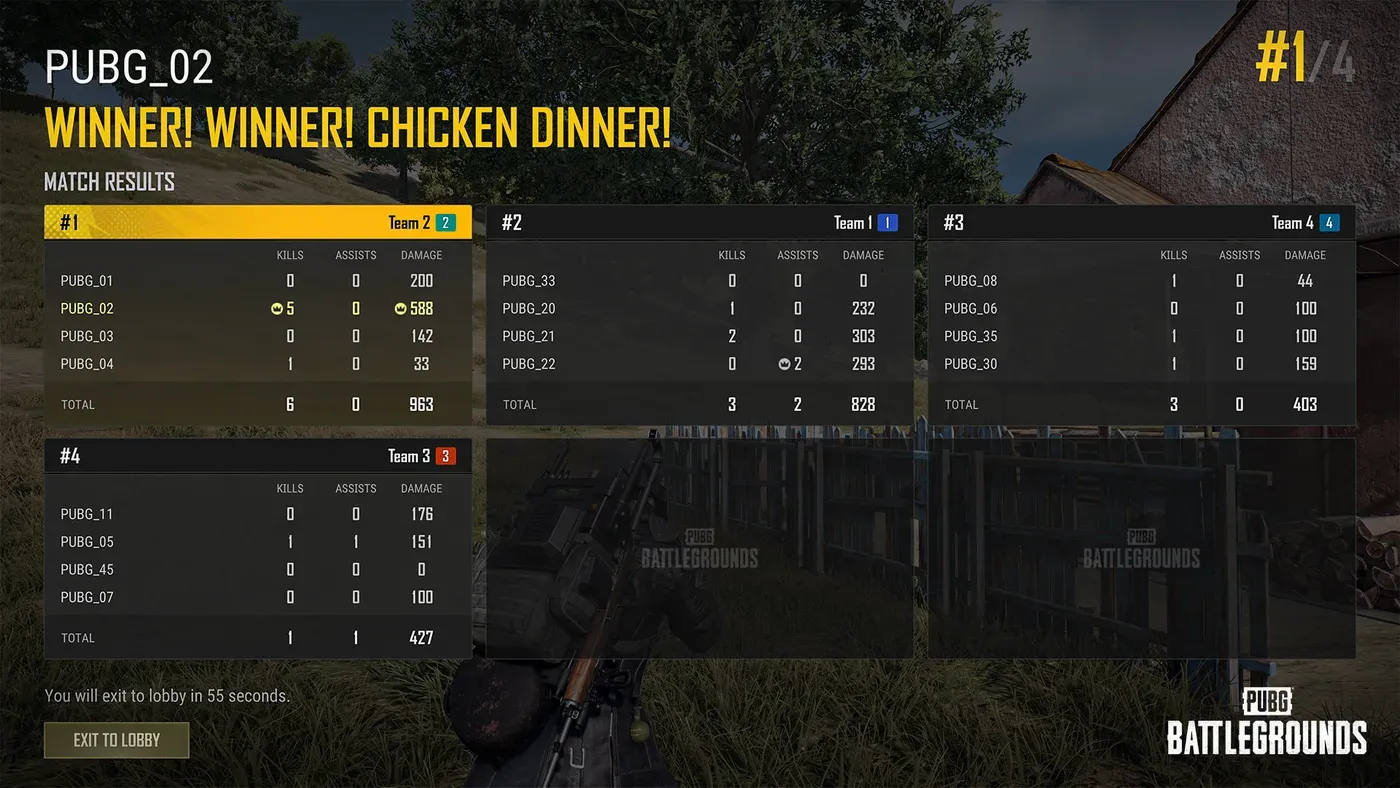
Update 43.1's patch notes buried two stat-tracking systems under headings nobody reads top to bottom: an expanded Match Results screen filed under Arcade, and an entirely new Career Leaderboard filed under its own heading with no platform tag. Here's what each one actually shows, which modes the Match Results upgrade does and doesn't cover, and how the four leaderboard categories are scored.
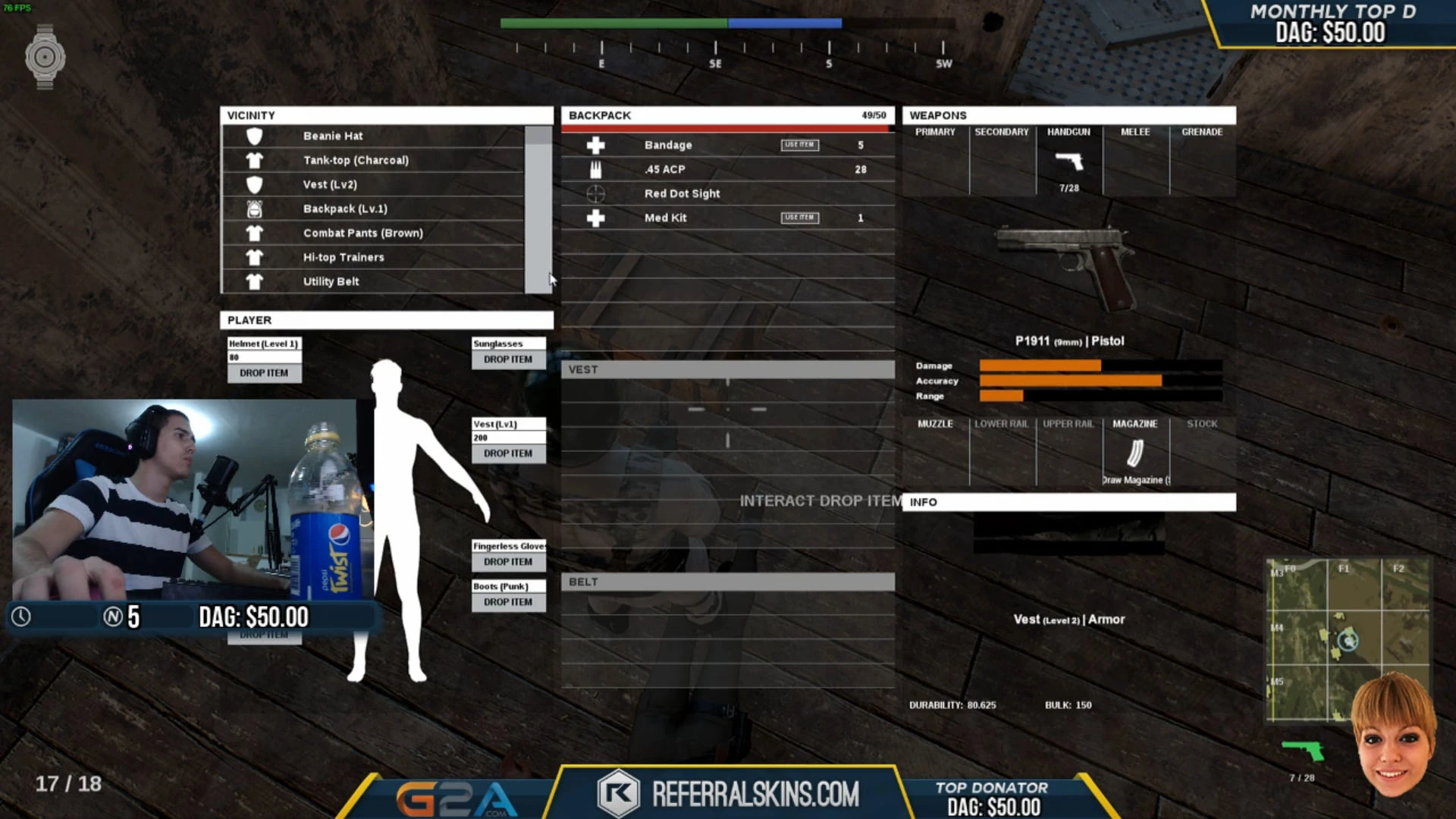
PUBG Looting & Inventory Management Guide
Half the players who die in PUBG die rich — full of loot they never needed and short on the three things that actually keep you alive. Here's how to loot fast, carry smart, and stop hoarding garbage.
PUBG Custom Matches: How Hosting Works After Update 43.2
Update 43.2 gave PUBG custom match hosts a Force End button, random team assignment, a lobby-wide nickname hider, a host-only chat setting and a 0-10x explosion multiplier, and they don't all work in the same modes. Here is who can host, which tool works where, what Esports Mode copies from Ranked, and the patches that changed settings your old presets rely on.
PUBG Bans: What Gets You Banned and How Many Each Week
KRAFTON banned 34,271 PUBG accounts in the week of 12 to 18 October 2026, and 20,929 of them for cheating. Here is the Rules of Conduct penalty table, what counts as cheating on PC and console in 2026, the non-cheating offences that can still cost you the account, how reporting and appeals work, and 11 weeks of KRAFTON's own weekly ban figures.
Best Weapons in PUBG: Tier List
Every PUBG tier list is out of date the moment a balance patch drops. So here's the list, ranked by role, plus the durable logic to re-tier any gun yourself when the next patch shakes things up.
Best PUBG Loadouts & Attachments
A naked M416 and a fully kitted M416 are basically two different guns. Here's how to build the strongest two-gun loadouts in PUBG and the attachment priority that turns loot into recoil control.