Ocarina of Time ZELDA NOTES: Setup and All 11 Features
ZELDA NOTES for the Ocarina of Time remake needs update 1.1.1, the Nintendo Switch App and an online console, but no Nintendo Switch Online membership. Here is the setup, all 11 features as Nintendo documents them, and what the app costs you in Rupees.
ZELDA NOTES support for the Ocarina of Time remake arrived in Version 1.1.1, the update Nintendo released on November 4, 2026, the day before launch. Nintendo's patch notes say the version "is now supported" and tell you to "follow the instructions displayed at the start of the game to configure ZELDA NOTES." If you played offline on day one and the phone app shows nothing, that update is the first thing to check.
Our Ocarina of Time Switch 2 remake guide gives ZELDA NOTES one section: the four features Nintendo's US launch post highlights and the eleven names Zelda Wiki lists. This post covers the rest: what you need, the setup, what each of the eleven features does in Nintendo's own description, what the app records about your playthrough, and which features cost Rupees. Almost all of it comes from Nintendo's UK and Japanese ZELDA NOTES pages, which describe every feature, and from Nintendo's US support articles. Zelda Wiki fills in a few lists. I have not used the app myself. Where Nintendo says nothing, I write "not documented."
The short version
| Question | Answer |
|---|---|
| What is it? | A free, game-specific service inside the Nintendo Switch App for iOS and Android |
| Which game version supports it? | Ver. 1.1.1 or later (released November 4, 2026) |
| Nintendo Switch Online needed? | No. Nintendo's ZELDA NOTES page and its app FAQ both say a membership is not required |
| What else is needed? | A Nintendo Account, a compatible smart device, a persistent internet connection, and save data for the game on that account |
| How many features? | 11 for Ocarina of Time: Map, Gossip Quests, Hall of Fallen Foes, Today's Record, My Play Data, Global Play Data, Photo Studio, Threads of Time+, amiibo, Play Ocarina, Ocarina of Time Quiz |
| Does it cost anything? | The app is free. Two features let you spend in-game Rupees: Gossip Quest hints and extra Quiz attempts (20 Rupees per retry) |
| Does it work offline? | Mostly no. Nintendo says most features can only be used while playing connected online |
What you need
| Requirement | Detail | Source |
|---|---|---|
| The game, updated | The Legend of Zelda: Ocarina of Time for Nintendo Switch 2, Ver. 1.1.1 or later | Nintendo Support update page |
| Nintendo Switch App | Free on the App Store and Google Play | Nintendo Switch App FAQ, Nintendo UK |
| Phone OS | iOS 16.0 or later, or Android 9.0 or later (raised by an app update on November 26, 2025) | Nintendo Switch App download page |
| Nintendo Account | The same account on the console and in the app | Nintendo Support troubleshooting page |
| Save data | The account must already have save data for the game | Nintendo Support troubleshooting page |
| Internet | A persistent connection on both the console and the phone; data charges may apply | Nintendo's ZELDA NOTES fine print and app FAQ |
| Nintendo Switch Online | Not required | Nintendo's US and UK ZELDA NOTES pages, app FAQ |
One age note from the app FAQ: voice chat and sharing screenshots and videos uploaded from a Switch 2 are restricted to Nintendo Account holders aged 13 and older. The FAQ does not say whether that touches ZELDA NOTES; for Photo Studio, which uses in-game screenshots, the effect is not documented.
Setup, step by step
Nintendo has not published a step-by-step ZELDA NOTES article for Ocarina of Time. Its "How to Use ZELDA NOTES" support page still covers only Breath of the Wild and Tears of the Kingdom. Pieced together from the update notes and the troubleshooting article, the order is:
- Update the game. Connect the Switch 2 to the internet. With Software Auto-Updates on, the update installs by itself. To do it by hand: highlight the game on the HOME Menu without starting it, press + or -, and pick Software Update, then Over the Internet. The same screen shows your current version number. Nintendo says your save data stays usable after the update.
- Install the Nintendo Switch App on your phone and sign in with the Nintendo Account that owns your save.
- Make a save. The account needs existing save data for the game before the game-specific features open.
- Start the game while online and follow the ZELDA NOTES prompt Nintendo says appears at the start of the game.
- Open ZELDA NOTES in the app and choose Ocarina of Time. Nintendo's support page says you "must be connected online while playing" to begin using a game's ZELDA NOTES features.
Nintendo has not documented where the ZELDA NOTES setting lives in the game's menus, or whether the link starts on or off, so if step 4 shows no prompt, look in the game's options.
Do you need Nintendo Switch Online?
No. Nintendo's US ZELDA NOTES page says "A Nintendo Switch Online membership is not required to use the Nintendo Switch app or ZELDA NOTES." The UK page says the same, and the Nintendo Switch App FAQ puts ZELDA NOTES under "Features that can be used without a membership."
The confusion comes from Nintendo's own launch post. Its footnote for the Nintendo Switch App says a membership is "required for certain features." That is true of the app as a whole: NookLink, SplatNet 3, Smash World and app voice chat need a membership. It does not apply to ZELDA NOTES. Where a membership does matter in this family is the Breath of the Wild and Tears of the Kingdom upgrade packs, which Expansion Pack members get at no extra cost. Ocarina of Time is a standalone Switch 2 game, so that does not apply.
All 11 features at a glance
Nintendo's UK page numbers the eleven features in this order. The descriptions are summaries of Nintendo's text.
| # | Feature | What it does, per Nintendo | Costs Rupees? |
|---|---|---|---|
| 01 | Map | A map linked to the game in real time: your current position plus things you have missed, including inside dungeons, such as Pieces of Heart, treasure chests and Gold Skulltulas. Shows a completion rate per area, and you can hide unvisited places to avoid spoilers | No |
| 02 | Gossip Quests | Use an image in the app to find an in-game location and earn points you can exchange for sheet music in Play Ocarina | Optional: hints cost Rupees |
| 03 | Hall of Fallen Foes | After you reach the Hall, lists the bosses you have defeated, your personal records and medals (the Japanese page says titles are earned by how fast you won), plus a worldwide ranking of top times | No |
| 04 | Today's Record | A chronological timeline of the day's accomplishments with screenshots taken automatically as you play, plus that day's stats such as enemies defeated and Rupees collected | No |
| 05 | My Play Data | Your lifetime records, such as play time, item uses and Rupees collected (per the Japanese page), and medals earned for milestones such as treasures found | No |
| 06 | Global Play Data | Compares your stats with players around the world | No |
| 07 | Photo Studio | Decorate in-game screenshots sent to the app with frames and stamps; you can attach Play Ocarina QR codes to them. The Japanese page adds that memorable moments are captured automatically | No |
| 08 | Threads of Time+ | The story tapestry from the game; touch sections to rewatch cutscenes from that point in the story | No |
| 09 | amiibo | Legend of Zelda series amiibo give in-game items once per day; scan one amiibo five times and you get a bonus second scan of it that day | No |
| 10 | Play Ocarina | A touchscreen ocarina with Free Play, Guided Play and Demo Play; play scores from the game and from Gossip Quests, or write and share your own by QR code | No |
| 11 | Ocarina of Time Quiz | Over 2,000 multiple-choice questions at two difficulty levels, each playable once per day | Optional: 20 Rupees per retry |
Ask the Developer Vol. 24 Part 4 frames the split: some features carry over from the Breath of the Wild and Tears of the Kingdom version, while others, "such as the ocarina-playing mode," are unique to this game. Five features from those two games (Navigation, Voice Memories, Daily Bonus, Item Sharing, Autobuild Sharing) are not in Nintendo's list for Ocarina of Time. The overview post covers that comparison.
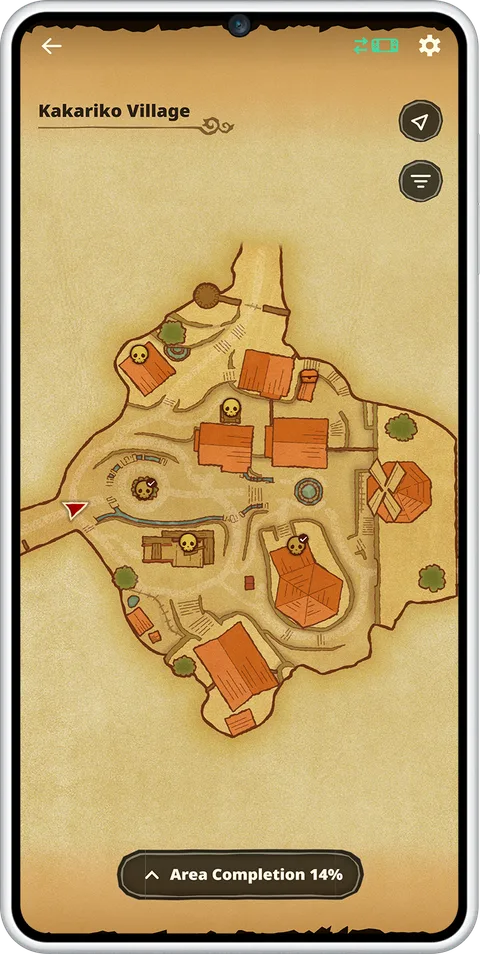
In Nintendo's screenshot, Kakariko Village shows skull markers, some with check marks, and an Area Completion percentage of 14%. Nintendo's Japanese page names Gold Skulltulas among the things the map helps you find and says you can check the completion rate of each area, aiming for 100%. No full remake Gold Skulltula list is documented yet, so the Map is the in-app way to track them (see our remake collectibles changes).
Gossip Quests
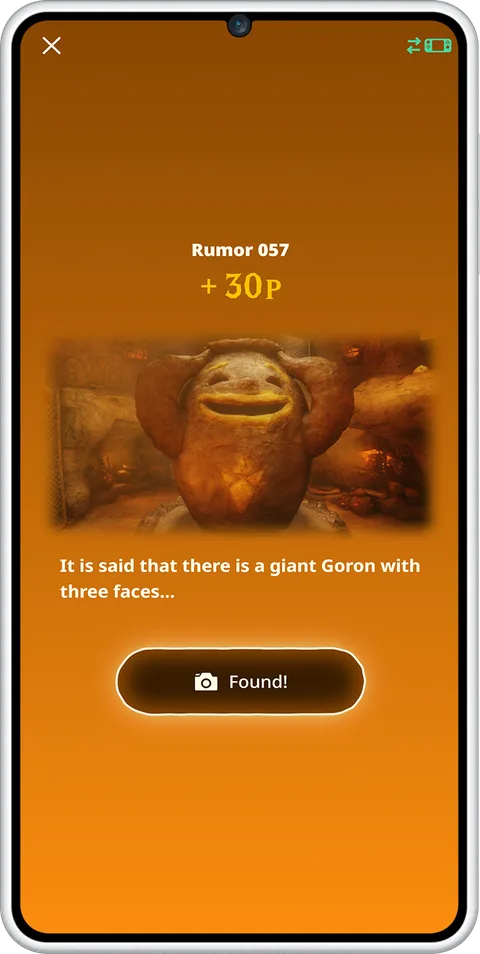
Gossip Quests are a scavenger hunt. The app shows a "Rumor" card with a cropped image and a line of text, and you go find that spot in the game. Zelda Wiki says the app tells you when you are near the target, and you tap Found! in the app when you are standing there. Points go into a pool you spend on sheet music for Play Ocarina.
| Gossip Quest detail | What is documented | Source |
|---|---|---|
| Total quests | 100 | Zelda Wiki, citing the September 8 Direct |
| Points per quest | Zelda Wiki has logged 16 quests so far, each worth 30 or 40 points; Nintendo's sample card (Rumor 057) is worth 30 | Zelda Wiki, Nintendo UK |
| Logged locations so far | Kakariko Village, its graveyard and the Royal Family's Tomb, Death Mountain Trail, Goron City, and the Zora area | Zelda Wiki |
| Hints | Spend Rupees to reveal the general location of any quest's target | Nintendo UK |
| Rewards | Points exchange for sheet music in Play Ocarina | Nintendo UK, Nintendo US |
| Point price of each score | 300 points for each of the 9 scores Zelda Wiki has priced so far; Goron City's price is not listed | Zelda Wiki |
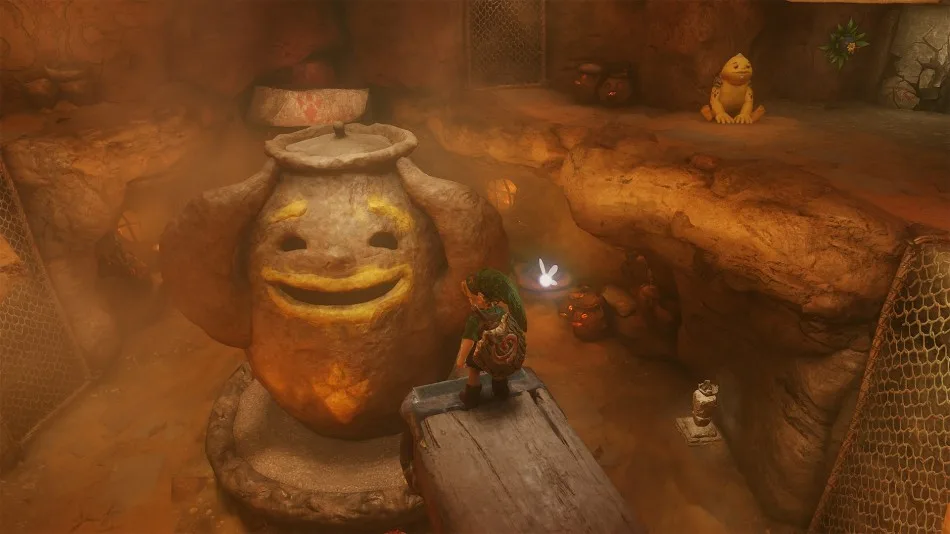
Nintendo's example rumor is a good test of how literal these are. "A giant Goron with three faces" is the big Goron-faced urn in Goron City (Zelda Wiki logs this quest as the Revolving Vase), the one shown in the image at the top of this post.
Play Ocarina
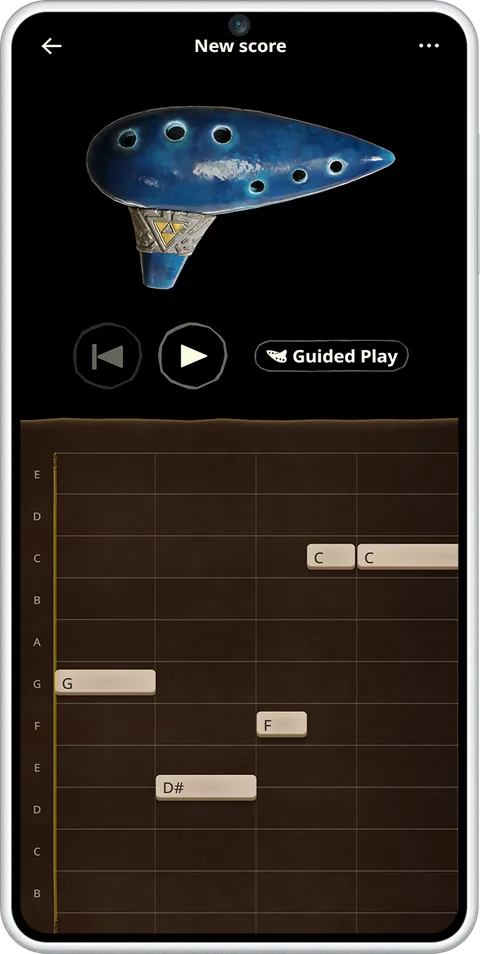
Play Ocarina puts a playable ocarina on your phone. Nintendo lists three modes:
- Free Play: play whatever you want by tapping the holes.
- Guided Play: follow the notes of a score.
- Demo Play: the ocarina plays the song by itself.
You can also write your own score and share it as a QR code. Photo Studio can attach that QR code to a screenshot.
Zelda Wiki sorts the scores into two lists. Scores in the first group are collected as you progress through the game. The second group is bought with Gossip Quest points.
| Link's Scores (from progress in the game) | Gossip Quest Scores (bought with points) |
|---|---|
| Zelda's Lullaby | Series Theme |
| Song of Time | Title Theme |
| Sun's Song | House |
| Song of Storms | Kokiri Forest |
| Epona's Song | Shop |
| Saria's Song | Kakariko Village |
| Scarecrow's Song (Pierre) | Horse Race |
| Scarecrow's Song (Bonooru) | Zora Domain |
| Minuet of the Forest | Gerudo Valley |
| Bolero of Fire | Goron City |
| Serenade of Water | |
| Requiem of Spirit | |
| Nocturne of Shadow | |
| Prelude of Light |
That is 14 songs Link learns and 10 background themes. Exactly what unlocks each of Link's Scores in the app is not documented; the obvious guess is learning the song in the game, but I have not seen it stated. The in-game button inputs for those songs are in our Ocarina of Time songs guide. The phone ocarina is separate from the remake's microphone feature, where you hum a song into the console. That one is covered in the overview.
The Ocarina of Time Quiz
| Quiz detail | What is documented | Source |
|---|---|---|
| Question pool | Over 2,000 questions | Nintendo UK, Nintendo US Direct recap |
| Format | Multiple choice, with questions that use images | Nintendo UK, Nintendo US |
| Difficulty levels | Two, each playable once per day | Nintendo UK |
| Retry cost | 20 Rupees per retry; the Japanese page says you can retry as many times as you like with Rupees | Nintendo UK, Nintendo Japan |
| Where the Rupees come from | Rupees transferred from shops in the game | Nintendo UK, Zelda Wiki |
| Timer | Nintendo's screenshot shows a countdown on each question; Zelda Wiki calls the questions timed | Nintendo UK screenshot, Zelda Wiki |
| Level names | Nintendo's screenshot shows "Cucco Level"; the other level's name is not documented by Nintendo | Nintendo UK screenshot |
| Rewards for a high score | Not documented | none |
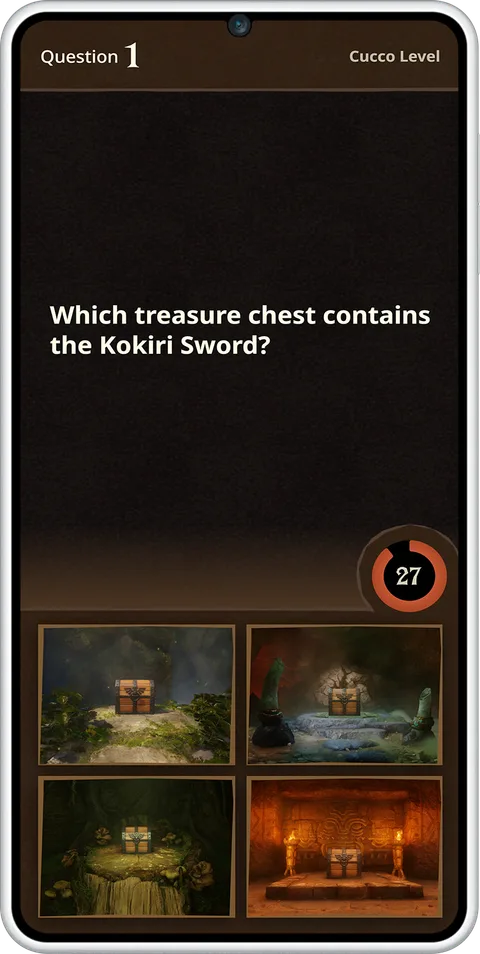
Nintendo's sample question asks which of four chests holds the Kokiri Sword and shows four photos as the answer choices. That is the "images" Nintendo means: some questions ask you to recognize places, not just remember names.
What the app records
This is what the app learns about your playthrough, going only by Nintendo's descriptions:
| Feature | What it records |
|---|---|
| Today's Record | A timeline of the day's accomplishments with screenshots the game takes automatically, plus daily stats such as enemies defeated and Rupees collected |
| My Play Data | Lifetime records such as play time, item uses and Rupees collected, plus milestone medals |
| Global Play Data | Your stats next to aggregate stats from other players |
| Hall of Fallen Foes | Bosses defeated, personal records, medals or titles based on clear speed, and a worldwide ranking of top times |
| Threads of Time+ | Which story cutscenes you have seen; Zelda Wiki says a cutscene can be rewatched in the app once you have seen it in the game |
| Map | Your live position, what you have and have not found, and a completion rate per area |
| amiibo | Your amiibo scans, toward the five-scan bonus |
Two of those put your data in front of other people: Global Play Data and the Hall of Fallen Foes leaderboard. Whether you can opt out of the leaderboard is not documented. What a shared Play Ocarina QR code reveals about you, such as your name, is not documented.
Our Hall of Fallen Foes guide covers the in-game half of that feature: the unlock, the boss statues and the timed rematches. The app half is the record list, medals and leaderboard above.
Where the Rupees go
ZELDA NOTES spends in-game Rupees. Nintendo documents the transfer in one direction only, game to app. Its instruction is to visit the shops in each town to send Rupees to ZELDA NOTES. Two features spend them:
- Ocarina of Time Quiz retries: 20 Rupees each.
- Gossip Quest hints: reveal the general location of a quest target. The price is not documented.
No documented feature sends Rupees back to the game. Zelda Wiki's remake page says the Rupee economy was rebalanced, with shop items generally more expensive and Great Fairies now asking for Rupee donations; its Wallet page adds that wallet capacities went up. Our remake collectibles changes post covers wallet sizes and the new costs.
If ZELDA NOTES will not load
Nintendo's troubleshooting article for game-specific services, condensed (the membership step does not apply to ZELDA NOTES):
- Update your phone's OS.
- Check Nintendo's network status page for an outage.
- Update the Nintendo Switch App and the phone's default web browser. On Android, also update Android System WebView.
- Make sure the app is signed in to the Nintendo Account that has your Ocarina of Time save.
- Check parental controls on the Switch 2: "Communicating with Others" must not be restricted.
- Sign out of the app and back in.
- Confirm the account has access to Ocarina of Time, and play the game while connected online.
- Delete and reinstall the app.
Nintendo also notes the game update "must be applied in order to use the game's Internet features," so an un-updated cartridge is the first suspect.
What is not documented
- The exact in-game menu for linking or unlinking ZELDA NOTES, and whether the link starts on or off.
- The point price of the Goron City score (Zelda Wiki prices the other nine at 300 points each), and the full list of all 100 Gossip Quests (Zelda Wiki has 16).
- The Rupee price of a Gossip Quest hint.
- The medal or title list for Ocarina of Time's My Play Data (Zelda Wiki only has medal lists for the Breath of the Wild and Tears of the Kingdom editions).
- The name of the second Quiz difficulty level, and any reward for Quiz scores.
- Whether the Hall of Fallen Foes leaderboard can be hidden.
- What happens to app data if you delete a save or start a new file. Nintendo says nothing about it.
- Whether the Map's Area Completion counts every collectible type, or only some of them.
Quick Action Checklist
- Check the game version on the HOME Menu (+ or - on the icon). You need 1.1.1 or later.
- Install the Nintendo Switch App (iOS 16+ or Android 9+) and sign in with the account that owns your save.
- Skip the Nintendo Switch Online upsell. ZELDA NOTES does not need it.
- Start the game online and accept the ZELDA NOTES prompt.
- If you want a spoiler-free first run, turn on the Map's option to hide places you have not visited.
- Take the free Quiz attempt at each level daily. Retries cost 20 Rupees each.
- Spend Gossip Quest points on the 10 background themes (300 points each where Zelda Wiki lists a price). Per Zelda Wiki, Link's 14 songs come from progress in the game.
- Scan the same Zelda amiibo five times to earn its bonus daily scan.
Frequently Asked Questions
How do I set up ZELDA NOTES for the Ocarina of Time remake?
Do you need Nintendo Switch Online for ZELDA NOTES in Ocarina of Time?
What features does ZELDA NOTES have for Ocarina of Time?
How many Gossip Quests are there in Ocarina of Time ZELDA NOTES?
How much does it cost to retry the Ocarina of Time Quiz?
Can you rewatch cutscenes in Ocarina of Time with ZELDA NOTES?
Keep Reading
- Nintendo UK — ZELDA NOTES: all 11 Ocarina of Time features described, Gossip Quest Rupee hints, amiibo five-scan bonus, Quiz with two levels and 20-Rupee retries, no NSO required (read 2026-11-13)
- Nintendo Japan — ZELDA NOTES for Ocarina of Time: real-time map with Gold Skulltulas and per-area completion, Hall of Fallen Foes titles and world ranking, play-time records, unlimited Rupee quiz retries (read 2026-11-13)
- Nintendo (US) — ZELDA NOTES for Nintendo Switch App: exclusive to Ocarina of Time and the BotW/TotK Switch 2 Editions; Nintendo Switch Online not required (read 2026-11-13)
- Nintendo Support — How to Update The Legend of Zelda: Ocarina of Time: Ver. 1.1.1 (November 4, 2026) adds ZELDA NOTES support (read 2026-11-13)
- Nintendo Support — Unable to Access Game-Specific Services in the Nintendo Switch App: save data, same account, online play, troubleshooting steps (read 2026-11-13)
- Nintendo Support — Nintendo Switch App Overview and FAQ: requirements, ZELDA NOTES usable without a membership (read 2026-11-13)
- Nintendo Support — How to download or update the Nintendo Switch App: iOS 16.0+ / Android 9.0+ since November 26, 2025 (read 2026-11-13)
- Nintendo Support — How to Use ZELDA NOTES in the Nintendo Switch App (BotW/TotK only; QR-code and feature details for comparison)
- Nintendo (November 5, 2026) — Ocarina of Time launch post: four ZELDA NOTES highlights and Nintendo Switch App footnote
- Nintendo (September 8, 2026) — 40th Anniversary Direct recap: ZELDA NOTES for Ocarina of Time, Quiz with over 2,000 questions, Rupees for extra tries
- Nintendo — Ask the Developer Vol. 24, Part 4: ZELDA NOTES carries over BotW/TotK features and adds Ocarina-specific ones such as the ocarina-playing mode
- Zelda Wiki — Gossip Quest: 100 quests, "Found!" button, nearby alert, logged quests and point values (read 2026-11-13)
- Zelda Wiki — Play Ocarina: Link's Scores and Gossip Quest Scores lists (read 2026-11-13)
- Zelda Wiki — Ocarina of Time Quiz: over 2,000 timed multiple-choice questions, Rupee retries (read 2026-11-13)
- Zelda Wiki — Threads of Time: viewed cutscenes replayable in the Threads of Time+ menu of ZELDA NOTES (read 2026-11-13)
- Zelda Wiki — Ocarina of Time (Nintendo Switch 2): Rupee economy rebalanced, shop items generally more expensive, Great Fairy Rupee donations (read 2026-11-13)
- Zelda Wiki — Wallet: capacities increased in the Ocarina of Time remake, starting wallet renamed the Kokiri Wallet (read 2026-11-13)
- Zelda Wiki — Zelda Notes: feature lists for the BotW/TotK Switch 2 Editions and for Ocarina of Time
Related Guides
Ocarina of Time Remake Boss Guide: What Changed
Six of the Switch 2 remake's bosses now have documented changes: Gohma, King Dodongo, Volvagia, Morpha, Ganondorf and a rebuilt four-phase Ganon. Here is what each change means for the fight, which N64 strategies still hold, and what the wikis have not documented yet.
Ocarina of Time Remake Shop Prices and Great Fairy Costs
Zelda Wiki now has price lists for five of the Switch 2 remake's shops and the Rupee cost of every Great Fairy. Here they are in tables, compared with the 3DS prices, plus the wallet each purchase needs and what is still undocumented.
Ocarina of Time Switch 2: Resolution, FPS and Modes
Nintendo never published a frame rate or resolution for the Ocarina of Time remake. Digital Foundry measured it: a held 60fps in both modes, 1080p to 1440p docked, 720p to 1080p handheld, upscaled with FSR 1 rather than DLSS. Here is what that means, what Nintendo's own pages add, and what is still undocumented.
Ocarina of Time Remake Heart Pieces: All 36 Locations
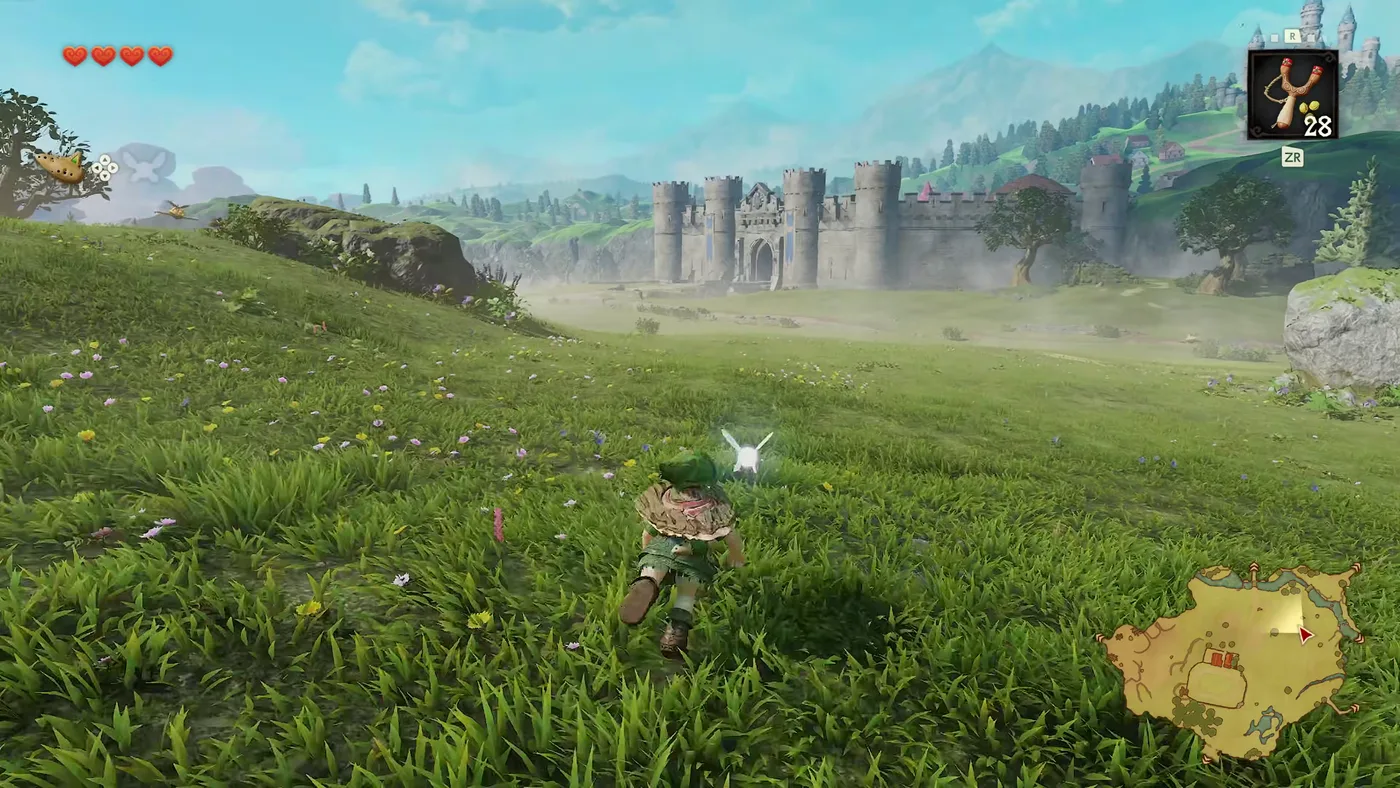
The Switch 2 Ocarina of Time still has 36 Pieces of Heart, but not the same 36. Two moved, the Ice Cavern piece is missing from both remake lists, and Death Mountain Crater gained a Business Scrub selling one. Here is every piece by area, with where the sources disagree.
Ocarina of Time Dungeon Order: The Full Route, Explained
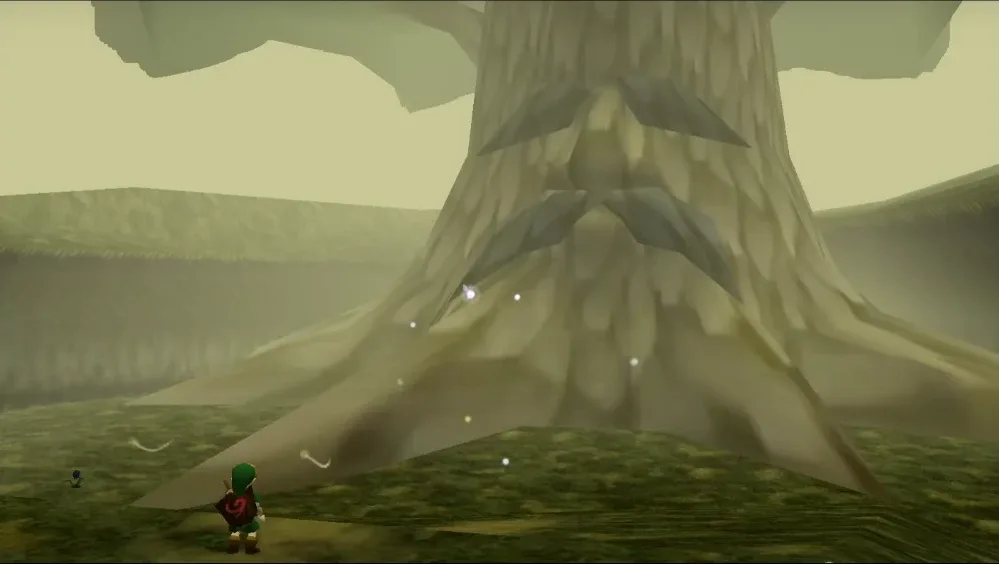
Ocarina of Time looks like an open adventure and plays like a corridor. Eight required dungeons, three side dungeons, and only a couple of places where the game genuinely lets you pick. Here is the whole route with the reasons behind each lock.
Ocarina of Time Remake: Switch 2 Buttons for All 12 Songs
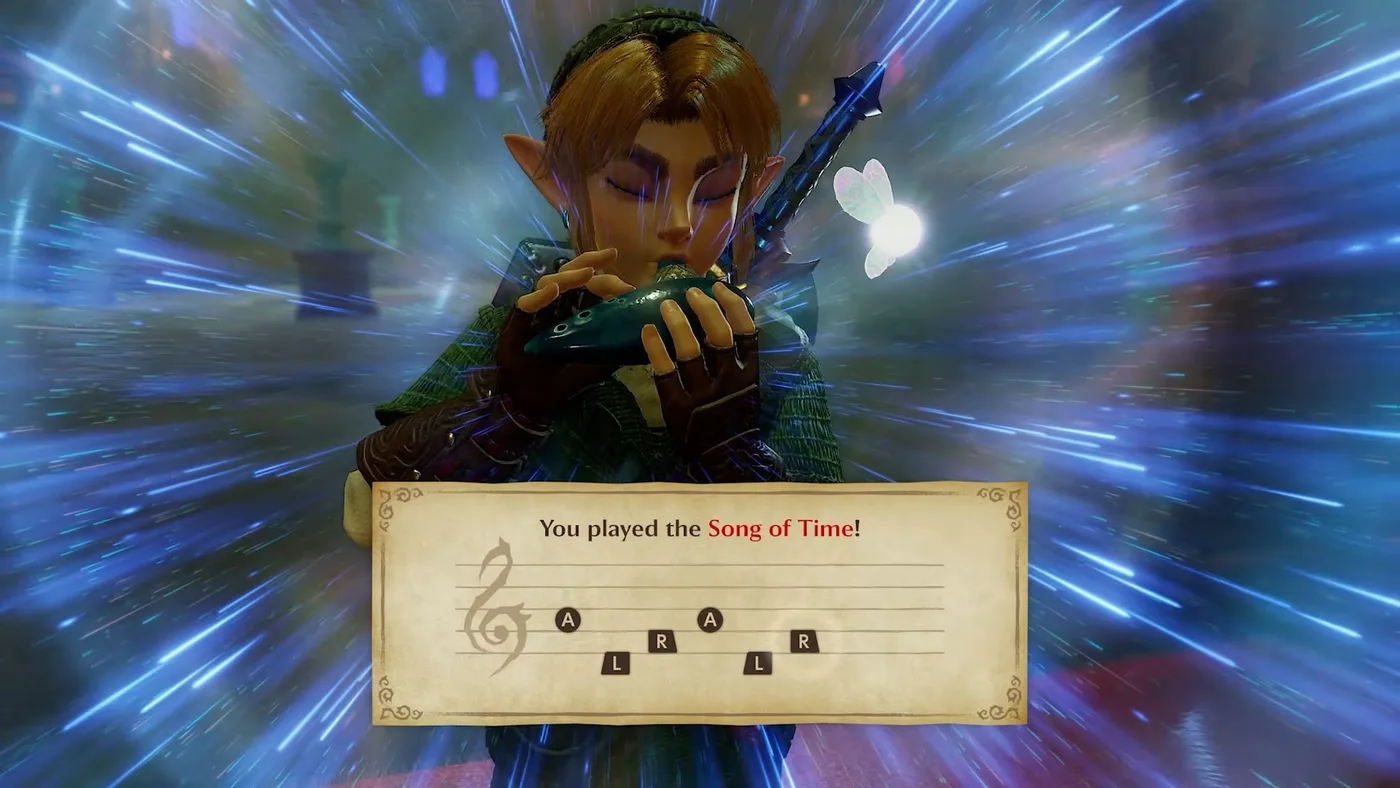
The Switch 2 remake moved the ocarina notes again; only the 3DS's two shoulder-button notes stayed put. Here are the 12 learned songs with fixed inputs in the default Normal layout, checked against two sources, plus how to turn on humming, what Practice Mode and the songbook do, and why I am not printing a Classic table yet.