Minecraft Hardcore Mode Guide: How to Survive Permadeath
Hardcore mode locks you to Hard difficulty and gives you exactly one life. Die once and the world is over — you watch it as a ghost. Here is how the mode actually works, and the survival plan that gets you past the deaths that kill most runs.
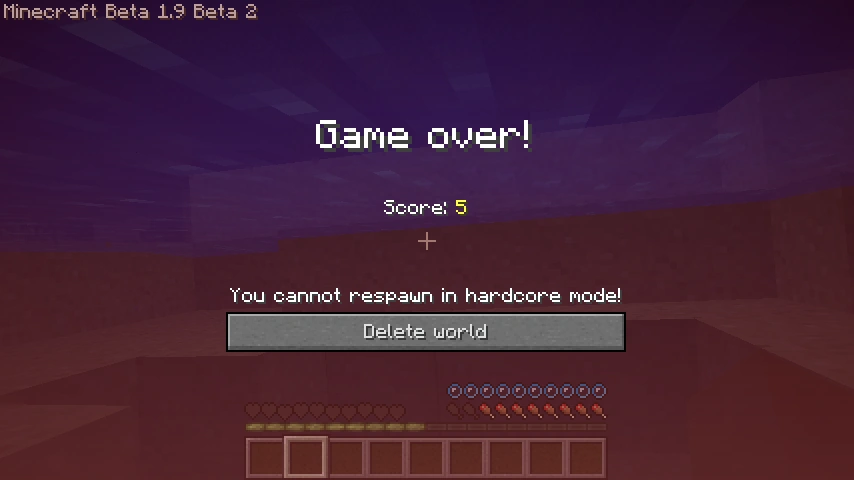
Hardcore mode is Minecraft with the safety net cut. Normal Survival hands you a respawn every time you fall in lava, walk off a cliff, or blink at the wrong creeper. Hardcore takes that away. You get one life, the difficulty is welded to Hard, and when you die the world is done — you don't respawn, you become a ghost watching a place you can never touch again. Every hour you sink into a Hardcore world is an hour you can lose to a single mistake.
That sounds miserable. It's the opposite. Hardcore is the most tense, most rewarding way to play the game, because every decision suddenly has weight. Do you dig straight down to save time? Do you fight the three skeletons or run? Do you go to the Nether in iron armor or wait for diamonds? In regular Survival none of that matters. In Hardcore it's the whole game. Here's exactly how the mode works and the survival plan that keeps a run alive past the deaths that end most of them.
What Hardcore mode actually is
Hardcore is a world type you choose when you create the world. It bakes three rules into the save file that you cannot undo later:
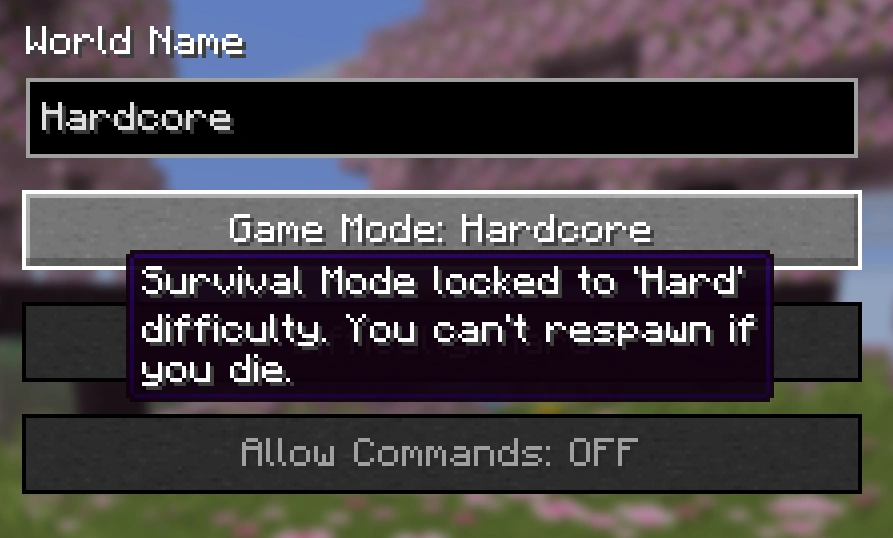
- Locked to Hard difficulty. You can't drop it to Normal, Easy, or Peaceful. Hostile mobs hit harder, zombies break down doors, spiders can spawn with potion effects, and hunger can drain you all the way to death instead of stopping at half a heart. This is the difficulty setting itself, so everything scales up with it.
- One life, no respawn. When your health hits zero, that's it. There is no respawn button. The world is functionally over.
- Cheats and bonus chest are disabled at creation. You can't turn on commands to save yourself later, and there's no starter chest of freebies. On Bedrock the starting map option is also locked off. Hardcore expects you to earn everything.
The status is stored in the world's level.dat file, and there's no in-game toggle to switch it off. That permanence is the entire point — you can't get cold feet at hour forty and flip it to Survival. Well, not without external world-editing tools, which is cheating yourself out of the mode.
How to turn it on
On Java Edition, click Create New World, then cycle the Game Mode button until it reads Hardcore (it sits alongside Survival, Creative, and Adventure). The difficulty locks to Hard automatically and the Allow Cheats and Bonus Chest toggles grey out. Create the world and you're committed.
On Bedrock Edition, Hardcore is a separate toggle in the world settings rather than a game-mode button — Bedrock added the mode in the 1.21.0 update, so if you're on an older version you won't see it. Flip the Hardcore switch on, and the same locks apply: Hard difficulty, no cheats, no bonus chest, no starting map.
Either way, once the world exists you can't change these. If you want a normal Survival run, you make a normal Survival world — there's no converting a Hardcore save into a forgiving one.
If you've never played a full survival run before, do that first. Hardcore punishes the fundamentals you're still learning, and it's worth having the muscle memory down before you put a life on the line. Our Minecraft survival guide for beginners covers the loop you'll be leaning on here.
What happens when you die
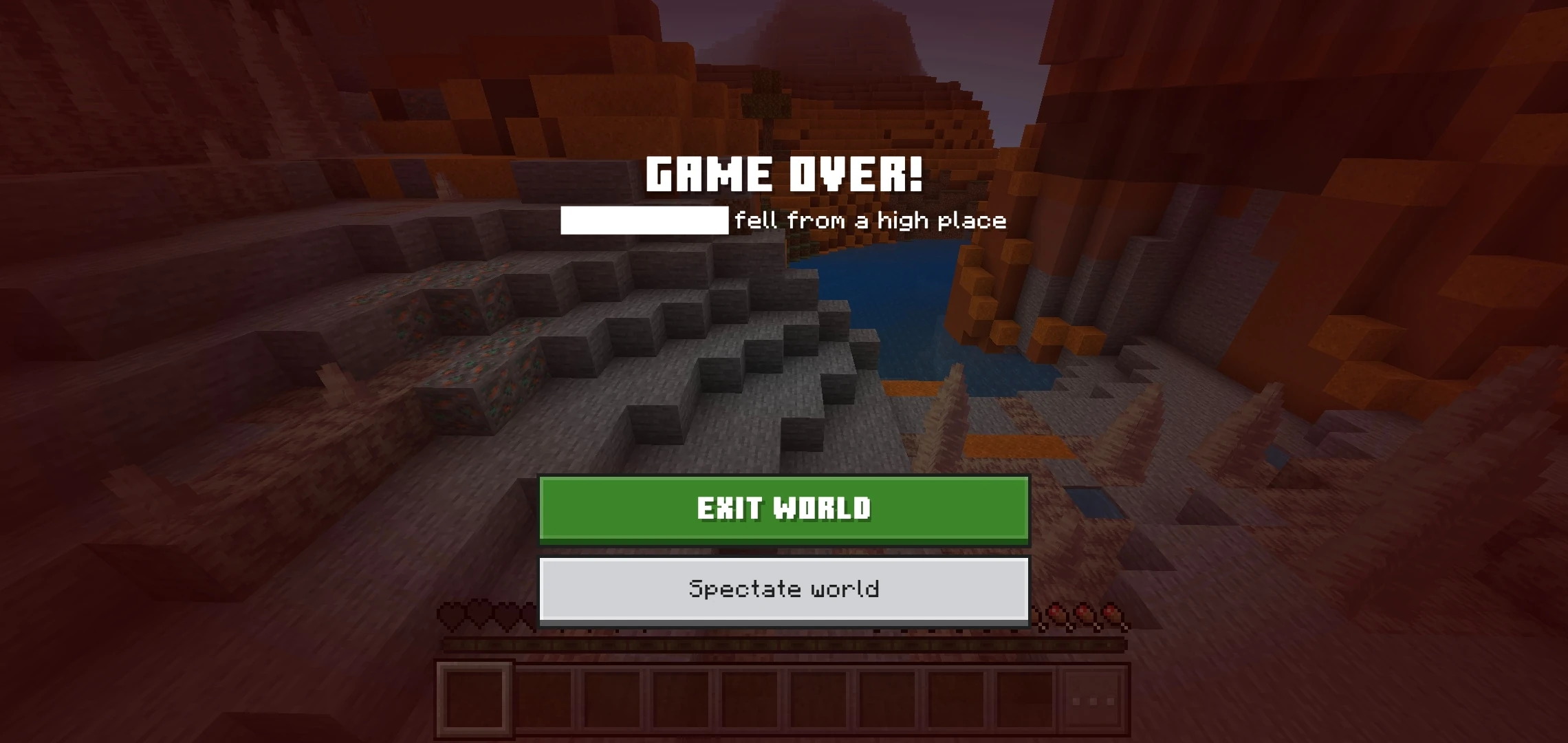
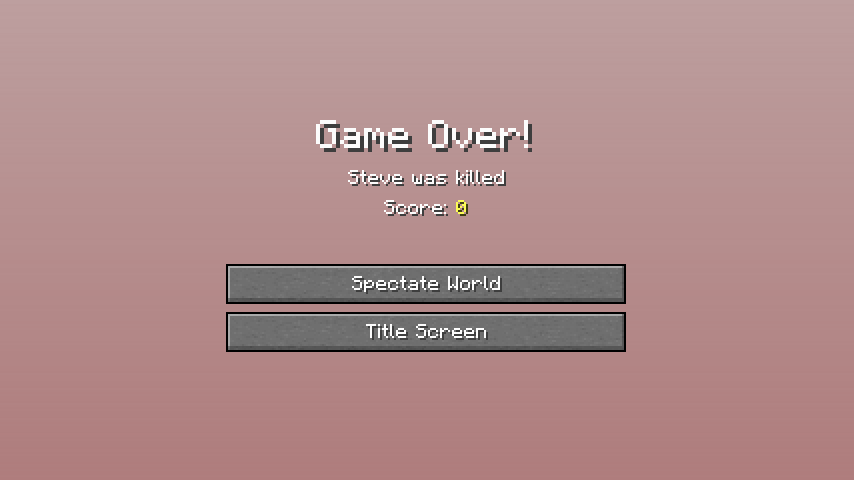
This is the part people underestimate until it happens. When your health reaches zero in Hardcore, you don't get the usual "Respawn" option. Instead you get two buttons: spectate the world, or return to the title screen.
Pick spectate and you drop into Spectator mode at spawn — you can fly through blocks, watch mobs, revisit your base, and look at everything you built, but you cannot interact with any of it. You're a ghost. You can't place a block, open a chest, or touch a lever ever again in that world. Reopening the save later just puts you back at the death screen or into Spectator, depending on what you chose.
There's no coming back. The base you spent thirty hours on, the enchanted netherite, the villager trading hall — all of it is frozen behind glass. That finality is what makes a Hardcore death land like a gut punch and a good long run feel earned.
The first night is the whole game
More Hardcore runs die in the first hour than any other stretch, because you have zero armor, zero food buffer, and Hard difficulty is already trying to kill you. Treat night one like a boss fight you prepare for during the day.
Your day-one priorities, in order:
- Punch wood, make a crafting table, and get a stone pickaxe and stone sword fast. Wood tools are a stopgap. You want stone weapons before the sun sets.
- Kill a few animals for food. Hunger on Hard difficulty can drain your health to death, so you need meat cooking before nightfall. Cows, pigs, sheep, chickens — grab what you see. Our food and hunger guide breaks down what's worth eating and what saturates best.
- Get coal or make charcoal. Torches are your first line of defense. Lit areas don't spawn mobs, and you'll want a stack.
- Dig a hole and seal it, or wall off a hillside. You do not need a pretty house on night one. You need a sealed box with a door, a crafting table, a furnace, and a bed you can skip the night with. Bury in and wait for dawn.
The single biggest first-night mistake is wandering at dusk looking for the "perfect" base spot. Don't. Anywhere becomes a base if you wall it off. Survive the night ugly, then improve in daylight.
The things that actually kill you
Hardcore deaths aren't random. The same handful of threats end most runs, and every one of them is avoidable:
- Creepers. The number-one killer in Hardcore. A single point-blank creeper on Hard can take out most of a health bar and blow your gear into a hole. Never let one get close. Hit it and back-pedal so the blast whiffs, or block with a shield. Keep your head on a swivel — the silent ones that spawn behind you are how good runs end.
- Fall damage. Cave ledges, ravines, and mob knockback near a drop. Fall damage doesn't care how good your armor is early on. Sneak (hold shift) near any edge; it stops you walking off.
- Lava. Digging into a lava pocket, or lava behind a wall you just mined. Never dig straight down, never mine the block directly in front of your feet at cave level, and carry a water bucket to wash lava away and break falls.
- Drowning and getting swarmed in caves. Caves are where the loot is and where Hardcore runs die. You get boxed in by three zombies and a skeleton, panic, and eat too much damage. Fight in corridors where only one mob can reach you, and always keep an escape block to wall yourself off.
- The Nether, too early. Ghast fireballs knocking you into a lava ocean, hoglins shoving you off ledges, a bed you forgot explodes in your face. Don't rush the Nether in iron. Show up geared. Our Nether guide has the full pack list.
Notice the pattern: none of these are unfair. They're all mistakes with a known counter. Hardcore just removes the do-over that normally hides them.
The mid-game survival rules
Survive the first few nights and the run settles into a rhythm. This is where discipline beats bravery. A few rules that keep a Hardcore world alive long-term:
- Never fight when you can retreat. There's no achievement for winning a fight you didn't need. If a cave gets crowded, wall up and wait, or leave. Dead heroes don't get diamonds.
- Always carry the safety kit. A water bucket, a stack of blocks to pillar or wall up, spare food, and a shield. That kit has saved more runs than good aim ever will.
- Keep your health topped off. Never explore mining tunnels or caves at half health. Wait for regen, then move. On Hard, natural regen needs your hunger bar reasonably full, which is another reason to keep eating.
- Sleep through every night at your base. Skipping night with a bed sets your spawn and removes a whole category of surprise deaths. Just remember beds explode in the Nether and the End — bed only in the Overworld.
- Back up nothing you can't afford to lose. Store your good gear in a chest at base before risky expeditions. If you die you lose the run anyway, but the psychology of not carrying everything at once makes you play more carefully.
The status effects guide is worth a read here too — Regeneration and Fire Resistance potions turn several would-be Hardcore deaths into non-events.
Gearing up without getting greedy
The tension in Hardcore is that the good stuff is in dangerous places. Diamonds are deep, netherite is in the Nether, and the End is a one-way trip if you're careless. Progress, but on your terms.
- Get iron first, and get it fully. A full set of iron armor, an iron sword, a shield, and iron tools is the threshold where Hard difficulty stops feeling lethal on the surface. Don't skip straight for diamonds in your underpants.
- Enchant before you push deeper. Even a modest enchantment setup — Protection on armor, a Sharpness sword, Feather Falling boots — dramatically lowers your death odds. Feather Falling in particular has saved countless Hardcore runs from a single bad ledge.
- Mine smart for diamonds. Branch-mine at the right depth, never dig straight down, and keep that water bucket ready. Our diamond guide has the efficient layers.
- Prioritize a totem of undying if you can get one. Killing an Evoker in a raid or woodland mansion drops a totem, and holding one means the next lethal hit leaves you at half a heart instead of ending the run. Veteran Hardcore players treat a totem as the single most valuable object in the game — it's a literal extra life.
The end-game — the Ender Dragon, an End raid, elytra hunting — is absolutely doable in Hardcore, but there's no reason to rush it. The world doesn't expire. The only clock is the one your own carelessness starts.
Java vs Bedrock differences
The mode is the same in spirit across editions, with a few practical notes:
- Availability. Java has had Hardcore since the very early days (Beta 1.9 Prerelease 2). Bedrock only got it in the 1.21.0 update, so a Bedrock player on an older version won't have the toggle.
- How you enable it. Java uses the Game Mode button on the create screen; Bedrock uses a dedicated Hardcore toggle in world settings. Bedrock also locks the starting map option on top of cheats and bonus chest.
- Death screen. Both editions give you spectate-or-quit instead of respawn, but the exact screen art differs between versions.
- Difficulty behavior. Both lock to Hard, but small mob AI and pathfinding quirks differ between editions, so a fight that feels one way on Java can feel slightly different on Bedrock. The survival principles don't change.
Whichever you play, the core deal is identical: one life, Hard difficulty, no take-backs.
Hardcore survival checklist
- Play a normal Survival run first if you're new — learn the fundamentals before betting a life on them
- Create the world as Hardcore (Java: Game Mode button; Bedrock: Hardcore toggle) knowing it's permanent
- Night one: stone tools, cooked food, torches, and a sealed shelter before dusk — survive ugly
- Treat creepers as the number-one threat; back-pedal or shield every single one
- Never dig straight down, never mine into unknown blocks at your feet, always carry a water bucket
- Sneak near every ledge; fall damage ignores your armor early
- Get full iron armor and a shield before pushing into caves or the Nether
- Enchant for Protection and Feather Falling before deep expeditions
- Keep a safety kit: blocks, water, food, shield — and retreat instead of fighting when you can
- Chase a totem of undying; it's the closest thing to a second life the mode allows
Frequently Asked Questions
What is Hardcore mode in Minecraft?
What happens when you die in Hardcore mode?
How do you turn on Hardcore mode?
Can you change Hardcore mode back to Survival?
What kills you most often in Hardcore Minecraft?
Is Hardcore mode available on Bedrock Edition?
Does a totem of undying work in Hardcore mode?
Keep Reading
Related Guides
Minecraft Speedrun Guide: The Any% Route to the Ender Dragon
Speedrunning Minecraft is a race from an empty spawn to a dead dragon in under ten minutes. Here is the actual route the world's fastest players run — wood to Nether to stronghold to bed bombs — and where beginners lose the run.
Minecraft XP Guide: Fastest Ways to Level Up
XP is not points — it is the currency that runs your whole late game: enchanting, anvils, and Mending gear that repairs itself. Here are the fastest XP sources actually worth your time, ranked, with the real values.
Minecraft Beacon Guide: How to Build and Power One
A beacon is the closest Minecraft gets to a permanent buff station — stand near one and you get Haste, Speed, or Resistance for free, forever. The catch is everything in front of it: kill the Wither for a nether star, then stack up to 164 mineral blocks into a pyramid. Here is the whole build, tier by tier.
Minecraft Mining Guide: Best Levels for Every Ore
Since the 1.18 world overhaul, every ore lives in a known altitude band — and most are densest at a specific Y level you can stand on. Diamond at -59, gold at -16, copper at 48, iron at two separate peaks. Here is the exact level for every ore, plus which mining pattern and gear actually pays off.
Minecraft Survival Guide for Beginners: Your First Days
You have about ten minutes of daylight before the sun sets and the world tries to kill you. Here is exactly what to do with them — punch a tree, build a tool chain, and get a roof over your head before the zombies arrive.
Best Minecraft Enchantments, Ranked — The Ones Worth Your XP
Mending is the enchantment that ends the grind — gear that repairs itself forever. Everything else is a fight over your XP and anvil uses. Here is what actually earns a slot, ranked, with the real max levels.