PUBG Audio Guide: How to Win Fights With Sound
Half the players you lose to heard you first. Sound in PUBG is free information — footstep direction, gunfire distance, a door you didn't open. Here's how to read all of it and turn your ears into a radar.
Half the players who kill you in PUBG: Battlegrounds heard you before you ever saw them. They knew you were in the building from your footsteps on the stairs, knew which floor from the surface you crossed, and were already aimed at the doorway when you walked through it. That isn't a better aimer beating you — it's a better listener who turned the fight into an ambush before a single bullet was fired.
Sound in PUBG is the most underrated source of free information in the game, and it's free in the literal sense: you're already generating it and so is everyone else, and the only question is who's paying attention. A player who reads audio well always knows roughly where the nearest threat is, which direction it's moving, and whether it's about to peek. That's the difference between getting third-partied and being the one doing the third-partying.
This guide is about turning your ears into a radar. It's evergreen — the specific menu sliders get tweaked patch to patch, but the principles of directional listening don't change. We'll cover footsteps, gunfire, the cues most players tune out, why headphones genuinely matter, and the settings that help. Pair this with the positioning fundamentals in our movement and positioning guide, because sound and positioning are two halves of the same skill.
Sound is free information
Start with the mindset, because it's the whole game: in PUBG, you are constantly broadcasting your position, and so is your enemy. Every footstep, gunshot, opened door, vehicle, and reload is a signal. The skill isn't hearing the signal — your headset already delivers it — it's processing it into a mental map and acting before the other player does.
The two things sound tells you, every time:
- Direction. PUBG's audio is positional, so a sound comes from a specific bearing — left, right, front, back, above, below. Good players don't just hear "footsteps," they hear "footsteps, upper floor, to my right, getting closer."
- Distance and intent. Loud and sharp means close. Muffled and faint means far or behind a wall. A sound that's getting louder is approaching; one fading is leaving. That alone tells you whether to hold, rotate, or push.
The mental flip that changes everything: stop treating sound as background noise and start treating every audible event as an enemy report. "Footsteps north, two rooms over, getting closer" is a piece of intel as actionable as seeing the player on screen — and you got it for free.
Reading footsteps: direction, distance, and surface
Footsteps are the single most valuable sound in PUBG because they're constant and they betray exact position. Three things to read off them:
- Direction. This is the headline. Positional audio puts the footstep on a bearing relative to where your character is facing. Practice pinning the bearing instantly — not "someone's near," but "right side, slightly behind." Turning your character changes the panning, which is itself a way to triangulate: rotate slightly and notice how the sound shifts ear to ear.
- Vertical position. Footsteps above you (enemy on a higher floor) sound different from footsteps below. In a multi-story building this tells you whether to watch the stairs up or the stairs down, which is half of winning an indoor fight.
- Surface. Footsteps change with the ground. Wooden floors, concrete, metal, grass, and water each have a distinct footstep sound, and that tells you what the enemy is standing on — which often pins them to a specific spot. Footsteps on water or a metal roof are unmistakable and pinpoint a player better than almost any other cue.
The counterplay runs both ways. Because footsteps are this loud, walking (holding the walk key) or crouch-moving makes you dramatically quieter than sprinting. In the endgame, players who sprint everywhere announce themselves; players who walk the last stretch into position arrive silent. Movement discipline is an audio skill, and we go deeper on it in the movement and positioning guide.
Reading gunfire: where and how far
Gunfire is the loudest signal on the map, and it tells you more than "a fight is happening over there."
- Direction works the same as footsteps but reaches much farther — you can place a distant firefight on a bearing and rotate toward or away from it.
- Distance is read from volume and crispness. A nearby gun is a sharp, percussive crack. The same gun far away is a softer, rolling thud with a slight delay between the muzzle report and the bullet's snap. Learning that near-crack-versus-far-thud difference lets you estimate range without seeing anything.
- Suppressed versus unsuppressed. A suppressor doesn't make a gun silent — it makes it quieter and changes the report's character, and crucially it removes the directional muzzle flash and reduces how far the sound travels. A suppressed shooter is far harder to locate, which is exactly why a stealth loadout runs one. If you hear an unsuppressed gun, you can usually place it fast; a suppressed one you'll struggle to pin until it's close.
The tactical read on gunfire: it tells you where other players are committed. Two squads trading shots to your east are busy and probably low — that's either a fight to avoid or a third-party to set up, depending on your position and the circle. Either way, you knew about it before you could see it.
The cues most players ignore
Footsteps and gunfire are obvious. The fights are often decided by the quieter signals that newer players tune out entirely:
- Doors. Opening or closing a door makes a distinct sound, and a door's state is itself intel — an open door on a building you didn't open means someone's been here or is still inside. Many players deliberately leave doors as they found them for this reason. Hearing a door open nearby is one of the most reliable "enemy is right here" alerts in the game.
- Vehicles. Engine noise carries a very long way. You'll often hear a car or bike rotating across the map well before you see it, which gives you time to set up an ambush or get off the road. The flip side: driving is the loudest thing you can do, so a vehicle is a commitment that broadcasts your position to everyone in earshot.
- Glass. Breaking a window — or the unmistakable shatter when someone else does — is a loud, location-pinning event. If you hear glass break, someone just made an entry or a firing port nearby.
- Reloads and item use. Up close you can sometimes hear an enemy reload (your cue to push the moment they're empty) or use a heal/boost. Healing has its own audio, and catching an enemy mid-heal is a free push.
- Bullet cracks and whizzes. When you're being shot at, the snap of a round passing close versus the thud of one hitting near you helps you judge how accurate the shooter is and roughly where from — information you use to decide which way to break.
The door cue is the one that separates careful players from everyone else. Leave doors how you found them, and treat any door whose state changed as a flashing "enemy nearby" sign. It's the cheapest information edge in PUBG and most players hand it away for free.
Why headphones actually matter
This is the part people skip, and it's the most important: PUBG's directional audio only works if your hardware can reproduce direction. Laptop speakers and most TV/monitor speakers are mono or near-mono from the player's seat — they physically cannot tell you a footstep is behind-left versus front-right. You can be the best listener alive and still be flying blind on garbage output.
What actually matters:
- Stereo separation. You need genuine left/right channel separation so positional audio can place sounds on a bearing. Any real stereo headset does this; speakers usually don't, because both speakers reach both ears.
- Closed-back over open-back for most setups, because they block room noise and keep you focused on the game's audio rather than your environment.
- You do not need to overspend. A decent mid-range stereo headset gets you 95% of the way there. The jump from no headphones to any real headphones is enormous; the jump from a good headset to an expensive one is marginal.
- A note on "7.1 virtual surround." Virtual surround processing is hit or miss in competitive shooters — some players find it muddies directional cues rather than sharpening them. Try it, but if positional sounds feel less precise with it on, turn it off and trust clean stereo. Clean stereo separation beats fake surround almost every time.
The one-line version: if you take nothing else from this guide, put on a real stereo headset. It's the single biggest audio upgrade available and it costs you nothing in-game.
The audio settings that help
The specific menu sliders move around between patches, so treat these as principles rather than exact toggles to copy:
- Turn music off in-game. The menu and victory music adds nothing in a match and can mask a faint footstep. Kill it.
- Find PUBG's dedicated audio options. The game has shipped various accessibility and clarity options over the years (visual sound indicators, equalizer-style presets, separate volume sliders for effects versus music). Dig through the audio menu and set effects volume high and music low. Use any "footstep clarity" or sound-visualization aid the current build offers if it helps you — it's there to be used.
- Use a consistent volume. Don't blast it so loud that a nearby gunshot wrecks your ears and your focus; don't run it so quiet you miss distant cues. Set a level where distant footsteps are audible but a close gunfight isn't painful, and leave it there so your sense of "how far is that sound" stays calibrated.
- Match it to the rest of your setup the way you'd dial in the rest of your config — see our settings and sensitivity guide for the full picture, since audio is one piece of a config that also includes sensitivity, FOV, and graphics.
Don't chase a magic "best audio settings" string from a video. The hardware (a real headset) and the habit (active listening) matter far more than any slider.
Using sound to make decisions
Hearing the cue is step one. Acting on it is where games are won. A few repeatable decisions sound feeds:
- Hold or rotate. Footsteps approaching your building? Hold an angle on the entrance instead of wandering. Footsteps fading? Safe to rotate or loot.
- Don't push blind into multiple sounds. If you hear more than one set of footsteps, you may be facing a squad. Sound tells you the size of the problem before you commit.
- Time your push to their reload or heal. Up-close audio that tells you an enemy is empty or healing is a green light to peek.
- Use a distant firefight as cover. Two squads fighting to your flank are distracted and loud — that's the moment to rotate through open ground or set up a third-party, because their ears are full of their own fight.
- Go quiet when it counts. In the final circles, walk instead of sprint, leave doors as you found them, and don't drive into a tiny zone. The player who arrives silent picks the fight; the one who sprints in gets heard and gets shot. This ties directly into our endgame circle strategy.
Quick Action Checklist
- Put on a real stereo headset — it's the single biggest audio upgrade and it's free in-game
- Treat every sound as an enemy report: pin its direction, distance, and whether it's approaching
- Read footsteps for bearing, vertical position (which floor), and surface (wood, metal, water)
- Walk or crouch-move to stay quiet; sprinting broadcasts your position
- Learn the near-crack vs far-thud of gunfire to estimate range without seeing the shooter
- Leave doors how you found them and treat any changed door as "enemy nearby"
- Listen for vehicles, glass, reloads, and heals — the quiet cues win the most fights
- Turn in-game music off and set effects volume high so faint footsteps come through
- Try 7.1 virtual surround, but trust clean stereo if it muddies your directional sense
- Use a distant firefight as cover to rotate or third-party while both squads are busy
Frequently Asked Questions
How do I hear footsteps better in PUBG?
Do you need headphones for PUBG?
Is 7.1 surround sound better for PUBG?
How do you tell which direction gunfire is coming from in PUBG?
What sounds give away your position in PUBG?
Why do players leave doors open or closed in PUBG?
Keep Reading
Related Guides
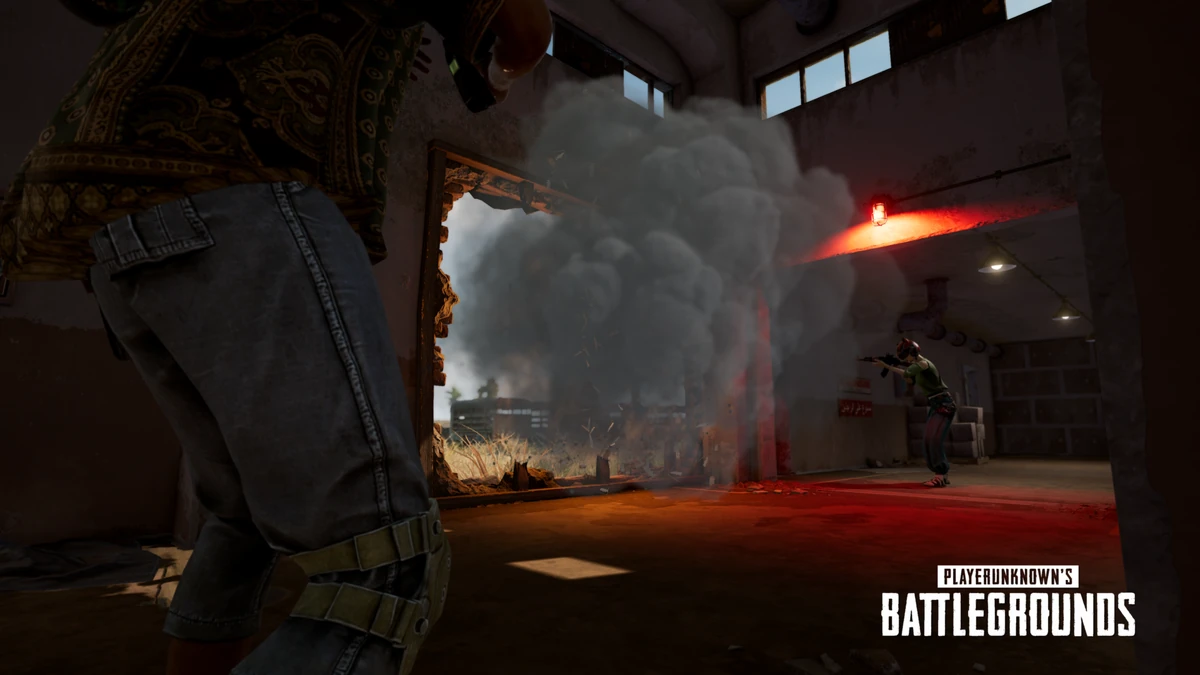
PUBG Cover Guide: What Actually Stops a Bullet
Half the deaths in PUBG happen behind something the player thought was protecting them. Bushes, grass, car doors, smoke — here's what actually stops a bullet, what only hides you, and how to use each one without getting killed while you feel safe.
PUBG Healing and Boost Items Guide
Half the players who die to the blue zone or lose a winnable fight got their healing math wrong. Here's every PUBG heal and boost item, the 75 HP cap nobody explains, and how to manage your boost bar like the good players do.
PUBG Movement and Positioning Guide
Most PUBG deaths aren't aim losses — they're positioning losses you took before the trigger pulls. Here's how to lean-peek, use cover, cross open ground, hold angles, and stop walking into third-parties.
PUBG Drop Shots and Gunfight Movement Guide
The best PUBG duelists don't stand still and out-aim you — they move in ways that make your shots miss high while their own spray stays tight. Here's how drop shots, crouch-spam, and strafe-jiggling actually work, and when each one wins or loses the fight.
Best Weapons in PUBG: Tier List
Every PUBG tier list is out of date the moment a balance patch drops. So here's the list, ranked by role, plus the durable logic to re-tier any gun yourself when the next patch shakes things up.
Best PUBG Loadouts & Attachments
A naked M416 and a fully kitted M416 are basically two different guns. Here's how to build the strongest two-gun loadouts in PUBG and the attachment priority that turns loot into recoil control.