TETR.IO Handling Settings Explained: DAS, ARR, SDF, DCD
TETR.IO gives you four handling numbers and explains none of them in the panel. One of them had its ceiling raised out from under a warning, and one is described differently by the two sources that document it. Here is the whole panel, with the version and date each behaviour arrived.
There is a version of this post that tells you to set ARR to 0 and get on with your day. That version is how you end up with a config you cannot explain and a piece that keeps sliding one column past the well.
TETR.IO's handling panel gives you four numbers and a short row of toggles, and it explains none of them in the panel itself. The definitions that do exist are scattered across TETR.IO's glossary, six years of patch notes, and a community FAQ. This is all of it in one place, with the version and date each behaviour actually arrived.
The four numbers, and what each one controls
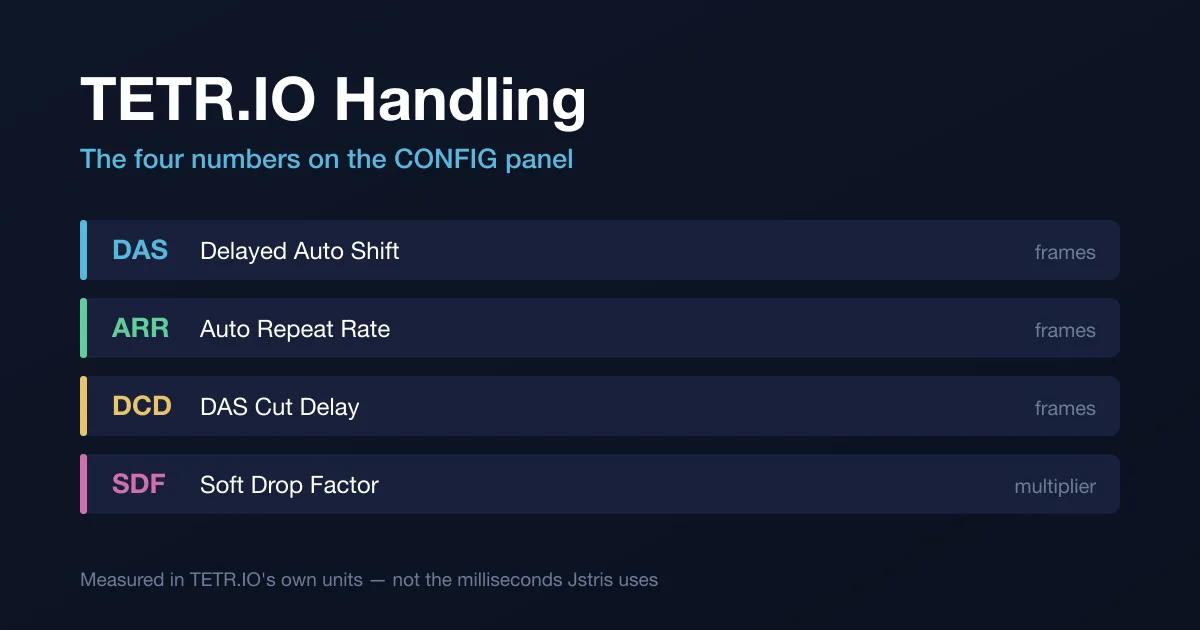
TETR.IO's own glossary defines all four:
| Setting | Full name | Unit | What it controls |
|---|---|---|---|
| DAS | Delayed Auto Shift | frames | The time from the initial keypress until ARR activates |
| ARR | Auto Repeat Rate | frames | The speed at which pieces move while a movement key is held |
| DCD | DAS Cut Delay | frames | The time ongoing DAS pauses for after dropping or moving a piece |
| SDF | Soft Drop Factor | multiplier | How much gravity is multiplied by while soft drop is held |
Three of them count frames; SDF is a multiplier. The frame counts accept fractions — subframe DAS, gravity and inputs landed in INFDEV 0.7.0-pre0 on 8 March 2020, and the same note says you can now set a fractional DAS value. TETR.IO's patch notes do not publish a millisecond conversion for a TETR.IO frame, so this guide keeps TETR.IO's numbers in TETR.IO's units. If you want a millisecond reference, the Tetris Guideline's recommended handling values are DAS 10 frames and ARR 2 frames, which tetris.wiki puts at roughly 167 ms and 33 ms in 60 FPS time.
The starting points, all from the patch notes:
- Default DAS is 10F, set in INFDEV 0.5.0 on 26 February 2020. A bug fix three days later, in INFDEV 0.5.4 on 29 February 2020, names the value it replaced: the handling reset button was still using the old DAS of 12.
- Minimum ARR is 0F, since INFDEV 0.4.0 on 15 February 2020.
- A room can force handling on everybody in it, added in INFDEV 0.8.0 on 11 March 2020. The community TETR.IO FAQ's room configuration reference lists the forced-handling defaults as DAS 10, ARR 2 and SDF 6 — the first two matching the Guideline's recommended frame counts exactly.
Your DAS is not a Jstris DAS
On 4 April 2020, Alpha 2.0.0 shipped a patch note that reads, in full caps, "DAS HAS BEEN FIXED," and then explains itself: "A lot of games, including TETR.IO, Jstris etc. have implemented DAS wrong. This update fixes that."
The community TETR.IO FAQ at tetrio.team2xh.net — the source the TETR.IO wiki itself cites on this point — spells out the difference. In Jstris, starting a DAS waits a DAS period, then waits an ARR period, and then starts the movement. In TETR.IO, starting a DAS waits a DAS period and starts the movement.
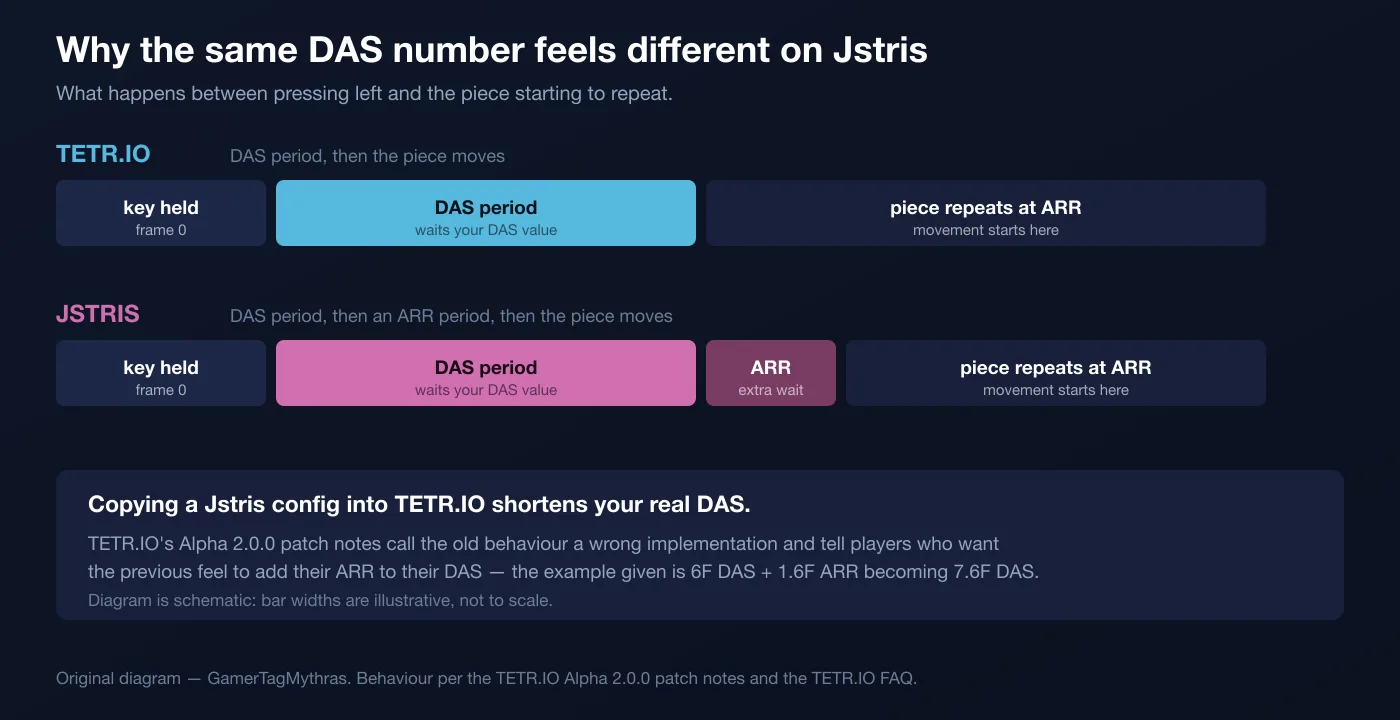
So an identical pair of numbers produces a shorter real delay in TETR.IO, and the patch note hands you the conversion in the same breath: to get your DAS as close to the original as possible, add your ARR to your DAS. The worked example it gives is a 6F DAS with a 1.6F ARR becoming a 7.6F DAS.
The size of the gap is exactly your ARR. That is why this is invisible to anyone running ARR 0 and very visible to anyone running 2F or 3F — and why a config copied from a Jstris player is not the config you think you pasted.
TETR.IO has joked about this directly. On April Fools 2021, osk shipped "version 6.0.4a" with a single announced feature: a JSTRIS handling mode under CONFIG → HANDLING, which replaced the frame counters with millisecond counters and made changing your ARR change your displayed DAS. The TETR.IO wiki's verdict on it is blunt — aside from the visual changes, the toggle did nothing to TETR.IO's handling.
SDF: the ceiling the patch notes moved
Soft Drop Factor multiplies gravity while soft drop is held. It is a multiplier, not a speed, which means what it does to your board depends on what gravity you are already at.
The floor of the setting changed early. Alpha 2.2.3, on 9 April 2020, replaced a single minimum soft-drop speed with a speed limit that depends on your SDF, and told players outright that soft dropping would feel different and they should change their SDF accordingly.
The patch notes record one change to the ceiling, and it shipped with a warning attached:
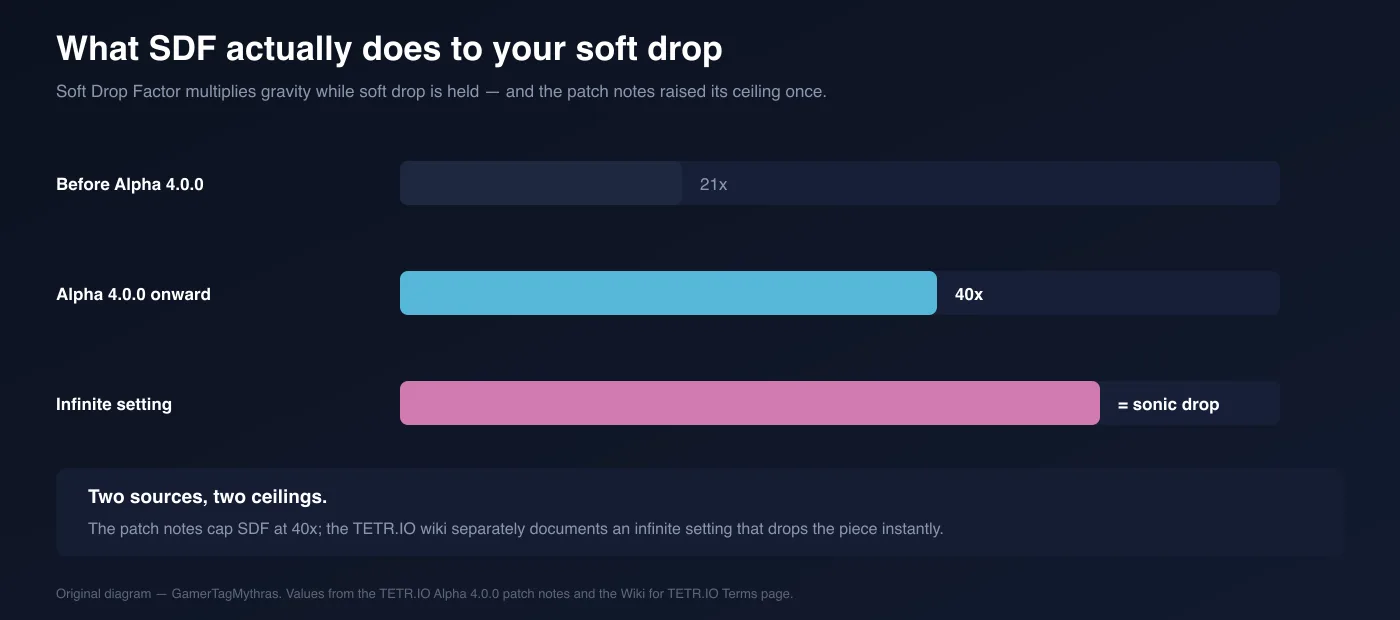
- The old maximum was 21x, and INFDEV 0.2.1 changed the results screen to display it as MAX rather than as the number.
- Alpha 4.0.0, on 22 June 2020, raised the ceiling to 40x — with a warning in capitals that anyone who had been using MAX SDF needed to update it or they would still be playing at 21x. If you set SDF once in 2020 and never opened the panel again, that warning is still aimed at you.
- Past the numeric ceiling there is an infinite setting. TETR.IO's glossary defines a sonic drop — a soft drop that moves the piece instantly to the bottom — and says it can be used in TETR.IO by setting SDF to infinite. The wiki's achievement guide uses it in a working config: 5f ARR, 20f DAS, ∞x SDF, holding soft drop and left for an entire 40 LINES run, for the Detail Oriented achievement.
Treat 40x as the documented numeric ceiling and infinite as a separate setting sitting past it. The patch notes cover the first; the wiki covers the second.
DCD is documented two different ways
DAS Cut Delay arrived in Alpha 5.0.0 on 28 September 2020, and the two sources that document it do not describe it at the same width.
- The patch note introducing it: "DAS Cut Delay is a small delay you can choose to introduce when your piece is hugging the wall, and you hit the rotate or hard drop key before letting go."
- TETR.IO's glossary: "The time that ongoing DAS pauses for after dropping or moving a piece, measured in frames."
The glossary states the general rule; the patch note states the case the setting was built for. Both describe a pause in an already-running auto-shift that begins when you act on the piece. The practical read is the patch note's: DCD is what stops a wall-hugged piece from creeping onward when you rotate or hard drop before letting go of the direction.
It is also the least-documented of the four: the community TETR.IO FAQ's room configuration reference lists forced DAS, ARR and SDF values, and no DCD value at all.
The switches that are not numbers
Four handling behaviours are switches or techniques rather than values:
- DAS cancellation — Alpha 5.0.0, 28 September 2020. It resets your DAS timer when you change directions. The patch note's own framing is that "some like this, as it makes certain moves easier" — presented as a taste, not a fix.
- PREVENT ACCIDENTAL HARD DROPS — Alpha 2.0.0, 4 April 2020. The note that introduces it says it can be turned off easily under HANDLING, so it shipped on.
- Movement-first gravity for soft drops — Alpha 6.4.2, 19 February 2024, which added the option to disable it. This is the most recent handling option in the published notes.
- Preloaded DAS at the start of a game — INFDEV 0.2.0, 7 February 2020. You can start a game with active DAS by holding left or right before it begins, which is the same charge trick that matters in games with entry delay.
The handling changelog, in one table
Every entry below is a handling item found in TETR.IO's published patch notes, searched across all 124 published versions, from the first entry in February 2019 through BETA 1.7.8 of 1 April 2026, which is the newest entry as of 12 September 2026.
| Version | Date | Change |
|---|---|---|
| INFDEV 0.2.0 | 7 Feb 2020 | Start a game with DAS already active by holding a direction |
| INFDEV 0.2.1 | 9 Feb 2020 | Max SDF displayed as MAX instead of 21x on the results screen |
| INFDEV 0.4.0 | 15 Feb 2020 | Minimum ARR lowered to 0F |
| INFDEV 0.5.0 | 26 Feb 2020 | Default DAS changed to 10F |
| INFDEV 0.7.0-pre0 | 8 Mar 2020 | Subframe DAS, gravity and inputs; fractional DAS values allowed |
| INFDEV 0.8.0 | 11 Mar 2020 | Rooms can enforce specific handling settings |
| ALPHA 1.1.0 | 25 Mar 2020 | Handling tester added (TEST, top right of the handling panel) |
| ALPHA 2.0.0 | 4 Apr 2020 | DAS redefined; PREVENT ACCIDENTAL HARD DROPS added |
| ALPHA 2.2.3 | 9 Apr 2020 | Soft drop speed limit now depends on SDF |
| ALPHA 2.2.8 | 13 Apr 2020 | Handling test mode matches 40 LINES gravity again (0.02G) |
| ALPHA 4.0.0 | 22 Jun 2020 | SDF ceiling raised from 21x to 40x |
| ALPHA 5.0.0 | 28 Sep 2020 | DAS cancellation and DAS Cut Delay added |
| ALPHA 6.0.2 | 11 Mar 2021 | DAS/ARR behaviour improved when the game stutters |
| ALPHA 6.3.1 | 23 Oct 2022 | Retry button added to the handling tester |
| ALPHA 6.4.2 | 19 Feb 2024 | Movement-first gravity for soft drops can be disabled |
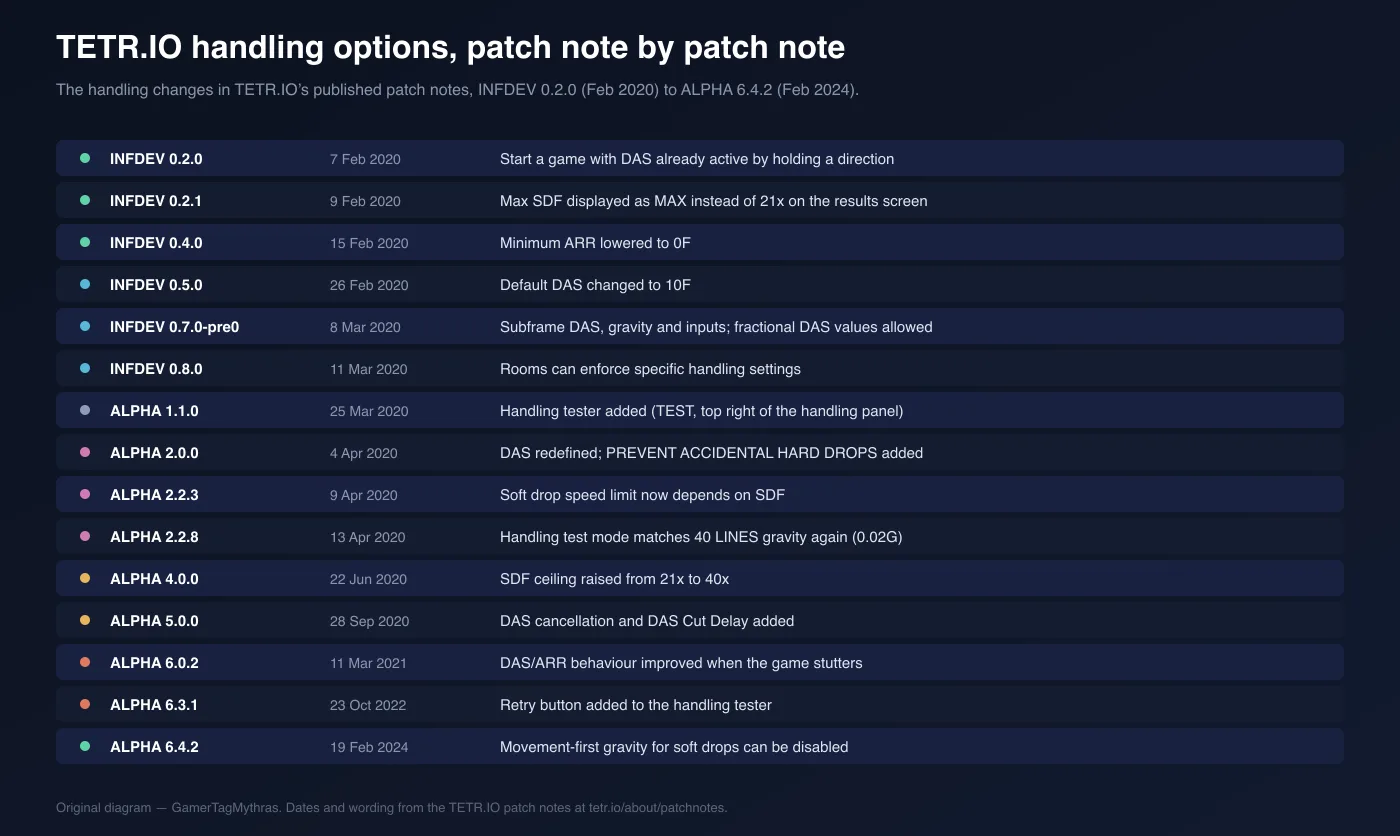
The shape of that list is the useful part. Twelve of the fifteen entries land in 2020, and nothing after February 2024 adds another handling option. The panel you are looking at today is essentially the Alpha 5.0.0 panel with one extra soft-drop toggle.
What you can change in other Tetris games
Adjustable handling is not a Tetris feature. It is a TETR.IO and Jstris feature that other games mostly do not offer, and whether your handling is fixable at all depends on which client you are in.
| Game | What is adjustable | Unit exposed |
|---|---|---|
| TETR.IO | DAS, ARR, DCD, SDF, plus DAS cancellation, prevent-accidental-hard-drops and movement-first soft-drop gravity | Frames, and a multiplier for SDF |
| TETR.IO custom rooms | The host can force one handling config on every player | Same |
| Jstris | DAS and ARR, with the extra ARR period before movement described above | Milliseconds |
| Tetris Effect: Connected — Zone Battle, friend and local matches | Speed Mod: Slow, Normal or Fast. Slow increases ARE; Fast uses faster DAS and reduces line clear delay | A three-position preset, no numbers |
| Tetris Effect: Connected — Classic Score Attack, friend and local | Horizontal movement type, plus a PAL Mode switch for the PAL NES frame timings | Named options, no numbers |
| Tetris 99 | Configurable controls, added in version 2.1.0 on 10 December 2019 | Key bindings |
Tetris Effect hands you a three-position preset and a mode-specific movement option; Tetris 99's documented configurability is its control mapping. If you have spent a year building muscle memory around a 0 ARR and you move to a console Tetris, you are not bringing it with you — which is worth weighing before you commit, and is one of the practical differences behind our which Tetris to play breakdown.
How to tune without guessing
Use the tester, and know what it is testing. Since Alpha 1.1.0 there is a TEST button in the top right of the handling panel, and Alpha 6.3.1 added a retry to it. Alpha 2.2.8 set the tester's gravity to match 40 LINES gravity at 0.02G — so what you feel in the tester is what a sprint feels like, not what a versus board feels like once gravity has ramped and garbage is arriving.
Change one number at a time. Every one of these settings interacts with the others: your effective delay before movement is DAS in TETR.IO but DAS plus ARR in Jstris, DCD pauses whatever DAS is already running, and SDF's effect scales with current gravity. Move two at once and you cannot attribute the result.
Know what the documentation actually recommends, and what it does not. The community TETR.IO FAQ, in its finesse advice, says to use DAS to your advantage and to get used to having a low — "or optimally, 0" — ARR. tetris.wiki notes that TETR.IO's 40 LINES mode has no ARE and a 0 ARR handling option, which is why sprint speed there is limited by how fast you can stack rather than by how fast pieces travel. Beyond that, neither the patch notes nor the Guideline publishes a best DAS — the only DAS figures either of them gives are TETR.IO's shipped default of 10F and the Guideline's recommended 10 frames. Anyone quoting you one correct DAS is quoting themselves.
Remember the room can overrule you. Forced room handling has existed since March 2020. If a custom room feels wrong in a way your own config cannot explain, check whether the host is enforcing one.
The realistic sequence: set ARR where you can still stop a piece on the column you meant, leave DAS at the default until you have a specific complaint about it, ignore DCD until a wall-hugged piece creeps on you, and set SDF once — deliberately — rather than inheriting a number a patch note moved out from under you six years ago.
Quick Action Checklist
- Open CONFIG → HANDLING and write down your current four values before you touch anything.
- If you imported settings from Jstris, add your ARR to your DAS to match the old feel — that is the official conversion.
- Check your SDF. If it was set before 22 June 2020 and reads as MAX, it may still be 21x rather than 40x.
- Test in the handling tester, not in a ranked match, and remember it runs at 40 LINES gravity.
- Change one value per session, and only after you can name the specific misdrop you are trying to remove.
- If a custom room feels alien, check whether the host has forced handling before you blame your own config.
Frequently Asked Questions
What do DAS, ARR, SDF and DCD mean in TETR.IO?
Why does TETR.IO feel faster than Jstris with the same DAS and ARR?
What is the maximum SDF in TETR.IO?
What does DAS Cut Delay do in TETR.IO?
Can you change DAS and ARR in Tetris Effect or Tetris 99?
Keep Reading
- TETR.IO — official patch notes (INFDEV 0.2.0, 0.2.1, 0.4.0, 0.5.0, 0.5.4, 0.7.0-pre0, 0.8.0; Alpha 1.1.0, 2.0.0, 2.2.3, 2.2.8, 4.0.0, 5.0.0, 6.0.2, 6.3.1, 6.4.2), read 12 September 2026
- Wiki for TETR.IO — Terms: DAS, ARR, DCD and SDF definitions, and sonic drop via infinite SDF
- TETR.IO FAQ (community, tetrio.team2xh.net) — the JSTRIS handling difference, the finesse ARR advice, and the room configuration reference
- Wiki for TETR.IO — Events: the April Fools 2021 "JSTRIS handling mode" toggle in version 6.0.4a
- Wiki for TETR.IO — Guide:Achievements: the Detail Oriented config of 5f ARR, 20f DAS and infinite SDF
- tetris.wiki — Tetris Guideline: the recommended DAS, ARR and ARE frame values
- tetris.wiki — TETR.IO: 40 LINES has no ARE and a 0 ARR handling option
- tetris.wiki — Tetris Effect: the Zone Battle Speed Mod and the Classic Score Attack movement and PAL options
- tetris.wiki — Tetris 99: configurable controls added in version 2.1.0 on 10 December 2019
Related Guides
TETR.IO Blitz Explained: Levels, Gravity, and Score
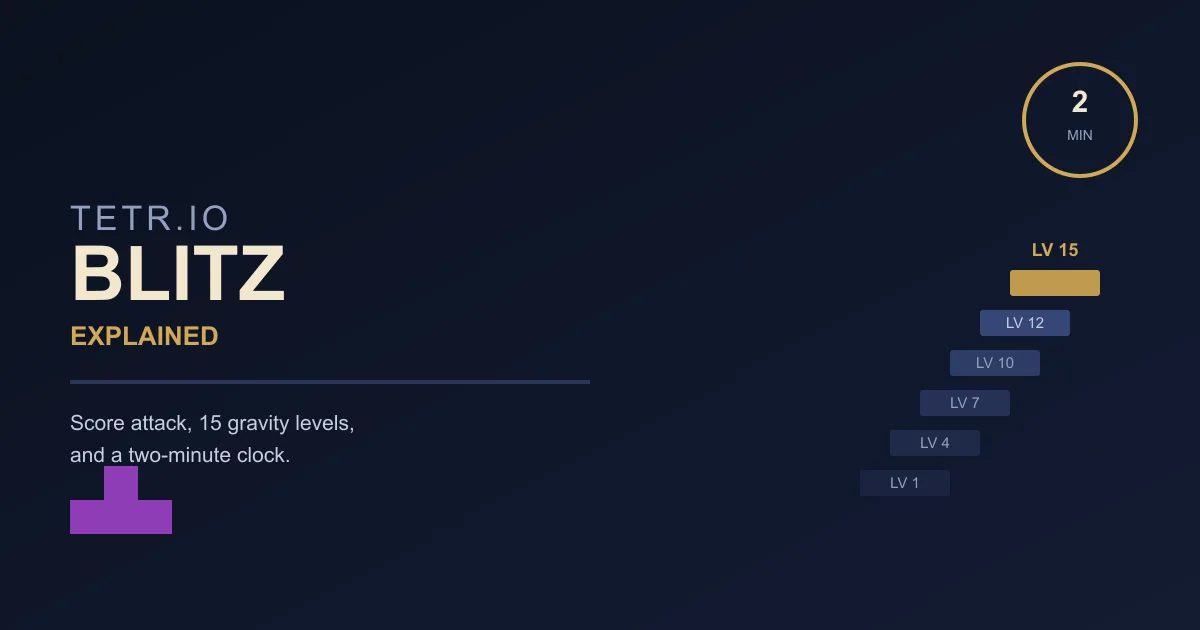
TETR.IO's own wiki calls Blitz "similar to Ultra" and leaves it there. What that skips: a 15-level gravity ladder that multiplies every point you score and eventually outruns your reaction time, a Perfect Clear bonus that does not work the way Tetris Effect's does, and a spin rule the all-spin rework never touched.
Tetris Finesse: Place Every Piece in Two Keypresses
Under SRS, every placement on the board is reachable in two keypresses before the drop. If you are spending five, you are not slow because of your hands — you are slow because of your habits.
Tetris Downstacking: How to Dig Out of Garbage
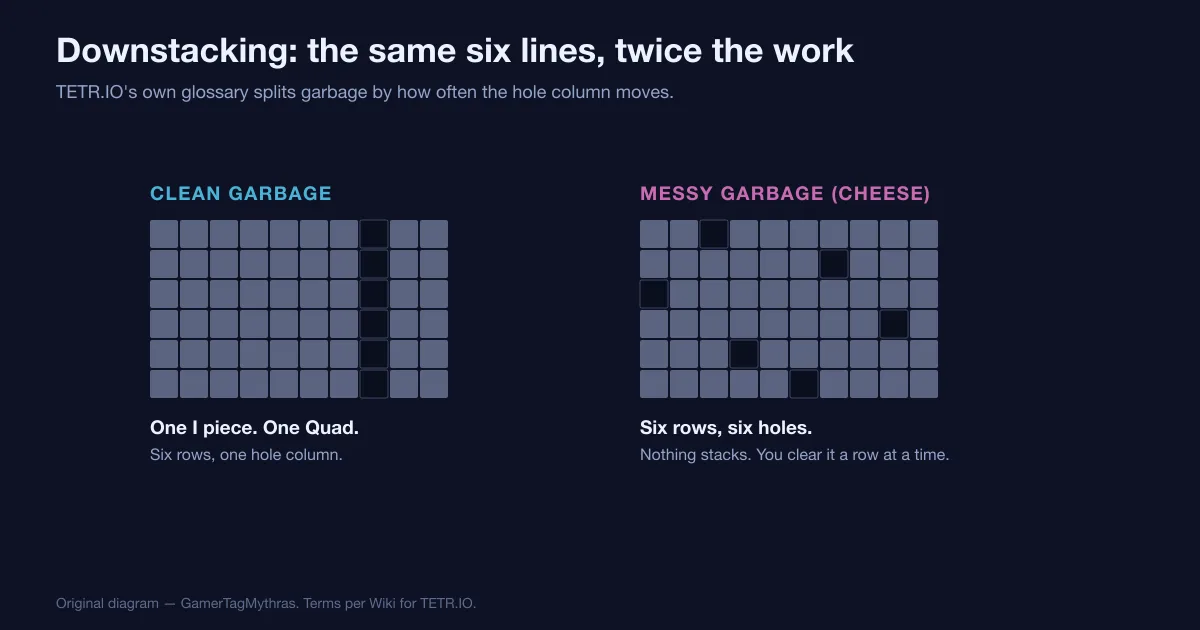
Garbage is not one obstacle, it is two. Where the hole column sits from row to row decides whether six lines cost you one piece or six, and TETR.IO scores the lines you dig out at exactly the same rate as the lines you send.
TETR.IO Ranks Explained: TR, Percentiles and Cutoffs
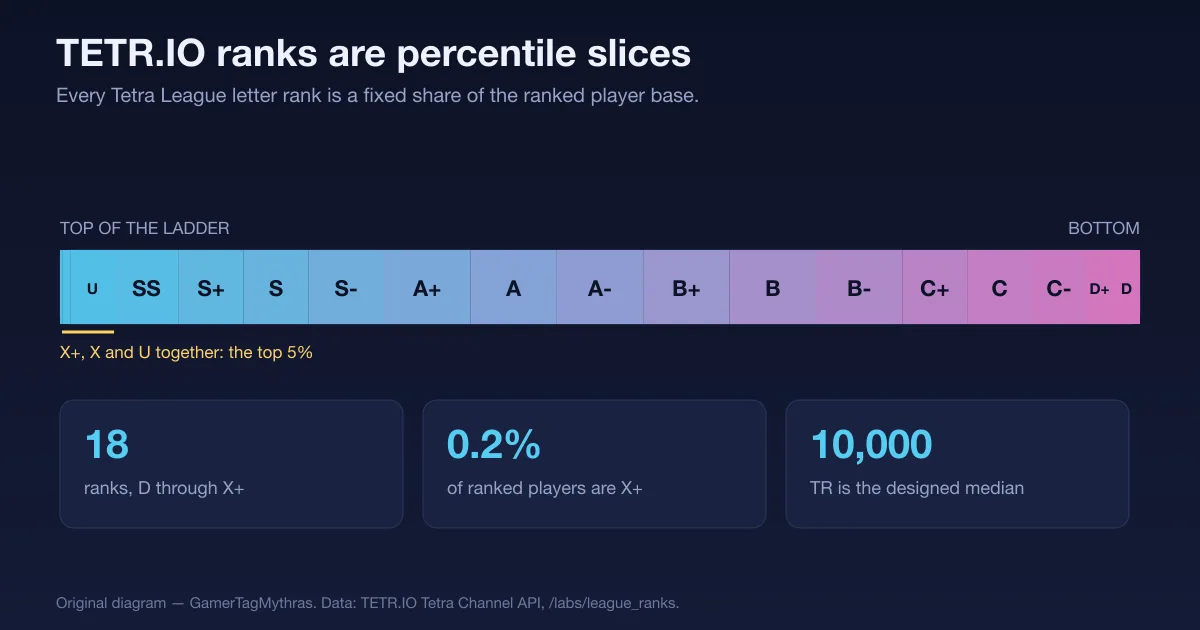
A Tetra League letter is not a skill score, it is a slice of the leaderboard — and TETR.IO publishes exactly how big each slice is, what TR it currently costs, and how fast the people inside it play.
Tetris Stacking Fundamentals: Build a Board That Wins
Most players do not lose to speed. They lose to a board they built themselves three minutes earlier. Here is how stacking actually works in modern Guideline Tetris, and the habits that stop you from burying your own well.
Tetris All-Spin Explained: S, Z, L, J and I Spins
A Z piece rotated into a slot nothing else reaches is either a scored spin or an ordinary Double, and which one it is has nothing to do with you. It is a setting, and most Tetris games have it switched off.