The Witcher 3 Remastered Mods: How to Install, What Broke
Remastered put a Mods button on The Witcher 3's main menu, and CD PROJEKT RED says the same update stopped mods carrying script, XML or w3strings files from working. Here is how the mod.io menu works on PC and console, what broke and who fixes it, which Steam branch actually gets your old build back, and what a mod does to your trophies and your cross-save.
The Witcher 3: Wild Hunt — Remastered went live on 29 September with a new Mods button on the main menu. The same update also stopped some of the mods you may already have from working. CD PROJEKT RED's support article on the Mods menu names three kinds of file, and says any mod containing them "will not work upon the release of the update": XML files, script files and w3strings.
So there are two questions on day two, and they have different answers. How do you use the new menu? And what do you do about the mods you already had? This post covers both, plus a Steam rollback detail CD PROJEKT RED's own instructions leave out, and what a mod does to your trophies and your cross-save.
If you want to know which mods CD PROJEKT RED showed running on console before launch, that list is in our Remastered frame rates, saves and mods post. This one is about the plumbing.
Three file types broke on 29 September
The support article doesn't list mods by name. It lists file types, and a mod is affected if it contains any one of them.
| What the mod contains | What that file type does | After the 29 September update |
|---|---|---|
| Script files | Game logic written in WitcherScript | Stops working until it is updated through REDkit |
| XML files | Defines game data such as items and abilities | Stops working until it is updated through REDkit |
| .w3strings files | Language files | Stops working until it is updated through REDkit |
| Textures, bundles and similar assets only | Replaces art and other packed game assets | Not on CD PROJEKT RED's broken list, and not promised to work either |
The XML and .w3strings descriptions come from CD PROJEKT RED's own REDkit changelog, which describes XML entries as items and abilities and calls .w3strings files language files.
The same article adds one sentence of hope: REDkit, the studio's free modding tool, includes a way to update affected mods so they work as normal. Read that carefully. REDkit is the tool mod creators use to build mods, so unless you make mods yourself, the fix is the mod's author rebuilding it in REDkit, not a button in the game. Your realistic options are to wait for an updated release on the mod's page, replace it with something that has already been updated, or roll the game back.
The last row matters too. A texture-only mod is not on the broken list, but CD PROJEKT RED has not said it is safe either. Remastered's own patch notes say the game now uses an improved shading model and updated textures and models based on the HD Reworked Project, so an old texture replacement may now sit on top of new art. Test it before you assume it looks right.
Rolling back: Steam's CLASSIC branch is Patch 1.32
CD PROJEKT RED's rollback article tells Steam players to open the game's Properties, go to Betas and select CLASSIC. CD PROJEKT RED's Remastered FAQ links to that article for anyone who wants the previous version. Here is the catch for modders: Steam's own branch list for the game describes CLASSIC as the classic release of The Witcher 3, Patch 1.32. That is the build from before the December 2022 next-gen update, and the branch was last changed on 13 December 2022.
The same Steam branch list carries a second option CD PROJEKT RED's article doesn't mention:
| Steam branch | What it holds | Last changed |
|---|---|---|
| public | The default branch, the Remastered build since 29 September | 29 September 2026 |
| next-gen | Steam's description: latest release of the next-gen update, Patch 4.04 | 6 June 2024 |
| classic | Steam's description: classic release, Patch 1.32 | 13 December 2022 |
If the mods you want back were built for the next-gen game, the next-gen branch is the one that matches them. Picking CLASSIC puts you on a 1.32 install that those mods were never made for.
Three caveats before you switch:
- Epic has no rollback at all. CD PROJEKT RED's article says the Epic Games Store only serves the latest version.
- GOG uses a different route. The same article sends GOG Galaxy players to Manage Installation, then Configure, then the Classic beta channel with auto-updates turned off. We could not check which build that channel serves, so look at the version list before you pick one.
- Only the latest version is fully supported, by CD PROJEKT RED's own wording. The article also hasn't been updated since before Remastered was announced, and it doesn't say whether a save made in Remastered loads on an older build. Back up your saves first.
Our Remastered upgrade guide has CD PROJEKT RED's Steam and GOG steps in full. On Steam, swap CLASSIC for next-gen if you are rolling back for next-gen mods.
Installing mods from the new Mods menu
The Mods menu is CD PROJEKT RED's in-game front end for mod.io. The support article lists it on PC, PlayStation 5, Xbox Series X|S and Nintendo Switch 2. That is one more platform than the original May 2025 announcement promised, which named only PC, PS5 and Xbox Series X|S and planned the feature for 2025 before it slipped into 2026.
The install flow, per the support article:
- Launch the game and pick Mods from the main menu.
- Log in with your CD PROJEKT RED account.
- Connect that account to mod.io. The 2025 FAQ says you can create a mod.io account right there the first time you open the menu.
- Browse, and press Subscribe on a mod you want.
- Restart the game.
- Open the Installed section and check that the mod is listed with its checkbox selected. If it isn't ticked, it isn't enabled.
Three rules around that flow:
- It costs nothing extra. CD PROJEKT RED says uploading, sharing and downloading mods through Cross-Platform Mod Support is free for owners of the game.
- Installing needs a connection. You can't install new mods offline. A modded save still loads offline, but only if every mod it needs is already installed.
- Unlinking happens on mod.io. Sign in to mod.io with your CD PROJEKT RED account and manage linked accounts there.
Nexus Mods and Steam Workshop are still allowed on PC
The Mods menu is not a replacement you are forced into. CD PROJEKT RED's 2025 FAQ says existing services like Nexus Mods and Steam Workshop can still be used, and that mod.io is only required to get mods on console. The official REDkit page on thewitcher.com still links out to Nexus Mods.
What the Mods menu doesn't do is exempt anything from the breakage above. The support article's statement is about what a mod contains, not where you downloaded it, so by that wording an old script mod stops working whether it came from Nexus, Steam Workshop or anywhere else.
Console mods: the rules that differ
| Question | Answer from CD PROJEKT RED |
|---|---|
| Can I create mods on PS5 or Xbox? | No. Mods are made on PC and played on console |
| Do console script mods need REDkit? | Yes. Texture and bundle mods can be made with other tools |
| Will every PC mod reach console? | Not necessarily. Each platform has its own content guidelines and selection criteria, and mods must also follow CD PROJEKT RED's Fan Content Guidelines |
| How do I tell if a mod runs on console? | Look for the "Available on consoles" tag on its mod page |
| Do my PC subscriptions follow me to console? | Yes, through your CD PROJEKT RED account. Mods not supported on console are skipped there |
The REDkit side of this is worth knowing too. REDkit came out on 21 May 2024, free to owners, built by CD PROJEKT RED with Yigsoft. Its Steam page still describes it as PC-only for both creating mods and installing them. The creation half still holds. The installing half predates the Mods menu.
Modded saves, trophies and cross-progression
This is the section to read before you subscribe to anything on console.
On consoles, a modded save earns no trophies or achievements. The support article says trophies and achievements are disabled on modded save files, and marks those saves with a mod.io cog icon in the save list.
A save counts as modded if mods were enabled when it was made. That is the article's definition. It doesn't say whether turning mods off later clears the flag, so don't count on it. If trophies matter to you, keep a separate save line that has never had mods switched on.
Cross-progression needs the same mods on both ends. To carry a save between platforms, the support article says the same set of mods must be enabled on both. If a mod is missing or incompatible on the target platform, the save may not load correctly. The practical rule: if you play on PC and console, only run PC mods that also carry the "Available on consoles" tag.
None of this touches your unmodded progress. CD PROJEKT RED's Remastered FAQ says existing saves are compatible and achievements already earned carry over. Skills are reset because of the new skill system, which our frame rates, saves and mods post covers.
For mod authors: what REDkit 5.0 changed
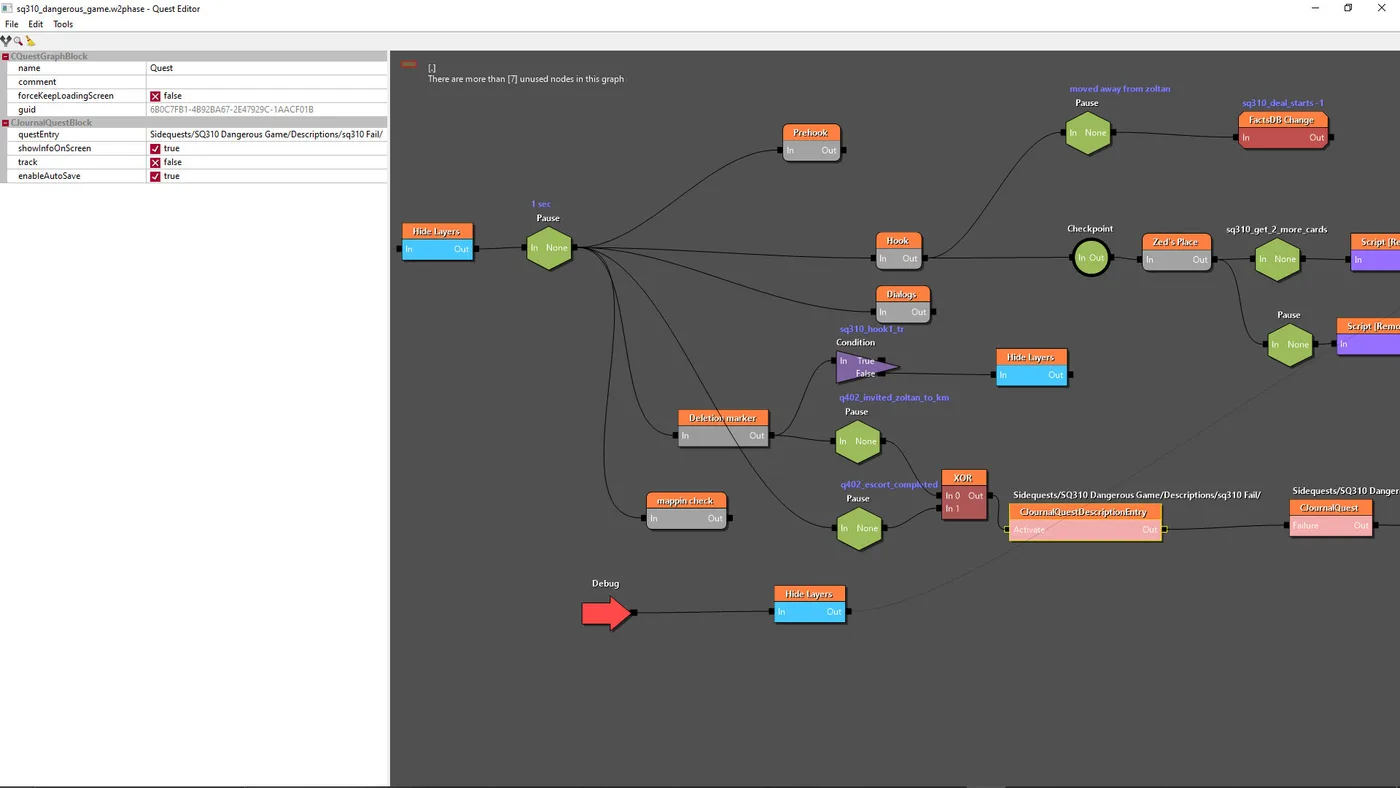
The patch notes give REDkit one line about engine and UI improvements. The detail is in the changelog on CD PROJEKT RED's REDkit user guide, where version 5.0.1042178 is dated 29 September 2026. For the breakage above, these are the entries that matter:
| REDkit 5.0 change | What it does |
|---|---|
| Scope-based overrides | A script mod can declare just the class it touches and add or override a function in it, instead of shipping a whole replacement script file |
| Script blobs | Script mods compile into small blobs the engine loads at start-up, which is what lets script mods run on console, where loose script files are not allowed |
| Fine-grained XML overrides | DLC-style mods can now redefine or tweak individual XML entries, with an onConflict setting of default (error), replace or extend |
| New DLC mounters | More ways to change base-game features from a DLC mod without file conflicts |
| Gwent modding | Gwent now uses name-based logic instead of index-based logic, and all game and opponent decks moved to XML |
| Command-line script compiling | A new "compile scripts" commandlet |
| Wwise 2023 | REDkit now requires Wwise 2023 with the Mastering Suite and Motion plugins |
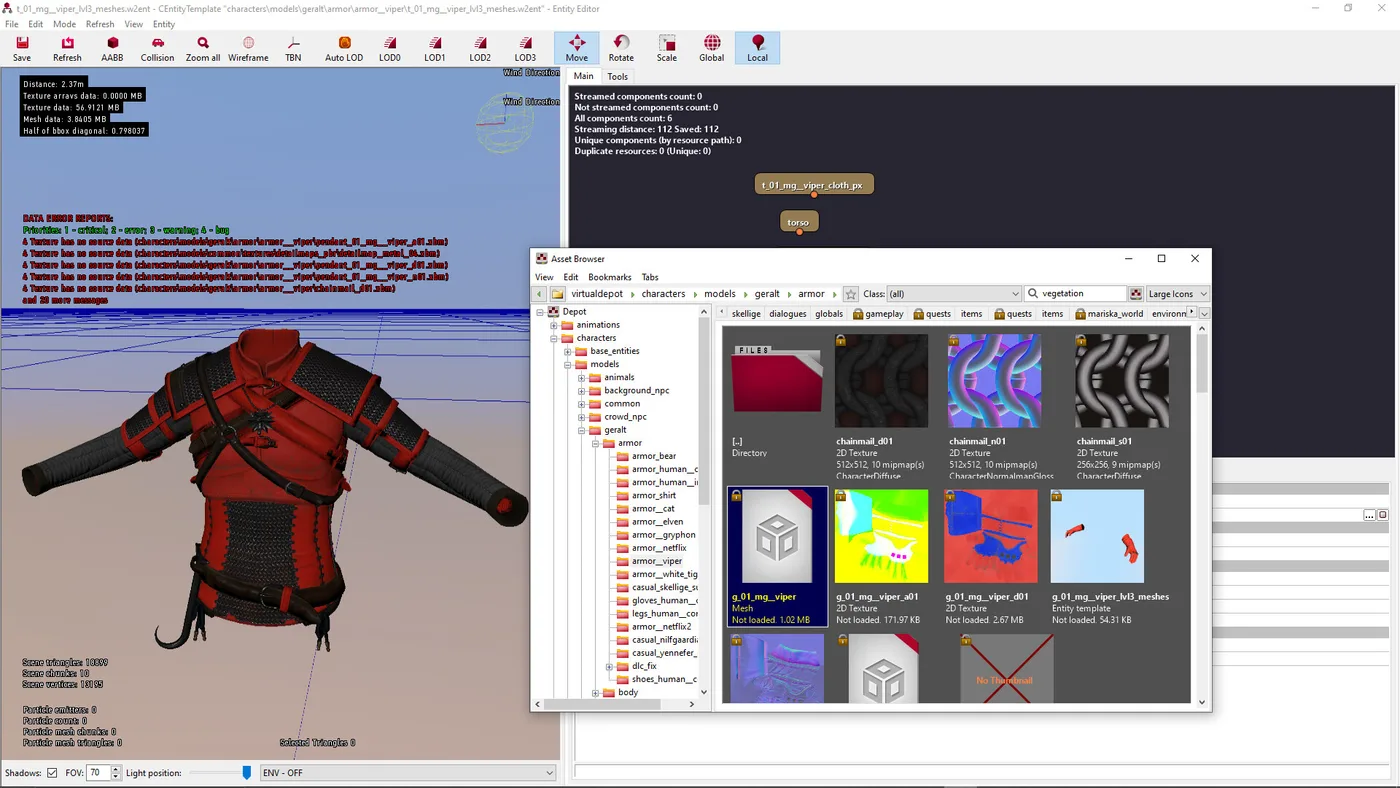
The first entry is the interesting one for anyone who has managed a big PC mod list. The changelog says scope-based overrides, together with the existing script annotations, let mods merge themselves automatically at game start. CD PROJEKT RED says this may cut script conflicts and may make the Script Merger tool unnecessary. Note the "may". That depends on authors actually rebuilding their mods this way.
What CD PROJEKT RED has not said
As of 30 September, none of the CD PROJEKT RED pages cited in this post cover these:
- Nothing about PC achievements with mods. The trophy rule in the support article is written for consoles only.
- Nothing about clearing the modded flag on a console save once mods are switched off.
- No updated rollback article. It still says CLASSIC, which on Steam is Patch 1.32.
- No published list of console-approved mods. The "Available on consoles" tag on each mod page is the signal to go by.
- No compatibility promise for texture-only mods, only the absence of a warning.
Quick Action Checklist
- If your game started acting strangely after the update, check your mod list for script, XML or w3strings mods first. Those are the three types CD PROJEKT RED says stopped working.
- Unless you build mods yourself, wait for the author's REDkit update or swap in an alternative.
- Rolling back on Steam to keep next-gen mods? Pick the next-gen branch (Patch 4.04), not CLASSIC (Patch 1.32). Epic can't roll back at all.
- Back up your saves before switching builds.
- To install through the new menu: Mods on the main menu, log in with your CD PROJEKT RED account, link mod.io, Subscribe, restart, then confirm the checkbox in Installed.
- On console, keep a save line that has never had mods on if you care about trophies or achievements.
- Playing on PC and console with one save? Only run mods tagged "Available on consoles".
- Mod authors: read the REDkit 5.0 changelog before rebuilding. Script blobs are what get script mods onto console.
Frequently Asked Questions
How do you install mods in The Witcher 3 Remastered?
Why did my Witcher 3 mods stop working after the Remastered update?
How do I roll The Witcher 3 back to the next-gen version on Steam?
Do mods disable trophies and achievements in The Witcher 3 Remastered?
Can you use mods on PS5 and Xbox in The Witcher 3?
Do Nexus Mods still work with The Witcher 3 Remastered?
Can I use cross-progression with a modded Witcher 3 save?
Keep Reading
- CD PROJEKT RED Support — Cross-Platform Mod Support how-to: install steps, the XML/script/w3strings breakage, console trophies on modded saves, cross-progression and offline rules
- CD PROJEKT RED — Remastered patch notes: the Mods menu, REDkit improvements and HD Reworked Project textures
- CD PROJEKT RED — the original Cross-Platform Mod Support announcement and FAQ (May 2025, delay update September 2025)
- CD PROJEKT RED REDkit User Guide — changelog for REDkit 5.0.1042178, dated 29 September 2026
- CD PROJEKT RED Support — official rollback instructions for Steam, GOG and Epic
- SteamCMD app info for app 292030 — Steam branch list: classic (Patch 1.32), next-gen (Patch 4.04) and the public Remastered build
- CD PROJEKT RED Support — The Witcher 3: Wild Hunt Remastered FAQ: save compatibility, skill reset and achievements
- Steam — The Witcher 3 REDkit store page: 21 May 2024 release, free to owners, CD PROJEKT RED and Yigsoft
- CD PROJEKT RED — official REDkit page, linking the REDkit User Guide and Nexus Mods
Related Guides
The Witcher 3 Remastered Rewards: Fire Horse, Scarlet Crest
Ninety minutes of Twitch buys Roach a 90-Stamina saddle that only one saddle in the game beats, and you can loot it before the prologue ends. Here is every Remastered reward in the Vizima chest, how to claim each one before the Twitch drops close on 27 October, and what the Fire Horse and Scarlet Crest sets are actually worth.
The Witcher 3 Remastered Skill Tree: What Unlocks What
CD PROJEKT RED described the Remastered skill overhaul in three bullet points and has published no skill list. The Witcher wiki has since filled in all four trees. Here is how unlocking works now, what every skill needs and does at rank 1 and rank 3, and which old skills are gone.
The Witcher 3 Remastered PC Requirements: All Six Tiers
CD PROJEKT RED's Remastered patch notes carry a six-column PC spec table, from a GTX 1660 at 1080p on Low up to an RTX 5080 for path tracing at 4K. Here is every tier, which upscaler your graphics card actually gets, why CDPR's own storage figures disagree, and the PC settings its patches and support pages have touched since launch.
The Witcher 3 Console Commands: How to Enable Them
Type additem('Aerondight',1) into a hidden text box and Geralt is holding one of the best swords in the game before he has left White Orchard. CD Projekt Red has never put that box in a menu, never written a support article about it, and never published a full list of what it accepts. Here is how to open it, what to type, and what nobody can quite agree it costs you.
The Witcher 3 Beginner's Guide: Your First 20 Hours
Most people who bounce off The Witcher 3 do it in White Orchard, and it is almost always the same three reasons: they never learned Quen, they never applied an oil, and they treated the skill tree like a shopping list. Here is the fix.
The Witcher 3 Remastered: Frame Rates, Saves and Mods
CD PROJEKT RED's free-upgrade announcement covered who pays for what on 29 September. It could not say how the game runs, because the studio had not said. Three weeks and a gamescom broadcast later, PS5 Pro and Switch 2 have real frame rate numbers, a support article spells out what happens to your save and skill points, and six mods are confirmed for console launch day.