The Witcher 3 Remastered PC Requirements: All Six Tiers
CD PROJEKT RED's Remastered patch notes carry a six-column PC spec table, from a GTX 1660 at 1080p on Low up to an RTX 5080 for path tracing at 4K. Here is every tier, which upscaler your graphics card actually gets, why CDPR's own storage figures disagree, and the PC settings its patches and support pages have touched since launch.
The Witcher 3 now has a spec sheet that tops out at a GeForce RTX 5080, a Ryzen 7 9800X3D and 24 GB of RAM. That is CD PROJEKT RED's own Path Tracing tier for The Witcher 3: Wild Hunt — Remastered: 2160p with DLSS, at 60 fps with Frame Generation switched on.
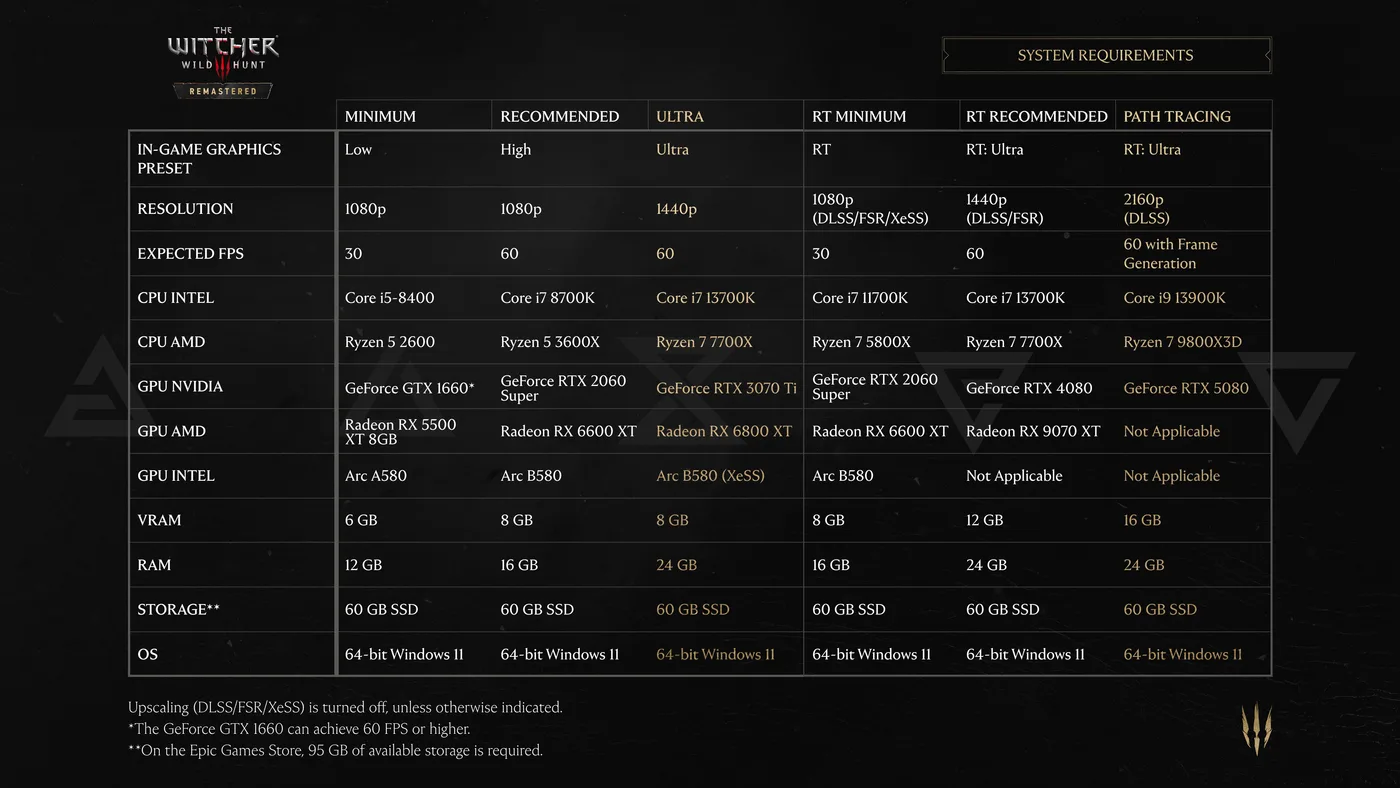
It sits at the end of a six-column table CDPR printed in its Remastered patch notes on 28 September, the day before launch. The same table appears in a support article CDPR posted that day, which adds Recommended, Ultra, RT Minimum, RT Recommended and Path Tracing to the minimum spec it announced in May. Steam and GOG now list the Minimum and Recommended columns from the same table.
So here is every tier, what the footnotes change, which upscaler your graphics card actually gets, why CDPR's own storage figures disagree, and the PC settings its post-launch patches and support pages have touched. Console frame rates are in our frame rates, saves and mods post, and who gets the upgrade for free is in our Remastered upgrade guide.
The six official PC tiers
CDPR splits the table into three standard tiers and three ray-tracing tiers. All six ask for 64-bit Windows 11 and an SSD.
Standard rendering
| Minimum | Recommended | Ultra | |
|---|---|---|---|
| In-game preset | Low | High | Ultra |
| Resolution | 1080p | 1080p | 1440p |
| Expected fps | 30 | 60 | 60 |
| Intel CPU | Core i5-8400 | Core i7 8700K | Core i7 13700K |
| AMD CPU | Ryzen 5 2600 | Ryzen 5 3600X | Ryzen 7 7700X |
| NVIDIA GPU | GeForce GTX 1660 | GeForce RTX 2060 Super | GeForce RTX 3070 Ti |
| AMD GPU | Radeon RX 5500 XT 8GB | Radeon RX 6600 XT | Radeon RX 6800 XT |
| Intel GPU | Arc A580 | Arc B580 | Arc B580 (XeSS) |
| VRAM | 6 GB | 8 GB | 8 GB |
| RAM | 12 GB | 16 GB | 24 GB |
| Storage | 60 GB SSD | 60 GB SSD | 60 GB SSD |
Ray tracing and path tracing
| RT Minimum | RT Recommended | Path Tracing | |
|---|---|---|---|
| In-game preset | RT | RT: Ultra | RT: Ultra |
| Resolution | 1080p (DLSS/FSR/XeSS) | 1440p (DLSS/FSR) | 2160p (DLSS) |
| Expected fps | 30 | 60 | 60 with Frame Generation |
| Intel CPU | Core i7 11700K | Core i7 13700K | Core i9 13900K |
| AMD CPU | Ryzen 7 5800X | Ryzen 7 7700X | Ryzen 7 9800X3D |
| NVIDIA GPU | GeForce RTX 2060 Super | GeForce RTX 4080 | GeForce RTX 5080 |
| AMD GPU | Radeon RX 6600 XT | Radeon RX 9070 XT | Not applicable |
| Intel GPU | Arc B580 | Not applicable | Not applicable |
| VRAM | 8 GB | 12 GB | 16 GB |
| RAM | 16 GB | 24 GB | 24 GB |
| Storage | 60 GB SSD | 60 GB SSD | 60 GB SSD |
Three footnotes sit under CDPR's table, and each one changes how you read it:
- Upscaling is off unless a cell says otherwise. Minimum, Recommended and Ultra are native-resolution numbers, apart from the Arc B580's Ultra entry, which is marked XeSS. All three ray-tracing tiers assume an upscaler.
- The GTX 1660 beats its own tier. The Minimum column targets 30 fps, but the footnote says the GeForce GTX 1660 "can achieve 60 FPS or higher". CDPR's support article adds that this is at Minimum settings, and that it picked the Turing-based GTX 1660 because NVIDIA ended Game Ready Driver support for Maxwell, Pascal and Volta cards.
- Epic needs more room. On the Epic Games Store, 95 GB of available storage is required, not 60.
What the table is really telling you
One graphics card, two ways to spend it. The GeForce RTX 2060 Super, Radeon RX 6600 XT and Arc B580 each appear at both Recommended and RT Minimum. On CDPR's numbers that card buys you either 1080p at 60 fps on High with no upscaling, or ray tracing at 1080p and 30 fps with an upscaler doing part of the work. RT Minimum also asks for a newer processor: a Core i7 11700K or Ryzen 7 5800X instead of the 8700K or 3600X.
Ultra and RT Recommended share a processor. Both name the Core i7 13700K and Ryzen 7 7700X with 24 GB of RAM. The difference is the graphics card: an RTX 3070 Ti or RX 6800 XT with 8 GB of VRAM for Ultra, against an RTX 4080 or RX 9070 XT with 12 GB for RT Recommended.
Path tracing is an NVIDIA column. Its AMD and Intel cells both read "Not Applicable", and its resolution row names DLSS alone. The RT Recommended tier has no Intel card either. The table does not say whether those cards are locked out of the setting or simply not recommended for it. It also lists the same RT: Ultra preset for Path Tracing as for RT Recommended; what changes is 4K output, DLSS, Frame Generation and bigger hardware.
System RAM comes in three steps. Minimum wants 12 GB, Recommended and RT Minimum want 16 GB, and Ultra, RT Recommended and Path Tracing all want 24 GB.
Which upscaler your card actually gets
The patch notes list what Remastered supports on PC, and attach a hardware condition to one of them:
| Technology | What Remastered adds with it | Hardware condition in CDPR's notes |
|---|---|---|
| NVIDIA DLSS 4.5 | Ray Reconstruction | None stated |
| AMD FSR 4 | Frame Generation and Anti-Lag 2 | Radeon RX 7000 Series and newer |
| AMD FSR 2 | The fallback | Used on GPUs that don't support FSR 4 |
| Intel XeSS 2.0 | Frame Generation and Low Latency | None stated |
Now line up the AMD row of the spec table against that FSR 4 condition. The cards CDPR names for Minimum (RX 5500 XT), Recommended and RT Minimum (RX 6600 XT) and Ultra (RX 6800 XT) all sit outside the RX 7000-and-newer range, so by the patch notes they get FSR 2. The RT Recommended card, the RX 9070 XT, is the one AMD pick in FSR 4's range. In practice, the "(DLSS/FSR/XeSS)" in the RT Minimum column means FSR 2 on its AMD card.
Two post-launch fixes touch this directly. Patch 5.00b on 1 October fixed DLSS being unavailable in the Xbox Play Anywhere version of the game on PC. Patch 5.01 on 8 October fixed switching graphics presets applying DLSS or XeSS on GPUs where they aren't supported, and fixed cases where a graphics setting could be enabled on a GPU that doesn't support it. If you picked a preset on an older card before 5.01, open the upscaling options and check what is actually selected.
Storage: 60 GB, 70 GB or 95 GB
The official figures don't agree:
| Source | Storage figure |
|---|---|
| The Remastered spec table, in the patch notes and the support article | 60 GB SSD at every tier |
| The Steam and GOG store listings | 60 GB SSD |
| The spec table's footnote for the Epic Games Store | 95 GB |
| CDPR's May article announcing the new minimum spec | 70 GB SSD |
The May article is still live and still says 70 GB as of 10 October, and neither CDPR article explains the gap. Plan for 95 GB on Epic. Everywhere else, 60 GB is the newer figure and 70 GB is the safer budget.
The May article sets the rest of the floor too. HDDs are no longer supported, the game runs exclusively on DirectX 12, and Windows 11 is the minimum because Microsoft ended Windows 10 support on 14 October 2025. CDPR says it will no longer test its games on Windows 10. Its newer requirements article adds that this does not mean the game will stop running on Windows 10, but that CDPR no longer develops or tests on it and cannot guarantee compatibility or performance. The May article adds two lines the storefront listings leave out: only processors supported on Windows 11 will be supported, and only graphics cards with ongoing active driver support for gaming on Windows 11 will be supported. Our upgrade guide has the old minimum spec for comparison.
Three PC settings to check after Patch 5.01
HairWorks: CDPR says turn it off for now
Remastered added Ray-Traced HairWorks, which the patch notes describe as improved lighting and shading on hair. Hotfix 5.00c on 1 October reverted a change that caused "significant performance and visual issues" with HairWorks enabled "for some users", in CDPR's words. CDPR's support site also carries a recent article saying it is aware that enabling NVIDIA HairWorks "may significantly impact game performance", and recommending you disable it until the issue is addressed in a future patch.
Patch 5.01's notes don't mention HairWorks, and that article was still up on 10 October. Until CDPR takes it down or a patch note names a fix, CDPR's own advice is to leave HairWorks off.
Dynamic Resolution Scaling now starts switched off
Patch 5.01 changed the default Dynamic Resolution Scaling setting to OFF on PC. The same patch fixed the setting showing the wrong value after you change the anti-aliasing mode, and fixed visual artifacts it could cause in certain configurations. The notes don't say whether the new default overwrites a choice you had already saved, so check the menu rather than assume.
GTAO and the wrong GPU
GTAO, Ground Truth Ambient Occlusion, is a new Screen Space Ambient Occlusion option that Remastered added. Before 5.01 its Quality setting could reset after a restart. Patch 5.01 also fixed the game sometimes selecting the wrong GPU. If your GTAO choice kept reverting, or a machine with more than one graphics processor was running the game on the wrong one, that is the patch that addresses it.
The PC fixes in 5.00b, 5.00c and 5.01
| Patch | Date | PC versions | PC-relevant changes |
|---|---|---|---|
| 5.00b | 1 October | Xbox Play Anywhere (PC), alongside PS5 and Xbox Series X/S | DLSS restored in the Xbox Play Anywhere version; lighting adjustments, including interiors that were too dark |
| 5.00c | 1 October | Steam, GOG, Epic Games Store, Battle.net, Xbox Play Anywhere | Saves that failed when the Documents folder path had special characters; quiet voiceover after pause-menu navigation; Velen visual tweaks, including Path Tracing lighting; the HairWorks revert; telemetry settings not saving; GOG achievements not showing as unlocked; the Classic (1.32) version failing to launch |
| 5.01 | 8 October | Steam, GOG, Epic Games Store, Battle.net, Xbox Play Anywhere, alongside PS5 and Xbox Series X/S | DRS default set to OFF plus two DRS fixes; the GTAO reset; unsupported settings and upscalers being switched on; wrong GPU selection; skill tooltips not updating; an issue that could affect save file data, with measures for saves that may already be affected; adjustments to bloom, tone mapping, character lighting, ray tracing and path tracing |
The save-data line is the reason to take 5.01 promptly. CDPR says it fixed an issue that "could affect save file data" and added measures for saves that may already have been affected.
5.01's Gameplay section is not marked as platform-specific. It fixed dodging that could respond with a delay, fixed Stamina fully draining when sprinting and dodging at the same time, and added damage reflection to the Exploding Shield skill. Our General skills guide and build guide were written for the skill tree as it stood before Remastered, so treat their skill details as pre-Remastered.
If your PC falls short
CDPR's Remastered FAQ answers this directly: depending on your platform, you can revert to an earlier version of the game. The route depends on the store:
- Steam. CDPR's rollback article says to select CLASSIC under Properties, then Betas. CDPR's updated requirements article calls version 1.32 "Classic", and Hotfix 5.00c on 1 October fixed an issue where the Classic (1.32) version couldn't be launched. Steam's own branch list also carries a next-gen branch, labelled Patch 4.04, and the same requirements article says reverting to 4.04 is possible from Remastered's release.
- GOG. CDPR's article points Galaxy users to the Classic beta channel. GOG's store page adds that the next-gen version is available on a public "Next-gen" branch in GOG Galaxy, or as offline installers in the Extras section.
- Epic Games Store. No rollback. Epic only serves the latest version.
The same rollback article says only the latest version of the game is fully supported. Our Remastered mods guide covers what each branch means for your mods and saves.
Quick Action Checklist
- Check Windows 11 and an SSD first. All six of CDPR's tiers require both.
- Find your graphics card in the two tables above, then check the RAM and VRAM rows for that column.
- Budget 95 GB on the Epic Games Store. Elsewhere, budget 70 GB to cover the older figure CDPR still publishes, even though the new table says 60.
- On a Radeon RX 5000 or RX 6000 card, expect FSR 2, not FSR 4. CDPR's notes put FSR 4 on the RX 7000 series and newer.
- Want path tracing? CDPR's table names an RTX 5080 with DLSS and Frame Generation for 2160p at 60 fps, and no AMD or Intel card.
- Turn HairWorks off for now. CDPR's support article recommends disabling it until a future patch addresses its performance impact.
- After 5.01, check Dynamic Resolution Scaling (the new default is OFF), your GTAO setting and your upscaler.
- Can't meet the minimum? Steam's next-gen branch (Patch 4.04) or GOG's Next-gen branch keeps the previous version of the game. Epic has no rollback.
Frequently Asked Questions
What are the PC requirements for The Witcher 3 Remastered?
What PC do you need for path tracing in The Witcher 3 Remastered?
How much storage does The Witcher 3 Remastered need?
Does The Witcher 3 Remastered support FSR 4?
Should I turn off HairWorks in The Witcher 3 Remastered?
Does The Witcher 3 Remastered run on Windows 10?
Does The Witcher 3 Remastered work on Steam Deck?
Keep Reading
- CD PROJEKT RED — Remastered patch notes (28 September 2026): the six-tier PC requirements table, DLSS 4.5, FSR 4 on RX 7000 and newer with FSR 2 fallback, XeSS 2.0, Path Tracing, Ray-Traced HairWorks and GTAO
- CD PROJEKT RED Support — Updated PC requirements: Recommended, Ultra, RT Minimum, RT Recommended and Path Tracing added to the May minimum spec, the GTX 1660 note, Windows 10 support status, and reverting to 1.32 or 4.04
- CD PROJEKT RED Support — the May minimum-requirements article: 70 GB SSD, Windows 11, DirectX 12 only, no HDDs, and the Windows 11 CPU and GPU support rules
- Steam — The Witcher 3: Wild Hunt — Remastered listing with the Minimum and Recommended specs and 60 GB SSD storage
- GOG — The Witcher 3: Wild Hunt — Remastered listing: 60 GB SSD storage, and the public Next-gen branch and offline installers
- CD PROJEKT RED — Patch 5.00b (1 October 2026): DLSS fix for the Xbox Play Anywhere PC version and lighting adjustments
- CD PROJEKT RED — Hotfix 5.00c (1 October 2026): save path fix, HairWorks revert, Velen visuals and the Classic (1.32) launch fix
- CD PROJEKT RED — Patch 5.01 (8 October 2026): Dynamic Resolution Scaling default OFF, GTAO and GPU-selection fixes, unsupported upscaler fix and save data fix
- CD PROJEKT RED Support — Performance issues related to NVIDIA HairWorks, recommending HairWorks be disabled until a future patch
- CD PROJEKT RED Support — The Witcher 3: Wild Hunt Remastered FAQ: reverting to an earlier version if your PC does not meet the requirements
- CD PROJEKT RED Support — rollback instructions for Steam and GOG, and confirmation that Epic cannot roll back
- SteamCMD app info for app 292030 — Steam branch list: classic (Patch 1.32) and next-gen (Patch 4.04), and Steam Deck Verified status with a 30 September 2026 test timestamp
- PC Gamer (1 September 2026) — CDPR executive producer Jakub Kutrzuba on Remastered running on Steam Deck
- CD PROJEKT RED Support — Steam Deck launch crash article advising DirectX 11 mode
Related Guides
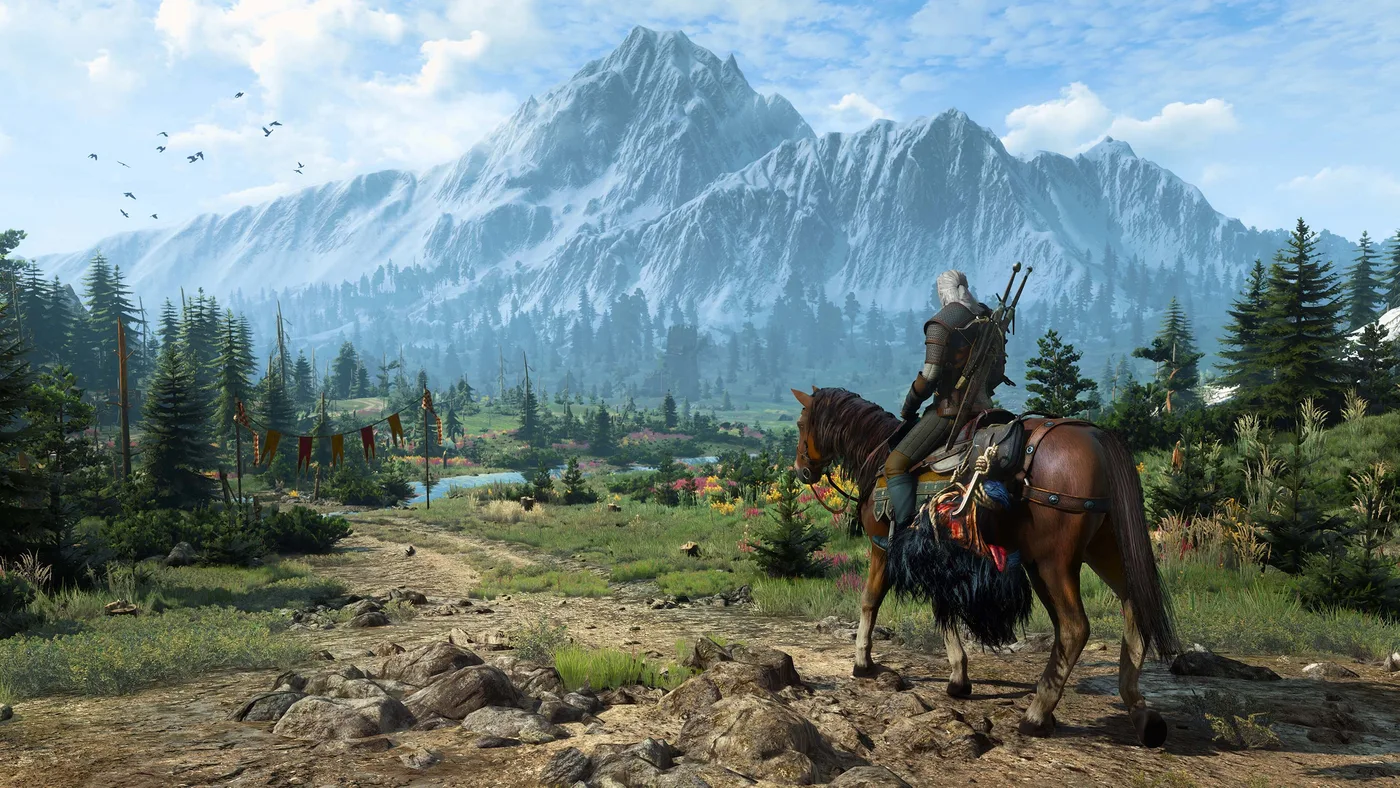
The Witcher 3 Remastered Settings: Bard's Ballad, Loot, Map
Remastered lets you switch off item weight, durability and Geralt's need to breathe underwater, and that is only the Bard's Ballad preset. Here are the new gameplay, interface, accessibility and control options, where each one lives in the menus, which ones stay off until you find them, and what the 19 October Switch 2 patch changed.
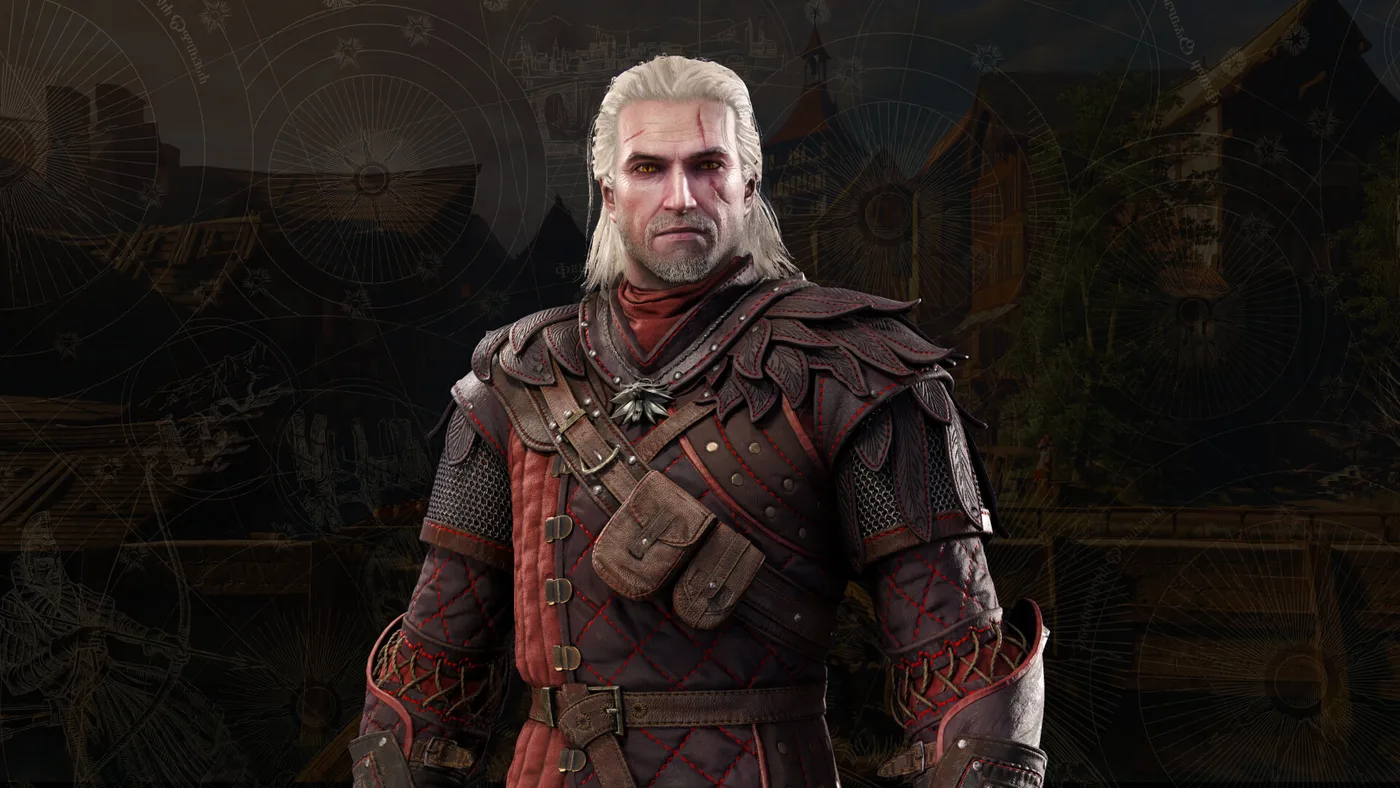
The Witcher 3 Remastered Rewards: Fire Horse, Scarlet Crest
Ninety minutes of Twitch buys Roach a 90-Stamina saddle that only one saddle in the game beats, and you can loot it before the prologue ends. Here is every Remastered reward in the Vizima chest, how to claim each one before the Twitch drops close on 27 October, and what the Fire Horse and Scarlet Crest sets are actually worth.
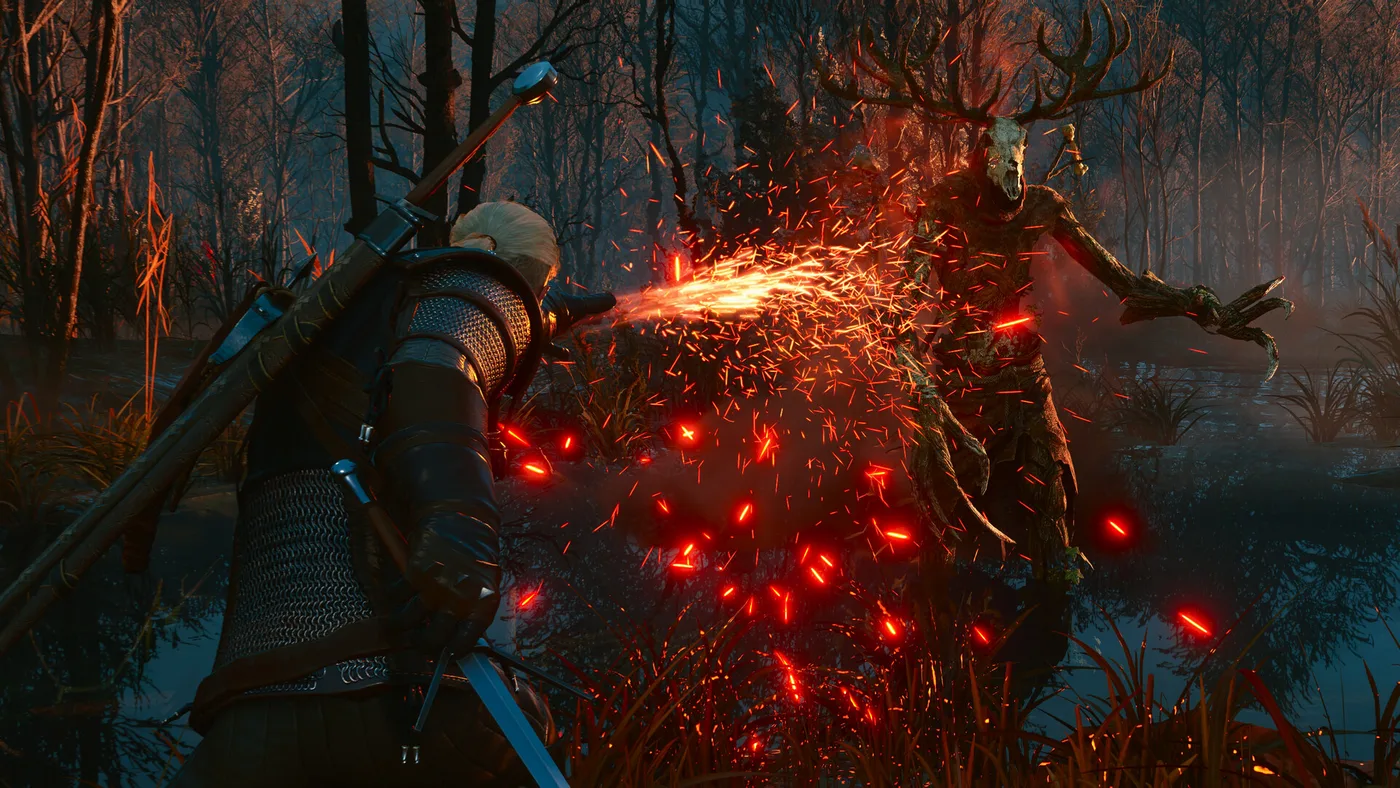
The Witcher 3 Remastered Skill Tree: What Unlocks What
CD PROJEKT RED described the Remastered skill overhaul in three bullet points and has published no skill list. The Witcher wiki has since filled in all four trees. Here is how unlocking works now, what every skill needs and does at rank 1 and rank 3, and which old skills are gone.
The Witcher 3 Remastered Mods: How to Install, What Broke
Remastered put a Mods button on The Witcher 3's main menu, and CD PROJEKT RED says the same update stopped mods carrying script, XML or w3strings files from working. Here is how the mod.io menu works on PC and console, what broke and who fixes it, which Steam branch actually gets your old build back, and what a mod does to your trophies and your cross-save.

The Witcher 3 Beginner's Guide: Your First 20 Hours
Most people who bounce off The Witcher 3 do it in White Orchard, and it is almost always the same three reasons: they never learned Quen, they never applied an oil, and they treated the skill tree like a shopping list. Here is the fix.
The Witcher 3 Songs of the Past: What CDPR Has Confirmed
Songs of the Past brings Geralt out of retirement in 2027 to find a missing Dandelion in Letten. Here is what CD PROJEKT RED and the storefronts have actually confirmed: platforms, the Remastered requirement and PC spec, the chain weapon, the new monsters, the Diablo IV skin and the 31 October Lucca panel, plus the gaps, starting with the price.