Half-Life 2 Graphics Settings: What the New Options Do
Valve's 20th Anniversary Update put bicubic lightmap filtering behind Shader Detail's Very High setting, added a Classic Effects toggle that only works in the base game, and moved HDR to the main Video tab. What each Half-Life 2 video option does now, what to set it to, the launch options worth knowing, and the graphics bugs still open on Valve's tracker.
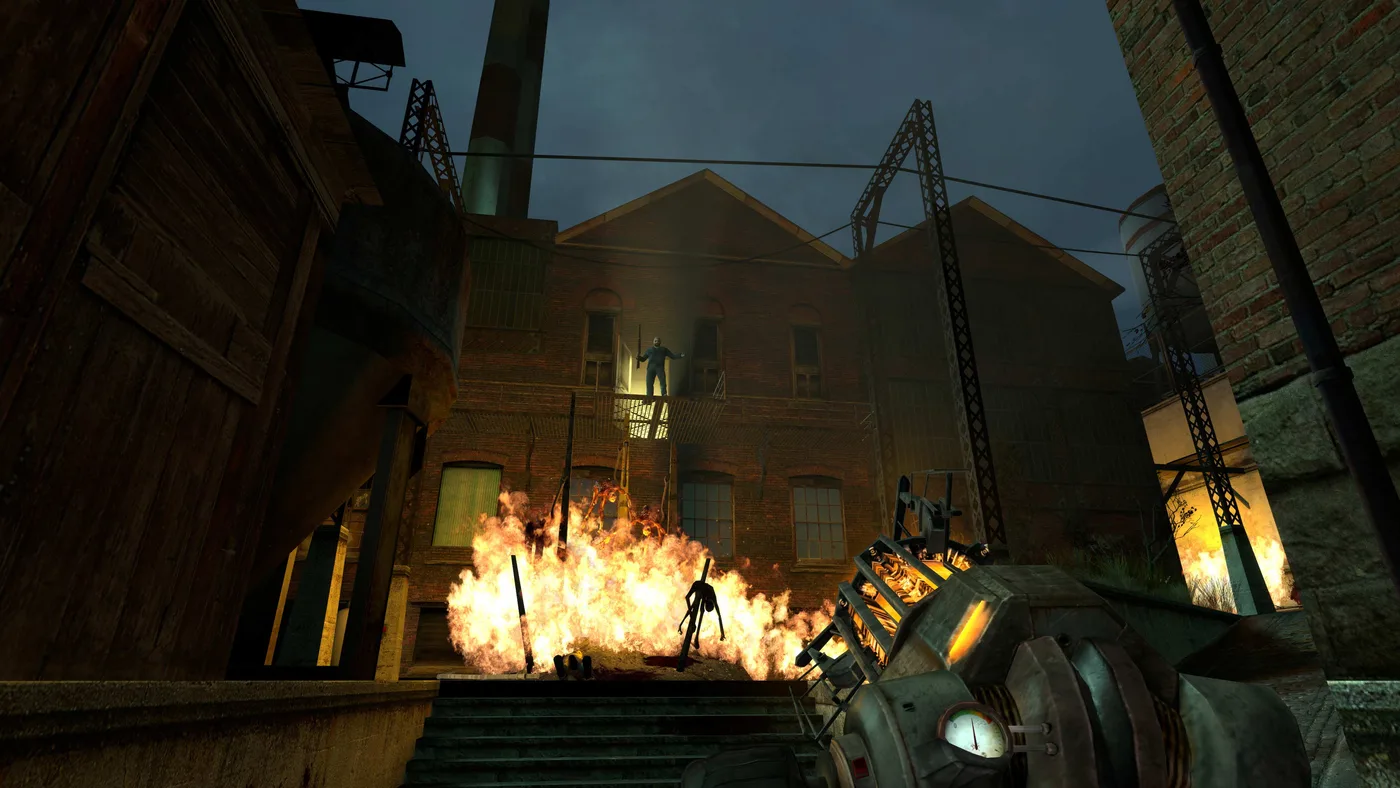
Half-Life 2's 20th Anniversary Update put one of its lighting upgrades behind a menu label. Bicubic lightmap filtering, which smooths the edges of the game's baked light and shadow, is switched on by setting Shader Detail to Very High. Valve's change notes say so in a single line. The same update added a Classic Effects toggle for the 2004 blood and fire that does nothing once you reach the Episodes, and it moved High Dynamic Range out to the main Video tab.
This vertical's beginner's guide notes that the November 15, 2024 update added new graphics options and moves on, and the platforms guide covers the gamepad interface and the Steam Deck. This page covers the PC video settings themselves: what each anniversary option changes, what to set it to, the launch options worth knowing, and the graphics bugs still open on Valve's tracker as of October 23, 2026.
The short answer
| Setting | Where it is | What the anniversary update changed | Set it to |
|---|---|---|---|
| High Dynamic Range | Video tab | Moved to the main Video page. Valve rebalanced the lighting for HDR on or off | Full |
| Shader Detail | Advanced | Very High turns on bicubic lightmap filtering | Very High, or High if Episode Two goes dark |
| Model Detail | Advanced | High always shows the highest-detail model, with no level-of-detail swaps | High |
| Classic Effects | Advanced | New. The original launch-day blood and fire, in the base game | Your taste |
| Antialiasing | Advanced | 4x MSAA is now the default | 4x MSAA or higher |
| Water Detail | Advanced | Valve's notes don't touch the option, but nearly every map now uses fully reflective water | Reflect all |
| Field of View | Advanced | The camera no longer clips into vehicles at high FOV | Anything from 75 to 110 |
| "Use 'bloom' effect when available" | Gone | Valve removed it as non-functional | Nothing to set |
Everything below is the reasoning, plus the bugs that might make you set one of these lower.
Where the settings live
Open Options, then the Video tab. A player who attached their full settings to a report on Valve's Source-1-Games tracker in November 2024 (#6711, about a Lost Coast lighting flicker) lists what's there. The main tab holds Resolution, Aspect Ratio, HUD Aspect Ratio, High Dynamic Range and Display Mode, which includes a borderless window, plus buttons for brightness and the Advanced dialog.
Advanced holds the rest: Model, Texture, Shader, Water and Shadow detail, Color Correction, Antialiasing mode, Filtering mode, Wait for vertical sync, Motion Blur, Field of View, Multicore Rendering and Classic Effects, with the software and hardware DirectX levels and a Windows Aero extensions toggle underneath.
The dialog marks a value with an asterisk when it's the one recommended for your system. In the screenshot attached to that report, taken on a GeForce GTX 1050 Ti, the asterisk sits on almost every value shown, Very High shaders, High models, Reflect all water, 4x MSAA, motion blur off and Classic Effects off among them. On that card, the game's own pick already included Very High.
Shader Detail: Very High is where the bicubic lightmaps are
Valve's anniversary notes: "Added bicubic filtering for lightmaps to produce smoother shadows. It can be enabled by setting Shader Detail to Very High." Its anniversary page says the same thing in marketing voice: smoother lightmap shadows at Very High shader detail.
Half-Life 2's static lighting is baked into lightmaps, and the same update also "Increased lightmap resolution in most maps." The filtering is a separate change, and Valve's own comparison shows it better than a description can.
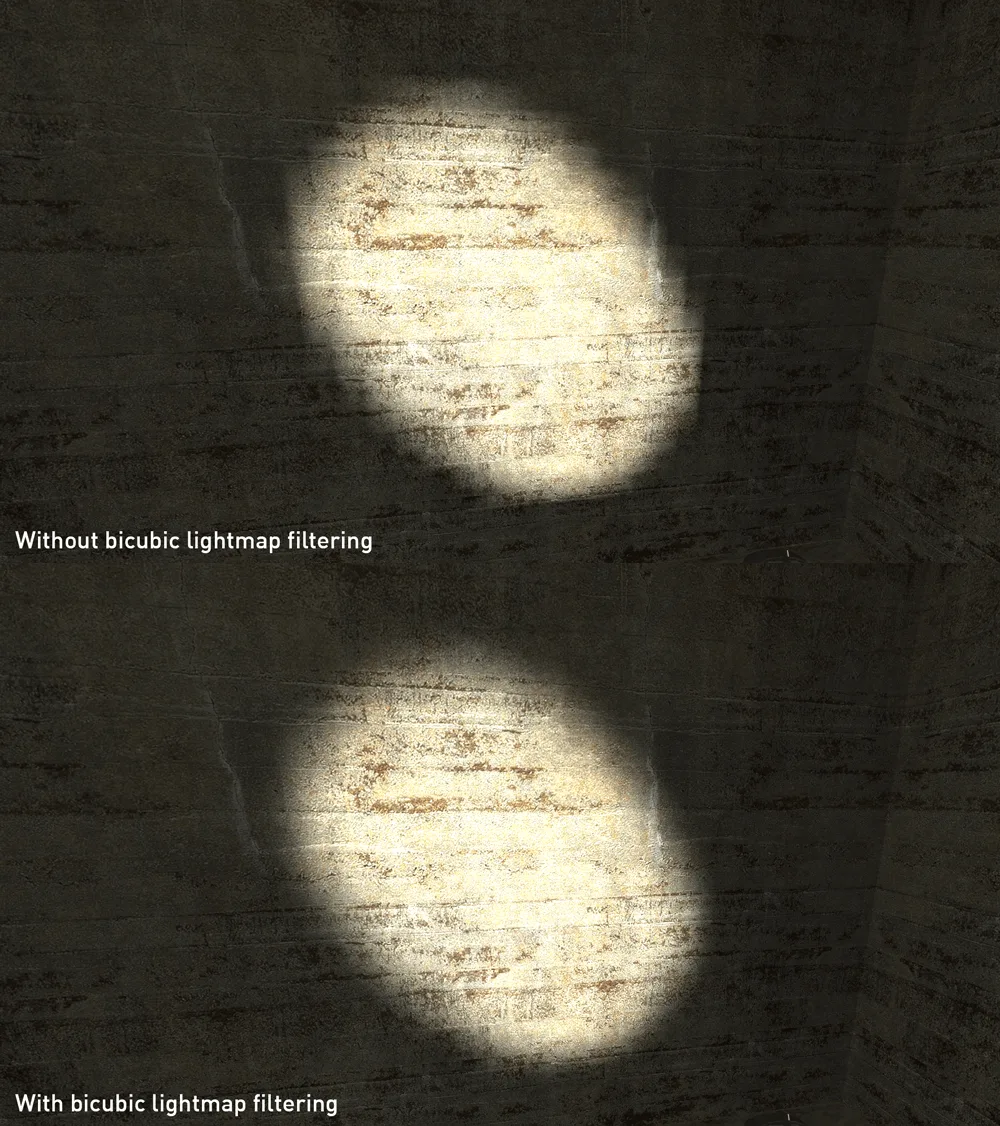
Same wall, same light. The top frame has a harder, lumpier edge around the pool of light, and the bottom frame blends it out.
The console variable behind it is r_lightmap_bicubic, according to a July 2025 report on Valve's tracker (#7453). That report found the game's dxsupport.cfg file tries to set it under the wrong name, r_bicubic_lightmap, so you may see "Bad convar found in dxsupport" in the console. The reporter found bicubic filtering still switched on when they moved the DirectX level from 90 back to 95, so the message doesn't mean the feature is off.
One open report is worth knowing about. In November 2025, a player on Linux with an AMD Radeon RX 570 reported (#7717) that Very High breaks shading in Episode Two: some textures render pitch black until the flashlight hits them, others come out too bright. Dropping Shader Detail to High fixed it. That's one report on one setup, and it was still open on October 23, 2026. If the Episodes suddenly look wrong, though, it's the first thing to try.
Model Detail: High stops swapping models
Valve's note is unambiguous: "Setting Model Detail to High will now always display the highest detail version of a model and never swap for a lower level-of-detail." The anniversary page calls it playing with only the highest-detail models. A level-of-detail swap trades a model for a simpler version of itself, and on High that no longer happens.
There's a catch if you were planning to drop it on a weak machine. An open report from November 28, 2024 (#6780) says Medium and Low have the dynamic swapping disabled too. If that's right, lowering Model Detail won't bring back the savings level-of-detail swaps were for. No Valve staff member has replied on it.
Classic Effects: the 2004 blood and fire, in the base game
The anniversary page describes the option as a choice between "the original launch day blood and fire effects, or those created for the episodes, when playing the Half-Life 2 base game." So Off gives you the effects Valve made for the Episodes, and On gives you the ones Half-Life 2 shipped with in 2004. The Ravenholm fire at the top of this page is one of the two images Valve put in that section of its anniversary page. The Ravenholm guide covers Father Grigori's traps.
Valve's notes name a console variable for each effect, r_classic_blood and r_classic_fire, so you can set the blood and the fire separately.
"Base game" is the important part. An open November 2024 report (#6648) says the option has no effect in Episode One or Episode Two, which matches Valve's wording. Four more open reports cover three gaps in the restoration and one crash:
| Report | What happens | Opened |
|---|---|---|
| #6642 | The fire field on d1_canals_07, a Water Hazard map, keeps the new fire. The reporter says the pre-Orange Box map used env_fire entities, and the current one uses a particle system | November 18, 2024 |
| #6644 | Gibbed antlions still throw the episodic blood effect on top of the classic one | November 18, 2024 |
| #6672 | The original toxic water splashes aren't restored. The reporter describes them as yellow versions of the normal splash | November 19, 2024 |
| #6729 | Turning Classic Effects off while a classic effect is on screen freezes the game, then crashes it. Turning it on doesn't | November 23, 2024 |
The last one has an easy workaround: only change the option when no classic blood or fire is on screen.
HDR and water: the lighting Valve rebalanced
Valve's notes: "The High Dynamic Range setting has been moved to the main Video settings page." The bigger change is in the maps. The update ran a "Full HDR lighting and tonemapping pass across every map in Half-Life 2 and Half-Life 2: Deathmatch," and the anniversary page says Valve "Rebalanced the lighting across Half-Life 2 to account for playing with HDR on or off, using the original release as reference."
So Valve tuned the maps for both. Set it to Full: the anniversary's map-wide lighting pass is an HDR and tonemapping pass, and Full is how you see it. If you play the Cinematic Mod's Workshop port, its page also asks for Full, to avoid a "fullbright" issue in that mod.
Two things it isn't:
- It isn't HDR output. PCGamingWiki notes the option means HDR rendering inside the engine, and the image still goes to your monitor as SDR. An HDR display gets nothing extra from it.
- It isn't the old bloom option. Valve removed the non-functional "Use 'bloom' effect when available" setting in the same update, and a November 18, 2024 patch fixed the amount of bloom applied after switching between Episode One and Episode Two.
For the tech demo Valve built to show off HDR rendering, see the Lost Coast guide. It's still in the Extras menu.
Water is the other place the maps changed under you. Valve "Replaced instances of simple reflective water with fully reflective water in nearly every map," and "Tuned fog and skyboxes for every map with water on the horizon for better horizon blending." Water Detail's top option is Reflect all, and that's where to set it.
Field of view and ultrawide
The default field of view is 75, and the slider runs to 110, per PCGamingWiki. That ceiling dates to a Half-Life 2 beta Valve put up in October 2021, ahead of the Steam Deck. PC Gamer and GamingOnLinux both reported that it raised the cap to 110 and added ultrawide support, and GamingOnLinux puts the old cap at 90. PCGamingWiki adds that fov_desired in the console and the gamepad interface go up to 120.
The anniversary update fixed two things that used to punish a wide FOV:
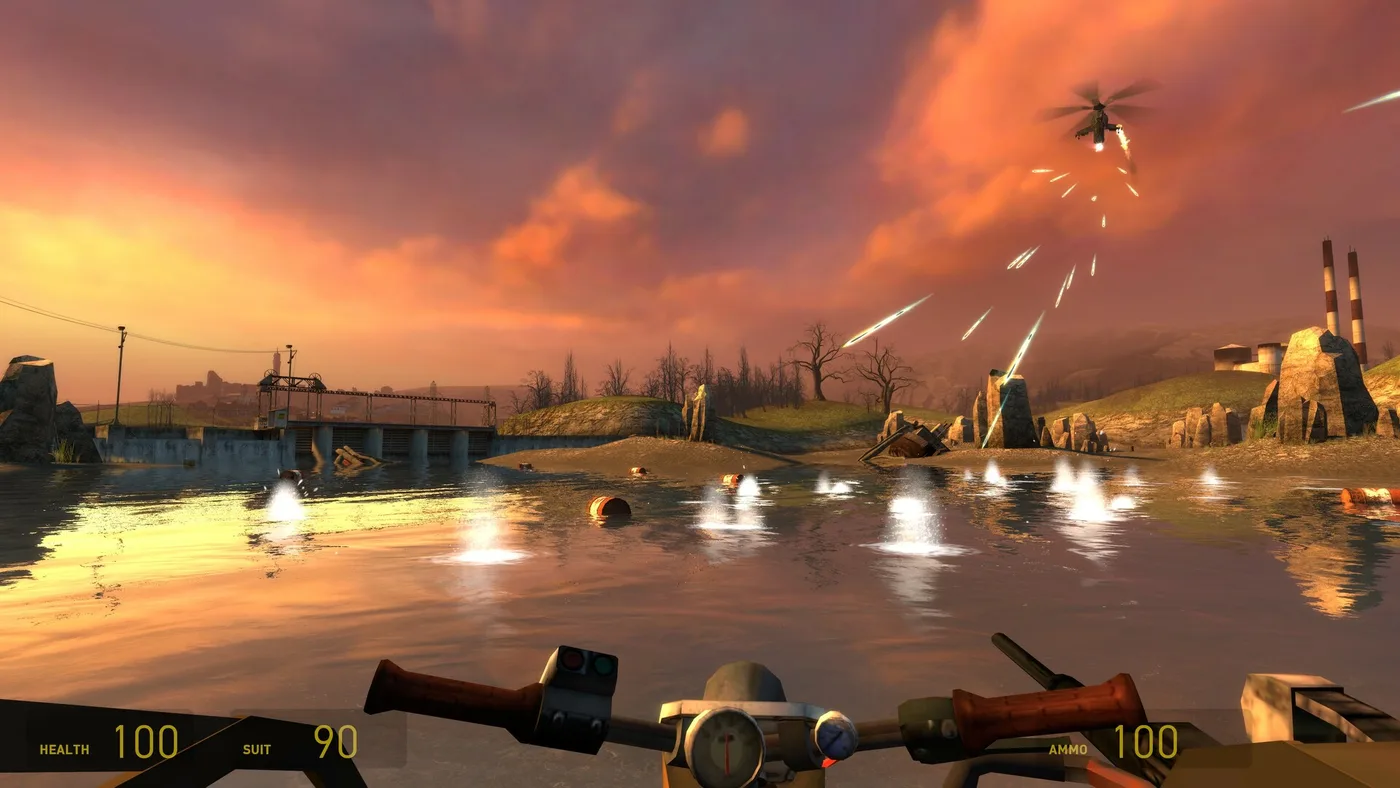
- Vehicles. Valve "Fixed camera clipping into vehicles at high FOV settings." That removes the old reason to drop your FOV for the airboat and the buggy. The vehicle chapters guide covers the driving itself.
- Ultrawide weapon models. Valve "Updated models for the Crossbow and RPG weapons to support ultrawide displays," and added geometry to the menu background maps for ultrawide screens.
A November 18, 2024 patch then fixed "the FOV setting not applying until you got the HEV Suit if you started a new game and watched the intro sequence." An open report from November 16, 2024 (#6564) describes the FOV refusing to change in Point Insertion, the opening chapter, and also says Dark Energy, the final chapter, locks the view to 75. No patch note has mentioned Dark Energy. If your FOV snaps back to 75 in the last chapter, that's probably this bug, not your setting.
Frame rate, VSync and the renderer
Frame rate. PCGamingWiki records a 300 fps cap by default. The fps_max console variable raises it to 1,000, and 0 removes the cap. It also notes that VSync is double-buffered.
The renderer. On Windows the game runs on Direct3D 9, per PCGamingWiki. The -vulkan launch option switches to Vulkan through DXVK, a translation layer. Valve's November 2022 update note lists a single change: "Update to DXVK Version 2.0."
- On Linux, use it. GamingOnLinux reported in October 2021 that the native Linux build gained DXVK Native, and that
-vulkanswitches it from OpenGL to Vulkan. A report open on Valve's tracker since November 16, 2024 (#6540) says the native Linux build still defaults to OpenGL after the anniversary update, and that this causes wrong lighting on scanner flashes, manhack explosions and flickering lights. The reporter found the lighting problem goes away with-vulkan. Some stutter remains. - On Windows, only if something asks for it. PCGamingWiki lists
-vulkanas working on Windows too. The Cinematic Mod's Workshop port asks Nvidia users to add it, and says modern AMD cards don't need it. The Workshop guide covers that port.
One menu bug to know about: an open report (#6536) says the menus shrink after you change certain video settings, and a commenter narrows it to Antialiasing and Vertical Sync. Changing the video mode puts them back. Someone was still reporting it in June 2026.
Launch options and console variables
Launch options go in Steam: right-click Half-Life 2, choose Properties, and type them into Launch Options. Console variables work there too with a + in front. That's how the Cinematic Mod port's page sets +r_hunkalloclightmaps 0. You can also type them into the console, which the console commands guide shows you how to turn on.
| Option | What it does | Source |
|---|---|---|
-vulkan | Vulkan renderer through DXVK | Valve's 2022 note; PCGamingWiki |
-novid | Skips the intro videos | PCGamingWiki |
-gamepadui | The gamepad-friendly interface from the Steam Deck | Valve's anniversary notes |
-dxlevel 95 | Fixes a game stuck on DirectX 8.0. Launch once, set your video options, then remove it, or the game sets your options back to their defaults | PCGamingWiki |
-windowed -noborder | Borderless window on the pre-anniversary steam_legacy build. The current build has it in Display Mode | PCGamingWiki |
fps_max | Frame-rate cap. 300 by default, 0 for none | PCGamingWiki |
fov_desired | Field of view, from the default 75 | PCGamingWiki |
r_classic_blood, r_classic_fire | The two halves of Classic Effects | Valve's anniversary notes |
r_lightmap_bicubic | Bicubic lightmap filtering. 0 turns it off | Valve tracker reports #7453 and #7429 |
What you get without touching a setting
A lot of the anniversary's visual work lives in the maps rather than the menus. From Valve's change notes:
| Change | Valve's wording |
|---|---|
| HDR lighting | "Full HDR lighting and tonemapping pass across every map" |
| Lightmaps | "Increased lightmap resolution in most maps" |
| View distance | "Adjusted rendering distances across the game so details and objects remain visible much further away" and "Removed Far-Z clip plane from most maps" |
| Fade distances | "Increased window and door fade distances" |
| Fog | "Added support for radial fog," and radial fog in "all coast maps in the Highway 17 chapter" |
| Shine | "Specular reflectivity has been adjusted throughout Half-Life 2 to better match the original release" |
| Missing detail | Missing grass detail sprites fixed in many maps, shadows enabled on many static props that lacked them, glow sprites added to lights that lacked them |
| Interface | "The UI now scales to support higher resolutions" |
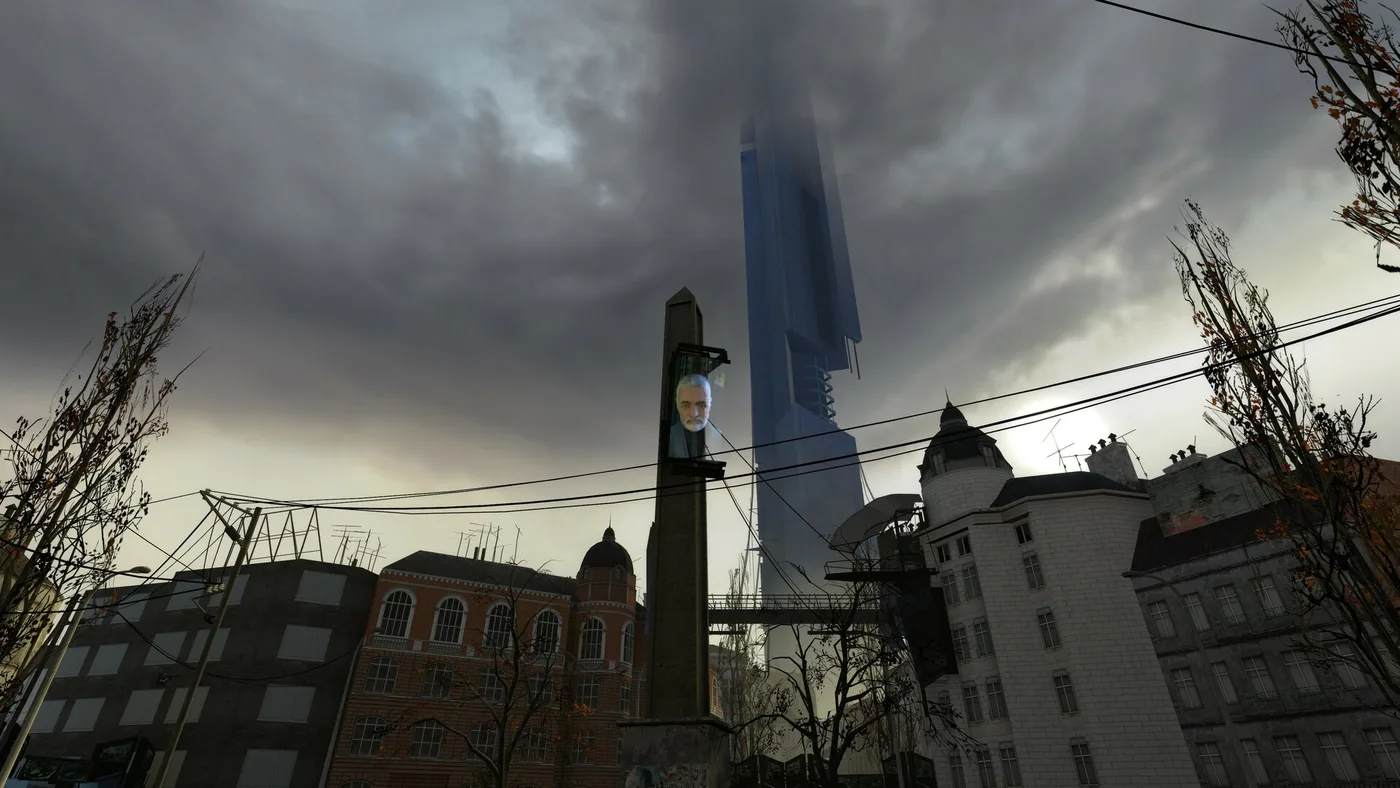
Radial fog has no menu option. Valve's anniversary page credits it with "Cleaner, smoother horizon lines," and it's set in the maps.
None of it exists on the steam_legacy branch, which Valve describes as the "Pre-20th Anniversary Build" and keeps for mods that break on the current one. If you want to go further than Valve did, that's mod territory: the Half-Life 2 RTX demo for path tracing, or the overhauls in the best mods guide.
Quick Action Checklist
- Set High Dynamic Range to Full on the main Video tab. That's where the anniversary update moved it.
- In Advanced, set Shader Detail to Very High for bicubic lightmap filtering, the smoother shadow edges in Valve's comparison.
- If Episode Two turns patches of the world pitch black, drop Shader Detail to High.
- Set Model Detail to High. It now always shows the highest-detail models.
- Turn on Classic Effects if you want the 2004 blood and fire. It works in the base game, not the Episodes, and turning it off while a classic effect is on screen can crash the game.
- Set Water Detail to Reflect all. Nearly every map now uses fully reflective water.
- Pick any field of view from 75 to 110. The vehicle camera no longer clips at the high end.
- On Linux, add
-vulkanto the launch options. On Windows, add it only if a mod such as the Cinematic Mod asks for it. - Use
fps_max 0in the console to uncap the frame rate, and-novidto skip the intro videos. - Don't look for a radial fog option. It's built into the maps.
Frequently Asked Questions
What are the best graphics settings for Half-Life 2?
What does Classic Effects do in Half-Life 2?
How do you turn on bicubic lightmaps in Half-Life 2?
What is Half-Life 2's maximum field of view?
Should I use -vulkan in Half-Life 2?
Does Half-Life 2's HDR setting work with HDR monitors?
Keep Reading
- Valve — Half-Life 2 20th Anniversary Update notes, November 15, 2024: bicubic lightmaps at Very High shader detail, Classic Effects and r_classic_blood / r_classic_fire, 4x MSAA default, Model Detail High, HDR moved to the Video page, bloom setting removed, FOV vehicle clipping, ultrawide crossbow and RPG, map lighting and fog changes, steam_legacy
- Valve — Half-Life 2 Anniversary Update page: Updated Graphics Settings (launch-day vs Episodes blood and fire in the base game, High Quality models, bicubic lightmap filtering), lighting rebalanced for HDR on or off, radial fog
- Valve — Half-Life 2 November 18, 2024 Update: FOV not applying until the HEV Suit fixed, bloom after switching Episodes fixed
- Valve — Half-Life 2 Update, November 2022: "Update to DXVK Version 2.0"
- PCGamingWiki — Half-Life 2: FOV 75 to 110 (120 via fov_desired or gamepad UI), 300 fps default cap and fps_max, double-buffered VSync, up to 8x MSAA, HDR rendering in SDR output, Direct3D 9, -vulkan via DXVK, -novid, -dxlevel 95, -windowed -noborder
- PC Gamer — Valve quietly updates Half-Life 2 with increased FOV, ultrawide support and ancient bug fixes (October 19, 2021): FOV cap raised to 110, Vulkan support in beta
- GamingOnLinux — Half-Life 2 and the episodes get a Beta with Vulkan (DXVK) and more (October 19, 2021): DXVK Native, -vulkan instead of OpenGL, FOV to 110 from 90, ultrawide
- Valve Source-1-Games tracker #6711 (November 21, 2024): a player's full Video and Advanced settings list and screenshots, GTX 1050 Ti
- Valve Source-1-Games tracker #7453 (July 31, 2025): r_lightmap_bicubic, and the misnamed r_bicubic_lightmap entry in dxsupport.cfg
- Valve Source-1-Games tracker #7429 (July 26, 2025): bicubic lightmap artifacts; a comment gives Shader Detail High or r_lightmap_bicubic 0 to switch back
- Valve Source-1-Games tracker #7717 (November 29, 2025): Very High shader detail breaks shading in Episode Two, fixed by High
- Valve Source-1-Games tracker #6780 (November 28, 2024): level-of-detail swapping disabled on Medium and Low model detail too
- Valve Source-1-Games tracker #6648 (November 18, 2024): Classic Effects has no effect in the Episodes
- Valve Source-1-Games tracker #6642 (November 18, 2024): fire on d1_canals_07 ignores Classic Effects
- Valve Source-1-Games tracker #6644 (November 18, 2024): antlion gibs show episodic blood with classic blood on
- Valve Source-1-Games tracker #6672 (November 19, 2024): Classic Effects misses the original toxic water splashes
- Valve Source-1-Games tracker #6729 (November 23, 2024): crash when disabling Classic Effects while a classic effect is rendered
- Valve Source-1-Games tracker #6564 (November 16, 2024): FOV cannot change in Point Insertion and Dark Energy
- Valve Source-1-Games tracker #6540 (November 16, 2024): native Linux build defaults to OpenGL (ToGL), lighting problems absent with -vulkan
- Valve Source-1-Games tracker #6536 (November 16, 2024): menus shrink after changing certain video settings
- Steam Workshop — Cinematic Mod (Half-Life 2): +r_hunkalloclightmaps 0, -vulkan on Nvidia cards, HDR on Full to avoid a fullbright issue
- Steam — Half-Life 2 store page (source of the airboat and City 17 screenshots)
Related Guides
Half-Life 2 Episode Three: What Was Built and Why It Died
Valve promised the Half-Life 2 trilogy would end by Christmas 2007. Episode Three never shipped, and neither did the two Ravenholm projects Junction Point and Arkane built for Valve. Here is what each project contained, the code Valve still publishes, and the reasons the developers have given on the record, up to an August 2026 interview.
Half-Life 2 Steam Workshop: Campaigns, Addons, Known Bugs
Half-Life 2 has had a Steam Workshop in its Extras menu since November 2024, and it held 12,469 items on October 11, 2026. Here is how Campaign and Content items load differently, how to start a Workshop campaign, what people actually subscribe to, and the bugs still open on Valve's tracker.
Half-Life 2 Episode Achievements: All 36, and the Hard Ones
Half-Life 2's Steam page now lists 69 achievements, not 33. The 20th Anniversary Update brought in the Episodes' 36. Here is every one of them, which game each actually counts in, which ones a reload can rescue, and the runs that need planning.
Half-Life 2 G-Man Sightings: Where to Spot Him, Map by Map
Between the opening monologue and the ending, the G-Man turns up twelve more times in Half-Life 2, mostly at a distance or on a screen. Here is where each one is, by chapter and map, plus the three in Episode Two and the ones Valve cut.

Half-Life 2 Beginner's Guide: Start Strong in City 17
Half-Life 2 never stops to explain itself, which is why new players stall in Ravenholm with no shotgun ammo and no idea the gravity gun was the answer. Here is the chapter map, the systems the game hides, and the mistakes that waste your first playthrough.
Half-Life 2 on Console, Mac and Steam Deck: Every Version
Half-Life 2 has shipped on seven platforms and one arcade cabinet, and only one of those versions still gets patches from Valve. Here is every official port, what each one is missing, and the right way to play it on whatever you own.