Half-Life 2 Lost Coast: How to Play It and What Is In It
Valve unlisted Half-Life 2: Lost Coast from the Steam store and folded it into Half-Life 2 itself. It is still there, it is still the best fifteen minutes of graphics-programming history you can play, and it is where the developer commentary system was invented.
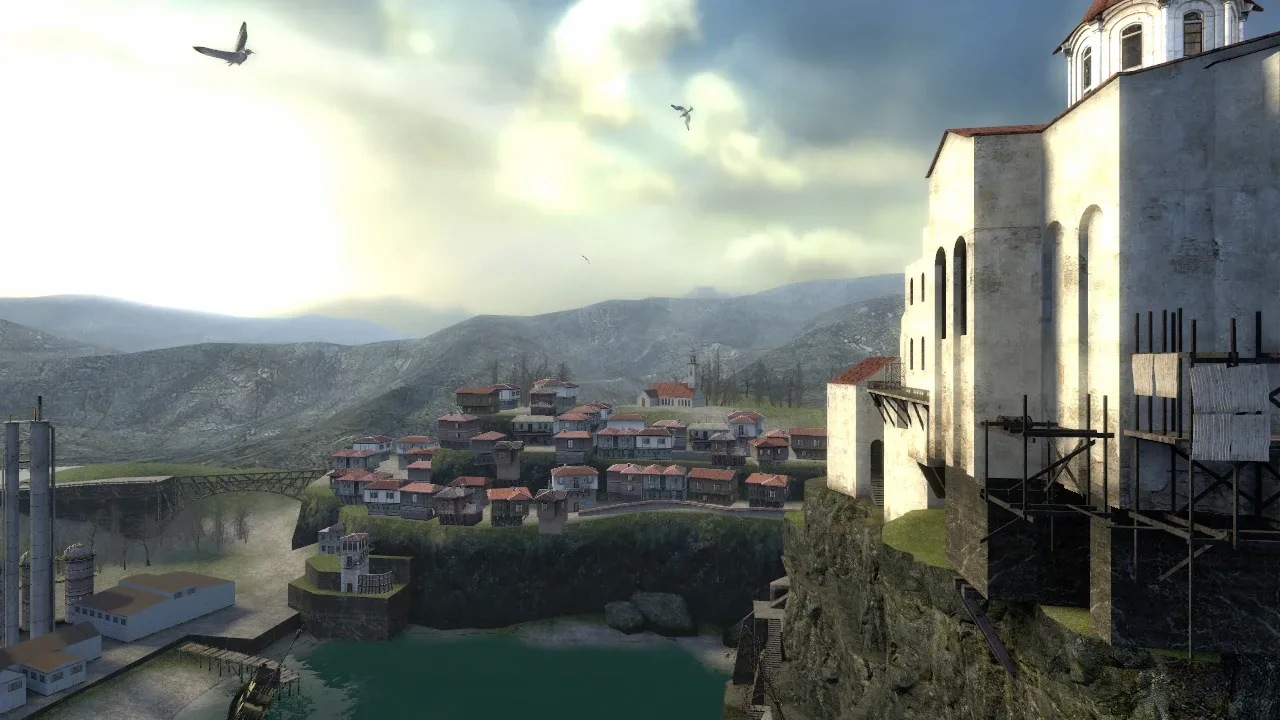
Search the Steam store for Half-Life 2: Lost Coast and you get nothing. The store page is still live if you have the direct link, and it carries a blunt notice: at the request of the publisher, Lost Coast is unlisted and will not appear in search.
That is not a delisting. It is a relocation. Lost Coast is inside Half-Life 2 now, two clicks from the main menu.
It deserves better than that, because it is a strange little artifact: a level Valve cut from Half-Life 2, rebuilt as a graphics tech demo, which accidentally became the birthplace of the developer commentary track Valve has shipped in every Half-Life and Portal game since.
What Lost Coast actually is
Lost Coast was released on October 27, 2005, roughly eleven months after Half-Life 2, as a free download to anyone who already owned the game. It is one map, d2_lostcoast, set in a coastal town called St. Olga — a fishing village under a Byzantine monastery on a cliff.
The name is a development joke. Per the Combine OverWiki, St. Olga was originally slated for the Highway 17 chapter, whose internal development name was "Coast." A level cut from Coast is a lost coast.
Because it was cut and then rebuilt as a showcase, both major Half-Life wikis tag it as non-canon. Nothing in it is load-bearing for the story in the Half-Life 2 story and lore guide. It does carry one detail that got trimmed out of the retail game, though: a working Headcrab Shell launcher, the artillery piece that fires the canisters landing all over City 17 and the Coast. The Half-Life Wiki notes that in Half-Life 2 itself the shells always arrive from an unseen launcher somewhere nearby; here you get to stand in front of one.
Its actual purpose was to demonstrate high dynamic range rendering in the Source engine. Every architectural choice in the level exists to make a lighting feature visible, which is why it looks the way it does.
Where Lost Coast went in 2024
On November 15, 2024, Valve shipped the Half-Life 2 20th Anniversary Update, and the official Half-Life 2 anniversary page is explicit about what happened to Lost Coast: it "has been added to the Extras menu."
The same page covers what happened to the old standalone installs. Episode One, Episode Two and Lost Coast still exist as separate Steam applications, but they "will now appear within the Tools menu on your Steam Library" rather than sitting in your games list. PCGamingWiki records the mechanism: all three were merged into Half-Life 2 as the hl2_complete mod, with the individual parts reachable from the main menu, and only the base game's store page is findable from search any more.
So there is nothing to buy and nothing extra to install. If Half-Life 2 is in your library, Lost Coast is on your drive.
One footnote for anyone chasing accurate engine trivia. PCGamingWiki notes Lost Coast shipped on Source 2004 binaries — updated to support HDR and commentary, but never moved onto Source 2006 with Episode One — and was only migrated to Source 2013 Singleplayer during SteamPipe. It took a different route through the engine versions than the games around it.
How to launch it now
Three routes, in order of how much trouble they are.
| Route | How | Notes |
|---|---|---|
| Extras menu | Launch Half-Life 2, choose Extras, pick Lost Coast | The intended path since November 2024. Steam Workshop content lives in the same menu; the episodes sit on the main menu |
| Steam Tools | Steam Library, filter to Tools, launch the standalone Half-Life 2: Lost Coast app | Kept alive so community projects that depend on it keep working |
| Command line | Launch the Source executable with -game lostcoast | PCGamingWiki notes it runs DRM-free this way |
Turn commentary on before you start. It is a checkbox in the options menu, and on this particular level it is not an optional extra — it is the reason the level exists. Valve's own suggestion at the time, recorded by bit-tech, was to play it once clean and then again with commentary enabled.
Be aware of one behavioural difference. Per the Half-Life Wiki, playing a commentary node in Lost Coast disables the AI for the duration, while in the Half-Life 2 Episodes a node instead makes you invulnerable. Same feature, different implementation, because Lost Coast is where they were still figuring it out.
The whole level, start to finish
It is one map and it runs in a straight line. Here is the shape of it.
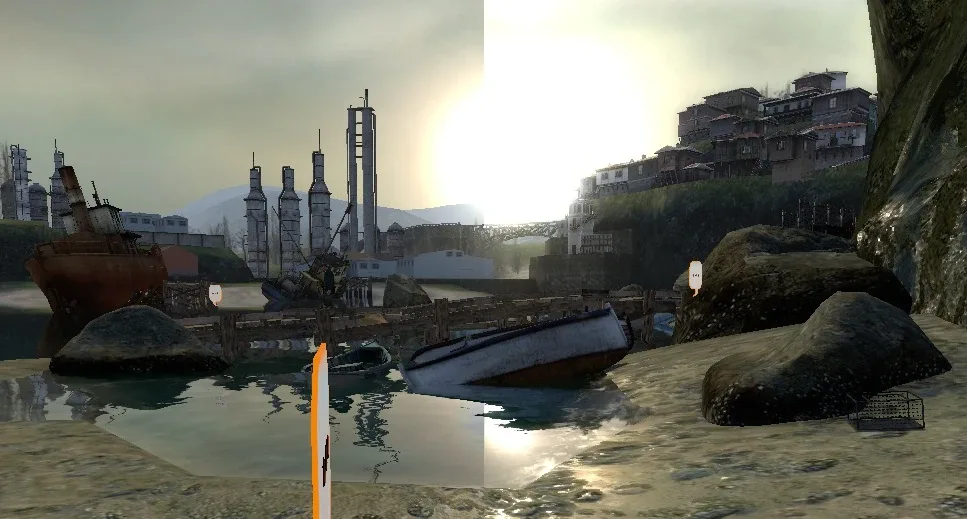
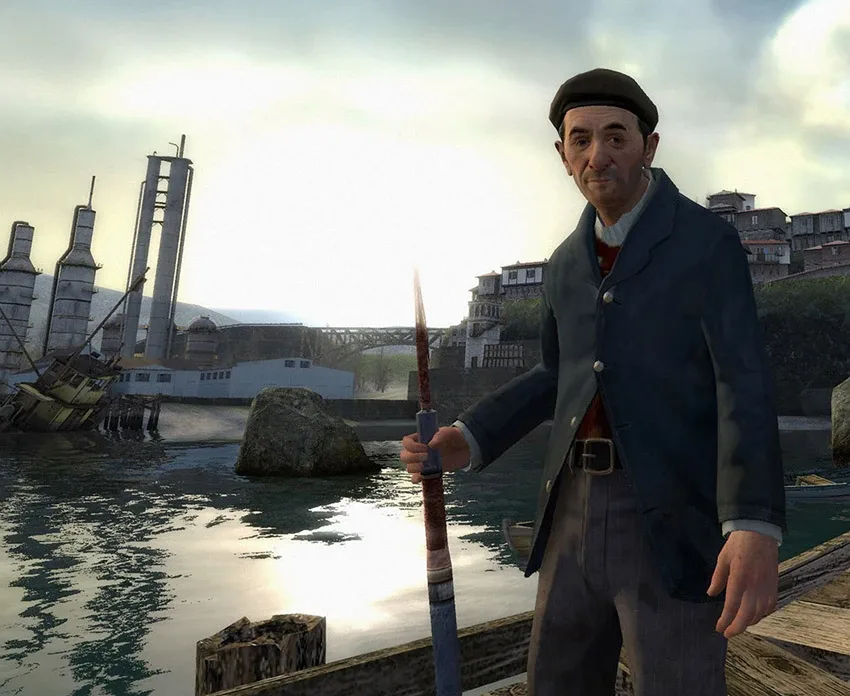
You wake up in the shallows below a cliff. Walk the beach to a small pier, where an old man — credited only as the Fisherman — recognises you, mangles your name, and tells you the Combine have set up in the monastery above and are shelling the town. He unlocks a gate and points you at the gun.
The gate opens onto a cliffside path. This is the level's first real fight, and it is deliberately vertical: Overwatch soldiers rappel down at you from above while you climb. Robin Walker's commentary explains the design intent directly — players look where they are travelling, so making you ascend guarantees you are looking up when the enemies arrive. Watching the shells arc overhead into St. Olga while you climb is the level's best image.
At the top is the monastery courtyard, and it is empty. That is on purpose too. Walker calls it an arena: a space with multiple enemy entry points and a gate holding you there, deliberately left quiet so you can walk around it before it turns into a fight.
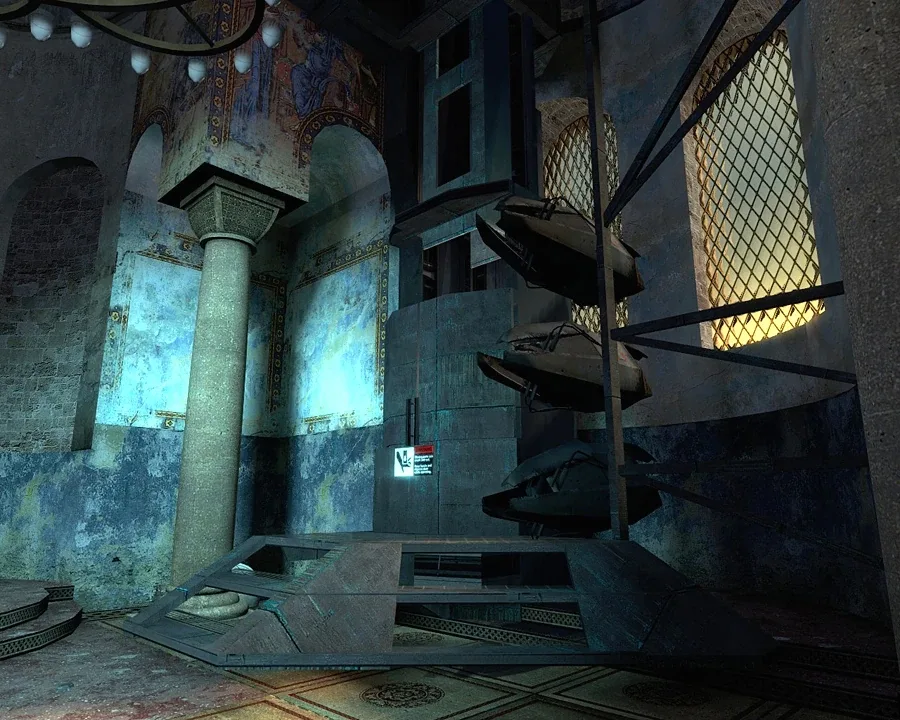
Inside the church is the Headcrab Shell launcher. Per the Half-Life Wiki, it loads and fires roughly every ten seconds, and it cannot be destroyed by grenades or gunfire. The solution is physics: drop any small object you can carry — a candlestick works — into the chamber and let the mechanism crush itself. That triggers the alarm, and the courtyard becomes the arena it was built to be.
The last fight is a Hunter-Chopper, and it does not behave like the choppers in the vehicle chapters. Both wikis flag it as behaving and sounding like a Combine Gunship instead: it shoots incoming rockets out of the air, and its pulse gun is noticeably more accurate. Treat it as a gunship, not a chopper. Steer the rocket in wide arcs, behind cover and around obstacles, rather than flying it straight down its throat, exactly as the enemies guide describes for gunships.
Then you take a lift back down to the dock, the Fisherman congratulates you and offers to share a meal of leeches, notices you are going blurry around the edges, and the screen fades. That is the game.
Why the level looks like that
The Combine OverWiki, citing an Ars Technica piece from September 2005, records that Valve went through four separate attempts at HDR in Source before shipping one:
- Store textures in RGBA colour space. Kept multisample anti-aliasing and pixel shaders, but broke alpha mapping and fog, and made textures look sharp and jagged.
- Save two versions of every texture, one regular and one overbrightened. No anti-aliasing and double the video memory, so it was not viable.
- Use floating point data for the RGB colour space, shown at E3 2005. Efficient, but still no anti-aliasing, and it only worked on Nvidia hardware — ATI cards could not run it at all.
- A compromise between the second and third: overbrightened textures used sparingly, with a separate ATI path producing nearly the same result.
Two features come out of that work and both are demonstrated in-level. Bloom blurs bright edges to simulate a camera overexposing. Dynamic tonemapping simulates your iris adjusting: Chris Green's node explains that the engine takes a snapshot of the scene, extracts the average brightness, and weights the centre of the screen more heavily than the edges because that is roughly how the eye works.
The rest of the level is a checklist of things to point HDR at. The sea and beach for water effects — Gary McTaggart's node notes water is rendered three separate times, once for refraction, once for reflection, once from your view. The whitewashed monastery walls for bloom. The stained glass and the golden urns and candlesticks in the altar room for refraction and cube mapping.
There is a nice fallback detail here. Because Valve expected people to run it on hardware that could not do HDR, there is an alternate intro commentary that plays instead if HDR is off or unsupported, in which Gabe Newell acknowledges you are not seeing the effects and invites you to look around anyway.
Every commentary node and where to find it
The Combine OverWiki's transcript lists 16 commentary files in Lost Coast, from six speakers: Gabe Newell, Viktor Antonov, Randy Lundeen, Robin Walker, Gary McTaggart and Chris Green. Each runs between ten seconds and a minute.
| Node file | Where it is | Speaker | What it covers |
|---|---|---|---|
comm_intro | Facing you at the start | Gabe Newell | Welcome, and how the commentary system works |
comm_intro_nohdr | Same spot, only if HDR is off | Gabe Newell | Alternate intro for non-HDR hardware |
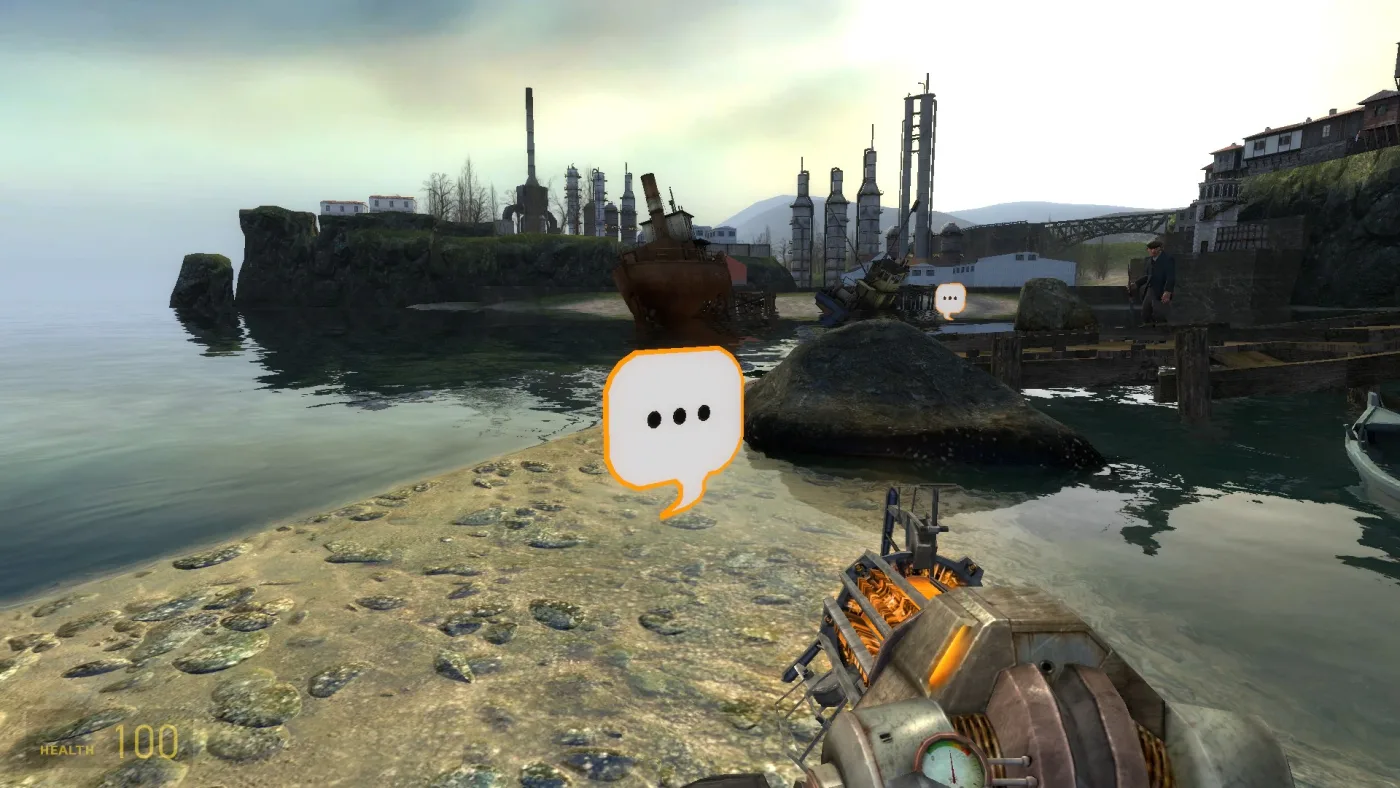
comm_beach | Near the start, beside the crab traps | Viktor Antonov | Why a beach was chosen; modelling textures in 3D for HDR |
comm_shipnode | The shipwreck behind the start area | Robin Walker | The co-op puzzle they cut, and how Valve decides to cut things |
comm_normal | Unused — no in-level location | Randy Lundeen | Normal maps and faking polycount on the flat beach rocks |
comm_hdr | On the path to the dock | Gary McTaggart | Why 20% reflective wet sand can only be 20% bright without HDR |
comm_water | At the dock, near the gates | Gary McTaggart | Rendering water three times; volumetric underwater fog |
comm_character | The Fisherman's introduction | Randy Lundeen | Building the Fisherman, specularity on skin, normal-mapped wrinkles |
comm_cliffside | The cliff path, after the staircase | Robin Walker | Vertical arenas, and why you must be looking up |
comm_tone | The dark staircase arch after the cliff | Chris Green | Dynamic tonemapping and centre-weighted brightness sampling |
comm_courtyard | The monastery courtyard | Robin Walker | Arena design and the pacing break before the fight |
comm_shader | Right before the altar room | Chris Green | The refraction shader, and updating every shader for HDR |
comm_monastery01 | Inside the altar room | Viktor Antonov | Bright-to-dark transitions; grounding fiction in real locations |
comm_monastery02 | Inside the altar room | Viktor Antonov | Churches as dramatic spaces |
comm_puzzle | At the Headcrab Shell launcher | Robin Walker | "Gates," and why jamming the gun beats hitting an off switch |
comm_outro | The Hunter-Chopper arena | Gabe Newell | Sign-off, and a request for feedback |
Two of those need an asterisk. comm_intro_nohdr is an alternate that only fires if HDR is disabled or unsupported, so you will only ever hear one of the two intros in a given run, and the transcript marks comm_normal as unused with no in-level location, so you will not find it on a playthrough.
The outro is the one worth staying for. Newell closes by calling the whole thing an experiment to see whether the community would find the development process interesting, gives out his own email address, and says that if people like it they will keep making this kind of content for every game going forward. They did. Wikipedia records Lost Coast as the first Valve game with a commentary mode, and Valve has shipped one in every Half-Life and Portal game since — including, twenty years later, the 3.5 hours of commentary the 20th Anniversary Update added to Half-Life 2 itself, and the tracks in both episodes.
The Fisherman was the test model
The Fisherman exists to be looked at. The Half-Life Wiki, citing the commentary, records that he has at least twice the detailing of any character in Half-Life 2, built with the same workflow as the beach rocks: model at very high detail, then bake the physical information down into the textures. The highlights on his forehead and nose are there to show specularity on skin; the wrinkles on his cheeks are normal maps adding depth to flat geometry.
He is also, per the Half-Life Wiki, the first Source character whose face was built from scratch without a real-life model. He is voiced by Jim French, carries a harpoon, and his entity name is npc_fisherman if you want to spawn him with the tools in the console commands guide.
The writing does more work than it needs to for a tech demo. He is protective of what is left of Earth's wildlife: grab the crab pot with the gravity gun and he tells you leeches have eaten most of the crabs, and shoot a seagull and he objects on the grounds that the gulls keep the leech population down. Then he invites you to a feast made of leeches. In a handful of incidental lines, an unnamed NPC in a cut level tells you more about what the Combine did to the biosphere than most of the retail campaign does.
He does have one famous flaw: the Half-Life Wiki notes he has no physics model, so killing him either crashes the game or drops him into a reference pose.
The puzzle Valve cut from the cut level
Walk behind the starting area and you find a wrecked ship on the rocks. It is the last piece of something that did not ship.
The comm_shipnode commentary is the most useful minute in the level, because Walker uses the wreck to walk through how Valve actually decides to cut work. The original design was a puzzle the player and the Fisherman would solve co-operatively — a type of puzzle the team had wanted to attempt in Half-Life 2 and never managed. As Lost Coast neared the end of development it still was not finished, so they asked themselves whether the puzzle was fun, how much more work it would need to become fun, whether it fit the purpose of Lost Coast at all, and whether players would rather have a finished version of it than, say, soldiers rappelling down the cliffside.
They picked the rappelling soldiers. The ship stayed as set dressing.
That is a level cut from Half-Life 2, containing a puzzle cut from the level, with a commentary node explaining the cut standing on top of the wreckage. If you liked the cut content guide, this is the single densest example of Valve's process the game will hand you — and it is about twenty seconds from the spawn point.
One last piece of trivia to listen for: the only music track in the level is Dark Interval, which plays as you first enter the monastery and would not be heard again until Episode Two, two years later.
Quick Action Checklist
- Lost Coast is not a separate install any more. Launch Half-Life 2, open Extras, pick Lost Coast.
- The standalone Steam app still exists under Tools in your library, kept alive for community projects.
- Turn developer commentary on before you start. Nodes disable the AI while they play in Lost Coast, unlike the Episodes, which make you invulnerable instead.
- Walk behind the start point to the shipwreck first and play
comm_shipnode— it is the best node in the level. - The Headcrab Shell launcher cannot be shot. Drop any small carryable object into its chamber to jam it.
- The final Hunter-Chopper shoots incoming rockets down and behaves like a gunship. Steer rockets in wide arcs around cover instead of straight at it.
- Sixteen commentary files, six speakers, one map. Expect to run it twice.
Frequently Asked Questions
How do you play Half-Life 2: Lost Coast now?
Is Half-Life 2: Lost Coast still available on Steam?
What is Half-Life 2: Lost Coast about?
Was Lost Coast the first game with developer commentary?
How do you destroy the Headcrab Shell launcher in Lost Coast?
Keep Reading
- Valve — Half-Life 2 20th Anniversary Update: Lost Coast added to the Extras menu, standalone apps moved to the Steam Tools menu, 3.5 hours of developer commentary
- Steam — Half-Life 2: Lost Coast store page, October 27 2005 release date and the publisher-requested unlisting notice
- Combine OverWiki — Lost Coast origin in the Highway 17 "Coast" chapter, the four HDR implementation attempts, the commentary system, and the Dark Interval track
- Combine OverWiki — full Lost Coast commentary transcript: all 16 node filenames, locations and speakers
- Half-Life Wiki — Lost Coast plot, commentary node behaviour versus the Episodes, and the Fisherman physics-model bug
- Half-Life Wiki — the Fisherman: Jim French voice credit, npc_fisherman entity, harpoon, seagull and leech dialogue, first Source face built without a real-life model
- Half-Life Wiki — Headcrab Shell launcher: ten-second firing interval and immunity to grenades and gunfire
- Half-Life Wiki — St. Olga, the d2_lostcoast map, and Viktor Antonov on the Byzantine monastery as an HDR showcase
- PCGamingWiki — merge into Half-Life 2 as the hl2_complete mod, the move to the Steam Tools section, the -game lostcoast argument, and the Source 2004 to Source 2013 engine history
- Wikipedia — Lost Coast as the first Valve game with a commentary mode, and the 2024 anniversary update folding it into Half-Life 2
Related Guides
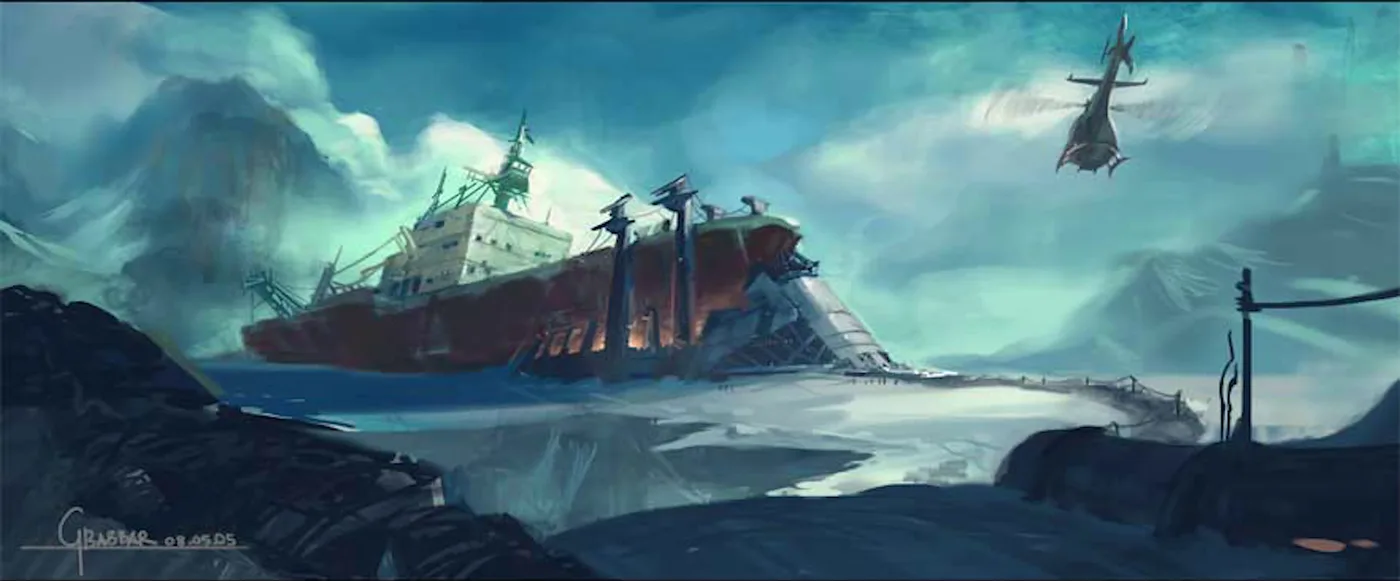
Half-Life 2 Episode Three: What Was Built and Why It Died
Valve promised the Half-Life 2 trilogy would end by Christmas 2007. Episode Three never shipped, and neither did the two Ravenholm projects Junction Point and Arkane built for Valve. Here is what each project contained, the code Valve still publishes, and the reasons the developers have given on the record, up to an August 2026 interview.
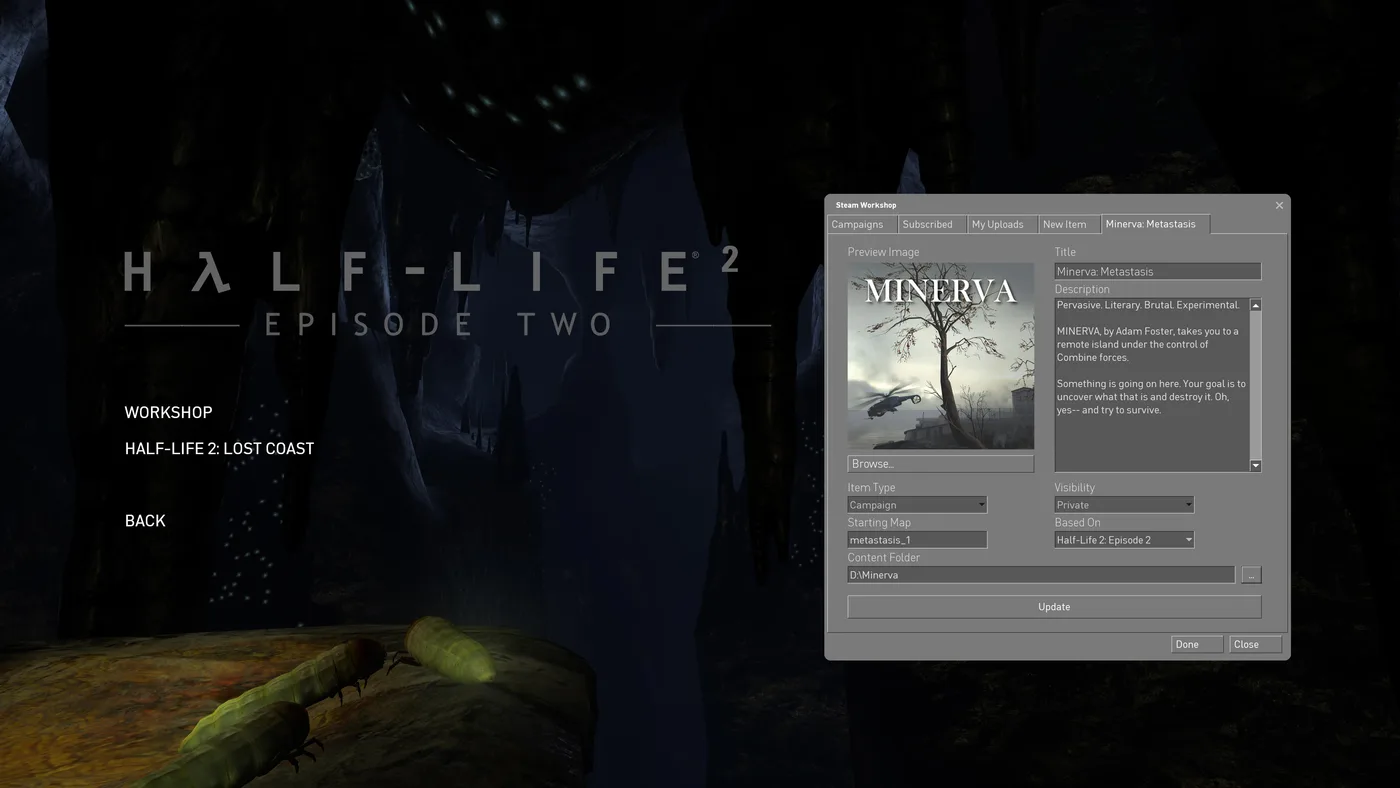
Half-Life 2 Steam Workshop: Campaigns, Addons, Known Bugs
Half-Life 2 has had a Steam Workshop in its Extras menu since November 2024, and it held 12,469 items on October 11, 2026. Here is how Campaign and Content items load differently, how to start a Workshop campaign, what people actually subscribe to, and the bugs still open on Valve's tracker.
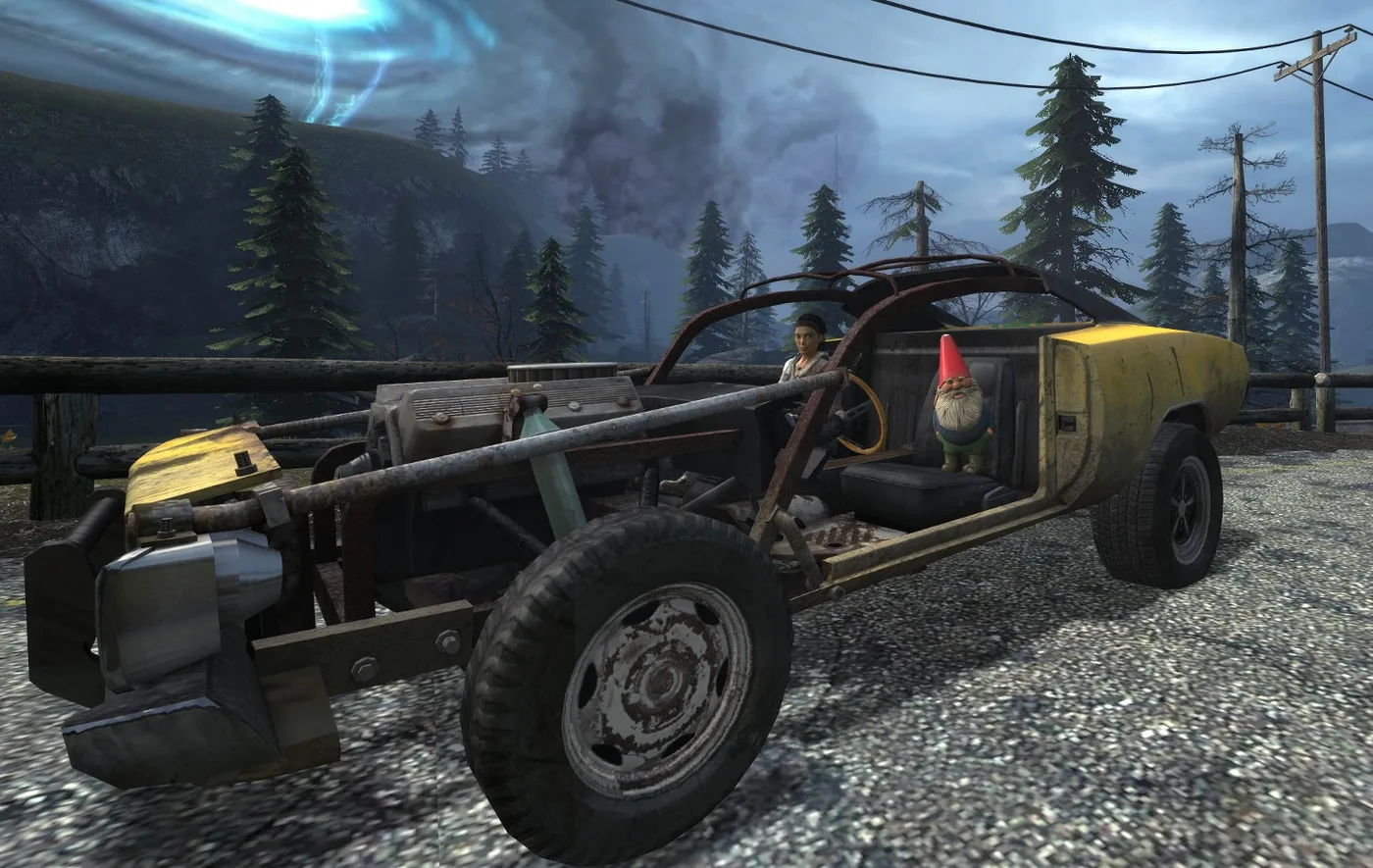
Half-Life 2 Episode Achievements: All 36, and the Hard Ones
Half-Life 2's Steam page now lists 69 achievements, not 33. The 20th Anniversary Update brought in the Episodes' 36. Here is every one of them, which game each actually counts in, which ones a reload can rescue, and the runs that need planning.
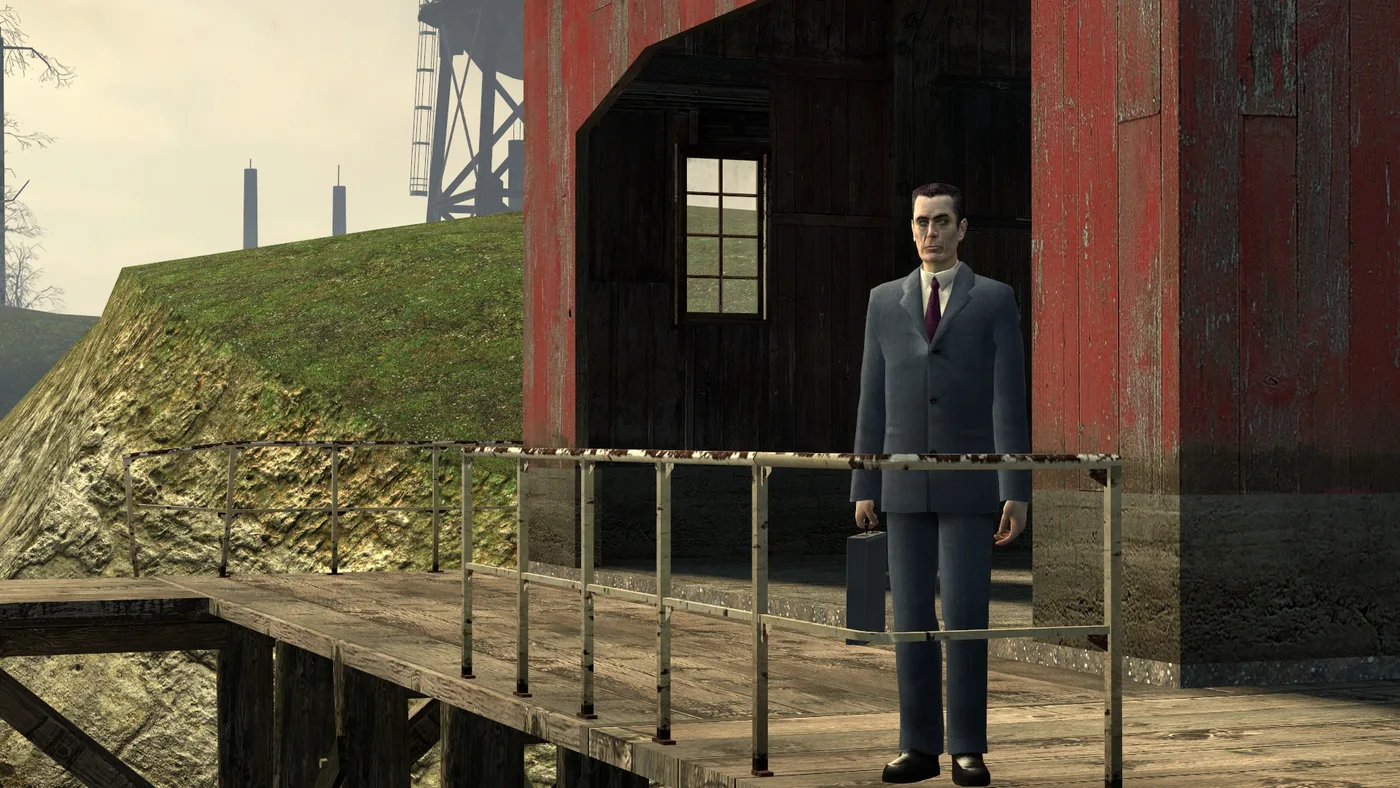
Half-Life 2 G-Man Sightings: Where to Spot Him, Map by Map
Between the opening monologue and the ending, the G-Man turns up twelve more times in Half-Life 2, mostly at a distance or on a screen. Here is where each one is, by chapter and map, plus the three in Episode Two and the ones Valve cut.
Half-Life 2 Beginner's Guide: Start Strong in City 17
Half-Life 2 never stops to explain itself, which is why new players stall in Ravenholm with no shotgun ammo and no idea the gravity gun was the answer. Here is the chapter map, the systems the game hides, and the mistakes that waste your first playthrough.
Half-Life 2 on Console, Mac and Steam Deck: Every Version
Half-Life 2 has shipped on seven platforms and one arcade cabinet, and only one of those versions still gets patches from Valve. Here is every official port, what each one is missing, and the right way to play it on whatever you own.