Minecraft Crafter Guide: Auto-Crafting Without a Single Mod
The Crafter is the block that finally killed the 'just install a mod' answer to vanilla auto-crafting — and it's also the least intuitive redstone block Mojang has shipped. Here's the recipe, the slot-disabling trick everyone skips, the comparator rule that isn't the chest rule, and the hopper math that caps every build you'll make.
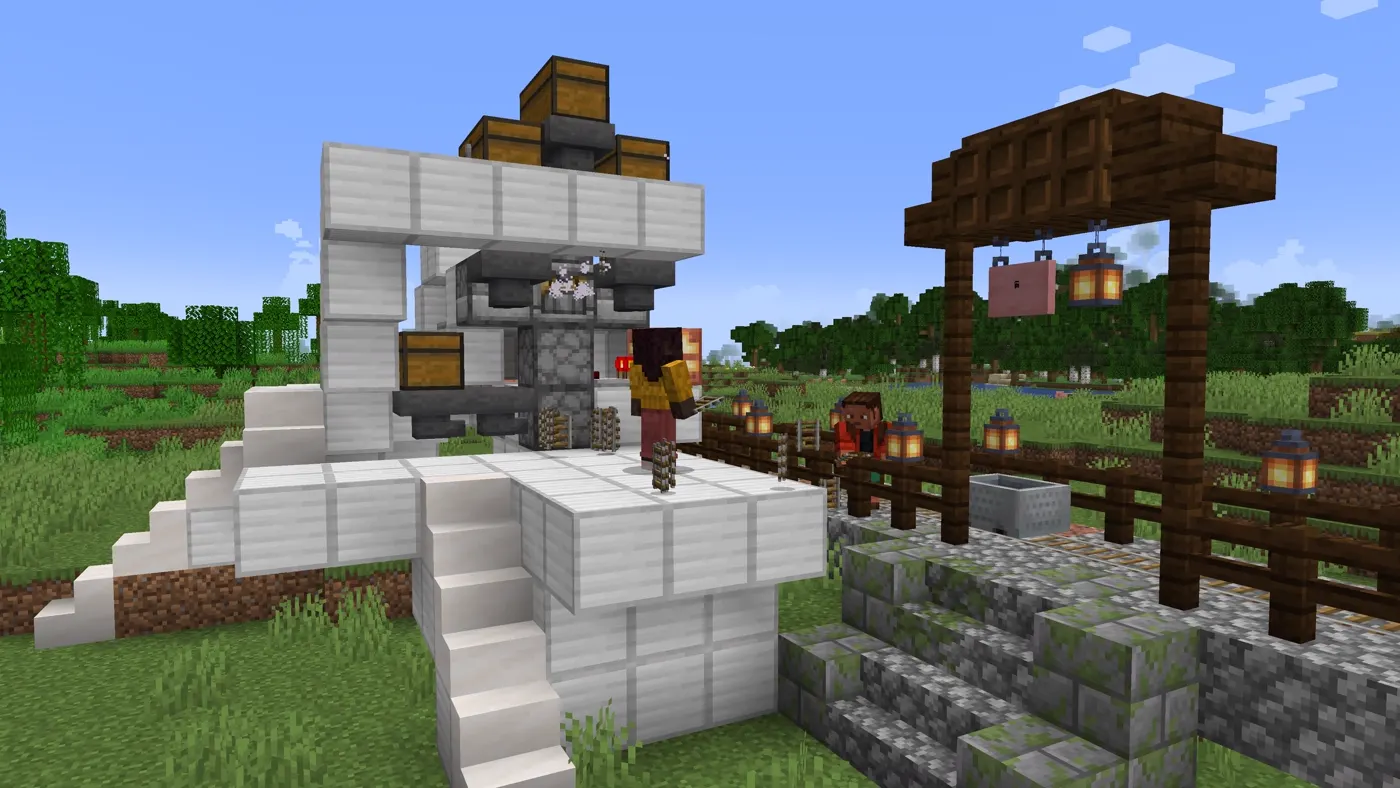
For most of Minecraft's life, "can I automate crafting in vanilla?" had exactly one honest answer: no, go install a mod. Then Tricky Trials shipped the Crafter and the answer became yes — with an asterisk. The Crafter is a genuinely great block, and it is also the least intuitive redstone component Mojang has ever added. Most first builds either fire once and stop, or quietly chew through a double chest of ingredients making something you didn't ask for.
The block landed in Java Edition 1.21 and Bedrock Edition 1.21.0, both released on 13 June 2024. Java players saw it earlier as an experimental toggle in snapshot 23w42a, which is why half the tutorials on the internet still show pre-release behaviour. This is the current version, and the parts everyone skips are the ones that decide whether your build works.
What the Crafter actually does
A Crafter holds nine slots arranged in a 3-by-3 grid, exactly like a crafting table. Give it a redstone signal and it waits 4 game ticks (0.2 seconds) before crafting one item out of whatever is sitting in those slots, then spits that item out of its front face.
That's the whole loop. One pulse, one craft. It is not a crafting table with a hopper bolted on — mechanically it behaves like a dropper that happens to craft first, and once you think of it that way, the placement rules, the output behaviour and the redstone quirks all stop being surprising.
Two consequences fall straight out of that, and they're the two that trip people up:
- It does not run on its own. No pulse, no craft. There is no internal timer.
- It crafts whatever the grid currently forms, not the recipe you had in mind when you set it up. If something slips into an empty slot, you're now making a different item — or nothing at all.
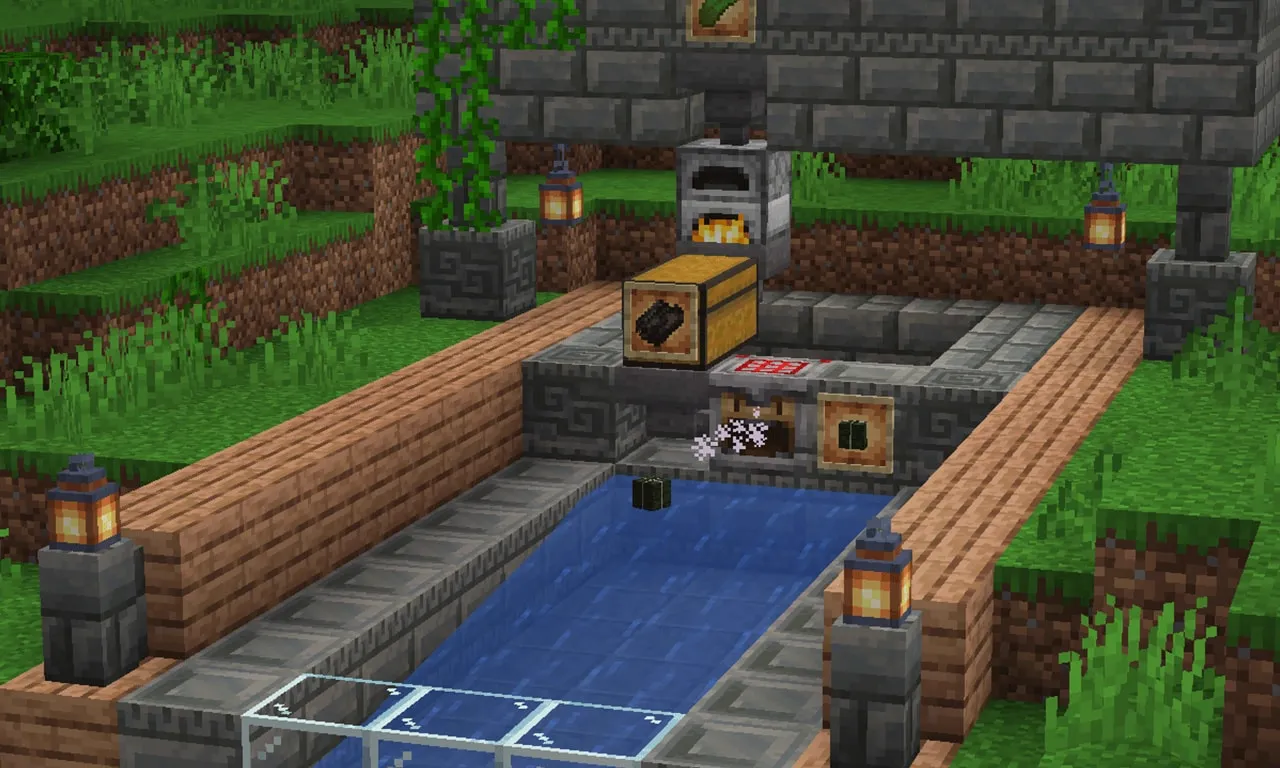
How to craft a Crafter
The recipe is five iron ingots, one crafting table, one dropper and two redstone dust, laid out like this:
| Left | Middle | Right | |
|---|---|---|---|
| Top | Iron ingot | Iron ingot | Iron ingot |
| Middle | Iron ingot | Crafting table | Iron ingot |
| Bottom | Redstone dust | Dropper | Redstone dust |
Broken down to raw materials, one Crafter costs 5 iron ingots, 3 redstone dust, 7 cobblestone and 4 planks — the dropper is 7 cobblestone plus 1 redstone, the crafting table is 4 planks. Iron is the only real gate, and if you're building more than two or three of these you want an iron farm running first.
It's mined with a pickaxe, it stacks to 64, and it's renewable, so there's no scarcity argument for hoarding them.
Disabled slots are the whole trick
Open a Crafter and click any empty slot. It toggles off, and a disabled slot cannot have items put into it. That is the single most important behaviour in the block, and it's the one nearly every failed build skips.
Why it matters comes down to one line in the rules: for shaped recipes, the position of the items in the grid matters. A Crafter's grid is always 3-by-3. If your recipe only uses four slots, the other five are open doors — and a hopper feeding the block will happily shove something into one of them. The moment that happens your carefully arranged shape is a different arrangement, and your machine is either idle or producing garbage.
So the rule is blunt: disable every slot your recipe doesn't use. Every single one. Before you place a hopper, before you run any redstone.
There's a second payoff, and it's the reason the good designs work at all. Disabled slots count as filled for the purposes of a comparator reading the block. More on that in a second.
How items actually get into the slots
When something inserts an item — a hopper, a dropper, another Crafter — the Crafter runs a specific search:
- It looks for an empty enabled slot, scanning row by row, left to right (standard reading order). Disabled slots are skipped entirely.
- If every enabled slot already has something in it, the incoming item is added to the lowest-count stack of the same type.
Step 2 is the quietly brilliant part. It means a multi-ingredient Crafter self-balances: once the grid is seeded, a stream of mixed ingredients keeps the stacks roughly even instead of dumping 64 sticks into one slot and starving the rest. You do not need an item sorter feeding each slot individually the way you would with a dispenser array.
Step 1 is the part that bites. Because it fills empty slots first, in reading order, a hopper carrying two different item types will scatter them across the grid in arrival order — not in recipe order. If a recipe needs specific items in specific squares, seed the grid by hand first, disable the unused slots, and only then let a hopper top it up with one item type at a time.

Wiring it up: the redstone rules
Power it, wait 4 game ticks, get one item. Button, lever pulse, observer, comparator loop, repeater clock — anything that delivers a signal works.
Two Java-specific behaviours are worth burning into memory before you copy a dropper design across:
- Crafters aren't affected by quasi-connectivity. Droppers and dispensers in Java are; the Crafter isn't. Every old "put a powered block diagonally above it" trick you've internalised for droppers does nothing here. Power it directly.
- Pistons can't move a Crafter in Java Edition. So it can't ride a flying machine or a piston-shifted module in Java. Design around it rather than discovering it at build time.
For a single item on demand, a button on the side is genuinely all you need. Where it gets interesting is making it fire itself.
The comparator loop that makes it self-running
Put a comparator against a Crafter and the signal strength equals the number of slots that are either disabled or occupied by an item. Nine slots, so the ceiling is 9.
Read that again, because it is not the chest rule. A comparator on a chest or barrel measures how full the container is — 27 slots' worth of stacks, scaled to 0–15. A comparator on a Crafter counts slots, and doesn't care whether a slot holds 1 item or 64.
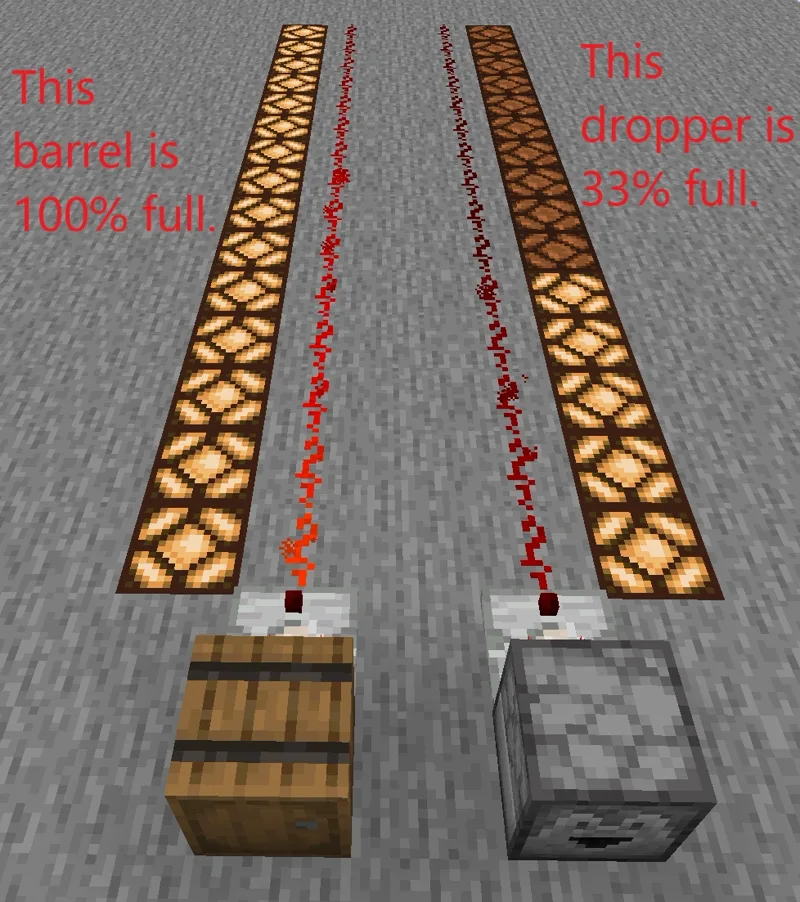
That distinction is the whole design pattern. If you've disabled every unused slot, then the comparator hits 9 exactly when the Crafter has one of everything it needs — a perfect "ready to craft" flag. Feed that signal back into the block and it powers itself the instant it's loaded, crafts, drops back below 9, and waits for the next ingredient.
The canonical single-item design on the wiki does this with a comparator in subtract mode and a primed hopper: the hopper needs to hold 15 of an item that stacks to 16, or 60 of an item that stacks to 64, which produces the offset that makes the loop land on signal 6 — plenty to trigger a craft. Bamboo blocks and melon-type recipes are the classic use cases.
Two honest caveats the tutorials tend to bury:
- The self-powering loop is designed for recipes using a single item type. Multi-ingredient recipes need real timing work, because "the grid is full" and "the grid is full of the right things" aren't the same statement.
- The ultra-compact designs that fire every time a slot updates will happily craft unintended recipes mid-fill, and they make noise constantly. They're fine for one-ingredient blocks and a bad idea for anything else.
Where the output goes
The crafted item is ejected from the front face, dropper-style. Point that face at a container — chest, barrel, hopper, or another Crafter — and the item is inserted directly instead of thrown on the floor. Crafter chaining is a supported design, not an exploit.
Three details to plan for:
- If the target container is full, or the item simply can't be inserted, the Crafter ejects it into the world rather than stalling. Great for not jamming; terrible if you weren't watching and now have 400 items despawning on the floor.
- Byproducts come out too. Recipes that leave you something back — empty bottles from honey blocks, empty buckets from a cake — eject those after the crafted item. If you're feeding the output into a chest, the buckets go there too, so build with that in mind.
- Point the front at a wall and the items pile on the ground. Check the facing before you seal the build in.
Throughput: the numbers that cap your farm
Here's the arithmetic that decides how good your machine actually is, and it's almost never the Crafter's fault.
The Crafter's own delay is 4 game ticks — 0.2 seconds — so in isolation it tops out around 5 crafts per second. You will never see that, because a hopper moves items on an 8 game tick (0.4 second) cooldown, which is 2.5 items per second.
Run the numbers on a nine-ingredient recipe fed by a single hopper: 9 items at 0.4 seconds each is 3.6 seconds per craft — roughly 16 crafts a minute. The Crafter is idle for about 94% of that. The bottleneck is the pipe, not the block.
Two ways out, and only two:
- Fewer slots per craft. A one-slot recipe — a block of iron back into nine ingots, say — needs one item per craft, so a single hopper drives it at the full 2.5 crafts per second. That's a 9x throughput difference from recipe shape alone.
- More input faces. A Crafter can be fed from multiple sides. Two or three hoppers into the same block multiply your effective item rate, at the cost of needing your ingredient streams pre-separated.
If your bulk-crafting build feels slow, count the hoppers before you blame the redstone. Our automatic farms guide has the same lesson from the other direction — throughput problems are almost always transport problems.
Java vs Bedrock notes
Both editions got the Crafter in the same update on the same day, and the core behaviour — nine slots, disableable slots, 4-tick craft delay, comparator counting slots — is shared. The differences are around it, not in it:
- Quasi-connectivity is a Java-only mechanic to begin with, and the Crafter is explicitly exempt from it in Java. So there is no QC design to port either way. Power the block directly on both editions.
- The piston restriction is documented as Java-specific. Crafters can't be moved by pistons in Java Edition. Don't assume the reverse for Bedrock without testing it yourself — just don't build a Java design that depends on shoving one around.
- Hopper timing differs by one tick in a specific case. Both editions run a standard 8 game tick cooldown, but when an item is pushed into an empty hopper, Java uses a 7 game tick (0.35 second) cooldown while Bedrock uses 8. Irrelevant for a chest-fed bulk crafter; very relevant if you've built a tight clock around a hopper timer and copied it from a Java tutorial.
The practical takeaway: the block ports cleanly, the redstone around it sometimes doesn't. Test your clock on the edition you actually play. If you're new to comparator timing generally, start with our redstone basics walkthrough before building a self-powered loop.
Mistakes that eat your ingredients
The five failures that account for nearly every "my Crafter doesn't work" post:
- Unused slots left enabled. A hopper fills them, the shape breaks, the machine stops or makes the wrong thing. Disable them first.
- Two item types down one hopper. Fill order is reading order, not recipe order, so mixed input scatters. One type per input, or seed the grid manually.
- Expecting the comparator to read fullness. It counts slots. A Crafter with nine single items reads 9, same as one holding nine full stacks.
- Front face pointed at nothing. The output goes on the floor and despawns while you're off mining.
- Copying a snapshot-era tutorial. 23w42a behaviour is not release behaviour, and plenty of 2023 videos never got updated.
Get those five right and the Crafter is one of the best quality-of-life additions in years — a bulk block-compressor, a rocket factory, an on-demand tool line, all in vanilla, all on a survival budget of five iron. And when you finally get a Crafter chain feeding itself, stand next to it: Crafters Crafting Crafters is a real advancement, and the requirement is exactly what it sounds like — be near a Crafter when it crafts a Crafter.
Frequently Asked Questions
What is the crafting recipe for the Crafter in Minecraft?
Why do you disable slots in a Minecraft Crafter?
How does a comparator read a Minecraft Crafter?
How fast can a Minecraft Crafter craft?
Where does a Minecraft Crafter put the items it makes?
Is the Minecraft Crafter in both Java and Bedrock?
Keep Reading
Related Guides
Minecraft Rails and Minecarts Guide: Powered Rail Spacing
Everyone quotes the same minecart number — 8 blocks per second — and everyone quotes it slightly wrong. The cap is per axis, the spacing between powered rails has four different right answers depending on what is in the cart, and the gold bill for a track swings by a factor of ten based on whether you're sitting in it. Here are the actual figures.
Minecraft Command Blocks Guide for Beginners
Command blocks are the cheat code Minecraft hands you on purpose — a block that runs any command, on a button press or on a loop, with no mods. Most beginners never touch them because the wiki makes them look terrifying. They aren't. Here's how to get one, what the three colors actually do, and three builds you can make in five minutes.
Redstone Basics: A Beginner's Guide to Minecraft's Wiring
Redstone is Minecraft's electricity, and most beginners bounce off it because nobody explains the one rule that makes it click: signal strength. Learn that, learn five components, and you can build doors, traps, and farms.
Minecraft Music Discs: Every Disc and How to Get It
Twelve of the 22 music discs come from a creeper killed by a skeleton or one of its variants. The other ten come from ten different places, and eight of those are a structure. Here is every disc, its composer, its length, its odds, and the comparator value it puts out — including the seven signal levels that two different discs now share.
Minecraft Survival Guide for Beginners: Your First Days
You have about ten minutes of daylight before the sun sets and the world tries to kill you. Here is exactly what to do with them — punch a tree, build a tool chain, and get a roof over your head before the zombies arrive.

Best Minecraft Enchantments, Ranked — The Ones Worth Your XP
Mending is the enchantment that ends the grind — gear that repairs itself forever. Everything else is a fight over your XP and anvil uses. Here is what actually earns a slot, ranked, with the real max levels.