Minecraft Rails and Minecarts Guide: Powered Rail Spacing
Everyone quotes the same minecart number — 8 blocks per second — and everyone quotes it slightly wrong. The cap is per axis, the spacing between powered rails has four different right answers depending on what is in the cart, and the gold bill for a track swings by a factor of ten based on whether you're sitting in it. Here are the actual figures.
Everyone quotes the same minecart number: 8 blocks per second. It is on every travel tier list, including ours. It is also, read literally, not what the game enforces. Minecarts have a speed limit of exactly 8 blocks per second per axis of travel, which is why a cart running a clean diagonal tops out around 11.314 m/s instead — that is just the square root of 8² + 8².
That gap runs through the entire rail system. And the question that decides whether your track works isn't top speed anyway — it's spacing: how many plain rails can sit between two powered rails before the cart starts bleeding speed? There is no single answer. There are three, and they are not close together — 3 for an empty cart, 38 for one with you sitting in it.
Here is the whole system with the real figures: what each rail costs, how far a cart actually coasts, how high it climbs, and what the two rails nobody uses are for.
The four rails and what each one costs
Four rail types, and only one of them is cheap:
| Rail | Recipe | Yield |
|---|---|---|
| Rail | 6 iron ingots + 1 stick | 16 |
| Powered rail | 6 gold ingots + 1 stick + 1 redstone dust | 6 |
| Detector rail | 6 iron ingots + 1 stone pressure plate + 1 redstone dust | 6 |
| Activator rail | 6 iron ingots + 2 sticks + 1 redstone torch | 6 |
Look at the yield column. Plain rail gives 16 per craft off six iron; every other rail gives six. Gold is the line item that decides how long your track can be, which is why the spacing table below matters more than any other number here.
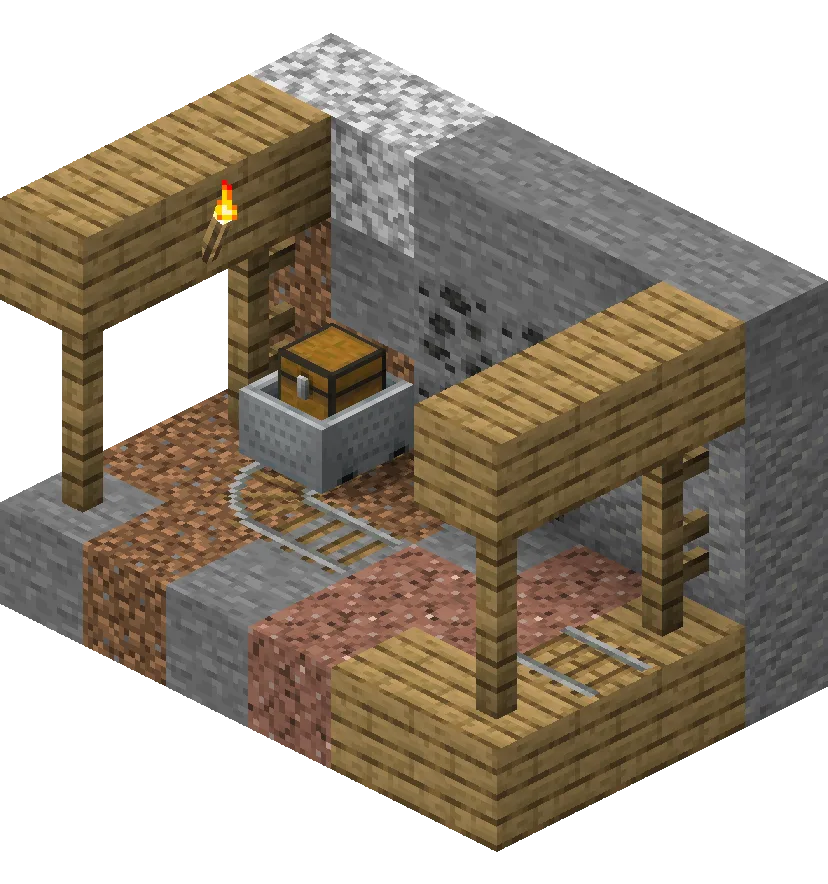
You don't have to craft all of it. Rails generate along mineshaft floors — down the middle of tunnels and under the loot chest minecarts — and in the woodland mansion's pumpkin ring room. Stripping a mineshaft is still the cheapest way to start a line, and it pairs with a mining trip you were making anyway. Those chest minecarts still pay out, too: in Java 26.2 the music disc "Bounce" comes from mineshaft chest minecarts in sulfur caves.
The speed cap is per axis, not per cart
The limit is 8 blocks per second on each axis, north-south and east-west measured separately. Run straight along one axis and 8 m/s is all you get; run diagonally and both axes work at once for about 11.314 m/s. A cart rounding a turn moves diagonally across it, which is why corners feel faster than they should.
Powered rails specifically cannot push a cart past 8 blocks per second on either axis. That is the rail's limit, not the cart's.
There is one odd loophole. If a straight rail leads into a curved rail it does not connect to, the cart runs over the gap and continues straight across it — and it can exceed 8 m/s during that jump. Laying curved rails on every other block of an otherwise straight line gets you about 10 m/s. It looks absurd and it works.
One thing that does not work: ice. Minecarts are completely unaffected by ice, packed ice, and blue ice, so the blue ice channel that makes a boat hit 72.73 m/s does nothing for a cart.
Powered rail spacing: the table that sets your gold bill
From a dead stop, most minecarts need seven powered rails in a row to reach full speed. (The furnace minecart is the exception, because it has a lower top speed to begin with.)
After that the cart coasts, then starts slowing. One powered rail cancels the slowdown, and the pattern repeats forever. Here is how far a cart holds full speed:
| Cart | Rails at full speed after the launch | Repeating spacing |
|---|---|---|
| Empty minecart, TNT minecart | 7 | 3 |
| Minecart carrying an entity (you or a mob) | 112 | alternates 38 and 26 |
| Chest minecart, hopper minecart | 85 | 20, then 29 onward |
Read that middle row again. A ridden cart wants 112 rails, one powered rail, 38 rails, one powered rail, 26 rails, one powered rail, 38 again. An empty cart wants a powered rail every three.
Two traps. First, those rails count in any direction — 112 rails run diagonally still need a powered rail at the end; the game counts rails, not straight-line distance. Second, the gap between rows is your entire gold budget. A passenger line is cheap; a line shuttling empty carts back to a station is roughly twelve times the gold per block.
The launch numbers make the same point even harder. From a single powered rail at a standstill:
- Empty minecart: 8 blocks.
- Occupied minecart: 80 blocks.
- Empty chest minecart: 64 blocks.
- Full chest minecart: 16 blocks.
Same one rail, ten times the distance, and the only difference is whether someone is sitting in it. Load matters too — a chest cart's range falls off non-linearly as you fill it, 64 blocks empty down to 16 full.
The redstone side is cheaper than most builds assume. An activated powered rail activates connected powered rails up to eight away in each direction, so one power source drives up to 17 rails in a row. One redstone torch covers an entire launcher.
A powered rail switches on from an adjacent power component, an adjacent powered block, a comparator or repeater facing it, or redstone dust pointing at it. Dust sitting as a directionless "dot" does not activate it — that one quietly kills a lot of first builds. If that is unfamiliar, start with redstone basics.
And an inactive powered rail is a brake, not a neutral piece of track. It stops a moving cart within about one block's distance, even on a downward slope. That is your station: a powered rail with the signal off.
Slopes: how high a cart climbs before it quits
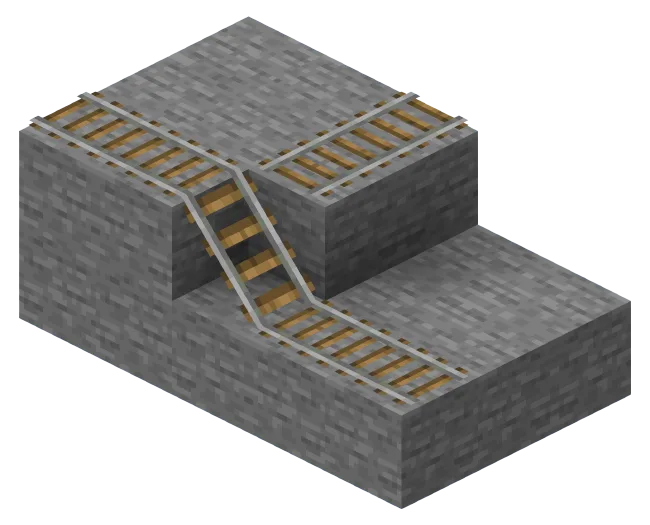
An empty minecart at full speed climbs 10 blocks on unpowered rail before it stops. With a rider aboard it carries enough momentum to climb up to 24 blocks.
Topping up mid-climb is less efficient than you would hope: two lengths of powered rail starting at 9 blocks high buy an empty cart only another 5 blocks of height. To keep a cart climbing continuously, build 3 powered rails every 6 blocks.
Slopes come with a free one-way trick, too. A block placed above the rail line at the downhill end of a ramp stops carts travelling down the slope but still lets them come up, no redstone required. Related: for a cart to travel down a diagonal tunnel at all, there must be enough clearance for a player to walk through it.
Junctions: the south-east rule and the downhill rule
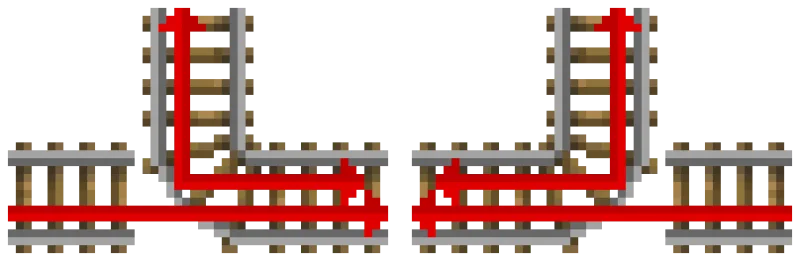
Two rules govern where a cart goes at a junction, and they have a fixed priority.
The south-east rule. A cart runs straight through a T-junction when it enters from behind the curved rail, and follows the curve from either of the other two legs. At a 4-way junction built with no curved rail, a cart passes straight through; entering from east or west it turns by the same rule. Place a rail between four adjacent rails and the centre one always curves south-to-east.
The downhill rule beats it. At non-curve junctions, carts always travel downhill when they can, ignoring the south-east rule. If a route has a drop available, that is where your cart is going.
A curved rail at a T-junction rotates when you apply redstone power — that is your track switch, a lever and one rail.
Two placement quirks that cause "my track is haunted" bugs:
- A new, unconnected rail orients north-south in Bedrock but faces the way the player is facing in Java. Copying a Java layout onto Bedrock can silently rotate your junctions.
- A rail placed perpendicular to an existing line looks straight but is actually curved, following the T-junction pattern, so carts turn the corner there. Re-lay the rails so the middle one goes down last.
Detector rails read what is on the track
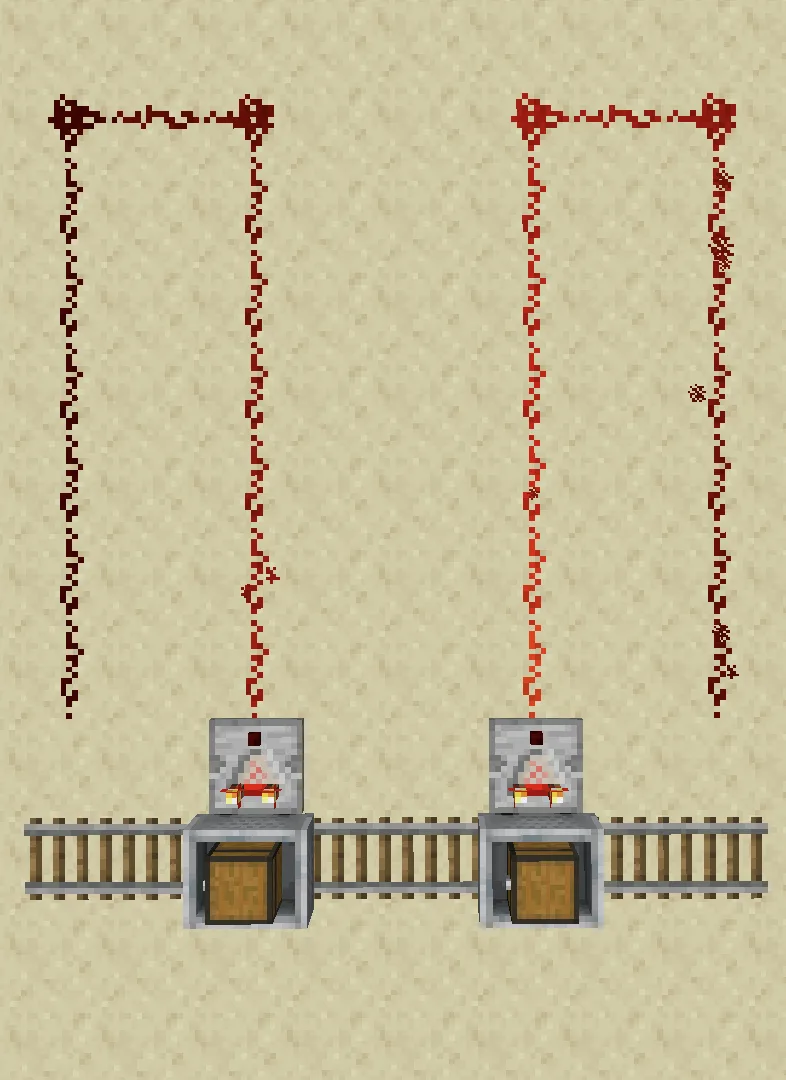
A detector rail powers on when any part of a minecart's bounding box touches it, then re-checks every 20 game ticks and depowers if no cart is present — so its signal is always a multiple of 20 game ticks (10 redstone ticks) long. Don't try to build a tighter pulse off one.
While powered it sets adjacent redstone dust to level 15, activates repeaters facing away from it, strongly powers its supporting block if that block is conductive, and activates adjacent mechanism components including ones above and below.
The genuinely useful part is the comparator behaviour:
- A comparator facing away from the detector rail outputs a level matching how full a chest minecart or hopper minecart is.
- For any other cart type the output is zero — including a plain minecart with a mob riding in it. If you are building a mob-detector, the comparator is the wrong tool.
- If several carts sit on the rail, the comparator reads only the cart that was placed first.
- The comparator can read the cart through a solid opaque block, the same as it can with a normal container.
That is the backbone of an automated unloading station: detector rail under the stop, comparator into your logic, track releases the cart once the chest reads empty. It pairs with the sorting patterns in our redstone contraptions guide.
Activator rails: eject, prime, disable
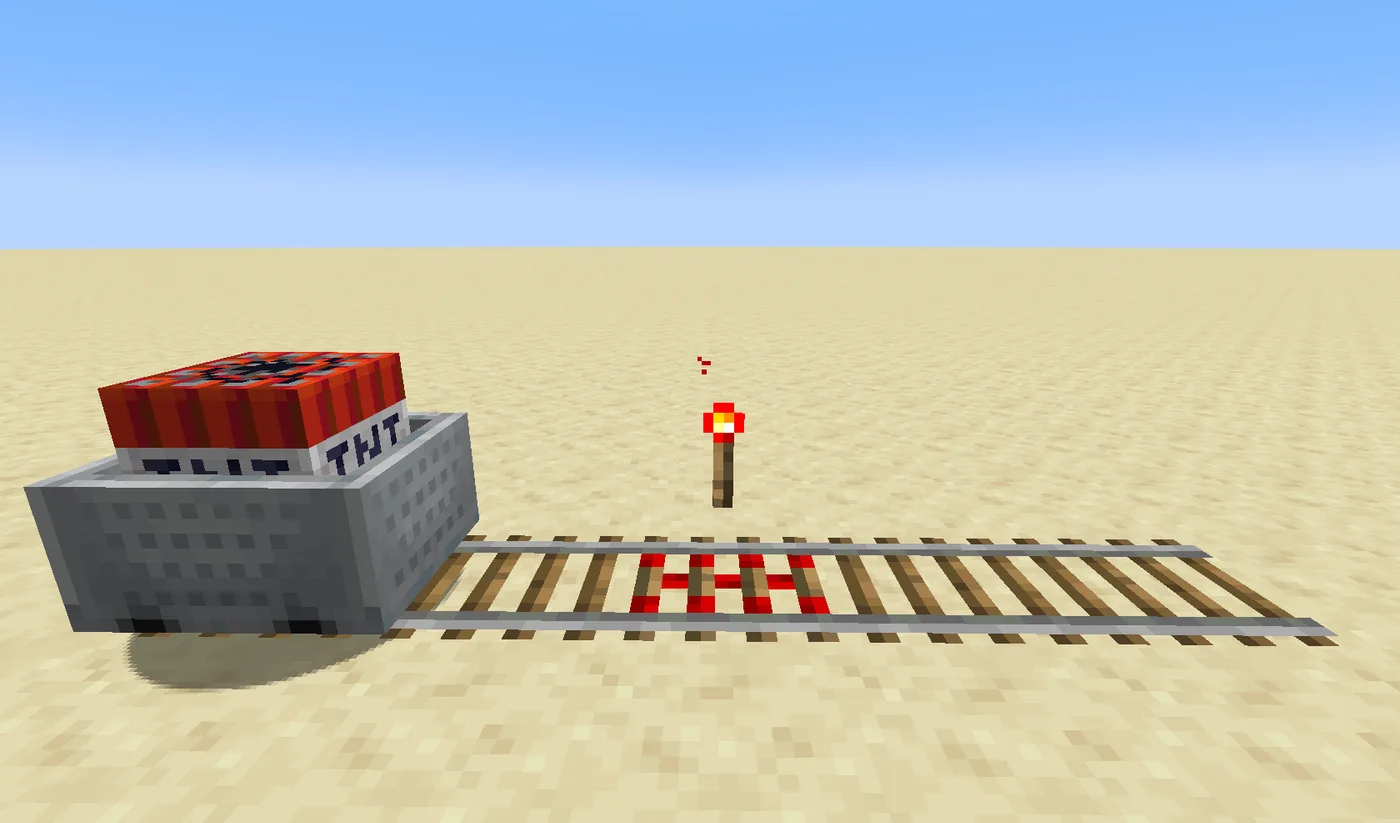
Activator rails use the same activation chain as powered rails — one source drives up to 17 connected rails — and switch on and off instantly, in the same game tick as the power source.
An active activator rail does four jobs depending on what rolls over it:
- Ejects players and mobs out of any minecart, picking the drop-off spot the same way a normal dismount does.
- Fires a command block minecart repeatedly, running its command every 4 game ticks for as long as it sits on the rail.
- Disables a hopper minecart, so it stops picking up items until an inactive activator rail switches it back on.
- Primes a TNT minecart, which then explodes after 4 seconds with a blast power proportional to its speed over the rail.
An inactive activator rail re-enables a hopper minecart. That on/off pair is how a collection cart is told to gather along one stretch of track and ignore another.
The TNT cart has extra triggers worth respecting. Causes other than an activator rail give a random delay of 0 to 1.95 seconds, and it detonates instantly if it falls more than three blocks onto anything that is not a rail, or if a flaming projectile hits it. Usefully, an activator-rail detonation does not destroy its own rails or the blocks they sit on, so a launcher survives its own payload. More blast math in our TNT guide.
Picking the right minecart
- Chest minecart — storage that moves. Four fit in a three-block-tall space where only three chests would, since carts stack freely. Opening or destroying one angers nearby piglins, which matters if your track runs through the Nether. In Java a chest minecart cannot enter a boat, though a plain minecart can.
- Hopper minecart — the fastest item collector in the game. In Java it pulls one item per game tick, 20 per second, eight times a normal hopper; Bedrock is one every two ticks, 10 per second, four times. It pulls from a container between 0.5 and 1.5 blocks above its bottom centre and picks up items lying on the block above the track, but it does not push items into containers — park it over a hopper to unload. It also rolls furthest: from a two-powered-rail starter an empty one travels more than 85 blocks, where a normal cart manages under 12. Hence the standard collection layer under a mob farm.
- TNT minecart — covered above. A mobile, timed charge.
- Furnace minecart — Java only; left out of Bedrock deliberately. Burns coal and charcoal only (no coal blocks, no blaze rods), moves 240 m per minute — about 4 m/s, slower than walking — and covers 720 m per piece of fuel. Each fuel adds 3,600 ticks (3 minutes), capped at 32,767 ticks, roughly 27 minutes. While powered it neither speeds up downhill nor slows going uphill. A slow self-propelled shunter, not transport.
One cheap trick: lava, fire, and cactus all destroy a minecart and drop it as an item. Put a cactus at the end of a line with a hopper beneath it and your carts collect themselves.
And before you run track through a mob-heavy area: in Java, spiders, cave spiders, and wardens are the only land mobs that walk onto rails — everything else avoids them. Jumping mobs like slimes, frogs, and goats can still land on rails, parrots perch on them, and endermen teleport onto them.
Minecart Improvements is still an experiment
If you have seen clips of minecarts screaming along at absurd speeds and tilting through the air, that is Minecart Improvements — and you cannot use it in a normal world. It is still an experimental data pack in Java Edition, not default behaviour, enabled with initial-enabled-packs=vanilla,minecart_improvements in server.properties.
What it adds is the game rule everyone wants: max_minecart_speed, which sets the cap, defaults to 8, and accepts 1 to 1000 blocks per second. It was called minecartMaxSpeed until 1.21.11, so older tutorials use the wrong name. One caveat the wiki spells out: a high value does not guarantee carts reach it, because slopes and powered rails still have to overcome built-in drag.
The rest is polish people have wanted for years: carts articulate properly at speed and derail less, keep vertical momentum when a track ends on a slope, stop phasing through blocks on slopes, come to rest more sensibly on opposing slopes, and dismounting drops you in front of or on top of the cart instead of off to the right. An accessibility option makes the camera follow the cart's rotation, off by default.
Why it has sat in experiments this long has a stated answer: developer Ulraf has said the team wants to find the right time and approach precisely because they do not want to break what players have already built with minecarts. Given how much existing redstone depends on exact cart timing, that is a reasonable place to be careful. Build for the default 8 today.
Mistakes that stall a track
The five that account for most dead lines:
- Spacing an empty-cart line like a passenger line. 38 rails between boosts works with you in the cart and fails completely with an empty one, which wants 3.
- Redstone dust as a dot next to a powered rail. Dust has to point at the rail. A directionless dot does nothing.
- A torch per powered rail. One source already covers up to 17 connected rails; the extra gold and redstone is wasted.
- Expecting a comparator to see a passenger. It reads chest and hopper carts only. A mob in a plain minecart reads zero.
- Laying a perpendicular rail last and assuming it's straight. It's a curve, and your cart is taking the corner.
Get the spacing right for the cart you're actually sending and rails stop being the gold sink everyone remembers. They still aren't the fastest way across a map — that's the elytra, or a boat on blue ice — but nothing else in vanilla moves items and mobs around a base while you're standing somewhere else.
Frequently Asked Questions
How far apart should powered rails be in Minecraft?
How fast does a minecart go in Minecraft?
How many powered rails do you need to start a minecart?
What does an activator rail do in Minecraft?
Can a comparator read a minecart on a detector rail?
Did Minecraft ever make minecarts faster?
Keep Reading
- Minecraft Wiki — rail crafting, junction rules, powered rail spacing table and climbing limits
- Minecraft Wiki — minecart speed limit per axis, ice behaviour and destruction
- Minecraft Wiki — powered rail recipe, activation rules and 17-rail activation chain
- Minecraft Wiki — detector rail signal timing and comparator output
- Minecraft Wiki — activator rail effects on riders, hopper carts and TNT carts
- Minecraft Wiki — Minecart Improvements experiment and the max_minecart_speed game rule
- Minecraft Wiki — hopper minecart pickup rates and travel distance
- Minecraft Wiki — furnace minecart fuel, speed and Bedrock exclusion
Related Guides
Minecraft Crafter Guide: Auto-Crafting Without a Single Mod
The Crafter is the block that gives vanilla Minecraft auto-crafting without a mod — and it takes some redstone setup to get right. Here's the recipe, the slot-disabling trick, the comparator rule that isn't the chest rule, and the hopper math that caps throughput.
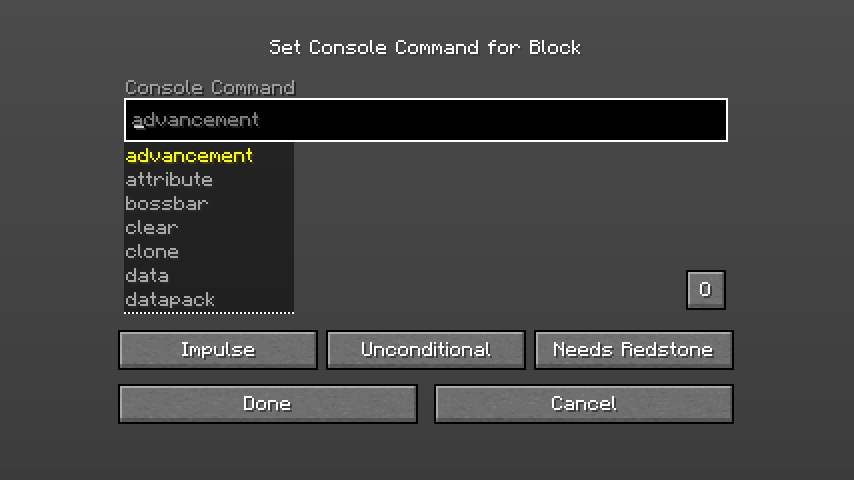
Minecraft Command Blocks Guide for Beginners
Command blocks are the cheat code Minecraft hands you on purpose — a block that runs any command, on a button press or on a loop, with no mods. Most beginners never touch them because the wiki makes them look terrifying. They aren't. Here's how to get one, what the three colors actually do, and three builds you can make in five minutes.
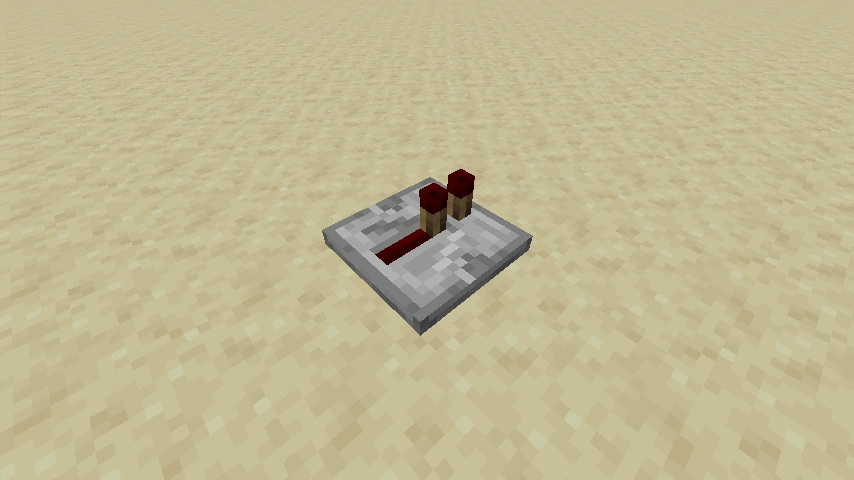
Redstone Basics: A Beginner's Guide to Minecraft's Wiring
Redstone is Minecraft's electricity, and the one rule that makes it click is signal strength. Learn that, learn five components, and you can build doors, traps, and farms.
Minecraft Music Discs: Every Disc and How to Get It
Twelve of the 22 music discs come from a creeper killed by a skeleton or one of its variants. The other ten come from ten different places, and eight of those are a structure. Here is every disc, its composer, its length, its odds, and the comparator value it puts out — including the seven signal levels that two different discs now share.

Minecraft Survival Guide for Beginners: Your First Days
You have about ten minutes of daylight before the sun sets and the world tries to kill you. Here is exactly what to do with them — punch a tree, build a tool chain, and get a roof over your head before the zombies arrive.

Best Minecraft Enchantments, Ranked — The Ones Worth Your XP
Mending is the enchantment that ends the grind — gear that repairs itself forever. Everything else is a fight over your XP and anvil uses. Here is what actually earns a slot, ranked, with the real max levels.