Minecraft Jukebox Playlists, Disc Press and Pocket Jukebox
Put a single chest on a jukebox and it plays every disc inside, in slot order, on a loop. That is coming to both editions with the Deep Freeze drop. Bedrock previews also carry a built-in add-on with a disc press, craftable blank discs and a pocket jukebox. Here is how all of it works and what it costs to craft.
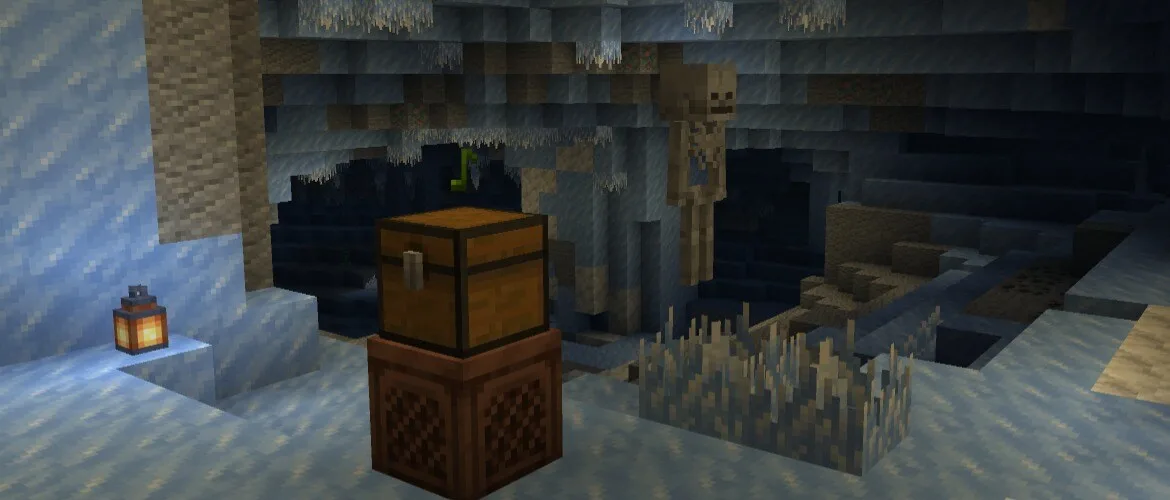
For as long as jukeboxes have existed, a music disc has played once and then sat there. If you wanted a second song you walked over and swapped it, or you built a hopper-and-dropper loop like the one in our music discs guide. The Deep Freeze drop replaces that with one block: put a single chest on top of a jukebox and the jukebox plays every disc in that chest, in slot order, on a loop.
That arrived in Java 26.4 Snapshot 4 and Bedrock Preview 26.70.20, both on 13 October 2026. A week later, Bedrock Preview 26.70.21 added something Java does not have at all: a free built-in add-on, now called Music on the Move, with a disc press, craftable blank discs and a pocket jukebox that plays music from your inventory. This guide covers both, from the official changelogs up to Snapshot 10 and Preview 26.70.26 (17 November 2026), the latest test builds as of 24 November.
Playlists and the add-on at a glance
| Jukebox playlists | Music on the Move add-on | |
|---|---|---|
| Editions | Java and Bedrock | Bedrock only |
| First test build | Java 26.4 Snapshot 4; Bedrock Preview 26.70.20 (13 October 2026) | Bedrock Preview 26.70.21 (20 October 2026; iOS 18 October) |
| How you turn it on | Nothing to turn on in those test builds | Add the "Music on the Move Add-On" resource pack to a world |
| What it adds | A chest on a jukebox becomes a looping disc queue | Disc press, blank disc, track discs, pocket jukebox |
| Works on Realms | Not stated | No, per Mojang's 26.70.21 notes ("won't work with Realms yet") |
| Release | With the Deep Freeze drop, undated | Mojang says it is "coming to Minecraft"; no date |
How a jukebox playlist works
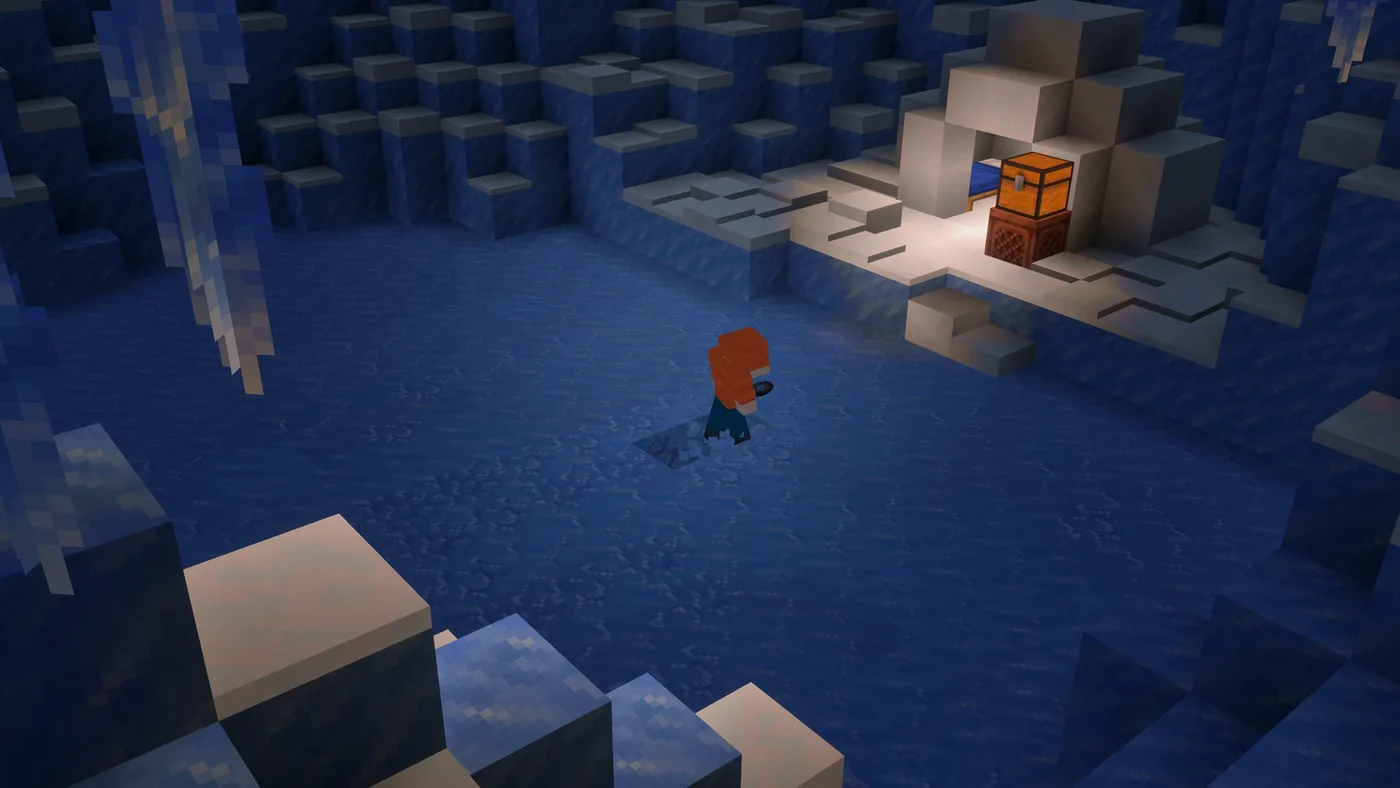
Mojang's Snapshot 4 and Preview 26.70.20 notes give the same five rules:
- Place a single chest, trapped chest or any copper chest variant directly above a jukebox. Its music discs become the jukebox's playlist.
- Discs play in slot order, skipping empty slots and anything that is not a music disc, and loop back to the start after the last one.
- When a disc finishes, the jukebox swaps it with the next disc in the chest. The finished disc goes back into the chest; the next one comes out.
- If the chest holds no music discs, the disc already in the jukebox plays again.
- Ejecting the current disc skips to the next available one.
So the chest is the queue and the jukebox is the player. You never take the playing disc out to change tracks; you rearrange the chest. The Minecraft Wiki adds one small touch: the disc that will play next shows "Playing Next" in its tooltip when you look in the chest.
A chest holds 27 slots, which is more than every disc in the game. The current releases have 22 music discs, and the Deep Freeze test builds add a 23rd, "Flurry" by Hyper Potions, found in igloo basements (the ice caves guide has where and how often). A complete collection fits in one playlist chest with four slots left over.
Which containers count
Only single chests. Mojang's playlist rules specify a "single" chest, and the Minecraft Wiki confirms that a double chest above the jukebox does not work. On Java, the list is the block tag #jukebox_containers, added in Snapshot 4. According to the wiki it holds ten blocks:
| Counts as a playlist source | Does not count |
|---|---|
| Chest | Double (large) chest of any kind |
| Trapped chest | Anything not on the list, such as a barrel or shulker box |
| Copper chest, plus its exposed, weathered and oxidized stages | |
| Waxed copper chest, plus its waxed exposed, weathered and oxidized stages |
Bedrock has a matching hook for add-on makers: a block component, minecraft:jukebox_playlist_source, that "marks a block as a source of Music Discs for a Jukebox directly below it" (Preview 26.70.20 notes).
A copper chest has the same 27 slots as a wooden chest, so the playlist length is the same either way. If you use copper, the copper guide covers waxing.
Three things a playlist makes easy
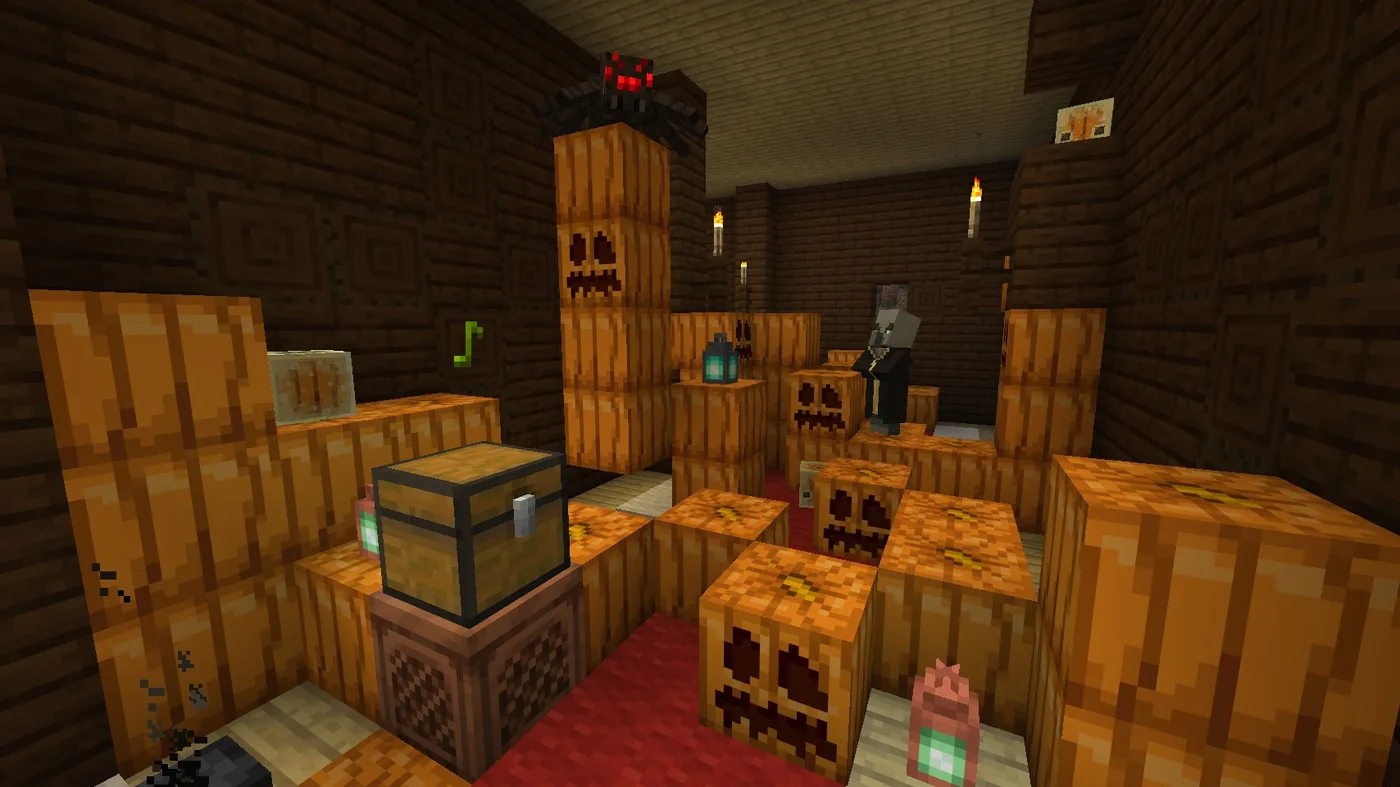
Loop one disc forever. Put the disc in the jukebox and an empty chest on top. Rule 4 means it plays again every time it ends. Before this you needed a hopper-and-dropper loop, or you had to walk back and re-insert the disc.
Keep allays dancing. Allays dance near a jukebox while it plays, and a dancing allay fed an amethyst shard duplicates, with a five-minute cooldown on both. A playlist keeps the music running between duplications without re-inserting discs by hand. The allay guide has the full method.
Change the order by moving discs, not the jukebox. Slot order is play order, so the top-left slot is track one. Drag discs around the chest to reorder them. To skip a track, eject the current disc and the next one starts.
One caution for redstone builders: a jukebox still gives a comparator a signal based on the disc it holds (the table is in the music discs guide). The value follows whichever disc is in the jukebox, so in a playlist it changes from track to track. Mojang's notes do not cover how a hopper under a playlist jukebox behaves, so test any old hopper loop in a copy of your world before relying on it.
What testing has already fixed
Early test builds had playlist bugs that later ones fixed:
| Fixed in | What was wrong |
|---|---|
| Java Snapshot 5 (20 October) | A jukebox could pull from a double chest if a single chest was extended after placement (MC-312612) |
| Java Snapshot 5 | A jukebox would not pull from a single chest left over after breaking a double chest (MC-312613) |
| Java Snapshot 5 | Two crashes: one from music disc tooltips in playlists, one from a negative playlist position (MC-312587, MC-312715) |
| Java Snapshot 6 (27 October) | Automatic disc swaps set off sculk sensors (MC-312606) |
| Java Snapshot 6 | Discs ejected from a jukebox with a chest above landed inside the chest (MC-312638) |
| Bedrock Preview 26.70.23 (3 November) | Taking or swapping a disc from the playlist emitted vibrations |
| Bedrock Preview 26.70.23 | A playlist where no disc could play kept cycling through its discs; it now stops and retries every 10 seconds, or as soon as the playlist changes |
The sculk fixes matter if your music room is anywhere near a sculk sensor or a Deep Dark build. On current test builds, an automatic swap should not trigger it.
The Music on the Move add-on (Bedrock only)
This is a separate feature, and it is easy to confuse with the playlists because it showed up in the same previews. Mojang's 26.70.21 notes describe it as "a free add-on that is already built into your game"; you do not download it from Marketplace. It launched as the "Music Features Add-On" and was renamed Music on the Move in Preview 26.70.24 (10 November).
To use it in a Preview or Beta build:
- Create or edit a world and add the "Music on the Move Add-On" resource pack. Mojang says a matching behavior pack is added with it.
- Do not plan on Realms. The 26.70.21 notes say the features "won't work with Realms yet", and no later changelog says otherwise.
- Achievements are not the issue. Mojang's 26.70.24 notes say the achievements-disabled warning that appeared when you turned the pack on was shown "incorrectly", and removed it.
Mojang's pinned feedback post says the team is "experimenting with lots of new music features", with more to come in future previews, so expect it to change.
The three new recipes
Recipes are from the Minecraft Wiki (Mojang's changelogs describe the items but not the recipes). The grid reads top row first.
| Item | Ingredients | Shape |
|---|---|---|
| Blank disc | 1 paper, 4 glass panes | Paper in the center, a glass pane above, below, left and right of it |
| Disc press | 4 copper ingots, 3 cobblestone, 1 crafting table, 1 blank disc | Top: copper, blank disc, copper. Middle: copper, crafting table, copper. Bottom: 3 cobblestone |
| Pocket jukebox | 7 copper nuggets, 1 bundle, 1 blank disc | Top: nugget, blank disc, nugget. Middle: nugget, bundle, nugget. Bottom: 3 nuggets |
Making both the press and a pocket jukebox takes two blank discs, so two paper and eight glass panes, plus four ingots and seven nuggets of copper. The pocket jukebox takes its color from the bundle you craft it with, and Mojang's notes say you can dye it again afterward. If you have not made a bundle yet, the bundle guide covers the recipe.
The disc press and track discs
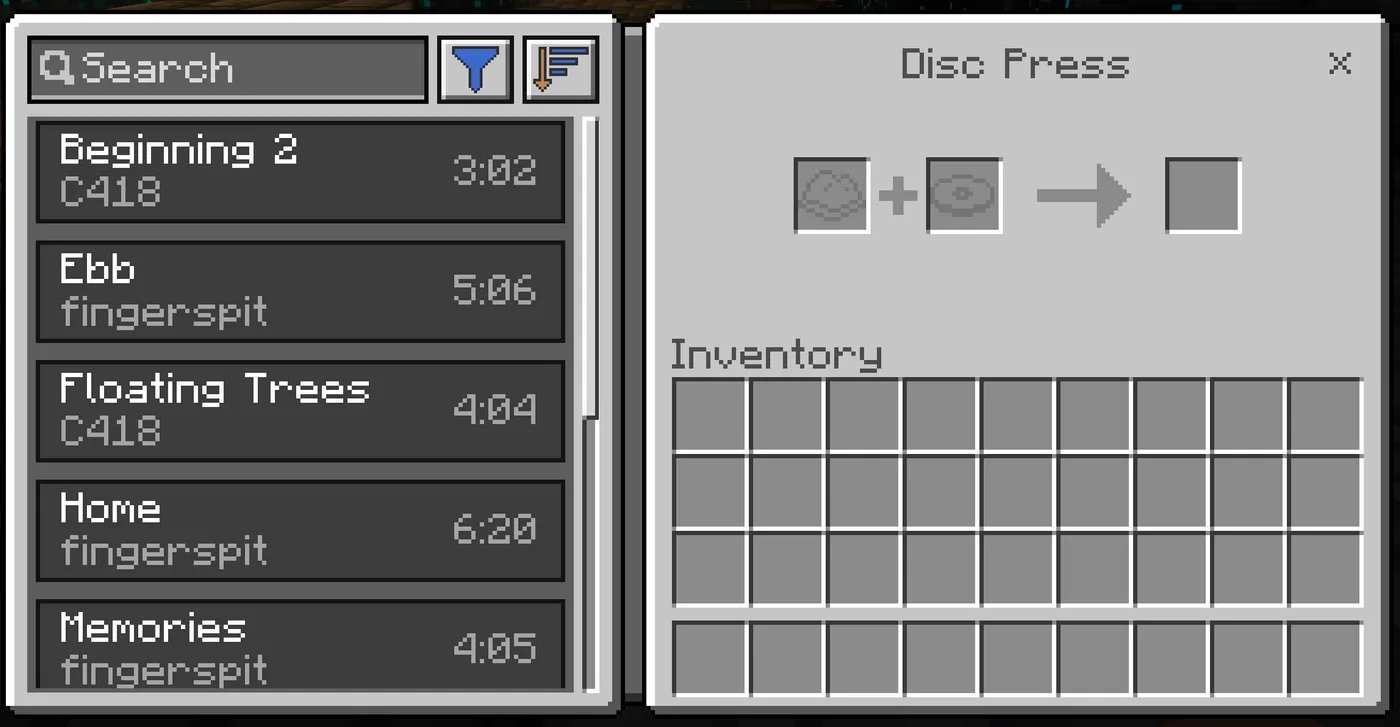
Use the disc press and its screen opens: a song list on the left, and on the right a dye slot and a blank disc slot that feed an output slot. Pick a song, put in a blank disc, and a track disc comes out. The dye is optional and only changes the disc's color, so there are 16 dyed versions plus an undyed one. Since 26.70.23 you must pick a song yourself before pressing; searching or filtering no longer picks a replacement for you.
Mojang says the preview's press "comes with pre-packaged Minecraft main menu songs". The wiki lists nine:
| Track | Composer |
|---|---|
| Beginning 2 | C418 |
| Floating Trees | C418 |
| Moog City 2 | C418 |
| Mutation | C418 |
| Ebb | fingerspit |
| Home | fingerspit |
| Memories | fingerspit |
| Nightly | fingerspit |
| Shores | fingerspit |
A track disc plays in a normal jukebox, a playlist, or a pocket jukebox. Three things set it apart from a regular disc:
- It streams. Mojang's 26.70.23 notes list the cases where a track disc will not play, each with a pop-up and a chat message: the music service is down, Online audio is turned off, mobile data is not allowed for online play, the player is offline, or no connected player owns the song. In a placed jukebox it waits about two seconds to buffer before it starts.
- It reads 1 on a comparator, the same as disc "13", according to the wiki. A comparator cannot tell a track disc apart from "13".
- You can only get one from the press. The wiki says track discs are not in the Creative inventory and cannot be summoned with /give.
The add-on's pack description talks about bringing Marketplace music into your world, which together with the "no connected player owns the song" message suggests the track list will grow. Mojang has not said which songs, or whether they will cost anything.
The pocket jukebox
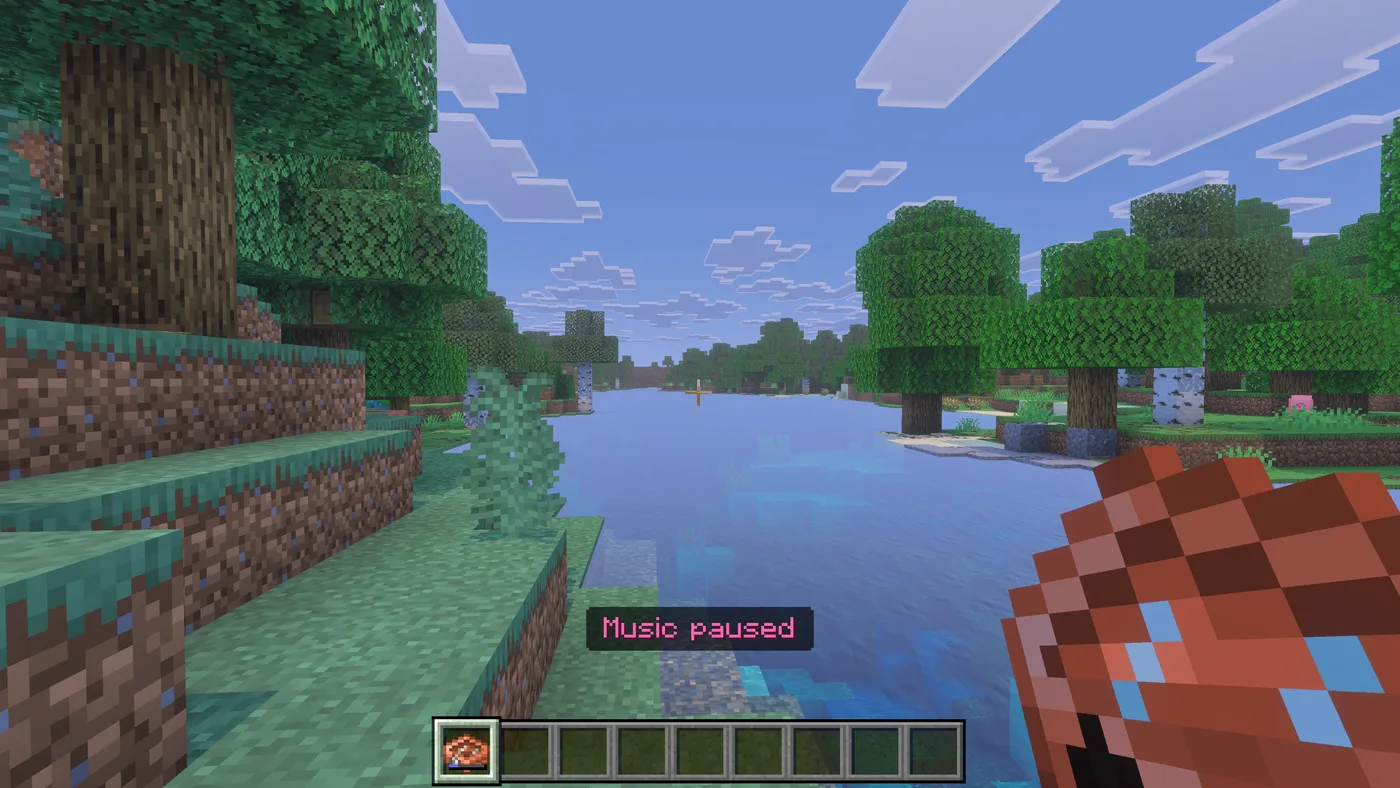
Mojang's notes give the main facts about the pocket jukebox:
- It holds up to 20 discs, both track discs and regular music discs. You load it like a bundle.
- Only you hear it. Music from a pocket jukebox is "only heard by the player using it", so it will not annoy anyone else in the world.
- It does not slow you down. Preview 26.70.22 says it "will not impact player movement".
The wiki adds how it behaves in use:
- Use it to play, and use it again to pause. The action bar shows "Music paused", and the track resumes where it stopped.
- When a track ends, it moves on to another disc.
- Its volume follows the Music slider. Other music, placed jukeboxes included, stops while it plays.
- It stops and resets if the playing disc is taken out, or if the pocket jukebox leaves your inventory.
- It fits in the off-hand but cannot be used from there. That matters if you are testing Bedrock's Off-hand Parity experiment; see the off-hand guide.
The best case for it is a long build or a long mine: up to twenty discs, heard only by you, with no jukebox to stay near.
When it ships
Jukebox playlists are part of the Deep Freeze drop, which Mojang named on 15 November 2026; its reveal article includes the playlists. The Minecraft Wiki files the drop as Java 26.4 and Bedrock 26.70, due in the fourth quarter of 2026. Mojang has not given a date.
The Music on the Move add-on is less certain. The wiki lists it under Bedrock 26.70, but Mojang's notes only say it is "coming to Minecraft", and the feedback post says more features are coming in future previews. Until it ships, you need Minecraft Preview (Xbox, PlayStation, Windows, iOS, iPadOS) or the Beta (Android, ChromeOS) to try it. Mojang's changelogs and the wiki list the disc press and pocket jukebox for Bedrock only.
Quick Action Checklist
- Java: play 26.4 Snapshot 4 or later. Bedrock: Preview or Beta 26.70.20 or later. Back up first.
- Put a single chest, trapped chest or copper chest directly on top of a jukebox. Double chests do not count.
- Load discs in the order you want them; the top-left slot plays first
- To loop one disc, put it in the jukebox and leave the chest above empty
- To skip a track, eject the current disc
- Bedrock: add the Music on the Move Add-On resource pack to a world (not a Realm) for the disc press and pocket jukebox
- Craft blank discs (paper and four glass panes) before anything else; the disc press and the pocket jukebox each need one
- Turn on Online audio before using track discs
Frequently Asked Questions
How do you make a jukebox playlist in Minecraft?
Does a double chest work for a Minecraft jukebox playlist?
How do you loop a music disc in Minecraft?
What is the pocket jukebox in Minecraft?
How do you make a disc press and blank discs in Minecraft?
Why won't my track disc play in Minecraft?
Keep Reading
- Mythras blog
- Minecraft coverage hub
- Music discs guide (every disc and its comparator value)
- Ice caves guide (the Deep Freeze drop and the Flurry disc)
- Allay guide (jukebox duplication)
- Bundle guide
- Copper guide (copper chests and waxing)
- Off-hand guide (Bedrock Off-hand Parity)
- Deep Dark and Warden guide (sculk sensors)
- Redstone basics
- Minecraft.net — Minecraft 26.4 Snapshot 4 (13 October 2026): Jukebox Playlists, the five playlist rules, and the #jukebox_containers block tag
- Minecraft.net — Minecraft Preview 26.70.20 (13 October 2026): Bedrock jukebox playlists and the minecraft:jukebox_playlist_source block component
- Minecraft.net — Minecraft Preview 26.70.21 (20 October 2026): the Music Features Add-On, disc press, blank disc, track disc and pocket jukebox (20 discs, heard only by the user, no Realms yet)
- Minecraft.net — Minecraft Preview 26.70.22 (28 October 2026): pocket jukebox no longer affects movement; split-screen duplicate playback fix
- Minecraft.net — Minecraft Preview 26.70.23 (3 November 2026): track disc playback errors, two-second buffering delay, disc press selection changes, playlist vibration and retry fixes
- Minecraft Feedback — Minecraft Beta & Preview 26.70.24 (10 November 2026): renamed to Music on the Move Add-On; achievements warning fix
- Minecraft Feedback — "Let's talk about the new Music Features Add-On Pack!" (20 October 2026): Mojang's pinned post, more features to come in future previews
- Minecraft.net — Minecraft 26.4 Snapshot 5 (20 October 2026): playlist double-chest and crash fixes (MC-312587, MC-312612, MC-312613, MC-312715)
- Minecraft.net — Minecraft 26.4 Snapshot 6 (27 October 2026): playlist sculk sensor and ejected-disc fixes (MC-312606, MC-312638)
- Minecraft.net — Prepare yourself for the Deep Freeze (15 November 2026): the drop name, the Flurry disc and jukebox playlists
- Minecraft Wiki — Jukebox: playlist behavior, "Playing Next" tooltip, double chests excluded, comparator values including track discs
- Minecraft Wiki — Block tag (Java Edition): the ten blocks in #jukebox_containers
- Minecraft Wiki — Music on the Move Add-On: blank disc, disc press and pocket jukebox recipes, pack description
- Minecraft Wiki — Disc press: screen layout, dye and blank disc slots, sorting and filtering
- Minecraft Wiki — Track disc: the nine menu-screen tracks, online audio requirement, comparator output 1, not in Creative or /give
- Minecraft Wiki — Pocket jukebox: pause and resume, Music volume slider, off-hand behavior, stops when removed
- Minecraft Wiki — Copper Chest: 27 slots, 54 as a large copper chest
- Minecraft Wiki — Deep Freeze: Java 26.4 and Bedrock 26.70, Q4 2026, name revealed 15 November 2026
Related Guides
Minecraft Off-Hand Guide: What to Hold, Java vs Bedrock
Java has let you hold anything in your off-hand since the Combat Update. Bedrock still takes a short list, but Preview 26.70.26 is testing full off-hand support. Here is how the slot works, what belongs in it, and what the Bedrock experiment changes.
Minecraft Music Discs: Every Disc and How to Get It
Twelve of the 22 music discs come from a creeper killed by a skeleton or one of its variants. The other ten come from ten different places, and eight of those are a structure. Here is every disc, its composer, its length, its odds, and the comparator value it puts out — including the seven signal levels that two different discs now share.
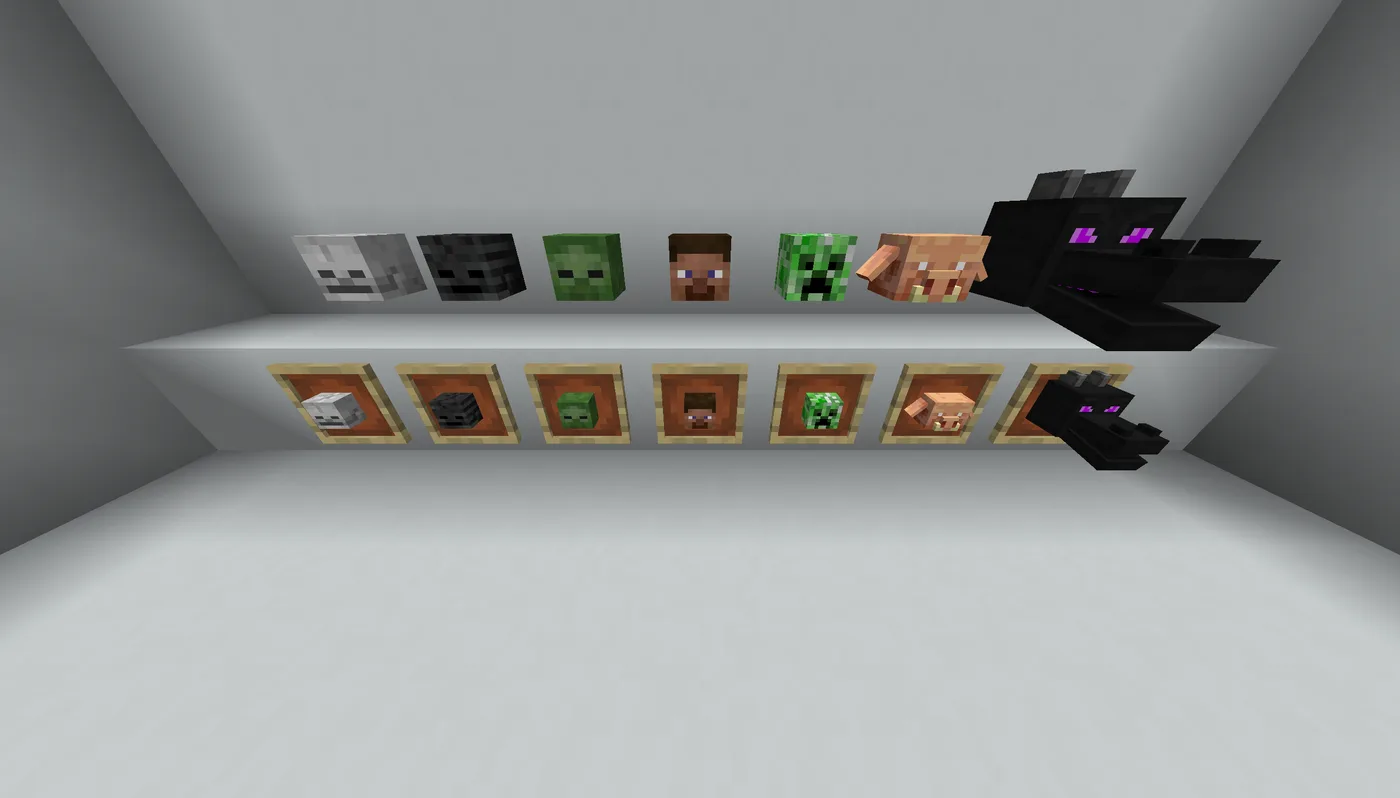
Minecraft Mob Heads: How to Get All 7 and What They Do
Five of Minecraft's seven heads come from one trick: a charged creeper blowing up the right mob. Here is how to make one, which mobs actually count, the Java vs Bedrock head limit, and what a head does once you have it.
Minecraft Dispenser Guide: What It Does With Every Item
A dispenser is a box that decides what to do based on what you put in it. Here is the full item-by-item list from the game data, what happens when the action fails, how it differs from a dropper, and what 26.4 Snapshot 9 changed.
Minecraft Survival Guide for Beginners: Your First Days
You have about ten minutes of daylight before the sun sets and the world tries to kill you. Here is exactly what to do with them — punch a tree, build a tool chain, and get a roof over your head before the zombies arrive.
Best Minecraft Enchantments, Ranked — The Ones Worth Your XP
Mending is the enchantment that ends the grind — gear that repairs itself forever. Everything else is a fight over your XP and anvil uses. Here is what actually earns a slot, ranked, with the real max levels.