Roblox Text Filtering: FilterStringAsync Done Right
Chat is filtered for you. Pet names, sign text, shop names and anything you pull off an external API are not — and Roblox documents that it takes games down until filtering is added. Here is the actual API, the getter that is now dead, and the pattern that ships.

Get most Roblox systems wrong and you lose players. Get this one wrong and you lose the place. The Creator Documentation's text filtering page states it in a red alert box, and there is no softer reading of it: "If Roblox receives reports or automatically detects that your game doesn't apply text filtering, then the system removes the game until you add filtering."
The part worth getting precise about is which text. Chat is handled. It is the pet name, the tycoon shop sign, the guild tag, the leaderboard message and the string you pulled off your own web API that are yours to deal with — and the API for dealing with them has one method that is very much alive and one that quietly died and now returns an empty string.
Roblox filters chat, you filter the rest
The division of labour is stated plainly in the docs. On the chat side: "TextChatService automatically filters chat messages based on each player's account information, so you don't need to manually implement text filtering for all kinds of chat messages." Under the legacy chat system you called Chat:FilterStringAsync() and Chat:FilterStringForBroadcast() yourself; the migration table replaces both entries with a single word — Automatic.
Everything outside that pipe is on you. The text filtering guide's framing: "Roblox automatically filters common text outputs such as messages that have passed through in-game text chat, but you are responsible for filtering any displayed text that you don't have explicit control over."
One sharp edge lives right on the boundary. TextChannel:DisplaySystemMessage() looks like chat, renders like chat, and is not filtered like chat — the reference states its messages "are only visible to that user and aren't automatically filtered or localized." If you pipe a player-supplied string into a system message, you have routed user text around the filter.
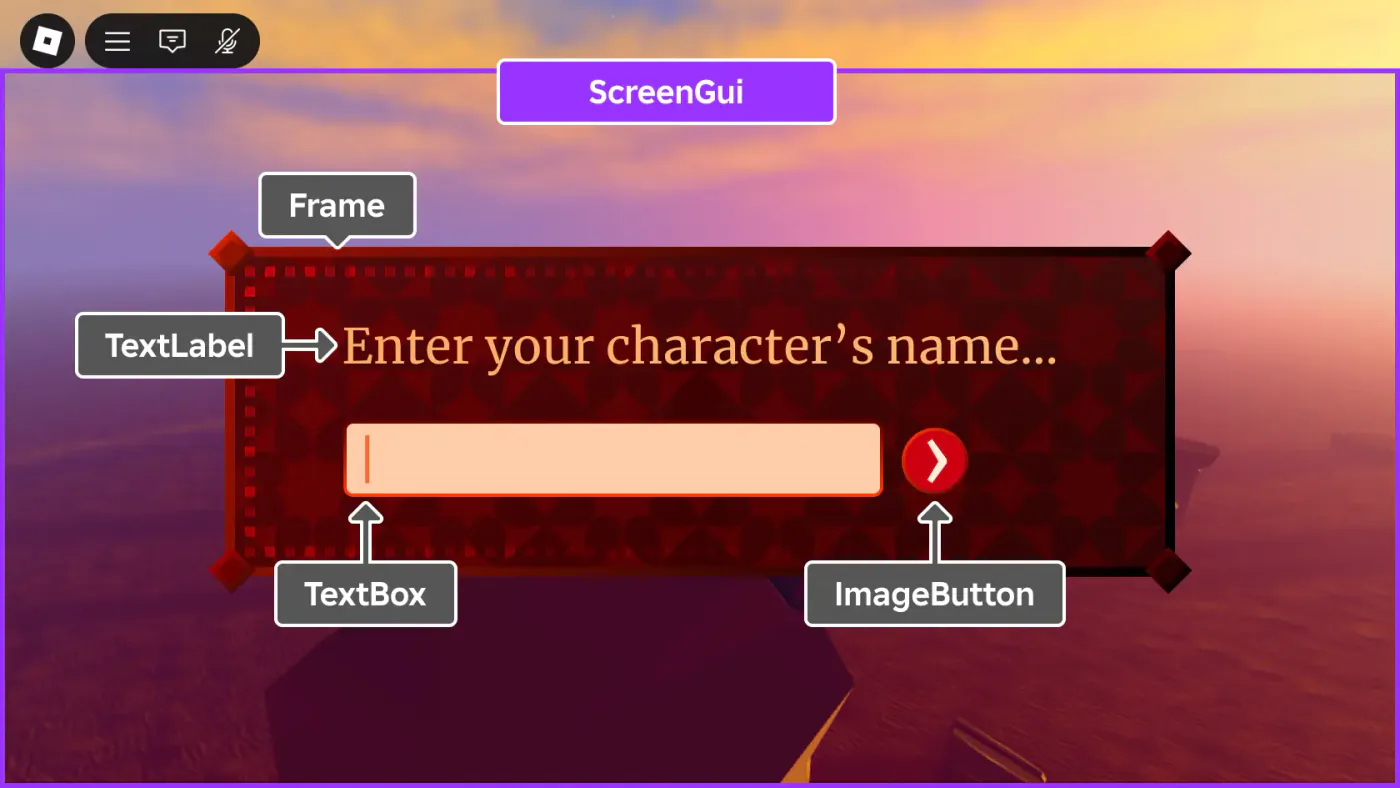
The four scenarios Roblox names
The docs enumerate the situations where text arrives without your control, and it is a more useful list than "filter user input" because two of the four are not user input at all:
- A game gathering text through
TextBoxentries, a custom GUI keyboard or keypad, or an interactive keyboard model in the 3D space. - A game that generates words from random characters and displays them, "as there's a chance it will create inappropriate words."
- A game that connects to an external web server to fetch content shown in-game, where "a third party can edit the information."
- A game storing text such as pet names in data stores, "where the stored text might include inappropriate words that should be filtered when retrieving them."
The third one is the trap for anyone who has wired up HttpService. A response body is not trusted content just because you own the endpoint — if anything upstream of it is editable by someone else, it is unfiltered text arriving on a SurfaceGui.
FilterStringAsync: the call that starts it
TextService:FilterStringAsync() is the entry point, and it is not deprecated — the current class reference carries no deprecation notice on it, unlike the two methods below. What it returns is a TextFilterResult, described as an object "used to distribute a filtered string accordingly." The filtering happens once; how you read the result depends on who is going to see it.
| Parameter | Type | Default | What it is |
|---|---|---|---|
stringToFilter | string | — | The raw text the player submitted |
fromUserId | int64 | — | The UserId of the player who wrote it |
textContext | Enum.TextFilterContext | PrivateChat | PublicChat (1) or PrivateChat (2) |
Three behaviours from the reference's own notes decide how you wrap it:
- "This method always yields to make a text filtering service call." It is a network round trip, not a string operation.
- "This method may throw if there is a service error that cannot be resolved. In such cases, do not retry the request, as this method implements its own retry logic internally." Your
pcallis for catching the failure, not for building a retry loop on top of one that already exists. - "This method currently throws if
fromUserIdis not online on the current server." Which quietly rules out filtering a string on behalf of a player who already left — worth designing around before you build the "message wall" feature.
And the instruction that governs the whole thing: "This method should be called once each time a user submits a message. If it fails, do not display the text to any user." Failure is not a case for showing the raw string with a shrug.
Three getters on the result, one of them dead
This is the part of the API that changed. TextFilterResult exposes three methods, and they are not interchangeable — the filtering Roblox applies depends on who is reading:
| Method | Audience | Status |
|---|---|---|
GetNonChatStringForBroadcastAsync() | All users on the server | Current |
GetNonChatStringForUserAsync(toUserId) | One specific user, "based on age and other details" | Current |
GetChatForUserAsync(toUserId) | One specific user, chat context | Deprecated — returns an empty string |
The deprecation notice on that last one is worth reading in full, because it explains the whole architecture shift: "This method is deprecated and returns an empty string. Text filtering pertaining to chat should be done through TextChatService, and experiences that do not properly filter player-generated chat text may be subject to moderation." An empty string is a nastier failure mode than an error: the call succeeds, and the label simply renders blank.
FilterAndTranslateStringAsync() went the same way. Its deprecation message: "This method is no longer supported and should not be used. All calls return an empty object," with the description adding that "Translating chat messages is only available via TextChatService."
Choosing between the two live getters is a question about persistence and audience. The docs' own examples: broadcast is for "a dialog that lets a user write a message on a sign, visible to all users on the server even after the author has left"; the per-user getter is for "the name of a pet."
The shape: TextBox, RemoteEvent, server
The client collects, the server filters. The official sample fires on FocusLost and hands the string across a RemoteEvent:
local ReplicatedStorage = game:GetService("ReplicatedStorage")

local textBox = script.Parent
local inputRemoteEvent = ReplicatedStorage:FindFirstChild("InputRemoteEvent")

local function onFocusLost(enterPressed)
	if enterPressed and inputRemoteEvent then
		inputRemoteEvent:FireServer(textBox.Text)
	end
end

textBox.FocusLost:Connect(onFocusLost)
Note what the client does not do: it does not filter, and it does not decide whether the text is acceptable. That is the same never-trust-the-client rule that governs the rest of your remotes, and it applies with extra force here, because a filter running on a machine the player controls is a filter the player can remove.

Two pcalls, because there are two failure points
The server half of the docs' sample wraps the filter call and the getter call separately, and that structure is deliberate — FilterStringAsync() can throw on a service error, and the getters yield and can throw on their own:
local TextService = game:GetService("TextService")
local ReplicatedStorage = game:GetService("ReplicatedStorage")

local inputRemoteEvent = ReplicatedStorage:FindFirstChild("InputRemoteEvent")

local function getFilterResult(text, fromUserId)
	local filterResult
	local success, errorMessage = pcall(function()
		filterResult = TextService:FilterStringAsync(text, fromUserId)
	end)
	if success then
		return filterResult
	else
		warn("Error generating TextFilterResult:", errorMessage)
	end
end

local function onInputReceived(player, text)
	if text ~= "" then
		local filterResult = getFilterResult(text, player.UserId)
		if filterResult then
			local success, filteredText = pcall(function()
				return filterResult:GetNonChatStringForBroadcastAsync()
			end)
			if success then
				print("FILTERED:", filteredText)
			else
				warn("Error filtering text!")
			end
		end
	end
end

inputRemoteEvent.OnServerEvent:Connect(onInputReceived)
Every branch that is not success ends without displaying anything. That is the intended behaviour, not defensive padding: "If it fails, do not display the text to any user."
Do not filter per keystroke
The guide flags this one directly, and it is an easy way to turn a working implementation into a laggy one: "Do not filter text in real time 'per character entered' into a TextBox, as doing so yields for text that's only visible to the user typing it. Instead, filter the entered text after the user submits it."
Two reasons stack here. FilterStringAsync() always yields for a service call, so per-character filtering means one round trip per keypress. And the text mid-typing has an audience of exactly one — the person typing it — so there is nothing to protect anyone from yet. FocusLost with enterPressed is the submit boundary the sample uses.
Stored text gets filtered on the way out
Pet names, base names and guild tags usually live in a DataStore, and the instinct is to filter once at save time and store the clean version. The docs describe the scenario the other way round: stored text "might include inappropriate words that should be filtered when retrieving them."
The reason is in the getter signatures. GetNonChatStringForUserAsync(toUserId) filters "based on age and other details" of the reader, which means there is no single filtered string that is correct for everyone — the output depends on who is looking at it. A value filtered once, at save time, for whoever happened to type it is not the value a different player should see two months later.
The practical shape: store raw, filter at display, and keep the per-server work down by caching the filtered result for the lifetime of the server rather than re-filtering every frame a label redraws.
Gating a feature before the text exists
Sometimes the right answer is not filtering the text but not offering the feature. TextChatService carries the permission checks for that, and they answer different questions:
| Method | Question it answers | Where it runs |
|---|---|---|
TextChatService:CanUserChatAsync(userId) | Can this user send messages at all — parental controls included? | Server, or a LocalScript for the local player only |
TextChatService:CanUsersChatAsync(from, to) | Can these two specific users receive each other's messages? | Server scripts only |
TextChatService:CanUsersDirectChatAsync(requester, userIds) | Which of these users can be in a closed, user-initiated channel with the requester? | Server scripts only |
TextChatService:GetChatGroupsAsync(players) | Which players are eligible to chat together, for matchmaking and teleports? | Server only, and Team Test in Studio |
CanUserChatAsync() and CanUsersChatAsync() error if a user is not in the current server. CanUsersDirectChatAsync() is looser: it errors if the requester is not in the server, but users in the userIds list who are not in the server are simply ignored. GetChatGroupsAsync() has an extra prerequisite the others do not: you have to enable Chat & Voice Groups APIs under Experience Settings ⟩ Communication and agree to the Roblox Terms of Use, and the IDs it returns "are unique to the current universe, may change over time, and should not be stored once the user has left the experience."
When a message does not arrive, TextChatMessage.Status names the reason, and the enum is short enough to memorise:
| Status | Meaning |
|---|---|
Success | Message has no issues |
Sending | Message is sending |
Unknown | Generic failure for any other SendAsync() problem |
TextFilterFailed | Text filter failed to process the message |
Floodchecked | User is sending messages too frequently |
InvalidPrivacySettings | Blocked by the user's chat privacy settings |
InvalidTextChannelPermissions | The TextSource is not in the channel, or CanSend is false |
MessageTooLong | Message is too long |
ModerationTimeout | Listed in the enum with no description in the reference |
One more SendAsync() limit that produces a confusing symptom: the metadata argument caps at 200 characters, and going over does not throw — the sender gets back a TextChatMessage with Metadata and Text both set to empty strings, and nobody else sees the message.
The legacy Chat methods in old tutorials
Older code calls the Chat service instead. Between the deprecation notices on those methods and the migration table in Roblox's chat documentation, the moves are:
| Legacy call | What to use now |
|---|---|
Chat:FilterStringAsync() | TextService:FilterStringAsync() on the server — "uses a different set of parameters and return type" |
Chat:FilterStringForBroadcast() | TextService:FilterStringAsync() then GetNonChatStringForBroadcastAsync() |
Chat:FilterStringForPlayerAsync() | Superseded by the two above, per its own deprecation notice |
| Filtering chat messages by hand | Automatic under TextChatService |
The Chat:FilterStringAsync() reference carries a "Partial Deprecation Warning" that is specifically about where it runs: "Calling this function from the client using a LocalScript is deprecated, and will be disabled in the future. Text filtering should be done from a Script on the server using the similarly-named TextService:FilterStringAsync()." Its own page also still carries the warning that started this article, in blunter words: "Games that do not properly filter player-generated text might be subject to moderation action."
The switch itself is a property. TextChatService.ChatVersion takes Enum.ChatVersion, which has exactly two members: LegacyChatService (0), which "enables the legacy chat system," and TextChatService (1), which "enables TextChatService chat and prevents legacy chat system behavior." If your place is still on 0, none of the automatic filtering above is running for you.
Quick Action Checklist
- Assume chat is covered and everything else is not — Roblox's guide puts the responsibility for "any displayed text that you don't have explicit control over" on you.
- Send raw text from client to server over a RemoteEvent; never filter on the client.
- Call
TextService:FilterStringAsync(text, fromUserId)once per submission, inside apcall, and do not add your own retry loop on top of its internal one. - Read the result with
GetNonChatStringForBroadcastAsync()for text everyone sees,GetNonChatStringForUserAsync(toUserId)for text one player sees. - Delete any
GetChatForUserAsync()andFilterAndTranslateStringAsync()calls — they return an empty string and an empty object respectively. - Filter on
FocusLostor an explicit submit, never per character. - Store user text raw and filter it at display time, because the per-user getter filters on the reader's age and details.
- Remember
DisplaySystemMessage()is not filtered — never feed it a player-supplied string. - If either
pcallfails, show nothing. "If it fails, do not display the text to any user." - Check
TextChatService.ChatVersionis set toTextChatService, notLegacyChatService, or the automatic chat filtering is not running.
Frequently Asked Questions
Do I still need to filter text in Roblox if I use TextChatService?
Is TextService:FilterStringAsync deprecated in Roblox?
What is the difference between GetNonChatStringForBroadcastAsync and GetNonChatStringForUserAsync?
What happens if a Roblox game does not filter user text?
Should I filter Roblox text before saving it to a DataStore or after loading it?
Why does my Roblox chat message not send?
Keep Reading
- Roblox Creator Documentation — Text filtering (official)
- Roblox Creator Documentation — TextService class reference (official)
- Roblox Creator Documentation — TextFilterResult class reference (official)
- Roblox Creator Documentation — In-experience text chat (official)
- Roblox Creator Documentation — TextChatService class reference (official)
- Roblox Creator Documentation — Chat class reference (official)
Related Guides
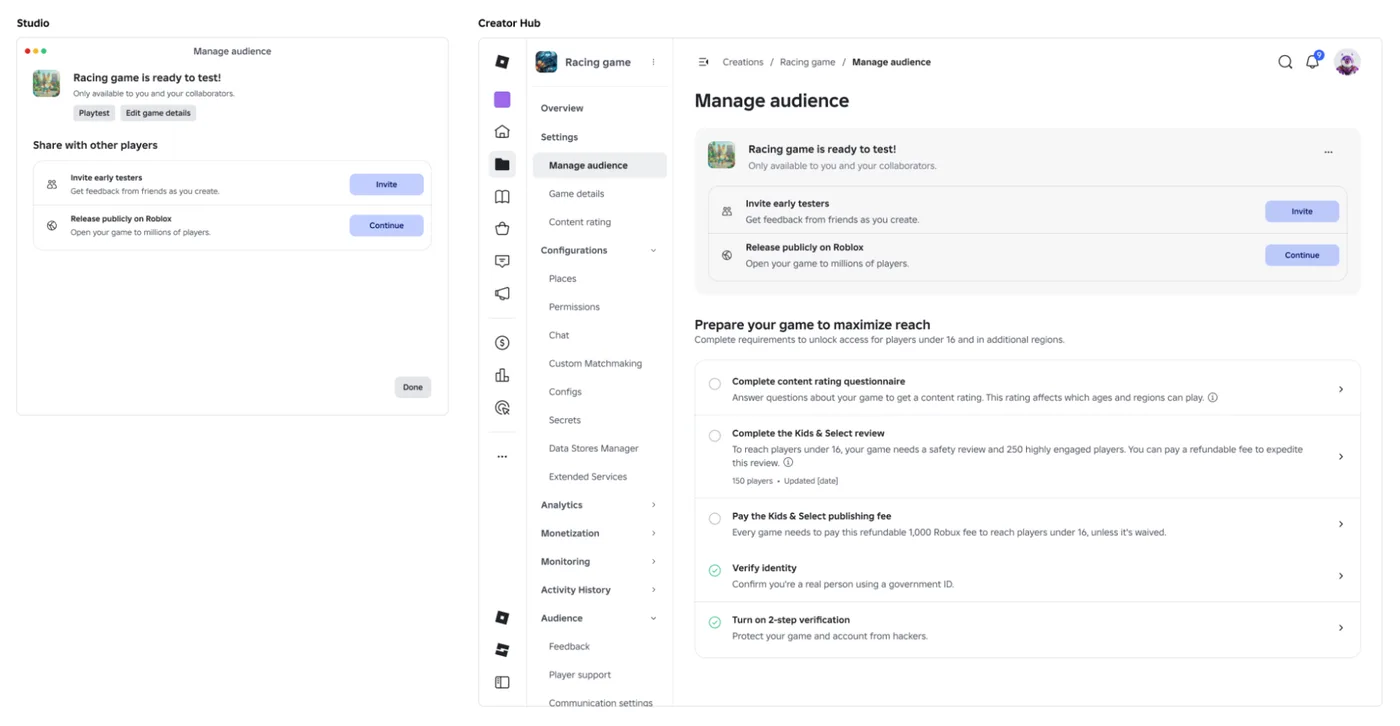
Roblox Early Testers and the New Publish Flow: What Changed
Since October 12, 2026, you can let up to 10 friends play your unreleased, unrated Roblox game, and Roblox is rolling out a path that lets a game with no age-restricted content reach age-checked players 16 and older by answering one question instead of the full questionnaire. Here is who can be an early tester, what replaced the Private and Limited audience settings, what the one question actually covers, and what still takes the long road to players under 16.

Roblox BadgeService Guide: Award, Check, Debug
Call AwardBadgeAsync on a player who isn't currently in your server and it fails one of five documented requirements — silently, the same way it fails for a disabled badge or a place outside the badge's own experience. Here is every BadgeService method, which four are dead, the rate limit two of them share despite a 10x difference in batch size, and the deprecated check that Roblox says will now always return true.
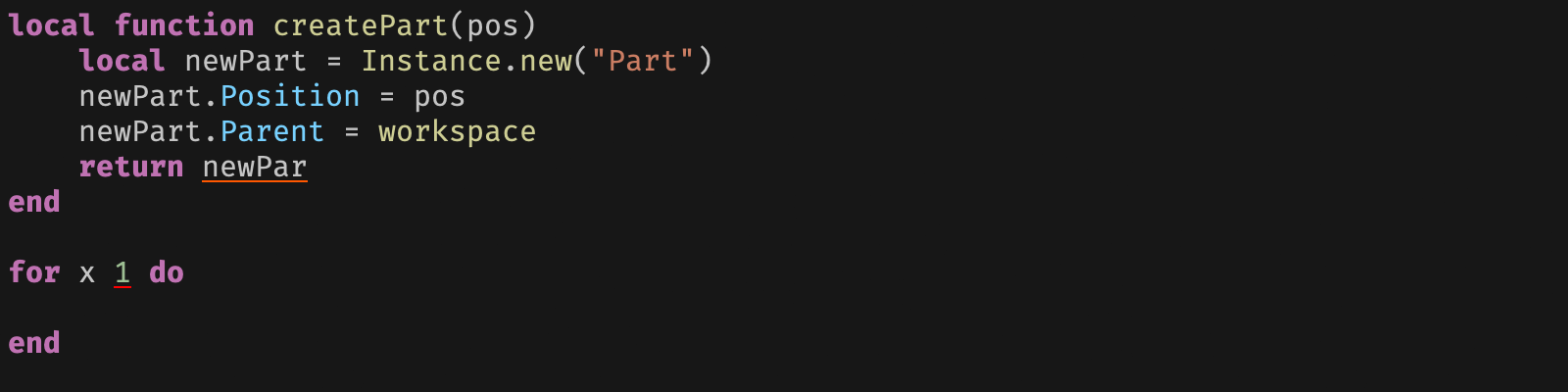
Roblox Luau Type Checking: nocheck, nonstrict, strict
Roblox says every script used to default to no typechecking. That is no longer how it works: a Workspace property now sets the default mode, projects using only nocheck and nonstrict were moved to the New Type Solver automatically, and strict mode projects were not. Here is what each mode reports, what the new solver changed, and the annotation syntax that covers most code.

Roblox Terrain Editor: Build a World in Minutes
Terrain is the fastest way to turn an empty baseplate into somewhere worth standing. Generate makes a mountain range in one click, the brush tools carve it into a level, and none of it requires a single mesh.

Best Roblox Games to Play in 2026
Roblox's front page is engagement bait. This is the filtered version: the games with real, sustained player counts and actual staying power, sorted by what you're in the mood for.

How to Get Robux Safely (Legit Ways + Scams to Avoid)
There is no free Robux generator. There never was. Here are the actual legit ways to get Robux without overpaying, the earning methods that really work, and the scams that exist purely to steal your account.