Roblox RemoteEvents Guide: Client-Server Communication Done Right
Client and server in a Roblox game can't just read each other's variables — they talk through remotes. Here's how RemoteEvents and RemoteFunctions actually work, the exact methods, where to store them, and the one security rule that separates working games from exploited ones: never trust the client.
A player clicks a button and your shop UI needs to actually give them the sword. A boss dies on the server and every player's screen should flash "VICTORY." Both of those are the same problem: the client and the server are two separate worlds that cannot see each other's variables, and they need to talk. In Roblox, that conversation happens over remotes — and getting them right is the single biggest jump from "I can write a script" to "I can build a game that works and doesn't get exploited into oblivion."
If you've got the Studio basics down and can write a first Luau script, remotes are the next wall you hit. The concept is small — two object types, a handful of methods — but the security implications are enormous. Skip the one rule at the end of this guide and a random 12-year-old with a paid exploit will hand themselves infinite currency. Let's do it properly.
Why you even need remotes
Here's the thing beginners fight for a week before it clicks: the client and the server run different scripts and cannot directly touch each other. A LocalScript runs on the player's device and can read their mouse, their camera, their UI. A Script runs on Roblox's server and owns the real game state — who has what coins, whether the door is unlocked, what the boss's health is. They live in separate memory. A LocalScript can't just set player.leaderstats.Coins, and even if it could, that value only exists on that one player's machine and means nothing.
This split is on purpose. If the client could directly change server state, every game would be trivially cheatable — you'd just edit your own coin count. So Roblox draws a hard line down the middle, and the only sanctioned way across that line is a remote: a special object that lets a client send a message the server actually listens to, or the server broadcast a message to clients. There are two flavors, and picking the wrong one is a common early mistake.
RemoteEvent vs RemoteFunction in one breath
Two object types cover almost everything you'll ever do:
| Object | Communication style | Use it when |
|---|---|---|
| RemoteEvent | One-way, asynchronous — fire and forget | You want to tell the other side something and move on |
| RemoteFunction | Two-way, synchronous — ask and wait for a reply | You need a value back before continuing |
Per Roblox's official documentation, a RemoteEvent is one-way: you fire it and your code keeps running immediately, never waiting for a response. A RemoteFunction is a request-and-wait — the caller yields (pauses) until the other side runs its callback and returns a value. Ninety percent of the time you want a RemoteEvent, because most communication is a notification: "the player bought item X," "the boss died, play the cutscene." You only reach for a RemoteFunction when you genuinely need an answer handed back on the spot, and as we'll see, that convenience comes with sharp edges.
Where to put a remote: ReplicatedStorage
A remote is only useful if both the client and the server can see it. The official docs are direct about this: store your RemoteEvents and RemoteFunctions in ReplicatedStorage, because it's one of the few containers replicated to both sides. (The docs note Workspace or inside a Tool can make sense in specific cases, but ReplicatedStorage is the default home for shared remotes.)
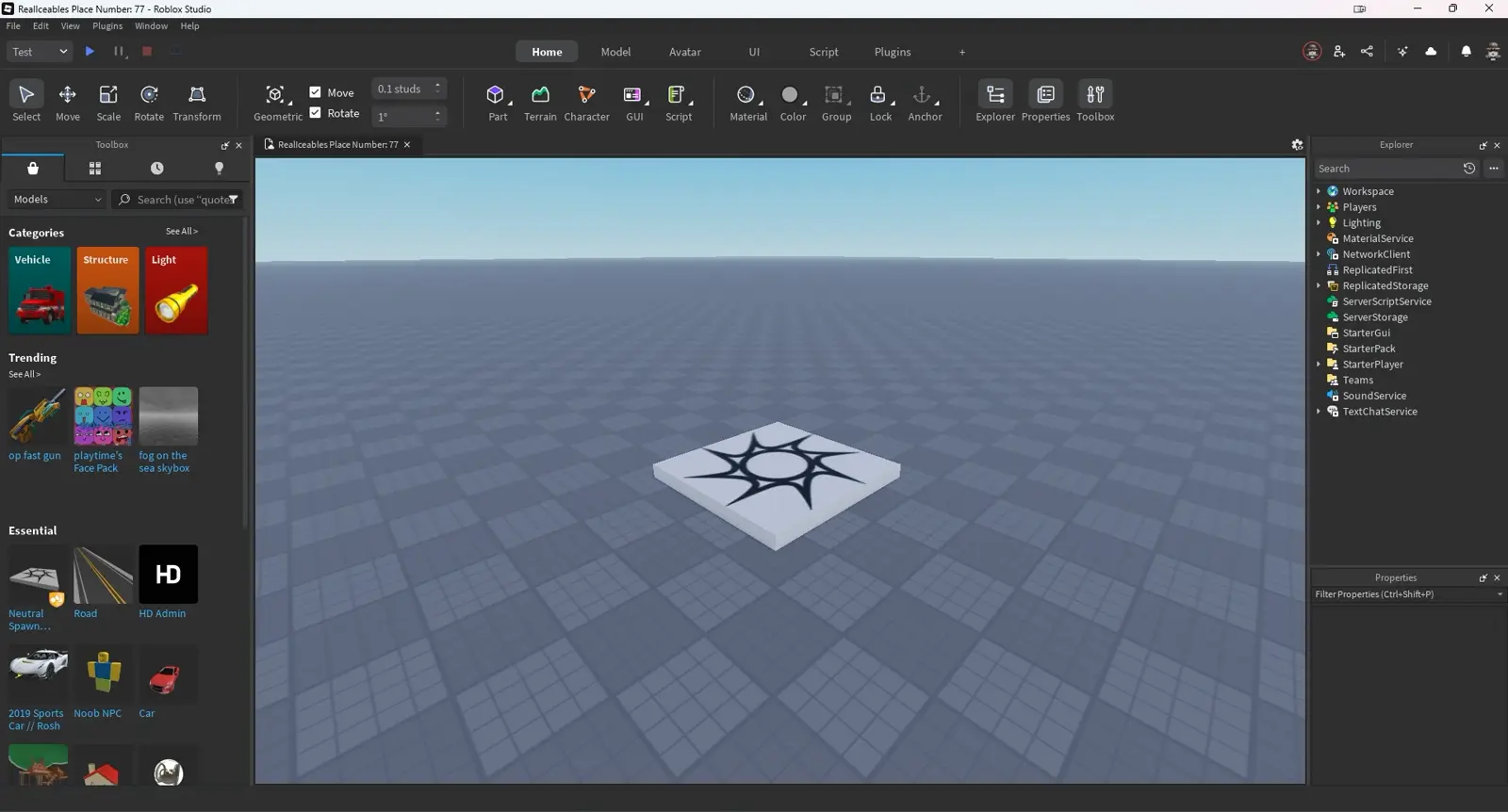
Create one by hand in the Explorer: hover ReplicatedStorage, click the +, and insert a RemoteEvent. Rename it something descriptive like BuyItemEvent — you'll be referencing it by name from two different scripts, so a clear name saves you real pain. You can also create it from code, but building it in the Explorer while learning makes the client/server relationship easier to see.

Both sides then grab the same object. A LocalScript reaches it with WaitForChild (the client may load before replication finishes), and a server Script can index it directly:
-- Client (LocalScript)
local ReplicatedStorage = game:GetService("ReplicatedStorage")
local buyEvent = ReplicatedStorage:WaitForChild("BuyItemEvent")

-- Server (Script)
local ReplicatedStorage = game:GetService("ReplicatedStorage")
local buyEvent = ReplicatedStorage.BuyItemEvent
RemoteEvent: the fire-and-forget workhorse
A RemoteEvent gives you five things to work with, split by direction. From the client you fire to the server; from the server you fire to one client or all of them; and each side has an event you connect a handler to.
Client to server: FireServer and OnServerEvent
The client calls FireServer(args). The server listens with OnServerEvent. The detail that trips up everyone the first time: the server's handler automatically receives the firing player as its first argument — you don't send it, Roblox injects it. Any data you actually pass comes after that player.
-- Client (LocalScript) — player clicked "buy"
buyEvent:FireServer("SwordOfDoom")

-- Server (Script)
buyEvent.OnServerEvent:Connect(function(player, itemName)
	-- 'player' is injected by Roblox; 'itemName' is what the client sent
	print(player.Name .. " wants to buy " .. tostring(itemName))
end)
That automatic player argument is a gift, and it's why the security rule later works: the server always knows who fired, and the client can't fake it. It's the one argument an exploiter can't forge.
Server to client: FireClient and FireAllClients
Going the other way, the server pushes to clients. Use FireClient(player, args) to message one specific player, or FireAllClients(args) to broadcast to everyone in the server. The client listens with OnClientEvent. Note that FireClient needs the target player as its first argument, but OnClientEvent does not receive a player (the receiving client already knows it's them).
-- Server (Script) — boss just died
victoryEvent:FireAllClients("The Dragon King has fallen!")

-- Client (LocalScript)
victoryEvent.OnClientEvent:Connect(function(message)
	showBanner(message)  -- flash the victory text on this player's screen
end)
This is exactly how you drive UI, sound, and camera effects from server events — the server decides what happened, then tells clients to show it. For continuously changing, non-critical data (think a cosmetic position stream), Roblox also offers an UnreliableRemoteEvent, which trades ordering and delivery guarantees for better network performance. Ignore it until you have a real reason; the standard RemoteEvent is right for almost everything.
RemoteFunction: when you need an answer back
Sometimes fire-and-forget isn't enough — you need a reply. "What's my current shop balance?" "Did that purchase actually succeed?" That's a RemoteFunction. The client calls InvokeServer(args), and its code yields — pauses right there — until the server's callback runs and returns a value. You define that callback by assigning to OnServerInvoke:
-- Server (Script) — define the callback ONCE
local shopFunction = ReplicatedStorage.GetBalanceFunction
shopFunction.OnServerInvoke = function(player)
	return player.leaderstats.Coins.Value  -- this value is sent back to the caller
end

-- Client (LocalScript) — this line waits for the return
local balance = shopFunction:InvokeServer()
print("You have " .. balance .. " coins")
One rule from the docs: if you define OnServerInvoke more than once for the same RemoteFunction, only the last definition runs. Assign it once.
RemoteFunctions get genuinely dangerous when the server invokes the client with InvokeClient, because now the server's fate depends on an untrusted machine. The official docs spell out three ways it bites you: if the client throws an error, the server throws it too; if the client disconnects mid-invoke, InvokeClient() errors; and if the client simply never returns a value, the server yields forever. That last one can hang your game logic on a single malicious or laggy player. The practical rule: prefer RemoteEvents, use RemoteFunctions client-to-server sparingly, and avoid server-to-client InvokeClient unless you've thought hard about every failure. When in doubt, two RemoteEvents (one each direction) beat one risky RemoteFunction.
The golden rule: never trust the client
This is the section that matters more than all the syntax combined. Roblox's own security guidance puts it bluntly: assume every piece of data sent from the client has been manipulated, fabricated, or sent with malicious intent. Exploiters can fire or invoke your remotes at any frequency, with arbitrary arguments — the only thing they can't forge is that automatic first Player argument on OnServerEvent.
Read that again with the shop example. Say your client fires buyEvent:FireServer("SwordOfDoom", 0) where the 0 is the price. If your server trusts that price and hands over the sword for zero coins, you've built a free item generator. An exploiter will find it in minutes. The fix is that all critical logic must be validated on the server, against server-owned state. The server should look up the real price itself, check the player actually has that much, subtract it, and only then grant the item — never taking the client's word for the price, the quantity, or whether the action is even allowed.
Practical server-side sanity checks for every remote handler:
- Recompute, don't trust. The client says which item; the server decides the price and whether it's purchasable.
- Validate the arguments exist and are the right type. A client can send
nil, a table, or a hostile string where you expected a number. - Check permission and possibility. Can this player even reach that shop? Do they have the coins? Is the item in stock?
- Assume it fires 1,000 times a second. Rate-limit or debounce anything expensive so a spam-firing exploiter can't melt your server.
None of this is optional. A game that fires remotes but validates nothing isn't a game — it's a sandbox for cheaters. If you're heading toward selling things for real, the game passes and developer products guide and the DevEx and monetization guide both assume your remotes are locked down first.
Gotchas: what arguments won't survive
Data doesn't cross the client/server boundary perfectly intact, and the surprises here cause real bugs. Straight from the docs:
- Functions don't replicate. Pass a function as an argument and it arrives as
nil. You can't send behavior across a remote — only data. - Metatables are stripped. Send a table with a metatable and all the metatable info is lost in transit; the other side gets a plain table.
- Don't mix numeric and string keys in a table you pass — mixed-key tables don't survive cleanly. Keep tables either array-like or dictionary-like.
- Sender-only values become
nil. If you pass something that only exists on the sender's side and isn't replicated, the receiver just getsnil.
Keep remote arguments to simple, replicated data — numbers, strings, booleans, clean tables, and Instances that both sides can see. When you find yourself wanting to pass something complicated, that's usually a sign to send a small identifier instead and let the server look up the rest. This ties directly into saving that state safely; the DataStore saving guide covers persisting the values your remotes end up changing, and the beginner's guide to Roblox helps if any of the platform basics still feel shaky.
Quick Action Checklist
Wire up client-server communication that works and holds up against exploiters:
- Decide direction first: RemoteEvent for fire-and-forget, RemoteFunction only when you need a value back
- Create the remote in ReplicatedStorage so both client and server can see it; give it a descriptive name
- On the client, grab it with
WaitForChild; on the server, index it directly - Client to server:
FireServer(args)fires,OnServerEventreceives — remember player is the automatic first argument - Server to client:
FireClient(player, args)for one,FireAllClients(args)for everyone,OnClientEventreceives - For RemoteFunctions, assign
OnServerInvokeonce; be wary ofInvokeClient(client errors/disconnects/never-returns can hang the server) - Never trust the client — validate every argument on the server against server-owned state; recompute prices and permissions yourself
- Rate-limit or debounce expensive handlers; assume a remote can be spammed thousands of times a second
- Keep arguments to simple replicated data — functions arrive as
nil, metatables get stripped, don't mix numeric/string keys
Frequently Asked Questions
What is the difference between a RemoteEvent and a RemoteFunction in Roblox?
Where should I store RemoteEvents in Roblox?
Why is the player automatically the first argument in OnServerEvent?
How do I make sure players cannot exploit my Roblox RemoteEvents?
What data can I pass through a Roblox RemoteEvent?
Keep Reading
Related Guides

Roblox BadgeService Guide: Award, Check, Debug
Call AwardBadgeAsync on a player who isn't currently in your server and it fails one of five documented requirements — silently, the same way it fails for a disabled badge or a place outside the badge's own experience. Here is every BadgeService method, which four are dead, the rate limit two of them share despite a 10x difference in batch size, and the deprecated check that Roblox says will now always return true.
Roblox Luau Type Checking: nocheck, nonstrict, strict
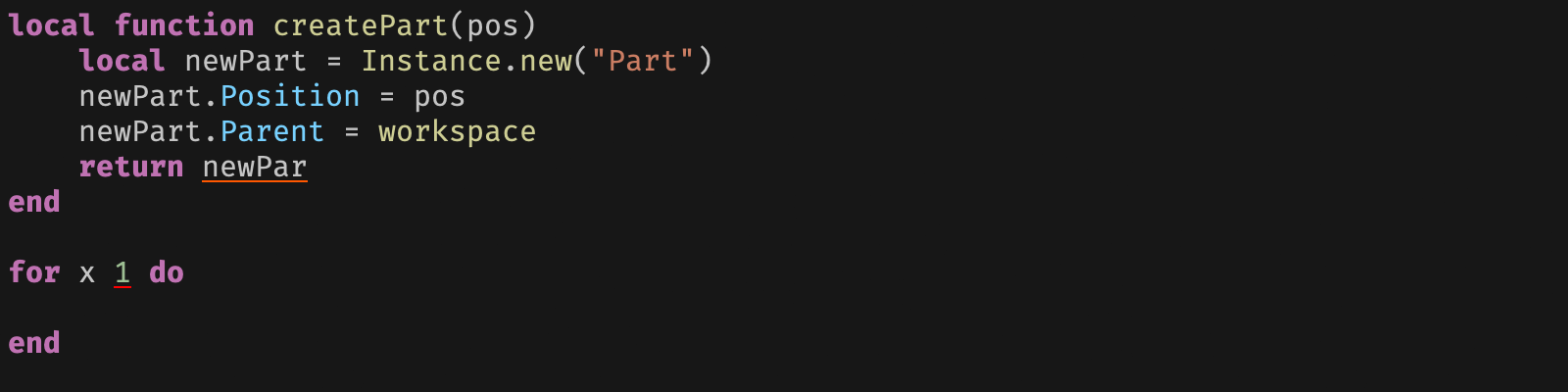
Roblox says every script used to default to no typechecking. That is no longer how it works: a Workspace property now sets the default mode, projects using only nocheck and nonstrict were moved to the New Type Solver automatically, and strict mode projects were not. Here is what each mode reports, what the new solver changed, and the annotation syntax that covers most code.
Roblox Text Filtering: FilterStringAsync Done Right
Chat is filtered for you. Pet names, sign text, shop names and anything you pull off an external API are not — and Roblox documents that it takes games down until filtering is added. Here is the actual API, the getter that is now dead, and the pattern that ships.

Roblox Terrain Editor: Build a World in Minutes
Terrain is the fastest way to turn an empty baseplate into somewhere worth standing. Generate makes a mountain range in one click, the brush tools carve it into a level, and none of it requires a single mesh.

Best Roblox Games to Play in 2026
Roblox's front page is engagement bait. This is the filtered version: the games with real, sustained player counts and actual staying power, sorted by what you're in the mood for.
How to Get Robux Safely (Legit Ways + Scams to Avoid)
There is no free Robux generator. There never was. Here are the actual legit ways to get Robux without overpaying, the earning methods that really work, and the scams that exist purely to steal your account.