Roblox BadgeService Guide: Award, Check, Debug
Call AwardBadgeAsync on a player who isn't currently in your server and it fails one of five documented requirements — silently, the same way it fails for a disabled badge or a place outside the badge's own experience. Here is every BadgeService method, which four are dead, the rate limit two of them share despite a 10x difference in batch size, and the deprecated check that Roblox says will now always return true.
Call BadgeService:AwardBadgeAsync() on a player who left your server ten seconds ago and it does not throw a device-can't-find-you error. It just fails, quietly, the same way it fails for a disabled badge, a badge tied to a different experience, or a player who already owns it. The method returns a boolean. Reading only the happy path off a tutorial and skipping the pcall around it is how a badge silently stops working for a slice of your players and nobody notices until someone asks in your Discord why they never got it.
BadgeService is small — nine members total, and four of them are dead. That makes it exactly the kind of API worth reading in full once, because there is no wiki-scale surface here to get lost in. Here is every method, the five documented conditions an award actually depends on, the batch limits and the rate limit two very different methods share, and the deprecated check whose own docs now say it will always return the same thing.
The badge that never leaves the Dashboard
A badge is Roblox's built-in, free achievement marker. Award one to a player and it lands in the Badges category of their inventory and on their profile — no shop, no Robux, no purchase flow. That is the entire pitch, and it is also why this vertical hasn't covered it before now: game passes and developer products are the monetized cousin of "grant the player something for reaching a milestone," built on MarketplaceService with its own Robux economics and DevEx math. BadgeService shares none of that plumbing. It has its own rate limits, its own five-condition award check, and its own set of ways to fail without an error.
Creating a badge: the Dashboard flow
Badges are created on the Creator Dashboard, not in Studio. Hover a game's thumbnail, click the ⋯ button, and select Create Badge. The form asks for three things: a Name, a Description of what the player does to earn it, and whether Badge is Enabled at creation.
The cost is the first number worth memorizing: you can create up to 5 badges for free in a 24-hour period (GMT) for each game you own. Need a sixth that day, on that game? It costs 100 Robux per additional badge. There is no documented cap on the total number of badges a game can hold — only this daily creation throttle — so a game with 200 achievements spreads its free creation out over 40 days, or pays Robux to front-load it.
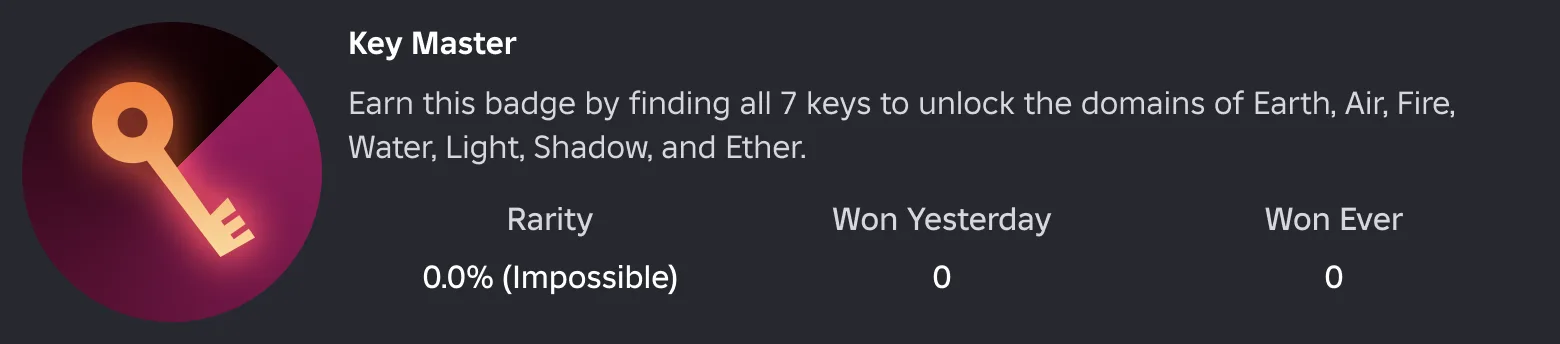
The icon Roblox will crop for you
Upload a 512×512 pixel image and Roblox trims it into a circle automatically. That single sentence is the whole icon spec, and it's also the part that produces bad badges: the crop removes anything outside the circular boundary, so text or logo elements pushed into the corners of a square template get cut off entirely.
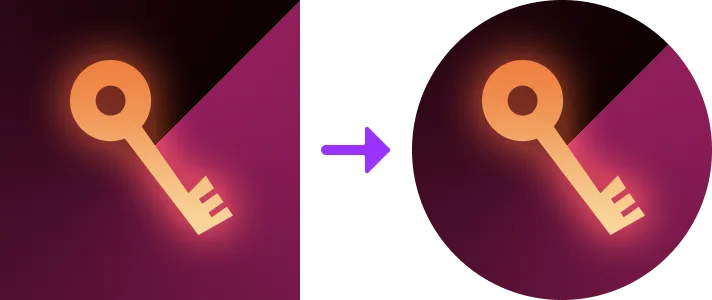
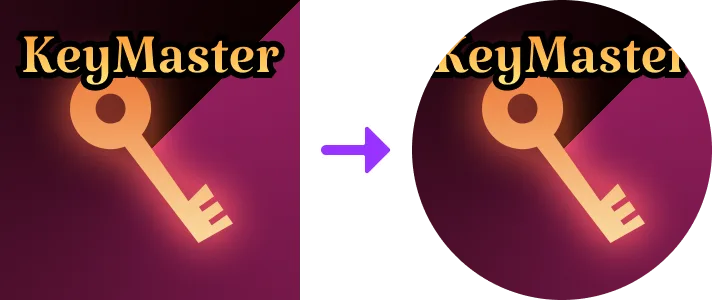
Design inside an inscribed circle, not the full square canvas, and you never find out about this the hard way in production.
Enabled, disabled, and reordered
Badge is Enabled is a real gate, not a cosmetic toggle: a disabled badge "is not shown under the Badges section of the game's main page and cannot be earned by players." You flip it from the Configure Badge form on the Dashboard at any time after creation, which is the documented way to pull a time-limited event badge out of circulation without deleting it or hard-coding a date check into your game's script.
New badges land at the end of the list. If you want a specific display order — newest achievements first, or grouped by difficulty — the Dashboard's Badges page has a Reorder option with drag-and-drop, and it handles up to 50 badges at once.
Locate the ID you'll actually script against
Every badge has a numeric ID, and you need it before any of the code below works. On the Dashboard's Badges section, hover a badge's thumbnail, click the ⋯ button, and choose Copy Asset ID. That number is what every BadgeService call below takes as badgeId.
AwardBadgeAsync: the five conditions
BadgeService:AwardBadgeAsync(userId, badgeId) is the method that actually grants a badge, and Roblox's own class reference lists exactly five things that all have to be true for it to work:
- The player must be presently connected to the experience.
- The player must not already have the badge — though a player can delete an awarded badge from their profile and legitimately earn it again later.
- The call must come from a server script (a
ScriptwithRunContextofServerorLegacy), or aModuleScripteventually required by one — never a client script. - The badge must be awarded from a place that is part of the experience the badge is associated with.
- The badge must be enabled — check this with
IsEnabledfromGetBadgeInfoAsync(), covered below.
The first one is the condition every tutorial glosses over: you cannot backfill a badge to a player who has already logged off, no matter how you queue the call. If a milestone is detected server-side while the player is still connected, award it then — there is no "award it next time they join" path through this API.
Wrap it in pcall, and check IsEnabled first so you don't waste the attempt on a badge someone disabled from the Dashboard:
local BadgeService = game:GetService("BadgeService")

local function awardBadge(player, badgeId)
	local success, badgeInfo = pcall(function()
		return BadgeService:GetBadgeInfoAsync(badgeId)
	end)

	if success then
		if badgeInfo.IsEnabled then
			local awarded, errorMessage = pcall(BadgeService.AwardBadgeAsync, BadgeService, player.UserId, badgeId)
			if not awarded then
				warn("Error while awarding badge:", errorMessage)
			end
		end
	else
		warn("Error while fetching badge info: " .. badgeInfo)
	end
end
That is Roblox's own recommended shape, not a stylistic choice — checking IsEnabled before calling AwardBadgeAsync is the documented safe pattern.
AwardBadgeAsync has a rate limit of 50 + 35 × [number of users] per minute. The older AwardBadge (no "Async") still exists but is deprecated in favor of it — same signature, same return type, no reason to reach for it in new code.
Three ways to check ownership, one rate limit doing double duty
Three live methods answer "does this player have this badge," and they don't scale the same way:
| Method | Batch size | Returns |
|---|---|---|
UserHasBadgeAsync(userId, badgeId) | 1 badge | A single boolean |
CheckUserBadgesAsync(userId, badgeIds) | Up to 10 badges | An array of the badge IDs the player owns |
GetUserBadgesAsync(userId, badgeIds) | Up to 100 badges | An array of { BadgeId, AwardedDate } dictionaries |
GetUserBadgesAsync is the one to reach for once you have more than a handful of badges to check, and not only because of the 10x larger batch: it and CheckUserBadgesAsync are billed against the exact same rate limit, "10 + 5 × [number of players] per minute in each server." Ten separate CheckUserBadgesAsync calls of one badge each spend the identical request budget as one GetUserBadgesAsync call checking a hundred — the batch is free, the call isn't. UserHasBadgeAsync runs on a more generous, separate budget: "50 + 35 × [number of players] per minute" — the same formula AwardBadgeAsync uses.
A batch ownership check, checking which of several achievement badges a player has already earned:
local BadgeService = game:GetService("BadgeService")

local ACHIEVEMENT_BADGE_IDS = { 111111111, 222222222, 333333333 }

local function getEarnedAchievements(player)
	local success, ownedIds = pcall(function()
		return BadgeService:CheckUserBadgesAsync(player.UserId, ACHIEVEMENT_BADGE_IDS)
	end)

	if not success then
		warn("Error checking badges:", ownedIds)
		return {}
	end

	return ownedIds
end
The "recently been in the server" quirk
All three ownership checks share a documented rule that is easy to miss and changes what you can actually query. Called from a server script, any userId works — but if that user "has not recently been in the server," only badge IDs belonging to your own experience are checked, and any badge ID for a different experience is silently treated as not owned. If the user has recently been in the server, the same call can check a badge from any experience on the platform, no matter who created it.
Practically: checking whether a player currently in your game owns a badge from a completely different game they played five minutes ago works. Checking that same cross-game badge for a userId pulled from a leaderboard, for a player who has never been in your server, silently returns as "not owned" even if they genuinely have it. If you only ever check badges your own experience created, this distinction never bites you — it's exclusively a trap for cross-experience badge checks.
Called from a client script, none of this cross-experience nuance applies at all: only the local player's own userId can be used, full stop.
GetBadgeInfoAsync and its cache
BadgeService:GetBadgeInfoAsync(badgeId) returns a dictionary with four fields:
| Key | Type | What it is |
|---|---|---|
Name | string | The badge's name |
Description | string | The badge's description |
IconImageId | int64 | The asset ID of the badge's icon image |
IsEnabled | boolean | Whether the badge can currently be awarded |
local BadgeService = game:GetService("BadgeService")

local BADGE_ID = 00000000

local success, result = pcall(BadgeService.GetBadgeInfoAsync, BadgeService, BADGE_ID)

if success then
	print("Badge:", result.Name)
	print("Enabled:", result.IsEnabled)
	print("Description:", result.Description)
	print("Icon:", "rbxassetid://" .. result.IconImageId)
else
	warn("Error while fetching badge info:", result)
end
Roblox's own note on it: "This method takes a brief moment to load the information from Roblox; repeated calls will cache for a short duration." No exact cache duration is published, so don't build timing logic around it — but it does mean hammering GetBadgeInfoAsync in a loop on the same badge ID is cheaper than it looks, and also that flipping a badge's Enabled state on the Dashboard may not be reflected in your server's very next call.
No event fires when a badge is awarded
This is worth stating plainly because it's easy to assume otherwise coming from services like CollectionService or RunService: the official class reference lists zero events on BadgeService. A community-maintained mirror of the engine's full reflection metadata does list two additional signals, BadgeAwarded and OnBadgeAwarded — but both carry RobloxScriptSecurity, the security class reserved for Roblox's own internal scripts. A developer's Script can never connect to either one.
The practical consequence: there is no event to listen for elsewhere in your codebase when a badge gets granted. The boolean AwardBadgeAsync hands back at the moment you call it is the only signal you get. If a UI toast, an analytics log, or a chat announcement needs to react to the award, trigger it right there in the same function — don't architect a system that waits to be told.
Four deprecated methods, and one that is now pointless
Four members of BadgeService are marked deprecated in the current class reference, and they're worth knowing by name because old tutorials and forum snippets still use all four:
AwardBadge→ superseded byAwardBadgeAsync.UserHasBadge→ superseded byUserHasBadgeAsync.IsDisabled(badgeId)→ its own docs say to useGetBadgeInfoAsync()and check theIsEnabledfield instead.IsLegal(badgeId)→ this one is the genuinely surprising case. It used to answer "is this badge associated with the current game," which mattered because badges can only be awarded from a place that's part of their own experience. Its deprecation notice now states plainly: "This function is deprecated and will always return true." If any code in your project still branches onIsLegal, that branch is dead — the check it used to perform no longer happens there at all.
None of the four is functionally broken in the sense of erroring — they still return the type they always did. They're deprecated because a better replacement exists, except for IsLegal, which is deprecated because it no longer checks anything.
Studio testing needs a disabled badge
Here's a constraint that lives, oddly, inside the deprecated IsDisabled entry rather than anywhere more prominent — but it describes current Studio behavior, not a dead code path. The class reference states it directly: "In Studio, a badge can only be tested if it is disabled." Calling the check against an enabled badge from Studio "will return true and produce a warning" reading, in Roblox's own words, "Sorry, badges can only be tested if they are disabled on Roblox game servers."
The workflow this implies: while you're actively testing an award flow in Studio's Play button, temporarily flip the badge to disabled on the Dashboard. Re-enable it before you publish, or players hit the "badge must be enabled" condition from the five-part list above and never receive it on the live server.
Rate limits and batch sizes at a glance
| Method | Rate limit | Batch size | Status |
|---|---|---|---|
AwardBadgeAsync | 50 + 35 × users / minute | 1 | Current |
UserHasBadgeAsync | 50 + 35 × players / minute | 1 | Current |
CheckUserBadgesAsync | 10 + 5 × players / minute, per server | Up to 10 | Current |
GetUserBadgesAsync | 10 + 5 × players / minute, per server | Up to 100 | Current |
GetBadgeInfoAsync | Not published; short-duration cache | 1 | Current |
AwardBadge | — | 1 | Deprecated → AwardBadgeAsync |
UserHasBadge | — | 1 | Deprecated → UserHasBadgeAsync |
IsDisabled | — | 1 | Deprecated → GetBadgeInfoAsync().IsEnabled |
IsLegal | — | 1 | Deprecated, always returns true |
Every current method carries the AssetManagement capability and yields, so every call belongs behind a pcall the same way a DataStore or HttpService call does — it's a network round trip to Roblox's backend, not a local table lookup.
Quick Action Checklist
- Create badges from the Creator Dashboard; 5 per game are free every 24 hours (GMT), each additional one costs 100 Robux.
- Design the 512×512 icon inside a circular safe area — the upload crops to a circle and corners get cut.
- Check
IsEnabledviaGetBadgeInfoAsync()before callingAwardBadgeAsync, and wrap both inpcall. - Award badges only to players currently connected to the server — there is no way to grant one to someone who already left.
- Use
GetUserBadgesAsyncover ten separateCheckUserBadgesAsynccalls; they share the same rate limit, but one call checks up to 100 badges instead of 10. - Remember the "recently been in the server" rule: a stale
userIdcan only be checked against your own experience's badges, not badges from other games. - Don't build UI, analytics, or announcements around a badge-awarded event — none exists for developer scripts. Trigger the reaction right where
AwardBadgeAsyncreturnstrue. - Replace
AwardBadge,UserHasBadge, andIsDisabledwith theirAsync/GetBadgeInfoAsyncequivalents, and delete any code still branching onIsLegal— it always returnstruenow. - To test an award flow in Studio, temporarily disable the badge on the Dashboard first, then re-enable it before publishing.
Frequently Asked Questions
How much does it cost to create a badge in Roblox?
How do I award a badge to a player in a Roblox script?
Can I award a Roblox badge to a player who already left the game?
What is the BadgeService rate limit in Roblox?
What is the difference between CheckUserBadgesAsync and GetUserBadgesAsync?
Does BadgeService fire an event when a badge is awarded?
Is BadgeService:IsLegal still useful in Roblox?
Why can't I test a Roblox badge award in Studio?
Keep Reading
- Roblox Creator Documentation — Badges: creation, cost, icons, and scripting workflows (official)
- Roblox Creator Documentation — BadgeService class reference (official)
- Roblox API Reference (robloxapi.github.io) — BadgeService full engine reflection, including internal-only events (community-maintained mirror)
Related Guides
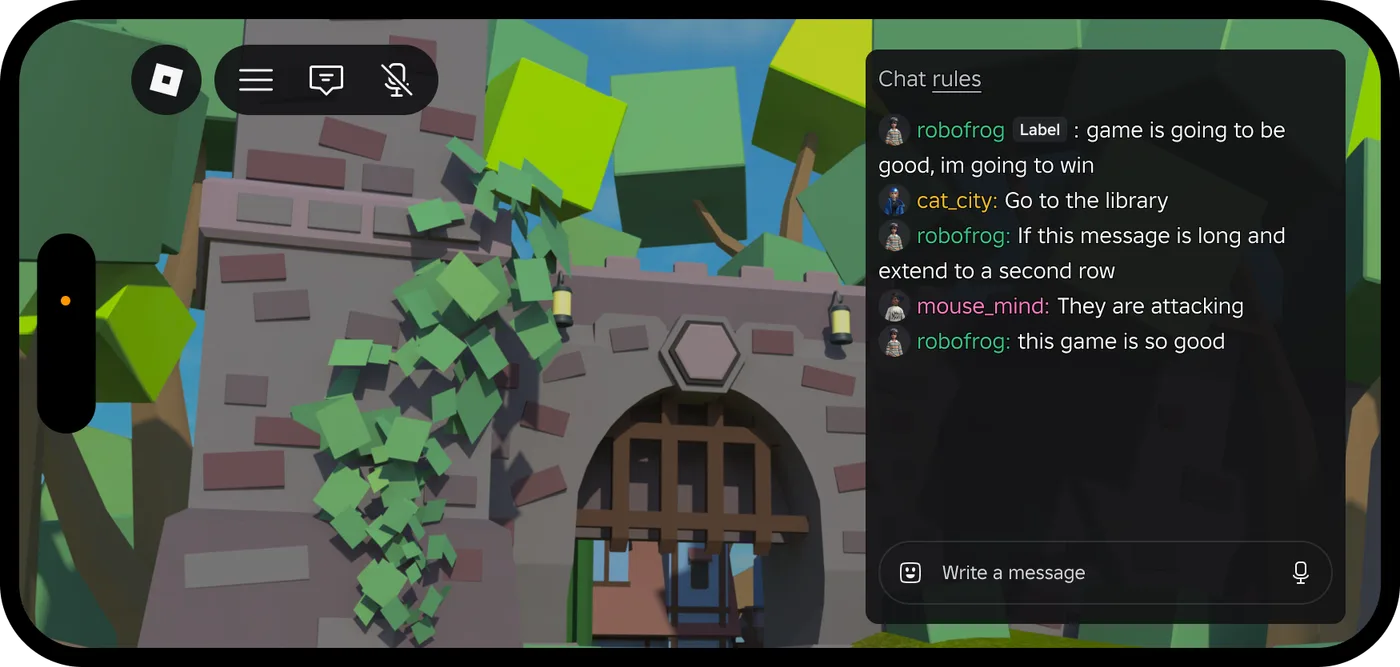
Roblox Platform-Integrated Chat: Migrate Your Custom Chat
On October 21, 2026, Roblox announced that chat message text will stop being readable from game code. It is opt-in today, the default from February 2027 and required from May 2027. Here is what stops working, the replacement for each custom chat feature, which one has no replacement yet, and how to test it in Studio now.
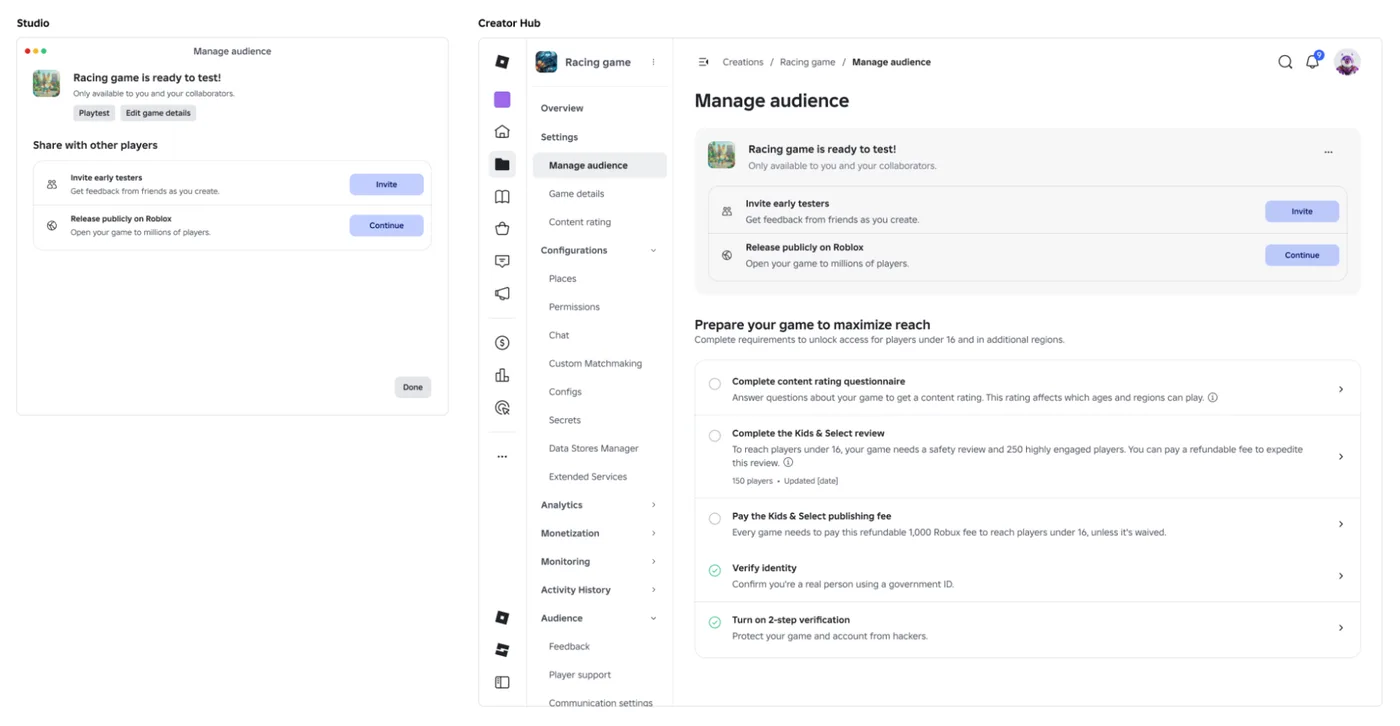
Roblox Early Testers and the New Publish Flow: What Changed
Since October 12, 2026, you can let up to 10 friends play your unreleased, unrated Roblox game, and Roblox is rolling out a path that lets a game with no age-restricted content reach age-checked players 16 and older by answering one question instead of the full questionnaire. Here is who can be an early tester, what replaced the Private and Limited audience settings, what the one question actually covers, and what still takes the long road to players under 16.
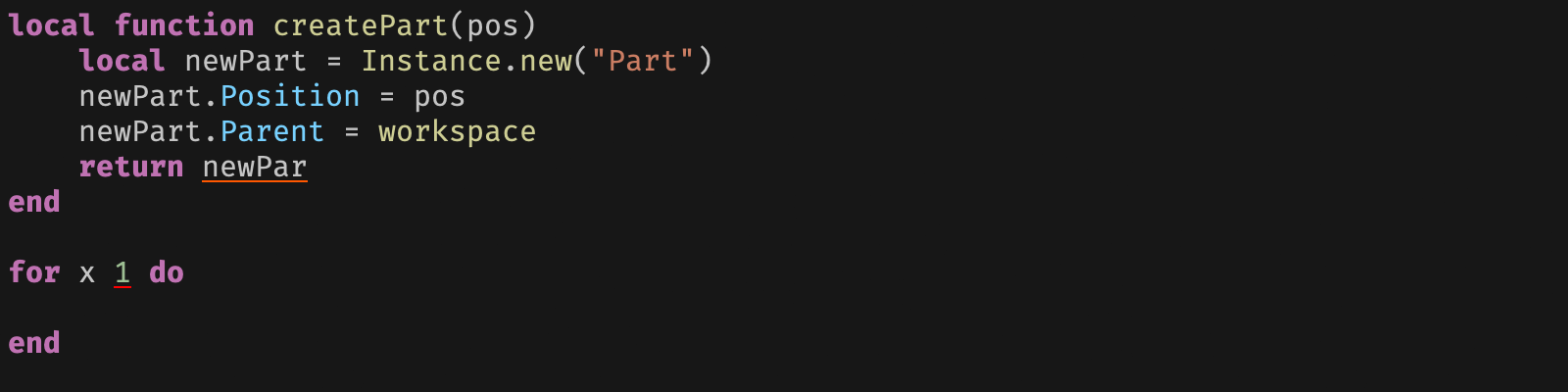
Roblox Luau Type Checking: nocheck, nonstrict, strict
Roblox says every script used to default to no typechecking. That is no longer how it works: a Workspace property now sets the default mode, projects using only nocheck and nonstrict were moved to the New Type Solver automatically, and strict mode projects were not. Here is what each mode reports, what the new solver changed, and the annotation syntax that covers most code.
Roblox Text Filtering: FilterStringAsync Done Right
Chat is filtered for you. Pet names, sign text, shop names and anything you pull off an external API are not — and Roblox documents that it takes games down until filtering is added. Here is the actual API, the getter that is now dead, and the pattern that ships.

Best Roblox Games to Play in 2026
Roblox's front page is engagement bait. This is the filtered version: the games with real, sustained player counts and actual staying power, sorted by what you're in the mood for.

How to Get Robux Safely (Legit Ways + Scams to Avoid)
There is no free Robux generator. There never was. Here are the actual legit ways to get Robux without overpaying, the earning methods that really work, and the scams that exist purely to steal your account.