Roblox Luau Type Checking: nocheck, nonstrict, strict
Roblox says every script used to default to no typechecking. That is no longer how it works: a Workspace property now sets the default mode, projects using only nocheck and nonstrict were moved to the New Type Solver automatically, and strict mode projects were not. Here is what each mode reports, what the new solver changed, and the annotation syntax that covers most code.
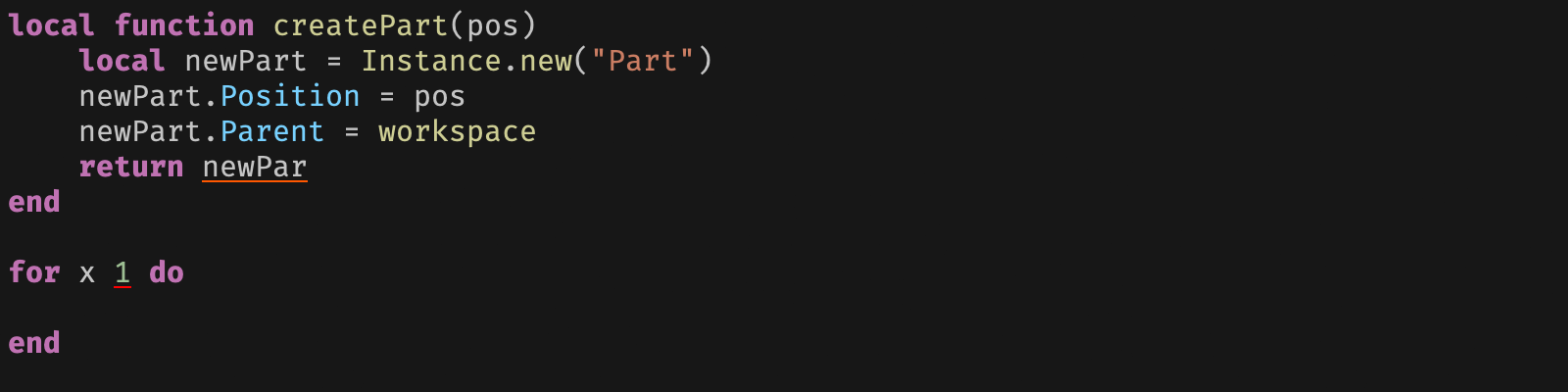
Type checking in Roblox is easy to file under optional tidiness — a per-file switch you flip when you feel like it. Roblox's own general release announcement for the New Type Solver puts that arrangement in the past tense: "Historically, every script defaulted to no typechecking and creators could provide script directives like --!strict and --!nonstrict to set the mode in each file."
That sentence is in the past tense on purpose. Two things in it stopped being true in the same release: the default is now a per-project property rather than a fixed engine behaviour, and the inference engine underneath the checker was swapped out for projects that were not already using strict mode. If your mental model of Luau typing is "add --!strict if you want red squiggles," it predates both.
The default changed, and your old scripts did not notice
On 20 November 2025, Roblox announced that Luau's New Type Solver was moving out of Studio Beta. Two things shipped together in that release, and it is worth separating them because they are independent switches:
- A new type inference engine — "The New Type Solver is moving out of Studio Beta, and will be enabled by default for all users in nocheck and nonstrict modes! Strict mode users can continue to opt in voluntarily."
- A redesigned nonstrict mode, which the announcement describes as "enabled by default for everyone with a focus on reporting only definite runtime errors to catch bugs earlier and improve the developer experience."
Roblox also gave the Studio Beta toggle people had been using for this an end date, saying it "will be removed in the first release of the new year on January 7th, 2026". Its instruction to beta users was specific: if you had been running the New Type Solver in strict mode through the beta, set UseNewLuauTypeSolver from Default to Enabled in your experience's Workspace to keep it. "All other users should be migrated automatically."
Script directives did not change. --!strict at the top of a file still wins for that file. What changed is what a file gets when it says nothing at all.
The three directives, and what each one does
The directive goes on the first line of a script. Roblox's type checking documentation and the upstream Luau docs describe the same three modes in slightly different words, and both descriptions are useful because they are aimed at different questions — what the checker asserts, and what it infers.
| Directive | Roblox docs description | Luau docs description |
|---|---|---|
--!nocheck | "Don't check types." | "completely disables the type inference engine for the file" |
--!nonstrict | "Only asserts variable types if they are explicitly annotated." | the checker "is more forgiving": if it cannot work out a type early on, "we infer the type could be anything (the any type)" |
--!strict | "Asserts all types based off the inferred or explicitly annotated type." | Luau "is smarter about tracking types across statements" |
Two cautions on that table, because it is the part most likely to mislead.
First, the Roblox page carries an alert at the top pointing readers elsewhere: "For the latest and most complete type checking documentation, see [here]" — linking to luau.org. Treat luau.org as the authority on language behaviour and create.roblox.com as the authority on the Studio integration.
Second, both of those pages describe inference by mode, and the New Type Solver announcement says that is no longer how it works: "Instead of varying the type inference rules based on mode, we've written a new implementation with one shared type inference pass between each mode with separate error reporting implementations. These error reporters, called typecheckers, define sets of rules for what script analysis warnings get produced." Under the new solver, the mode selects a reporter, not an inference strategy. Neither docs page had been rewritten to say that at the time of writing, so if the two sources look like they disagree, that is why.
Whichever mode you pick, the output lands in the same two places. Roblox's documentation: type mismatches "are highlighted in the Script Editor and surfaced as warnings in the Script Analysis window," which you open from the Analysis button in Studio's Script tab toolbar.

Which solver you are running right now
This is the question the release actually turns on, and the announcement's own FAQ answers it: "If you use nocheck or non-strict mode for all of your scripts, you will be automatically moved to the New Type Solver with nonstrict enabled. If you use strict mode, you will remain on the old solver by default, but can opt-in via Workspace Properties."
| Your scripts | Solver you get by default | How to change it |
|---|---|---|
All --!nocheck / --!nonstrict | New Type Solver | Set UseNewLuauTypeSolver to Disabled to opt out |
Any --!strict in the project | Old type inference engine | Set UseNewLuauTypeSolver to Enabled to opt in |
The reason strict mode was held back is stated rather than hinted at: Roblox says there are "still a number of issues preventing existing projects from adopting the New Type Solver, as well as some intentional work that creators will need to do to fix real type errors that went uncaught because of the limitations of the old system."
The old engine is not gone. Roblox committed to "keep the old type inference engine available through 2026 to give everyone time to migrate at a reasonable pace," and separately said of the opt-out property: "We will retain this property in Studio for at least one year and until we've entirely sunset the old Luau type inference engine."
What the new nonstrict mode warns about
If you have never annotated a line of Luau in your life, this is the section that matters, because nonstrict is what you are now getting by default and Roblox designed it for exactly that reader. The stated goal: nonstrict should "give clear, useful developer feedback during editing without requiring annotations and without requiring the creator to understand type systems."
The announcement names two flavours of warning it currently produces:
- "simple lint-style warnings like unknown symbols"
- "circumstances where we can prove that the code will behave nonsensically at runtime"
The first is the typo catcher. Roblox's own example:
local dog = { name = "molly", age = 13 }
local cat = { name = "athena", age = 2 }

function pet(animal)
  print(`pets for {animal.name}`)
end

pet(dig) -- oops! unknown global: dig
pet(cat)
That is the same UnknownGlobal warning class visible in the Script Analysis screenshot above.
The second is narrower than it sounds, and the pair of examples Roblox gives is the clearest statement of where the line sits. This warns:
function foo(x)
  math.abs(x)
  string.lower(x)
end
Roblox's reasoning: "there is no possible way to call the function without causing a runtime error. If we pass anything other than a number, math.abs will fail, and if we pass anything other than a string, string.lower will fail."
This does not warn:
function bar(x)
  if math.random(2) == 1 then
    math.abs(x)
  else
    string.lower(x)
  end
end
Because it "might work." Roblox describes the mode as "very permissive right now as a foundation for continued work." If you want the checker to argue with you about types you have not annotated, nonstrict is not that mode and is not trying to be.
The two Workspace properties
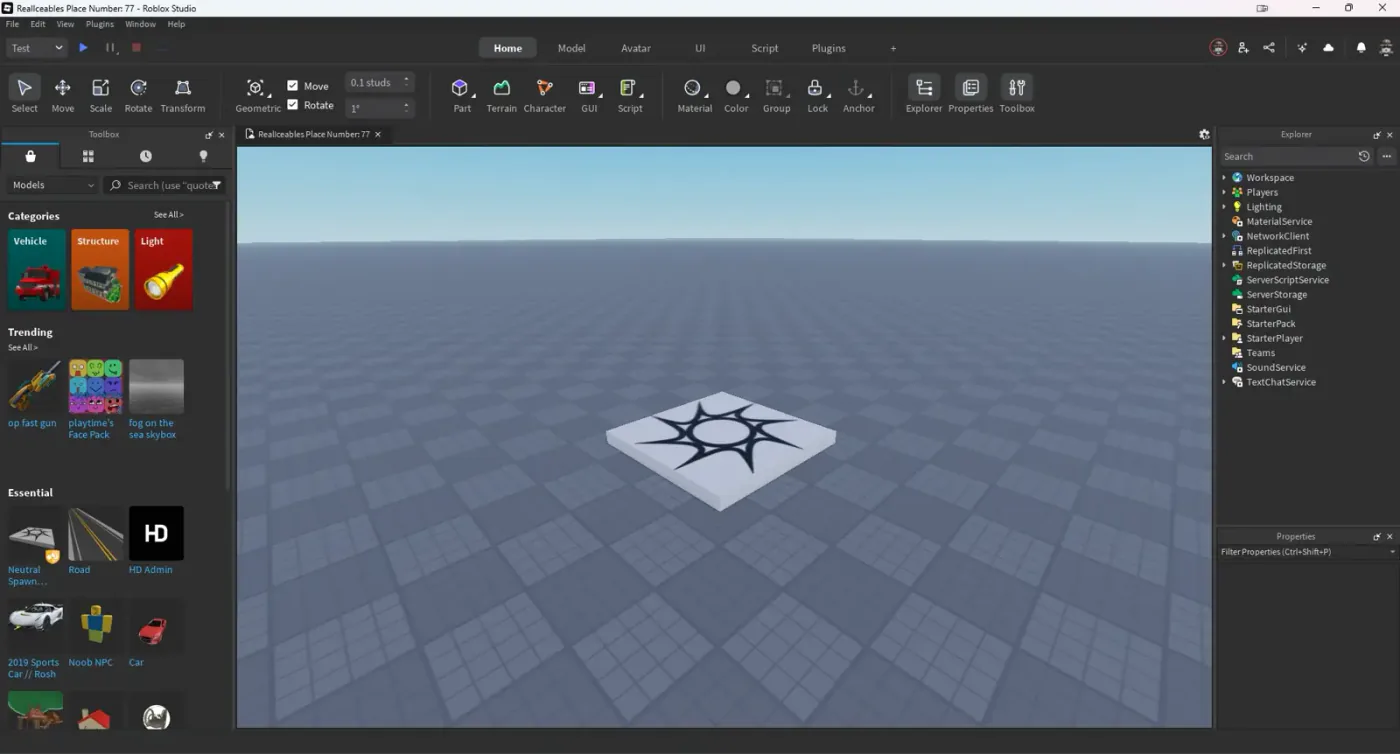
Both live under a Scripting category on Workspace. Neither is meant to be flipped from a running script — LuauTypeCheckMode is documented with PluginSecurity on both read and write, and UseNewLuauTypeSolver is tagged NotScriptable. You set them in the Properties panel in Studio, per project.
LuauTypeCheckMode sets the default mode
Workspace.LuauTypeCheckMode "Controls the Luau type checking mode applied to scripts in the experience," and takes Enum.LuauTypeCheckMode, which has four members:
| Value | Number | What it means |
|---|---|---|
Default | 0 | "Uses the engine-default type checking mode." |
NoCheck | 1 | "Scripts are not type-checked." |
Nonstrict | 2 | "Scripts are type-checked in nonstrict mode." |
Strict | 3 | "Scripts are type-checked in strict mode." |
Per-file directives still override it. Roblox: "script directives continue to work as before, but the default mode will be determined by LuauTypeCheckMode."
Two details worth keeping. Roblox said it would be "setting Nonstrict as the initial value of this property in Roblox-provided templates" — so a project started from a Roblox template is not starting from nothing. And the property is not a migration aid due to expire: "This setting will continue to exist in some form in perpetuity as we believe that individual creators are best able to determine the typechecking mode best suited for themselves, their workloads, and their teams."
UseNewLuauTypeSolver picks the engine
Workspace.UseNewLuauTypeSolver "controls whether the new Luau type solver is used for type inference and type checking in scripts." The docs are explicit that the two properties are orthogonal: LuauTypeCheckMode "controls the mode (strict, nonstrict, etc.) while this property controls which solver implementation is active."
It takes Enum.RolloutState, a three-value pattern Roblox reuses across engine features:
| Value | Number | What it means |
|---|---|---|
Default | 0 | "Uses the engine-wide rollout default, which changes as the feature progresses through its rollout phases." |
Disabled | 1 | "Opts out of the feature regardless of the engine-wide rollout phase." |
Enabled | 2 | "Opts in to the feature regardless of the engine-wide rollout phase." |
The enum's own description explains why Default is a moving target: a feature is "initially opt-in (Default equals disabled), then opt-out (Default equals enabled), and finally always on." So Default today is not a promise about tomorrow — if you need a fixed answer for your project, set Enabled or Disabled explicitly rather than leaving it on Default.
Setting it to Enabled is a team-wide decision, not a personal one: "every person working on your experience will be using the New Type Solver while editing that place. With this on, the New Type Solver will take over powering autocomplete, hover type, and script analysis warnings for the whole project."
Annotations: the syntax that covers most code
Annotation is the : operator after a name. Nothing here is new with the solver — it is the same surface you have been able to use since Luau shipped types, and it is what nonstrict keys off when it says it "only asserts variable types if they are explicitly annotated."
local foo: string = "bar"
local x: number = 5
Roblox's docs name four primitive types for annotations: nil (no value), boolean, number and string. Beyond those, "all classes, data types, and enums have their own types that you can check against":
local somePart: Part = Instance.new("Part")
local brickColor: BrickColor = somePart.BrickColor
local material: Enum.Material = somePart.Material
A trailing ? makes a type optional — the variable "can be either the specified type ... or nil":
local foo: string? = nil
You can also pin a string or boolean to a literal value rather than the general type:
local alwaysHelloWorld: "Hello world!" = "Hello world!"
alwaysHelloWorld = "Just hello!"  -- Type error
local alwaysTrue: true = false    -- Type error
When inference is too generic, cast with ::. The rule Luau enforces is that the cast is itself checked: casts require "that one of the conversion operands is the subtype of the other or any," which is what makes the middle line below legal and the last one not:
local myNumber = 1
local myString: string

myString = myNumber          -- Not OK; type conversion error
myString = myNumber :: any   -- OK; all expressions can be cast to 'any'
local myFlag = myNumber :: boolean  -- Not OK; types are unrelated
One more cast rule, stated in a single line on luau.org: when you cast a variadic or a multiple-return call, "only the first value will be preserved, and the rest discarded."
Functions, tables and variadics
Parameter and return annotations are the highest-value place to spend effort, because they are what let the checker reason about call sites rather than one line at a time:
local function add(x: number, y: number): number
	return x + y
end

add(5, 10)
add(5, "foo")  -- Type error: string could not be converted into number
Multiple returns go in parentheses, and a function type on its own is written (in) -> out:
type add = (x: number, y: number) -> number
type FindSource = (script: BaseScript, pattern: string) -> (string, number)
Luau has no table type. Table shapes are written with {} — {type} for a list, {[indexType]: valueType} for an index, or explicit string keys:
local numbers: {number} = {1, 2, 3, 4, 5}

local numberList: {[string]: number} = { Foo = 1, Baz = 10 }
numberList["bar"] = true  -- Type error: boolean can't convert to number

type Car = {
	Speed: number,
	Drive: (Car) -> ()
}
This matters more than it looks, because Luau's type system "is structural by default, which is to say that we inspect the shape of two tables to see if they are similar enough." A table that matches the shape of Car is a Car; there is no nominal declaration to satisfy.
Variadics annotate the ... directly in a function, but need different syntax in a type. Both forms, because mixing them up produces a confusing parse error:
local function addLotsOfNumbers(...: number)  -- in a function: ...: type

type addLotsOfNumbers = (...number) -> number -- in a type: ...type
Writing (...: number) -> number in a type alias gets you Expected type, got ':'.
Unions, intersections, typeof and generics
| is union, & is intersection:
type numberOrString = number | string
type type1 = {foo: string}
type type2 = {bar: number}
type type1and2 = type1 & type2  -- {foo: string} & {bar: number}
typeof lets you derive a type from a value instead of writing it out, which is the practical way to type an existing table without transcribing every field:
type Car = typeof({
	Speed = 0,
	Wheels = 4
})  --> Car: {Speed: number, Wheels: number}
It is also the documented route to a metatable type, which is what you need to type a metatable-based object of the kind Lua-style OOP builds in ModuleScripts:
type Vector = typeof(setmetatable({}::{
	x: number,
	y: number
}, {}::{
	__add: (Vector, Vector|number) -> Vector
}))
Generics are type parameters, written <T>, and they work on both aliases and functions:
type List<T> = {T}
type Map<K, V> = {[K]: V}

local function State<T>(key: string, value: T): State<T>
	return { Key = key, Value = value }
end

local Activated = State("Activated", false)     -- State<boolean>
local TimesClicked = State("TimesClicked", 0)   -- State<number>
Sharing types between scripts
A type declared in a ModuleScript is local to it until you export it:
-- ReplicatedStorage/Types
export type Cat = {
	Name: string,
	Meow: (Cat) -> ()
}
local ReplicatedStorage = game:GetService("ReplicatedStorage")
local Types = require(ReplicatedStorage.Types)

local newCat: Types.Cat = {
	Name = "metatablecat",
	Meow = function(self)
		print(`{self.Name} said meow`)
	end
}
This is the piece that makes typing worth the effort across a real project rather than one file: a shared Types module gives the client and the server the same names for the same payloads, which is exactly the boundary RemoteEvents blur.
What the new solver added
The announcement lists five improvements the rewrite enabled. Quoting the descriptions rather than paraphrasing them, because several are easy to overstate:
| Improvement | What Roblox says it does |
|---|---|
| Read-only table properties | "Inferred and annotated table properties can now be read-only, enhancing type safety." |
| Better type refinements | "The type system now tracks variable type changes dynamically and more intelligently, reducing instances where the logic of the program obviously contradicts the error" |
| Type functions | "Enables better inference for overloaded operators and table properties, increasing accuracy, and provides users a way to write highly expressive type signatures for code" |
| Singleton type improvements | "Improved handling of singleton types reduces spurious warnings and the need for excessive casting." |
| Relaxed casting rules | "Casting rules are more permissive, reducing the need to cast through any when trying to cast to a specific type." |
Type functions are the genuinely new language feature in that list. The Luau documentation defines them as "functions that run during analysis time and operate on types, instead of runtime values," able to "use the types library to transform existing types or create new ones." They run in a restricted environment — the docs enumerate what is available alongside the types library: assert, error, print, next, ipairs, pairs, select, unpack, getmetatable, setmetatable, rawget, rawset, rawlen, raweq, tonumber, tostring, type, typeof, and the math, table, string, bit32, utf8 and buffer libraries.
Directives that look similar and are not type checking
--!native sits on the same first line and is a completely different feature. It turns on native code generation, which compiles server-side scripts "directly into the machine code instructions that CPUs execute, rather than regular bytecode that the Luau VM operates on." Roblox's documentation is clear that this "enables native code generation for all functions in the script, and the top-level scope, if deemed profitable," and that "behavior of the natively executing scripts is exactly the same as before and only the performance is different."
There is also a per-function @native attribute if you want one hot function compiled rather than the file. Neither changes what the type checker reports, and neither is a substitute for the parallel Luau work if what you actually need is more threads.
The traffic between the two features runs one way. Roblox documents that native code generation reads your annotations: "Luau type annotations on function arguments are checked," with Vector3 arguments singled out as especially worth annotating, because the compiler guesses a type for each variable and "mispredictions may trigger unnecessary checks, resulting in slower code execution." Annotations can therefore make a --!native script faster — but the directives themselves stay independent, and typing a script that is not native changes nothing at runtime.
What the Luau team says is still rough
Roblox published the known issues alongside the release rather than after the complaints, and prefaced all three with "We are actively working on several known issues, particularly for strict mode":
- Error message quality. "In some cases, the New Type Solver can generate types and error messages that are larger and more verbose, or otherwise less clear than the old system."
- Performance. "The New Type Solver is still slower than we'd like in some cases, which can sometimes lead to excessive memory usage in Roblox Studio."
- Correctness bugs. "We're also aware of a number of places where strict mode type-checking is currently too strict, and are working to address them."
And the line that decides how much of this you need to care about, from the same section: "None of these issues can affect your experience in production, the type system only runs at edit time in Roblox Studio." Nothing in this article changes a single byte of what your servers run. A type error is a message to you, not a behaviour change.
Quick Action Checklist
- Check
Workspace.LuauTypeCheckModein your project before assuming anything about defaults — a file with no directive now inherits that property, and Roblox said it would set Roblox-provided templates toNonstrict. - Leave
UseNewLuauTypeSolveronDefaultonly if you are comfortable with it changing as the rollout advances; setEnabledorDisabledwhen you want a fixed answer for the whole team. - If your project has any
--!strictscripts, you are on the old engine by default. Opting in is a deliberate act, and Roblox says to expect real type errors the old system missed. - Use
--!strictper file to migrate incrementally, rather than flipping the whole project's default mode at once. - Annotate function parameters and returns first — they buy the most checking per character.
- Reach for
::only when inference is genuinely too generic; a cast still has to be to a subtype, a supertype, orany. - Write
...: numberinside a function and...numberinside a type alias. They are not interchangeable. - Put shared shapes in an
export typemodule so the client and server agree on the same names. - Read type-mode behaviour off luau.org, which Roblox's own docs page names as the current reference, and read the Studio settings off create.roblox.com.
- Remember
--!nativeis a separate directive that changes execution rather than checking, that native code generation does read your annotations, and that the type checker itself runs only at edit time.
Frequently Asked Questions
What is the default type checking mode in Roblox now?
What is the difference between --!nonstrict and --!strict in Roblox Luau?
Is the new Luau type solver enabled by default in Roblox?
What does UseNewLuauTypeSolver do in Roblox Studio?
Does Roblox type checking affect performance in a live game?
How do I share Luau types between two Roblox scripts?
Why does Roblox warn about an unknown global in nonstrict mode?
Keep Reading
- Roblox Creator Documentation — Type checking (official)
- Luau — An introduction to Luau types (official language documentation)
- Roblox Developer Forum — [General Release] Luau's New Type Solver, 20 November 2025 (official announcement)
- Roblox Creator Documentation — Enum.LuauTypeCheckMode (official)
- Roblox Creator Documentation — Enum.RolloutState (official)
- Roblox Creator Documentation — Workspace class reference (official)
- Luau — Type Functions (official language documentation)
- Roblox Creator Documentation — Native code generation (official)
- Roblox Creator Documentation — Script Editor and Script Analysis (official)
Related Guides
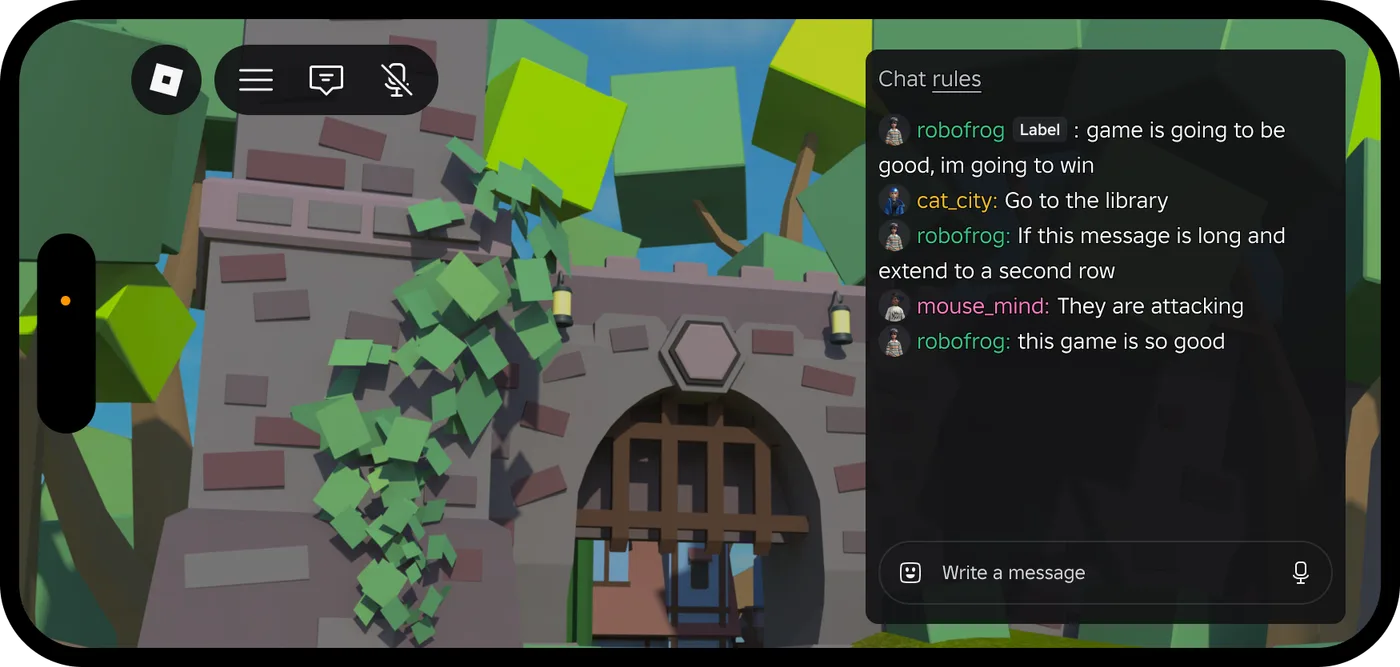
Roblox Platform-Integrated Chat: Migrate Your Custom Chat
On October 21, 2026, Roblox announced that chat message text will stop being readable from game code. It is opt-in today, the default from February 2027 and required from May 2027. Here is what stops working, the replacement for each custom chat feature, which one has no replacement yet, and how to test it in Studio now.
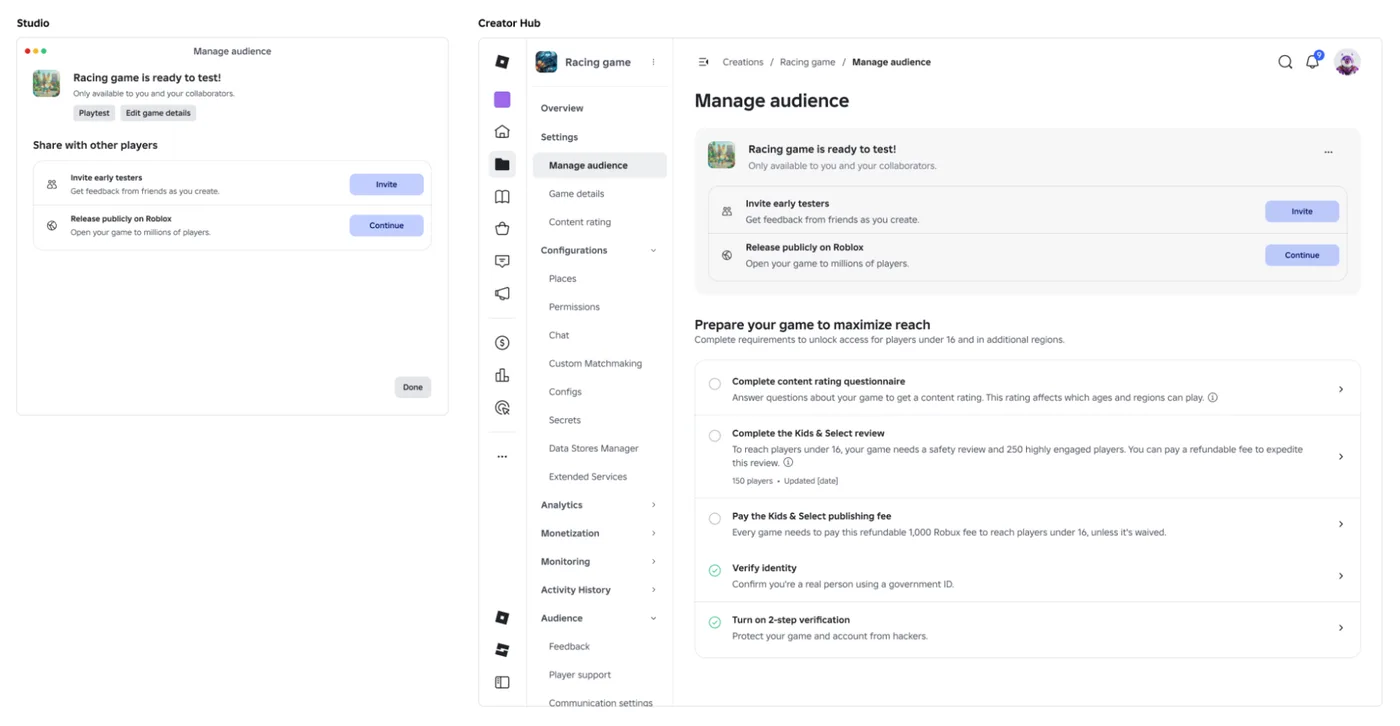
Roblox Early Testers and the New Publish Flow: What Changed
Since October 12, 2026, you can let up to 10 friends play your unreleased, unrated Roblox game, and Roblox is rolling out a path that lets a game with no age-restricted content reach age-checked players 16 and older by answering one question instead of the full questionnaire. Here is who can be an early tester, what replaced the Private and Limited audience settings, what the one question actually covers, and what still takes the long road to players under 16.

Roblox BadgeService Guide: Award, Check, Debug
Call AwardBadgeAsync on a player who isn't currently in your server and it fails one of five documented requirements — silently, the same way it fails for a disabled badge or a place outside the badge's own experience. Here is every BadgeService method, which four are dead, the rate limit two of them share despite a 10x difference in batch size, and the deprecated check that Roblox says will now always return true.
Roblox Text Filtering: FilterStringAsync Done Right
Chat is filtered for you. Pet names, sign text, shop names and anything you pull off an external API are not — and Roblox documents that it takes games down until filtering is added. Here is the actual API, the getter that is now dead, and the pattern that ships.

Best Roblox Games to Play in 2026
Roblox's front page is engagement bait. This is the filtered version: the games with real, sustained player counts and actual staying power, sorted by what you're in the mood for.

How to Get Robux Safely (Legit Ways + Scams to Avoid)
There is no free Robux generator. There never was. Here are the actual legit ways to get Robux without overpaying, the earning methods that really work, and the scams that exist purely to steal your account.