Tetris Fumen Explained: Read, Make and Share Diagrams
The v115@ string attached to Tetris setups is a whole multi-page board packed into a link. Here is what is inside it, which editor to open it in, what Lock, Rise and Mirror do, and where numbers like 84.64% come from.
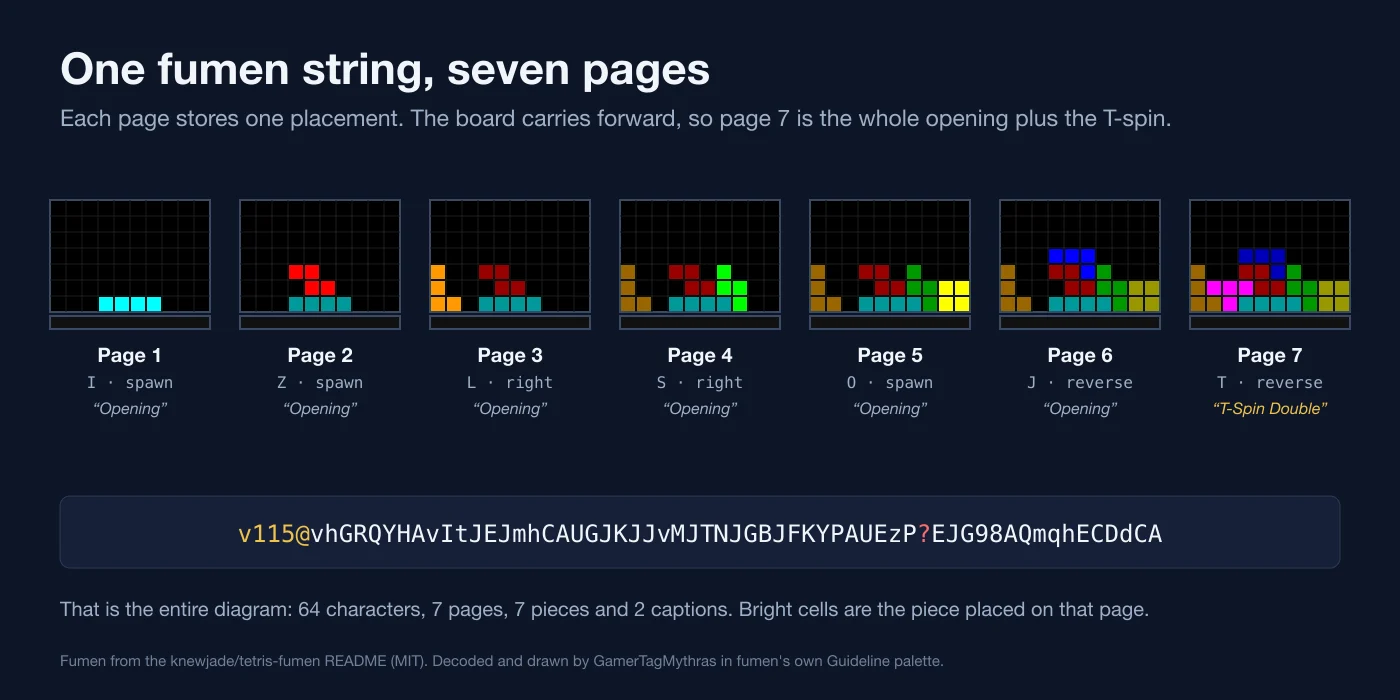
Our perfect clear guide quotes 84.64% for the Perfect Clear Opener when you keep the I on hold. Hard Drop's PCO article gives the same figure as 711 out of 840, calls it the chance to succeed "in theory", and lists solution-finder among its external links as a tool partly used to write the article. That 840 is not a count of games anyone played. It is a count of piece orders, the kind of number a program like solution-finder produces by reading a board diagram, and the diagram format those tools read is fumen: a string that starts v115@ and packs a whole multi-page Tetris board into a link.
This is how to read one, which editor to open it in, what its switches do, and how a percentage gets out of it.
A Tetris diagram editor from 2005
Fumen is a browser-based Tetris field editor by Mihys, whom tetris.wiki identifies as the developer of DTET. The original lives at fumen.zui.jp under its Japanese title, 連続テト譜エディタ. You paint a board, place one piece per page, add captions, and the editor writes the whole sequence out as text you can paste anywhere a link fits.
Mihys keeps the changelog inside the page itself, as a comment in the HTML source, and it dates each part of the format:
| Version | Date | What it added |
|---|---|---|
| 0.90 | 8 March 2005 | Field editing, piece placement, Rise and Mirror, and the whole diagram stored in the URL, from a single HTML file |
| 0.95 | 5 April 2005 | A version number at the front of the data, and compression for pages that leave the field unchanged |
| 1.00 | 12 October 2007 | Comments |
| 1.05 | 14 January 2008 | Pieces that do not lock |
| 1.05b | 26 February 2008 | A view-only URL |
| 1.10 | 19 July 2010 | Quiz mode; the piece colour pattern switched on by default |
| 1.15 | 13 August 2014 | Field extended to 23 rows; a list URL |
| 1.15b | 4 May 2020 | A button that sends the diagram to Fumen for Mobile |
| 1.15e | 7 November 2021 | Dark mode |
| 1.15e2 | 25 September 2026 | A Content Security Policy that blocks add-ons loaded from other sites, listed as an XSS countermeasure |
That last entry is dated 25 September 2026, and the page now carries the policy it describes. Hard Drop's wiki article on fumen still names 1.15e, from November 2021, as the latest version.
The version you will actually see is in the link. v115 is the data format from Ver 1.15: a field 10 wide and 23 tall, plus one garbage row under the floor. v110 is the older 21-row format. knewjade's tetris-fumen library decodes both and writes only v115, and solution-finder, covered below, accepts only v115.
Three editors, one format
| Editor | Link format | Language | What sets it apart |
|---|---|---|---|
| fumen.zui.jp | fumen.zui.jp/?v115@… | Japanese | Mihys's original, with the button that opens the diagram in Fumen for Mobile |
| harddrop.com/fumen | harddrop.com/fumen/#?v115@… | English | Community-maintained copy with built-in export to Hard Drop wiki diagrams, Grey Out and Mirror frame buttons, and a list view |
| Fumen for Mobile | knewjade.github.io/fumen-for-mobile/#?d=v115@… | English or Japanese | knewjade's touch editor, MIT-licensed source, with an Open in Hard Drop link |
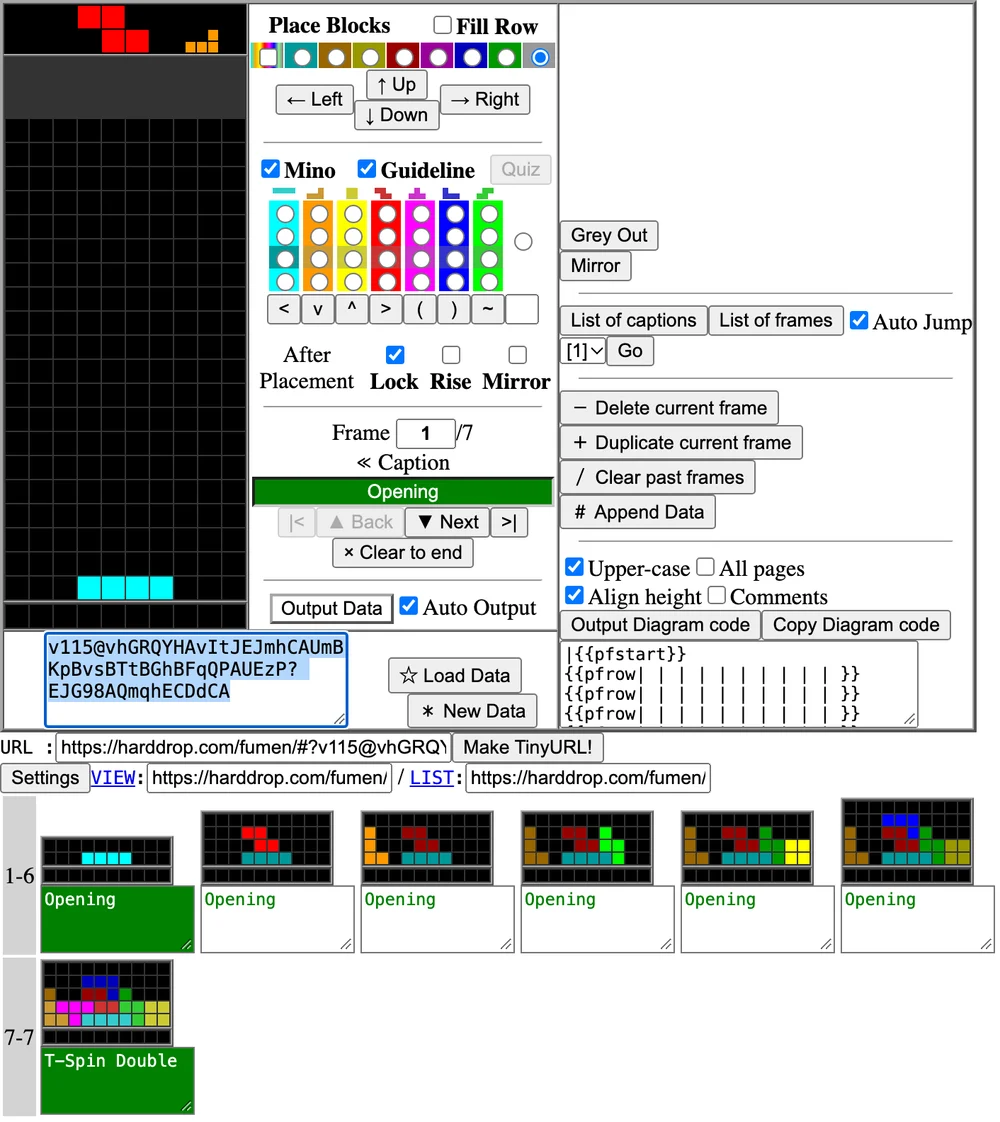
Hard Drop's copy is a fork, and its changelog shows it. A note signed by zyphdoz explains that the "1.15f" add-ons were taken from fumen.sixwi.de and made by swng, and that the page title was deliberately left at 1.15e so the number would not collide with any future official 1.15f from Mihys. One entry in that fork's changelog matters if you share links. Ver 1.15f3 (20 December 2025) fixed a security issue that allowed remote script execution on the Hard Drop wiki, and added support for a #? link form that the changelog says allows much longer character limits; the editor now outputs its links that way. Old ?v115@ links still open, because the editor's code reads both forms.
The Output Diagram code button is the bridge to the Hard Drop wiki. It converts the current page into the wiki's own {{pfstart}} and {{pfrow}} diagram template, the same template articles such as Hard Drop's PCO page use to draw their boards. The add-on's source opens with a message dated 13 January 2011 from Chopin of harddrop.com, asking Mihys whether fumen could convert into diagram code for the wiki.
Reading the string
Take the seven-page example from the README of knewjade's tetris-fumen library:
v115@vhGRQYHAvItJEJmhCAUGJKJJvMJTNJGBJFKYPAUEzP?EJG98AQmqhECDdCA
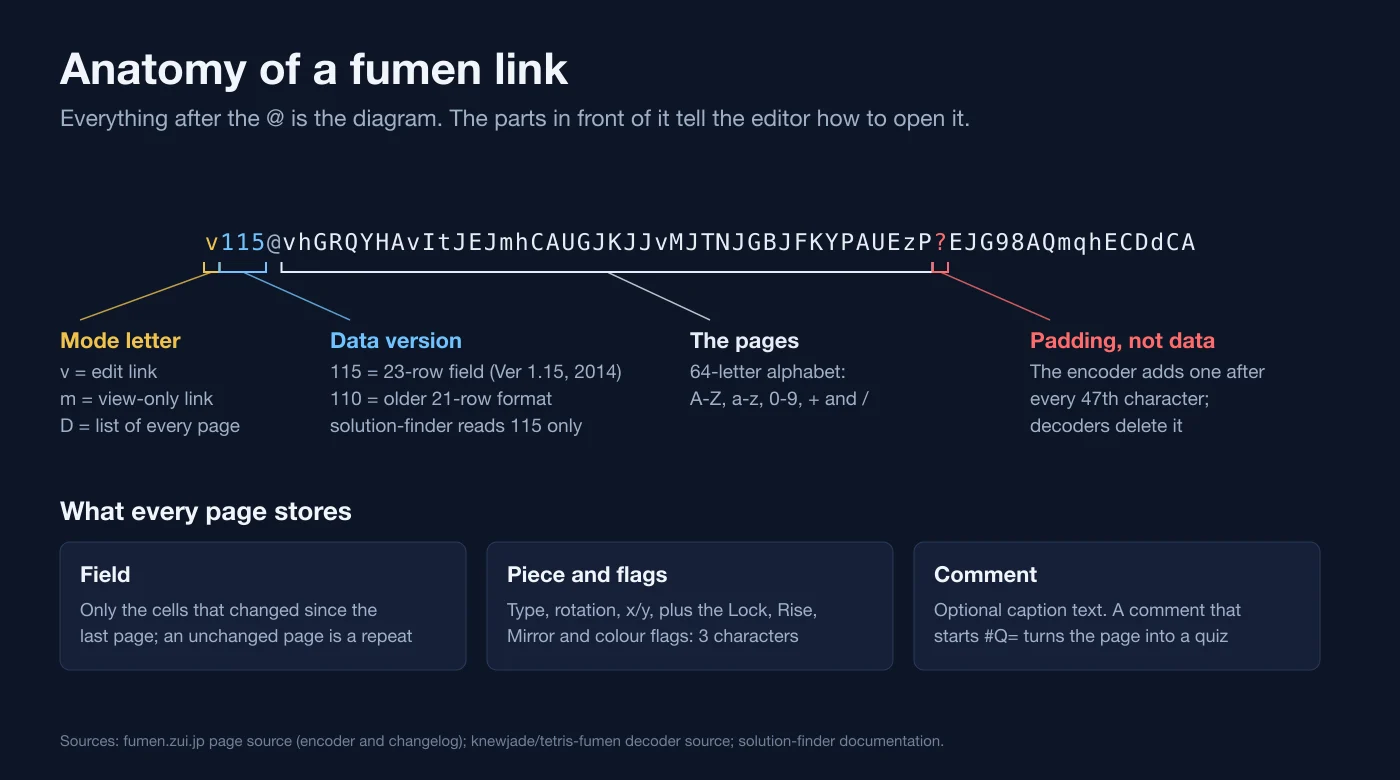
vis the mode. When the original editor outputs data it builds three links:vto edit,mfor the view-only player, andDfor a list of every page. The last two appear as the VIEW and LIST links.115is the format version.@separates the header from the data.- The rest is the diagram, written in a 64-character alphabet: A to Z, a to z, 0 to 9, plus
+and/. - The
?is padding, not data. The encoder inserts one after every 47th character, and knewjade's decoder deletes every?and any whitespace before it reads a page, so a fumen pasted across two lines still decodes.
Per the tetris-fumen decoder, each page holds three things:
- The field, stored as the cells that changed since the previous page. A page whose field did not change costs a repeat counter instead of a board.
- One piece and its flags in three characters: the piece, its rotation (spawn, right, reverse or left), its x and y, and the Lock, Rise, Mirror and colour flags.
- An optional comment, which later pages inherit until a new one replaces it.
That is how the example fits seven pages, seven pieces and two captions into 58 characters of data. The pages chain: once a page's piece locks, the decoder clears any full lines, applies Rise, then Mirror, and the result is the field the next page starts from. Mihys's original editor caps a diagram at 2,000 pages.
Two strings can hold one diagram. Load that README string into Hard Drop's editor and it outputs v115@vhGRQYHAvItJEJmhCAUmBKpBvsBTtBGhBFqQPAUEzP?EJG98AQmqhECDdCA. Decode both and the seven pages match cell for cell. The only difference is the colour flag, which the README string sets on all seven pages and Hard Drop's output sets on the first page only. Compare boards, not text.
Lock, Rise, Mirror, Guideline and Quiz
| Hard Drop label | Original label | What it does |
|---|---|---|
| Lock | 接着 | A tick box, ticked by default. The piece locks, full lines clear, and the next page starts from the result. Untick it to show a piece mid-air, such as a T before its spin. |
| Rise | 盛 | A tick box that only works with Lock ticked. After the placement, the garbage row under the floor is pushed up into the field. |
| Mirror | 鏡 | A tick box that only works with Lock ticked. After the placement, the field flips left to right, so one link can show a setup and its mirror. |
| Guideline | 色 | A tick box that switches the whole diagram between Guideline piece colours and fumen's original colour table. |
| Quiz | 問 | A button, not a tick box, active on the last page. It writes a shuffled seven-piece bag into the caption as a piece-order quiz, in the form #Q=[hold](current)queue. |
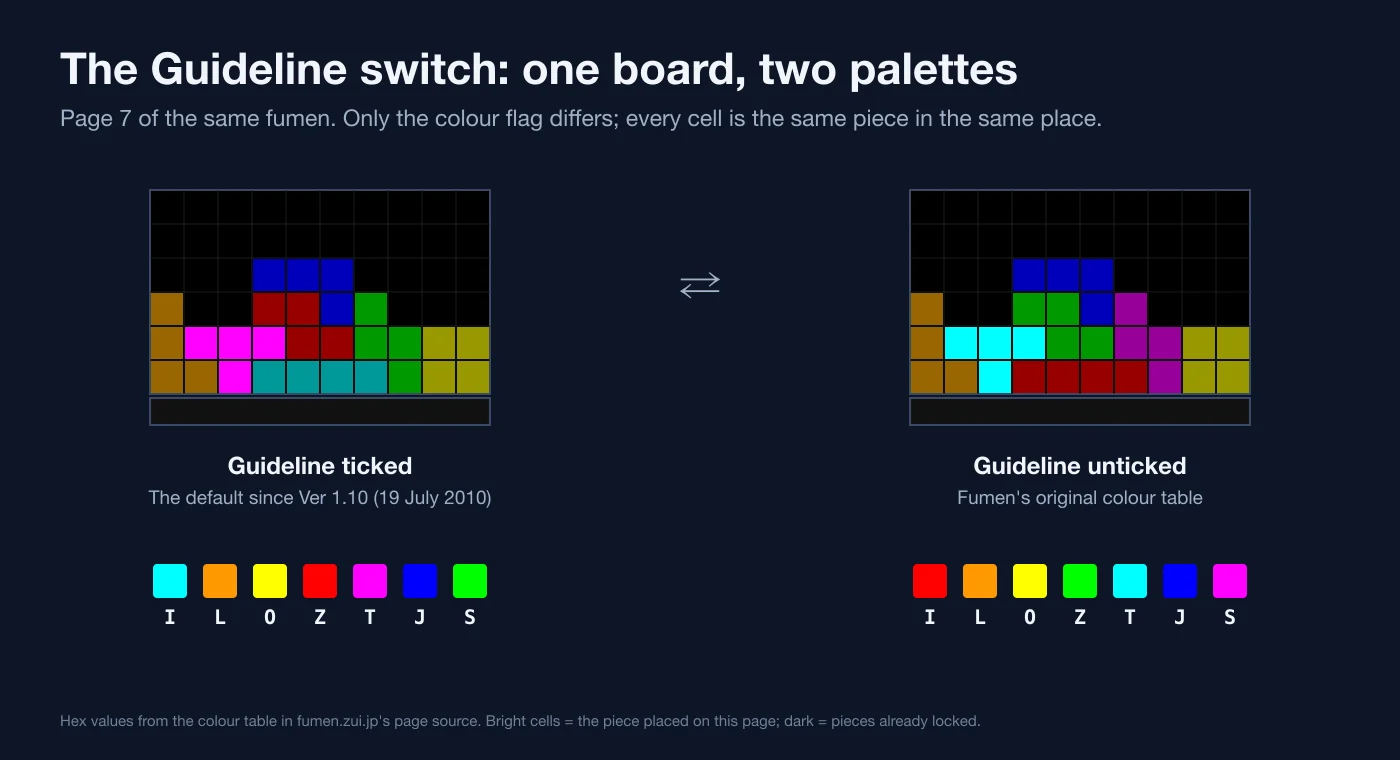
The colour switch is why two screenshots of the same setup can look unrelated. Mihys added a piece colour pattern in Ver 0.95a (18 March 2006) and made it the default in Ver 1.10. The colour table in the page source puts Guideline mode on cyan I, orange L, yellow O, red Z, magenta T, blue J and green S, the same assignments our Guideline explainer lists as the official colours. Untick it and I turns red, T cyan, S magenta and Z green. The original editor reads the flag from the first page only, so it sets the palette for the whole diagram.
Quiz mode turns a diagram into a drill. solution-finder's own pattern docs give #Q=[](Z)ILJTOS as an example: nothing in hold, Z as the current piece, ILJTOS as the queue. Per the tetris-fumen quiz code, the caption updates itself as pieces lock. Place the current piece and the queue advances. Place the held piece and it records a swap. Place the next piece while hold is empty and the current piece goes into hold.
Reading one on your phone
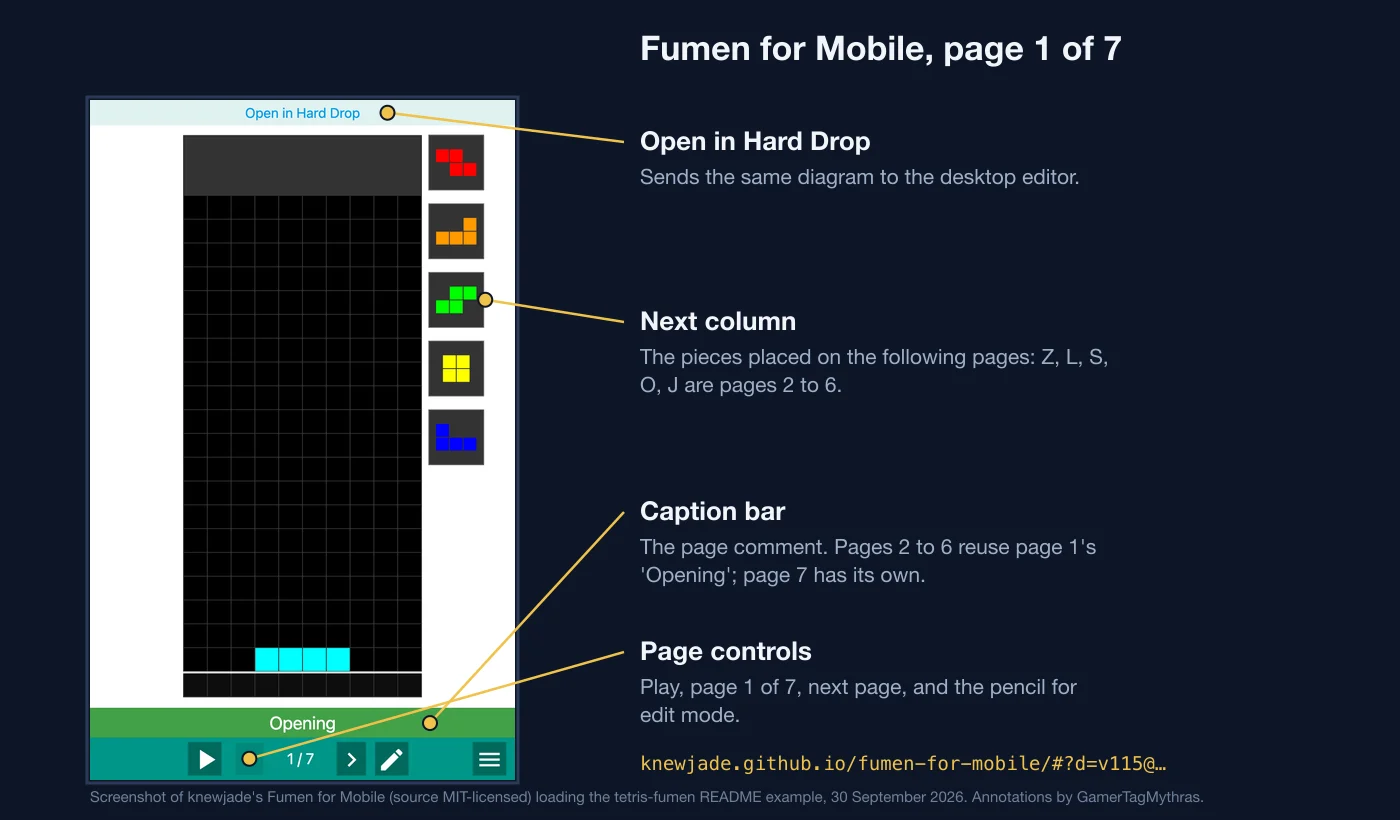
The desktop editors are dense on a phone screen. knewjade's Fumen for Mobile takes the same data after #?d= in its URL, and adding &lng=ja forces Japanese; otherwise it follows your browser language and falls back to English. Three things to know when you open one:
- The Next column is the pages ahead, not a randomizer. On page 1 of the example it shows Z, L, S, O and J, which are the pieces placed on pages 2 to 6.
- The caption bar is the page comment. Pages 2 to 6 of the example reuse page 1's "Opening"; page 7 carries its own "T-Spin Double".
- Open in Hard Drop hands the same data to
harddrop.com/fumen/?when you want the desktop tools.
From diagram to percentage
solution-finder, which ships as sfinder.jar, is knewjade's MIT-licensed command-line tool for searching piece placements. It needs Java 8 or later, 64-bit, and its newest GitHub release is v1.43 from 5 September 2023. Its commands include percent (the chance of a perfect clear from a field), path (every perfect clear route), setup, ren for combos, spin for T-spins, cover for how many piece orders a set of placements works on, and util fig to draw images from a fumen.
It takes the fumen as input. The documented basic call is:
java -jar sfinder.jar percent --tetfu v115@… --patterns *p4
Options can also ride inside the fumen's own comment. 4 --patterns *p4 --hold avoid means clear four lines for the perfect clear, try every order of four different pieces from a bag, and forbid hold.
The pattern sets how many piece orders get counted:
| Pattern | Means | Orders searched |
|---|---|---|
* | Any one piece | 7 |
*p4 | Four different pieces from one bag, in any order | 840 |
*p7 or *! | A full bag | 5,040 |
I,*p4 | An I on hold, then four new pieces from the next bag | 840 |
[SZLJ]p2 | Two different pieces out of S, Z, L and J | 12 |
[^TI] | Any one piece except T or I | 5 |
Then the defaults: hold allowed (--hold avoid turns it off), SRS kicks, soft drop allowed (--drop harddrop limits it to hard drops, and 180 needs a kick file that supports 180s), and four lines to clear. The output reads like the documentation's own sample run, success = 99.84% (5032/5040), followed by rates broken down by the first three pieces and up to 100 of the orders that failed.
Now read the PCO numbers again. Hard Drop gives 711/840 with the I held and 514/840 with the I standing in the box, and the text above its rate table says the figures assume hold and a 7-bag randomizer. 840 is 7 × 6 × 5 × 4: every order in which four different pieces of a fresh bag can arrive, the same space as *p4 and I,*p4 above. solution-finder's documentation uses a PCO field with the I already in the box as its own example, with 4 in the comment and *p4 on the command line. The same docs' Grace System fumen carries 4 --patterns T,*p4 in its comment, T on hold, and Hard Drop's Grace System article puts that setup at 88.6%.
So 84.64% is a statement about piece orders under stated rules, not a win rate. When two guides quote different rates for the same shape, compare their hold setting, drop setting and pattern before you compare the shapes. The openers guide quotes perfect clear rates for TKI-3 and MKO branches, and the same questions apply to each of them.
Making your own
- Hard Drop's editor, on desktop. Place Blocks paints cells in the colour you pick, Mino places a piece with the arrow and rotate buttons, Next adds a page, and unticking Lock leaves the piece in mid-air. Output Data writes the string plus the URL, VIEW and LIST links; tick Auto Output to keep them current as you edit.
- Fumen for Mobile, on a phone. The pencil opens edit mode on whatever you loaded.
- tetris-fumen, in code. knewjade's npm package, MIT-licensed, decodes v110 and v115 and encodes v115, with a field model that describes the board as 10 by 23 plus one garbage line.
- solution-finder, to test a claim. Paste the setup, set the pattern and hold rule the claim implies, and see whether the number comes back.
If you are learning a setup from our T-spin guide or the perfect clear guide, building it page by page in an editor is a fast check that you actually know the piece order, and a quiz caption turns it into a drill. The randomizers guide covers why a 7-bag makes those piece orders countable in the first place.
Quick Action Checklist
- Read a fumen link left to right: mode letter (
v,morD), version (115or the older110),@, then the pages. - Ignore the
?marks inside the data; decoders strip them. - Open links on a phone with Fumen for Mobile, pasting the data after
#?d=. - Expect newer Hard Drop links in the
#?v115@form; older?v115@links still load. - Check the Guideline tick before you trust a screenshot's colours; unticked, the I is red and the T is cyan.
- Untick Lock to show a piece mid-air, use Rise for garbage, and Mirror to publish both sides of a setup in one link.
- Compare two fumens by decoding them, not by comparing strings.
- Before quoting any perfect clear rate, find its pattern, hold rule and drop rule; Hard Drop's PCO figures are out of 840 piece orders with hold allowed.
Frequently Asked Questions
What is a fumen in Tetris?
What does v115 mean in a fumen link?
Why is there a question mark in the middle of a fumen string?
How do I open a fumen on my phone?
Where do perfect clear percentages like 84.64% come from?
What do Lock, Rise and Mirror do in fumen?
Keep Reading
- Mihys — 連続テト譜エディタ (fumen), the original editor; version history in the page source through Ver 1.15e2 (25 Sep 2026)
- Hard Drop — English fumen editor; fork changelog 1.15f to 1.15f6, #? links, pfcode diagram-code add-on
- Hard Drop Tetris Wiki — Fumen: editor basics, ?m view and ?v edit URLs
- TetrisWiki — Fumen: created by DTET developer Mihys
- knewjade/tetris-fumen — MIT library: 10x23 field plus garbage line, page flags, v110/v115 decoding, decoder and quiz source
- knewjade — Fumen for Mobile touch editor (source: github.com/knewjade/fumen-for-mobile-ts)
- solution-finder documentation — commands, Java requirement, percent options, fumen input and piece patterns
- knewjade/solution-finder — MIT-licensed source and releases (v1.43, 5 Sep 2023)
- Hard Drop Tetris Wiki — Perfect Clear Opener: 711/840 and 514/840 success rates with hold and 7-bag
- Hard Drop Tetris Wiki — Grace System: 88.6% with the T held
Related Guides
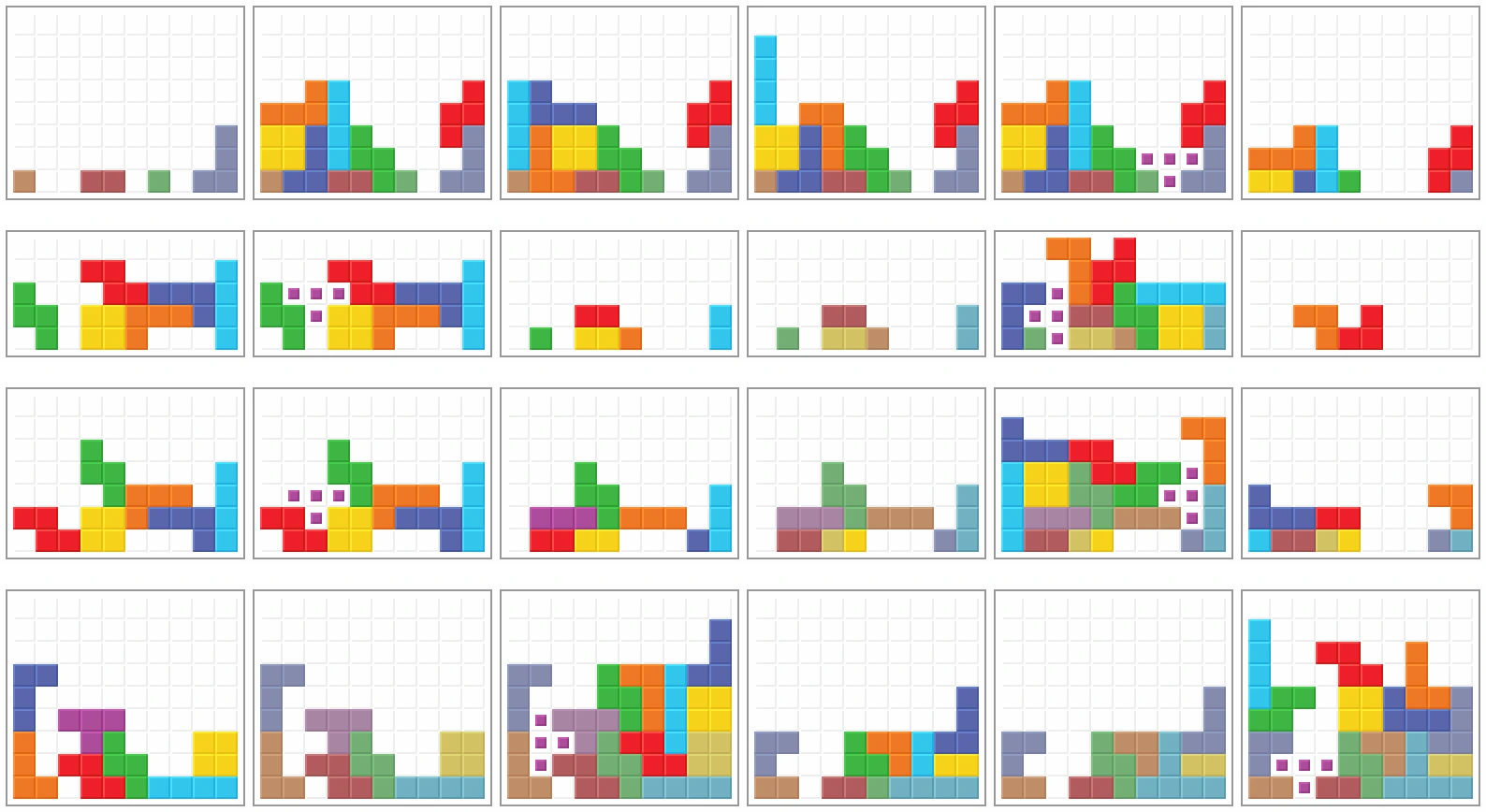
Tetris Openers: TKI-3, DT Cannon and Albatross
Your first seven pieces decide which opener is even legal. Memorising one build and forcing it every game is why your opening dies half the time. Here is the actual decision tree, from the I-piece TKI family down to the SZT bags nobody wants.
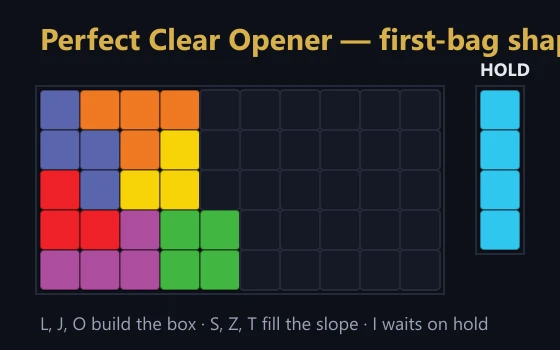
The Tetris Perfect Clear Guide: PCO Openers and Setups
The Perfect Clear Opener wipes your board in ten pieces and dumps the attack table's biggest single-clear bonus on your opponent before they have a well. It succeeds nearly two thirds of the time blind, and 84.64% if you hold the I. Here is how it is built.
Tetris Scoring and Attack Explained: Points, B2B, Combos, and Garbage
Points and garbage are two completely different economies, and most players optimise for the wrong one. Here are the actual numbers behind Guideline scoring, versus attack, back-to-back, combos, and perfect clears.

Tetris DX Explained: How It Differs From Game Boy Tetris
Tetris DX keeps the 1989 Game Boy well and points table but changes how pieces move: a second rotation center that lets pieces climb walls, auto shift every 3 frames, a randomizer that deals the T about 24% of the time, and a seven-digit score.

Tetris Stacking Fundamentals: Build a Board That Wins
Most players do not lose to speed. They lose to a board they built themselves three minutes earlier. Here is how stacking actually works in modern Guideline Tetris, and the habits that stop you from burying your own well.

Game Boy Tetris Explained: How It Differs From NES
Game Boy Tetris and NES Tetris share a points table, but the handheld game stops speeding up at level 20, pays a level-up Tetris at the old rate, deals the L about 10.7% of the time, and makes a held direction wait 23 frames.