A Link to the Past Movement Speed: When Dashing Is Slower
A Link to the Past does not simulate movement. It looks it up. One byte picks your speed, the byte divided by sixteen is your pixels per frame, and every surface and every held item swaps the byte for a worse one. Here is the table, and the arithmetic that says the Pegasus Shoes are a loss under four and a half tiles.
A Link to the Past does not simulate movement. It looks it up.
Every frame, the engine picks one byte out of a small table based on what you are standing on and what you are holding, multiplies it by sixteen, and adds it to a running total that is really Link's pixel coordinate with a fractional byte stapled underneath it. That is the whole system. Once you know which byte each situation hands you, questions that normally get answered by feel — is dashing worth it here, does the grass really slow me down, should I push this statue diagonally — turn into arithmetic you can do on the back of a napkin.
Here is the table, and the four or five places where the answer is the opposite of what it looks like.
One byte, divided by sixteen
Link's position is stored as a pixel coordinate plus an 8-bit subpixel. In the zelda3 decompilation, the move routine does this to each axis: it takes the current subpixel, adds the velocity byte times 16, and carries the overflow into the pixel coordinate. Sixteen units of velocity therefore equal one whole pixel per frame, and the speed byte divided by 16 is your pixels per frame.
That single division is why every number in this guide is a clean fraction:
| Speed byte | Divided by 16 | What it is |
|---|---|---|
| $40 (64) | 4.0 px/frame | Dashing on flat ground |
| $30 (48) | 3.0 px/frame | Dashing through grass or shallow water |
| $18 (24) | 1.5 px/frame | Ordinary cardinal walking |
| $14 (20) | 1.25 px/frame | Charged sword, carried object, grass |
| $10 (16) | 1.0 px/frame | Diagonal walking, or walking a slope |
| $0B (11) | 0.6875 px/frame | Manual stairs and ladders |
| $04 (4) | 0.25 px/frame | Pulling a statue |
Walking cardinally is 1.5 pixels a frame, and a frame cannot move you half a pixel — so the game alternates a 2-pixel frame with a 1-pixel frame as the subpixel overflows. Which one you get first depends on your direction: the ALttP Speedrunning Wiki's movement notes say the sequence starts on the 2-pixel frame going north or west, and on the 1-pixel frame going south or east. That asymmetry is the entire basis of "pumping", the technique of mashing a diagonal into a wall while walking north or west to keep resetting the sequence back to its 2-pixel frame.
The speed table, surface by surface
These are the values from the speedrunning wiki's subpixel table. Each number is per axis, which matters enormously for the diagonal rows — a diagonal move applies the same byte to both X and Y.
Normal ground
| Movement | Byte | Pixels/frame per axis |
|---|---|---|
| Walking, cardinal | $18 | 1.5 |
| Walking, diagonal | $10 | 1.0 |
| Dashing | $40 | 4.0 |
| Charged sword or carried object, cardinal | $14 | 1.25 |
| Charged sword or carried object, diagonal | $0D | 0.8125 |
| Spinspeed, cardinal | $40 | 4.0 |
| Spinspeed, diagonal | $2A | 2.625 |
| Pushing a statue, cardinal | $0C | 0.75 |
| Pushing a statue, diagonal | $10 | 1.0 |
| Pushing a statue with a charged sword, cardinal | $14 | 1.25 |
| Pulling a statue | $04 | 0.25 |
Slopes
| Movement | Byte | Pixels/frame per axis |
|---|---|---|
| Walking, cardinal | $10 | 1.0 |
| Dashing | $2A | 2.625 |
| Charged sword or carried object, cardinal | $0D | 0.8125 |
Tall grass and shallow water
| Movement | Byte | Pixels/frame per axis |
|---|---|---|
| Walking, cardinal | $14 | 1.25 |
| Walking, diagonal | $0D | 0.8125 |
| Dashing | $30 | 3.0 |
| Charged sword, cardinal | $10 | 1.0 |
| Charged sword, diagonal | $08 | 0.5 |
| Spinspeed, cardinal | $30 | 3.0 |
| Spinspeed, diagonal | $18 | 1.5 |
Manual stairs and ladders
| Movement | Byte | Pixels/frame per axis |
|---|---|---|
| Walking, cardinal or diagonal | $0B | 0.6875 |
| Dashing | $0A | 0.625 |
| Charged sword or carried object | $0B | 0.6875 |
| Spinspeed, cardinal | $0A | 0.625 |
| Spinspeed, diagonal | $18 | 1.5 |
With the old man following you
| Movement | Byte | Pixels/frame per axis |
|---|---|---|
| Walking, cardinal | $14 | 1.25 |
| Walking, diagonal | $0D | 0.8125 |
| Dashing | $14 | 1.25 |
| On a slope, walking or dashing | $0D | 0.8125 |
"Spinspeed" is the internal state behind the superspeed glitch covered in the speedrun guide — 4 pixels a frame cardinally, same byte as a dash.
The decompilation carries the same numbers. Its speed table holds 24, 16, 64, 42, 48, 20, 13, 12 and 4 among its entries — which are $18, $10, $40, $2A, $30, $14, $0D, $0C and $04 in hex — and the grass-and-water branch explicitly remaps a dash to the 48 entry and ordinary walking to the 20 entry, which is exactly the 4.0-becomes-3.0 and 1.5-becomes-1.25 penalty in the tables above.
The dash does not pay under four and a half tiles
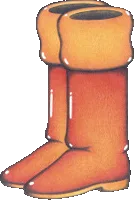
Zelda Wiki records the ALttP name for the boots as the Pegasus Shoes, given by Sahasrahla after the Eastern Palace pendant, held with A on the SNES and R on the Game Boy Advance. What it does not tell you is the price of switching them on.
In the decompilation, starting a dash loads a countdown with 29 and decrements it once a frame until it goes negative — 30 frames — and the charging branch sets both of Link's velocity components to zero. You are not walking during the dust-puff animation. You are standing still for half a second at roughly 60 frames a second.
So the break-even is a one-line equation. Dashing a distance of d pixels costs 30 + d/4 frames. Walking it costs d/1.5 frames. Set them equal:
30 + d/4 = d/1.5 → 30 = d × (0.6667 − 0.25) → d = 72 pixels
Seventy-two pixels is four and a half 16-pixel tiles — and "around four and a half tiles" is exactly the rule of thumb the speedrunning wiki prints for the same question, arrived at independently. Two sources, one number.
Here is what that looks like across a screen, both timings measured from a standstill on a clean cardinal line:
| Distance | Tiles | Walking (frames) | Dashing (frames) | Winner |
|---|---|---|---|---|
| 16 px | 1 | 10.7 | 34 | Walk |
| 32 px | 2 | 21.3 | 38 | Walk |
| 48 px | 3 | 32.0 | 42 | Walk |
| 72 px | 4.5 | 48.0 | 48 | Tie |
| 96 px | 6 | 64.0 | 54 | Dash |
| 160 px | 10 | 106.7 | 70 | Dash |
| 256 px | 16 | 170.7 | 94 | Dash |
Three things bend that line in practice. Bushes and enemies in your path favour the dash, because you go through them instead of around. Anything that needs a diagonal favours walking, because a dash only travels cardinally. And a bonk — crashing into a wall mid-dash — costs you the whole recovery animation; the speedrunning wiki's boots page notes you can cancel out of a dash with a down-left input before you hit the thing.
One more consequence, already covered in the enemy drops guide: killing something with the dash itself suppresses its drop.
Diagonals are the next byte in the table
The game does not compute a diagonal vector. In the decompilation, the routine takes the speed-setting index and adds 1 to it if you are pressing on both axes, then reads that entry. Diagonal speed is literally the next byte along, which is why the pairs in the tables above sit next to each other: 1.5 becomes 1.0, 1.25 becomes 0.8125, 3.0 becomes 1.5.
Both axes then get that same byte. So a diagonal walk moves you 1.0 pixel across and 1.0 pixel down per frame — a true distance of about 1.41 pixels, which is less than the 1.5 you would get walking in a straight cardinal line. Diagonal movement is slower in a straight line and faster on any trip that needs ground on both axes, and the arithmetic explains why.
Say you need to cover the same distance d on both axes. Going diagonally the whole way takes d frames. Doing it as two cardinal legs takes d/1.5 + d/1.5 = 1.33d frames. The diagonal is a quarter faster.
Generalise it and the gap never closes. For a trip needing x on your long axis and y on your short one, going diagonally for the shared part and cardinally for the rest costs x/1.5 + y/3 frames, against x/1.5 + y/1.5 for two separate legs — a saving of y/3 frames every time, on flat open ground with nothing in the way.
Two places to break the habit:
- Doorways. Holding a diagonal along the wall beside a door drops you from 1.5 to 1.0, and entering a door off-centre makes the game auto-correct you at 1 pixel a frame on the door's axis and 0 on the other. Snap in perpendicular.
- Stairs, where the rule inverts completely. See below.
Grass, water and slopes all take a cut
Tall grass and shallow water are the same terrain flag as far as movement is concerned, and both charge you the same toll: 1.25 instead of 1.5 walking, 3.0 instead of 4.0 dashing. That is a sixth off your walk and a quarter off your dash.
Stack a charged sword on top of that and it gets ugly. Cardinal walking in grass with the sword held is 1.0, and diagonal is 0.5 — a third of your normal walking speed, and the lowest number anywhere in the tables above except pulling a statue. If you are crossing the swamp or the shallows around Lake Hylia, let go of B.
Slopes cut cardinal walking to 1.0 and a dash to 2.625. Treat that dash figure as an average rather than a promise: the speedrunning wiki's own pages say a slope dash moves Link anywhere from 0 to 3 pixels on either axis frame to frame because the game keeps nudging his alignment, and its prose puts the real-time average nearer 2.5 than the 2.625 its table lists.
Stairs are the one surface where dashing is slower
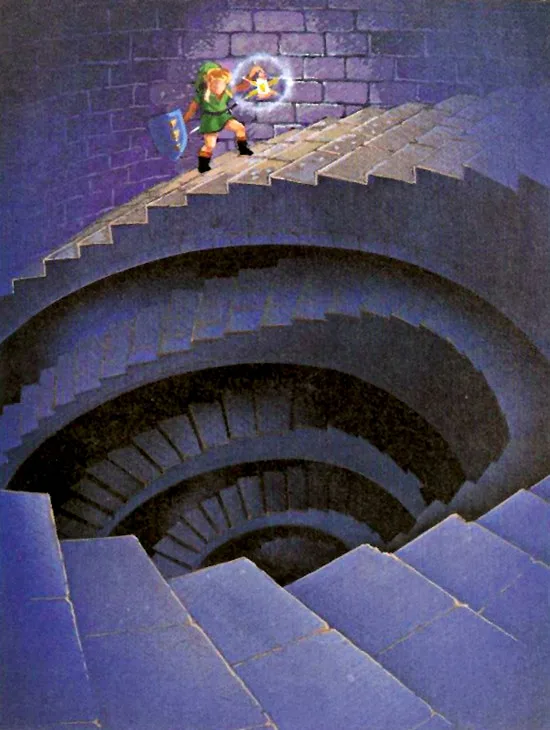
On manual stairs and ladders — the ones where you still steer — walking is 0.6875 and dashing is 0.625. Holding A gives up 1 pixel every 16 frames against walking. Two things push back, though. A dash started on stairs gets a single 4-pixel frame before the pattern settles, and dashing off the end of a staircase puts Link at full dash speed a pixel or two after the point where a walker is still stuck in stair drag. The speedrunning wiki's own verdict: dashing stairs is almost always slower going north, partly because you also give up pumping, but it can be faster going south — especially when the dash carries on over normal ground afterwards.
Stairs also invert the diagonal rule. Cardinal and diagonal both read $0B, so a diagonal on stairs gives you 0.6875 on both axes for free. If a staircase is wide enough to move diagonally on, move diagonally on it.
Then there is stair drag, which is the real thief. Walking onto the last 7–8 pixels of a manual staircase, or moving anything other than left or right out of a spiral staircase, drops Link into a 15-frame state where he covers 8–9 pixels total — between 0.533 and 0.6 pixels a frame, slower even than the stairs themselves. It ends on its own after 15 frames, or you can cancel it early:
| Input | Frames it must be held |
|---|---|
| Straight left | 1 |
| Straight right | 2 |
| A, with the Pegasus Shoes | 1 |
Cancelling at the earliest possible pixel saves 9 frames going up off a staircase and 8 going down, per the wiki's stair drag page. Multiply that by every staircase in Ganon's Tower and it stops being trivia.
Statues, escorts and the things that cap you
Statues. Pushing is 0.75 cardinally; pushing while holding a diagonal is 1.0 on both axes; pushing with a charged sword is 1.25; pulling is 0.25. Push-with-a-charged-slash is five times the speed of pulling, and pushing diagonally beats pushing straight — hold the diagonal, no mashing needed.
Carried objects and charged swords both drop you to 1.25 / 0.8125 on flat ground — but only there. In grass and shallow water a charged sword is 1.0 / 0.5 while a carried object stays at 1.25 / 0.8125, and on manual stairs neither one slows you down at all. The wiki's movement page adds a genuinely odd exception: while carrying an object, normal walking speed can be restored by touching the edge of a pit or hole, touching a crystal switch, or hopping a ledge.
The old man. While the Lost Old Man is following you up Death Mountain, walking is 1.25 and dashing is also 1.25. The Pegasus Shoes do nothing for that escort. On a slope with him in tow it is 0.8125 either way. Since a death during that escort has its own handling — see the death guide — the escort is worth doing slowly and once.
Ledges cost 20 frames unless you have the shoes
Walking into a ledge Link can drop off starts a 20-frame countdown before he jumps, and changing your held direction during it resets the countdown to zero. Pick a direction and commit.
With the Pegasus Shoes you can skip that entirely by pressing A against the ledge — a quickhop. Dashing quickhops automatically, and so does the spinspeed state. The caveat the wiki flags: if pressing A would make Link grab the ledge instead, no quickhop happens. That is the normal case on a north-facing ledge while facing north, and a handful of south-facing ledges behave the same way — the first area in Thieves' Town among them. Line yourself up with a diagonal so Link is facing east or west against the ledge, then press.
Quick Action Checklist
- Do not dash for short hops. Under 72 pixels — four and a half tiles — the 30-frame charge is a straight loss.
- Dash anyway through bushes and enemies, where the walk line is not actually clear.
- Take the diagonal whenever your target is off-axis on open ground; the shared leg is worth y/3 frames every time.
- Snap perpendicular into doorways. Diagonals beside a door frame cut you to 1.0 and misalignment auto-corrects at 1 pixel a frame.
- Let go of B in grass and water. A charged sword on a diagonal there is 0.5 pixels a frame, one third of walking speed.
- Walk, do not dash, up manual stairs — the dash is 0.625 against walking's 0.6875 and it costs you pumping. Going down, a dash that carries on over normal ground can still win. Move diagonally on stairs either way; it is free.
- Cancel stair drag with 1 frame of straight left, 2 of straight right, or 1 frame of A with the boots. That is 9 frames up, 8 down, per staircase.
- Push statues, never pull. Push diagonally for 1.0, or with a charged sword for 1.25, against 0.25 for pulling.
- Do not bother dashing with the old man — the escort caps you at 1.25 with or without the boots.
Frequently Asked Questions
How fast does Link move in A Link to the Past?
Is dashing faster than walking in A Link to the Past?
Does tall grass slow you down in A Link to the Past?
Should you dash on stairs in A Link to the Past?
What is stair drag in A Link to the Past?
Keep Reading
- ALttP Speedrunning Wiki — Movement: the 1.5 px/frame cardinal walk and its 2-1-2-1 pattern, the north/west versus south/east phase difference, 1 px per axis diagonals, the 4 px/frame dash and its 30-frame startup, the ~4.5 tile break-even against walking, wall/air/stair pumping, doorway auto-correction, statue push and pull patterns, and the 20-frame ledge countdown
- ALttP Speedrunning Wiki — Subpixels: the full speed table in hex and pixels per frame for ground, slopes, stairs, grass and shallow water, statue pushing and pulling, spinspeed and the old-man follower, plus the subpixel carry algorithm and the note that each value applies per axis
- ALttP Speedrunning Wiki — Stair Drag: the 15-frame state covering 8-9 pixels, the trigger on the last 7-8 pixels of manual stairs and on non-left/right exits from spiral staircases, the left/right/A cancel inputs and their frame requirements, and the 9-frame-up / 8-frame-down saving
- ALttP Speedrunning Wiki — Quickhopping: pressing A to bypass the 20-frame ledge countdown, automatic quickhops while dashing or in superspeed, and the north-facing ledge exception where A grabs instead of hopping
- ALttP Speedrunning Wiki — Pegasus Boots: bonking as a time loss, the down-left dash cancel, and the note that dashing into an enemy and killing it produces no drop
- ALttP Speedrunning Wiki — Comparison of systems: the per-platform frame rates (60.0000 on Super NT zero delay and the SNES Classic, 60.0988 on emulator) used here for the frames-to-seconds conversion
- zelda3 decompilation — Link_MovePosition (velocity byte times 16 added to the pixel-plus-subpixel coordinate), Link_HandleVelocity with its kSpeedMod table and the +1 index bump for diagonal input and the grass/water remap, and Link_PerformDash setting the dash countdown to 29
- Zelda Wiki — Pegasus Boots, recording the A Link to the Past name as the Pegasus Shoes, the handover from Sahasrahla after the Eastern Palace Pendant of Courage, and the A button on SNES versus R on Game Boy Advance
Related Guides
A Link to the Past Cuccos: 35 Hits Until the Flock Attacks
The number is 35, it is counted on one bird, and the flock never forms indoors. Here is the Cucco routine read out of the SNES code: what counts as a hit, how the attackers fly, what they cost you, how to switch them off, and the one Cucco in Kakariko that talks back.

A Link to the Past Crystal Switches: One Byte, Whole Dungeon
A Link to the Past does not track its orange and blue Switch Fence panels room by room. One RAM byte, shared by the entire dungeon, decides whether every crystal switch and every panel in it is up or down — including the ones in rooms you have not opened yet. Here is the exact byte, what it will and will not respond to, and why it resets the second you walk back through the door.
A Link to the Past I-Frames: 58 Frames After a Hit
One byte at $031F runs the mercy window. It gets loaded with 58 after an enemy touches you, and while it is counting down, contact damage, projectile trails, electric shocks, your own bombs and the spike tiles all skip their damage check. Here is what that buys you, and where it quietly runs out.
A Link to the Past Death Guide: Every Respawn Point
A Game Over in A Link to the Past does not cost you a rupee, a bomb, an arrow or a small key. It costs you position, four escort quests, and a number the credits will read back to you at the end. Here is the whole death routine, read off the code that runs it.
A Link to the Past Beginner Guide: Your First Ten Hours
A Link to the Past hands you a sword and a rainstorm and then says almost nothing else. Here is the route, the combat, and the item order that turn a confusing first hour into a game you can actually finish.
A Link to the Past Enemy Drops: All 7 Prize Packs Explained
Zoras pay out bombs on every single kill. Wizzrobes drop hearts. A Keese drops nothing in the Light World and pulls the best table in the game in the Dark World. Here is the entire drop system, out of the ROM.