Fortnite Controller vs Keyboard & Mouse: Which to Use?
Aim assist helps controller close-range tracking; mouse gives you raw precision and faster edits. Input-based matchmaking means you're mostly fighting your own kind anyway. Here's the honest comparison and how to pick.
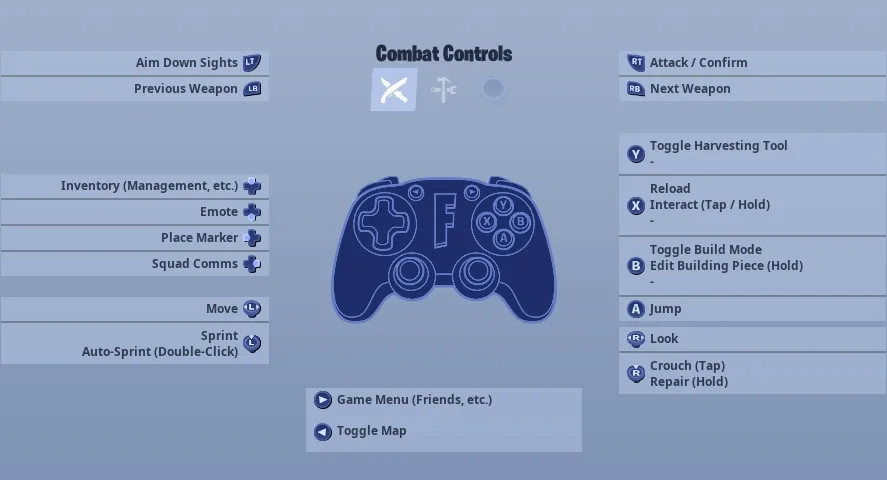
Ask which input is "better" in Fortnite and you'll get a holy war. The honest answer is that it's the wrong question, because controller and keyboard-and-mouse don't win the same things. Controller gets aim assist, which makes close-range tracking. Mouse gets raw precision and a higher building and editing speed ceiling. And because Fortnite sorts lobbies by input, you spend most of your match fighting people on your own input anyway — so the real question isn't which is better, it's which suits you, your platform, and what you're actually trying to do.
This is the comparison without the tribalism: what each input genuinely does well, why aim assist is both real and overhyped, how input-based matchmaking quietly defuses the whole debate, what the people who play for money actually choose, and a straight recommendation based on your goal and hardware.
The short answer
If you only read one paragraph: either input can reach the top of the game, so pick the one that fits your platform and your hands, then commit to it. On console with no setup, controller is the obvious call and aim assist helps in close-range fights. On PC, mouse and keyboard gives you the highest skill ceiling for building and editing, which is the Fortnite-specific layer that beats people who only shoot — but a controller plugged into a PC is completely viable too, and plenty of top players use exactly that.
There is no input that's strictly better. There's the one that matches where and how you play, and the mistake almost everyone makes is switching back and forth instead of committing to one long enough to actually get good with it.
What controller actually wins
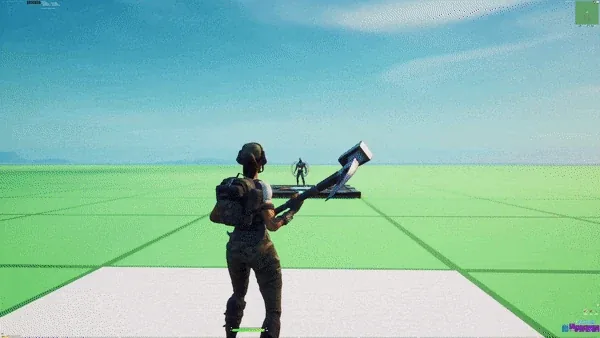
Controller's headline feature is aim assist — a system that helps your reticle stick to and track an enemy when you're aimed near them. It's strongest exactly where most Fortnite fights are won and lost: close range, against a moving, building target. When two players are spraying each other across a small box, the controller player's crosshair is being quietly helped to stay on target in a way a mouse player has to do entirely by hand.
That's the real edge, though it's easy to overstate it in two ways:
- Aim assist needs an input to react to. It assists your stick movement; it doesn't aim for you. You still have to track, place the reticle near the target, and pull the trigger. A controller player who doesn't move their stick gets nothing.
- It falls off at range. The further away the target, the less the assist helps and the more it comes down to your raw stick control. Long-range duels favor the precision of a mouse.
Controller's other genuine wins: movement and aiming happen on separate sticks, so strafing while tracking is natural and ergonomic, and the whole setup is plug-and-play on console with zero configuration. On console, "it just works on my couch" is a real advantage.
What keyboard and mouse actually wins
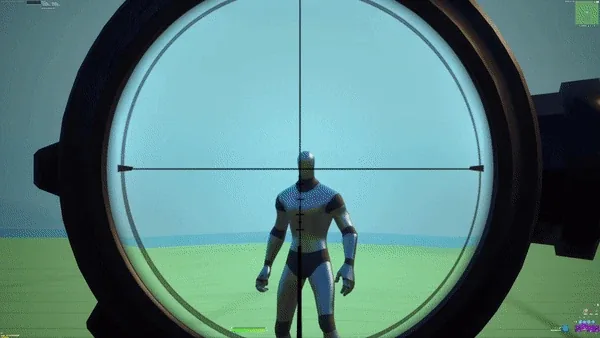
Mouse and keyboard wins on two things that matter enormously in Build mode: raw aim precision and building/editing speed.
On precision: a mouse gives you near-instant, pixel-level flicks and the kind of long-range accuracy a thumbstick can't match. Snapping onto a head, flicking to a new target after an edit, landing a long-range shot — these are where the mouse's analog-of-your-whole-arm control beats the small arc of a stick. There's no assist, but at the high end you don't want one; you want your aim to do exactly what your hand says, every time.
On building and editing, this is the bigger story. A keyboard gives you a dedicated key for every build piece and edit, and a mouse lets you place and confirm faster than a controller's button-cycling ever could. The input itself has a higher speed ceiling for the construction race that decides Build mode fights. If you want to learn fast 90s, piece control, and quick resets, KBM gives you the most headroom.
The catch is the learning curve. Mouse-and-keyboard building feels clumsy for the first stretch — your hand is learning a dozen new keys while also trying to aim. It pays off, but it asks for more upfront than picking up a controller you already know.
Input-based matchmaking changes the whole question
Here's the part that defuses most of the controller-vs-mouse arguing: Fortnite uses input-based matchmaking. Broadly, the game tries to put you in lobbies against players on the same input you're using. Controller players are mostly matched with other controller players; mouse players with other mouse players.
What that means in practice:
- You're usually competing against your own input, so aim assist isn't an unfair advantage in most of your fights — the people you're up against have it too.
- The "which is better" question matters less for the average match, because input-based matchmaking means you're mostly not fighting the other input.
- Crossplay and party mixing can change your bracket. Specifics shift over time and by mode, but the general principle holds: queue on controller and you'll see mostly controller lobbies; queue on mouse and you'll see mostly mouse lobbies.
The competitive nuance is that a controller plugged into a PC, or playing in a mixed-input party, can land you in different lobbies than couch console play — and the exact rules around aim assist values and bracketing have been adjusted by Epic over the years. The durable takeaway: pick your input, and you'll spend most of your time measured against people using the same one. That's a feature, and it's a big reason "just play what you like" is genuinely good advice here.
What do the pros use
Both, and that's the most useful fact in this whole debate. The Fortnite competitive scene has elite players on controller and elite players on keyboard-and-mouse, and both have won at the highest level. There is no single input that the entire top of the game has converged on.
A few honest patterns:
- KBM has the higher building-speed ceiling. The input ceiling for construction is higher on mouse and keyboard.
- Controller is extremely strong in close-range and box fights, where aim assist plus separate movement/aim sticks shines.
- The meta has gone back and forth. Epic periodically tunes aim assist and adjusts mechanics, which shifts the balance between inputs from season to season. Whichever input looks "better" at a given moment, the other has still produced champions.
The lesson isn't to copy a specific pro's input. It's that both inputs clearly work at the highest level, so your input is not what's holding you back — your reps are.
How to pick by your goal and platform
Strip away the tribalism and it comes down to a few clean cases:
- You play on console and just want to play: Controller. It's the native input, aim assist is a real help, and there's nothing to set up beyond dialing in your controller settings. Don't overthink it.
- You're on PC and want the highest building/editing ceiling (Build mode): Keyboard and mouse. The construction speed and aim precision give you the most room to grow into a serious Build-mode player. Expect a rough first stretch while your hands learn the keys.
- You're on PC but love controller / hate the KBM learning curve: Controller on PC is completely valid and used by top players. You keep aim assist and the ergonomics you're used to.
- You mostly play Zero Build: This tilts toward whichever input you aim better with, since building isn't the deciding factor. Controller's aim assist suits Zero Build's pure aim-and-position game — though mouse precision still helps at range.
- You want the lowest skill floor (good fast): Controller. Aim assist and a familiar input get you competent in close fights quickly. KBM has a higher ceiling but a slower start.
The wrong move in every case is not committing. Pick the input that fits your platform and goal, then give it real time. Muscle memory — especially for building — only forms if you stop switching.
Switching inputs: the honest cost
If you're thinking about jumping from controller to mouse (or back), go in with your eyes open about the cost:
- Expect to get worse before you get better. Moving to mouse-and-keyboard means relearning aim and every build/edit input at once. The first stretch feels awful. That's normal and temporary.
- Building is the hardest part of the switch, not aiming. Aim transfers some intuition; building is a whole new physical vocabulary of keys you have to drill in Creative until it's automatic.
- Only switch for a real reason. Chasing a higher building ceiling on PC is a real reason. "I saw a video saying mouse is better" is not — if you're already comfortable and improving on controller, switching can set you back.
- Whichever you land on, lock your settings first. Get your keybinds (or Builder Pro layout), sensitivity, and multipliers sorted, then commit and grind. Constantly retuning is its own way of never improving.
The players who plateau aren't usually on the "wrong" input. They're the ones who never stuck with one long enough for it to click.
Quick Action Checklist
How to settle the input question and move on:
- On console? Use controller — it's native, aim assist helps, zero setup
- On PC chasing the Build-mode ceiling? Use keyboard and mouse for the building/editing headroom
- On PC but love controller? That's valid and used by pros — keep it
- Remember input-based matchmaking mostly puts you against your own input, so "which is better" matters less
- Pick one input and commit — muscle memory, especially for building, only forms if you stop switching
- If you do switch, expect a rough patch and know building is the hardest part to relearn
- Lock your settings and keybinds first, then grind reps instead of retuning forever
Frequently Asked Questions
Is controller or keyboard and mouse better in Fortnite?
How does aim assist work on controller in Fortnite?
What is input-based matchmaking in Fortnite?
Do Fortnite pros use controller or keyboard and mouse?
Should I switch from controller to keyboard and mouse in Fortnite?
Which input is better for Zero Build Fortnite?
Keep Reading
Related Guides
Can You Play Fortnite on Steam Deck?
Our mobile guide covers where Fortnite installs on a phone. It says nothing about the handheld a lot of those same readers also own, because a Steam Deck isn't a phone and Epic doesn't treat it like one. The short version: it's Epic's call, not a hardware limit, and the fix depends on which handheld is actually in your hands.

Fortnite Mobile: How to Install on iPhone and Android
Fortnite is back on both phone stores — Google Play since 19 March 2026, the App Store since 19 May 2026 — and Australia, the one country the App Store return skipped, got it back in October 2026. Here is the install route for your device, the exact hardware floor, and the two things the mobile build does not have.

Fortnite Crew Guide: What You Get and Is It Worth It
Fortnite Crew got quietly worse in June 2026 — the monthly V-Bucks dropped from 1,000 to 800 at the same $11.99 — and the math still leans in its favor, because it bundles five passes and a skin you cannot buy any other way. Here's the full contents list and the honest math.

LEGO Fortnite Odyssey Guide: The Survival Game, Explained
Odyssey is a 95-square-kilometre survival-crafting game sitting three tiles over from Battle Royale, and it has changed more since launch than any other part of Fortnite. Hunger is gone. Bench upgrades are gone. Here's the version that's actually live.
Fortnite Weapon Tier List: How to Rank Any Loot Pool
Any Fortnite tier list is stale the second a patch drops. So instead of memorizing one season's gun names, learn how to rank weapons by class and role — the framework that's S-tier in every season.

Best Fortnite Settings for PC & Console
Half your settings menu is noise; a handful of options decide whether you can see, aim, and build. Here's what to change on PC and console, why, and the one number nobody else can pick for you.