Can You Play Fortnite on Steam Deck?
Our mobile guide covers where Fortnite installs on a phone. It says nothing about the handheld a lot of those same readers also own, because a Steam Deck isn't a phone and Epic doesn't treat it like one. The short version: it's Epic's call, not a hardware limit, and the fix depends on which handheld is actually in your hands.
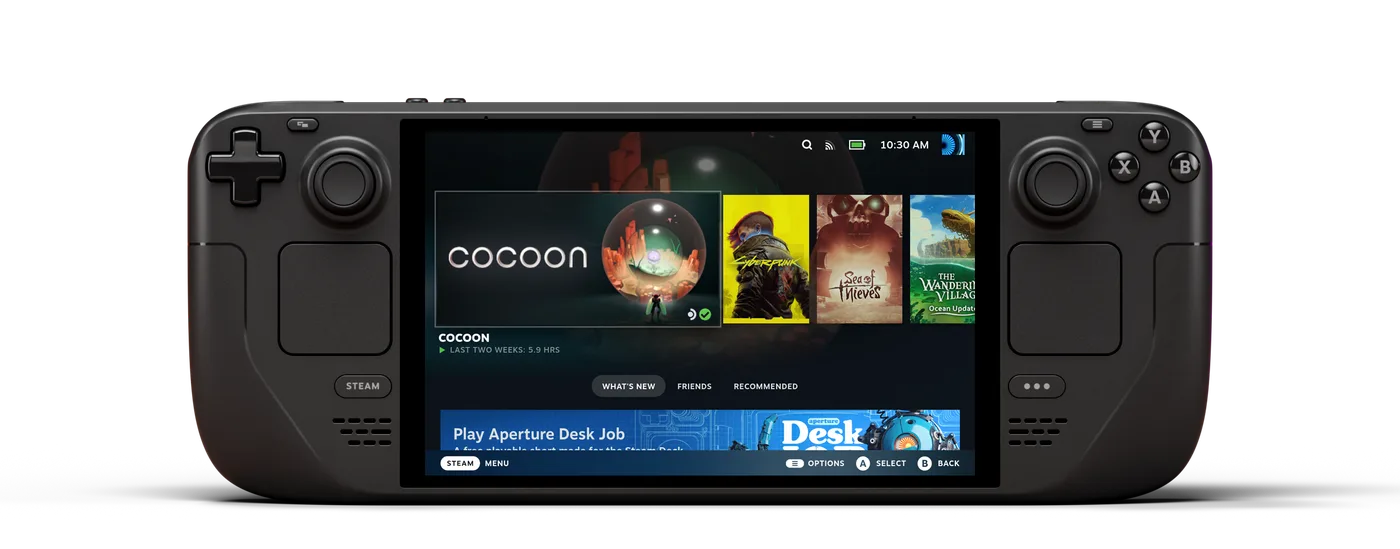
Our mobile guide covers exactly where Fortnite installs on a phone, down to which App Store region works and which iPhone model is quietly excluded. It says nothing about the handheld a lot of those same readers also own, because a Steam Deck is not a phone, and Epic has never treated it like one. The question shows up constantly anyway: you bought a Deck, or a Windows handheld, or you're deciding between them, and you want to know if Fortnite is coming along for the trip.
The honest answer splits three ways depending on which device is actually in your hands, and getting it right means being precise about which half of "handheld PC" you're holding — because two devices that look almost identical on a shelf handle this completely differently.
The short answer
Fortnite does not run on a Steam Deck out of the box, and the reason is Epic's choice, not a hardware ceiling or a Proton bug. The tracking site Are We Anti-Cheat Yet, which the Linux gaming community uses specifically to record which publishers have ruled Linux support in or out, lists Fortnite's status as Denied — the category reserved for games whose developer has explicitly said no, as distinct from "Broken" (technical problem, unresolved) or "Running" (it works). Fortnite is not on Steam at all, either — it is an Epic Games Store exclusive, so it never gets a Valve "Deck Verified" rating in the first place. The Denied status comes from Epic's own repeated public statements, not from a failed compatibility test.
Every Windows-based handheld — the ASUS ROG Ally, ROG Ally X, the newer ROG Xbox Ally and Xbox Ally X, and Lenovo's Legion Go — has no such problem, because it is running the same Windows 11 that Fortnite already ships for on desktop. Nothing about those devices needs a workaround.
Why Epic blocks it, and it's Epic, not Valve
Fortnite runs on Easy Anti-Cheat, which Epic itself owns and which already supports Linux and Proton for other publishers' games — Epic actively promotes that capability to other studios. So the barrier is not that EAC is incapable of running on Linux. It is that Epic has specifically declined to turn that capability on for Fortnite.
Tim Sweeney, Epic's CEO, laid out the actual reasoning on Twitter/X in February 2022, when Steam Deck compatibility first came up: "We don't have confidence that we'd be able to combat cheating at scale under a wide array of kernel configurations including custom ones." Pressed on whether the concern was specifically about Linux's open, user-modifiable kernel and a game the size of Fortnite, he confirmed it directly: "With regard to anti-cheat on the Linux platform supporting custom kernels and the threat model to a game of Fortnite's size, YES THAT'S EXACTLY RIGHT!" His broader point was that anti-cheat confidence is scaled to player count and cheat-market incentive, not judged as one universal bar every game clears or fails together — a threat model built for a smaller EAC title doesn't automatically transfer to a game with Fortnite's audience.
That reasoning has not visibly moved since. In a December 2023 interview with The Verge, asked directly whether Steam Deck support was coming, Sweeney's answer was a shrug dressed as a joke: "If we only had a few more programmers." The quote landed awkwardly — Epic had laid off 830 employees a few months earlier — but the substance matters more than the punchline: nearly two years after the original refusal, the position was still "not now," not "here's a timeline." The AreWeAntiCheatYet listing checked for this piece confirms the Denied status is still current, so nothing here is describing an old, resolved fight.
What happens if you try to force it anyway
You can technically get the Fortnite installer onto a Steam Deck. Heroic Games Launcher, a community launcher that wraps the Epic Games Store's library through Proton, will download it in Desktop Mode the same way it downloads any other Epic Games Store title. What it cannot do is get past the part that actually matters: Easy Anti-Cheat detects it is not running under a configuration Epic has approved and refuses to let the match start, either blocking the launch outright or dropping the game with an integrity error a few seconds into loading — consistent with an anti-cheat rejection rather than a missing file or a driver problem. That is the practical shape of "Denied": the software installs, and the anti-cheat layer is the wall.
Two things worth being precise about here, because vague warnings do more harm than a specific one. First, using Heroic itself to install and run other Epic Games Store or GOG titles is not against those games' own terms and is not what gets accounts flagged — Fortnite specifically fails because of EAC's own check, not because Heroic is doing anything Epic considers a ban-worthy act. Second, that also means there is no clever launch flag or compatibility layer that fixes it, because the block is a deliberate policy decision sitting on Epic's servers, not a bug sitting on yours.
Putting Windows on the Steam Deck actually works
Here is the one Steam-Deck-native fix that is not a workaround at all: install Windows on the Deck instead of running SteamOS. Valve ships and maintains its own Windows drivers for the Deck, on both the original LCD model and the OLED revision, precisely because it expects a share of owners to dual-boot or fully switch. Once the Deck is running actual Windows rather than SteamOS-through-Proton, Easy Anti-Cheat sees a normal Windows environment — the same one it approves for Fortnite on any desktop PC — and the game installs and launches the ordinary way, no Linux kernel in the loop at all.
The cost: you give up SteamOS's console-like Game Mode, its instant sleep/resume, and its battery tuning, and you take on Windows update behavior and driver management on a device Valve did not build Windows-first. If you already know you want Fortnite on the hardware you're holding rather than through a stream, this route gets you there without leaning on a separate service.
Cloud streaming needs no OS change at all
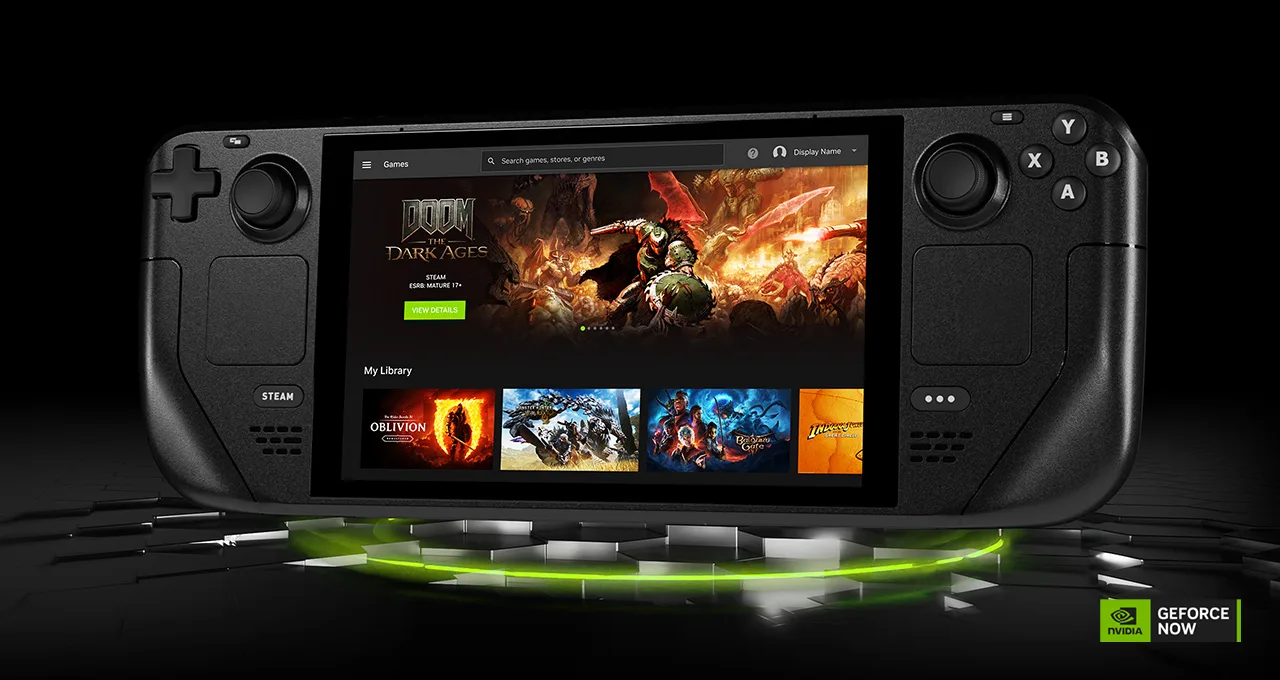
Our mobile guide already covers this for phones: Epic names exactly three cloud services that stream Fortnite — Xbox Cloud Gaming, NVIDIA GeForce NOW, and Amazon Luna — and none of them require the local anti-cheat problem to exist at all, because the game is running on a server, not on the Deck's own chip.
GeForce NOW is the cleanest option specifically for a Steam Deck, because NVIDIA shipped a native SteamOS app for it, in open beta since May 29, 2025, rather than leaving it to a browser tab. It sits in the Deck's own game library like any other title once installed. Per NVIDIA's own membership FAQ, the free tier streams at up to 1080p/60fps with a roughly one-hour session cap and ads before each session starts; the paid Performance and Ultimate tiers remove the ads, raise the cap to 1440p/60fps or up to 5K/120fps respectively, and both carry a 100-hours-a-month playtime allowance (with up to 15 unused hours rolling into the next month). Fortnite is free-to-play regardless of which tier streams it — the subscription buys queue priority and picture quality, not access to the game itself. Xbox Cloud Gaming and Amazon Luna both work too, through their own apps or a browser in Desktop Mode, though neither has shipped a SteamOS-native client the way GeForce NOW has.
The trade-off is the one every cloud-streaming setup shares: you need a genuinely good connection, and our own ping and packet loss guide covers why that matters more for a fast-paced shooter than it does for a slower single-player game. A stuttering stream in Fortnite does not just look bad, it costs you the fight.
Windows handhelds never had this problem
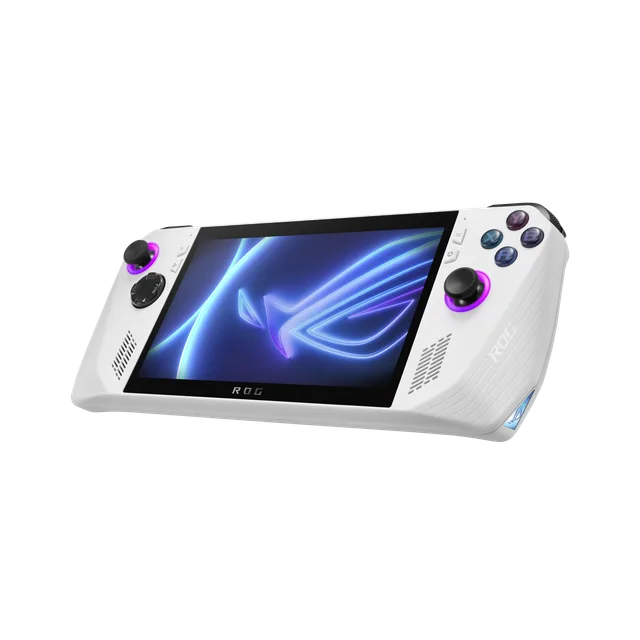
This is the point that gets lost in "handheld gaming PC" being treated as one category: the ASUS ROG Ally, ROG Ally X, Lenovo Legion Go, and the newer ROG Xbox Ally and ROG Xbox Ally X — announced by ASUS in partnership with Microsoft — all ship running full Windows 11. To Epic's launcher and to Easy Anti-Cheat, a Windows handheld is indistinguishable from a Windows laptop. There is no Proton translation layer, no custom kernel, and no policy decision standing in the way, because none of the conditions Sweeney described as the actual concern apply. You install the Epic Games Store app, sign in, and install Fortnite the same way you would on a desktop.

That does not mean every Windows handheld runs it identically well — they carry laptop-class mobile chips in a much smaller thermal envelope, so the ceiling is real even without an OS fight to have. The next section is about getting a playable frame rate out of that ceiling rather than fighting an anti-cheat wall you don't actually have on this hardware.
Settings that actually get playable frames
The underlying technique here is the same one our performance and FPS guide lays out for any PC — turn down what costs frames without costing you visibility — applied to a device with a fraction of a gaming desktop's power budget and a battery to protect. ASUS's own ROG Ally performance guide for Fortnite gives a starting point worth trying before you tune further: it gets roughly 60 FPS at native 1080p on medium settings, and says a competitive-focused profile with minimal graphics can push "up to 120 FPS and higher."
| Setting | Recommended starting point |
|---|---|
| Render mode | Performance Mode |
| Resolution | 720p |
| Rendering quality | Low |
| Shadows | Off |
| Result reported | Up to roughly 120 FPS on ROG Ally-class hardware |
Treat that ceiling as ASUS's own reported figure for a minimal-graphics profile, not a number this post independently benchmarked at these exact settings — chip, cooling, and the exact build of Fortnite all move it, and Epic itself does not publish handheld-specific benchmarks the way it does mobile system requirements. What is true regardless of the exact number: Performance Mode and a lower render resolution are worth trying before you touch anything else, because on this class of hardware the GPU is the binding constraint, not the CPU.
A handheld-specific habit that a desktop PC never forces on you: watch the thermal throttle, not just the frame counter. A ROG Ally or Legion Go pinned at full power in a warm room will quietly clock down mid-match, and a frame rate that looked fine at the loading screen can sag by the third circle. Undervolting tools and the manufacturer's own performance-profile app (Armoury Crate on ASUS hardware, Legion Space on Lenovo's) both let you cap power draw to something the cooler can actually sustain for a full match instead of the first five minutes of it.
Your options, side by side
| Device / method | Runs Fortnite? | What it actually takes |
|---|---|---|
| Steam Deck, stock SteamOS | No | Blocked by Epic's own anti-cheat policy — not fixable from your end |
| Steam Deck, Heroic Games Launcher | No | Installs, but Easy Anti-Cheat rejects the launch |
| Steam Deck, Windows installed | Yes | Valve's own official Windows drivers; costs you SteamOS's Game Mode and battery tuning |
| Steam Deck, GeForce NOW app | Yes (streamed) | Native SteamOS app since May 2025; free tier has session limits and ads |
| Steam Deck, Xbox Cloud Gaming / Amazon Luna | Yes (streamed) | Works via app or browser in Desktop Mode; no SteamOS-native client yet |
| ROG Ally / ROG Ally X | Yes, natively | Just a Windows 11 PC — install like any other platform |
| ROG Xbox Ally / Xbox Ally X | Yes, natively | Same Windows 11 base; Xbox-branded software layer on top |
| Lenovo Legion Go | Yes, natively | Same Windows 11 base |
Quick Action Checklist
- Stop expecting SteamOS to run Fortnite — it is a Denied anti-cheat status Epic controls, not a bug Valve can patch
- Don't bother routing around it through Heroic — the install works, the anti-cheat check does not
- If you want it on the Deck's own hardware, install Windows using Valve's official drivers, and accept the Game Mode trade-off
- If you'd rather stream it, get the GeForce NOW app — it is native to SteamOS, unlike Xbox Cloud Gaming or Luna on this device
- Know the free GeForce NOW tier's limits — roughly an hour a session with ads, before you decide whether Performance or Ultimate is worth it
- On a Windows handheld, just install it — no workaround needed, because it was never blocked there
- Start at 720p, Performance Mode, Low quality, shadows off on ROG Ally-class hardware, then adjust from there
- Watch for thermal throttling mid-match, not just your starting frame rate, and cap power draw if a match's back half consistently sags
Frequently Asked Questions
Can you play Fortnite on Steam Deck?
Why won't Epic let Fortnite run on Steam Deck?
Does installing Fortnite through Heroic Games Launcher work on Steam Deck?
Can you install Windows on a Steam Deck to play Fortnite?
What handhelds can run Fortnite without any workaround?
Can you stream Fortnite to a Steam Deck through GeForce NOW?
Keep Reading
- Are We Anti-Cheat Yet — Fortnite: current Linux anti-cheat status (Denied)
- GamingOnLinux — Epic Games CEO says a clear No to Fortnite on Steam Deck (February 2022, with Sweeney's direct quotes)
- Inverse — Tim Sweeney's December 2023 Verge interview quote on Steam Deck support
- Valve — Steam Deck official press kit
- NVIDIA — GFN Thursday: the native GeForce NOW app for Steam Deck
- NVIDIA — GeForce NOW membership FAQ: tier session lengths, resolution and monthly hour caps
- ASUS Pressroom — Announcing the ROG Xbox Ally and ROG Xbox Ally X
- ASUS ROG — Fortnite on the ROG Ally: performance guide and best settings
Related Guides
Fortnite Mobile: How to Install on iPhone and Android
Fortnite is back on both phone stores — Google Play since 19 March 2026, the App Store since 19 May 2026 — and Australia, the one country the App Store return skipped, got it back in October 2026. Here is the install route for your device, the exact hardware floor, and the two things the mobile build does not have.
Fortnite Crew Guide: What You Get and Is It Worth It
Fortnite Crew got quietly worse in June 2026 — the monthly V-Bucks dropped from 1,000 to 800 at the same $11.99 — and the math still leans in its favor, because it bundles five passes and a skin you cannot buy any other way. Here's the full contents list and the honest math.

LEGO Fortnite Odyssey Guide: The Survival Game, Explained
Odyssey is a 95-square-kilometre survival-crafting game sitting three tiles over from Battle Royale, and it has changed more since launch than any other part of Fortnite. Hunger is gone. Bench upgrades are gone. Here's the version that's actually live.

Fortnite Save the World Guide: The PvE Mode Is Finally Free
Save the World spent nearly nine years behind a paywall while the battle royale it spawned ate the world. As of April 16, 2026, the original Fortnite is free. Here's what the PvE mode actually is, how its progression works, and whether it deserves a slot in your rotation.
Fortnite Weapon Tier List: How to Rank Any Loot Pool
Any Fortnite tier list is stale the second a patch drops. So instead of memorizing one season's gun names, learn how to rank weapons by class and role — the framework that's S-tier in every season.

Best Fortnite Settings for PC & Console
Half your settings menu is noise; a handful of options decide whether you can see, aim, and build. Here's what to change on PC and console, why, and the one number nobody else can pick for you.