Roblox AnalyticsService: Custom Events, Funnels, Limits
Roblox ships a full event-tracking pipeline into every experience for free, and the single sentence that decides whether it works is buried in a warning box: events can only be sent from the server and in published games. Here is what AnalyticsService logs, the published cardinality and rate limits, the three custom-field slots that do most of the work, and one number Roblox’s own docs disagree with themselves about.
HttpService is the door to an outside analytics platform — the Creator Documentation lists analytics first among its intended use cases. What that guide does not cover is that Roblox already ships an event pipeline inside the engine, wired to dashboards on the Creator Hub, and the docs say the quiet part directly: "All of these features are free to use."
The catch is one warning box, repeated on three separate documentation pages, that decides whether any of it works: "Events can only be sent from the server and in published games. Events can't be sent from the client or Studio."
Why a brand-new analytics dashboard is empty
Three separate gates sit between writing your first LogCustomEvent() call and seeing a chart. They fail silently in different ways, so it is worth knowing which one you are stuck behind.
Gate one is where the call runs. A LocalScript calling AnalyticsService sends nothing. A Studio playtest sends nothing. If your entire integration has been tested by pressing Play in Studio, the pipeline has never carried a single event, and no amount of waiting will change that.
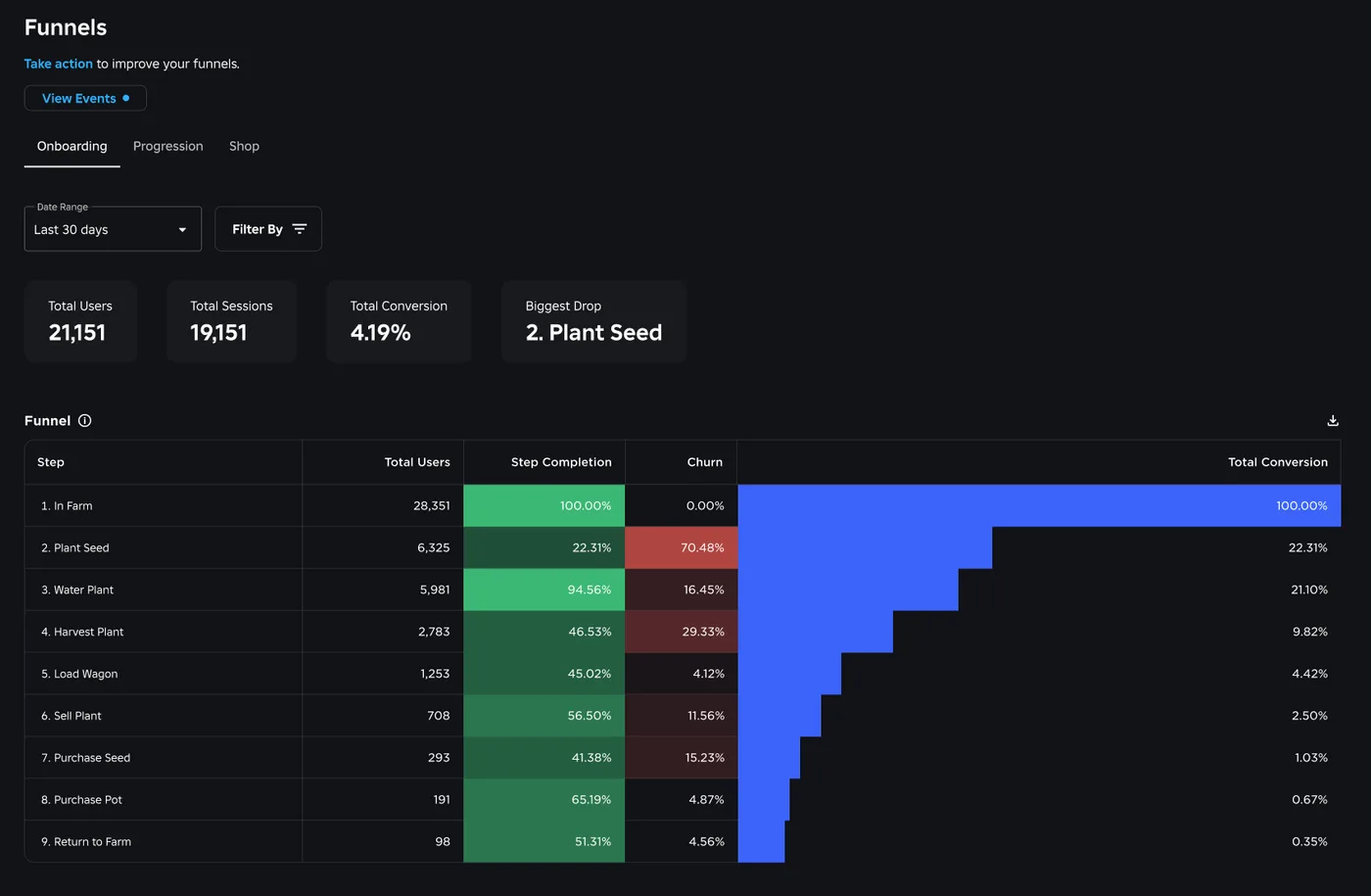
Gate two is aggregation delay. Roblox's custom events page states events "are aggregated daily so it may take up to 24 hours for charts to populate on the page." There is a way around the wait for verification purposes: the Event types page describes a View Events button at the top of the Economy, Funnel and Custom pages that shows "a near real-time list of the most recent events." That is the tool to use when you want to know whether your code is firing, rather than what the data means.
Gate three is dashboard enrolment, which is separate from event tracking. Roblox's analytics dashboard page states that "Any game with more than 10 daily active users (DAU) and 10 play hours for 7 consecutive days is eligible for accessing all KPIs on the dashboard," and that enrolling requires a verified email address and two-step verification on the account, plus agreeing to the Terms of Use from the game overview page. For a group-owned game, the docs add that "only the group owner and members with sufficient permissions can view the analytics dashboard."
The four things AnalyticsService logs
The class reference lists nine live methods. Eight of them write events; one reads a segment back. Grouping them by dashboard:
| Method | What it feeds | Signature (after player) |
|---|---|---|
LogCustomEvent | Custom / Explore | eventName: string, value?: double, customFields?: Dictionary |
LogEconomyEvent | Economy | flowType, currencyType, amount, endingBalance, transactionType, itemSku, customFields? |
LogFunnelStepEvent | Funnel (recurring) | funnelName, funnelSessionId, step, stepName, customFields? |
LogOnboardingFunnelStepEvent | Funnel (one-time) | step, stepName, customFields? |
LogProgressionStartEvent | Progression | progressionPathName, level, levelName, customFields? |
LogProgressionCompleteEvent | Progression | progressionPathName, level, levelName, customFields? |
LogProgressionFailEvent | Progression | progressionPathName, level, levelName, customFields? |
LogProgressionEvent | Progression | progressionPathName, status, level, levelName, customFields? |
GetPlayerSegmentsAsync | Nothing — returns data | returns a Dictionary |
Every logging method takes player first and an optional customFields dictionary last. That symmetry is the useful part: whatever you learn about custom fields applies to all of them.
Two notes on the progression family. LogProgressionEvent takes a status of Enum.AnalyticsProgressionType — the reference lists Custom, Start, Fail and Complete — and the reference describes the three named methods as "shortcuts that set this status for you." So LogProgressionStartEvent is LogProgressionEvent with status pre-filled, not a different pipeline.
The second note is a gap worth knowing before you plan around it: the Analytics section of the Creator Documentation carries pages for Event types, Custom events, Custom fields, Economy events, Funnel events and Error Report. Progression events exist in the class reference with full signatures, but as of writing this the Analytics section has no how-to page for them, and the Event types page describes "three sets of analytic dashboards" — economy, funnel and custom. Treat the progression methods as documented API with undocumented dashboard behaviour, and verify what appears on your own Creator Hub before you build reporting on them.
One method is missing from that table on purpose. LogJourneyEvent, which the reference described as logging journey events that track non-linear player paths, had a full entry in the class reference until Roblox's 21 October 2026 documentation update removed it. The engine API dump for version 0.744, captured hours before that update, still lists the method with no deprecation tag, but the Creator Documentation no longer describes its parameters or behaviour. Leave it out of new work unless Roblox documents it again.
Custom events: counters, values and batching
A custom event with no value is a counter. The docs are precise about what that means for aggregation: "counter events are treated as events with a default value of 1. This means that aggregations like max/min/average will always equal 1, and the sum will equal the total number of events."
local AnalyticsService = game:GetService("AnalyticsService")

AnalyticsService:LogCustomEvent(
	player,
	"MissionStarted" -- Event name
)
Pass a third argument and the event carries a number you can aggregate:
AnalyticsService:LogCustomEvent(
	player,
	"MissionCompletedDuration", -- Event name
	120 -- Event value
)
The docs list one use for the value parameter that is not about measurement at all: it "can also be used as a way to send events in batches in order to stay under the rate limits, i.e. sending 10 zombies killed instead of 1 zombie killed ten times." If you have a loop that could fire hundreds of events a second, that is the sanctioned pattern — accumulate, then log once with the count as the value.
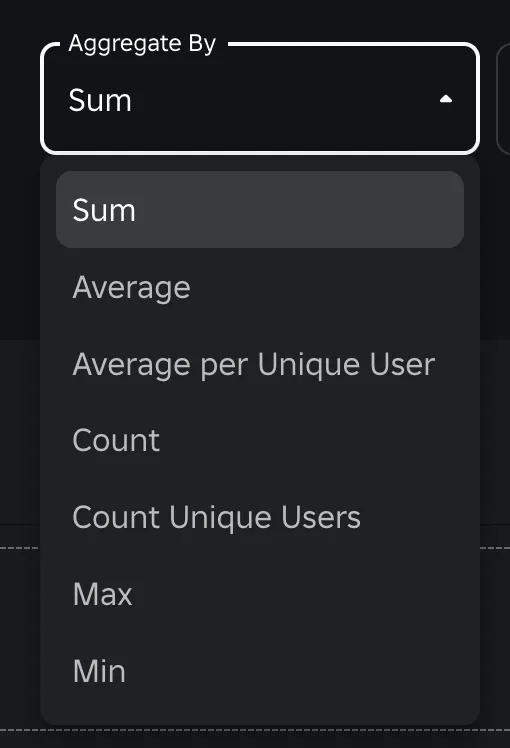
Every custom event metric supports seven aggregations: count, count unique user, average value, sum value, min value, max value, and average value per user.
Custom fields: three slots, strings only
There are exactly three custom field slots, and they are keyed by an enum rather than by arbitrary names. The docs are blunt about what happens to anything else: "Anything other than CustomField01.Name, CustomField02.Name, and CustomField03.Name is ignored."
AnalyticsService:LogEconomyEvent(
	player,
	Enum.AnalyticsEconomyFlowType.Sink,
	"Coins", -- Currency name
	80, -- Cost
	20, -- Balance after transaction
	Enum.AnalyticsEconomyTransactionType.Shop.Name,
	"Obsidian Sword", -- Item SKU
	{
		[Enum.AnalyticsCustomFieldKeys.CustomField01.Name] = "Category - Weapon",
		[Enum.AnalyticsCustomFieldKeys.CustomField02.Name] = "Class - Warrior",
		[Enum.AnalyticsCustomFieldKeys.CustomField03.Name] = "Level - 10",
	} -- Custom field dictionary
)
Two rules govern what you put in them. First, "the values assigned to custom fields must be strings" — a level number or a boolean has to be converted before it goes in. Second, the ceiling is on combinations, not on each field: "You can have up to 8,000 unique combinations of values across the three custom fields."
That second rule is why the docs push you toward fields and away from event names. Their own example: instead of PlantCabbage, PlantTurnip and PlantPepper as three events, log one PlantSeed event with Plant - Cabbage, Plant - Turnip and Plant - Pepper in a custom field. The stated reason is that "there is a much tighter cardinality limit on event names than custom fields" — 100 event names against 8,000 field combinations — and that the field version lets you chart the total and the breakdown in one visualization.
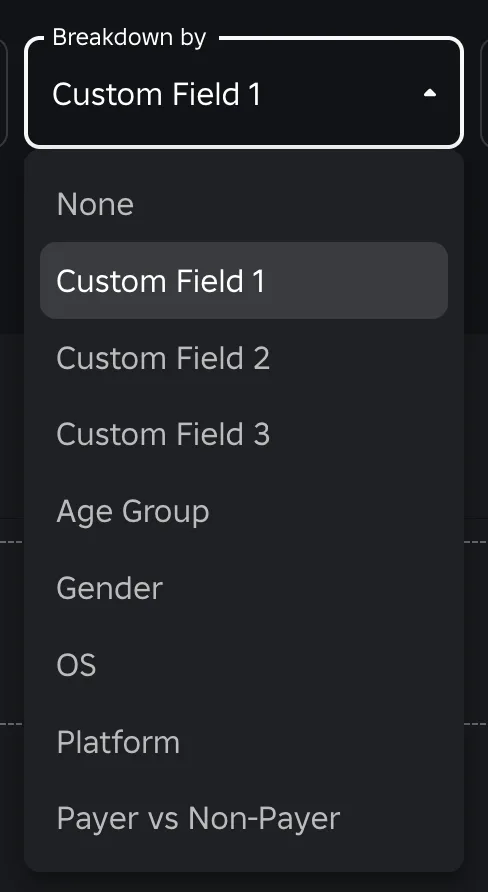
The same breakdown selector also carries the platform-supplied dimensions — age group, gender, OS, platform, payer status — which you get without instrumenting anything.
Economy events: sources, sinks, transaction types
Every economy event is a Source or a Sink, encoded as Enum.AnalyticsEconomyFlowType, plus a transaction type that says why. There are six standard transaction types, and the docs mark which flow direction each is meant for:
| Transaction type | Direction | Documented example |
|---|---|---|
IAP | source | In-app purchases exchanging Robux for resources, e.g. starter pack |
TimedReward | source | Earn resources on a schedule, e.g. daily bonus |
Onboarding | source | Get resources when getting started, e.g. welcome bonus |
Shop | source or sink | Trade resources in the shop, e.g. item purchase |
Gameplay | source or sink | Earn or spend resources from gameplay, e.g. quest completion |
ContextualPurchase | sink | Spend resources on a context-specific impulse, e.g. extra lives |
Three implementation details that are easy to get wrong:
- Pass the
Name, not the enum. ThetransactionTypeparameter is typed as a string, so the reference tells you to "pass theNameproperty of the enum item," as inEnum.AnalyticsEconomyTransactionType.IAP.Name. Custom strings are accepted too — with a cap covered below. - Amounts are always positive. "The amount (cost) should always be a positive number regardless of whether the event is a source or a sink. The economy dashboard charts will automatically show sinks as negative numbers." Negating a sink yourself double-counts the sign.
endingBalanceis post-transaction. It is the player's balance immediately after the event, which is what makes the average wallet balance chart work.itemSkuis optional, and the docs note that if you leave it out, "the Economy dashboards displayN/Ain the sources and sinks table."
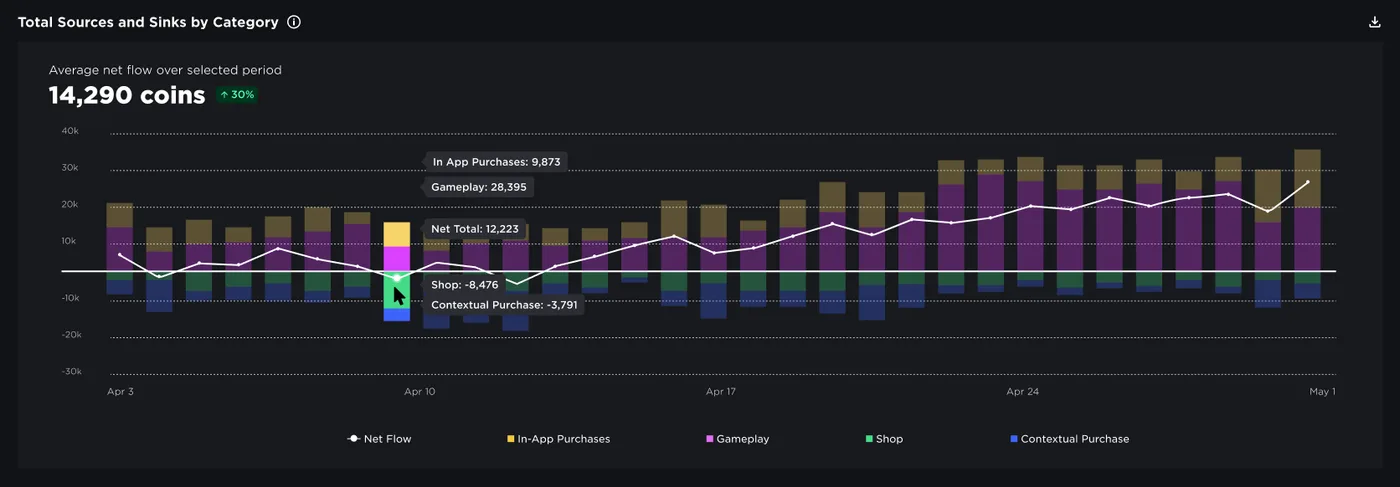
The reason the transaction type matters more than it looks is the chart it drives. Roblox's stated reading of the sources-and-sinks chart is that "Total sources subtract total sinks should be close to zero. You can also see your top sources and sinks by category. If your net total is growing, consider adding more sinks." A net flow line that only ever climbs is currency inflation. The net line survives lazy instrumentation, because it comes from the Source/Sink flow type rather than the transaction type — what filing every event under one transaction type costs you is the second half of that reading, "your top sources and sinks by category," which is the half that says where the inflation is coming from.
There is also an ordering rule that applies to all of this, from the Event types page: call the log method after the operation succeeds. "You should call LogEconomyEvent() after a successful purchase, not when the user attempts a purchase (which could fail due to lack of funds)." If your event count looks higher than it should, that is the first thing to check.
Funnel events: one-time versus recurring
There are two funnel methods and the difference is whether a player can go through the funnel more than once.
| One-time funnel | Recurring funnel | |
|---|---|---|
| Method | LogOnboardingFunnelStepEvent | LogFunnelStepEvent |
| Typical use | Onboarding / first-time user experience | Shop checkout, item upgrades |
| Funnel name argument | No — the method takes no funnelName | Yes — funnelName groups the steps |
funnelSessionId | Not needed | Required to separate sessions |
An onboarding funnel is two arguments past the player:
local AnalyticsService = game:GetService("AnalyticsService")
local Players = game:GetService("Players")

Players.PlayerAdded:Connect(function(player)
	AnalyticsService:LogOnboardingFunnelStepEvent(
		player,
		1, -- Step number
		"Player Joined" -- Step name
	)
end)
That PlayerAdded placement is the documented way to anchor step 1, because "funnels start when the first step is logged." A recurring funnel adds a name and a session id:
local AnalyticsService = game:GetService("AnalyticsService")
local HttpService = game:GetService("HttpService")

local funnelSessionId = HttpService:GenerateGUID()

AnalyticsService:LogFunnelStepEvent(
	player,
	"ArmoryCheckout", -- Funnel name used to group steps together
	funnelSessionId, -- Funnel session ID for this unique checkout session
	1, -- Step number
	"Opened Store" -- Step name
)
funnelSessionId and the ten-session window
The docs give two different shapes for a session id depending on what the funnel measures. For a store funnel, where a player may open the shop repeatedly in one play session, "it is recommended to use a GUID." For item upgrades, which stretch over days, "you can often build a unique key based on the item being upgraded, for example: <playerId>-<itemId>."
The constraint that shapes both choices: "Analytics only tracks the 10 most recent unique funnelSessionId values per user for each funnel. If a user reuses a funnelSessionId that isn't among their 10 most recent for that funnel, the funnel counts it as a new session." A deterministic key like <playerId>-<itemId> can therefore fall out of the window and come back as a fresh session if the player has touched ten other items in between.
Repeated, skipped and filtered steps
Four behaviours that determine whether your funnel chart means what you think:
- Repeated steps count once. "If a user logs step 2 of a funnel twice, the funnel only counts the first instance of step 2." The corollary is in the same paragraph and is easy to miss: repeated steps "are still logged and contribute towards the global rate limit." Free at the chart, not free at the quota.
- Skipped steps auto-complete. "If you have a funnel with steps 1, 2, and 3 and you log step 3 without logging steps 1 or 2, the funnel considers steps 1 and 2 as completed." You cannot detect a skip by looking at the funnel.
- Filters only apply to the first step. To avoid double-counting, "if a player switches devices during the funnel, the funnel will only be attributed to their device at the time they enter the funnel."
- Funnels display by cohort. "If a player enters the funnel on 6/19, the funnel will be attributed to the 6/19 cohort even if they complete the funnel on 6/20." Which also means that after you change a step, you have to widen the date range back to the change to see the current funnel — and the dashboard puts a warning on any step whose name changed inside the selected range.
The published AnalyticsService limits
This is the table worth bookmarking. The values come from the Event tracking limitations section of the Event types page — the class reference repeats most of them as per-parameter notes, and disagrees with one of them, covered in the next section. The Event types page also states that "Limitations reset daily. You will be able to send new events the next day once you stop sending previous events," and that each event "automatically rolls off after 90 days from the last data received."
| Scope | Limit | Maximum | Behaviour past the cap |
|---|---|---|---|
| All events | AnalyticsService requests per minute | 120 + (20 × CCU) | Global rate limit |
| Economy, funnel, custom | Custom fields | 3 | Other keys ignored |
| Economy, funnel, custom | Unique values per custom field | Unlimited | After 8,000 combined values across all custom fields, grouped as "Other" |
| Economy only | Resource types | 10 | Two other Roblox pages say 5 — see below |
| Economy only | transactionTypes | Unlimited | After 20, grouped as "Other" |
| Economy only | itemSkus | Unlimited | After 100, grouped as "Other" |
| Funnel only | Number of funnels | 10 | — |
| Funnel only | Steps per funnel | 100 | — |
| Custom only | eventNames | 100 | — |
| All events | Dashboard retention | 90 days | Rolls off 90 days after the last data received |
The rate limit is the one to internalise, because it scales with concurrent users rather than being a flat ceiling: a server with 20 players concurrent is working against 120 + 400 = 520 requests per minute. A small game with a chatty instrumentation loop is far closer to that line than a big one.
The three "grouped as Other" rows behave differently from a hard cap. Nothing is rejected — the events still land, they just stop being separable on the dashboard. That is worse than an error in one specific way: it looks like working instrumentation until you try to break a chart down and find half your SKUs in a bucket called Other.
One number the docs disagree on
While cross-checking the limits above, one value came back different across three Roblox pages, and the count is two to one:
| Page | What it says the economy currency cap is |
|---|---|
| Event types — Event tracking limitations | Resource types: 10 |
| Economy events — "Use economy to grow your game" | "You can add up to five currencies of resources." |
AnalyticsService class reference — LogEconomyEvent, currencyType | "Limited to 5 unique currency types per experience." |
All three are current, and the class reference is the same page whose transactionType and itemSku notes agree with the limitations table exactly — 20 and 100 — so it is not simply out of date. The two figures may be describing different things, a currency you can chart versus a currency the pipeline will accept, but none of the three pages says so. With two sources at five against one at ten, design for five distinct currencies, and check your own Economy dashboard before adding a sixth.
Validate on the server, or exploiters write your data
Because events must be logged server-side, and because plenty of the moments you want to measure are noticed client-side first, funnel steps often have to cross a RemoteEvent — which is the arrangement Roblox's own sample uses. Its funnel page is explicit that this is an attack surface on your data: "it is important to add some level of data validation in your server code to prevent exploiters from sending invalid data to your analytics service."
Their sample is a bounds check on the step number, which is about as cheap as a defence gets:
local AnalyticsService = game:GetService("AnalyticsService")
local ReplicatedStorage = game:GetService("ReplicatedStorage")
local onboardingEvent = ReplicatedStorage:WaitForChild("OnboardingEvent")

local maxStep = 3

local function onPlayerEventFired(player: Player, args: { step: number })
	local step = args.step
	if step > maxStep then
		warn("Invalid tutorial step received from client.")
		return
	end

	AnalyticsService:LogOnboardingFunnelStepEvent(player, step)
end

onboardingEvent.OnServerEvent:Connect(onPlayerEventFired)
Remember the skipped-step rule when you read this: an unchecked client that fires step 10 does not just add a bad row, it marks every earlier step complete for that player. One forged remote can flatten a funnel's drop-off into a straight line.
GetPlayerSegmentsAsync: analytics that feeds back in
The one method here that reads rather than writes is GetPlayerSegmentsAsync(player). The reference describes it as "This server-only method returns coarse segment buckets for a player in the current experience," intended so you can "use these buckets at runtime to personalize content or gate features for specific player groups."
It returns a dictionary with nine keys. Five of them are recent additions: Roblox's 24 August 2026 DevForum post on analytics segmentation said it had "added new segment dimensions to Creator Analytics and Engine API calls," and the class reference has listed the five extra keys since its 30 September 2026 update.
| Key | Type | Documented values |
|---|---|---|
HasData | bool | Whether segment data was retrieved |
ActivePayerStatus | Enum.ActivePayerStatus | Unknown, Never, Lapsed, Casual50Percent, Intermediate35Percent, Top15Percent |
WhenUserFirstPlayed | Enum.WhenUserFirstPlayed | Unknown, Days0To30, Days31To90, Days91To180, Days181To365, Days366Plus |
PlatformSpenderStatus | Enum.PlayerPlatformSpenderStatus | Unknown, Active, OtherPayer |
ExperienceActivationStatus | Enum.ExperienceActivationStatus | Unknown, New, Active, Lapsed, Reactivated, judged over the last 30 days in your experience |
EngagementLevel | Enum.EngagementLevel | Unknown, Inactive (0 of the last 7 days), Low (1), Medium (2 or 3), High (4 to 7) |
PlatformActivationStatus | Enum.PlayerPlatformActivationStatus | Unknown, New, Active, Lapsed, Reactivated, judged over the last 60 days across Roblox |
UserNewReturningStatus | Enum.UserNewReturningStatus | Unknown, New, Returning |
UserAcquisitionSource | Enum.UserAcquisitionSource | Unknown, PendingAttribution, HomeRecommendation, ContinueToPlay, Curation, Friends, Search, Teleport, Ads, HomeOther, Other |
Two key names do not match their enum types: PlatformSpenderStatus holds an Enum.PlayerPlatformSpenderStatus and PlatformActivationStatus holds an Enum.PlayerPlatformActivationStatus, so compare against the enum name, not the key. And PendingAttribution is its own state, not an error: the enum reference says it means the player "started playing recently, and their acquisition source is not available yet."
The failure mode is designed to be quiet. "If segment data is unavailable, this method does not throw. Instead, it returns HasData = false and all enum fields are set to Unknown." It throws in exactly two cases: when called from the client, or when the player argument is invalid. So the correct shape is an early return on HasData, not a pcall around a hoped-for value:
local Players = game:GetService("Players")
local AnalyticsService = game:GetService("AnalyticsService")

local function configurePlayerExperience(player)
	local segments = AnalyticsService:GetPlayerSegmentsAsync(player)

	if not segments.HasData then
		return
	end

	if segments.WhenUserFirstPlayed == Enum.WhenUserFirstPlayed.Days0To30 then
		print("Show additional onboarding for", player.Name)
	end
end

Players.PlayerAdded:Connect(configurePlayerExperience)
Two properties make this cheap enough to call on join. It yields only when a cached result is not already available, and "successfully fetched results are cached per player for the lifetime of the server session."
One definition worth reading carefully before you build an offer around it. ActivePayerStatus is percentile-based within your game — the dashboard docs define Top 15% as the 85th-100th percentile of spenders for your game, Intermediate 35% as 50th-84th, Casual 50% as 0-49th, recalculated daily. PlatformSpenderStatus is the opposite: a fixed threshold across all of Roblox, where Active means a player who "spent $9.99 or more anywhere on Roblox in the last 60 days." A player can be Top15Percent in a tiny game and OtherPayer platform-wide. The two activation keys split the same way: ExperienceActivationStatus counts New as first playing your experience in the last 30 days, while PlatformActivationStatus counts New as signing up for Roblox in the last 60 days.
Error Report: the other half of monitoring
Sitting under Monitoring on the same Creator Dashboard is the Error Report, which "lets you view up-to-the-minute Luau system errors and warnings for both server and client." Unlike the analytics dashboards it needs no instrumentation, and unlike the Studio output window it sees production.
Its limits are stricter than the analytics ones and reset on a different clock: "The system tracks up to 500 unique errors and 500 unique warnings by count and the top 100 new errors per version. These counts reset every 6 hours."
Uniqueness is computed on the message string, which has a direct consequence for how you write warn calls. The docs spell it out: "Errors like Player 12345 failed to load and Player 67890 failed to load count as two separate entries. If you log them as Player failed to load, they consolidate into one entry with a higher count." Interpolating a user id, a position or a timestamp into an error message is a fast way to burn 500 slots on one bug.
The escape hatch for messages you do not control is custom rules — up to 100 per experience, each an exact string or a regex with an Ignore or Group action, evaluated top to bottom until one matches. Two constraints on the patterns are enforced by the system: you cannot put a repeater inside a repeating group ((a+)* and (\w+)+ are rejected), and a pattern "cannot start with a wildcard like .* or .+" — it has to begin with a literal or an anchor. So HttpError:.* is valid and .*HttpError is not. Rules only affect errors logged after they are saved.
The deprecated Fire methods and the PlayFab key
If you find FireEvent, FireCustomEvent, FireInGameEconomyEvent, FireLogEvent or FirePlayerProgressionEvent in an old code sample or an inherited place file, all five are marked deprecated in the class reference. Four of them name a replacement: FireCustomEvent points at LogCustomEvent, FireInGameEconomyEvent at LogEconomyEvent, FirePlayerProgressionEvent at LogProgressionEvent, and FireEvent at all three of LogCustomEvent, LogEconomyEvent and LogProgressionEvent. FireLogEvent names none — its notice reads only "This method is deprecated. Do not use it for new work," so if you are replacing one of those calls, the error report is the surface to look at rather than a like-for-like method.
There is one more clue about the old pipeline in the deprecated AnalyticsService.ApiKey property, which "contains the game's PlayFab API key" and, per the reference, "must be set and valid in order to use FireEvent." The docs attach that key requirement to FireEvent specifically and say nothing about what the other four needed. The current Log* methods need no key and no configuration at all — they write straight to Roblox's own dashboards.
Quick Action Checklist
- Move every
AnalyticsServicecall to a Script, not a LocalScript, and test it in a published place — Studio and the client send nothing. - Log after the operation succeeds, never on the attempt.
- Use
Enum.AnalyticsCustomFieldKeys.CustomField01/02/03.Nameas your keys and pass string values; other keys are silently ignored. - Spend event-name cardinality carefully: 100 names, against 8,000 custom-field combinations.
- Pass
.NameonEnum.AnalyticsEconomyTransactionTypevalues, and keep sink amounts positive. - Use
HttpService:GenerateGUID()for shop-stylefunnelSessionIdvalues; use a deterministic<playerId>-<itemId>key only where you can live with the ten-session window. - Bounds-check any funnel step number that arrives over a RemoteEvent — a forged high step marks every earlier step complete.
- Batch high-frequency events into one call with a value instead of many calls; the budget is 120 + (20 × CCU) per minute.
- Strip ids, coordinates and timestamps out of
warnanderrormessage strings so the Error Report groups them. - Check View Events for a near real-time confirmation that events are arriving; wait up to 24 hours for the charts.
Frequently Asked Questions
Why is my Roblox analytics dashboard empty?
How many custom fields can a Roblox analytics event have?
What is the AnalyticsService rate limit in Roblox?
What is the difference between LogFunnelStepEvent and LogOnboardingFunnelStepEvent in Roblox?
Do Roblox economy sink amounts need to be negative?
How long does Roblox keep analytics event data?
Keep Reading
- Roblox Creator Documentation — Event types and event tracking limitations (official)
- Roblox Creator Documentation — Custom events (official)
- Roblox Creator Documentation — Custom fields (official)
- Roblox Creator Documentation — Economy events (official)
- Roblox Creator Documentation — Funnel events (official)
- Roblox Creator Documentation — Error Report (official)
- Roblox Creator Documentation — Analytics dashboard (official)
- Roblox Creator Documentation — AnalyticsService class reference (official)
- Roblox creator-docs — AnalyticsService reference change history (official; 30 Sep 2026 segment keys, 21 Oct 2026 LogJourneyEvent removal)
- Roblox DevForum — Evolving Experiments and Analytics: Segmentation, Experiment Targeting, Early Access Program, and More (official, 24 Aug 2026)
- Roblox Creator Documentation — ExperienceActivationStatus enum (official)
- Roblox Creator Documentation — EngagementLevel enum (official)
- Roblox Creator Documentation — PlayerPlatformActivationStatus enum (official)
- Roblox Creator Documentation — UserNewReturningStatus enum (official)
- Roblox Creator Documentation — UserAcquisitionSource enum (official)
- Roblox Client Tracker — engine API dump, version 0.744 (third-party mirror)
Related Guides
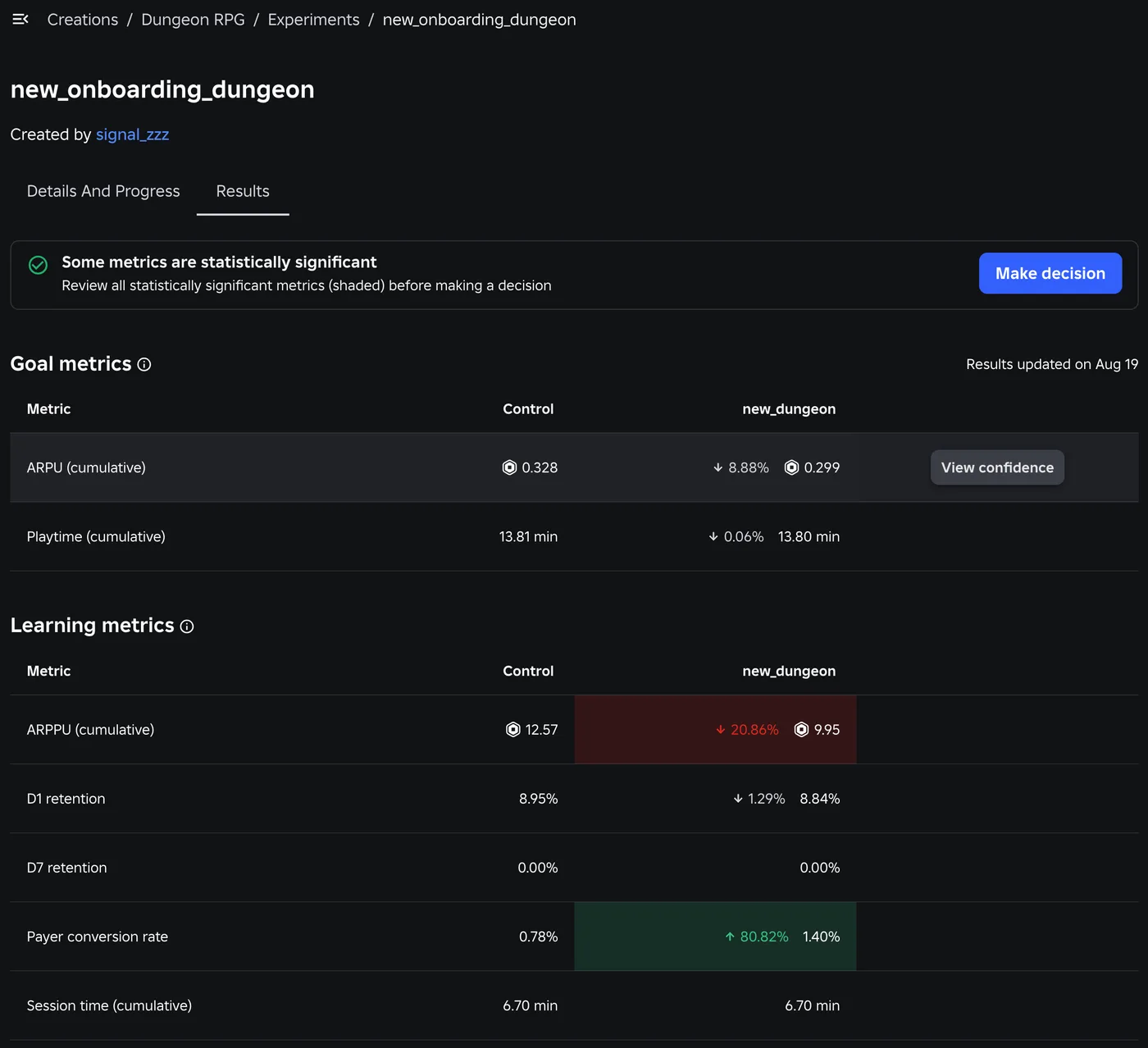
Roblox A/B Testing: Experiments and ConfigService Guide
Roblox has a built-in A/B testing system: configs hold the values, Experiments splits players between them, and since October 1, 2026 early harm detection watches the first 24 hours. Here is the rollout math, the one method call that decides who gets enrolled, the harm thresholds, and what Make decision actually does to your configs.
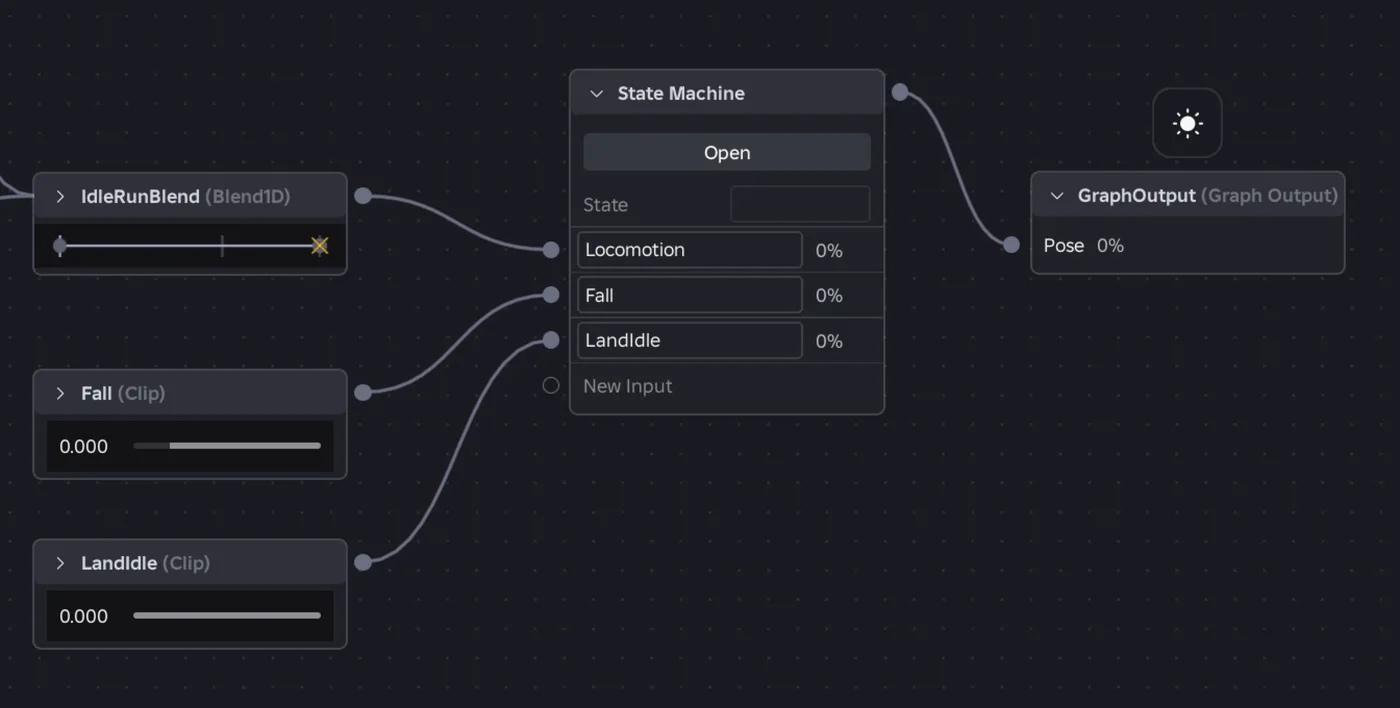
Roblox Animation Graph Editor: Blends and State Machines
Animation graphs left beta on July 15, 2026, and on October 8 Roblox added State Machine nodes and Expressions as a Studio beta. Here is how a graph loads like any animation, what each of the 15 node types does, how SetParameter drives it, what the beta features can't do in a live game yet, and who runs the graph under each authority mode.
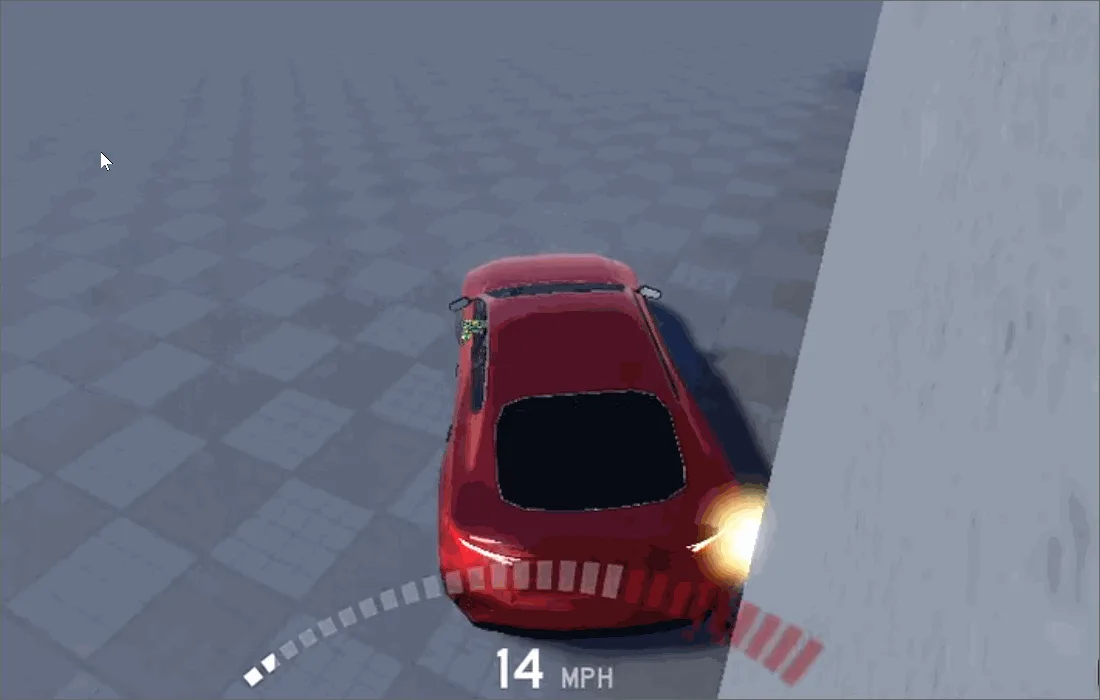
Roblox Collision Summaries: Impact Speed, Point and Normal
Touched tells you what your part hit. BindToCollisionSummaries, live since October 6, 2026, tells you where, from which direction and how hard. Here are the seven fields, why one bump arrives as several summaries, the Normal field Roblox's own pages describe two ways, and the network-ownership rule that decides which machine sees a summary at all.
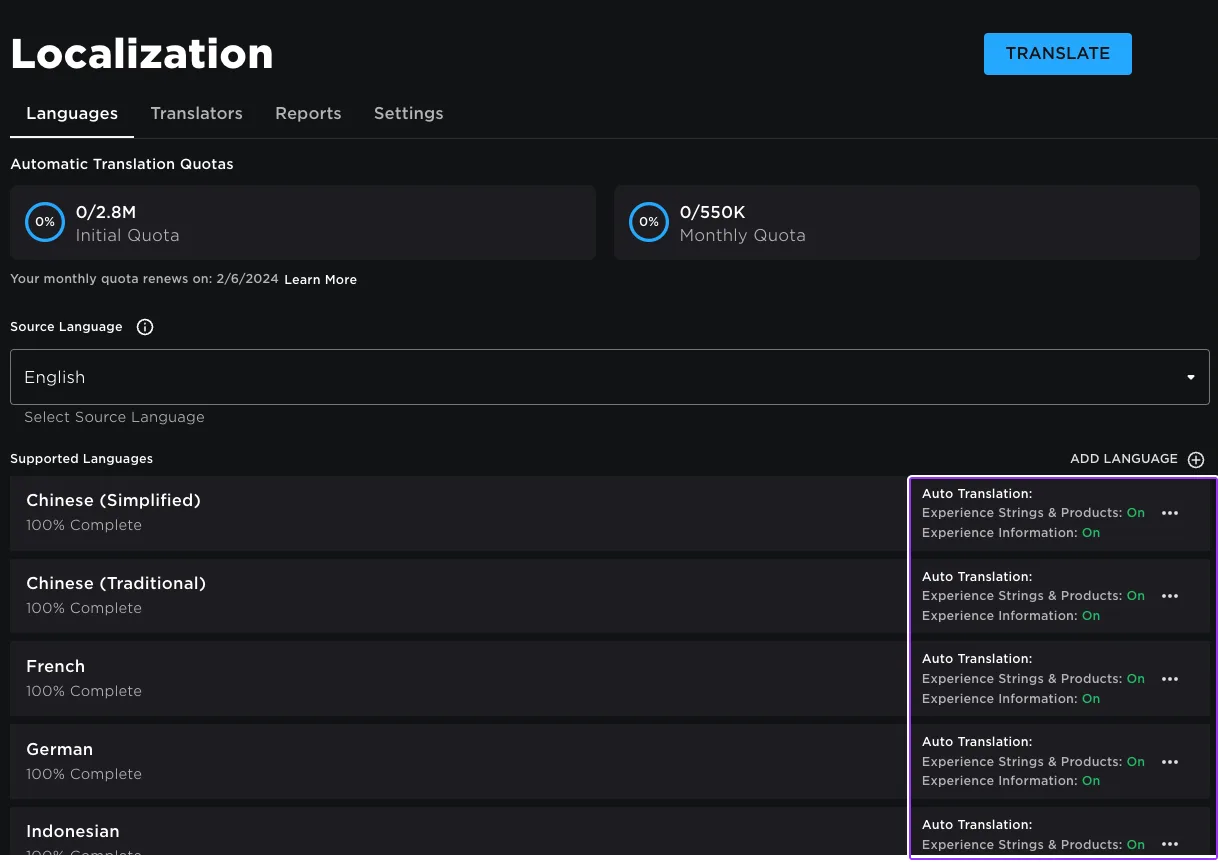
Roblox Localization: How to Translate Your Game
Since June 2026, any player can switch on Automatic Translations and read your game through Roblox's machine translator, whether or not you ever opened the Localization page. Here is what gets translated, how to stop it on text that should stay put, the five kinds of text automatic capture never sees, and the Translator and real-time APIs that cover the rest.

Best Roblox Games to Play in 2026
Roblox's front page is engagement bait. This is the filtered version: the games with real, sustained player counts and actual staying power, sorted by what you're in the mood for.

How to Get Robux Safely (Legit Ways + Scams to Avoid)
There is no free Robux generator. There never was. Here are the actual legit ways to get Robux without overpaying, the earning methods that really work, and the scams that exist purely to steal your account.