Roblox Collision Summaries: Impact Speed, Point and Normal
Touched tells you what your part hit. BindToCollisionSummaries, live since October 6, 2026, tells you where, from which direction and how hard. Here are the seven fields, why one bump arrives as several summaries, the Normal field Roblox's own pages describe two ways, and the network-ownership rule that decides which machine sees a summary at all.
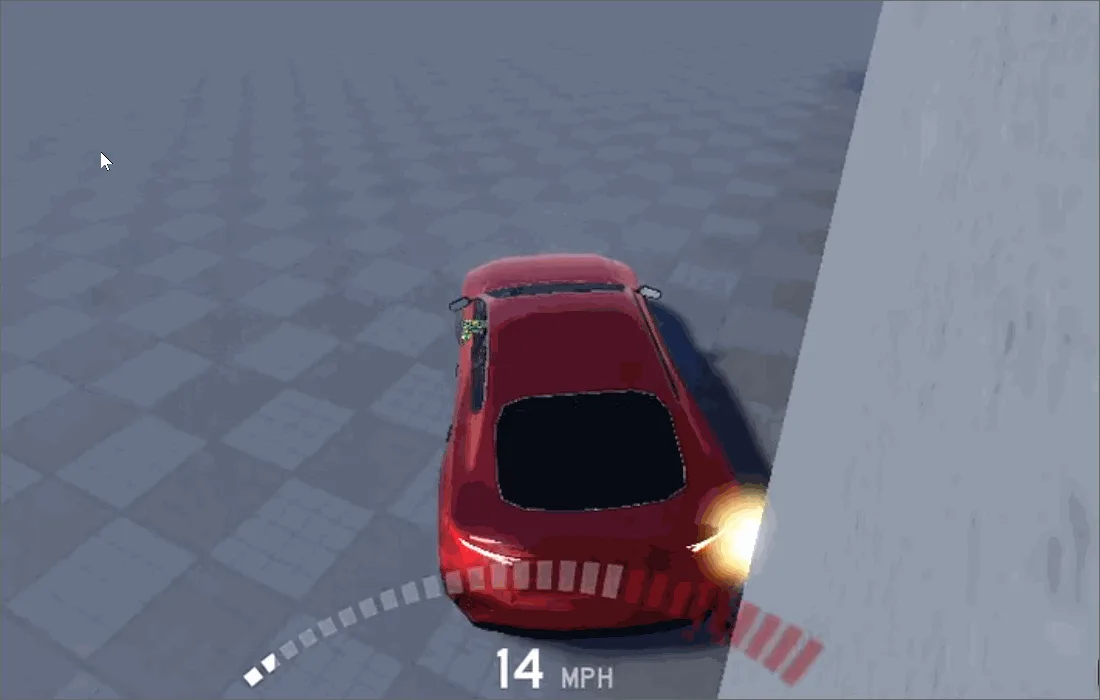
Touched hands your function one argument: the part you bumped into. Not where on the part, not from which direction, not how hard. Building crash damage or an impact sound on top of that has meant filling the gap by hand, and Roblox's own announcement names the alternative: "attempting to approximate impulse forces yourself using velocity checks and raycasts."
On October 6, 2026, Roblox shipped the engine's answer, BasePart:BindToCollisionSummaries(). Subscribe a part and, once per frame, you get the contacts that part made, straight from the physics solver: where it touched, which way the surface faced, and how fast the two parts were closing. Roblox's weekly recap listed it under updates rather than betas, and the method sits in the BasePart reference with no beta tag.
This guide covers the call and its fields, why one bump arrives as several summaries, the one field Roblox's own pages describe two different ways, and the network-ownership rule that decides which machine ever sees a summary. Our collision and physics guide covers the switches that decide whether parts collide. This one is about what you learn when they do.
The call and its seven fields
The method takes one callback and returns an RBXScriptConnection; disconnect it to stop listening. Per the class reference, the callback is "invoked with an array of summary tables, at most once per frame, if the part was involved in a collision," after the simulation has stepped. The Collisions guide adds that summaries "are frozen and can't be changed."
Each summary is a table with seven keys:
| Field | Type | What it holds |
|---|---|---|
Time | number | Simulation time, in seconds, of the physics substep that produced it |
Part0 | BasePart | The part you subscribed |
Part1 | BasePart | The other part in the pair, which can be Terrain |
Point | Vector3 | World-space contact point, averaged across the contact patch |
Normal | Vector3 | Unit contact normal. Its direction gets its own section below |
RelativeVelocity | Vector3 | Velocity of Part1 relative to Part0 at the contact point, "measured before the solver resolves the collision" per the Collisions guide |
Area | number | Estimated contact-patch area in square studs; 0 for a patch of fewer than three points, such as an edge or corner contact |
The reference documents the summary as a plain table and types the parameter as a Function, and there is no CollisionSummary type in Roblox's datatype reference. If you run strict type checking, declare one yourself:
--!strict
type CollisionSummary = {
	Time: number,
	Part0: BasePart,
	Part1: BasePart,
	Point: Vector3,
	Normal: Vector3,
	RelativeVelocity: Vector3,
	Area: number,
}

local crate = workspace:WaitForChild("Crate") :: BasePart

local connection = crate:BindToCollisionSummaries(function(summaries: { CollisionSummary })
	for _, summary in summaries do
		print(summary.Part1.Name, summary.Point, summary.Area)
	end
end)

-- When the crate no longer needs watching:
-- connection:Disconnect()
The announcement and the Collisions guide both say this is a separate system from Touched and not meant to be called from inside a Touched handler.
One bump, several summaries
Drop a crate on the floor and one callback can hand you several summaries. The reference explains why: "Physics may run several substeps per frame, so a pair that stays in contact across several of them produces up to one summary per patch per substep, all delivered in the same invocation of callback. Use Time to order them."
How many substeps is documented too. Roblox's adaptive timestepping page says the engine simulates physics at 240 Hz by default, which at roughly 60 frames per second is "around 4 worldsteps" per frame. When a developer in the announcement thread asked why they were getting four summaries in a row on ragdoll limbs, a Roblox staff member answered "4 summaries is typical" and added, "They aren't duplicates, they are actual collisions." The same reply said Roblox wants to move "to more of a 1:1 tick frequency ratio" in future, so don't hard-code four.
Two things multiply that further. Non-convex geometry "produces one summary per pair of touching convex hulls," and contact with Terrain "is split further by contact normal." So a MeshPart's CollisionFidelity setting changes how many summaries the same hit can produce. Here is one castle-tower mesh from Roblox's Collisions documentation at two fidelity settings.
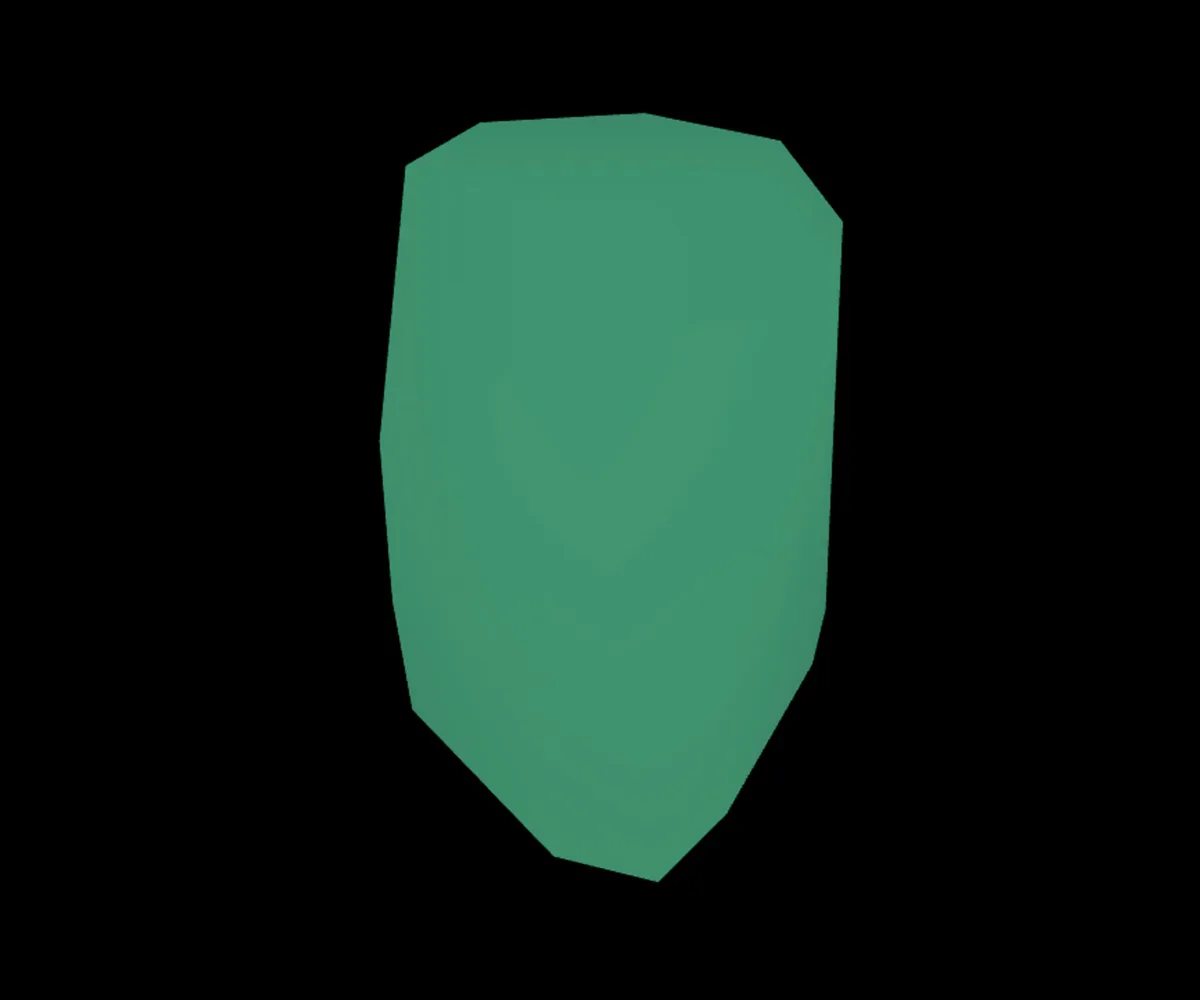
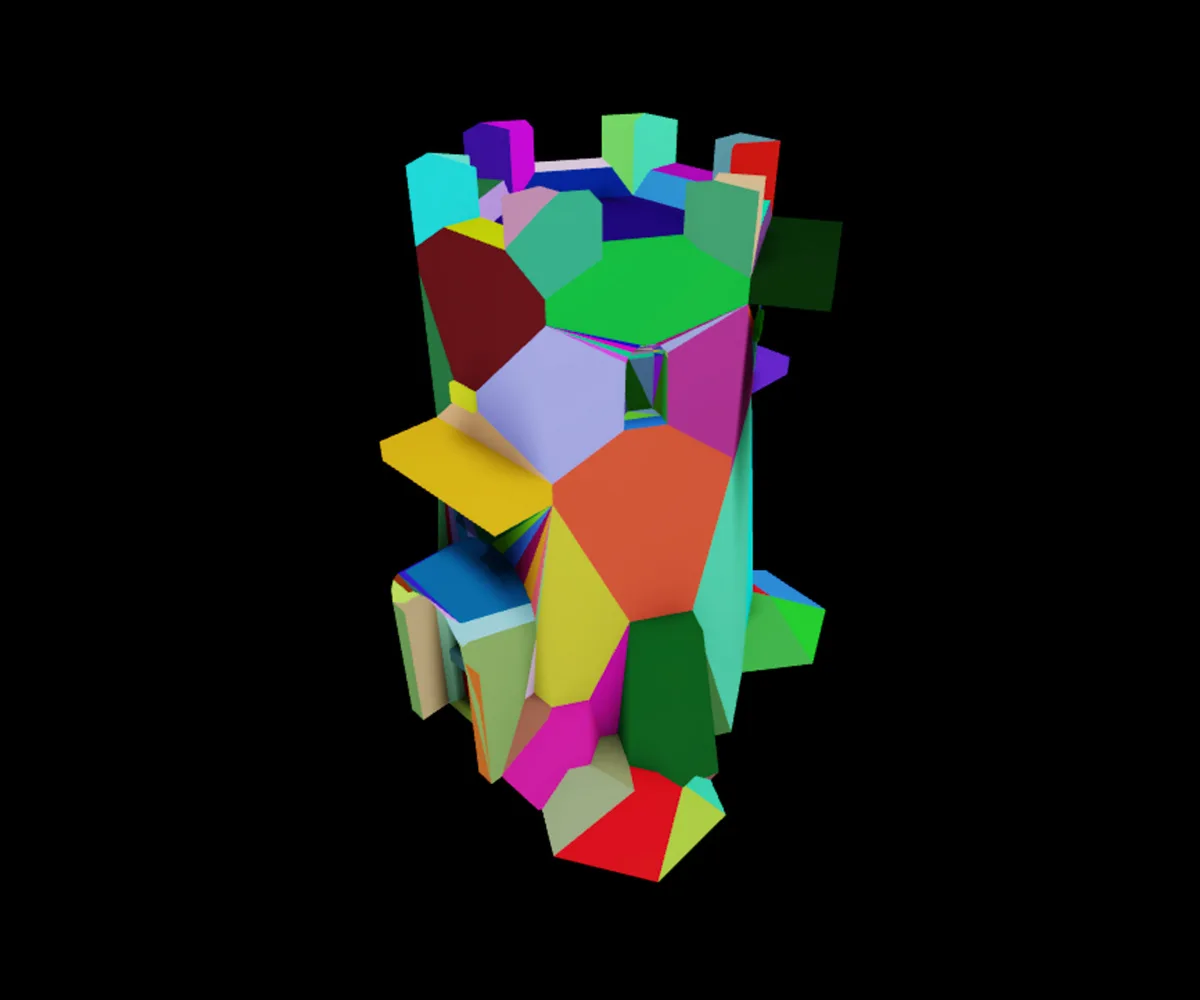
Hull is one convex piece. PreciseConvexDecomposition is dozens, and a hit that lands across several of them can come back as several summaries for the same pair in one substep.
The practical rule: the length of the array is not a hit count. Reduce it before you act on it. Take the strongest contact in the callback, or the strongest per Part1, and sort by Time only when order matters.
The Normal field, described two ways
This is the field to be careful with, because Roblox's pages do not agree on it.
- The Collisions guide (added to Roblox's docs on October 9) says the normal "always points away from
Part0." Its sample computes impact speed asRelativeVelocity:Dot(Normal)and reacts when that value is greater than 10. The October 6 announcement gives the same rule and the same test. - The
BasePartreference (added October 7) says only that the normal is "oriented relative to the subscribed part," flipped for each side when both parts are subscribed, and describes "the magnitude of its projection ontoNormal" as the head-on speed "at which the two parts are approaching or separating."
Work the guide's two definitions through and they fight the guide's own sample. Take a floor as Part0 and a ball falling onto it as Part1. A normal pointing away from the floor points up, toward the ball. The ball's velocity relative to the floor points down. Their dot product is negative, so a real impact fails a > 10 test. Swap which part is subscribed and the sign comes out negative again. Under those two definitions, any approaching contact gives a negative dot product, and the sample only fires if the normal actually points the other way.
The thread suggests it is not consistent in practice either. On October 7 a developer reported dropping a block and then a ball onto the same anchored floor and getting a normal of (0, 1, 0) for the block and (0, -1, 0) for the ball, with nearly the same RelativeVelocity both times, so the dot product came out positive for one hit and negative for the other. They said the server and the client behaved the same. A Roblox staff member replied, "For the normal thing, thanks for the report." No clarification had appeared in the thread as of October 10.
So use the magnitude, which is what the reference describes and which the sign question cannot break:
local function speeds(summary: CollisionSummary): (number, number)
	local along = summary.RelativeVelocity:Dot(summary.Normal)
	local headOn = math.abs(along)
	local sliding = (summary.RelativeVelocity - summary.Normal * along).Magnitude
	return headOn, sliding
end
The sliding (tangential) component is safe as well. Flip the normal and Normal * along stays exactly the same, because both factors change sign. When you need a direction, such as which side of a car took the hit, derive it from Point rather than from the normal's sign.
If you need the normal itself, say to aim a spark spray, the same developer posted the workaround they were using: flip it so it points toward Part0's centre.
local function normalTowardPart0(summary: CollisionSummary): Vector3
	local normal = summary.Normal
	if (summary.Part0.Position - summary.Point):Dot(normal) < 0 then
		normal = -normal
	end
	return normal
end
That test assumes the part's Position sits inside it, behind the surface that was hit, as it does for a block or a ball. On other shapes, a concave mesh especially, the centre can sit on or past the contact surface, so check it against your own geometry.
Head-on, sliding, and where it landed
With those two speeds, the seven fields cover the jobs Roblox's announcement lists: "impact audio, tire marks and scuffs, damage models weighted by where a hit landed, and combat hit detection that needs to know which part of a blade connected." Speeds are in studs per second, and the thresholds are yours to tune; Roblox publishes none beyond the sample's 10.
| You want | Read | How |
|---|---|---|
| An impact sound or a damage tick | Head-on speed | Act on the strongest contact above your threshold |
| Scrape sparks, tire marks, a grinding sound | Sliding speed | High sliding with low head-on means a glancing contact |
| Which side of the part was hit | Point | Part0.CFrame:PointToObjectSpace(summary.Point); negative Z is the part's front, the LookVector side |
| A flat landing versus a corner hit | Area | 0 means an edge or corner contact of fewer than three points |
| Something closer to a force | Head-on speed and mass | Multiply by AssemblyMass, which the reference treats as infinite for an assembly with an anchored part, so use the moving body's mass |
An effects script for a part the local client simulates, capped at one effect per tenth of a second so a long scrape does not spawn a new attachment every frame. It reuses speeds() and the CollisionSummary type from above:
-- LocalScript. EffectAttachment is an Attachment holding a ParticleEmitter
-- named Sparks and a Sound named Thud.
local ReplicatedStorage = game:GetService("ReplicatedStorage")

local effectTemplate = ReplicatedStorage:WaitForChild("EffectAttachment") :: Attachment

local HIT_SPEED = 15 -- studs per second head-on; tune for your game
local SCRAPE_SPEED = 10 -- studs per second sliding
local EFFECT_COOLDOWN = 0.1
local lastEffect = 0

local function effectAt(position: Vector3, playThud: boolean)
	local attachment = effectTemplate:Clone()
	attachment.Parent = workspace.Terrain
	attachment.WorldPosition = position
	local sparks = attachment:FindFirstChild("Sparks") :: ParticleEmitter
	sparks:Emit(12)
	if playThud then
		local thud = attachment:FindFirstChild("Thud") :: Sound
		thud:Play()
	end
	task.delay(2, attachment.Destroy, attachment)
end

local function onSummaries(summaries: { CollisionSummary })
	local now = os.clock()
	if now - lastEffect < EFFECT_COOLDOWN then
		return
	end
	for _, summary in summaries do
		local headOn, sliding = speeds(summary)
		if headOn >= HIT_SPEED or sliding >= SCRAPE_SPEED then
			lastEffect = now
			effectAt(summary.Point, headOn >= HIT_SPEED)
			return
		end
	end
end

-- Then bind it to a part this client owns:
-- somePart:BindToCollisionSummaries(onSummaries)
Emit() is the burst call from our particle effects guide, and an attachment-parented Sound plays from a single point, as the sound guide covers.
Summaries exist only where the physics runs
This is the rule that decides whether your callback fires at all. The reference: "Nothing is replicated. Each client generates summaries for the collisions it owns." The Collisions guide says the same at more length: summaries "are only generated on the network owner that runs the physics simulation, which can be a client or the server," and "if other clients need to know about a collision, process the summary and send only the data they need through your own remote event."
Put that next to who owns what. Roblox's network ownership page says the server always owns anchored parts, and that unanchored parts near a player's character are "more likely to become player-owned." Roblox's security documentation describes a client holding network ownership over parts "including their character." Put those together and the summaries for a player's character, or for a car whose driver's client is simulating it, are generated on that player's machine. A server Script subscribed to one of those parts should not expect summaries for it.
When a callback stays silent, check ownership first. Studio's Visualization Options menu, at the top right of the 3D viewport, has a Network owners toggle that outlines parts in green when your client owns them and is simulating them. Red means your client is simulating a part that something else still owns, and the docs tie summaries to the owner.

Not replicating was a deliberate choice. A Roblox staff member in the thread said the team "elected to not auto replicate this, to eliminate bandwidth overhead if you don't need to replicate." That differs from Touched, which the network ownership page says is "tied to network ownership, meaning that a client can fire Touched events on a BasePart it owns and send it to the server."
Crash damage the server can live with
Crash damage on a player-driven vehicle forces a choice, because the machine that sees the summaries is the driver's.
| Client reports, server validates | Server owns the vehicle | |
|---|---|---|
| Who gets the summaries | The driver's client | The server |
| How it drives | The driver simulates their own car, so input feels immediate | Roblox warns that SetNetworkOwner(nil) "may result in jittery physics interactions for clients" |
| Trust | The report is client data: cap it, rate-limit it, and check the sender owns the car | The server computes damage itself |
| Extra traffic | One remote per accepted hit | None |
If driving feel matters to your game, that points to the first column. On the client, subscribe the vehicle's colliding parts when the player sits in its VehicleSeat and report the strongest head-on hit. The report goes through a RemoteEvent named ReportImpact in ReplicatedStorage:
-- LocalScript in StarterPlayerScripts
local Players = game:GetService("Players")
local ReplicatedStorage = game:GetService("ReplicatedStorage")

local reportImpact = ReplicatedStorage:WaitForChild("ReportImpact") :: RemoteEvent
local player = Players.LocalPlayer

local REPORT_SPEED = 25 -- studs per second head-on before the server hears about it
local CLIENT_COOLDOWN = 0.5
local lastSent = 0
local connections: { RBXScriptConnection } = {}

local function onSummaries(summaries)
	local strongest = 0
	for _, summary in summaries do
		strongest = math.max(strongest, math.abs(summary.RelativeVelocity:Dot(summary.Normal)))
	end
	local now = os.clock()
	if strongest >= REPORT_SPEED and now - lastSent >= CLIENT_COOLDOWN then
		lastSent = now
		reportImpact:FireServer(strongest)
	end
end

local function unbindAll()
	for _, connection in connections do
		connection:Disconnect()
	end
	table.clear(connections)
end

local function onSeated(active: boolean, seatPart: BasePart?)
	unbindAll()
	if not (active and seatPart and seatPart:IsA("VehicleSeat")) then
		return
	end
	local vehicle = seatPart:FindFirstAncestorOfClass("Model")
	if not vehicle then
		return
	end
	for _, part in vehicle:GetDescendants() do
		if part:IsA("BasePart") and part.CanCollide then
			table.insert(connections, part:BindToCollisionSummaries(onSummaries))
		end
	end
end

local function onCharacter(character: Model)
	unbindAll()
	local humanoid = character:WaitForChild("Humanoid") :: Humanoid
	humanoid.Seated:Connect(onSeated)
end

player.CharacterAdded:Connect(onCharacter)
if player.Character then
	onCharacter(player.Character)
end
The script subscribes every colliding part because the reference describes the contacts "this part is involved in," meaning the part you bound, not its whole assembly. A bumper you did not subscribe reports nothing. It also assumes the seat sits directly inside the vehicle's model.
On the server, a Script inside the VehicleSeat hands ownership to the driver, using the Occupant pattern from Roblox's network ownership page, and then decides whether to believe the report:
-- Script inside the VehicleSeat
local Players = game:GetService("Players")
local ReplicatedStorage = game:GetService("ReplicatedStorage")

local reportImpact = ReplicatedStorage:WaitForChild("ReportImpact") :: RemoteEvent
local vehicleSeat = script.Parent :: VehicleSeat
local vehicle = vehicleSeat:FindFirstAncestorOfClass("Model") :: Model

local MAX_SPEED = 300 -- the hardest head-on hit, in studs per second, you treat as real
local COOLDOWN = 0.5 -- seconds between accepted reports
local DAMAGE_PER_SPEED = 0.2

local driver: Player? = nil
local lastAccepted = 0

vehicleSeat:GetPropertyChangedSignal("Occupant"):Connect(function()
	local humanoid = vehicleSeat.Occupant
	driver = if humanoid then Players:GetPlayerFromCharacter(humanoid.Parent) else nil
	if driver then
		vehicleSeat:SetNetworkOwner(driver)
	else
		vehicleSeat:SetNetworkOwnershipAuto()
	end
end)

reportImpact.OnServerEvent:Connect(function(player, speed)
	if player ~= driver or vehicleSeat:GetNetworkOwner() ~= player then
		return -- only the machine simulating this car can have seen the hit
	end
	if typeof(speed) ~= "number" or speed ~= speed then
		return -- not a number, or NaN
	end
	local now = os.clock()
	if now - lastAccepted < COOLDOWN then
		return
	end
	lastAccepted = now
	local damage = math.clamp(speed, 0, MAX_SPEED) * DAMAGE_PER_SPEED
	local health = vehicle:GetAttribute("Health") or 100
	vehicle:SetAttribute("Health", math.max(health - damage, 0))
end)
The ownership check is the line that matters. GetNetworkOwner() "returns the current player who is the network owner of this part," which is the only machine that can have generated the summary, so a report from anyone else is noise. The cap and the cooldown bound what a lying client can do. That is the same trust position Touched already put you in for client-owned parts, and Roblox's security guidance applies: "Assume every piece of data sent from the client has been manipulated, fabricated, or sent with malicious intent."
Roblox's security docs describe Server Authority, which moves simulation to the server, as "currently in beta and will be released soon." In the thread, a Roblox staff member said that under Server Authority "a collision will simulate on both client and server at the same time," so "both will populate collision summaries." That would remove the choice above, but it is not the default today.
Where Touched still wins
Touched / TouchEnded | BindToCollisionSummaries | |
|---|---|---|
| What you get | The other part | Time, both parts, Point, Normal, RelativeVelocity, Area |
| Delivery | An event when contact starts, another when it ends | One callback per frame with a batch |
CanCollide = false parts | Fire anyway; CanTouch is the switch | Produce no summaries |
| Network | Tied to network ownership; a client can fire it for parts it owns | Not replicated; generated only where the collision is simulated |
The third row is the one that keeps Touched alive. A checkpoint or pickup built as a CanCollide = false volume that players walk through still needs Touched, because the Collisions guide says Touched and TouchEnded fire "regardless of either part's CanCollide property value." Summaries need a real collision. For overlap checks that do not wait for an event, the GetTouchingParts reference itself points you to WorldRoot:GetPartsInPart().
Asked in the thread whether Touched will be deprecated, Roblox staff member qCecil2 answered: "Yes, at least I'd like that. I would recommend to not use touched." That is one staff member's preference, not an announcement. The Touched reference carried no deprecation notice as of October 10.
Lifecycle and cost rules
- Bind inside
Workspace. The method "throws an error ifcallbackisnil, or if the part is not a descendant ofWorkspace." On a streaming client, that means after the part has streamed in. - Destroying the part disconnects its subscriptions. Anything else, such as a vehicle you stop caring about, needs an explicit
Disconnect(), or you keep paying for it. Our memory leaks guide covers the pattern. - Cost follows subscriptions, not collisions. "Contact recording is enabled only while at least one subscription exists anywhere in the
Workspace, and the cost of it scales with the number of subscribed parts rather than with the total number of collisions in the scene." Asked about performance, a Roblox staff member said reporting is "relatively tiny" next to the cost of the collisions themselves. Subscribe the parts you need, not every part in the map. - Resting parts go quiet. Roblox's sleep system stops simulating assemblies that are neither moving nor accelerating; a linear velocity under 0.33 studs per second is one of its thresholds. Contacts between sleeping parts produce nothing until something wakes them.
- Bind from serial code. The method is tagged
Unsafefor thread safety, so a Parallel Luau worker has totask.synchronize()before calling it.
What is still unsettled
As of October 10, 2026, four days after launch:
- The Normal convention. The guide and the reference word it differently, and the thread holds an acknowledged report of the sign flipping between shapes. Use the magnitude until Roblox settles it.
- Non-colliding parts. Asked about
CanCollide = falseparts for custom character controllers, a Roblox staff member said "we can do a proper query API later" and, separately, that such an API is "not decided yet." - Terrain water. On October 7 a developer reported Studio crashing when this API met a body of Terrain water. The Roblox staff member who replied said they would "look into this crash first thing tomorrow." If your game is mostly water, test this before you depend on it.
- No built-in type. Until Roblox ships one, the
CollisionSummaryalias above is yours to maintain.
Quick Action Checklist
- Call
part:BindToCollisionSummaries(callback)once the part is inWorkspace, keep the returned connection, andDisconnect()it when you are done. - Compute head-on speed as
math.abs(RelativeVelocity:Dot(Normal)). Don't rely on the sign of the dot product until Roblox reconciles its two descriptions ofNormal. - Reduce each batch to the strongest contact. Expect several summaries per frame (Roblox staff call four typical at today's 240 Hz physics), plus extras from multi-hull meshes and Terrain.
- Use the sliding component for scrapes and
Pointin object space for hit location.Areaof0means an edge or corner contact. - Subscribe each part whose contacts you need. A summary describes the bound part, not its assembly.
- Run the subscription on the machine that owns the part. For player characters, and for vehicles handed to their driver with
SetNetworkOwner, that is the player's client. - Turn on Network owners in Studio's Visualization Options when a callback stays silent.
- Send only what other machines need through your own RemoteEvent, then check
GetNetworkOwner(), cap the value and rate-limit it on the server. - Keep
TouchedforCanCollide = falsetrigger zones; summaries don't fire for them. - Don't call it from a
Touchedhandler or from a parallel phase.
Frequently Asked Questions
What is BindToCollisionSummaries in Roblox?
How do I get the impact speed of a collision in Roblox?
Should I use BindToCollisionSummaries instead of Touched in Roblox?
Why doesn't BindToCollisionSummaries fire on the Roblox server?
Why do I get several collision summaries for one hit in Roblox?
Does BindToCollisionSummaries work on CanCollide false parts?
Which way does the Normal in a Roblox collision summary point?
Keep Reading
- Roblox Developer Forum — Collision Summaries API: Detailed Collision Data From The Engine (October 6, 2026, with Roblox staff replies)
- Roblox Creator Documentation — BasePart class reference: BindToCollisionSummaries, Touched, GetTouchingParts, AssemblyMass, GetNetworkOwner (official)
- Roblox creator-docs GitHub repository — source of the BasePart class reference, including the full BindToCollisionSummaries entry (official)
- Roblox Creator Documentation — Collisions: collision events, collision summaries and collision fidelity (official)
- Roblox Developer Forum — Weekly Recap: October 5 - October 9, 2026
- Roblox Creator Documentation — Adaptive timestepping: 240 Hz physics and worldsteps per frame (official)
- Roblox Creator Documentation — Sleep system and its velocity thresholds (official)
- Roblox Creator Documentation — Network ownership: automatic assignment, VehicleSeat example, visualization and Touched (official)
- Roblox Creator Documentation — Network ownership, movement validation and physics security; Server Authority beta (official)
- Roblox Creator Documentation — Security and cheat mitigation tactics (official)
- Roblox Creator Documentation — Humanoid class reference: Seated event (official)
Related Guides
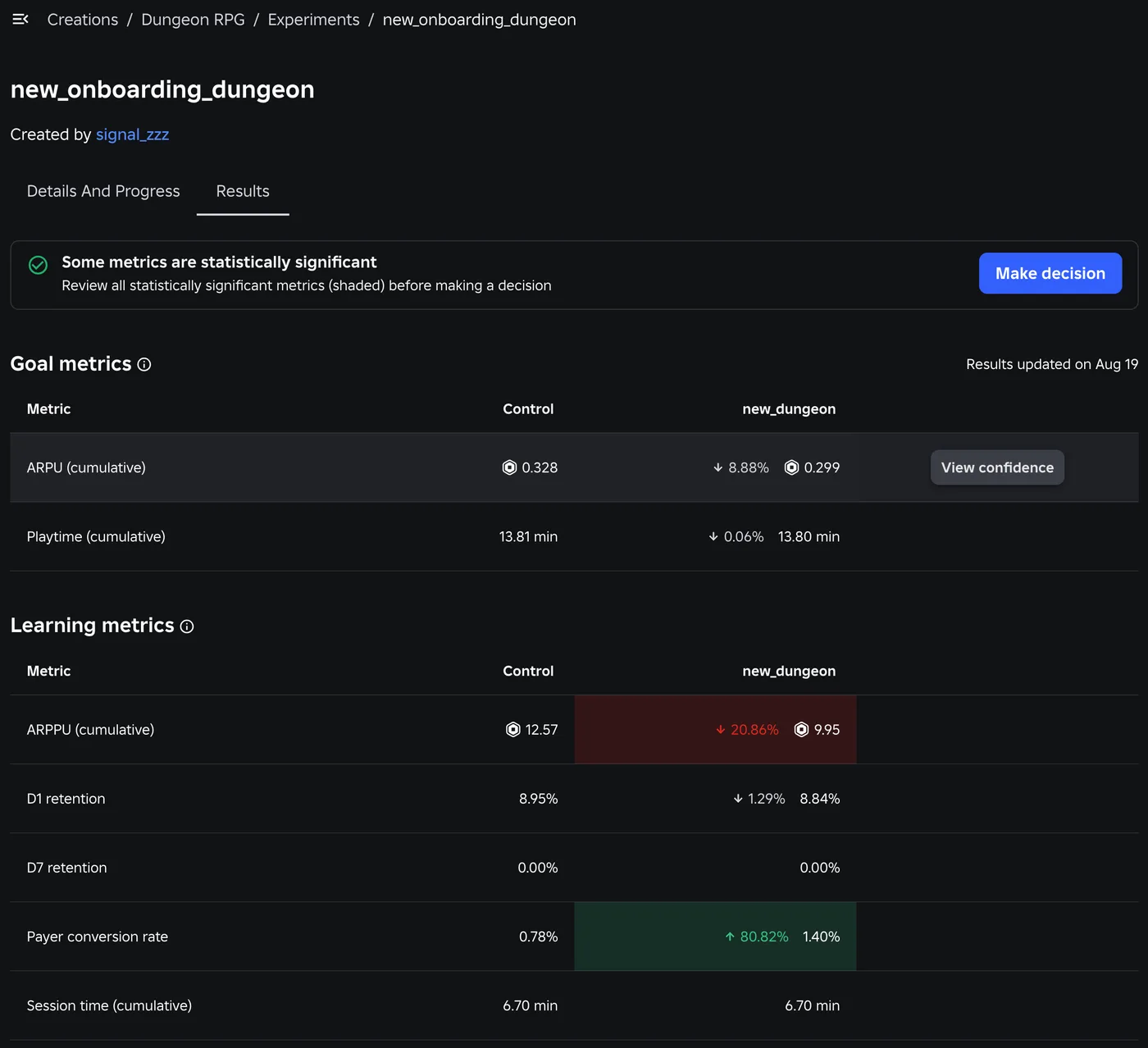
Roblox A/B Testing: Experiments and ConfigService Guide
Roblox has a built-in A/B testing system: configs hold the values, Experiments splits players between them, and since October 1, 2026 early harm detection watches the first 24 hours. Here is the rollout math, the one method call that decides who gets enrolled, the harm thresholds, and what Make decision actually does to your configs.
Roblox Animation Graph Editor: Blends and State Machines
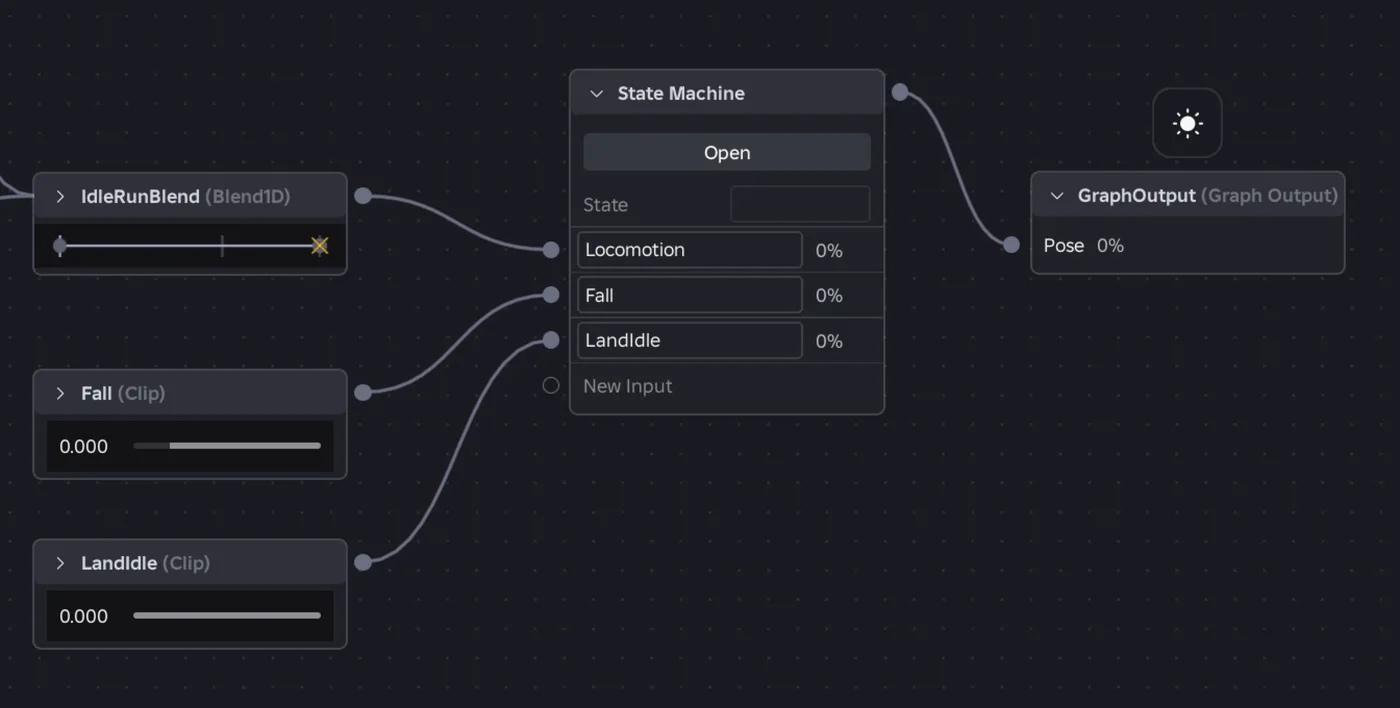
Animation graphs left beta on July 15, 2026, and on October 8 Roblox added State Machine nodes and Expressions as a Studio beta. Here is how a graph loads like any animation, what each of the 15 node types does, how SetParameter drives it, what the beta features can't do in a live game yet, and who runs the graph under each authority mode.
Roblox Localization: How to Translate Your Game
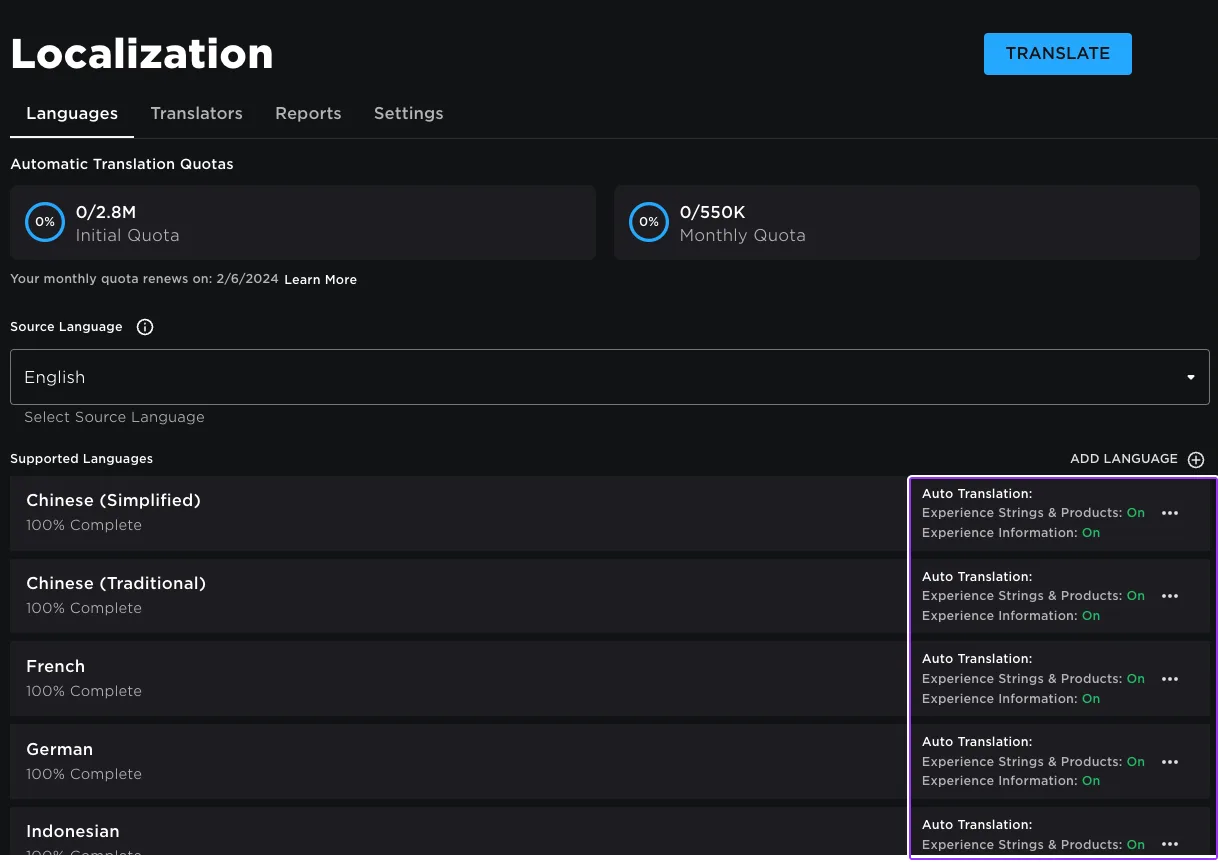
Since June 2026, any player can switch on Automatic Translations and read your game through Roblox's machine translator, whether or not you ever opened the Localization page. Here is what gets translated, how to stop it on text that should stay put, the five kinds of text automatic capture never sees, and the Translator and real-time APIs that cover the rest.
Roblox Ban API: BanAsync, Alt Accounts, Device Blocks
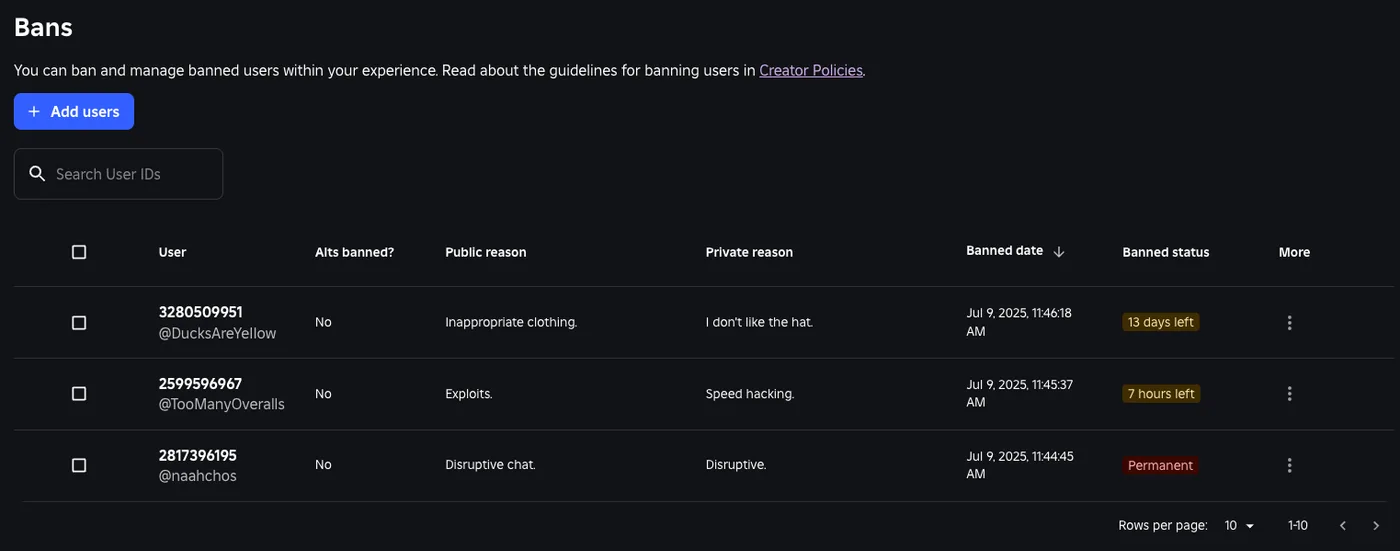
Player:Kick() drops someone from one server. Players:BanAsync() evicts them from every server, keeps them out for as long as you say, and bans their suspected alts by default. Here is every field in the config table, the scope rule that decides whether your unban does anything, the 24-hour device block only one unban path can lift, and why GetBanHistoryAsync fails in Studio.

Best Roblox Games to Play in 2026
Roblox's front page is engagement bait. This is the filtered version: the games with real, sustained player counts and actual staying power, sorted by what you're in the mood for.

How to Get Robux Safely (Legit Ways + Scams to Avoid)
There is no free Robux generator. There never was. Here are the actual legit ways to get Robux without overpaying, the earning methods that really work, and the scams that exist purely to steal your account.