Roblox A/B Testing: Experiments and ConfigService Guide
Roblox has a built-in A/B testing system: configs hold the values, Experiments splits players between them, and since October 1, 2026 early harm detection watches the first 24 hours. Here is the rollout math, the one method call that decides who gets enrolled, the harm thresholds, and what Make decision actually does to your configs.
You shipped a new onboarding dungeon on Tuesday and day-one retention went up on Wednesday. Was that the dungeon, a seasonal bump, a recommendation spike, or noise? A chart can't tell you. A controlled test can, and Roblox has had one built in since November 6, 2025, when it opened configs and experiments to every creator.
Configs let you change values in a live game without publishing a new version. Experiments split players between those values, track seven metrics for each group, and mark which differences are statistically significant. On August 24, 2026 Roblox added targeting and an Open Cloud API, and on October 1 it shipped early harm detection, which checks a new experiment every 5 minutes for its first 24 hours and flags a variant that is badly hurting playtime, revenue per player or payer conversion.
Our AnalyticsService guide covers recording what happens in your game. This one covers proving what caused it. One rule decides who an in-game experiment measures: a player is enrolled when your server calls GetValue on a player-specific config snapshot. Call it too early and the test fills with players who never saw the change. Read the key through the wrong method and nobody is enrolled at all.
Experiments are built on configs
An in-game experiment doesn't hold values of its own. It varies a config, a key-value pair you create on your game's Configs page in Creator Hub or in Studio under File ⟩ Open Configs. A config holds a string, number, boolean or JSON object, and your server reads it by key where it would otherwise use a hard-coded constant:
local ConfigService = game:GetService("ConfigService")

local snapshot = ConfigService:GetConfigAsync()
local bossHealth = snapshot:GetValue("bossHealth") -- nil if the key doesn't exist
Six rules from the configs documentation, the ConfigService and ConfigSnapshot references and the launch thread shape everything that follows:
- Server only. The docs say calling
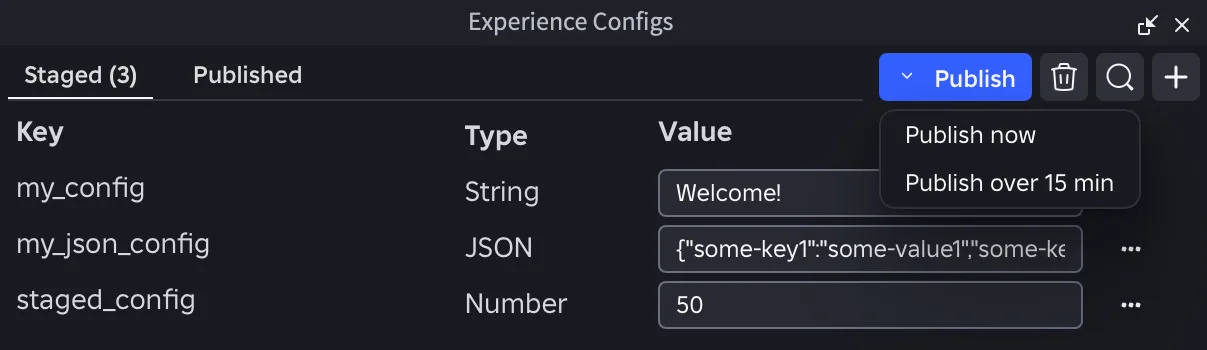
ConfigServicefrom a client script "results in an error." If the client needs a value, read it on the server and send it with a RemoteEvent. - Staged before published. A new or edited config is staged first, and staged changes reach you and your team in Studio play sessions, not live players. Publish now pushes it to everyone in "roughly between 15 seconds and 1 minute" per the docs, which add that clients "may take a few minutes" in some cases, or you can pick Publish over 15 min for a gradual rollout. The History page lists past changes, each with a Restore button.
- Snapshots are frozen in time. A
ConfigSnapshotholds the values from when you fetched it, and a publish does not change it. ItsUpdateAvailableevent fires when newer values exist,Refresh()pulls them in, andGetValueChangedSignal(key)fires after a refresh changes that key. Roblox's reason is a shooter that shouldn't have weapon stats shift mid-match. - It can fail on the first fetch. The docs say
GetConfigAsyncthrows when configs fail to load and have never been loaded before. After a first success it returns the latest values it has while it reconnects. TheConfigSnapshot.Errorproperty readsLoadFailedwhen the service was unavailable, so check it, and wrap the first fetch inpcallwith a fallback value. - You can test without publishing.
ConfigService:SetTestingValue(key, value), from a server script or the Developer Console, overrides a key for the lifetime of that one server and doesn't spread to others.ClearTestingValue(key)removes it. Like a real publish, it firesUpdateAvailable, so refresh existing snapshots to see it. - Viewing and changing need different permissions. A Roblox staff reply in the launch thread (November 11, 2025) says the Configs and Experiments pages open with either Configure or View Analytics permission, but "any changes to a live running experience (publishing a config, updating experiments, etc) will require Publish permission."
| Config limit | Value |
|---|---|
| Active configs per game | 1,000 |
| String or JSON value | 100,000 characters |
| Number value | ±1.7976931348623157e+308, exact integers to ±2^53 |
| Targeting conditions per game | 100 |
| Targeting conditions per config key | 20 |
The launch post's FAQ recommends two habits: move values into configs before you need them, because you can only experiment on something that's already a config, and group related values into one JSON config as a namespace. Be careful combining those. A running experiment locks its config key, so you can't edit or delete it until the experiment completes, and the shortest planned duration is 14 days. If your boss health, drop rates and event start time share one JSON key and you test that key, none of them can change until the experiment ends. Give anything you plan to test its own key.
Rollout times split: who is actually in the test
Creating an experiment on your game's Experiments page asks for a type, a name, a goal metric, a planned duration, a percent rollout and the variants. The two percentages multiply, and that is the part to get right.
Rollout is the share of all your players who can enter the experiment. The split then divides those players between control and variants. Roblox's own example: a 40% rollout with a 50/50 split puts about 20% of your players in control and 20% on the variant. The other 60% are excluded. They get the control value "and have no impact on experiment results." A staff reply in the launch thread scales it down: with 100 players and a 10% rollout, 10 take part, 5 on control and 5 on the variant.
The two experiment types have different rules:
| In-game experiment | Matchmaking experiment | |
|---|---|---|
| What it varies | A config value | A custom matchmaking configuration |
| Variants | Control plus up to 2 | Up to 3, always split equally |
| Rollout advice | Your call; docs suggest simple 50/50 tests on large rollouts | "We highly recommend 100% rollout" |
| Code changes | Yes, see below | None |
| Targeting | Yes | No |
| Running at once | Launch FAQ: up to 10 | 1 per game |
| Duration | 14 to 60 days | 14 to 60 days |
The last step schedules it: start now, or pick a later date and time. Once an experiment is scheduled, its duration, rollout and variants are fixed. You can still reschedule it, but you can't edit it. Get the numbers right before you click.
Minimum detectable effect: whether to bother
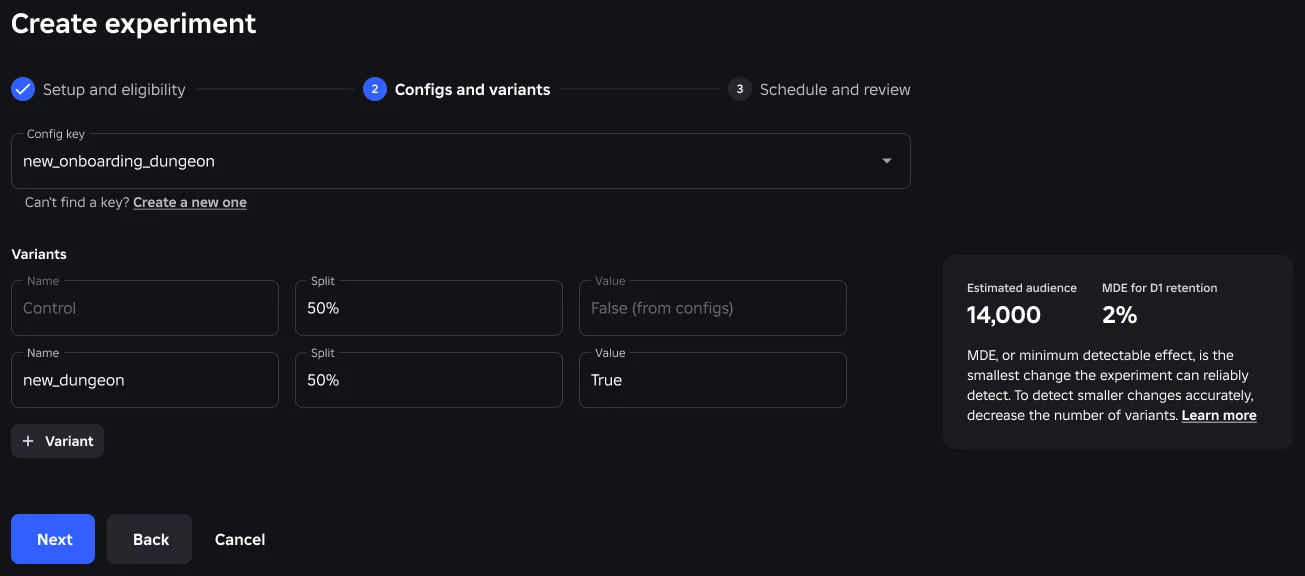
While you set up the split, Roblox shows a minimum detectable effect (MDE): "the smallest change in the selected metric that the experiment can reliably detect." It is calculated from your goal metric and the number of players per variant, which depends on your daily active users, rollout, duration and split. The screenshot above estimates a 14,000-player audience and a 2% MDE for D1 retention, so a change smaller than 2% would probably not register.
Read the MDE before anything else, because it tells you whether the test can succeed:
- An MDE above 100% means you are unlikely to reach significance, per the docs.
- Fewer variants buys a smaller MDE. The setup panel itself says so: "To detect smaller changes accurately, decrease the number of variants." Every extra variant shrinks each group.
- A very low MDE (the launch post's example is under 0.01%) means you could run a shorter test or enroll fewer players.
Then there is the size of your game. The docs warn that "Games with fewer than 1,000 daily active users might struggle to get useful data from experiments." The launch post set the line at 500 and pointed smaller games toward written player feedback instead. Early harm detection has a floor too: it makes no harm calls until at least 10,000 players are enrolled across a variant and the control. A game with a few hundred daily players can still run an experiment, but the result will probably come back "not significant", and the game can't enroll 10,000 players inside the 24-hour harm window. For a game that size, growing the player base comes first.
Players enroll on the first GetValue
Matchmaking experiments need no code. In-game experiments need one change.
GetConfigAsync does not apply experiments. Its reference says so: "Experiments are not applied since there is no player context." To take part, a player needs a snapshot from GetConfigForPlayerAsync(player), which "applies all experiments running for the player." Then the docs set out the enrollment rules:
- The first
GetValue(key)call on that player's snapshot enrolls them in the experiment "for that key and that key only." - Every later call returns the same control or variant for the rest of the experiment. "Only the first call is random."
- Enrollment isn't limited to new players. Someone who has played for a year can be enrolled.
- If the key has no running experiment,
GetValuereturns the normal config value, ornilif there isn't one.
So an in-game experiment on a key your scripts read only through GetConfigAsync never enrolls anyone. The other way to break it is calling GetValue on PlayerAdded for a feature only part of your audience reaches. The docs warn that calling it too early enrolls "players who never interact with the part of the game you're experimenting on," and those players dilute the result. Read the key at the moment the feature is used:
-- Server Script: enroll a player only when they actually open the shop
local ConfigService = game:GetService("ConfigService")
local ReplicatedStorage = game:GetService("ReplicatedStorage")

local shopOpened = ReplicatedStorage:WaitForChild("ShopOpened") -- RemoteEvent
local DEFAULT_LAYOUT = "classic"

shopOpened.OnServerEvent:Connect(function(player)
	local layout = DEFAULT_LAYOUT

	local ok, snapshot = pcall(function()
		return ConfigService:GetConfigForPlayerAsync(player)
	end)

	if ok and snapshot.Error == Enum.ConfigSnapshotErrorState.None then
		-- The first GetValue for this key is the enrollment moment
		layout = snapshot:GetValue("shopLayout") or DEFAULT_LAYOUT
	end

	shopOpened:FireClient(player, layout)
end)
You don't have to cache the snapshot yourself. A staff reply in the launch thread says you can call GetConfigForPlayerAsync "however many times you'd like," because Roblox prefetches and stores the values.
Custom enrollment is the same idea taken further. If a test only makes sense for players in a certain in-game state, such as Roblox's example of a new control scheme for players who have won at least 20 races, check that state first and call GetValue only for players who pass. Players who don't qualify never touch the key and are never enrolled. If the variant has to persist across sessions, save it in the player's DataStore entry. The docs suggest exactly that.
Targeting runs before your config rules
Since August 24, 2026, configs can be conditional, giving different values to players who match rules, and in-game experiments can be targeted at players who match the same kinds of rules. Roblox says these attributes share their definitions with the filters and breakdowns on the analytics dashboard:
| Attribute | What it describes |
|---|---|
| Country | The player's location |
| Language | The player's language setting |
| New vs returning | First time in your game or not |
| Source | How they found your game, such as a home recommendation, search or a sponsored ad |
| When user first played | Days since their first session in your game, such as 0–30 or 31–90; calculated daily |
| In-experience active payer status | Their spending in your game; calculated daily |
| In-experience activity status | New, active, lapsed or reactivated in your game; calculated daily |
| User engagement | How much they play your game each week; calculated daily |
| Platform spender status | Whether they are an active spender anywhere on Roblox; calculated daily |
| Platform activity status | How recently they played anywhere on Roblox; calculated daily |
Our AnalyticsService guide covers GetPlayerSegmentsAsync, which reads segments such as payer status, first-played window and platform spender status in a script. Conditional configs and targeting use segments like those without your script reading them. Five rules from the docs decide how it behaves:
- Experiments resolve first. For a key with a running experiment, a player gets the experiment value if they are targeted and enrolled, then the first matching config condition, then any later matching condition, then the default. The control group gets whatever your normal config rules would give them. Only one experiment can run on a key at a time.
- Targeting is copied. You can reuse a condition from your configs, but the experiment keeps its own copy, so editing the original later doesn't change who the experiment targets.
- Eligibility is checked every session. A player who stops matching falls back to your normal config rules in their next session, but their data stays with the group they were enrolled in. The docs' example: a player enrolled on day 0 still counts toward D7 retention even if they stop matching the targeting by day 4. If the test needs continuity, such as a multi-session onboarding flow, persist the value yourself.
- Everything locks at start. After the experiment starts you can't change its targeting rules, control value or variants, or the conditional rules its key uses. Global conditions the key references are locked too and can't be edited, deleted or reordered relative to each other. The lock lifts when the experiment completes.
- Narrow targeting raises the MDE. Roblox recalculates the MDE for the estimated matching audience. Targeting a small segment can push the MDE out of reach.
The first 24 hours: early harm detection
Before October 1, a new experiment showed nothing for about a day. Now three metrics update every 5 minutes for the first 24 hours, or until the first daily results arrive, and Roblox checks each one against a fixed harm threshold:
| Metric | Early harm threshold |
|---|---|
| Playtime | -10% |
| ARPU (average revenue per user) | -20% |
| Payer conversion rate | -20% |
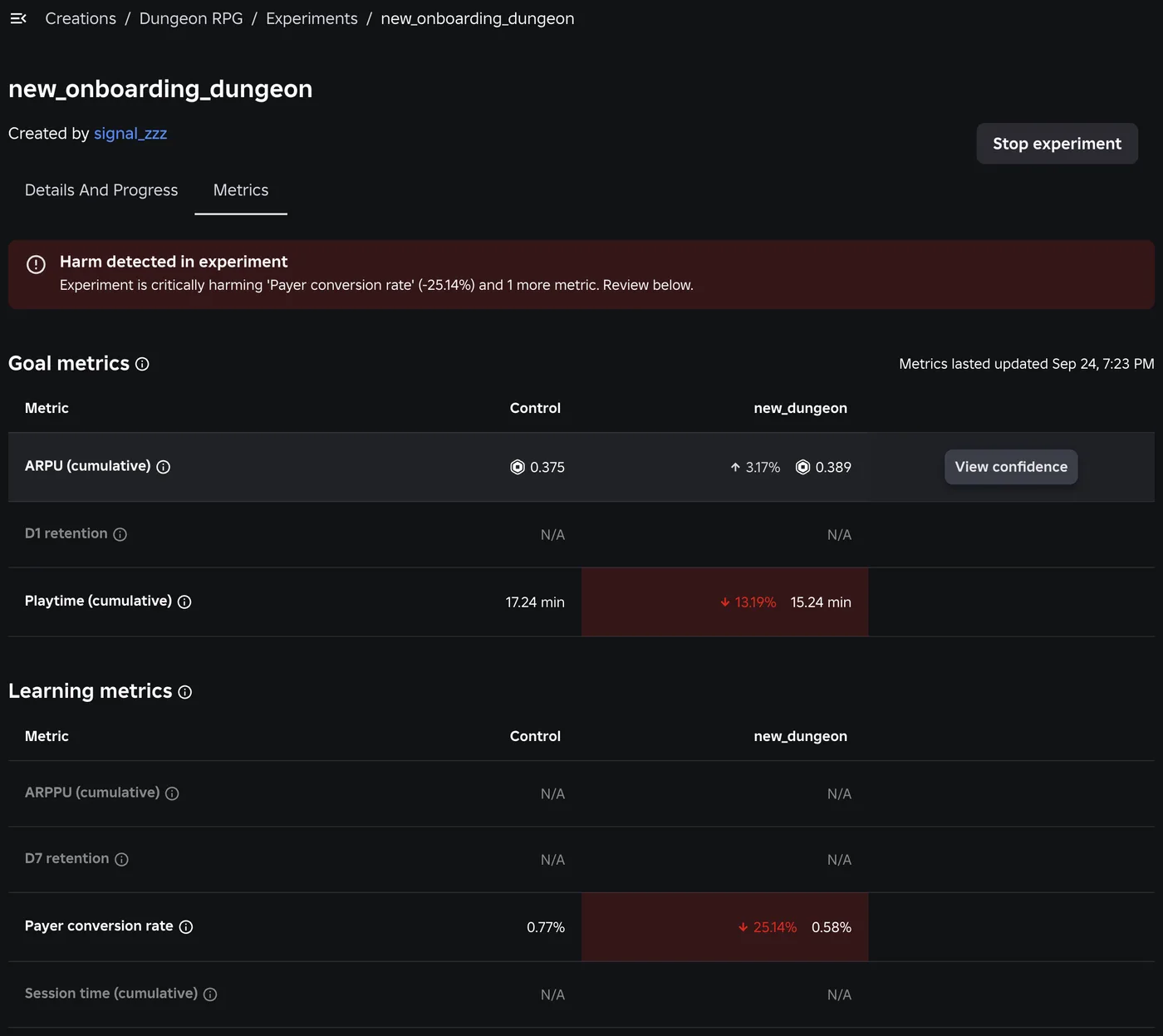
A metric is flagged only if its entire confidence interval is below the threshold, and the estimate alone isn't enough. During this window the test only looks for harm, so the interval has an upper bound and no lower bound. Roblox's documented example shows the difference. Playtime at -12.67% with an upper bound of -2.73% is not flagged, even though the estimate is past -10% and the whole interval is below zero, because part of the interval sits above -10%.
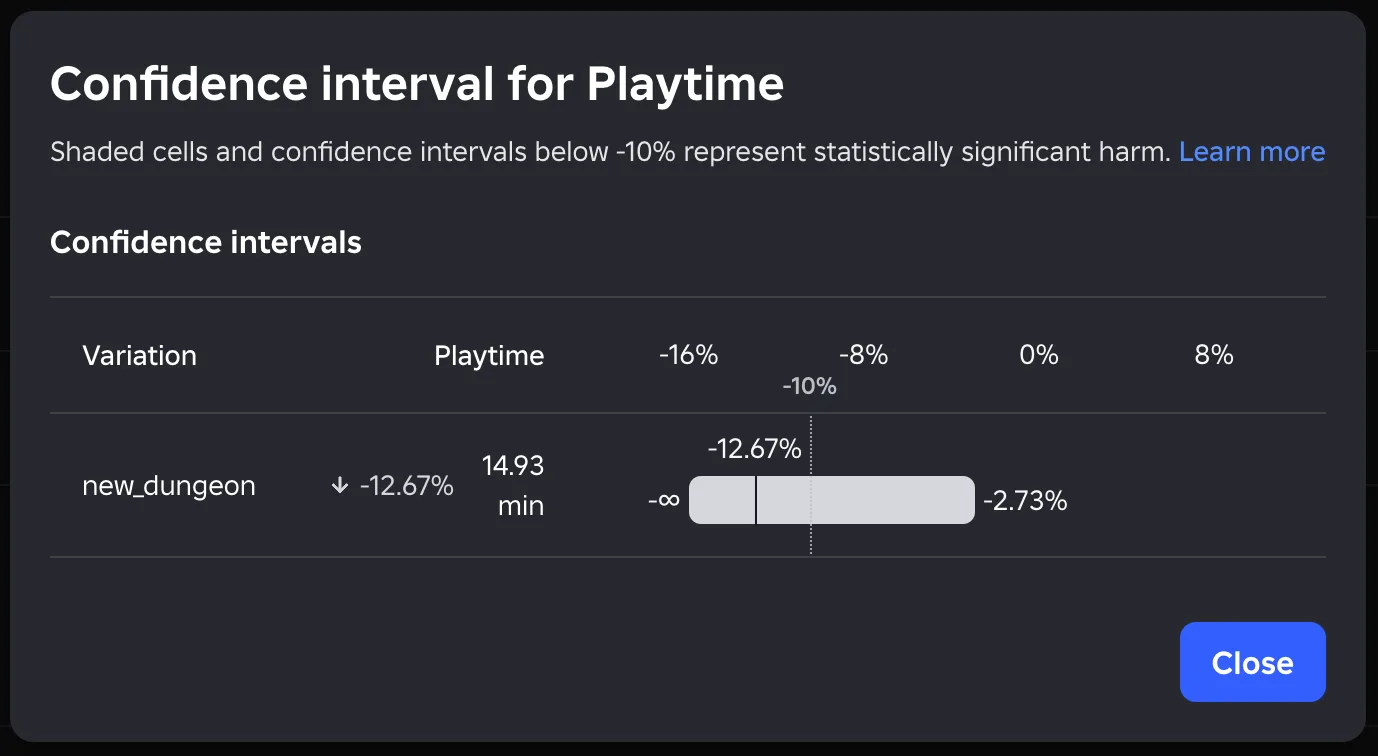
When a metric is flagged, the game owner and the experiment's owner get a notification by email and in the Creator Hub notification tray, plus an optional webhook if you set one up. You then decide whether to stop. Below 10,000 enrolled players across a variant and the control, Roblox still shows the lifts but makes no harm calls.
The same window covers sample ratio mismatch (SRM), when players aren't landing in groups in the proportions you set. SRM is checked every 5 minutes for the first 24 hours, then daily, and shows as a banner on the Results tab. Roblox's advice is to stop and restart, because an experiment with SRM can't be trusted.
Treat early harm detection as an emergency brake. Roblox's announcement says it is "only meant to help you decide whether to stop an experiment early" and "not meant for launch decisions." A variant that looks good in the first 24 hours hasn't proven anything yet.
Reading the daily results
From 24 hours in, the Results tab updates once a day. The Details And Progress tab shows the enrollment count for each group, and the docs say to use it to confirm the experiment is working, "not for taking action." Every experiment tracks the same seven metrics, whichever one you picked as the goal:
| Metric | What Roblox measures | Early harm check |
|---|---|---|
| D1 retention | New players who returned after one day | No |
| D7 retention | New players who returned after one week | No |
| Playtime | Average time in your game, cumulative per player for the whole experiment | Yes |
| ARPU | Revenue divided by players, cumulative | Yes |
| ARPPU | Revenue divided by paying players, cumulative | No |
| Payer conversion rate | Players who bought a game-related item, cumulative | Yes |
| Session time | Playtime divided by sessions, cumulative | No |
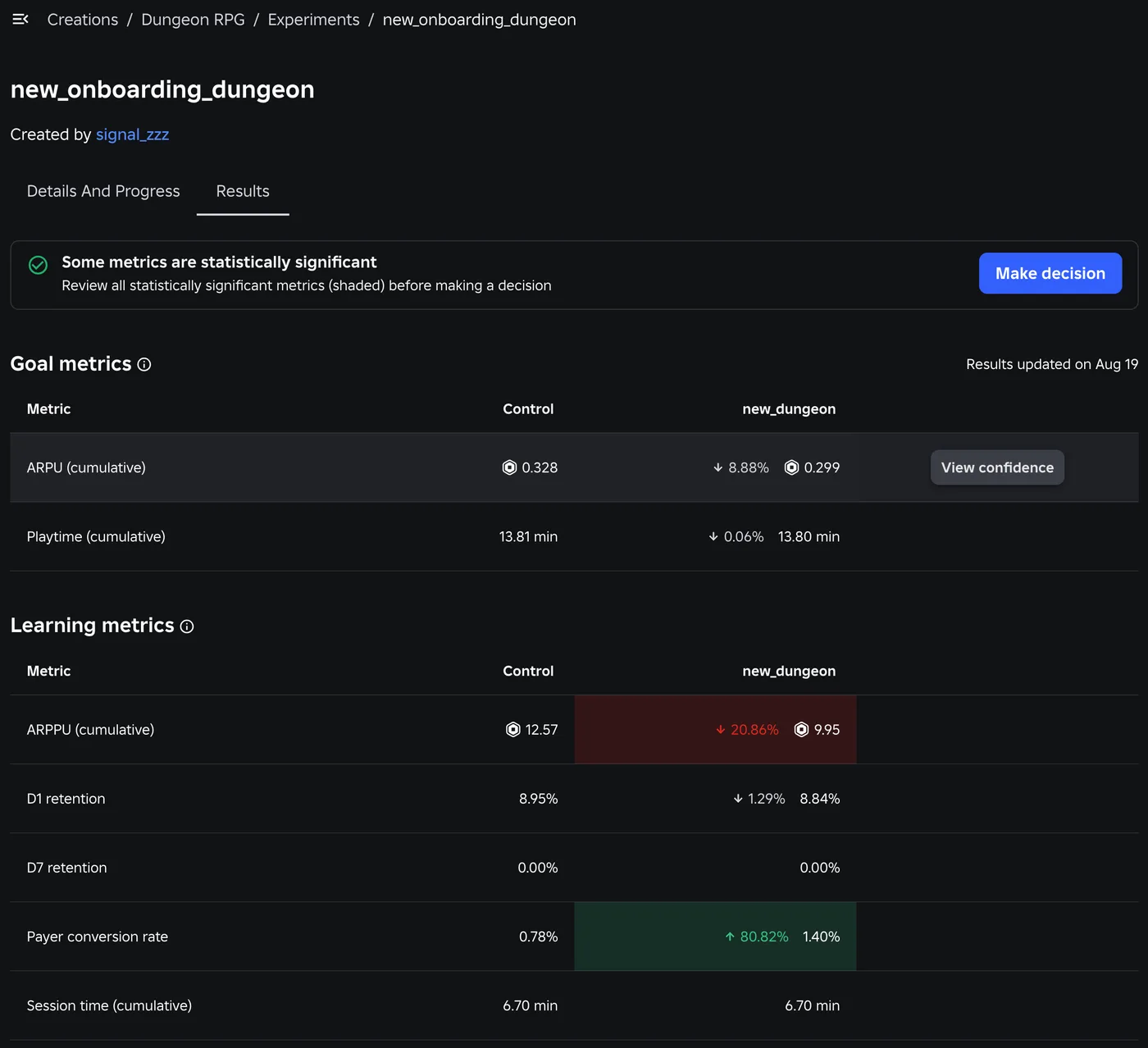
A result is statistically significant when the confidence interval for its percent change doesn't include 0%, and the dashboard shades it green or red. The docs' example: ARPU up 2.37% with bounds of 0.55% and 4.19% is significant, because the whole range is above zero. Hover a metric and click View confidence to see the interval.
Roblox's own sample result shows the hard part. The new dungeon lifted payer conversion 80.82%, from 0.78% to 1.40%, while revenue per paying player fell 20.86%. Neither goal metric moved significantly. More players paid, each paid less, and total revenue per player showed no significant change. That is a real trade-off, and Roblox's guidance is that you weigh it yourself. Statistical significance "deals in probabilities, not certainties," and the docs ask you to balance it against player feedback and your plans for the game.
The other rules for reading results:
- Run the full duration. Novelty effects can push early results in and out of significance. The launch FAQ says it is "normal for results to swing back and forth" early on.
- Treat a non-significant result as no change. A big lift that isn't shaded can't be trusted until more data says otherwise.
- Don't ship content mid-test. Updates can change player behaviour even when they look unrelated, and two experiments running together can interact. The launch post's example is testing higher player health and higher weapon damage at the same time, where a player enrolled in both gets both changes.
- Players aren't told. The launch FAQ confirms players get no notification that they are in an experiment, because knowing could change how they react.
Make decision rewrites your configs
The Experiments page shows each test as Draft, Scheduled, Running, Decision needed or Completed. Decision needed means the experiment reached its decision date. An in-game experiment completes on its own 14 days after that date, and a matchmaking experiment completes immediately. You can also stop one manually.
Make decision starts a guided rollout. Roblox shows warnings about significance and duration, then asks you to pick a winning variant or keep the control. What happens next depends on your choice:
| Your choice | What Roblox does to your configs |
|---|---|
| Control | Nothing changes |
| Untargeted variant | The variant becomes the key's new default. Every other condition on that key is removed, though the conditions stay in your global list |
| Targeted variant | The winning rule is merged into your permanent config. Roblox overwrites an identical top condition if there is one, otherwise adds a matching global condition, otherwise promotes one, and otherwise creates a new global condition ranked one above the highest one the config uses |
Two things to check afterwards. The untargeted case removes any other conditions you had on that key, so re-add them if you still need them. And if you had staged changes on the config when the experiment completed, Roblox says it stashes them and restores them "on a best-effort basis," so confirm they came back. You can click Change winner if you change your mind.
Running experiments from Open Cloud
Since August 24, 2026 the same experiments are available over Open Cloud, for teams that want them in a dashboard or a release pipeline. Everything lives under one base path:
https://apis.roblox.com/creator-configs-public-api/v1/experimentation/universes/{universeId}
The Open Cloud guide sets out these rules:
- Scopes. Reading (Get, List, stats) needs
universe:read. Create, Update, Discard, Start, Schedule and Complete needuniverse:write. Keep the API key out of your place files. Our HttpService guide covers secrets. - Writes return an operation, not a result. Each write returns an
operationId. Poll/operations/{operationId}untildoneistrue, and the result or a structured error is in that response. - A create body includes
exposurePercent(the rollout),durationSeconds, auniverseGoalMetric, and variants with aweighteach. Exactly one variant must haveisBaseline: true. A new experiment starts inEXPERIMENT_STATE_DRAFT, wherePATCHreplaces its editable fields andDELETEremoves it. After:startor:schedule, its configuration can't be edited, only rescheduled. /statsis a health check, not your results. The guide's sample response has one field,isSrmDetected, available once the experiment has run 24 hours.:completetakes an optionalvariantId. Pass the winner's ID to make its value the new published config. Leave it out to stop without a winner, and the config goes back to its previous value. Variant IDs are only assigned once the experiment is running.
universeGoalMetric value | Measures |
|---|---|
UNIVERSE_EXPERIMENT_METRIC_AVERAGE_SESSION_TIME | Average session time, minutes |
UNIVERSE_EXPERIMENT_METRIC_PLAYTIME_PER_USER | Total playtime per user, minutes |
UNIVERSE_EXPERIMENT_METRIC_DAY_1_RETENTION | D1 retention |
UNIVERSE_EXPERIMENT_METRIC_DAY_7_RETENTION | D7 retention |
UNIVERSE_EXPERIMENT_METRIC_PAYER_CONVERSION_RATE | Payer conversion rate |
UNIVERSE_EXPERIMENT_METRIC_AVERAGE_REVENUE_PER_USER | ARPU |
UNIVERSE_EXPERIMENT_METRIC_AVERAGE_REVENUE_PER_PAYING_USER | ARPPU |
Where the launch post and the docs disagree
Roblox's November 2025 launch post, its August 2026 update and its current documentation don't line up on five points:
| Topic | Launch post (Nov 6, 2025) | Current docs (Oct 2026) |
|---|---|---|
| How fast a config publish goes live | "within 5 minutes" | "roughly between 15 seconds and 1 minute," though clients "may take a few minutes" in some cases |
| Game size needed | Under 500 DAU, "you likely have to grow your user base first" | Under 1,000 DAU "might struggle to get useful data" |
| When results first show | "typically shows up within 24-48 hours" | Harm metrics every 5 minutes from the start; daily results after 24 hours |
| In-game experiments running at once | "up to 10 in-game and 1 matchmaking" | Only the one-matchmaking cap is listed, including in the Open Cloud limits table |
| Segmented results | Not in the launch post; listed as "coming soon" in the August 24, 2026 update | No section on segmented results in the Experiments docs as of October 25 |
The results timing has a known cause: early harm detection was added on October 1, 2026. The sources don't explain the others, so plan around the stricter figure in each case. Allow up to 5 minutes for a config publish to land, assume you need 1,000 daily players for useful results, and treat 10 running in-game experiments as the cap until Roblox says otherwise.
Quick Action Checklist
- Move values you might want to test into configs now, and give anything you plan to test its own key, not a slot in a shared JSON config
- Read config values on the server only, wrap the first
GetConfigAsyncinpcall, and checksnapshot.Error - Remember snapshots don't update themselves: handle
UpdateAvailableand callRefresh()where a mid-session change is safe - For an in-game experiment, read the key with
GetConfigForPlayerAsync(player), neverGetConfigAsync - Call
GetValueat the moment the player reaches the feature, not onPlayerAdded - Check the MDE before scheduling; if it is above 100%, a significant result is unlikely, and Roblox warns games under 1,000 daily players may struggle to get useful data
- Remember that rollout and split multiply: 40% rollout at 50/50 means 20% of players per group
- Double-check duration, rollout and variants before scheduling, because none of them can change afterwards
- Watch the first 24 hours for harm flags and the SRM banner; stop and restart on SRM
- Make launch decisions only from daily results after the full duration, and only on shaded metrics
- After Make decision, re-check the key's conditions and any staged changes Roblox stashed
Frequently Asked Questions
How do I A/B test a change in my Roblox game?
Why is nobody being enrolled in my Roblox experiment?
How many players does a Roblox experiment need?
What is early harm detection in Roblox experiments?
Can I change a Roblox config while an experiment is running on it?
What happens to my Roblox config when I pick an experiment winner?
Keep Reading
- Roblox Creator Documentation — Experiments (official)
- Roblox Creator Documentation — Experience configs (official)
- Roblox Creator Documentation — Open Cloud experiments guide (official)
- Roblox Creator Documentation — ConfigService class reference (official)
- Roblox Creator Documentation — ConfigSnapshot class reference (official)
- Roblox Creator Documentation — ConfigSnapshotErrorState enum (official)
- Roblox Developer Forum — [Live now] Use configs and experiments to grow your game faster (November 6, 2025)
- Roblox Developer Forum — Evolving Experiments and Analytics: Segmentation, Experiment Targeting, Early Access Program, and More (August 24, 2026)
- Roblox Developer Forum — New OpenCloud APIs for Analytics, Events, Experiments, and Thumbnail Personalization (August 24, 2026)
- Roblox Developer Forum — Experiments: Catch Experiment Regressions Faster with Early Harm Detection (October 1, 2026)
Related Guides
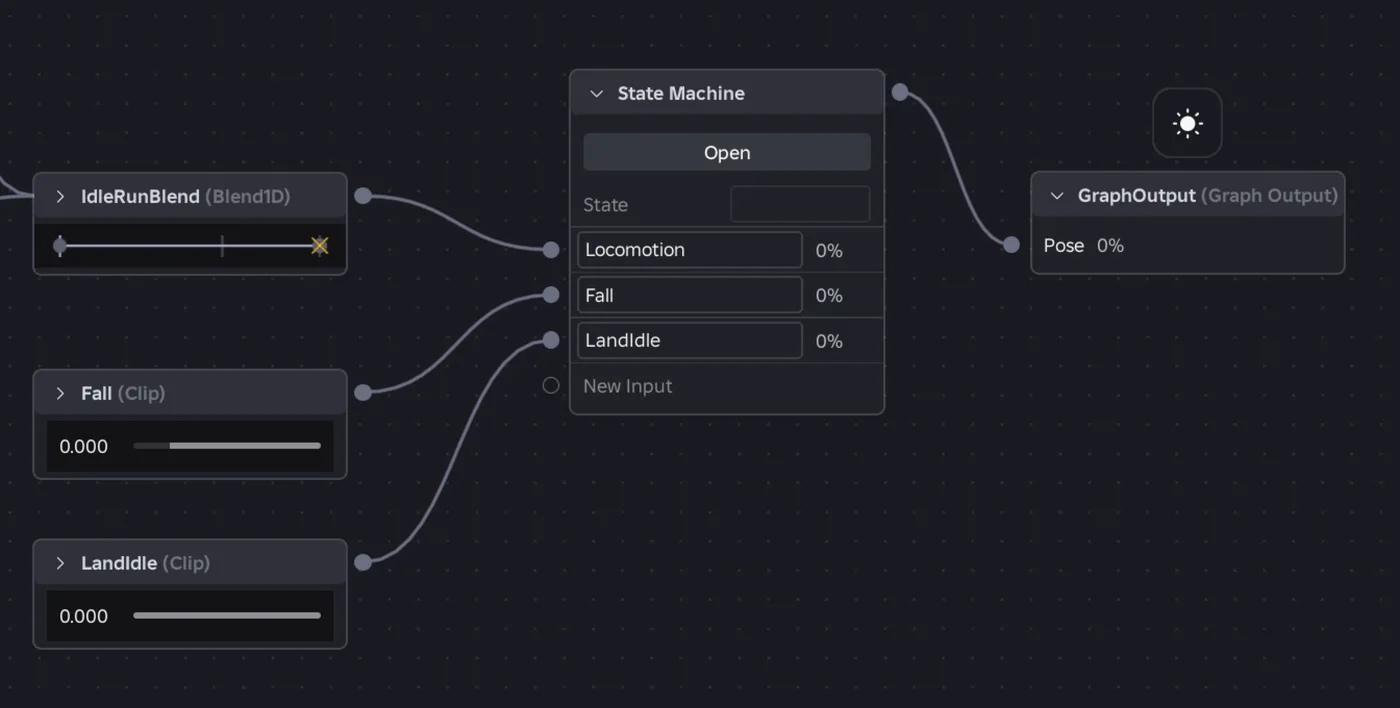
Roblox Animation Graph Editor: Blends and State Machines
Animation graphs left beta on July 15, 2026, and on October 8 Roblox added State Machine nodes and Expressions as a Studio beta. Here is how a graph loads like any animation, what each of the 15 node types does, how SetParameter drives it, what the beta features can't do in a live game yet, and who runs the graph under each authority mode.
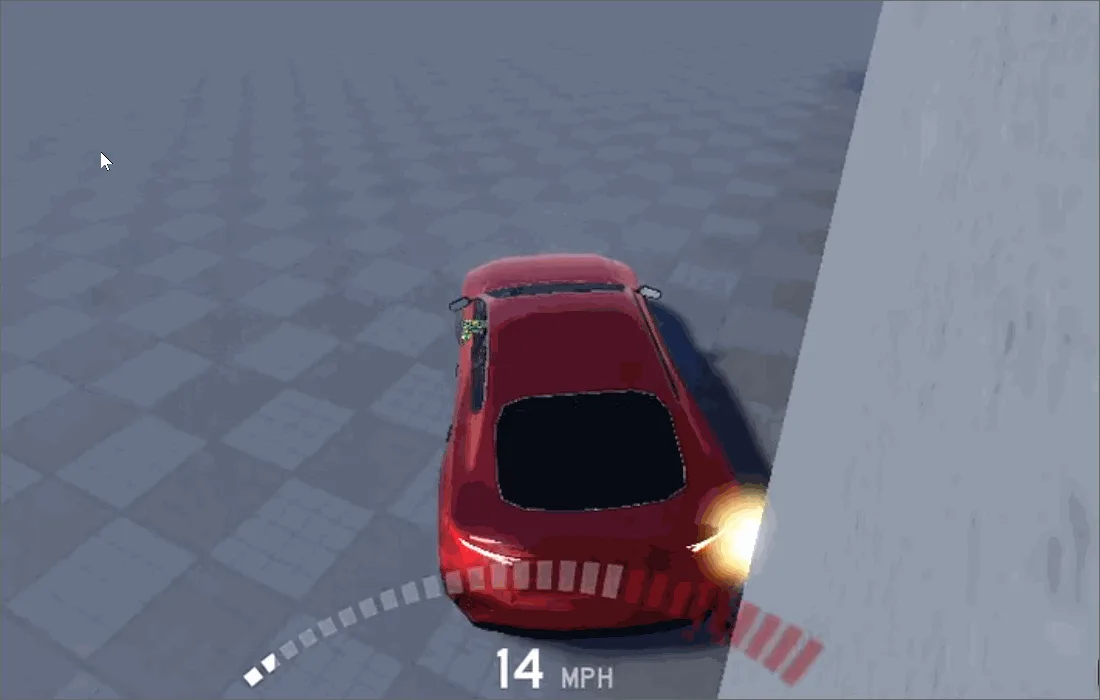
Roblox Collision Summaries: Impact Speed, Point and Normal
Touched tells you what your part hit. BindToCollisionSummaries, live since October 6, 2026, tells you where, from which direction and how hard. Here are the seven fields, why one bump arrives as several summaries, the Normal field Roblox's own pages describe two ways, and the network-ownership rule that decides which machine sees a summary at all.
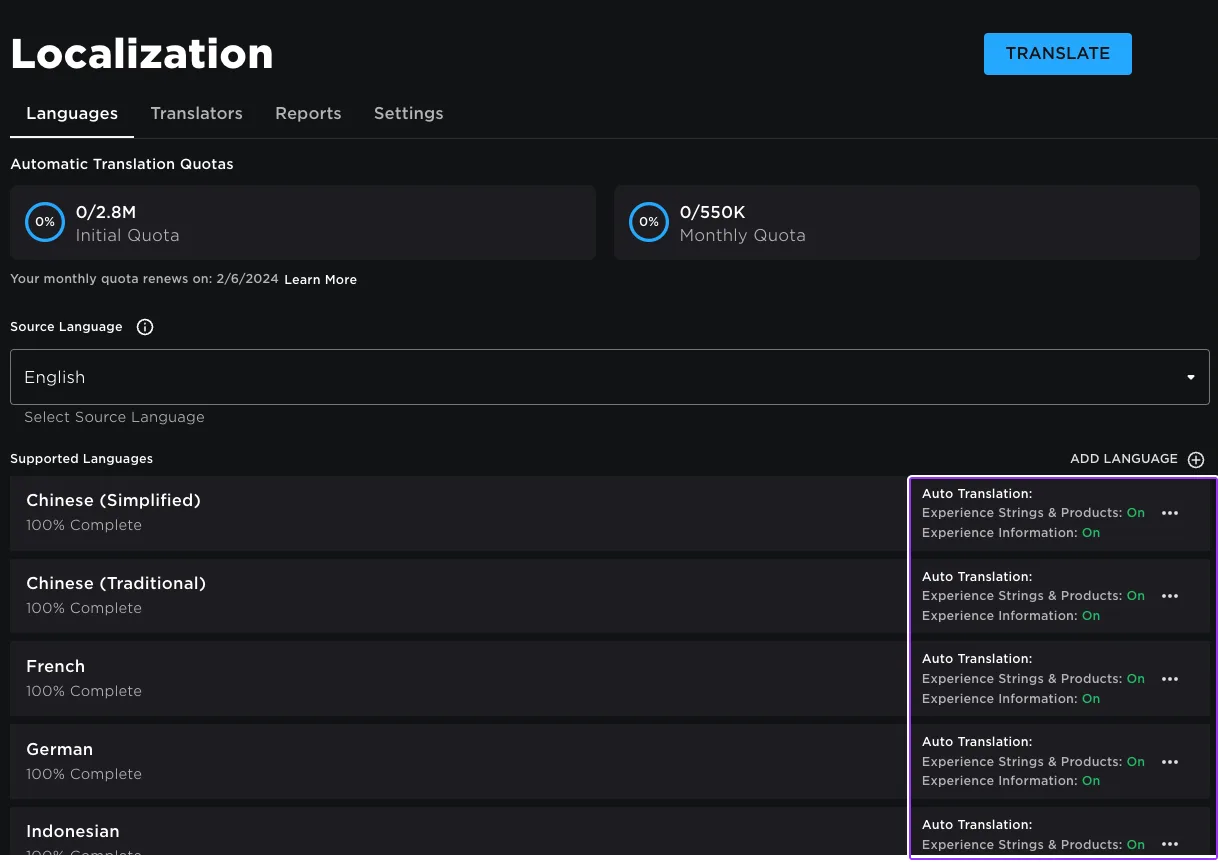
Roblox Localization: How to Translate Your Game
Since June 2026, any player can switch on Automatic Translations and read your game through Roblox's machine translator, whether or not you ever opened the Localization page. Here is what gets translated, how to stop it on text that should stay put, the five kinds of text automatic capture never sees, and the Translator and real-time APIs that cover the rest.
Roblox Ban API: BanAsync, Alt Accounts, Device Blocks
Player:Kick() drops someone from one server. Players:BanAsync() evicts them from every server, keeps them out for as long as you say, and bans their suspected alts by default. Here is every field in the config table, the scope rule that decides whether your unban does anything, the 24-hour device block only one unban path can lift, and why GetBanHistoryAsync fails in Studio.

Best Roblox Games to Play in 2026
Roblox's front page is engagement bait. This is the filtered version: the games with real, sustained player counts and actual staying power, sorted by what you're in the mood for.

How to Get Robux Safely (Legit Ways + Scams to Avoid)
There is no free Robux generator. There never was. Here are the actual legit ways to get Robux without overpaying, the earning methods that really work, and the scams that exist purely to steal your account.