Roblox CollectionService Guide: Tag Once, Script Everything
If your Explorer has forty copies of the same killbrick script, you don't have a game — you have forty bugs waiting to disagree with each other. CollectionService fixes that: tag the objects, write one handler, done. Here's the exact pattern, the attribute layer that makes each tagged object configurable, the cleanup step most tutorials skip, and the replication behavior that quietly eats client-side tags.
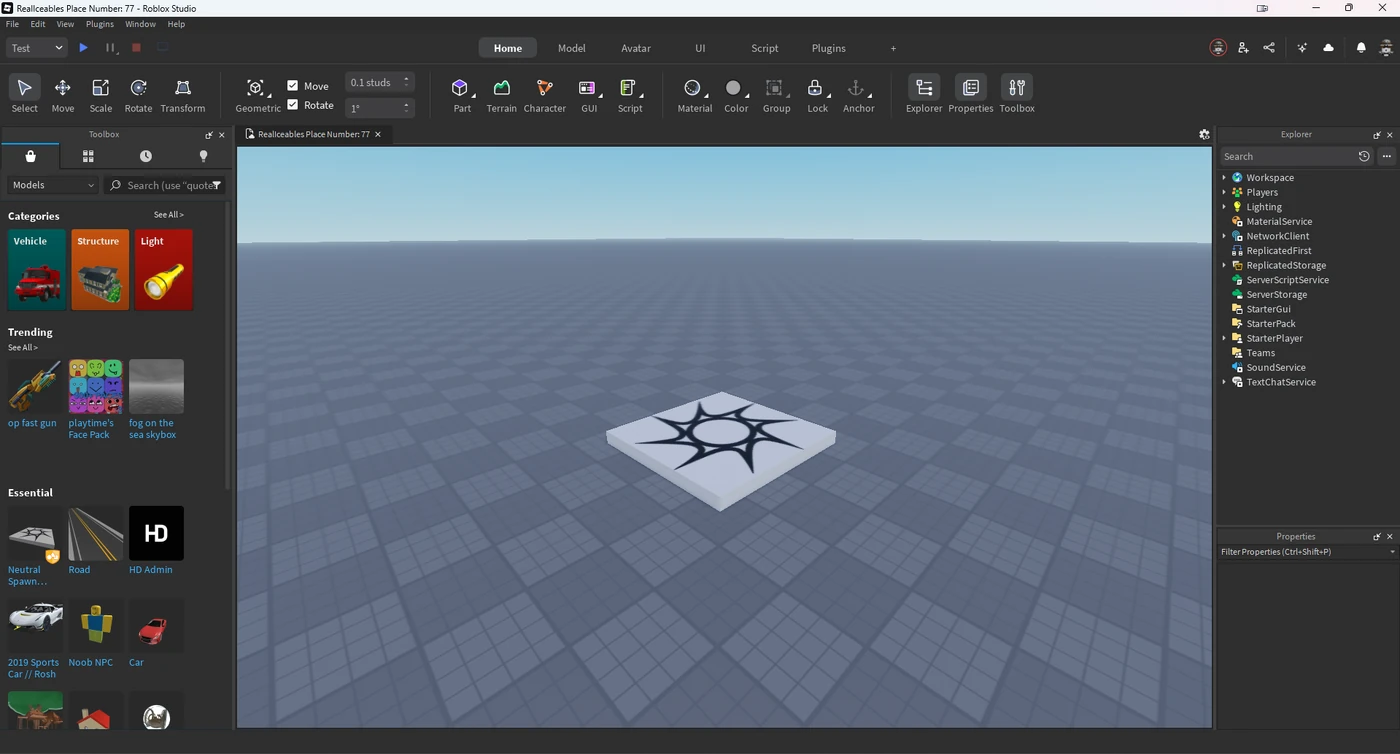
Open the Explorer on any obby that's been in development for more than a month and you'll find it: a Script called Kill sitting inside a part, and then thirty-nine more copies of it inside thirty-nine other parts. Someone fixed a bug in seven of them. Someone else changed the damage value in four. Nobody remembers which. That project doesn't have forty killbricks — it has forty slightly different opinions about what a killbrick is.
The fix is a service most people skim past in the API reference. Roblox's own documentation puts it about as bluntly as documentation ever does: "If you find yourself adding the same script to many different instances, a script that uses CollectionService may be better." That's not a style suggestion. It's the difference between a codebase you can change and one you can only add to.
The forty-scripts problem
Copy-pasted scripts fail in a specific, predictable way, and it isn't "the game runs slow." It's that every copy is a separate source of truth. Change one, and you've created a divergence you can't see from the Explorer, because two Scripts named Kill look identical in the tree whether or not their contents match.
You've probably already solved the code-duplication half of this with ModuleScripts — one module, required from everywhere. Good. But that only dedupes the logic. You still have forty Scripts whose entire job is to require the module and point it at their parent. Tags kill that last layer: one script, zero copies, any number of objects.
What a tag actually is
A tag is a string attached to an instance. That's genuinely the whole data model. Per the official docs, "Tags are sets of strings applied to instances that replicate from the server to the client. They are also serialized when places are saved."
Three consequences fall straight out of that sentence, and all three matter:
- Tags survive saves. Tag a part in Studio, save the place, and the tag is still there next session. You are editing data, not writing setup code.
- Tags replicate server to client. A part tagged on the server is tagged on every client, so a client-side visual handler can find it without a RemoteEvent handshake.
- Tags are just strings. There's no tag object to manage, no registry to keep in sync, no schema. A tag exists because at least one instance has it, and stops existing when the last instance loses it.
CollectionService is the service that manages those collections. The API is small enough to memorize in one sitting:
local CollectionService = game:GetService("CollectionService")

CollectionService:AddTag(instance, "Killbrick")     -- apply
CollectionService:RemoveTag(instance, "Killbrick")  -- remove
CollectionService:HasTag(instance, "Killbrick")     -- boolean
CollectionService:GetTags(instance)                 -- array of that instance's tags
CollectionService:GetTagged("Killbrick")            -- array of instances with the tag
CollectionService:GetAllTags()                      -- every tag in the experience
Modern Luau also lets you call four of those directly on the instance, which reads better in most code:
part:AddTag("Killbrick")
part:RemoveTag("Killbrick")
print(part:HasTag("Killbrick"))  --> true / false
print(part:GetTags())            --> { "Killbrick" }
Two things you'll see in old tutorials and should ignore: CollectionService:GetCollection() and the ItemAdded / ItemRemoved events. All three are deprecated, and GetCollection only ever worked for five obscure classes — Configuration, CustomEvent, CustomEventReceiver, Dialog, and VehicleSeat. GetTagged supersedes it.
Tagging in Studio: the two-click workflow
You don't need a plugin, and you don't need to tag things in code. Tags live in the Properties window — the one you open from Studio's Window menu or the Home tab toolbar.
Select an instance, scroll to the bottom of Properties, find the Tags section, and click the + button.

A popup appears. Type a new tag name, or pick one you've already used on any other instance from the list underneath the input — that list is what stops your project from ending up with Killbrick, killbrick, and KillBrick as three unrelated tags. Removing a tag is the × icon next to it.

The part people miss: multi-select works. Rubber-band forty parts in the viewport, hit + once, and all forty are tagged. That's the moment the workflow clicks — you just did in four seconds what copy-pasting a script does in four minutes, badly.
Pro move while you're in there: <kbd>Ctrl</kbd><kbd>Shift</kbd><kbd>P</kbd> (or <kbd>⌘</kbd><kbd>Shift</kbd><kbd>P</kbd> on Mac) jumps focus straight to the Properties filter box, which is how you stop scrolling past twelve collapsed sections every time you want the Tags panel.
The pattern that replaces forty scripts
Here's the whole thing. One Script in ServerScriptService, handling every killbrick in the place — existing, future, and streamed-in.
local CollectionService = game:GetService("CollectionService")

local TAG = "Killbrick"
local connections = {}

local function onAdded(part)
	if not part:IsA("BasePart") then
		return
	end

	local damage = part:GetAttribute("Damage") or 100

	connections[part] = part.Touched:Connect(function(hit)
		local humanoid = hit.Parent and hit.Parent:FindFirstChildWhichIsA("Humanoid")
		if humanoid then
			humanoid:TakeDamage(damage)
		end
	end)
end

local function onRemoved(part)
	local connection = connections[part]
	if connection then
		connection:Disconnect()
		connections[part] = nil
	end
end

-- Everything that already has the tag
for _, part in CollectionService:GetTagged(TAG) do
	onAdded(part)
end

-- Everything that gets it later
CollectionService:GetInstanceAddedSignal(TAG):Connect(onAdded)
CollectionService:GetInstanceRemovedSignal(TAG):Connect(onRemoved)
That's the canonical shape, and it's worth understanding why it has three parts instead of one.
Why GetTagged alone is a bug
GetTagged returns instances that have the tag right now and are descendants of the DataModel. It is a snapshot, not a subscription. Loop over it once at startup and every part that spawns later — every regenerated obstacle course, every dropped weapon, every enemy your spawner clones in — is invisible to your handler.
The docs are explicit about the fix: "If you want to detect all instances with a tag, both present and future, use this method to iterate over instances while also making a connection to a signal returned by GetInstanceAddedSignal." Snapshot plus subscription. Both, always.
Two more GetTagged behaviors that bite in practice:
- No ordering guarantee. The docs say so directly. If your logic depends on "the first checkpoint," sort the results yourself — don't trust index 1.
- Unparented instances don't count. An instance can carry the tag and still not be returned if it isn't a descendant of the DataModel, for example while it's sitting with
Parent = nilmid-swap.
And a detail that saves you a subtle class of bug: GetInstanceAddedSignal fires under two conditions, not one. It fires when the tag is applied via AddTag, and it fires when an already-tagged instance becomes a descendant of the DataModel — i.e. when you parent a pre-tagged clone into the Workspace. Which means you can tag a template once, inside ServerStorage, and every clone you parent in wires itself up automatically. That's the actual superpower here. Your spawner code shrinks to template:Clone().Parent = workspace.
(Repeated calls with the same tag hand back the same signal object, so calling GetInstanceAddedSignal("Killbrick") in three modules doesn't create three signals. It's cheap.)
Attributes: the other half of the pattern
Tags answer what kind of thing is this. They don't answer how much damage. That's what attributes are for, and using them together is what turns a tag system into an actual component system.
Attributes are custom properties you define on any instance. They're created in the Properties window the same way tags are — scroll to the Attributes section, click +, give it a name and a type, hit Save — and they're saved with your place and replicated to clients.
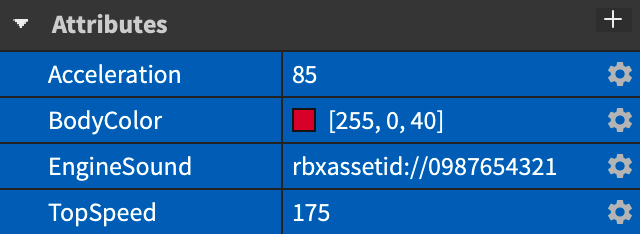
So the killbrick that takes 100 HP and the spike pit that takes 25 are the same tag with different Damage attributes. No second script. No if part.Name == "SpikePit" branch. In code:
part:SetAttribute("Damage", 25)
local damage = part:GetAttribute("Damage")   --> 25
local all = part:GetAttributes()             --> dictionary of every attribute
part:SetAttribute("Damage", nil)             -- setting nil DELETES the attribute
Set an attribute that doesn't exist yet and it gets created. Set it to nil and it's gone — there is no separate delete call.
Now make it live-tunable. Because attributes replicate and fire change signals, you can retune a hazard in a running playtest and watch it apply without a restart:
local function onAdded(part)
	local damage = part:GetAttribute("Damage") or 100

	part:GetAttributeChangedSignal("Damage"):Connect(function()
		damage = part:GetAttribute("Damage") or 100
	end)

	connections[part] = part.Touched:Connect(function(hit)
		local humanoid = hit.Parent and hit.Parent:FindFirstChildWhichIsA("Humanoid")
		if humanoid then
			humanoid:TakeDamage(damage)
		end
	end)
end
If you want to react to any attribute changing rather than one specific one, Instance.AttributeChanged fires with the changed attribute's name as its argument. GetAttributeChangedSignal passes nothing, which is why it pairs so cleanly with anonymous functions.
The attribute rules that throw errors
These are documented limits, and hitting them at 2am is annoying enough that they're worth memorizing:
- Names are alphanumeric, plus periods, hyphens, slashes, and underscores. No spaces. No
@,~,!or friends. - 100 characters max.
- Names can't start with
RBX— that prefix is reserved for Roblox core scripts. - Only supported types are allowed, and setting an unsupported one throws an error rather than silently failing. The supported set is: string, boolean, number, UDim, UDim2, BrickColor, Color3, Vector2, Vector3, CFrame, NumberSequence, ColorSequence, NumberRange, Rect, and Font.
Notice what's not on that list: tables, Instances, and Enums. If you want a tagged part to point at another instance, an attribute won't do it — use an ObjectValue child, or store a path string and resolve it.
Cleanup, or you just wrote a memory leak
This is the step tutorials skip, and it's the reason some tag systems quietly eat memory over a two-hour server session.
When you wire up a tagged instance, you usually allocate something — an event connection, a table entry, a tween, a task loop. Roblox's own docs flag it in the AddTag warnings: to prevent memory leaks, clean those up when they're no longer needed, either when you call RemoveTag, when you call Destroy, or in a handler connected to GetInstanceRemovedSignal.
The connections table in the pattern above is exactly that. Note that it's keyed by the instance, which makes teardown a one-liner. And note when the removed signal fires: on RemoveTag, and when the instance stops being a descendant of the DataModel — which is what Destroy does. So one onRemoved function covers both the "this part is no longer a killbrick" case and the "this part no longer exists" case.
If you're chasing a leak that this doesn't explain, the wider memory leaks and optimization guide covers the other usual suspects.
The replication trap nobody warns you about
Here's the one that'll cost you an afternoon if you don't know it. Straight from the CollectionService docs:
When tags replicate, all tags on an instance replicate at the same time. Therefore, if you set a tag on an instance from the client then add/remove a different tag on the same instance from the server, the client's local tags on the instance are overwritten.
Read that twice. Tags don't replicate individually — they replicate as a set. So a LocalScript that adds a client-only marker tag like Highlighted to a part is living on borrowed time. The instant the server touches any tag on that same part, the whole set gets overwritten and your client-side tag is gone. No error, no warning, just a handler that stops firing.
It gets sharper in a place with StreamingEnabled. The docs note that instances unload as they leave the client's streamed area, and when they re-enter, "properties and tags will be re-synchronized from the server," which "can cause changes made by LocalScripts to be overwritten/removed." Practically, that means two things for client code in a streaming place: your local-only tags are unreliable, and because streaming in and out changes DataModel descendancy, expect the added and removed signals to fire more than once for the same part over a session. Design your onAdded to be idempotent — the connections[part] guard above is the cheap version of that.
The rule I'd hand a junior dev: tag on the server, read on the client. If you need client-only state, use a plain Lua table keyed by instance, not a tag. Server-authoritative logic belongs behind RemoteEvents anyway.
A tag audit you can run in ten seconds
GetAllTags returns every tag in the experience, which makes this a genuinely useful thing to paste into the Studio command bar before you ship:
local CollectionService = game:GetService("CollectionService")

for _, tag in CollectionService:GetAllTags() do
	print(tag, "->", #CollectionService:GetTagged(tag))
end
You're looking for three tells. A tag with a count of zero is dead — nothing has it, and whatever script listens for it is doing nothing. A tag that shows up twice with different casing is the duplicate-tag bug, and it's the single most common way tag systems break silently. And a count that's way higher than you expected usually means a template got tagged and then cloned a few hundred times.
When not to use tags
Tags are a great hammer. Not everything is a nail.
- Singletons. If there's exactly one lobby spawn or one boss arena, a direct reference or a
FolderinReplicatedStorageis clearer than a tag with one member. Tags are for collections. - Order-dependent sets. Checkpoints, waypoints, wave order —
GetTaggedexplicitly gives you no ordering guarantee, so you'd be sorting on an attribute anyway. If order is the primary structure, a numbered folder is honest about that. - Anything you need to iterate every frame.
GetTaggedbuilds and returns an array each call. Call it once, cache the result, and maintain the cache from the added/removed signals — don't call it inside aRunServiceloop. - Data that belongs in a module. Tags describe instances in the world. Balance tables, loot tables, and shop prices belong in a server-side ModuleScript where exploiters can't read them.
The line I'd draw: if you can finish the sentence "everything tagged X should behave like Y," it's a tag. If you can't, it's probably just a variable.
Quick Action Checklist
- Open Properties → Tags, multi-select your objects, and tag them all in one click instead of copy-pasting a Script.
- Reuse existing tag names from the popup list. Casing typos create silent duplicate tags.
- Every handler is three parts: loop
GetTagged, connectGetInstanceAddedSignal, connectGetInstanceRemovedSignal. Never just the first one. - Store per-instance config in attributes (
Damage,Cooldown,SpinSpeed) so one tag covers many variants. - Attribute names: alphanumeric plus
. - / _, no spaces, under 100 characters, never starting withRBX. - Delete an attribute by setting it to
nil— there's no separate delete method. - Keep a
connectionstable keyed by instance and disconnect in the removed handler, or you're leaking. - Tag on the server. Client-added tags get wiped whenever the server changes any tag on that instance.
- In a
StreamingEnabledplace, assume added/removed fire repeatedly per part and makeonAddedidempotent. - Before shipping, run the
GetAllTagsaudit in the command bar and delete anything with a count of zero.
Do this once on a real project and you'll never go back. The payoff isn't that the code is shorter — it's that "change how every hazard in the game works" becomes a five-line edit instead of an archaeology expedition through the Explorer.
Frequently Asked Questions
What is CollectionService in Roblox?
How do I add a tag to an object in Roblox Studio?
Why is my CollectionService script not catching new objects?
What is the difference between tags and attributes in Roblox?
What types can Roblox attributes store?
Do Roblox tags replicate from the client to the server?
How do I avoid memory leaks with CollectionService?
Keep Reading
- Roblox Creator Documentation — CollectionService API reference (official)
- Roblox Creator Documentation — Properties window, instance tags and attributes (official)
- Roblox Creator Documentation — Properties and attributes scripting guide (official)
- Roblox Creator Documentation — Instance API reference, AddTag and SetAttribute (official)
Related Guides
Roblox Early Testers and the New Publish Flow: What Changed
Since October 12, 2026, you can let up to 10 friends play your unreleased, unrated Roblox game, and Roblox is rolling out a path that lets a game with no age-restricted content reach age-checked players 16 and older by answering one question instead of the full questionnaire. Here is who can be an early tester, what replaced the Private and Limited audience settings, what the one question actually covers, and what still takes the long road to players under 16.
Roblox BadgeService Guide: Award, Check, Debug
Call AwardBadgeAsync on a player who isn't currently in your server and it fails one of five documented requirements — silently, the same way it fails for a disabled badge or a place outside the badge's own experience. Here is every BadgeService method, which four are dead, the rate limit two of them share despite a 10x difference in batch size, and the deprecated check that Roblox says will now always return true.
Roblox Luau Type Checking: nocheck, nonstrict, strict
Roblox says every script used to default to no typechecking. That is no longer how it works: a Workspace property now sets the default mode, projects using only nocheck and nonstrict were moved to the New Type Solver automatically, and strict mode projects were not. Here is what each mode reports, what the new solver changed, and the annotation syntax that covers most code.
Roblox Text Filtering: FilterStringAsync Done Right
Chat is filtered for you. Pet names, sign text, shop names and anything you pull off an external API are not — and Roblox documents that it takes games down until filtering is added. Here is the actual API, the getter that is now dead, and the pattern that ships.

Best Roblox Games to Play in 2026
Roblox's front page is engagement bait. This is the filtered version: the games with real, sustained player counts and actual staying power, sorted by what you're in the mood for.

How to Get Robux Safely (Legit Ways + Scams to Avoid)
There is no free Robux generator. There never was. Here are the actual legit ways to get Robux without overpaying, the earning methods that really work, and the scams that exist purely to steal your account.