Roblox Parallel Luau: What Actually Runs in Parallel
Roblox runs your scripts on one thread until you opt in twice — once by parenting a script to an Actor, once by desynchronizing it. Then the rules change: you can raycast in parallel but not Shapecast, read tags but not add them, and fire no remotes at all. Here is the actual allow-list, straight off the class reference.
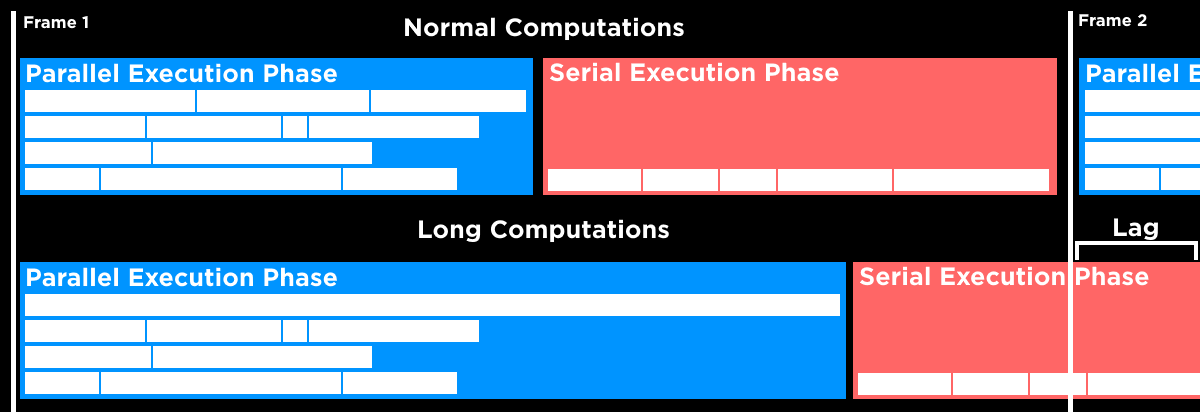
By default, every script in your game shares one thread.
For most games that is fine — until the day you are validating hits for 40 players, generating terrain chunks, or ticking 300 NPC brains, and the profiler shows one fat script eating the frame. Parallel Luau is the way out, and it is genuinely useful. It is also unusually rule-bound: there is an allow-list of what you may call once you are on another thread, it is published per API member, and reading it before you write the code saves you an afternoon.
Nothing runs in parallel until you opt in twice
The first opt-in is structural: the script has to be a descendant of an Actor instance. The second is a call. Doing only the first does nothing at all, and the Creator Documentation says so flatly — "though putting scripts under actors grants them the capability for parallel execution, by default the code still runs on the single thread serially, which doesn't improve the runtime performance."
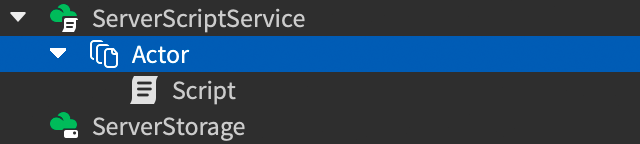
So the shape is the same each time: parent the work into Actors, then move each worker between two phases — a serial phase where you are allowed to change the game, and a parallel phase where you are allowed to think about it.
Two Actors that never desynchronize get interleaved on one thread, like this:

Two Actors that do get their own rows:

An Actor is a container, and its own Luau VM
Actor inherits from Model, and the class reference describes it as "a container for code that can be safely split into its own thread." The multithreading page is blunter: Actors "work as units of execution isolation that distribute the load across multiple cores running simultaneously."
The detail that changes how you architect things: each Actor runs in its own Luau VM. Not its own coroutine, its own VM. The reference spells out the consequence — ModuleScripts required by an Actor "are not shared or cached across Actors or with the main thread. Each VM executes its own copy of the module, so module-level state is isolated per Actor."
Two more structural rules worth internalising before you start dragging things around the Explorer:
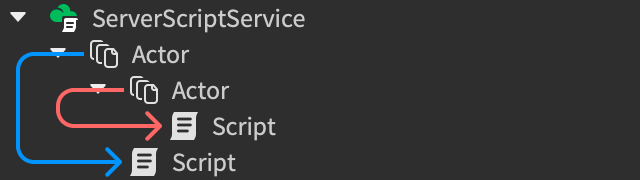
- Don't nest Actors. The docs say that for most situations you shouldn't parent an Actor to another Actor. If you do, "the script is owned by its closest ancestor actor" — which is exactly the ambiguity you don't want in a system whose whole point is knowing which thread you are on.
- The Actor should own its instances too. The class reference notes an Actor "should also contain the instances used by its scripts." Reaching sideways into another Actor's parts is how you end up synchronizing constantly and losing the win.
Three doors into the parallel phase
There are three documented entry points, and they suit different shapes of work.
task.desynchronize() suspends the calling script and resumes it in the next parallel execution phase. task.synchronize() does the reverse. Both are no-ops if you are already in the phase you asked for, and both raise an error if the calling script is not a descendant of an Actor. A ModuleScript may call them too, as long as the module instance was required by a script that is an Actor descendant.
RBXScriptSignal:ConnectParallel() connects a listener that fires already desynchronized. The reference calls it "similar to, but more efficient than, using Connect followed by a call to task.desynchronize() in the signal handler," and repeats the constraint: scripts connecting in parallel must be rooted under an Actor.
Actor:BindToMessageParallel() binds a callback that runs in a parallel context whenever a message with that topic arrives. This is the one to reach for when a coordinator hands out work.
local RunService = game:GetService("RunService")

RunService.Heartbeat:ConnectParallel(function()
	-- parallel: compute a state update here
	task.synchronize()
	-- serial: now change instances
end)
One hard limit: you cannot call require() inside a desynchronized parallel phase. Require everything you need first, in serial, at the top of the script.
The four thread safety levels
Most API members carry a thread safety tag, and the tag is the whole game. The levels, as the multithreading page defines them:
| Safety level | For properties | For functions |
|---|---|---|
| Unsafe | Cannot be read or written in parallel | Cannot be called in parallel |
| Read Parallel | Can be read but not written in parallel | N/A |
| Local Safe | Usable within the same Actor; readable but not writable by other Actors in parallel | Callable within the same Actor; not callable by other Actors in parallel |
| Safe | Can be read and written | Can be called |
And the default that decides every case you cannot find documented: "If an API member doesn't specify a thread safety level, by default its thread safety level is Unsafe."
That is the rule to memorise. The allow-list is small and explicit; everything outside it is off.
Properties: read freely, write after you synchronize
Properties are the easy half. Across the classes a gameplay script actually touches — Instance, BasePart, Model, Humanoid, Camera, Workspace, Lighting, Terrain, Players — the properties I checked in the API reference are all tagged Read Parallel: BasePart.CFrame, BasePart.Position, BasePart.Size, BasePart.Anchored, BasePart.Material, BasePart.CanCollide, BasePart.AssemblyLinearVelocity, Instance.Name, Instance.Parent, Players.LocalPlayer, Terrain.MaxExtents and the rest of their neighbours.
Read Parallel means exactly what it says: pull the value, do maths on it, and do not assign to it until you are back in serial. Which gives you the template for every parallel system you will write — read state in parallel, compute in parallel, synchronize, then write.
Which engine calls are Safe in parallel
Methods are where it gets interesting, because the split is not intuitive and is not organised by class. Here are the tags as published in the class reference.
Spatial queries: Raycast yes, Shapecast no
Spatial query work is the reason Roblox itself gives for going parallel, so this is the table to keep open.
| Call | Thread safety |
|---|---|
WorldRoot:Raycast() | Safe |
WorldRoot:Blockcast() | Safe |
WorldRoot:Spherecast() | Safe |
WorldRoot:Shapecast() | Unsafe |
WorldRoot:GetPartBoundsInBox() | Safe |
WorldRoot:GetPartBoundsInRadius() | Safe |
WorldRoot:GetPartsInPart() | Safe |
WorldRoot:ArePartsTouchingOthers() | Unsafe |
WorldRoot:BulkMoveTo() | Unsafe |
BasePart:GetTouchingParts() | Unsafe |
BasePart:GetClosestPointOnSurface() | Unsafe |
WorldRoot:FindPartOnRay() (deprecated) | Unsafe |
Three of the four casts are Safe and Shapecast is not — that is what the reference says. Roblox documents that the engine detects and prevents unsafe accesses, so you find this out when the call fails at runtime. The deprecated FindPartOnRay family is Unsafe across the board, which is one more reason the modern raycasting API is the one to be on.
Reading the tree versus changing it
| Call | Thread safety |
|---|---|
Instance:FindFirstChild() | Safe |
Instance:GetChildren() | Safe |
Instance:GetDescendants() | Safe |
Instance:GetAttribute() / GetAttributes() | Safe |
Instance:GetTags() / HasTag() | Safe |
Object:IsA() | Safe |
PVInstance:GetPivot() | Safe |
Instance:GetActor() | Safe |
Instance:WaitForChild() | Unsafe |
Instance:Clone() | Unsafe |
Instance:Destroy() | Unsafe |
Instance:SetAttribute() | Unsafe |
Instance:AddTag() / RemoveTag() | Unsafe |
Object:GetPropertyChangedSignal() | Unsafe |
Model:GetBoundingBox() | Unsafe |
PVInstance:PivotTo() | Unsafe |
The broad pattern is that interrogating the tree is Safe and mutating it is not, but the table above carries exceptions: WaitForChild, GetPropertyChangedSignal and Model:GetBoundingBox read rather than mutate and are still Unsafe. Note the two asymmetries. HasTag is Safe but AddTag is Unsafe, so a parallel worker can filter by tag and cannot tag anything — plan your CollectionService tagging accordingly. And GetPivot is Safe while Model:GetBoundingBox() is Unsafe, so if you need a model's position in a parallel phase, the pivot is the call that survives.
Services, and the ones that never go parallel
| Call | Thread safety |
|---|---|
CollectionService:GetTagged() | Safe |
CollectionService:GetAllTags() / GetTags() / HasTag() | Safe |
CollectionService:AddTag() / RemoveTag() | Unsafe |
Players:GetPlayers() | Safe |
Players:GetPlayerByUserId() | Safe |
Players:GetPlayerFromCharacter() | Unsafe |
Terrain:ReadVoxels() / ReadVoxelChannels() | Safe |
Terrain:WriteVoxels() / WriteVoxelChannels() | Unsafe |
Terrain:FillBlock() / Clear() / WorldToCell() | Unsafe |
HttpService:JSONEncode() / JSONDecode() | Safe |
HttpService:GenerateGUID() / UrlEncode() / GetSecret() | Safe |
HttpService:RequestAsync() / GetAsync() / PostAsync() | Unsafe |
RemoteEvent:FireClient() / FireAllClients() / FireServer() | Unsafe |
DataStoreService:GetDataStore() | Unsafe |
RunService:IsServer() / IsClient() / IsStudio() | Safe |
Camera:WorldToViewportPoint() / ScreenPointToRay() | Safe |
Humanoid:GetState() / GetStateEnabled() | Safe |
Four consequences fall straight out of that table:
- You cannot fire a remote from a parallel phase. Compute the result in parallel,
task.synchronize(), then fire. Same for anything else in your RemoteEvent layer. - DataStores are a serial-only world. Parallel Luau is not a way to parallelise saves.
- HttpService splits down the middle — the JSON and secret helpers are Safe, the network calls are not. Parsing a large payload in parallel is legitimate; fetching it is not. That is a genuinely nice fit with the HttpService request budget, since you were rate-limited on the fetch anyway.
- Terrain reads in parallel, writes in serial. Procedural generation therefore looks like: compute voxels on N Actors, synchronize, write. Roblox's own sample does exactly this, with the comment "Currently,
WriteVoxels()must be called in the serial phase." Worth knowing before you plan anything around the Terrain editor at runtime.
Three ways Actors talk to each other
Isolation is the point, so the engine gives you three sanctioned channels and each has a different cost.
| Mechanism | What crosses | Watch out for |
|---|---|---|
Actor messaging (SendMessage / BindToMessage / BindToMessageParallel) | A topic string plus a tuple of arguments | Arguments are passed by copy across VM boundaries; functions are bound to a VM and cannot be sent |
SharedTable | A reference to shared storage | Restricted key and value types; concurrent writers need the atomic helpers |
| Direct data model | Property and attribute reads | Parallel scripts generally can't write to the data model, so this forces frequent synchronizing |
Messaging is asynchronous — the sender does not block or yield. Each message goes to exactly one Actor, but one Actor can have several callbacks bound to the same topic, and only scripts that are descendants of that Actor may receive them.
-- Sender, anywhere
local workerActor = workspace.WorkerActor
workerActor:SendMessage("Greeting", "Hello World!")

-- Receiver, in a script under that Actor
local actor = script:GetActor()
actor:BindToMessageParallel("Greeting", function(greetingString)
	print(actor.Name, "-", greetingString)
end)
The copy semantics are the thing to design around. A tuple of numbers is cheap; a thousand-entry table sent every frame is a full copy every frame. That is precisely the case SharedTable exists for.
SharedTable has rules a Luau table does not
SharedTable looks like a table and indexes like one, but the engine puts guardrails on it so multiple Actors can hit it at once. The documented restrictions:
| Rule | Detail |
|---|---|
| Keys | A string, or a non-negative integer below 2^32. Nothing else. |
| Values | Boolean, number, Vector, string, another SharedTable, or a serializable data type |
| Functions | Not storable — assigning a function as a value fails |
| Equality | Two distinct SharedTables never compare equal, even with identical contents |
| Frozen tables | SharedTable.cloneAndFreeze() returns a read-only clone; writing to it raises an error |
| Sharing | Sending one to another Actor does not copy the data, and every update is immediately visible to all Actors |
For concurrent updates there are two atomic helpers, and the reference is explicit about which to prefer: SharedTable.increment(st, key, delta) and SharedTable.update(st, key, f) have the same effect for a numeric bump, but "in general, increment is much faster than update, so it should be preferred where possible." increment errors if the element is missing or is not a number.
Cloning is subtler than it looks. A shallow clone is atomic, so it gives you "a consistent snapshot of the state in the original SharedTable, even if it is being modified concurrently from other scripts." A deep clone is not — each individual SharedTable in the graph is cloned atomically, but the deep clone as a whole is not, so a graph being written concurrently can come back internally inconsistent. And SharedTable.size() carries its own warning: other scripts may add or remove elements the instant after it returns.
To hand one around without messaging, use the registry:
local SharedTableRegistry = game:GetService("SharedTableRegistry")
local worldState = SharedTableRegistry:GetSharedTable("WorldState")
GetSharedTable() creates and registers the table if the name is not taken yet, so both the coordinator and every worker can call it without a setup order.
Each Actor gets its own copy of your modules
If you have read the ModuleScripts guide, you know a module's code runs once per Luau environment and every later require returns the same cached value. Actors add environments. The Actor reference states that ModuleScripts required by an Actor "are not shared or cached across Actors or with the main thread," and that "each VM executes its own copy of the module, so module-level state is isolated per Actor."
So a singleton pattern that behaves normally in an ordinary server script — a module holding a counter, a registry, a config table — quietly stops being a singleton the moment you clone it across 32 Actors. Each one gets its own counter. If that state genuinely needs to be shared, it belongs in a SharedTable, not in a module upvalue.
The companion gotcha is script:GetActor(), which "returns nil when called from a ModuleScript unless the ModuleScript is a descendant of the Actor." A module sitting in ReplicatedStorage and required by an Actor's script is not a descendant of that Actor, so it cannot find its own Actor. Pass the Actor in, or call GetActor() from the Script itself.
The task library inherits whichever phase you are in
The functions look phase-neutral. They are not. The task reference states the rule for spawn, defer, delay and wait in the same words each time: if the calling script is in a serial phase the thread resumes in a serial phase, and if the calling script is in a parallel phase it resumes in a parallel phase.
For defer, delay and wait that was a deliberate change in the Parallel Luau Version 2 release, which shipped with Roblox version 576; the announcement says those three previously "resume in the serial context, even when called from a script running in the parallel context." Any code written against the old behaviour is written against an engine that no longer works that way. The rest of the modern scheduling picture is in the task scheduler guide.
Practical upshot: a task.wait() in the middle of your parallel work does not bounce you back to serial. If you want serial, ask for it.
How many Actors? More than you think
The documented best practice runs against the instinct to match Actor count to core count. Roblox's guidance: "For the best performance, use more Actors. Even if the device has fewer cores than Actors, the granularity allows for more efficient load balancing between the cores." The example given is concrete — for parallel raycast validation, "it's reasonable to use 64 Actors and more instead of just 4, even if you're targeting 4-core systems."
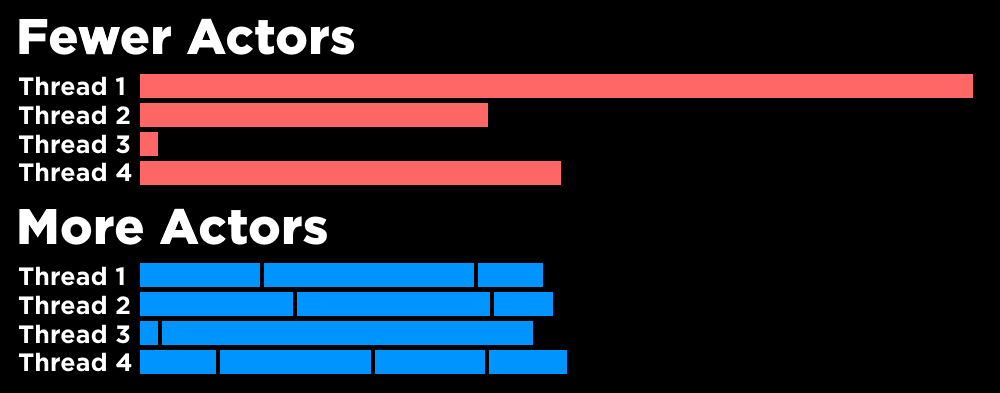
Two limits on that, both from the same page. Split by logic units, not arbitrarily — the docs warn against "breaking code with connected logic to different Actors," and against so many Actors that the thing becomes unmaintainable. And avoid long computations: "even in parallel, long computations can block execution of other scripts and cause lag," which is the failure the hero diagram at the top of this post illustrates. One oversized parallel task holds the frame's serial phase hostage, and the lag lands anyway.
If your instinct after reading that is that this is a frame-time problem wearing a different hat, you are right. Parallel Luau buys you cores, not permission to be slow.
The pattern Roblox ships in its own sample
The server-side raycast validation example on the multithreading page is worth reading as a template, because it shows the three-beat structure cleanly: serial setup, parallel query, serial commit.
local function onRemoteMouseEvent(player: Player, clickLocation: CFrame)
	-- SERIAL: setup that parallel code is not allowed to do
	local character = player.Character
	local params = RaycastParams.new()
	params.FilterType = Enum.RaycastFilterType.Exclude
	params.FilterDescendantsInstances = { character }

	-- PARALLEL: the raycast itself is Safe
	task.desynchronize()
	local origin = tool.Handle.CFrame.Position
	local epsilon = 0.01
	local lookDirection = (1 + epsilon) * (clickLocation.Position - origin)
	local raycastResult = Workspace:Raycast(origin, lookDirection, params)

	if raycastResult then
		local hitPart = raycastResult.Instance
		if hitPart and hitPart.Name == "block" then
			local explosion = Instance.new("Explosion")

			-- SERIAL: everything below changes state outside the Actor
			task.synchronize()
			explosion.DestroyJointRadiusPercent = 0
			explosion.Position = clickLocation.Position
			if hitPart.Parent then
				explosion.Parent = Workspace
				hitPart:Destroy()
			end
		end
	end
end

remoteEvent.OnServerEvent:Connect(onRemoteMouseEvent)
Two things in there repay a second look.
The Instance.new("Explosion") call happens before task.synchronize(), and the synchronize sits immediately before the first property write and the parenting. Constructing the object is not what needs the serial phase; attaching it to the data model is.
And that if hitPart.Parent then guard is not defensive padding — the sample's own comment explains it: "Multiple actors could get the same part in a raycast and decide to destroy it. This is perfectly safe but it would result in two explosions at once instead of one." That is the shape of the race conditions this model leaves you with. The engine stops you corrupting the data model; it does not stop two workers reaching the same correct conclusion and both acting on it. Re-check your preconditions after you synchronize.
Note also that the connection itself is a plain Connect, not ConnectParallel, precisely because the setup has to run serially first. Choosing the door is part of the design.
Quick Action Checklist
- Parent the work into
Actorinstances, and put the instances those scripts touch inside the Actor too. Don't nest Actors. - Nothing is parallel until
task.desynchronize(),ConnectParallel()orBindToMessageParallel()says so. require()every module in serial, before you desynchronize.- Assume
Unsafeunless the class reference tags the member otherwise — that is the documented default. - Read properties in parallel, write them after
task.synchronize(). - Remember the sharp edges:
Shapecast,Players:GetPlayerFromCharacter,Model:GetBoundingBox,AddTag,WaitForChildand every remote and DataStore call are Unsafe. - Move small tuples with
SendMessage(they are copied), and large shared state with aSharedTable(it is not). - Use
SharedTable.incrementrather thanupdatefor numeric counters, and expectsize()to be stale. - Stop assuming a module is a singleton — each Actor gets its own copy of it.
- Prefer many small Actors over a few large ones, and keep any single parallel computation short.
- Re-check your preconditions after synchronizing. Two Actors can reach the same conclusion about the same part.
Frequently Asked Questions
What is Parallel Luau in Roblox?
Why is my Roblox script not running in parallel even though it is under an Actor?
Can you raycast in parallel in Roblox?
What is thread safety in the Roblox API reference?
What is a SharedTable in Roblox and how is it different from a normal table?
Do ModuleScripts share state between Roblox Actors?
Can you fire a RemoteEvent from a parallel phase in Roblox?
Keep Reading
- Roblox Creator Documentation — Parallel Luau (official)
- Roblox Creator Documentation — Actor class reference (official)
- Roblox Creator Documentation — task library reference (official)
- Roblox Creator Documentation — SharedTable data type reference (official)
- Roblox Creator Documentation — SharedTableRegistry class reference (official)
- Roblox Creator Documentation — RBXScriptSignal reference (ConnectParallel)
- Roblox Creator Documentation — WorldRoot class reference (thread safety tags)
- Roblox Creator Documentation — Instance class reference (thread safety tags)
- Roblox Developer Forum — Parallel Luau Version 2 release announcement
Related Guides
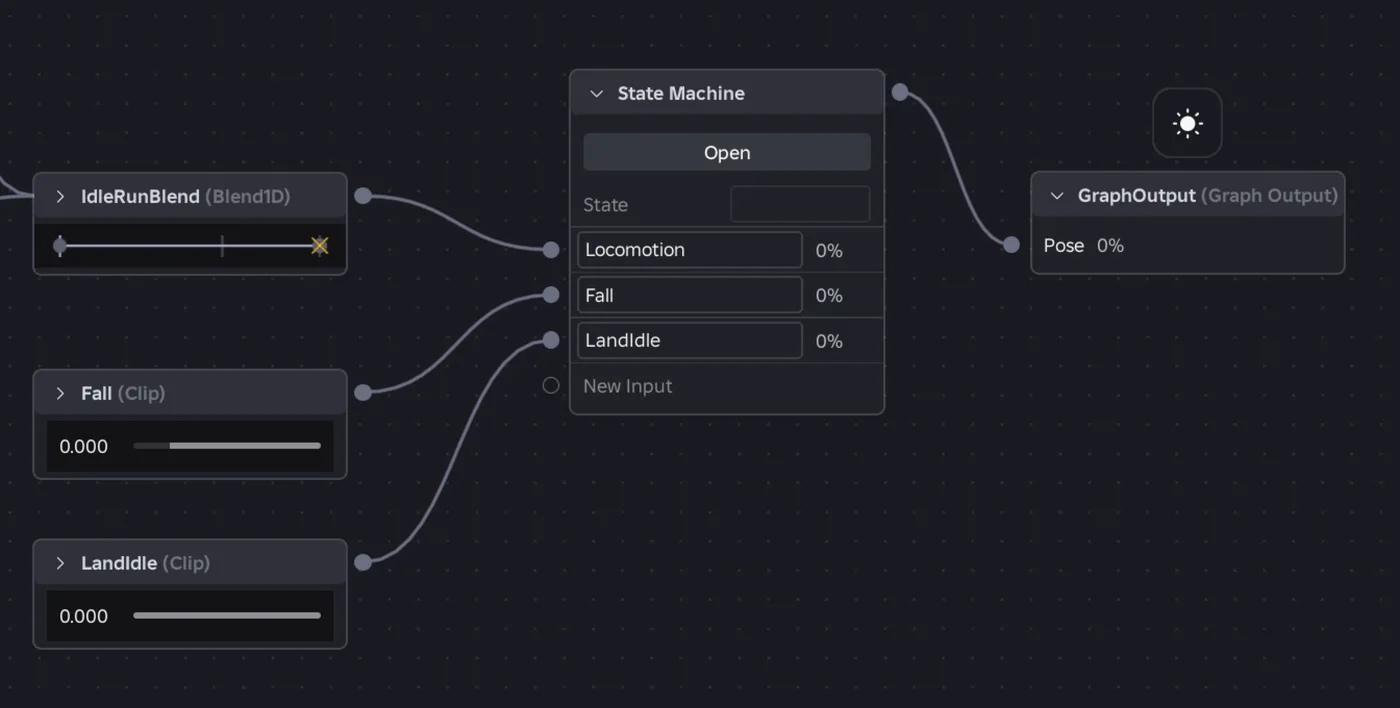
Roblox Animation Graph Editor: Blends and State Machines
Animation graphs left beta on July 15, 2026, and on October 8 Roblox added State Machine nodes and Expressions as a Studio beta. Here is how a graph loads like any animation, what each of the 15 node types does, how SetParameter drives it, what the beta features can't do in a live game yet, and who runs the graph under each authority mode.
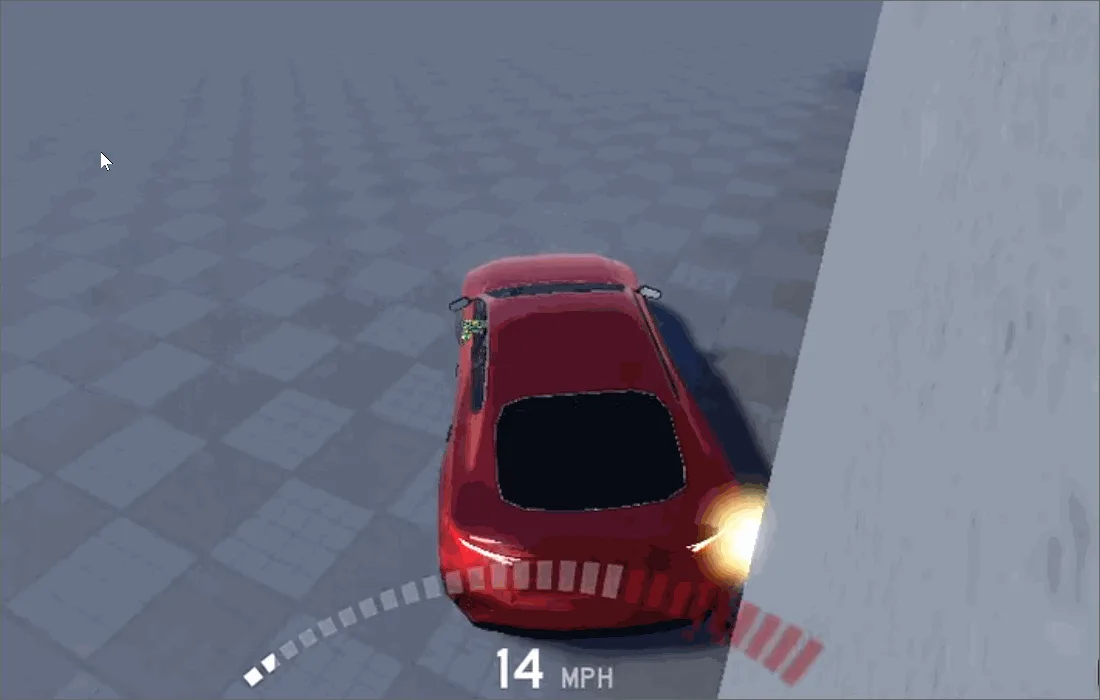
Roblox Collision Summaries: Impact Speed, Point and Normal
Touched tells you what your part hit. BindToCollisionSummaries, live since October 6, 2026, tells you where, from which direction and how hard. Here are the seven fields, why one bump arrives as several summaries, the Normal field Roblox's own pages describe two ways, and the network-ownership rule that decides which machine sees a summary at all.
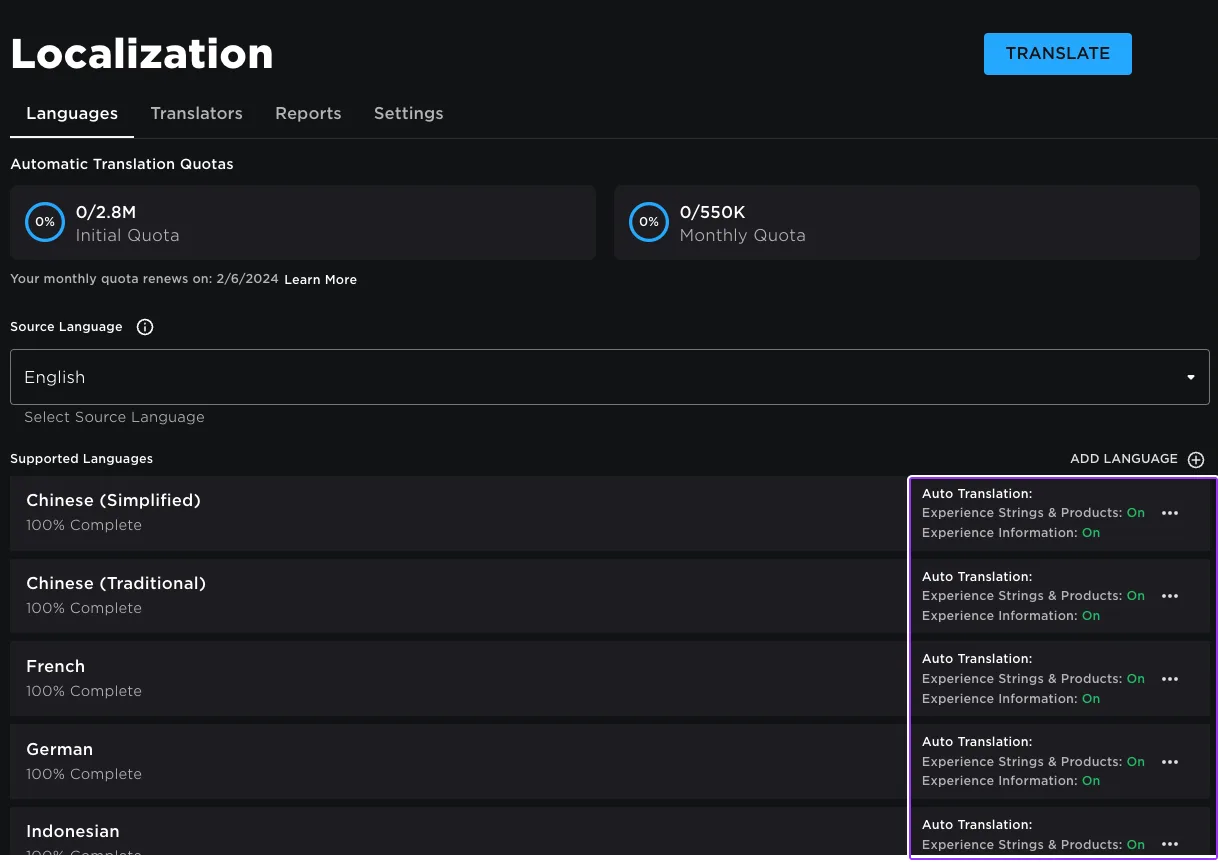
Roblox Localization: How to Translate Your Game
Since June 2026, any player can switch on Automatic Translations and read your game through Roblox's machine translator, whether or not you ever opened the Localization page. Here is what gets translated, how to stop it on text that should stay put, the five kinds of text automatic capture never sees, and the Translator and real-time APIs that cover the rest.
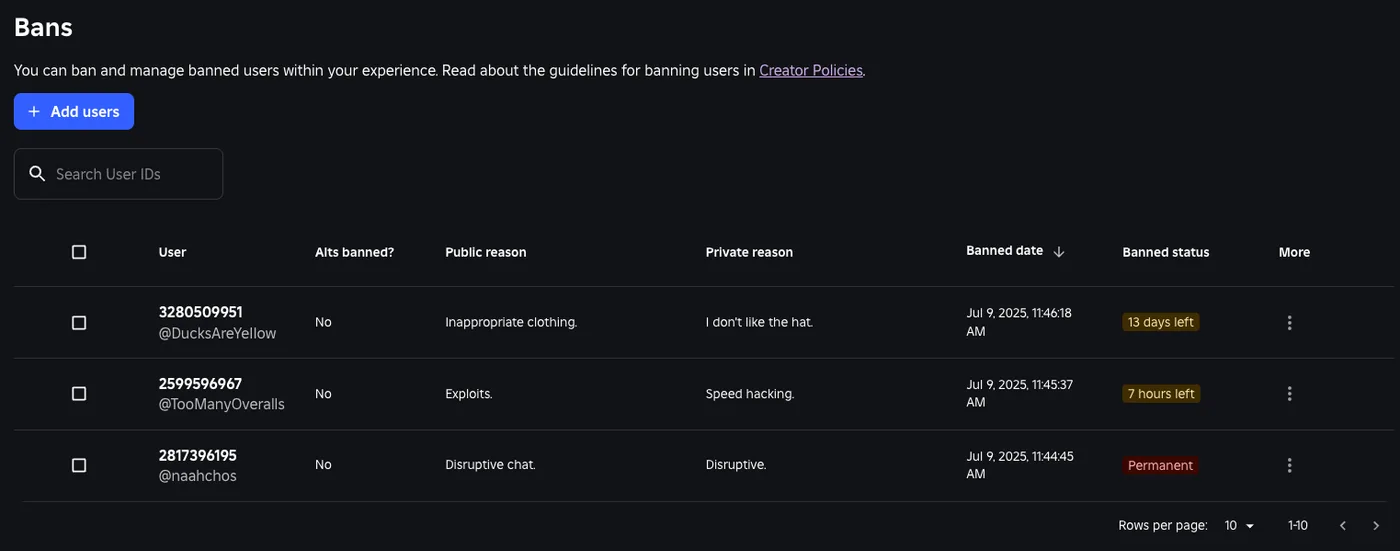
Roblox Ban API: BanAsync, Alt Accounts, Device Blocks
Player:Kick() drops someone from one server. Players:BanAsync() evicts them from every server, keeps them out for as long as you say, and bans their suspected alts by default. Here is every field in the config table, the scope rule that decides whether your unban does anything, the 24-hour device block only one unban path can lift, and why GetBanHistoryAsync fails in Studio.

Best Roblox Games to Play in 2026
Roblox's front page is engagement bait. This is the filtered version: the games with real, sustained player counts and actual staying power, sorted by what you're in the mood for.

How to Get Robux Safely (Legit Ways + Scams to Avoid)
There is no free Robux generator. There never was. Here are the actual legit ways to get Robux without overpaying, the earning methods that really work, and the scams that exist purely to steal your account.