Roblox TeleportService Guide: Move Players Between Places
Every lobby-to-match, hub-to-dungeon, overworld-to-boss-arena game runs on one service. TeleportService moves players between places and servers — but call it wrong and you get flood errors, lost data, and players stranded in the wrong lobby. Here is the version that ships.
Load into any big Roblox game and you're already using it. The lobby you spawn in, the match you queue into, the boss arena that peels your squad off into its own instance — those aren't rooms in one giant place. They're separate places, and the thing shuttling you between them is TeleportService. It's the single most important API for any game bigger than one map, and it's also the one beginners get most spectacularly wrong: called from the client so exploiters hijack it, called in a bare loop so it floods and errors, called with no failure handling so a hiccup strands the player in limbo.
Here's the falsifiable claim to anchor on: TeleportService does not work in Studio playtesting at all. The official docs are blunt about it — you must publish the game and test in the real Roblox client, because teleporting between places has no meaning in a local test session. So every teleport bug you write is a bug you find live. That alone is a reason to get the patterns right the first time, and if you can already write a basic Luau script and move around Studio, this guide gets you from single-map to multi-place without the classic faceplants.
Why TeleportService is the backbone of every multi-place game
A single Roblox server holds a capped number of players and one loaded map. The moment your game wants a hub that feeds into instanced dungeons, a lobby that spins up fresh matches, or a "join my crew" button that drops friends into the same server, you've outgrown one place. The architecture pros use is a universe (one experience) containing multiple places (a start place plus extra places), and TeleportService is the glue that moves players and their data across that boundary.
The mental model that keeps this straight: a place is a what (the map, its scripts, its assets) and a server is a where (a specific running copy of that place). TeleportService can send a player to a place and let Roblox pick the server, to a specific server instance, or to a brand-new reserved server that only your code holds the key to. Getting fluent with those three targets is most of the battle. The rest is data and error handling.
The one-line teleport (and why it must run on the server)
The modern method is TeleportAsync, and it takes three things: the destination PlaceId, an array of Player instances to send, and an optional TeleportOptions. The array is the part beginners miss — even for one player, you pass a table.
local TeleportService = game:GetService("TeleportService")
local Players = game:GetService("Players")

local LOBBY_PLACE_ID = 123456789 -- the PlaceId you are sending players to

local function sendToLobby(player)
	TeleportService:TeleportAsync(LOBBY_PLACE_ID, { player })
end
That's the whole happy path. But notice where this runs: on the server, in a Script, never in a LocalScript. There is a client-side Teleport method, and you should treat it as a trap. A teleport initiated from the client is a teleport an exploiter controls — they can redirect themselves, or worse, spoof the destination. The docs are explicit that TeleportAsync cannot be called from client scripts for security reasons, and that's a feature. Let the client ask to teleport by firing a RemoteEvent, and let the server decide whether to honor it and run the actual call.
One more discipline point: TeleportAsync is a yielding call that hits Roblox's servers, so it can be rate-limited (a "Flooded" result) if you spam it. Never call it inside a tight loop or on every Touched event without a debounce. Batch the players you want to move into one call's array instead of firing one call per player, and gate the whole thing behind a cooldown.
TeleportOptions: reserved servers, party teleports, and targeting
The third argument, TeleportOptions, is where TeleportService stops being a one-liner and starts being a system. You create one with Instance.new("TeleportOptions"), set a few properties or call a method, and hand it to TeleportAsync. The three levers that matter most:
- ShouldReserveServer — set
trueand the teleport spins up a fresh, private reserved server and drops the players into it. This is how you make instanced content. - ServerInstanceId — target one specific existing public server, so you can pull a player into the exact match a friend is in.
- ReservedServerAccessCode — the access code for an already-reserved server, so a second batch of players can join the same private instance you made earlier.
You mix and match these depending on whether you're creating an instance, joining a known instance, or following someone. Let's do the two you'll actually reach for.
Reserving a private server
Instanced dungeons, ranked matches, "private lobby with your friends only" — all reserved servers. There are two ways in. The blunt way sets ShouldReserveServer = true on the options and teleports in one shot. The more flexible way calls ReserveServerAsync(placeId) first, which returns an access code plus a private server ID, and then teleports using ReservedServerAccessCode. That second pattern is the one to learn, because the access code is a value you can stash — in a DataStore or a matchmaking table — and reuse to funnel more players into the same instance later.
local code, privateServerId = TeleportService:ReserveServerAsync(MATCH_PLACE_ID)

local options = Instance.new("TeleportOptions")
options.ReservedServerAccessCode = code

TeleportService:TeleportAsync(MATCH_PLACE_ID, playersToSend, options)
On the destination server, you can read game.PrivateServerId and game.PrivateServerOwnerId to confirm you're in a reserved instance and who (if anyone) owns it — handy for gating logic that should only run inside matches. Note the old ReserveServer method is deprecated; reach for ReserveServerAsync.
Teleporting a whole party together
When a squad queues up, you do not want them scattered across four different fresh servers because four separate teleport calls each rolled their own instance. That's exactly what TeleportPartyAsync prevents: it takes a place ID, an array of players, and optional data, and guarantees the whole group lands in the same new server together. It's the right tool for "start match with my party" and the wrong tool to skip in favor of a loop — a loop is the bug.
If you'd rather build the party server yourself and control exactly when players join, reserve a server once, store the access code, and teleport each subgroup into it with ReservedServerAccessCode. Both approaches are legitimate; the difference is who owns the timing.
Passing data between places (and what NOT to trust it with)
A teleport that forgets everything about the player is useless. TeleportService gives you two channels for carrying state across the jump, and confusing them is a security hole.
The convenient channel is teleport data: call SetData on your TeleportOptions (or pass a data table to TeleportPartyAsync) with a table of basic info, and on the far side read it back with Player:GetJoinData() (server) or TeleportService:GetLocalPlayerTeleportData() (client). Great for lightweight, non-sensitive context: which map to load, which difficulty was picked, a cosmetic loadout choice.
local options = Instance.new("TeleportOptions")
options:SetData({ mapName = "Frostpeak", difficulty = "Hard" })

TeleportService:TeleportAsync(MATCH_PLACE_ID, playersToSend, options)

-- On the destination server:
Players.PlayerAdded:Connect(function(player)
	local data = player:GetJoinData().TeleportData
	if data then
		loadMap(data.mapName, data.difficulty)
	end
end)
Here's the line to burn into memory: teleport data is not secure. It is unencrypted and visible to (and forgeable by) the client. Never put currency, inventory counts, purchase state, or anything an exploiter would love to rewrite into teleport data. For anything that can be cheated, the value lives in a DataStore or memory store that the destination server reads authoritatively, or gets validated server-to-server. Teleport data carries hints; your data stores carry truth. This is the same trust boundary that governs game passes and developer products — the client can ask, but the server verifies.
Handling failures: TeleportInitFailed and the retry pattern
Teleports fail. A player's target server fills up, Roblox rate-limits you, the destination place is temporarily unreachable — and when a teleport that already started can't complete, the player is left sitting in the original server with nothing happening. That silent stranding is the worst-feeling bug in the genre, and TeleportInitFailed is how you catch it.
Connect to TeleportService.TeleportInitFailed and it hands you the player, an Enum.TeleportResult describing what went wrong, and an error message. The result codes tell you how to react: a Flooded result means you're being rate-limited and should back off and retry after a delay; a Failure is a transient error worth one retry; and an IsTeleporting/invalid case means don't hammer it. The production-grade pattern wraps the teleport in pcall, listens for TeleportInitFailed, and retries a bounded number of times with a wait in between.
local ATTEMPT_LIMIT = 5

local function safeTeleport(placeId, player, options)
	local success, result
	for _ = 1, ATTEMPT_LIMIT do
		success, result = pcall(function()
			return TeleportService:TeleportAsync(placeId, { player }, options)
		end)
		if success then break end
		task.wait(1)
	end
	if not success then
		warn("Teleport failed for", player.Name, result)
	end
end

TeleportService.TeleportInitFailed:Connect(function(player, teleportResult, errorMessage)
	if teleportResult == Enum.TeleportResult.Flooded then
		task.wait(5)
	end
	safeTeleport(TARGET_PLACE_ID, player)
end)
The wrapper isn't optional polish. Any published game that teleports players will hit failures at scale, and the difference between a game that shrugs them off and one that dumps players into a frozen lobby is exactly this retry loop. Wrap every teleport call.
Custom loading screens with SetTeleportGui
The default teleport experience is a blank fade. You can do better. Build a ScreenGui, and on the client call TeleportService:SetTeleportGui(myGui) before the teleport fires — Roblox will display that GUI over the loading transition into the destination place. One catch worth quoting from the docs: "Any scripts within the ScreenGui do not run." The loading screen is a static picture, not a live interface, so animate it with whatever it needs before the jump and don't expect its LocalScripts to keep ticking mid-teleport.
On the receiving side, the LocalPlayerArrivedFromTeleport event fires on the client when the player lands, handing you the loading GUI and the teleport data — the clean place to fade your custom screen out gracefully instead of letting it snap away. A branded loading screen with a progress spinner and a tip of the day is a tiny amount of work that makes a multi-place game feel like one continuous experience instead of a series of hard cuts. Treat it as part of your UI polish pass.
Access control and third-party teleports
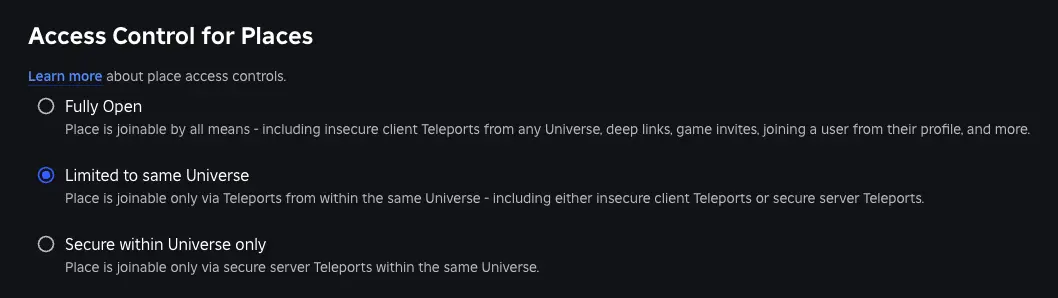
The last piece is permission, and it lives on the Creator Dashboard, not in code. Roblox lets you control which experiences are allowed to teleport players into your place — the settings range from fully open, to limited to the same universe, to fully secured. If your places refuse to accept teleports and you can't figure out why, this panel is the usual culprit.
The one to understand deliberately is Allow Third Party Teleports. Turning it on lets other people's experiences teleport players into yours (and cross-experience teleporting to work). That's powerful for hub-and-spoke communities, and it's also a door you're opening — leave it off unless you specifically want external games funneling players in, and know that within your own universe, place-to-place teleports work regardless. Set this consciously; don't cargo-cult it on because a tutorial did.
None of this is exotic once the patterns click. Server-side calls, a TeleportOptions for anything beyond the basics, data stores for anything that matters, and a retry wrapper around every jump. Get those four habits down and your game can be as big as your imagination — the same backbone that carries the front-page hits carries your first real multi-place game too.
Quick Action Checklist
- Call
TeleportAsync(placeId, { player }, options)from a server Script only — never the clientTeleport - Let clients request teleports via a RemoteEvent; the server decides and executes
- Pass players as an array even for a single player, and batch groups into one call
- Use
ReserveServerAsyncfor instanced content and stash the access code to funnel more players in - Send whole squads with
TeleportPartyAsyncso they land in the same server — never loop separate calls - Carry lightweight context in teleport data; keep currency, inventory, and purchases in DataStores
- Wrap every teleport in
pcallwith a bounded retry, and connectTeleportInitFailedto handle Flooded/Failure results - Add a custom loading screen with
SetTeleportGui(remember its scripts don't run) and fade it onLocalPlayerArrivedFromTeleport - Check the Creator Dashboard access-control settings, and only enable Allow Third Party Teleports on purpose
- Test teleports in the published game — TeleportService does not work in Studio playtesting
Frequently Asked Questions
What is TeleportService in Roblox?
Why does my Roblox teleport not work in Studio?
How do I teleport a player to a private server in Roblox?
Is Roblox teleport data secure?
How do I handle failed teleports in Roblox?
Keep Reading
Related Guides
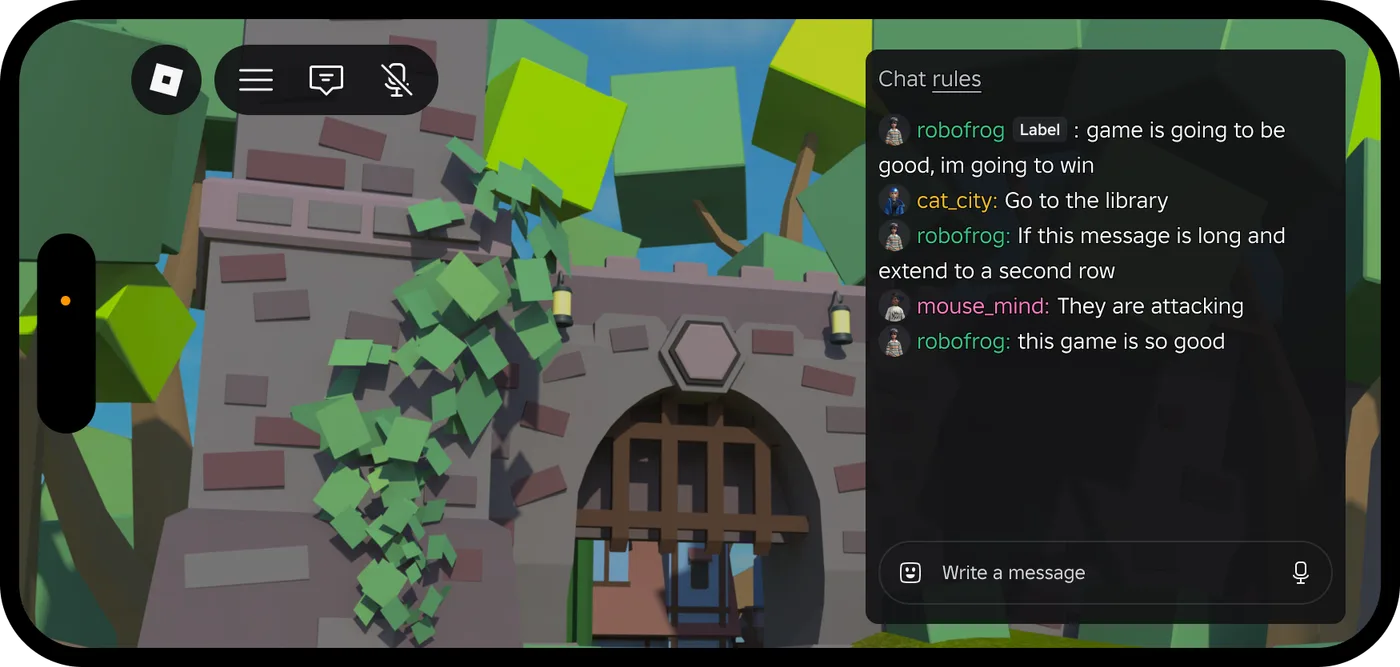
Roblox Platform-Integrated Chat: Migrate Your Custom Chat
On October 21, 2026, Roblox announced that chat message text will stop being readable from game code. It is opt-in today, the default from February 2027 and required from May 2027. Here is what stops working, the replacement for each custom chat feature, which one has no replacement yet, and how to test it in Studio now.
Roblox Early Testers and the New Publish Flow: What Changed
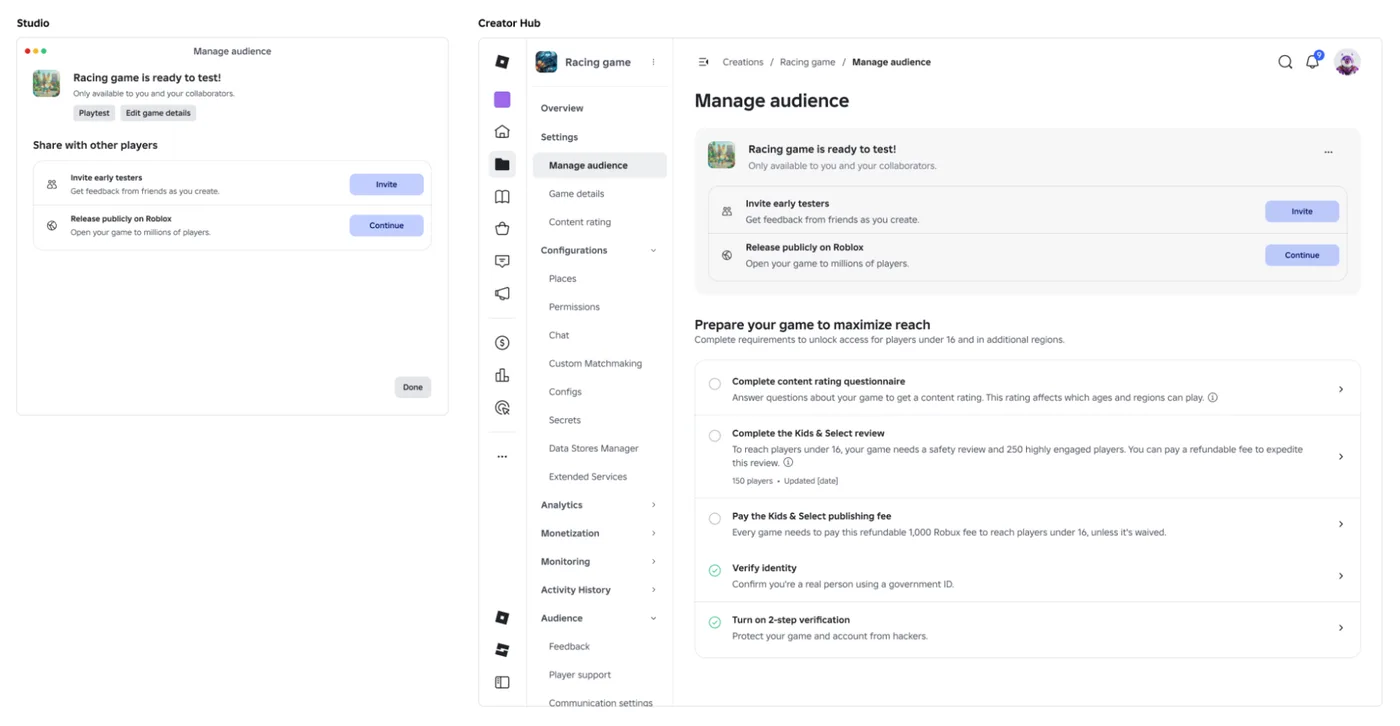
Since October 12, 2026, you can let up to 10 friends play your unreleased, unrated Roblox game, and Roblox is rolling out a path that lets a game with no age-restricted content reach age-checked players 16 and older by answering one question instead of the full questionnaire. Here is who can be an early tester, what replaced the Private and Limited audience settings, what the one question actually covers, and what still takes the long road to players under 16.

Roblox BadgeService Guide: Award, Check, Debug
Call AwardBadgeAsync on a player who isn't currently in your server and it fails one of five documented requirements — silently, the same way it fails for a disabled badge or a place outside the badge's own experience. Here is every BadgeService method, which four are dead, the rate limit two of them share despite a 10x difference in batch size, and the deprecated check that Roblox says will now always return true.
Roblox Luau Type Checking: nocheck, nonstrict, strict
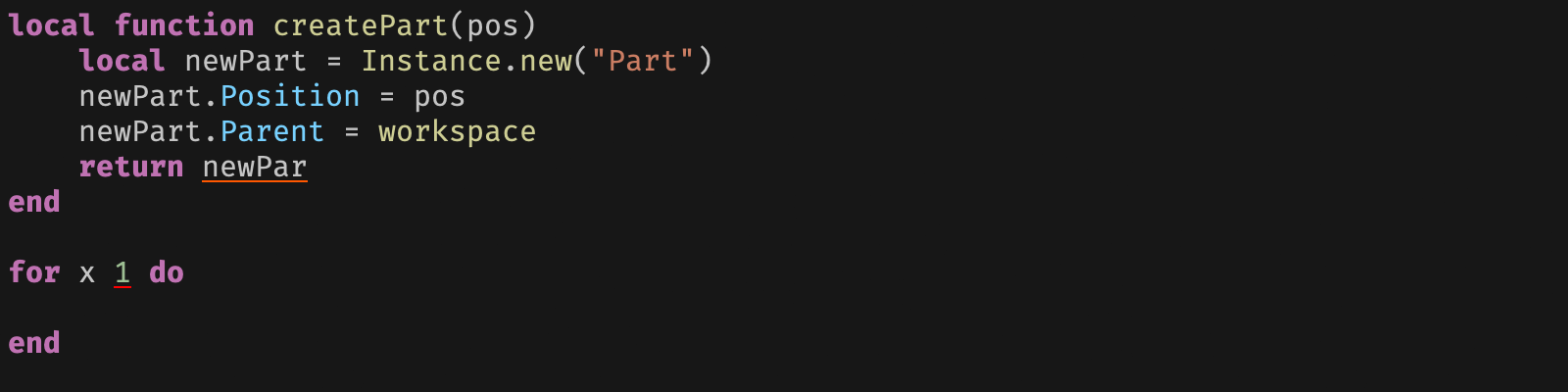
Roblox says every script used to default to no typechecking. That is no longer how it works: a Workspace property now sets the default mode, projects using only nocheck and nonstrict were moved to the New Type Solver automatically, and strict mode projects were not. Here is what each mode reports, what the new solver changed, and the annotation syntax that covers most code.

Best Roblox Games to Play in 2026
Roblox's front page is engagement bait. This is the filtered version: the games with real, sustained player counts and actual staying power, sorted by what you're in the mood for.

How to Get Robux Safely (Legit Ways + Scams to Avoid)
There is no free Robux generator. There never was. Here are the actual legit ways to get Robux without overpaying, the earning methods that really work, and the scams that exist purely to steal your account.